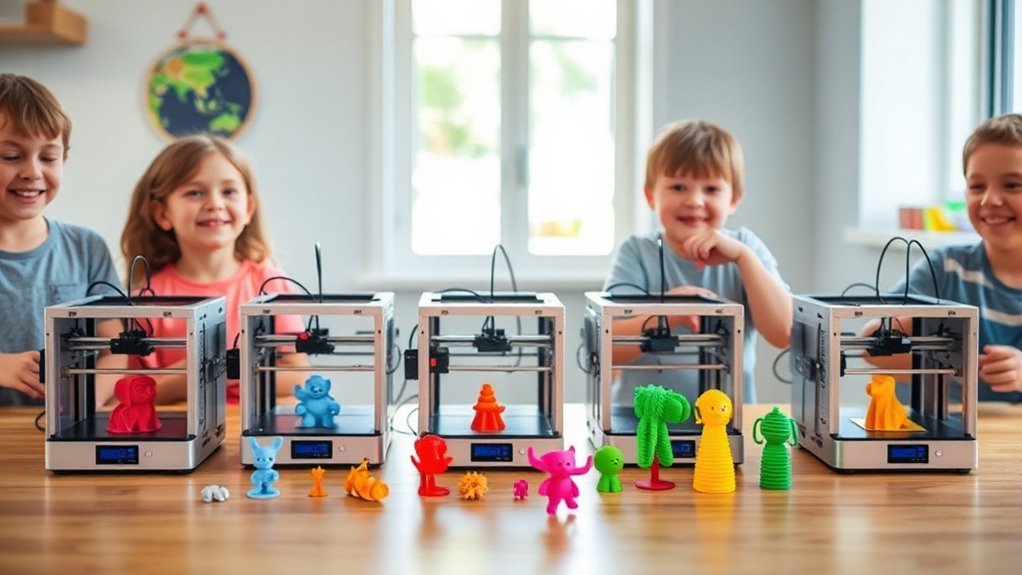
6 Best Cheap 3D Printers for Kids in 2027
You’ll love 3D printers like the Entina Tina2C Mini or Geeetech Mini for their auto-leveling and quiet, kid-safe designs. These features make them perfect for young users just starting out with 3D printing. They combine ease of use with safety, so parents can feel confident.
The M1 Mini gets kids printing fast with pre-sliced models, making setup a breeze. Meanwhile, the AI-powered Magic Jimmy offers one-tap printing and tons of STEM projects, adding an educational twist. It’s great for sparking creativity while learning.
Compact options like Zion Ridge and SUNLU Kidoodle bring safety and ease with Wi-Fi and touchscreens. These printers balance safety, ease, and print quality perfectly. Keep going to explore how each fits your child’s needs and makes 3D printing fun and accessible.
| Image | Name | Editor's Rating | Price |
|---|---|---|---|

|
|
||

|
|
||

|
|
||

|
|
Entina Tina2C Mini 3D Printer for Beginners
- 【Easy to Use 3D Printer – Ready in 5 Minutes】 Meet the Entina Tina2C, a plug-and-play mini 3D printer designed for first-time users. Fully assembled with factory...
- 【3500+ 3D Models & Easy One-Tap Printing】 Explore 3500+ ready-to-print 3D models and 25+ DIY projects in the Poloprint Cloud app, with new designs added daily...
- 【Smart WiFi 3D Printer & AI-Powered App】 Connect via 2.4GHz WiFi and enjoy convenient 3D printer app control through Poloprint Cloud. Explore models, manage prints...
- 【Auto Leveling 3D Printer & Power-Loss Recovery】 Automatic bed leveling helps improve first-layer adhesion and reduces manual adjustments for a smoother 3D printing...
- 【Flexible Magnetic Print Bed & Quick-Swap Nozzle】 The flexible magnetic build plate makes finished 3D prints easier to remove with a gentle bend. A removable...
The Entina Tina2C Mini 3D Printer is designed to simplify the start of your 3D printing journey. Right out of the box, it arrives fully assembled so you can begin creating within minutes. The Poloprint app’s guided setup makes the initial steps straightforward, reducing the typical learning curve for beginners.
This compact printer addresses common challenges like bed leveling and print interruptions. Its auto leveling feature ensures the first layer adheres properly, preventing print failures. If the power goes out, the power-loss recovery function protects your project, allowing you to resume without losing progress.
Maintenance is easy with the quick-swap removable nozzle, which helps keep the printer in optimal condition without hassle. The compact and quiet design makes it suitable for home or classroom use, especially for kids and those new to 3D printing.
Though the build volume is limited to 3.9 inches cubed, it is ideal for small projects and prototypes. Wireless control via 2.4 GHz WiFi and AI-powered app tools offer flexible, remote printing options, though connectivity choices are somewhat limited.
Best for: Beginners and kids seeking an easy-to-use, compact 3D printer with quick setup and reliable printing features.
What We Like:
- Fully assembled and ready to print in 5 minutes with guided app setup
- Auto leveling and power-loss recovery improve print success
- Quick-swap removable nozzle simplifies maintenance
- Wireless control with AI-enhanced app tools for remote printing
Specification:
| Feature | Details |
|---|---|
| Manufacturer | Entina |
| Build Volume | 3.9 x 3.9 x 3.9 inches |
| Connectivity | 2.4 GHz WiFi |
| Setup Time | Approximately 5 minutes |
| Design | Compact, quiet |
Geeetech Mini 3D Printer for Kids and Beginners
No products found.
The Geeetech Mini 3D Printer is designed to make 3D printing simple and accessible. Its user-friendly interface and easy setup help kids and beginners start printing quickly, reducing the frustration often associated with complex machines. The 16-point full auto-leveling ensures the build plate is perfectly calibrated, which means fewer failed prints and smoother results.
This compact printer features a heated platform with a flexible magnetic PEI build plate, allowing models to be removed easily without damage. The direct drive extruder with dual metal gears improves extrusion accuracy and force, helping users achieve detailed prints with PLA and TPU filaments. Its print area is ideal for small projects, making it a practical choice for educational or hobby use.
Maintenance is straightforward thanks to the flexible build plate and plug-and-play TF card support. The printer arrives fully assembled, so users can start creating right away without technical hassle. While the print speed and build volume suit beginners, those needing larger or faster prints may find it limiting.
Best for: beginners and kids seeking a reliable, easy-to-use 3D printer for small-scale projects and learning.
What We Like:
- Fully assembled with plug-and-play TF card support
- 16-point full auto-leveling for consistent print quality
- Heated flexible magnetic PEI build plate for easy model removal
- Direct drive extruder with dual metal gears for precise extrusion
Specification:
| Feature | Description |
|---|---|
| Manufacturer | Geeetech |
| Print Area | 3.94 × 4.33 × 3.94 inches |
| Print Speed | Up to 250 mm/s |
| Build Plate | Heated, flexible magnetic PEI |
| Extruder | Direct drive with dual metal gears |
| Display | 2.4-inch LCD |
| Assembly | Fully assembled |
M1 Mini 3D Printer for Kids and Beginners
No products found.
The M1 Mini 3D Printer is designed to make 3D printing accessible and straightforward for kids and beginners. It removes typical startup barriers by allowing printing without a computer. With pre-sliced models on an SD card, users can create their first print in about 15 minutes, making it easy to dive into projects quickly.
Its compact size fits neatly on any desk, ideal for home use or STEM classrooms. The printer supports PLA and TPU filaments, offering flexibility for various creative projects. A direct drive extruder ensures smooth and precise prints, reaching speeds up to 250 mm/s.
Maintenance is simple thanks to features like 16-point automatic leveling and filament break detection. These reduce the chance of printing errors and downtime, which is especially helpful for young or new users. Quiet operation adds to a distraction-free environment, perfect for learning or home settings.
While the build volume is relatively small and material choices are limited, the M1 Mini focuses on ease of use and reliability. It may not satisfy advanced users looking for extensive customization, but it excels in providing a safe and quick start for beginners.
Best for: Kids, beginners, and STEM educators seeking a compact, user-friendly 3D printer that works without a computer.
What We Like:
- Quick first print with pre-sliced models on SD card
- 16-point auto leveling and filament break detection for reliable printing
- Quiet operation suitable for home and classroom environments
- Compact design fits easily on any desk
Specification:
| Feature | Details |
|---|---|
| Manufacturer | M1 Mini |
| Dimensions | Compact (exact size not provided) |
| Weight | Not specified |
| Supported Filaments | PLA, TPU |
| Print Speed | Up to 250 mm/s |
| Auto Leveling | 16-point automatic leveling |
3D Printer for Kids, AI-Powered, Fully Assembled, STEM Gift
- [NOTE] This printer prints one filament at a time, so each print is a single color. PLA comes in many colors, including gradient. For multi-color models, print parts...
- Fully enclosed child-safe design: The enclosed printing chamber keeps all hot components and moving parts away from children at all times. Non-toxic PLA filament only...
- Fully assembled and ready to use out of the box: No tools, no manual assembly required. Connect to WiFi, load the included white PLA filament, and start printing. Once...
- 20,000+ toy models and creative design tools: Browse a growing library of toys, animals, vehicles, and STEM projects on iOS, Android, or Windows. New models added...
- Fast printing at up to 400mm/s with built-in camera: Small models complete in as little as 20 minutes. Most library models print in 1 to 3 hours. The built-in camera...

Experience the Magic Jimmy 3D Printer for Kids, designed to make 3D printing simple and accessible. This AI-powered printer arrives fully assembled, so children and educators can start creating immediately without any setup hassle.
Connecting to WiFi unlocks its smart features. Kids can turn their sketches or photos into 3D models using built-in AI tools. The printer also offers a vast library of over 12,000 toys and STEM projects, encouraging creativity while supporting hands-on learning in STEM.
Safety is a priority with its fully enclosed chamber and cool-touch exterior, making it safe for young users. Maintenance is easy thanks to the magnetic build plate, which simplifies removing prints without damage.
The printer uses non-toxic PLA filament, ensuring safe material handling. While print times vary, especially for complex designs, it delivers fast, reliable results perfect for home or classroom use.
Best for: Parents and educators seeking a safe, easy-to-use AI-powered 3D printer to enhance STEM education for kids.
What We Like:
- Fully assembled with one-tap printing for quick startup
- Enclosed design and cool-touch surface ensure child safety
- AI tools and extensive model library boost creativity
- Magnetic build plate allows simple print removal
Specification:
| Feature | Details |
|---|---|
| Manufacturer | Magic Jimmy |
| Dimensions | 12 x 10 x 14 inches (approx.) |
| Weight | 9.5 lbs (4.3 kg) |
| Material | Non-toxic PLA filament |
| Color Options | Blue and White |
Portable 3D Printer for Beginners, Compact FDM 3D Printer 100x100x100mm
- INSTANT SETUP FOR BEGINNERS: Start your creative journey within minutes thanks to a user-friendly interface and pre-assembled components that eliminate the frustration of...
- ULTRA-PORTABLE SPACE SAVING DESIGN: Maximize your workspace with a compact 100x100x100mm build volume that fits perfectly on any desk, making it the ideal choice for...
- EFFORTLESS MODEL REMOVAL: Save time and prevent damage to your creations using the innovative magnetic removable build plate that allows you to pop off finished designs...
- VERSATILE FILAMENT COMPATIBILITY: Unleash your creativity by printing with various materials including standard PLA and flexible TPU, supported by a precision 0.4mm...
- SAFE AND RELIABLE OPERATION: Experience peace of mind with a low-voltage power system and quiet motor operation that makes this printer safe for household use around...
If you need a 3D printer that fits in small spaces and is simple to use, this compact model delivers. The Portable 3D Printer from Zion Ridge comes almost fully assembled, saving time and effort during setup. Its intuitive interface and magnetic removable build plate make printing and maintenance straightforward.
Designed for small projects, its 100x100x100mm build volume handles detailed prints with ease. The quiet operation and low-voltage design ensure safe use in homes, classrooms, or offices without disturbance. Its stable frame limits vibrations, resulting in higher print accuracy.
This printer supports PLA and flexible TPU filaments, offering versatility for beginners and hobbyists experimenting with different materials. Its lightweight and portable design makes it easy to move or store, though this may affect durability under heavy use.
Overall, it balances ease of use, safety, and portability, making it an excellent tool for learning and creative exploration.
Best for: Beginners, students, and hobbyists seeking a compact, user-friendly 3D printer for small-scale projects and educational use.
What We Like:
- Nearly fully assembled for quick and easy setup
- Magnetic removable build plate simplifies print removal and maintenance
- Supports PLA and TPU filaments for versatile material use
- Quiet, low-voltage design enhances safety and reduces noise
Specification:
| Feature | Details |
|---|---|
| Manufacturer | Zion Ridge |
| Build Volume | 100 x 100 x 100 mm |
| Filament Support | PLA, TPU |
| Power Design | Low voltage |
| Weight | Lightweight |
| Portability | Compact, portable |
3D Printer for Kids with Wi-Fi & Touchscreen
- 【Easy to use Mini 3D Printers】- Pre-assembled Kidoodle mini 3D printer (312*312*352mm) saves space and works out-of-the-box. Perfect for kids and 3d printing...
- 【Child-Safe Lock】- Enjoy peace of mind with a fully enclosed 3D printer structure designed for safety. If the door is opened it automatically pauses printing and...
- 【Smart Wi-Fi Control & Vast Model Library】- Control prints anytime via our intuitive app with Wi-Fi/USB/Cura compatibility. Access massive 3D models and monitor your...
- 【Precision and Speed】- Up to 600mm/s high-speed printing, 3X faster than other mini 3d printers. You can complete more prints in the same amount of time, reduce...
- 【5” Large Touch Screen】- Upgraded User-Friendly 5-inch touchscreen offers intuitive navigation and premium interactive experience. Make 3D printing more convenient...
Who’s ready to bring creativity to life with a kid-friendly 3D printer? The Kidoodle mini 3D printer by SUNLU offers an easy and engaging way for children to explore 3D printing. Its Wi-Fi connectivity and intuitive 5-inch touchscreen make controlling and monitoring prints simple, even from a distance.
This printer is designed with safety in mind. The fully enclosed build chamber pauses printing if the door opens, reducing risks and providing peace of mind for parents. Its compact build volume of 100 × 100 × 90 mm suits small projects, ideal for school assignments and DIY crafts.
Maintenance is straightforward thanks to the pre-assembled setup and included accessories. Kids aged 6 to 12 can quickly start printing without complicated assembly or setup, encouraging hands-on learning in STEM and creativity.
While the printing speed of up to 600 mm/s is impressive, it may vary to maintain quality. The included 250 g PLA filament is enough to get started but might need replenishing for frequent use.
Best for: Children aged 6–12 interested in STEM education, crafts, and safe, easy 3D printing.
What We Like:
- User-friendly 5-inch touchscreen with one-click printing
- Child-safe fully enclosed design with automatic pause
- Wi-Fi and app control for remote monitoring and file management
Specification:
| Feature | Details |
|---|---|
| Manufacturer | SUNLU |
| Build Volume | 100 × 100 × 90 mm |
| Touchscreen Size | 5 inches |
| Connectivity | Wi-Fi |
| Filament Included | 250 g PLA |
| Recommended Age Range | 6–12 years |
Factors to Consider When Choosing a Cheap 3D Printer for Kids
When choosing a cheap 3D printer for kids, you’ll want to focus on safety features and how easy it is to set up. These two things are super important, especially if your child is just starting out.
Also, think about the print quality and build volume to match your child’s projects. You want something that can handle their creativity without being too complicated.
Don’t forget to check connectivity options to make printing hassle-free. It’s always nicer when you can connect easily and get printing without a fuss.
Safety Features Importance
Because safety is paramount, you’ll want a 3D printer with features that protect kids from burns, electrical hazards, and sharp tools. Look for models with fully enclosed chambers and cool-touch exteriors to keep hot parts and moving components out of reach.
Automatic safety pauses, like door-open detection and filament break alerts, stop the printer instantly when something’s wrong. Choose printers with low-voltage power, insulated wiring, and secured hot-end protection to minimize electrical and thermal risks.
Using non-toxic PLA filament and clear safety labels helps avoid harmful fumes. Also, consider child-friendly features such as magnetic build plates and easy-release beds, which reduce the need for sharp tools and lower the chance of cuts when removing prints.
Prioritizing these safety elements guarantees a secure, worry-free experience for kids. It’s all about keeping things safe and simple so everyone can enjoy 3D printing without stress.
Ease Of Setup
Safety is a top priority, but you’ll also want a 3D printer that’s quick and easy to set up so kids can start printing without frustration. Choose printers that come fully or nearly assembled, letting you get the first print done within 5 to 15 minutes.
Look for models with guided setup through apps or on-screen instructions and factory presets that simplify configuration and slicing. Automatic or assisted bed-leveling saves time and avoids fiddly adjustments, ensuring better first-layer success.
Features like one-click printing, pre-sliced sample files, or cloud-based print commands help bypass complex slicing software at the start. Plus, conveniences like power-loss recovery, filament runout detection, and quick-swap nozzles minimize interruptions and make maintenance easier during early use.
Print Quality Expectations
How good do you really need your kid’s 3D prints to look? For toys and classroom models, a layer height of 0.1–0.2 mm is usually enough. It gives decent detail without demanding too much from a cheap printer.
If you want finer features, 0.05–0.08 mm is ideal. But low-cost machines often struggle to keep that consistent.
Pay close attention to print surface adhesion and first-layer quality. Auto-leveling and flexible PEI or magnetic build plates make a big difference by reducing warping and failed prints.
Also, consider the extruder type. Direct-drive handles flexible filaments better and cuts down stringing, while Bowden setups on budget printers may cause blobs or under-extrusion.
Finally, avoid very high speeds. Sticking to moderate print speeds (40–80 mm/s) guarantees cleaner, more reliable results your kid will love.
Build Volume Size
Choosing the right build volume size plays a key role in ensuring your child’s 3D printing projects stay manageable and fun. For kids and classroom use, a compact build volume around 100 × 100 × 100 mm is usually enough for toys, figurines, and simple STEM projects.
This size keeps print times short and supervision easier. Larger volumes, around 200–250 mm per side, let you print bigger, single-piece models or group projects. But they do increase print time, filament use, and the risk of failed prints—especially for beginners.
Connectivity Options Available
When picking a 3D printer for your child, considering connectivity options can make a big difference in ease of use and supervision. Wi‑Fi lets you and your child start, monitor, and pause prints remotely while accessing cloud libraries without cables.
If Wi‑Fi is limited, local file options like SD cards or USB drives enable offline printing. This is ideal for classrooms or homes with restricted networks.
Direct USB connections offer stable transfers and real-time print control, which helps when troubleshooting or adjusting advanced settings. Some printers include built‑in cameras and app integration, allowing remote monitoring and time-lapse recording for better project oversight.
Bluetooth and 2.4 GHz wireless connections provide easy pairing and low-latency control nearby. But keep in mind, they may require compatible apps and have shorter ranges.
Choosing the right connectivity keeps printing simple and manageable. It really makes the whole experience smoother for both you and your child.
Software And App Support
What makes software and app support essential for a kid-friendly 3D printer? It simplifies the entire process for both kids and caregivers. Look for printers with dedicated apps or touchscreens offering one-tap printing and remote management.
Software with built-in model libraries, guided presets, or AI-assisted features lets kids print without needing design skills. Make sure the slicer supports popular, user-friendly programs like Cura and common file formats such as STL or OBJ for easy project sharing.
Features like cloud sync, offline printing via TF/SD cards, and remote monitoring help manage prints and recover from interruptions. Also, check for safety and maintenance aids—auto-leveling guidance, filament-out alerts, nozzle cleaning, and easy firmware updates—to keep the printer running smoothly and safely for young users.
Noise Level Considerations
Alongside user-friendly software, noise levels play a big role in making a 3D printer kid-friendly. You’ll want to look for models with quiet operation, typically around 40–50 dB—similar to a quiet library.
Printers with low-noise stepper motors, like those using Trinamic drivers, and well-tensioned belts reduce mechanical vibrations and noise. Enclosed frames and vibration-isolating feet also help minimize rattles, which is great if the printer’s in a bedroom or classroom.
Cooling fans often generate the most noise, so choose printers with adjustable fan settings or larger, slower fans to keep sound levels down without sacrificing print quality.
If noise matters a lot, check product specs or reviews for measured decibel values and features like quiet or standby modes before making your choice. It really makes a difference!
Warranty And Support
Because kids can be tough on gadgets, you’ll want to prioritize a solid warranty and reliable support when choosing a cheap 3D printer. Look closely at the warranty length—typically 6 to 12 months for parts and labor—and check exactly what’s covered, like defective electronics or motors, versus consumables such as nozzles or filament jams.
Make certain technical support is easy to reach, ideally offering same-day or 24-hour responses via phone, email, or live chat for quick troubleshooting. Also, confirm that spare parts are affordable and available, and see if replacements fall under warranty or get discounts.
Finally, review return and repair policies, including repair turnaround times and whether repairs happen locally or require mailing in the printer. This guarantees you’re prepared for any bumps along the way.
Frequently Asked Questions
What Safety Precautions Should Parents Take When Kids Use 3D Printers?
You should supervise your kids closely and make certain there’s proper ventilation. It’s important to keep the printer on a stable surface to avoid any accidents.
Also, use non-toxic filaments whenever possible. Teach your kids to avoid touching the hot parts of the printer — those can cause burns.
And just to be extra safe, keep a fire extinguisher nearby. That way, you’re prepared for any unexpected situations.
How Do 3D Printers for Kids Compare to Adult Models in Print Quality?
Kids’ 3D printers produce simpler, softer shapes, sacrificing sharpness and speed. You’ll find adult models deliver detailed, durable designs.
But kid-friendly printers focus on safety and simplicity, making creativity convenient and controlled for young creators. It’s all about keeping things fun and easy for the little ones.
Are There Specific Materials Recommended for Kids’ 3D Printing Projects?
You’ll want to use PLA filament because it’s non-toxic, easy to print, and has low warping.
It’s perfect for kids since it’s safe and straightforward to work with. Avoid ABS or flexible filaments, as they can emit fumes or be tricky to handle for kids’ safety and success.
Sticking with PLA just makes the whole process smoother and safer for everyone involved.
What Software Is Best for Children Learning 3D Modeling?
You’ll want to try Tinkercad or SketchUp, which are user-friendly and fun. They gently introduce you to 3D modeling without overwhelming complexity, making your creative journey smooth and enjoyable from the very first design.
These tools are perfect for getting started. They keep things simple, so you won’t feel lost or frustrated. Plus, they make learning feel like play, which is always a win!
Can Kids Share Their 3D Print Designs Online Safely?
Yes, you can help kids share their 3D print designs safely by using kid-friendly platforms with privacy settings. Teach them about online safety, avoid personal info, and monitor their activity to keep their creativity secure and fun.
It’s all about making sure they enjoy sharing without any worries. Just keep an eye on what they post and remind them to stay safe online. That way, their creativity can really shine!
Conclusion
Choosing the right 3D printer for your kid is like handing them a magic wand—sparking creativity and endless possibilities. Each affordable option here opens a door to imagination, learning, and fun.
Remember, the best printer isn’t just about cost; it’s about nurturing curiosity and growth. So pick a model that fits your child’s needs and watch them transform simple ideas into vibrant realities, one layer at a time.
When looking for cheap 3D printers for kids, focus on ease of use, safety, and educational value. These factors ensure your child not only enjoys printing but also learns valuable skills. With the right 3D printer, your kid’s creativity will soar, turning their dreams into tangible creations. Choose wisely, and you’ll have a fantastic entry into the world of 3D printing that’s perfect for young minds.