6 Best Canon Printer Ink Tanks for 2027
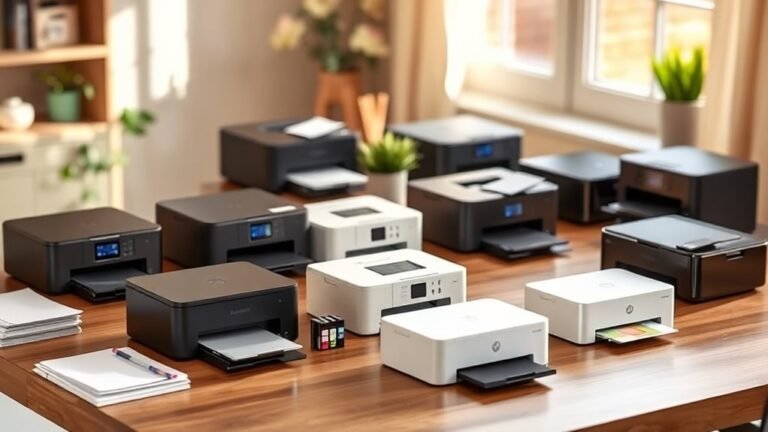
For 2027, the six best Canon printer ink tanks cover a range of needs and preferences, whether you’re printing at home or running a small business.
The MegaTank G3270 and MAXIFY GX2020 stand out with their high-yield, refillable systems that help you save money while delivering consistent quality.
If you’re looking to cut daily printing costs, the TESEN PG-275XL CL-276XL remanufactured pack is a smart choice. It offers reliable performance without breaking the bank.
For those focused on vibrant photo printing, the Canon CLI-65 Yellow and CLI-42 Cyan tanks bring bright, vivid colors to your images. Meanwhile, the PGI-225 Black tank ensures your text prints come out crisp and sharp every time.
Keep your specific goals in mind as you choose—there are options that balance cost, quality, and reliability to fit your unique needs.
| Image | Name | Editor's Rating | Price |
|---|---|---|---|

|
|
||

|
|
||

|
|
||

|
|
||

|
|
Canon MegaTank G3270 All-in-One Wireless Color Printer
- Wireless Print/Copy/Scan
- Up to 2 years of ink included (2)
- Print up to 6,000 black & white / 7,700 color pages using a single set of inks! (1)
- Save up to $1,000 on ink (1)
- 1.35” Square LCD display

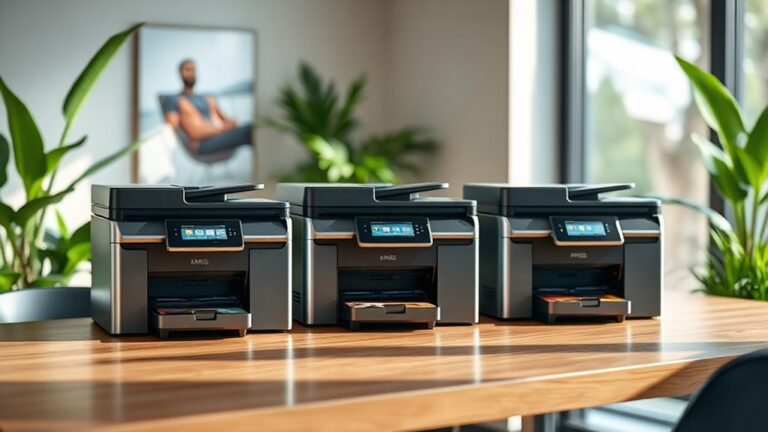
Experience hassle-free printing with the Canon MegaTank G3270, a versatile all-in-one printer designed to simplify your home or home office tasks. This printer keeps you productive by combining printing, copying, and scanning in one compact device. Its refillable MegaTank ink system reduces interruptions and lowers maintenance, allowing you to print thousands of pages without frequent ink replacements.
The MegaTank G3270 connects wirelessly, giving you the freedom to print from smartphones or computers with ease. Its intuitive 1.35″ LCD screen makes navigation straightforward. You can handle various paper sizes and types, including borderless printing, to suit different projects and media needs.
Designed for efficiency, this printer delivers sharp color prints at a resolution of 4800×1200 dpi. It prints black pages at a steady pace of up to 11 pages per minute, helping you manage daily tasks effectively. While it supports only single-sided printing, its energy-efficient operation keeps power consumption low.
Best for: Individuals and small home offices needing a reliable, high-yield all-in-one wireless color printer with versatile media handling.
What We Like:
- Long-lasting refillable MegaTank ink system for up to two years of printing
- Wireless connectivity with easy smartphone app control
- Supports a variety of paper sizes and borderless printing
- Sharp print resolution for clear, vibrant documents and photos
- Energy-efficient design reduces power use during operation
Specification:
| Feature | Details |
|---|---|
| Manufacturer | Canon |
| Dimensions (W×D×H) | 17.7 × 12.3 × 6.3 inches (45 × 31.2 × 16 cm) |
| Weight | Approximately 6.4 kg (14.1 lbs) |
| Print Resolution | Up to 4800×1200 dpi |
| Print Speed | Up to 11 ppm (black), 6 ppm (color) |
| Connectivity | Wireless, smartphone app control |
| Display | 1.35″ LCD screen |
Canon MAXIFY GX2020 Wireless All-in-One Printer
- Wireless Print/Copy/Scan/Fax (2)
- Print up to 3,000 black & white / 3,000 color pages using a single set of inks! (1)
- 2.7” LCD Color Touchscreen
- Auto 2-sided printing
- ADF – 35 sheet Auto Document Feeder
The Canon MAXIFY GX2020 is designed to meet the demands of small businesses and home offices needing dependable, high-volume color printing. Its refillable ink tank system uses pigment-based GI-25 bottles, allowing you to print up to 3,000 pages per set. This means fewer interruptions and lower running costs, easing maintenance efforts.
With print speeds of up to 15 ppm for black and 10 ppm for color, the GX2020 helps you complete tasks quickly. Features like auto duplex printing and a 35-sheet automatic document feeder (ADF) improve efficiency and workflow, making it easier to handle multi-page documents.
The printer’s compact design includes a 2.7-inch touchscreen for intuitive control. Connectivity options are versatile with dual-band Wi-Fi, wired LAN, and USB, allowing seamless integration into various work environments. It supports multiple media sizes up to 8.5″ x 14″, accommodating typical office printing needs.
While it offers many advantages, the GX2020’s paper capacity maxes out at 250 sheets, which may require frequent refills during heavy use. Its maximum media size is limited, and only one USB port is available, which could restrict simultaneous peripheral connections.
Best for: Small businesses and home offices that need reliable, high-volume color printing with low running costs and versatile multifunction capabilities.
What We Like:
- High page yield with refillable pigment-based ink tanks
- Fast print speeds with auto duplex and 35-sheet ADF
- Multiple connectivity options including dual-band Wi-Fi and wired LAN
- Compact design with easy-to-use touchscreen interface
Specification:
| Feature | Details |
|---|---|
| Manufacturer | Canon |
| Dimensions | Compact design (exact size not specified) |
| Weight | Not specified |
| Ink System | Refillable pigment-based GI-25 ink tanks |
| Print Speed | Up to 15 ppm black, 10 ppm color |
| Media Size Supported | Up to 8.5″ x 14″ |
| Paper Capacity | 250 sheets |
| Connectivity | Dual-band Wi-Fi, wired LAN, USB |
| Display | 2.7-inch touchscreen |
PG-275XL CL-276XL Replacement for Canon Ink 275 and 276 Ink Cartridge 2Pack
- Tesen 275xl and 276xl ink cartridges replacement for canon 275 and 276 ink cartridges, XL capacity version equipped with a smart chip to ensure intelligent identification...
- Package includes: 275xl 276xl ink cartridge combo pack compatible for pg-275xl black ink cartridge * 1, cl-276xl color ink cartridge * 1, User Guide * 1. Well-package...
- Higher Page Yield: up to 450 pages per 275xl black ink cartridge and 380 pages per 276xl color ink cartridge based on 5% coverage (letter A4). It is a high capacity...
- Compatible with printers: 275 276 xl ink cartridges for cannon printers Pixma TR4720 TR4700 TR4722 TR4723 TR4725 TS3522 TS3520 TS3500 TS3700 TS3720 TS3722 printers ink...
- Excellent Quality of printer ink 275 276 combo pack: Strict testing to confirm the compatibility of each pg-275 cl-276 ink cartridges, smooth printing, no paper jams, and...
Experience hassle-free printing with the TESEN PG-275XL CL-276XL Replacement ink cartridges. These high-yield cartridges are designed to keep your Canon PIXMA printer running efficiently, reducing frequent replacements and interruptions. The set includes one black and one color cartridge, both remanufactured to deliver consistent quality output.
Each cartridge features a smart chip that ensures smooth communication with your printer. This helps prevent common issues like jams and clogs, maintaining reliable performance over time. With yields of up to 450 pages in black and 380 pages in color at 5% coverage, these cartridges support extended printing tasks without compromising quality.
Maintenance is simplified thanks to the compatibility with Canon PIXMA models such as the TR4700 and TS3500 series. These cartridges fit seamlessly and are easy to install, making them a practical option for home or office use. While remanufactured, they provide a balance between cost-effectiveness and dependable printing results.
Best for: Canon PIXMA users seeking durable, smart chip-equipped replacement ink cartridges for everyday printing needs.
What We Like:
- High-yield ink reduces replacement frequency.
- Smart chip technology prevents printer errors.
- Easy installation and broad Canon PIXMA compatibility.
Specification:
| Feature | Details |
|---|---|
| Manufacturer | TESEN |
| Cartridge Type | Remanufactured ink cartridges |
| Color Options | Black and Color (2-Pack) |
| Compatible Models | Canon PIXMA TR4700, TS3500 series |
| Page Yield | 450 pages (black), 380 pages (color) at 5% coverage |
Canon CLI-65 Yellow Ink Tank for PIXMA PRO-200
- Compatible with PIXMA PRO-200, and PIXMA PRO-200S Printers.
- ChromaLife100+ CLI-65 ink is specially formulated for enhanced color gamut in magenta and reds, deeper black expression, and improvement of dark color reproduction in red...
- The combination of Genuine Canon inks and paper provides superior performance and the Canon level quality you expect in your final print.
- Don’t be fooled by imposters - look for the Canon logo on all ink packaging to ensure you’re buying Genuine Canon Ink for outstanding quality and performance you can...
Experience vibrant and precise yellow tones with the Canon CLI-65 Yellow Ink Tank, designed specifically for PIXMA PRO-200 printers. This genuine Canon cartridge ensures your prints showcase rich, accurate colors, thanks to the advanced ChromaLife100+ formula. It enhances your photos by expanding the color range and adding depth to every image.
Maintaining your printer’s performance is simple with this ink tank. Its compact design fits perfectly, allowing easy replacement without mess or hassle. The ink delivers consistent results, producing up to 295 pages on glossy photo paper, making it ideal for professional photo projects.
This yellow ink tank is tailored for photographers and creators who demand true-to-life colors. While it is limited to specific PIXMA PRO-200 and PRO-200S models, it guarantees optimal printing quality for those devices. Regular users may find the ink volume requires frequent replacement during heavy use.
Best for: Professional photographers and PIXMA PRO-200/PRO-200S users seeking high-quality yellow ink for vivid, accurate photo printing.
What We Like:
- Genuine Canon ink with ChromaLife100+ for enhanced color quality
- Precise compatibility with PIXMA PRO-200 and PRO-200S printers
- Consistent print performance up to 295 pages on glossy photo paper
- Compact, easy-to-install design minimizes maintenance effort
Specification:
| Feature | Details |
|---|---|
| Manufacturer | Canon |
| Compatible Models | PIXMA PRO-200, PRO-200S |
| Ink Color | Yellow |
| Page Yield | Up to 295 pages (glossy photo) |
| Dimensions | Compact, fits PIXMA PRO-200 |
| Formula | ChromaLife100+ |
Canon CLI-42 Genuine Cyan Ink Tank, Compatible with PIXMA PRO-100 Printers
- Compatible with PIXMA PRO-100 Printers.
- The specially formulated ChromaLife100+ CLI-42 Cyan Ink produces professional quality photo prints and superior longevity, perfect for displaying your printed works of...
- The combination of Genuine Canon inks and paper provides superior performance and the Canon level quality you expect in your final print.
- Don’t be fooled by imposters - look for the Canon logo on all ink packaging to ensure you’re buying Genuine Canon Ink for outstanding quality and performance you can...
Canon CLI-42 Genuine Cyan Ink Tank delivers vibrant, true-to-life colors that meet the high standards of professional photo printing. Designed exclusively for PIXMA PRO-100 printers, this ink ensures your images maintain clarity and depth, enhancing every detail. Its formulation tackles common printing issues like fading and color inconsistency.
This cyan ink uses Canon’s ChromaLife100+ technology, which improves the durability of prints, keeping your photos vivid for years. When combined with genuine Canon photo paper, it produces accurate colors and long-lasting results that are ideal for gallery displays or client presentations. Regular maintenance is simple, but always use authentic ink to avoid clogging or damage to your printer.
The CLI-42 ink tank provides a smooth flow for uninterrupted printing. Its design supports easy replacement, reducing downtime and ensuring your workflow stays efficient. While it’s specifically compatible with PIXMA PRO-100, this focus guarantees optimal performance and reliability.
Choosing this genuine cyan ink means investing in consistent print quality and professional results. It helps photographers and creators produce rich, vibrant prints that stand the test of time.
Best for: Photographers and professional users of the PIXMA PRO-100 printer who require reliable, long-lasting cyan ink for high-quality photo prints.
What We Like:
- Uses Canon’s ChromaLife100+ technology for enhanced print longevity
- Ensures accurate colors when paired with genuine Canon photo paper
- Designed for smooth ink flow and easy replacement
- Genuine Canon product reduces risk of printer damage
- Optimized for PIXMA PRO-100 printer performance
Specification:
| Feature | Details |
|---|---|
| Manufacturer | Canon |
| Compatible Model | PIXMA PRO-100 |
| Ink Color | Cyan |
| Technology | ChromaLife100+ |
| Packaging Mark | Canon logo (authenticity) |
| Dimensions | Standard ink tank size |
Canon PGI-225 Black Ink Tank Compatible Printers

- Compatible with iP4820, MG5220, MG5120, MG8120, MG6120, MX882, iX6520, iP4920, MG5320, MG6220, MG8220, and MX892 Printers
- Canon PGI-225 Black ink yields up to 339 pages.
- Provides longevity with added printing efficiency to better meet your requirements
- Don’t be fooled by imposters - look for the Canon logo on all ink packaging to ensure you’re buying Genuine Canon Ink for outstanding quality and performance you can...
Experience sharp, clear black text that lasts with the Canon PGI-225 black ink tank. Designed for popular PIXMA printers like the iP4820, MG6120, and MX892, this ink tank ensures your documents look professional and crisp every time.
Its pigment-based black ink produces dense, fade-resistant prints, making text easy to read and durable over time. The unique nanoscale pigment treatment reduces glare, enhancing the quality of your printed pages.
Maintenance is simple thanks to the individual tank system, which helps you use ink more efficiently and cut down on waste. A smart LED indicator lets you know when it’s time to replace the tank, so you never run out unexpectedly.
Made in Japan, the PGI-225 is built to deliver reliable performance and seamless compatibility with various Canon PIXMA models. It is ideal for users seeking consistent, high-quality black-and-white printing for documents and everyday use.
Best for: Users needing sharp, long-lasting black text prints on Canon PIXMA inkjet printers for personal or office documents.
What We Like:
- Produces crisp, dense black text with fade resistance
- Individual tank design improves ink efficiency and reduces waste
- Smart LED alerts simplify ink replacement
- Enhances print clarity by reducing glare
Specification:
| Feature | Details |
|---|---|
| Manufacturer | Canon |
| Compatible Models | PIXMA iP4820, MG6120, MX892 |
| Ink Type | Pigment Black Ink |
| Origin | Japan |
| Ink System | Individual Ink Tank |
Factors to Consider When Choosing a Canon Printer Ink Tank
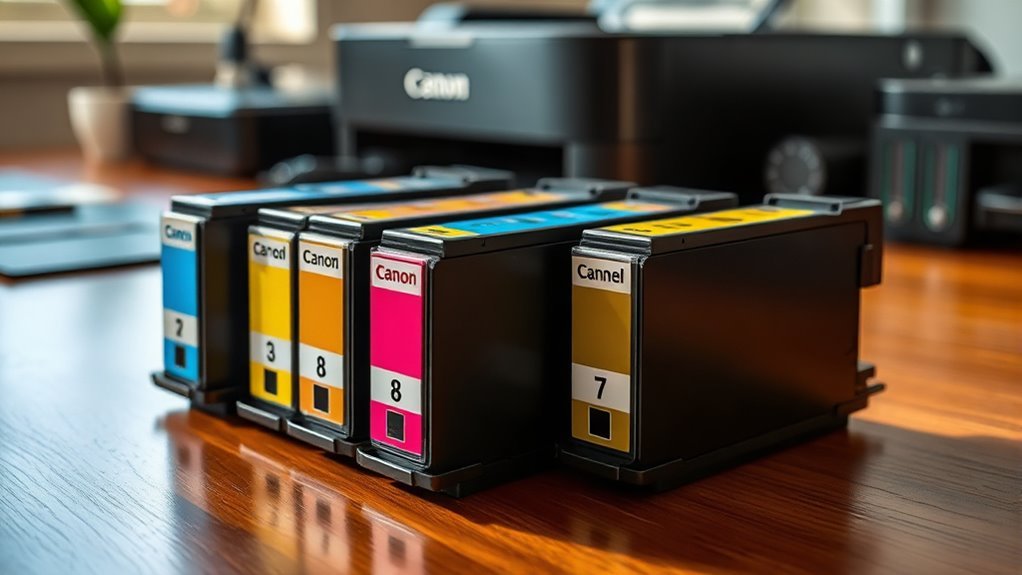
When choosing a Canon printer ink tank, you’ll want to check if the ink is compatible with your printer model to avoid issues. It’s super important to make sure you’re getting the right fit.
Consider the ink yield and capacity to guarantee it meets your printing needs without frequent replacements. Nobody wants to keep swapping out ink all the time!
Also, weigh factors like color accuracy, cost efficiency, and whether the cartridge type supports refills. This way, you can get the best value for your money.
Ink Compatibility With Printers
Although choosing the right ink tank might seem straightforward, securing compatibility with your printer requires careful attention to several key factors. First, confirm the ink tank model number or cartridge series matches what your printer manual or device specifies to guarantee mechanical and electronic fit.
Next, check whether your printer prefers dye-based or pigment-based ink—pigment excels for sharp, fade-resistant text, while dye delivers vibrant photos. Also, verify if your printer supports refillable tanks or replaceable cartridges, as their designs and smart chips differ.
Don’t forget to make sure firmware and chip protocols align to maintain accurate ink level reporting. By cross-checking these details, you’ll avoid compatibility issues and get the best performance from your Canon printer ink tank.
Ink Yield And Capacity
Many factors affect how long your Canon printer ink tank will last, so it’s important to understand ink yield and capacity before choosing a replacement. Start by checking the advertised page yield per full ink set or cartridge, usually based on 5% coverage, to estimate lifespan.
Remember, black and color inks often differ in capacity and consumption rates, so compare them separately. Your print resolution and document coverage matter too—high dpi or photo-heavy prints use more ink, reducing yield.
Also, don’t overlook the difference between starter ink volumes and full replacements; starters are often smaller and shorten the time before refills. Finally, align your monthly print volume with stated yields, factoring in duplex or draft modes that can cut ink use and affect how often you’ll need to replace tanks.
Color Accuracy And Quality
Understanding ink yield and capacity helps you plan for replacement frequency, but you’ll also want to focus on color accuracy and quality to get the best results from your Canon printer ink tank.
Look for inks that support high print resolutions, like 4800 × 1200 dpi or higher, to capture fine details and smooth gradients. Opt for pigment-based black inks for sharp, durable text and dye-based color inks for vibrant photos, as each formula affects color gamut and longevity differently.
Pay attention to color depth and gamut specs—higher values mean smoother tonal shifts and more accurate colors. Also, make sure your ink supports color-management workflows and archival formulations like ChromaLife if photo accuracy and longevity matter.
This approach keeps your prints consistent and true to life.
Cost Efficiency And Savings
When choosing a Canon printer ink tank, you’ll want to weigh cost efficiency carefully to maximize your savings. Start by comparing ink yield, as higher-yield refillable tanks can markedly lower your cost per page compared to standard cartridges.
Calculate true long-term savings by adding the upfront cost of the tank system plus bundled ink, then dividing by the expected page yield. Don’t forget to factor in refill bottle prices and the ability to replace individual colors, so you only pay for what you use.
Keep your print habits in mind—heavy text versus photo printing affects coverage and costs. Finally, consider total maintenance expenses, including print-head lifespan and cleaning frequency, since frequent upkeep can raise your effective cost per usable page.
Cartridge Type And Refills
Since choosing the right cartridge type directly affects your printing costs and convenience, you should weigh options like individual color tanks versus combined cartridges carefully. Individual tanks let you replace only the depleted color, reducing waste and cost per page.
You’ll also want to decide between refillable reservoir systems and sealed cartridges—refillable tanks deliver higher page yields and lower ongoing costs, while sealed cartridges are easier to replace and minimize user error.
Check the ink type too: pigment inks offer sharper, fade-resistant text on plain paper, whereas dye inks produce more vibrant photos.
Don’t forget to review the estimated page yield, often based on 5% coverage, to gauge how frequently you’ll need refills. Finally, smart chips that monitor ink levels help avoid unexpected run-outs, simplifying supply management.
Environmental Impact Considerations
Although choosing the right ink tank often focuses on cost and print quality, you should also consider the environmental impact of your selection. Opt for refillable ink tank systems instead of disposable cartridges to cut plastic waste by over 80% annually.
It’s a smart move to choose pigment-based inks since they resist fading and water damage, which means you won’t have to reprint as often. Also, keep an eye on ink yield—higher-yield tanks mean fewer refills and less resource use overall.
When picking a printer, go for models with energy-efficient features and duplex printing. This helps minimize both paper and electricity consumption, which is great for the planet.
Finally, prioritize inks and packaging that support recycling or take-back programs. Avoid single-use plastics whenever you can. Ensuring your consumables are easy to recycle or dispose of safely helps reduce landfill waste, making your printing more eco-friendly overall.
Warranty And Manufacturer Support
Beyond environmental considerations, understanding the warranty and manufacturer support can save you time and money down the road. You should check the warranty length and what it covers—like defective ink tanks, print heads, or mechanical failures. Also, note exclusions such as damage from third-party inks or improper installation.
Confirm whether services include on-site repairs, mail-in options, or replacements. Find out if labor or shipping fees apply. It’s important to make sure you know if using genuine consumables or authorized maintenance is required to keep coverage valid.
Also, watch for any registration or proof-of-purchase deadlines. Finally, evaluate the manufacturer’s technical support responsiveness and spare parts availability to guarantee your printer remains serviceable long-term. These factors help you avoid unexpected costs and keep your Canon printer running smoothly.
Packaging And Storage Options
When choosing a Canon printer ink tank, pay close attention to packaging and storage options to guarantee ink quality and longevity. Opt for refillable tanks with clearly labeled, resealable bottles that include caps or spouts to prevent spills and contamination.
Store both opened and unopened ink upright in a cool, dark place between 15–25°C. Avoid sunlight and freezing temperatures to maintain pigment stability.
Keep ink containers in original light-blocking packaging or opaque airtight containers to reduce oxidation and photodegradation. It really helps keep the ink fresh for longer.
Maintain humidity around 40–60% to prevent evaporation or thickening. Also, keep ink away from heat sources to avoid any damage.
Label your ink with the date opened and batch details. Following manufacturer shelf-life guidelines (usually 12–24 months unopened) is key to avoiding clogged print heads with degraded ink.
Frequently Asked Questions
How Do I Properly Recycle Canon Ink Tanks?
You should empty the ink tanks completely. Then, check out Canon’s recycling program or your local e-waste facilities.
Don’t just toss them in the regular trash. Instead, drop them off at designated recycling points. This way, you’re helping protect the environment properly.
Can Third-Party Ink Tanks Damage My Canon Printer?
Yes, third-party ink tanks can damage your Canon printer if they’re low quality or incompatible. They might clog nozzles or cause leaks.
What Is the Shelf Life of Unopened Canon Ink Tanks?
“Don’t put all your eggs in one basket.”
You should know unopened Canon ink tanks typically last 12-24 months if stored properly. Keep them sealed, away from heat and direct sunlight to guarantee they stay fresh and reliable.
It’s pretty simple, really. Just treat them right, and they’ll be good to go when you need them.
How Do I Reset the Ink Level Monitor on Canon Printers?
You reset the ink level monitor by turning your printer off, holding the stop/reset button for about 5 seconds, then releasing it.
Your printer will restart, and the ink level monitor should reset. It’s pretty straightforward once you know the steps!
Are Canon Ink Tanks Compatible With Non-Canon Printers?
Canon ink tanks usually aren’t compatible with non-Canon printers because manufacturers design ink systems specifically for their models.
You’ll want to check your printer’s specifications before trying to use Canon ink tanks in another brand.
It’s always a good idea to double-check so you don’t end up with printing problems or wasted ink.
Conclusion
When choosing your Canon printer ink tank, think about your printing needs and budget. Imagine you’re a small business owner using the Canon MegaTank G3270—its refillable tanks save you time and money on high-volume printing.
Whether you need vibrant colors for marketing materials or reliable black ink for documents, picking the right tank guarantees quality and efficiency. With options like the MAXIFY GX2020 or PG-275XL, you’ll find the perfect fit for your printer and workload.
In the end, selecting the best Canon printer ink tank is all about matching your specific needs with the right model. Whether it’s for everyday printing or professional-grade output, the right ink tank can boost your productivity and save costs. So, consider factors like print volume, color accuracy, and cost-effectiveness to choose the best Canon printer ink tanks for 2027 that keep your printing smooth and budget-friendly.