6 Best Brother All in One Laser Printers for 2027
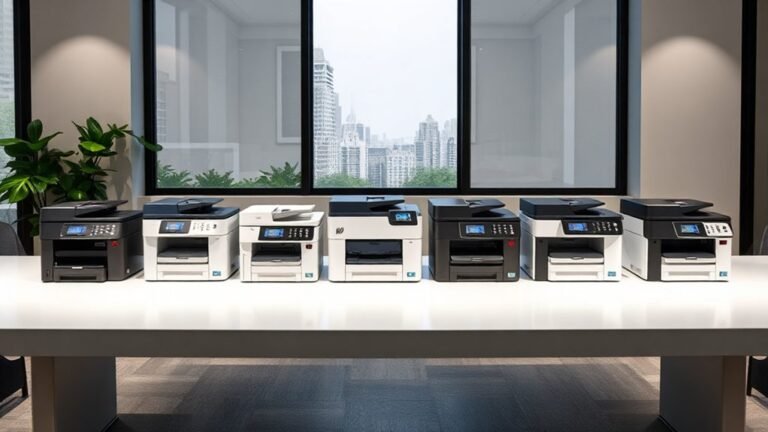
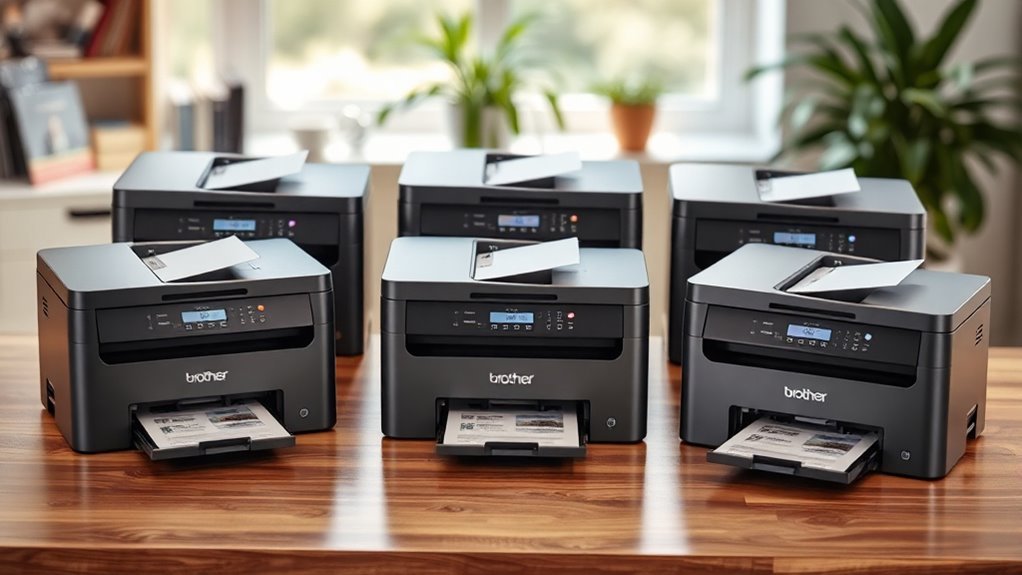
You’ll want to check out Brother’s top six all-in-one laser printers for 2027, especially if you’re looking for reliable, efficient options that suit a variety of needs.
Whether you need something for home use, a small office, or a busy workspace, Brother has models designed to keep up with your printing demands. These printers stand out for their speed, connectivity, and print quality, making them some of the best choices available.
The DCP-L2640DW and MFC-L2820DW are great if you want fast monochrome printing with wireless connectivity. They’re perfect for straightforward, high-volume black-and-white printing without the fuss.
The MFC-L8930CDW delivers vibrant color prints, ideal for busy offices that need professional-looking documents.
Meanwhile, the Work Smart 1360 combines inkjet color quality with handy wireless features, offering versatility beyond laser printers.
If speed and security are your priorities, the MFC-L5915DW won’t disappoint.
And for those who need something compact yet powerful, the HL-L2480DW fits the bill nicely.
Keep exploring to find the perfect match for your workflow.
| Image | Name | Editor's Rating | Price |
|---|---|---|---|

|
|
||

|
|
||

|
|
||

|
|
||

|
|
Brother DCP-L2640DW Wireless Monochrome Printer
- BEST FOR SMALL BUSINESSES – Engineered for extraordinary productivity, the Brother DCP-L2640DW Monochrome (Black & White) 3-in-1 combines laser printer, scanner, copier...
- FAST PRINTER WITH EFFICIENT SCANNING – Produces documents quickly with print speeds up to 36 ppm(2) and scan speeds up to 23.6/7.9 ipm(3) (black/color). A 50-page auto...
- FLEXIBLE CONNECTION OPTIONS – Easily navigate the changing demands of your business with secure multi-device connectivity via built-in dual-band wireless (2.4GHz...
- BROTHER MOBILE CONNECT APP – Print, scan, and manage your wireless printer anytime, from almost anywhere from your mobile device. Order Brother Genuine Supplies, track...
- CHOOSE BROTHER GENUINE TONER – When it’s time to replace your toner, be sure to choose Brother Genuine TN830 or TN830XL replacement toner. And with Refresh EZ Print...

The Brother DCP-L2640DW is a reliable solution for those needing efficient monochrome printing, copying, and scanning. It handles busy workflows with ease, offering fast output at up to 36 pages per minute. This speed helps reduce wait times and keeps your tasks moving smoothly.
Designed for convenience, it features a 50-page automatic document feeder and a 250-sheet tray, minimizing the need for constant paper refills. Wireless dual-band connectivity, Ethernet, and USB options provide flexible setup choices. Mobile printing through the Brother Mobile Connect app adds extra freedom to print on the go.
Maintenance is straightforward, with automatic duplex printing saving paper and the compact design fitting comfortably in small office spaces. Weighing 25 pounds, it balances portability with stability on your workspace. Security features protect your sensitive information, making it suitable for professional environments.
Best for: Small offices and users seeking a fast, dependable monochrome printer with versatile connectivity and multifunction capabilities.
What We Like:
- Fast print speed up to 36 ppm with automatic duplex to save time and paper
- Flexible connectivity including dual-band wireless, Ethernet, USB, and mobile printing
- Compact design with a large paper capacity for less frequent refills
- ENERGY STAR® certified for energy efficiency and equipped with security features
Specification:
| Feature | Details |
|---|---|
| Manufacturer | Brother |
| Dimensions (W×D×H) | 16.1 × 15.7 × 11.7 inches |
| Weight | 25 pounds (11.3 kg) |
| Color | White/Gray |
| Connectivity | Dual-band wireless, Ethernet, USB |
Brother MFC-L2820DW Wireless Monochrome Laser Printer
- BEST FOR SMALL OFFICES – Combining space-saving efficiency and premium monochrome (black & white) print quality with affordability, the Brother MFC-L2820DW delivers...
- EFFICIENT PRINTING & SCANNING – Produces black & white documents quickly with print speeds up to 36 ppm(2) and scan speeds up to 23.6/7.9 ipm(3) (bk/cl). A 50-page auto...
- FLEXIBLE CONNECTION OPTIONS – Securely connect to multiple devices with built-in dual-band wireless (2.4GHz / 5GHz), Ethernet, or connect locally to a single computer...
- 2.7" TOUCHSCREEN – The intuitive 2.7” touchscreen enables effortless navigation with the added ability to print-from and scan-to popular Cloud-based apps such as...
- BROTHER MOBILE CONNECT APP – Print, scan, and manage your wireless printer anytime, from almost anywhere from your mobile device. Order Brother Genuine Supplies, track...
The Brother MFC-L2820DW is designed to meet the demands of busy small offices and home workspaces. It delivers fast and reliable wireless printing with multifunction capabilities, helping you complete tasks efficiently. Its compact size fits neatly in tighter spaces without sacrificing performance.
This all-in-one printer offers high-speed printing up to 36 ppm and smooth scanning at 23.6 ipm, enabling quick document handling. Duplex printing is built-in, so you can save paper automatically, reducing waste and operational costs.
Connectivity is flexible with dual-band Wi-Fi, Ethernet, USB, and mobile app support, allowing you to print and scan from virtually anywhere. The intuitive 2.7” touchscreen simplifies navigation, making maintenance and operation straightforward.
The device is energy-efficient, holding both ENERGY STAR® and EPEAT® Silver certifications. Its 250-sheet paper tray and 50-page automatic feeder reduce the need for constant refills but may require attention during heavy use. Note that it only prints in monochrome, which limits color document options.
Best for: Small offices and home workspaces needing a compact, fast, and reliable wireless monochrome all-in-one printer with multifunction features.
What We Like:
- Fast print speed of up to 36 pages per minute
- Automatic duplex printing saves paper effortlessly
- Versatile connectivity including dual-band Wi-Fi and mobile app
- User-friendly 2.7” touchscreen for easy control
- ENERGY STAR® and EPEAT® Silver energy efficiency ratings
Specification:
| Feature | Details |
|---|---|
| Manufacturer | Brother |
| Dimensions (W×D×H) | 16.1 x 15.7 x 11.7 inches |
| Weight | 19.8 lbs (9 kg) |
| Printing Technology | Monochrome Laser |
| Connectivity | Dual-band Wi-Fi, Ethernet, USB |
| Display | 2.7-inch color touchscreen |
| Paper Capacity | 250-sheet tray, 50-sheet feeder |
Brother MFC-L8930CDW Color Laser All-in-One Printer
- Updated design, professional results. High-quality output with sharp color and black printing. Fast print and copy speeds up to 33ppm(1) help boost productivity. Reliable...
- Maximize printing budgets. Offers built-in value with included Brother Genuine 3,000-page black and 1,800-page color standard yield toner cartridges. Help lower printing...
- Advanced scanning. High-speed, two-sided scanning up to 104ipm(3) with 80-page auto document feeder(4) and legal-size glass. Scan to cloud, email, SharePoint, and more...
- Productivity-enhancing features. Flexible connectivity, including built-in dual-band (2.4GHz / 5GHz) wireless networking and Gigabit Ethernet networking. 7” color...
- Triple Layer Security. Advanced security features to help keep devices secure, protect documents in transit to and from print devices, and safeguard networks. Includes an...
Experience efficient, high-quality color printing with the Brother MFC-L8930CDW, designed to meet the demands of busy offices. This compact all-in-one printer delivers sharp color and black prints, helping businesses create professional documents quickly. Its fast print speed of up to 33 ppm ensures smooth workflow without delays.
The device supports duplex printing and scans two-sided documents at 104 ipm, streamlining multi-page jobs. An 80-page auto document feeder reduces manual handling, saving time during busy workdays. The 7” touchscreen with customizable shortcuts simplifies operation, making navigation intuitive.
Connectivity options include wireless, Ethernet, and mobile printing, allowing flexible placement and easy access. Security is enhanced with features like NFC badge authentication and Triple Layer Security, safeguarding sensitive information. Maintenance is straightforward, though standard toner cartridges have moderate yields, which may require more frequent replacement for high-volume printing.
Energy efficiency is a priority, with ENERGY STAR certification and an EPEAT Gold rating supporting eco-friendly office practices. Its compact design fits well in smaller spaces but may limit paper capacity compared to larger models.
Best for: businesses needing a reliable, fast color laser all-in-one printer with versatile functions and strong security.
What We Like:
- Fast print and scan speeds improve office productivity.
- User-friendly touchscreen with customizable shortcuts.
- Strong document security with NFC and Triple Layer Security.
- Eco-friendly certifications support sustainable use.
Specification:
| Feature | Details |
|---|---|
| Manufacturer | Brother |
| Dimensions | Compact design (exact size not specified) |
| Weight | Not specified |
| Print Speed | Up to 33 ppm |
| Scan Speed | Two-sided at 104 ipm |
| Auto Document Feeder | 80 pages |
| Display | 7” color touchscreen |
| Connectivity | Wireless, Ethernet, Mobile |
| Security Features | NFC badge authentication, Triple Layer Security |
| Certifications | ENERGY STAR, EPEAT Gold |
Brother Work Smart 1360 Wireless Color Inkjet All-in-One Print, Scan, Copy
- AFFORDABLE ALL-IN-ONE FOR HOME AND HOME OFFICE: Print, copy, and scan on one compact wireless printer designed for everyday home office printing, schoolwork, documents...
- EASY TO USE WITH CLOUD APP CONNECTIONS: Print from and scan to popular Cloud apps(2), including Google Drive, Dropbox, Box, OneDrive, and more from the simple-to-use...
- FULL-SIZE FEATURES IN A COMPACT DESIGN: This printer includes automatic duplex (2-sided) printing, a 20-sheet single-sided Automatic Document Feeder (ADF)(3), and a...
- MULTIPLE CONNECTION OPTIONS: Connect your way. Interface with your printer on your wireless network or via USB.
- MOBILE PRINTING MADE EASY: Go mobile with the Brother Mobile Connect app(5) that delivers easy onscreen menu navigation for printing, copying, scanning, and device...
The Brother Work Smart 1360 Wireless Color Inkjet All-in-One offers a smart solution for home users and small offices seeking efficiency in a compact design. Its small footprint fits neatly on any desk, helping to save space without compromising on capability. This printer combines printing, scanning, and copying into one device, streamlining everyday tasks.
With fast print speeds of up to 16 ppm in black and 9 ppm in color, this printer handles documents promptly, reducing wait times. The high resolution of 1,200 x 6,000 dpi ensures clear, sharp prints for both text and images. Automatic duplex printing and a 20-sheet automatic document feeder enhance productivity by simplifying multi-page jobs.
Maintenance is straightforward with wireless connectivity options such as Wi-Fi Direct and mobile printing through Brother Mobile Connect. These features allow easy setup and management, minimizing downtime. Energy Star certification means it operates efficiently, helping to lower energy costs.
Though the 150-sheet paper tray may need frequent refills in busy settings, the printer’s overall design supports smooth workflow and reliable daily use.
Best for: Home users and small office workers who need a compact, versatile, and efficient wireless color inkjet all-in-one printer.
What We Like:
- Fast print speeds with high-quality color and black output
- Automatic duplex printing and 20-sheet ADF for easier multitasking
- Multiple wireless options including Wi-Fi Direct and mobile app support
Specification:
| Feature | Details |
|---|---|
| Manufacturer | Brother |
| Dimensions (W×D×H) | 15.4” × 13.5” × 7.2” |
| Weight | 16.8 lb |
| Printer Type | Wireless Color Inkjet All-in-One |
Brother MFC-L5915DW Professional Laser Printer All-in-One
- FAST BUSINESS PRINTING AND COPYING: The Brother MFC-L5915DW business monochrome laser all-in-one printer delivers high-quality output and print and copy speeds of up to...
- LOW-COST OUTPUT: Help reduce operating costs by using the Brother Genuine TN920UXXL ultra high-yield 18,000-page replacement toner cartridge. Includes a Brother Genuine...
- FAST, HIGH-VOLUME SCANNING: The 70-page capacity(3) auto document feeder offers single-pass, two-sided scanning up to 56ipm(4). Features a large document glass for up to...
- FLEXIBLE CONNECTIVITY OPTIONS: Features built‐in Gigabit Ethernet and dual band wireless networking to seamlessly set up and share on your wired.
The Brother MFC-L5915DW Professional Laser Printer is designed to keep your office running smoothly with fast, dependable performance. It prints, scans, and copies in sharp monochrome, helping reduce downtime and streamline document workflows. The intuitive 5-inch color touchscreen makes navigating tasks simple and efficient.
This all-in-one printer supports dual-band WiFi and Gigabit Ethernet, offering versatile connectivity for various office setups. Its 250-sheet paper capacity and 70-page automatic document feeder handle moderate workloads without frequent refilling. The printer’s ultra high-yield toner cartridge lowers operating costs by printing up to 18,000 pages.
Maintenance is straightforward, with toner replacement alerts and easy access to components. Security is enhanced through Triple Layer protection, keeping sensitive documents safe during transmission and storage. While it doesn’t print in color, the MFC-L5915DW excels in delivering fast, reliable monochrome output for busy workgroups.
Best for: offices and teams requiring efficient, cost-effective monochrome printing, scanning, and copying with strong security features.
What We Like:
- Fast print and copy speeds up to 50 pages per minute
- High-capacity toner reduces frequency of replacements
- Flexible connectivity with dual-band WiFi and Gigabit Ethernet
- User-friendly 5-inch color touchscreen interface
- Enhanced document security with Triple Layer protection
Specification:
| Feature | Details |
|---|---|
| Manufacturer | Brother |
| Dimensions (W x D x H) | 16.1 x 15.7 x 12.7 inches |
| Weight | 20.4 lbs (9.25 kg) |
| Color Options | Monochrome (Black & White) |
| Paper Capacity | 250 sheets |
| Auto Document Feeder | 70 pages |
Brother HL-L2480DW Wireless Monochrome Laser Printer

- BEST FOR SMALL OFFICES & WORK FROM HOME – Engineered for efficiency, the Brother HL-L2480DW Monochrome (Black & White) 3-in-1 Laser Printer is equipped with a...
- COMPACT, CONNECTED, DYNAMIC – Connect with built-in dual-band wireless (2.4GHz/5GHz), Ethernet, or to a single computer via USB interface. Produces B/W prints at speeds...
- 2.7" TOUCHSCREEN – The intuitive 2.7” touchscreen enables effortless navigation with the added ability to print-from and scan-to popular Cloud-based apps such as...
- BROTHER MOBILE CONNECT APP – Print, scan, and manage your wireless printer anytime, from almost anywhere from your mobile device. Order Brother Genuine Supplies, track...
- VERSATILE PAPER HANDLING – Tackle high-volume black & white printing with the 250-sheet capacity paper tray.(5) The manual feed slot enables printing on envelopes and...
The Brother HL-L2480DW is designed to streamline printing tasks for small offices and home users. Its wireless monochrome laser printing ensures fast, clear documents without the hassle of cables. This printer handles printing, copying, and scanning in a compact, space-saving design that fits anywhere.
With print speeds up to 36 pages per minute, it solves bottlenecks in busy workflows. The automatic duplex function reduces paper use and saves time, making everyday tasks more efficient. You can connect easily via dual-band Wi-Fi, Ethernet, or USB, offering flexible network options.
Maintenance is simple with a 250-sheet tray that minimizes refills. The 2.7-inch touchscreen allows intuitive navigation for quick settings adjustments. Eco-friendly features help reduce waste, while security measures protect sensitive data, making it ideal for professional environments.
Best for: small offices and home users needing a reliable, fast, and wireless monochrome laser printer with multifunction capabilities.
What We Like:
- Fast printing at up to 36 ppm with automatic duplex to save time and paper
- Multiple connectivity options including dual-band Wi-Fi, Ethernet, and USB
- Easy-to-use 2.7” touchscreen with eco-conscious and secure operation
Specification:
| Feature | Details |
|---|---|
| Manufacturer | Brother |
| Dimensions (W×D×H) | Compact design (not specified) |
| Weight | Not specified |
| Connectivity | Dual-band Wi-Fi, Ethernet, USB |
| Print Speed | Up to 36 ppm |
| Paper Capacity | 250-sheet tray |
| Display | 2.7” touchscreen |
Factors to Consider When Choosing the Brother All in One Laser Printer
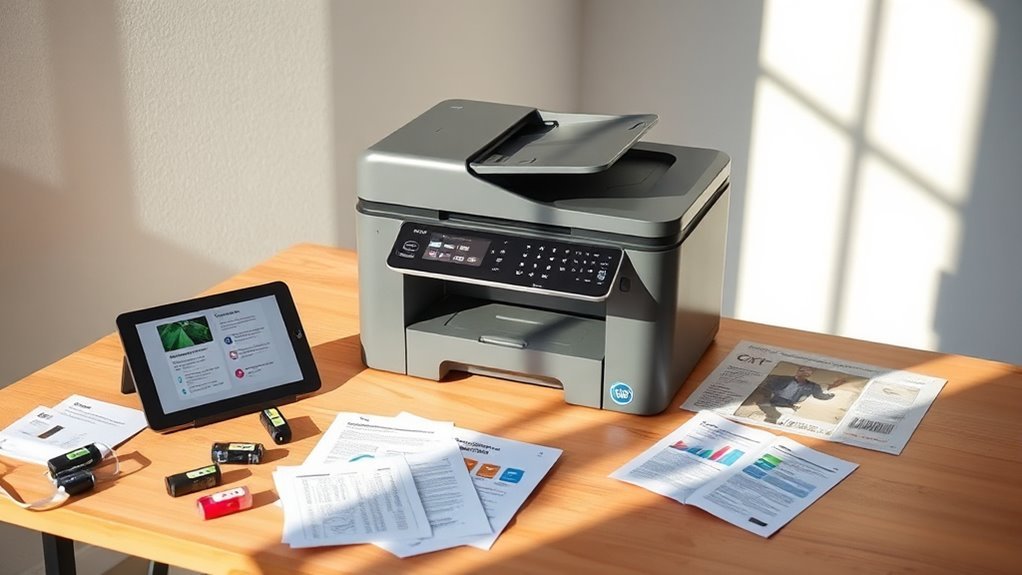
When choosing a Brother all-in-one laser printer, you’ll want to focus on printing speed and quality to match your needs. Think about how often you’ll be printing and what kind of documents you’ll handle most.
Also, consider how it connects to your devices and whether it supports the functions you require. Is wireless printing important to you? Or maybe you need scanning and copying features?
Don’t forget to weigh security features and ongoing costs to get the best value. After all, a great printer isn’t just about the upfront price—it’s about what it costs to keep it running smoothly.
Printing Speed And Quality
Although choosing the right Brother all-in-one laser printer involves many factors, printing speed and quality stand out as key considerations. You’ll want a printer that handles high-volume tasks efficiently, with speeds ranging from 33 to 50 pages per minute.
Sharp, clear documents come from high-quality resolutions up to 1200 x 1200 dpi for monochrome printing. Duplex printing will save you time and paper by automatically printing on both sides.
If you scan frequently, look for models that scan up to 104 images per minute to boost productivity. Also, consider toner cartridges with high yields—some offer between 3,000 and 18,000 pages—so you spend less on replacements without sacrificing print quality.
These features guarantee your printer meets both speed and quality demands.
Connectivity And Compatibility
Since connectivity plays an essential role in your printer’s performance, you’ll want a Brother all-in-one laser printer that offers versatile options like dual-band wireless (2.4GHz and 5GHz) to keep your connection stable and fast. Make sure it supports mobile printing apps like Brother Mobile Connect, so you can print remotely from your smartphone or tablet.
Don’t overlook wired options such as Ethernet and USB for reliable office setups. Also, verify cloud printing and scanning compatibility with services like Google Drive and Dropbox to streamline your digital workflow.
Finally, consider models that let you connect multiple devices simultaneously, ensuring smooth access whether you’re using a laptop, PC, or mobile device. Prioritizing these features guarantees seamless integration and efficient printing in diverse environments.
Multi-Function Capabilities
Beyond connectivity, you’ll want to focus on the multi-function capabilities that make a Brother all-in-one laser printer truly versatile. Look for models that combine printing, scanning, copying, and faxing to handle all your office tasks efficiently.
An automatic document feeder (ADF) is essential if you deal with multi-page documents—some Brother printers support up to 70-page ADFs, speeding up your workflow. Duplex printing is another valuable feature, letting you print double-sided automatically to save paper and reduce costs.
Also, consider print speeds; some models output up to 50 pages per minute, ideal for high-volume needs. These capabilities guarantee your printer adapts to various demands, making it a smart investment for both home and office use without sacrificing performance or convenience.
Security And Privacy Features
When choosing a Brother all-in-one laser printer, you’ll want to prioritize security and privacy features to protect your sensitive information. Many models offer advanced measures like Triple Layer Security to prevent unauthorized access and data breaches.
Some printers include integrated NFC card readers, allowing badge authentication so only authorized users can access confidential documents. Built-in protocols such as secure print and network intrusion protection further safeguard your data and prevent misuse.
Additionally, encrypted network connections guarantee that information sent over Wi-Fi or Ethernet stays secure. Brother regularly provides firmware updates to enhance these security features and defend against new threats.
Cost Efficiency And Maintenance
Choosing a Brother all-in-one laser printer that maximizes cost efficiency and simplifies maintenance can save you significant time and money. Opt for models with high-yield toner cartridges offering up to 18,000-page yields to lower your cost per page.
Regular maintenance using genuine supplies keeps your printer running smoothly, preserving print quality and reducing long-term expenses. It’s a simple way to avoid headaches down the road.
Look for automatic duplex printing to cut paper use and printing costs, especially if you handle high volumes. Every little bit helps when you’re printing a lot.
Energy-efficient certifications like ENERGY STAR® help reduce electricity bills. Plus, remote management apps let you monitor toner levels and schedule timely replacements, so you won’t get caught off guard by unexpected downtime.
Frequently Asked Questions
How Do Brother Printers Compare to Other Brands in Durability?
Brother printers generally outperform other brands in durability, so you’ll get reliable, long-lasting performance. They’re built tough and handle heavy use well.
Plus, they need fewer repairs, making them a smart choice if you want a printer that lasts. It’s definitely worth considering if durability is your top priority.
Are Brother All-In-One Printers Compatible With macOS and Linux?
Yes, Brother all-in-one printers are compatible with macOS and many Linux distributions. You’ll find official drivers for macOS, which makes setup pretty straightforward.
When it comes to Linux, support can vary a bit. But usually, you can get them working with open-source drivers or CUPS without too much hassle. So, you should be good to go on either system!
What Is the Average Cost of Replacement Toner Cartridges for Brother Printers?
Back in the days of telegrams, you’d pay about $40 to $80 for Brother replacement toner cartridges. You’ll find costs vary based on model and yield, but sticking around this range keeps your prints sharp without breaking the bank.
Prices can fluctuate a bit depending on what printer you have and how much you print. But generally, staying within this price range means you’re getting good value for quality prints.
Do Brother All-In-One Printers Support Mobile Printing Apps?
Yes, Brother all-in-one printers support mobile printing apps like Brother iPrint&Scan, Apple AirPrint, and Google Cloud Print.
This means you can easily print and scan directly from your smartphone or tablet without any hassle.
It’s super convenient, especially when you’re on the go or don’t want to fuss with cables. Just connect and print!
How Energy Efficient Are Brother Laser All-In-One Printers?
Brother laser all-in-one printers are quite energy efficient, using features like automatic sleep mode and low power consumption during standby.
You’ll save energy without sacrificing performance, making them a smart choice for eco-conscious users.
Conclusion
Choosing the perfect Brother all-in-one laser printer is like picking the right tool to paint your productivity canvas. Whether you need speedy monochrome prints or vibrant color copies, these models have you covered.
Keep your priorities in focus, from wireless convenience to professional-grade quality. You’ll find a printer that fits your workflow like a glove.
With the right choice, your office tasks will flow as smoothly as ink on paper. Brother all-in-one laser printers combine speed, efficiency, and versatility to boost your productivity. So, whether it’s for home use, small business, or office environments, these printers are designed to meet diverse needs with ease and reliability. Choosing the best Brother all-in-one laser printer ensures your printing, scanning, copying, and faxing needs are handled effortlessly—making your workday smoother and more productive.