8 Best Board 3D Printers for 2027
For powerful, reliable 3D printer boards in 2027, you’ll want to check out some of the best options available. These boards are designed to boost your printer’s performance, whether you need smooth, quiet printing or ultra-low noise operation.
Take the BIGTREETECH SKR Mini E3 V3.0, for example. It’s great for smooth, quiet printing that won’t disturb your workspace.
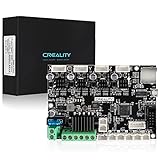
Or, if noise is a big concern, the Creality Ender 3 Upgraded Silent Board V4.2.7 offers ultra-low noise levels to keep things peaceful.
If speed is what you’re after, the BIGTREETECH Kraken V1.1 provides high-speed control with advanced drivers.
Meanwhile, boards like the SKR V1.4 and Creality K1 Max strike a balance between performance and ease of use.
Each of these 3D printer boards fits different printer needs, so diving into their features will definitely help you find the perfect match for your 3D printing projects.
| Image | Name | Editor's Rating | Price |
|---|---|---|---|

|
|
||

|
|
||
|
|
||

|
|
||

|
|
BIGTREETECH SKR Mini E3 V3.0 3D Printer Board
- Main Control Chip: Adopt STMicroelectronics' latest G0 series main control chip STM32G0B1RET6 or STM32G0B0RET6
- Three CNC Fan: Increase the heat dissipation controllable fan to reduce the printer temperature when the device is working
- Increased Heat Sink: Redesign the drive heat sink, strengthen the drive heat dissipation capacity, and greatly improve the heat dissipation performance
- USB Micro B: The PC communication USB interface is upgraded from Mini USB to Micro USB B, which is more adaptable
- Output Power Supply: Increase SPI output port +3.3V power supply, external SPI sensor power supply voltage +3.3V and +5V are optional, support the motherboard to directly...

Upgrade your Ender-3 series printer with the BIGTREETECH SKR Mini E3 V3.0 3D Printer Board, designed to enhance your 3D printing experience. This board offers a quiet and efficient printing process, reducing noise and improving overall performance.
Its 32-bit STM32G0 chip and silent TMC2209 UART stepper drivers ensure smooth motor control and precise prints. The upgraded Micro USB B interface simplifies connectivity, while the enhanced cooling system, including a controllable CNC fan and redesigned heat sink, helps maintain optimal temperatures during extended prints.
Maintenance is straightforward, thanks to its reliable design and user-friendly firmware support, though some technical knowledge is required for installation. This board is specifically built for Ender-3, Ender-3 Pro, and Ender-3 V2 models, making it a tailored upgrade rather than a universal solution.
The lightweight 0.18 kg board with an LCD display balances compact design and functionality, delivering quieter operation and improved print quality without adding bulk to your printer.
Best for: Upgrading Ender-3 series 3D printers with a modern, silent control board that offers enhanced cooling and reliable performance.
What We Like:
- Quiet printing with TMC2209 UART stepper drivers
- Improved cooling system with controllable CNC fan and heat sink
- Enhanced connectivity through upgraded Micro USB B interface
- Efficient 32-bit STM32G0 chip for smooth operation
- Lightweight and compact design with LCD display
Specification:
| Specification | Details |
|---|---|
| Manufacturer | BIGTREETECH |
| Compatible Models | Ender-3, Ender-3 Pro, Ender-3 V2 |
| Chipset | 32-bit STM32G0 |
| Stepper Drivers | TMC2209 UART |
| Cooling | Controllable CNC fan, redesigned heat sink |
| Interface | Micro USB B |
| Weight | 0.18 kg |
| Display | LCD |
BIGTREETECH SKR V1.4 32bit 3D Printer Board
- Using 32-bit 100MHz ARM-class Cortex-M3 series LPC1768 main control chip, the performance is greatly improved
- Equipped with highly modular open source firmware Marlin 2.0, which is convenient for users to DIY and secondary development
- Support 2.4, 2.8, 3.5-inch color touch screen, support LCD2004 screen, LCD12864 screen; Upgrade configuration firmware through SD card, simple, convenient and efficient...
- It can supply power to TFT screen, BLtouch, Neo-pixel by plugging in an external DC5V power module; in addition, I2C, SPI, WIFI interface is reserved to facilitate...
- On-board TMC driver SPI working mode and UART working mode, and the on-board DIAG function pins are convenient for customers to use, eliminating the complicated wiring...
The BIGTREETECH SKR V1.4 32-bit board is designed to elevate your FDM 3D printer’s performance with a powerful and flexible control system. It addresses common challenges like driver compatibility and firmware updates, making your printing setup smoother and more efficient. This board’s 100MHz ARM Cortex-M3 processor ensures faster processing and precise control of your printer’s movements.
Maintenance is straightforward thanks to easy firmware updates via SD card and clear wiring options with DIAG pins. These features reduce downtime and simplify troubleshooting. The board supports a variety of popular stepper drivers and touchscreens, giving you the freedom to customize your printer’s hardware to match your needs.
Its design also includes advanced power management functions, such as material detection and automatic shutdown, which help prevent printing errors and conserve energy. Although it requires some technical skill to configure and may need an external power module for certain accessories like BLtouch, the SKR V1.4 provides a reliable upgrade path for your printer.
Overall, this 32-bit control board enhances your 3D printing experience by combining high performance, versatility, and thoughtful power management in one compact package.
Best for: Enthusiasts and hobbyists seeking a powerful, customizable 32-bit upgrade for their FDM 3D printers.
What We Like:
- Broad compatibility with popular stepper drivers and LCD touchscreens
- Simple firmware updates and user-friendly wiring options
- Built-in power management with material detection and auto shutdown
- High-speed ARM Cortex-M3 processor for precise control
Specification:
| Manufacturer | BIGTREETECH |
|---|---|
| Processor | 100MHz ARM Cortex-M3 LPC1768 |
| Supported Drivers | TMC2209, TMC5160, and others |
| Display Compatibility | TFT35, Mini12864 LCD |
| Firmware Update | SD Card |
| Power Management | Material detection, auto shutdown |
| Dimensions | Approx. 110 x 70 mm |
| Operating Temperature | Fixed at 20 °C |
Creality Ender 3 Upgraded Silent Board V4.2.7
- 【Super Quiet】The silent mainboard can reduce stepper motor noise. TMC ultra-quiet motor drive chip, ultra-quiet system design, so that the machine is always running...
- 【Widely Application】Compatible with Creality Ender 3, Ender 3 Pro, Ender 3 V2, Ender 3 MAX, Ender 3 Neo,Ender 3 V2 Neo/Ender 3 Max Neo 3D printers. PLEASE NOTICE: It...
- 【Driver】TMC2225 driver & V0.0.6 firmware from Creality ( based on Marlin 2.0.1) for V4.2.7 board. The bootloader has been preinstalled.
- 【Update Firmware Method】Please copy the correct firmware file to a formated SD card with no other files in it. Turn off the printer and unplug the power cord. Insert...
- 【After Sale Service】Any issues or questions about our product please feel free to contact us at any time. We have professional technical Team to provide technical...
The Creality Ender 3 Upgraded Silent Board V4.2.7 transforms your 3D printing experience by significantly reducing noise levels. Its advanced silent motor chip keeps operation under 50dB, making it ideal for quiet workspaces or home use. This upgrade solves the common issue of loud stepper motors without compromising performance.
Designed for broad compatibility, this motherboard fits various Ender 3 models, including Pro, V2, MAX, and Neo editions. Installation on the base Ender-3 is simple with a plug-and-play setup. Other models require a quick firmware update via SD card, which ensures smooth integration and reliable functionality.
Maintenance is straightforward, as the board’s solid design and quality components reduce the need for frequent interventions. Running on the TMC2225 driver and Marlin 2.0.1 firmware, it delivers consistent performance and stability during long printing sessions.
Weighing just 4.2 ounces, the board is lightweight yet robust. While it focuses mainly on noise reduction and compatibility, it provides dependable operation backed by dedicated Creality support available within 24 hours for any assistance.
Best for: Ender 3 series users seeking a quieter and more efficient motherboard upgrade with easy setup and dependable support.
What We Like:
- Reduces stepper motor noise to below 50dB for a quieter printing environment
- Compatible with multiple Ender 3 models including Pro, V2, MAX, and Neo
- Simple plug-and-play installation for Ender-3; easy firmware update for others
- Stable performance powered by TMC2225 driver and Marlin 2.0.1 firmware
- Lightweight design with reliable Creality customer support
Specification:
| Manufacturer | Creality |
|---|---|
| Compatible Models | Ender 3, Ender 3 Pro, Ender 3 V2, Ender 3 MAX, Ender 3 Neo |
| Driver | TMC2225 |
| Firmware | Marlin 2.0.1 |
| Weight | 4.2 oz (approx. 119 g) |
| Noise Level | Under 50dB |
BIGTREETECH Kraken V1.1 Control Board with Drivers
- BIGTREETECH Kraken Control Board Utilizes 32-bit ARM Cortex-M7 series STM32H723ZGT6 MCU with a main frequency of 550MHz; High-performance MOSFETs to reduce heat...
- Onboard 8 TMC2160 drivers in SPI mode with DIAG function pins; simply plug and unplug jumpers for easy use; Onboard two MAX31865 modules, supporting dual PT thermocouples...
- BIGTREETECH Kraken V1.1's M1-M4 sockets deliver up to 4.7A, and M5-M8 sockets up to 3A, perfectly blending high-power motor compatibility with enhanced control. Achieve...
- Reserve 2 CANbus ports (JST socket, which can directly connect to BTT EBB SB2209/SB2240 CAN wiring); Reserve two four wire fan interfaces, with optional 24V/12V/5V...
- Reserve proximity switch interface, supporting NPN and PNP type selection (24V/12V/5V) voltage options; Reserve SPI extension interface for users using Klipper firmware...
Experience precise and reliable control with the BIGTREETECH Kraken V1.1 control board, designed for advanced CoreXY 3D printers like the Voron Phoenix. Its powerful 32-bit ARM Cortex-M7 processor running at 550MHz ensures fast and smooth operation. This board handles demanding tasks effortlessly, improving print quality and consistency.
The Kraken V1.1 supports popular firmware options such as Klipper, Marlin, and RRF, offering flexibility for various setups. It includes eight onboard TMC2160 drivers with SPI mode, capable of managing currents up to 4.7A. This means your motors receive accurate and quiet control, reducing maintenance caused by overheating or wear.
Designed for versatility, the board supports voltages up to 60V and features dual MAX31865 modules for PT100 and PT1000 thermocouples. Multiple fan interfaces, CANbus ports, and a proximity switch interface allow easy customization and expansion to fit your printer’s evolving needs.
Maintenance is straightforward thanks to robust driver integration and sensor support, minimizing downtime. However, its advanced capabilities may require experienced users to configure and maintain the system safely, especially when dealing with high current and voltage.
Best for: Experienced enthusiasts and DIY builders seeking a high-performance, customizable control board for CoreXY 3D printers like the Voron Phoenix.
What We Like:
- High-speed 32-bit ARM Cortex-M7 processor for smooth control
- Eight onboard TMC2160 drivers with up to 4.7A current support
- Compatible with multiple firmware options for flexible setups
- Dual MAX31865 modules for precise thermocouple temperature monitoring
- Extensive expansion ports for fans, CANbus, and sensors
Specification:
| Feature | Details |
|---|---|
| Manufacturer | BIGTREETECH |
| Processor | 32-bit ARM Cortex-M7, 550MHz |
| Driver Type | TMC2160 (8 drivers) |
| Max Current (Drivers) | Up to 4.7A |
| Voltage Support | Up to 60V |
| Thermocouple Support | Dual MAX31865 for PT100/PT1000 |
| Expansion Interfaces | Fans, CANbus, Proximity switch |
Creality Ender 3 V3 Hotend Adapter Plate
- 【Perfect Compatibility】- This is a genuine Creality nozzle adapter plate, engineered as a direct replacement for the original toolhead PCB on Creality Ender 3 V...
- 【High-Performance Chip】- Powered by the advanced GD32F303CBT6 microcontroller, this board delivers fast, stable processing for precise temperature control.
- 【Durable & Heat-Resistant Construction】- Built with high-quality PCB materials and precision soldering, this board offers excellent electromagnetic interference...
- 【Fixes Heating & Communication Issues】- If your printer is showing erratic temperature readings, failing to heat up, or displaying toolhead connection errors, a...
- 【Expanded Printing Material Range】- Optimized circuit design enables stable output at higher temperatures, easily processing common materials like PLA, ABS, and PETG...
Upgrade your Ender 3 V3 or V3 Plus with the Creality Hotend Adapter Plate for precise and stable temperature control. This essential component eliminates erratic heating and temperature reading issues, ensuring your 3D prints stay consistent and reliable every time.
Designed with a powerful GD32F303CBT6 microcontroller, it expertly manages the hotend heater, thermistor, cooling fans, and extruder. The high-quality PCB construction resists electromagnetic interference and withstands the heat generated during long print sessions.
Maintenance is simple—just power off your printer, replace the old board, and follow the official wiring guide. The compact design fits perfectly in your printer, though careful handling is needed due to its small size.
This adapter is ideal for users seeking to improve printing performance by stabilizing hotend temperature control. It is compatible only with Ender 3 V3 and V3 Plus models, making it a specialized upgrade for those specific printers.
Best for: 3D printing enthusiasts and professionals using Creality Ender 3 V3 or V3 Plus looking for dependable hotend temperature management.
What We Like:
- High-performance GD32F303CBT6 microcontroller for accurate temperature control
- Durable PCB resists interference and high temperatures
- Resolves common heating and sensor errors for consistent printing
- Easy to install with clear wiring instructions
Specification:
| Feature | Details |
|---|---|
| Manufacturer | Creality |
| Compatible Models | Ender 3 V3, Ender 3 V3 Plus |
| Dimensions | 0.04 x 0.04 x 0.04 inches |
| Material | High-quality PCB |
| Microcontroller | GD32F303CBT6 |
BIGTREETECH EBB36 CAN Bus Adapter Board
No products found.
The BIGTREETECH EBB36 CAN Bus Adapter Board offers precise filament breakage and blockage detection for your 3D printer. It’s designed specifically for 36-step motor extruders on BLV Ender 3 models, ensuring smooth and reliable filament monitoring. This helps prevent print failures caused by filament issues, improving print success rates.
Communication is flexible, supporting both CAN Bus and USB interfaces. The board also includes expansion ports for RGB lighting and I2C devices, allowing you to customize and enhance your printer setup easily. Firmware updates are simple thanks to accessible BOOT and RESET buttons, though main power disconnection is required during the process.
Safety is a key focus with features like jumper-cap USB power isolation, thermistor protection against heating rod leaks, and ESD protection for the USB port. These protections help safeguard your printer’s electronics from damage and electrical faults.
Wiring the adapter board is straightforward, making installation hassle-free. Its compact and reliable design fits perfectly with BLV Ender 3 printers, providing peace of mind and improved printer performance without complicated setup.
Best for: Users of BLV Ender 3 3D printers who need effective filament breakage and blockage detection with robust communication and safety features.
What We Like:
- Supports CAN Bus and USB communication with RGB and I2C expansion.
- Built-in safety features including power isolation and ESD protection.
- Easy wiring and firmware updates via BOOT and RESET buttons.
- Designed specifically for 36-step motor extruders for accurate detection.
Specification:
| Feature | Details |
|---|---|
| Manufacturer | BIGTREETECH |
| Compatible Printer | BLV Ender 3 |
| Motor Compatibility | 36-step (42-step) extruders |
| Communication | CAN Bus, USB |
| Expansion Ports | RGB, I2C |
| Safety Features | USB power isolation, thermistor protection, ESD protection |
| Buttons | BOOT, RESET |
Creality K1 Max 32-bit Silent Mainboard Kit

- 【K1 Max Official Creality Motherboard】- This is a genuine Creality mainboard (Model: CR4CU220812S12_32_TMC2209_X2000E), designed specifically for the original K1 Max...
- 【TMC2209 Stepper Drivers for Ultra-Quiet Printing】- Features advanced TMC2209 stepper motor drivers that dramatically reduce operational noise and minimize...
- 【32-bit High-Performance Chip & Stable Control】- Powered by a 32-bit main control chip with faster processing speed and improved calculation accuracy. Delivers stable...
- 【Enhanced Safety & Print Stability】- Thermal runaway protection is enabled by default. Optimized circuit design effectively solves heating problems and ensures...
- 【Plug-and-Play Installation】- Comes pre-installed with K1 Max firmware for hassle-free direct replacement. Simply install the board, reconnect cables, and power on...
Experience quieter and more precise 3D printing with the Creality K1 Max 32-bit Silent Mainboard Kit. This upgrade is designed to reduce noise and vibration, helping you achieve smoother print results. It’s an ideal solution for those wanting to improve print quality without complex modifications.
The board features a powerful 32-bit processor that enhances the speed and accuracy of your printer’s movements. Its integrated TMC2209 stepper drivers minimize operational noise, making your printing environment more comfortable. Installation is straightforward thanks to pre-installed firmware—just swap the board and reconnect cables.
Maintenance is hassle-free because the mainboard includes built-in thermal runaway protection and a robust circuit design. These safety features help prevent overheating and potential damage, ensuring reliable performance over time. The kit is intended exclusively for the original Creality K1 Max printer model.
While the upgrade requires partial disassembly during installation, it guarantees consistent, high-quality prints after setup. Note that this mainboard kit is not compatible with the 2025 K1 Max version and is sold per unit.
Best for: Owners of the original Creality K1 Max 3D printer seeking quieter operation and enhanced print precision through an easy motherboard upgrade.
What We Like:
- 32-bit processor for improved print accuracy and speed
- TMC2209 stepper drivers reduce noise and vibrations
- Pre-installed firmware simplifies installation
- Thermal runaway protection enhances safety
- Designed specifically for the original K1 Max model
Specification:
| Feature | Details |
|---|---|
| Manufacturer | Creality |
| Compatibility | Original Creality K1 Max only |
| Processor | 32-bit chip |
| Stepper Drivers | TMC2209 |
| Firmware | Pre-installed |
| Safety Features | Thermal runaway protection |
FLASHFORGE Adventurer 5M and 5M Pro Extruder Board
No products found.
The FLASHFORGE Adventurer 5M and 5M Pro Extruder Board is designed to keep your 3D printer running smoothly and efficiently. This original replacement part ensures your printer maintains consistent performance without unexpected interruptions. Its precise build guarantees seamless integration with your Adventurer 5M or 5M Pro model.
Installation is simple thanks to its compact and lightweight design. Weighing just 3.2 ounces and sized to fit perfectly, it reduces downtime during maintenance or repairs. This helps you get back to printing quickly, minimizing disruption to your workflow.
The extruder board’s reliable construction supports long-term printer functionality. It addresses common issues like print errors caused by faulty extruder components. By using an original part, you avoid compatibility problems and ensure your device operates as intended.
While the board is exclusively made for the Adventurer 5M and 5M Pro, it offers peace of mind with its original manufacturer quality. Availability begins from May 23, 2025, so planning ahead for replacement needs is advisable.
Best for: Owners of FLASHFORGE Adventurer 5M or 5M Pro printers seeking a dependable, original extruder board to maintain optimal printing quality.
What We Like:
- Genuine FLASHFORGE part ensures perfect compatibility
- Compact size and light weight for easy installation
- Enhances printer reliability and reduces downtime
- Supports consistent, high-quality 3D printing
Specification:
| Feature | Details |
|---|---|
| Manufacturer | FLASHFORGE |
| Dimensions | 5.51 x 4.8 x 3.7 inches |
| Weight | 3.2 ounces (approx. 91 g) |
| Compatible with | Adventurer 5M, 5M Pro |
Factors to Consider When Choosing a Board 3D Printer
When choosing a board 3D printer, you’ll want to check its compatibility with your printer model and the processor architecture it uses. Pay attention to the type of stepper drivers, as they affect performance and noise levels.
Also, consider the firmware support and update options to keep your printer running smoothly. It’s pretty important to have reliable updates so you don’t run into issues down the line.
Compatibility With Printers
Although choosing a control board might seem straightforward, ensuring it’s compatible with your 3D printer is essential to avoid installation headaches and guarantee smooth operation. First, make sure the board is specifically designed for your printer model to prevent fitment and wiring issues.
Next, verify the board supports your printer’s firmware, such as Marlin or Klipper, since incompatible firmware can cause malfunctions. Check that the stepper drivers match your stepper motors to maintain precise movement and reduce noise.
Also, confirm the board’s voltage requirements align with your printer’s power supply to avoid electrical problems. Finally, consider boards that support extra features you want, like touchscreen compatibility or advanced communication protocols such as CAN bus.
Doing this will future-proof your setup and enhance your printing experience. It’s worth spending a bit of extra time here to save yourself from bigger headaches later on.
Processor And Architecture
Processor architecture plays an essential role in how well your 3D printer handles complex tasks and maintains smooth operation. Choosing a 32-bit processor over an 8-bit one typically means faster processing speeds—often 100MHz or higher. This lets your printer perform calculations more efficiently during detailed prints.
Advanced processors like the ARM Cortex-M series support multiple stepper drivers and offer greater firmware customization. This makes your board more adaptable to upgrades and varied printing needs.
Additionally, the microcontroller you choose affects firmware compatibility, so pick one that works well with popular options. Modern processors also include power management features that improve energy efficiency and help prevent thermal runaway.
These features enhance safety and reliability throughout your printing process. Prioritizing processor architecture guarantees your 3D printer runs smoothly and handles demanding jobs with ease.
Stepper Driver Types
Stepper drivers play an essential role in controlling the motors that move your 3D printer’s components. They directly influence print quality and noise levels.
When choosing a board, you’ll frequently encounter drivers like the TMC2208, TMC2209, and TMC5160. These newer models offer silent operation and advanced current control, which improves torque, precision, and thermal performance.
Drivers supporting UART communication let you access features such as sensorless homing and microstepping adjustments. This really helps enhance your printer’s efficiency.
Opting for the right stepper driver means you’ll get smoother, quieter prints with better reliability. Plus, some can handle higher currents, allowing for improved motor performance.
Keep these factors in mind to guarantee your 3D printer runs at its best and delivers high-quality results every time. It’s worth the effort!
Firmware And Updates
After selecting the right stepper drivers to boost your printer’s performance, you’ll want to focus on firmware and updates to fully access your board’s capabilities.
Choosing a board with open-source firmware like Marlin gives you the freedom to customize settings and benefit from community-driven updates and troubleshooting. Look for boards that support easy firmware updates via SD card, so you can quickly enhance features or fix bugs without hassle.
Consider compatibility with different display types such as touch screens or LCDs, which can improve how you interact with your printer’s firmware. Even if your board comes with advanced drivers like TMC2209 pre-configured, regular firmware updates remain essential to reveal all features, improve performance, and guarantee safety.
Noise Reduction Features
When you’re choosing a 3D printer board, noise reduction features can make a big difference in your printing experience. Look for boards equipped with advanced stepper drivers like the TMC2209 or TMC2225, which operate quietly and keep noise below 50dB.
Modern boards often include silent operation modes, guaranteeing smoother and quieter prints compared to older models. Firmware such as Marlin can further optimize stepper motor performance to reduce noise during operation.
Additionally, the board’s design and materials play a key role in minimizing vibrations and sound output, providing a more stable printing environment. While cooling impacts noise, focus here on the board’s electronic noise control features to confirm your printer runs efficiently and quietly without sacrificing performance.
Cooling And Heat Management
Three key elements define effective cooling and heat management in a 3D printer board, ensuring your machine runs smoothly without overheating. First, a robust cooling system with increased fan capacity and well-designed heat sinks helps dissipate heat efficiently. This boosts the board’s longevity.
Second, advanced thermal management features like temperature sensors and auto shut-off protect your printer from thermal runaway. These features keep it safe during long prints.
Third, choosing stepper motor drivers that run cooler—such as silent drivers—reduces overall heat generation. Don’t forget proper airflow around the board and components. Stagnant air causes hotspots that can degrade performance.
Connectivity And Expansion Options
Managing heat effectively keeps your 3D printer reliable, but connectivity and expansion options play a big role in how versatile and future-proof your machine can be. Look for boards offering multiple communication methods like USB, CAN, and I2C to connect peripherals and sensors seamlessly.
Choose boards with reserved expansion interfaces so you can easily add features as your needs grow. Support for various display types—such as LCD or touch screens—improves user interaction during prints.
Also, guarantee compatibility with different stepper drivers and firmware options to maximize functionality and customization. Finally, check for easy firmware update methods via SD card or USB, so you can keep your system current without hassle.
These features guarantee your printer stays adaptable and efficient over time. It’s all about making sure your setup can grow and change with you.
Frequently Asked Questions
How Do I Update Firmware on These 3D Printer Boards?
You update firmware by connecting your 3D printer board to your computer via USB, then use software like Arduino IDE or the manufacturer’s tool to upload the new firmware file. Always back up your current settings before starting.
It’s pretty straightforward once you’ve done it a couple of times. Just make sure you follow the instructions carefully to avoid any hiccups. If you run into issues, double-check your connections and settings before trying again.
What Safety Precautions Are Needed When Installing a New Board?
Worried about safety when installing a new board? You should always unplug the printer and discharge static electricity. Wearing anti-static gloves is a good idea, too.
Also, double-check all your connections before powering up. And try to avoid touching any live components. These steps help keep both you and your printer safe.
Can These Boards Be Used With Multiple 3D Printer Models?
Yes, you can use these boards with multiple 3D printer models. But you’ll want to make sure they’re compatible with your printer’s firmware and hardware first.
It’s always a good idea to double-check the specs before you get started. This way, you can avoid any issues and make sure you get the best performance possible.
What Software Is Compatible With These 3D Printer Boards?
You’ll find compatibility with popular slicers like Cura, PrusaSlicer, and Simplify3D, plus firmware such as Marlin and Klipper.
These programs work hand in glove with the boards, letting you fine-tune every print effortlessly. It’s pretty smooth once you get the hang of it!
How Do I Troubleshoot Common Connectivity Issues?
Check your cables and connections first, then restart your printer and computer. It’s a simple step but often fixes the problem quickly.
Next, update your firmware and drivers to the latest versions. Also, make sure your port settings are correct and try disabling any software that might be causing conflicts.
If you’re still having trouble, don’t worry. Take a look at your printer’s manual or visit support forums—they can offer specific fixes that might just do the trick.
Conclusion
So, you want to pick the perfect 3D printer board in 2027? Easy—just juggle compatibility, noise levels, and driver types while memorizing a dozen model names. No pressure!
Whether you go BIGTREETECH or Creality, remember: your printer’s brain matters more than your patience. Choose wisely, or you’ll spend more time troubleshooting than printing.
But hey, who doesn’t love a little chaos with their 3D creations? Happy printing and may your boards be bug-free! When selecting the best board 3D printers for 2027, focusing on features like compatibility, noise reduction, and reliable drivers is key. Your choice will impact print quality and overall experience, so take your time comparing options. In the end, a solid 3D printer board keeps your projects running smoothly and your creativity flowing.