6 Best Budget Printers for Photo Printing in 2027
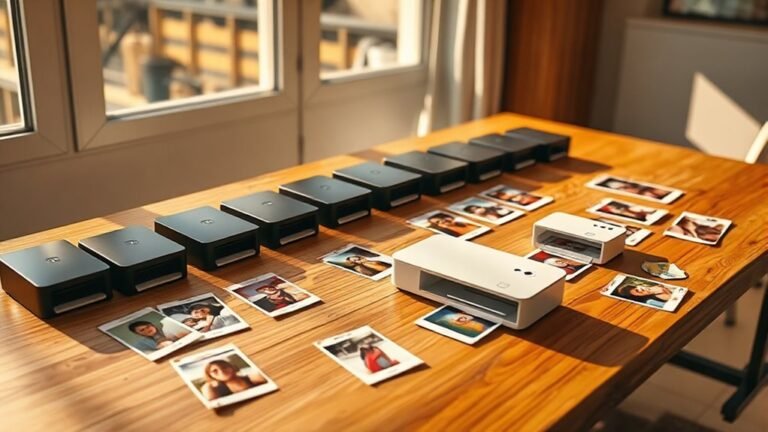
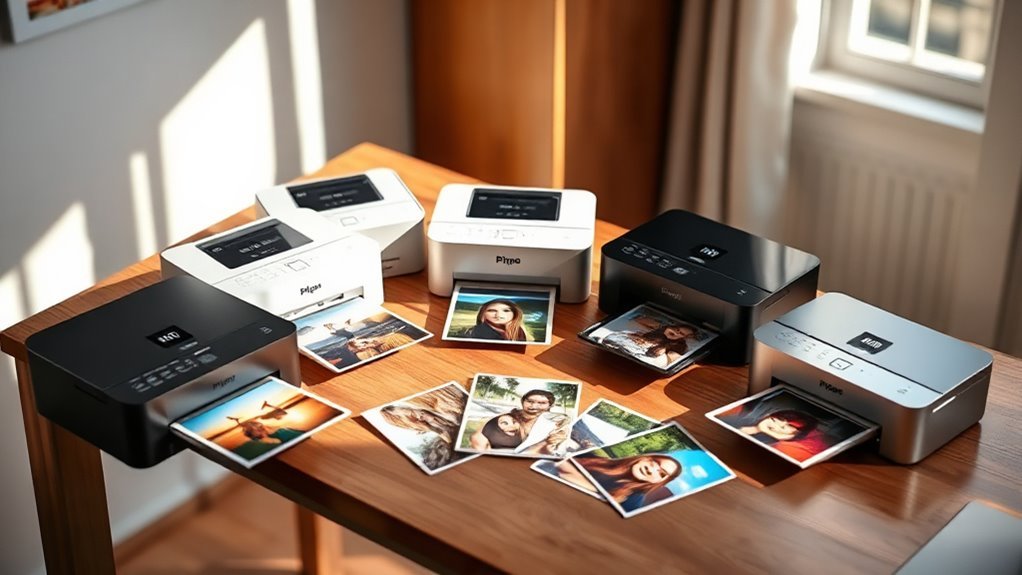
You’ll want reliable, affordable printers that produce vibrant, crisp photos for all your memories. Whether you’re printing vacation snapshots or special events, having a budget-friendly photo printer can make a big difference.
The Liene M100 offers portable 4×6 dye-sublimation prints with Wi-Fi and easy multi-device use. Canon PIXMA TS4320 is a budget wireless inkjet for versatile color printing, scanning, and copying.
Kodak’s Dock Plus and Step provide smartphone-friendly 4×6 and instant sticky-back 2×3 photo options. Canon Selphy CP1500 bundles deliver durable 4×6 prints with dye-sublimation tech.
Explore how these fit your photo printing needs and budget priorities. You’ll find something that matches your style without breaking the bank.
| Image | Name | Editor's Rating | Price |
|---|---|---|---|

|
|
||

|
|
||

|
|
||

|
|
||

|
|
Liene M100 Portable 4×6 Photo Printer with Wi-Fi
- User-Friendly Portable Photo Printer for iPhone, Android & PC - Get beautiful and colourful memories with Liene 4x6 photo printer! After opening the entire package, you...
- Superior Quality 4x6 Photo Printer - Print photos like no other thanks to the thermal-dye sublimation tech adopted by the picture printer for iphone. The dyes deeply...
- Wi-Fi Photo Printer for Smartphone - The built-in hotspot of the photo printer makes it easy to print pictures from your phone, avoiding outside interference with a fast...
- Multiple Device Compatibility - Liene phone printer provides instant photo printing for up to 5 simultaneous connections. Share with family and friends or print from your...
- Customize your Printing with the Liene App - Customize your photos with our specialized App! You can add a Square border, insert filters, enhance the contrast and...
If you’re searching for a compact and truly portable photo printer, the Liene M100 fits seamlessly into your lifestyle. Its small size allows you to carry it anywhere, letting you print vibrant 4×6 photos instantly whenever inspiration strikes. This printer uses thermal dye-sublimation technology, ensuring each photo is durable, water-resistant, and scratch-proof with a laminated finish.
Designed with a minimalist magnetic shell, the Liene M100 is both stylish and easy to handle. It supports connecting up to five devices simultaneously through its built-in hotspot, eliminating the need for cables or Bluetooth. This feature streamlines printing directly from your smartphone or tablet, making group photo sessions effortless.
Maintenance is straightforward but important; the printer requires timely cleaning of the print head if smudges appear. While it only prints 4×6 photos, this size meets most casual and professional photo needs. The included cartridges and photo paper let you start printing immediately, although extra supplies may be necessary for long-term use.
Best for: Anyone needing a portable, easy-to-use photo printer that delivers high-quality, durable 4×6 prints from multiple devices without cables or Bluetooth.
What We Like:
- Produces vibrant, water- and scratch-resistant photos using thermal dye-sublimation.
- Built-in hotspot enables up to 5 device connections without external networks.
- Minimalist magnetic design ensures compactness and easy portability.
- Includes starter cartridges and photo paper for immediate use.
Specification:
| Feature | Details |
|---|---|
| Manufacturer | Liene |
| Dimensions | Compact (fits in a bag) |
| Weight | Lightweight |
| Printing Technology | Thermal dye-sublimation |
| Photo Size | 4 x 6 inches |
| Connectivity | Built-in hotspot (up to 5 devices) |
| Included Supplies | Cartridges and photo paper |
Canon PIXMA TS4320 – Wireless Color Inkjet Printer with Print, Copy, Scan
- Affordable Versatility - A budget-friendly all-in-one printer perfect for both home users and hybrid workers, offering exceptional value
- Crisp, Vibrant Prints - Experience impressive print quality for both documents and photos, thanks to its 2-cartridge hybrid ink system that delivers sharp text and vivid...
- Effortless Setup & Use - Get started quickly with easy setup for your smartphone or computer, so you can print, scan, and copy without delay
- Reliable Wireless Connectivity - Enjoy stable and consistent connections with dual-band Wi-Fi (2.4GHz or 5GHz), ensuring smooth printing from anywhere in your home or...
- Scan & Copy Handling - Utilize the device’s integrated scanner for efficient scanning and copying operations

The Canon PIXMA TS4320 transforms everyday printing tasks with ease and reliability. Its compact design fits snugly into small spaces, making it a great fit for home offices or dorm rooms. This wireless color inkjet printer ensures sharp prints with vibrant colors and crisp black-and-white text, delivering up to 1200 dpi quality.
Handling documents is straightforward thanks to its auto-duplex printing feature, which saves time and paper by printing on both sides automatically. The versatile flatbed scanner lets you copy or scan photos and documents with clarity. Wireless connectivity with dual-band Wi-Fi and mobile app support simplifies printing directly from smartphones or laptops, enhancing convenience.
Maintenance remains hassle-free, though the single paper tray holds a modest 100 sheets, which suits moderate daily use but may require frequent refilling for heavier workloads. While it doesn’t include an automatic document feeder or OLED display, the straightforward interface keeps operation simple and user-friendly.
The Canon PIXMA TS4320 balances functionality, compactness, and cost-effectiveness, making it a practical choice for everyday printing, scanning, and copying needs.
Best for: Budget-conscious home users and students needing a compact, easy-to-use color inkjet printer for photos and documents.
What We Like:
- Compact design ideal for limited desk space
- Auto-duplex printing saves time and paper
- Dual-band Wi-Fi with mobile app support for wireless convenience
- Flatbed scanner supports versatile document and photo handling
Specification:
| Feature | Details |
|---|---|
| Manufacturer | Canon |
| Dimensions | Compact footprint (exact size not specified) |
| Weight | Not specified |
| Printer Type | Wireless color inkjet |
| Print Resolution | Up to 1200 dpi |
| Paper Tray Capacity | 100 sheets |
| Connectivity | Dual-band Wi-Fi, mobile app support |
KODAK Dock Plus 4×6 Photo Printer, Smartphone Docking, 4PASS, 50 Sheets
- Dock Photo Printer: The KODAK Dock Plus is a home photo printer that produces high-quality 4x6” prints directly from compatible smartphones. Featuring an integrated...
- Genuine 4PASS dye sublimation printing: Each photo is produced in three color layers and finished with a clear protective lamination layer. In approximately 55 seconds...
- Easy to Use: Print photos quickly without complicated setup or technical steps. Simply power on, connect wireless bluetooth, and start printing within seconds. The Dock...
- Home Printing Station: Designed for stable desktop use, this dock photo printer connects to a power outlet for consistent performance and larger 4x6” prints. Ideal for...
- KODAK Photo Printer APP: Featuring integrated Bluetooth connectivity, this portable printer connects to compatible iOS and Android devices through the KODAK Photo Printer...
Experience the ease of printing vibrant, high-quality photos directly from your smartphone with the KODAK Dock Plus 4×6 Photo Printer. Designed for quick borderless 4×6” prints, this compact device simplifies preserving your favorite moments at home. Its docking station offers a stable connection and charges your phone while printing.
The printer uses advanced 4PASS dye sublimation technology, producing photos that are resistant to fingerprints, water, and fading. This ensures your prints stay bright and durable over time. You can also connect via Bluetooth or USB-C for flexible use.
Maintaining the printer is straightforward with a single tray that holds up to 20 sheets, and it ships with 50 sheets of glossy photo paper. Its fast print speed of about one minute per photo makes it ideal for everyday memories, gifts, or family albums without any hassle.
While it only supports 4×6 inch prints and lacks scanning or copying features, its focused functionality makes it a convenient choice for casual users who want easy, reliable photo printing.
Best for: Anyone seeking a compact, user-friendly photo printer for high-quality 4×6 borderless prints from smartphones.
What We Like:
- Produces durable, vibrant photos with 4PASS dye sublimation technology
- Stable smartphone docking with charging and Bluetooth/USB-C connectivity
- Quick print speed of approximately one minute per photo
- Includes 50 sheets of glossy photo paper for immediate use
Specification:
| Feature | Details |
|---|---|
| Manufacturer | KODAK |
| Print Size | 4 x 6 inches |
| Printing Technology | 4PASS dye sublimation |
| Connectivity | Smartphone dock, Bluetooth, USB-C |
| Paper Capacity | 20 sheets (single tray) |
| Included Paper | 50 sheets glossy photo paper |
| Print Speed | ~1 minute per print |
| Dimensions | Compact design (exact size not specified) |
KODAK Step Portable Wireless Instant Smartphone Photo Printer
- STEP UP YOUR PRINTING GAME. KODAK Step Printer Connects to Any iOS or Android Device [Via Bluetooth or NFC] Turn Your Selfies, Portraits, Social Media Posts Into Physical...
- AMAZING ZERO-INK TECHNOLOGY. ZINK 2” x 3” Sticky-Back Paper with Embedded Dye Crystals Delivers High-Quality, Durable, Affordable, Beautifully Detailed Prints That...
- FULL EDITING SUITE VIA APP. Download the KODAK App to Create Collages & Customize Your Snaps with Stunning Filters, Interesting Borders, Cool Stickers, Funny Text & Other...
- TAKE YOUR PROJECTS TO GO. Our Palm-Sized Printer Weighs Less Than a Pound, Sets Up Fast & Delivers Gorgeous Prints You Can Peel & Stick Everywhere.
- CUTE, COMPACT & COLORFUL. Step Printer is Designed for Photo-Loving Influencers & Crafters of All Ages & Skill Levels! Portable, Lightweight Device Features Built-In...
Discover the freedom of printing photos anywhere with the KODAK Step Portable Wireless Instant Smartphone Photo Printer. This compact device lets you create smudge-resistant, sticky-back photos directly from your smartphone. Its lightweight design makes it easy to carry, perfect for capturing moments on the go.
Using advanced ZINK technology, it produces durable 2″ x 3″ photos that resist moisture, tears, and smudges. Simply connect via Bluetooth or NFC to your iOS or Android device. The accompanying KODAK app enhances your prints with filters, stickers, and text, adding a personal touch to every photo.
Maintenance is simple with no ink cartridges needed, just replace the sticky-back photo paper when finished. The rechargeable battery supports printing up to 25 photos per charge, making it convenient for outings or events. While prints take about a minute each, the printer offers consistent quality in a small package.
This printer is designed for casual users who want quick, portable photo printing without the fuss. Its small print size and single-sided output may limit some uses, but its ease of use and photo durability are significant advantages.
Best for: Anyone seeking a portable and easy-to-use instant photo printer that produces durable, sticky-back prints from smartphones.
What We Like:
- Wireless connection via Bluetooth and NFC for easy smartphone pairing.
- ZINK technology delivers moisture- and tear-resistant 2″ x 3″ photos.
- Lightweight and compact with a rechargeable battery supporting 25 prints per charge.
- Simple maintenance with no ink cartridges required.
- Customizable prints through the KODAK app’s filters, stickers, and text.
Specification:
| Feature | Description |
|---|---|
| Manufacturer | KODAK |
| Dimensions | Compact, pocket-sized |
| Weight | Lightweight |
| Print Technology | ZINK (Zero Ink) |
| Photo Size | 2″ x 3″ |
| Connectivity | Bluetooth, NFC |
| Battery Life | Up to 25 prints per charge |
Canon Selphy CP1500 Photo Printer Bundle (Black)
- Complete Photo Printing Bundle Everything you need in one kit: Canon Selphy CP printer, KP-108 photo paper (108 sheets), three full-size color ink cartridges, and a Tudak...
- Lab-Quality Prints at Home Dye-sublimation technology delivers vibrant, professional-quality 4x6 photos that are water-resistant, fingerprint-resistant, and long-lasting.
- Wireless & Compact Design Easily print from your smartphone, tablet, or computer via Wi-Fi. Compact and portable design fits perfectly on desks, shelves, or travel bags.
- Easy Setup – No Guesswork Pre-matched paper and ink means no compatibility issues. Just load, connect, and start printing in minutes.
- Perfect for Events & Gifts Ideal for parties, scrapbooking, journaling, or instant memories. Includes cleaning cloth to keep your printer dust-free and running smoothly.
Bring your memories to life with the Canon Selphy CP1500 Photo Printer Bundle (Black). This compact photo printer is designed to deliver sharp, vibrant 4×6 prints that are both water- and fingerprint-resistant. Its dye-sublimation technology ensures your photos last, keeping colors vivid and details crisp.
The printer’s sleek, space-saving design makes it perfect for home use, travel, or special events. With built-in Wi-Fi and USB connectivity, you can print directly from your smartphone, tablet, or PC using an easy-to-use app. This convenience helps you quickly share your favorite moments without hassle.
Maintenance is straightforward with the included microfiber cloth, helping keep your printer clean and functioning smoothly. The bundle also provides 108 sheets of photo paper and color ink cartridges, so you have everything needed to start printing right away.
While it focuses exclusively on 4×6 photos and has a modest print speed, its compact size and high-quality output make it an excellent choice for personal photo printing needs.
Best for: Anyone wanting a portable, user-friendly photo printer for producing vibrant 4×6 prints at home or on the go.
What We Like:
- Produces durable, lab-quality 4×6 photos with vivid colors
- Easy wireless and USB printing from multiple devices
- Compact design ideal for travel and small spaces
- Complete bundle includes photo paper, ink, and cleaning cloth
Specification:
| Feature | Details |
|---|---|
| Manufacturer | Canon |
| Dimensions | Compact size (exact size not specified) |
| Weight | Lightweight (exact weight not specified) |
| Color Options | Black |
| Print Resolution | 1200 x 1200 dpi |
| Print Size | 4×6 inches |
| Connectivity | Wi-Fi, USB |
Canon SELPHY CP1500 Wireless Compact Photo Printer Bundle

- COMPLETE CANON SELPHY CP1500 BUNDLE: Includes Canon SELPHY CP1500 Wireless Compact Photo Printer (Black), Genuine Canon RP-108 Color Ink & Paper Set (108 Sheets of 4x...
- 108 PHOTO PRINTS INCLUDED: Genuine Canon RP-108 Color Ink & Paper Set includes 108 sheets of 4x6-inch photo paper and 2 ink cartridges, each capable of producing...
- WIRELESS & CONVENIENT PHOTO PRINTING: Easily print beautiful photos directly from compatible smartphones, tablets, memory cards, USB flash drives, or Mac and Windows...
- MULTIPLE PHOTO SIZES: Supports four different paper sizes, including standard 4x6-inch postcard prints and 2.1x3.4-inch adhesive sticker prints (additional paper sold...
- VIBRANT, HIGH-QUALITY PHOTO PRINTS: Advanced dye-sublimation printing technology produces stunning 300 x 300 dpi photos with up to 16.7 million colors, delivering rich...
The Canon SELPHY CP1500 Wireless Compact Photo Printer Bundle makes printing photos from your mobile device effortless and convenient. With built-in Wi-Fi, you can send vibrant, high-quality 4×6 prints directly from your smartphone or tablet, eliminating the hassle of cables and transfers.
This dye-sublimation printer uses a reliable printing process that delivers sharp images with rich color depth. It supports multiple print sizes, including fun sticker formats, so you can personalize your photos in different ways. The compact design fits easily into any space, making it perfect for home or travel use.
Maintenance is simple since the bundle comes with 108 sheets of premium photo paper and ink cartridges. You can start printing right away without needing extra supplies. The Canon SELPHY app also provides easy editing and customization options to enhance your photos before printing.
While it doesn’t scan or copy, this printer is designed specifically for photo printing. Its resolution of 300 x 300 dpi is sufficient for clear, vibrant images, though it’s limited to a maximum print size of 4×6 inches.
Best for: budget-conscious photo enthusiasts who want a portable, wireless printer for sharp, colorful 4×6 photos and stickers.
What We Like:
- Easy wireless printing with built-in Wi-Fi and mobile app support
- Dye-sublimation technology ensures vibrant, long-lasting photos
- Bundle includes plenty of photo paper and ink cartridges for immediate use
- Compact, lightweight design ideal for small spaces and portability
Specification:
| Feature | Details |
|---|---|
| Manufacturer | Canon |
| Dimensions | Compact, fits small spaces |
| Weight | Lightweight |
| Print Technology | Dye-sublimation |
| Maximum Print Size | 4 x 6 inches |
| Print Resolution | 300 x 300 dpi |
| Connectivity | Built-in Wi-Fi |
| Supported Devices | Android, iOS, Mac, Windows |
Factors to Consider When Choosing a Budget Printer for Photo Printing

When choosing a budget photo printer, you’ll want to focus on print quality and the type of printing technology it uses.
Also, consider how the printer connects to your devices and which media sizes it supports.
And don’t forget to factor in the ongoing costs of ink and paper to keep your printing affordable.
Print Quality Essentials
Achieving vibrant, detailed photo prints depends heavily on understanding key print quality factors. You’ll want a printer that offers at least 300 dpi resolution with dye-sublimation or high-resolution inkjet technology for sharp, smooth images.
Check the color depth and gamut—look for 24-bit color or wider gamuts to capture subtle tones and rich hues accurately. Make sure the printer supports borderless printing and your preferred photo sizes, like 4×6 or 8×10, to avoid unwanted margins.
Consider printers with laminated or protective overcoating options to enhance durability against water, scratches, and fading. Finally, verify media compatibility—using the manufacturer’s recommended photo paper types and finishes (glossy, matte, semi-gloss) will dramatically improve your print’s final quality and longevity.
Printing Technology Types
Understanding print quality essentials sets a solid foundation, but selecting the right printing technology plays a big role in how your photos turn out and how much you spend.
Dye-sublimation printers deliver lab-quality 4×6 prints with smooth gradients and durable, water-resistant finishes. They’re ideal if you want long-lasting photos.
Thermal inkjet printers offer high resolution and vibrant colors, but usually need special paper or coatings to maintain longevity.
If you prefer compact, maintenance-free devices, ZINK printers use heat-activated dye crystals embedded in paper. However, they limit you to smaller, lower-resolution prints.
Pigment-based inks excel at fade resistance, especially on matte or fine-art papers. Though they may cost more and produce less saturated colors.
Considering these options helps you balance print quality, durability, and budget effectively. It’s all about finding what works best for your needs!
Connectivity Options Available
Choosing the right connectivity options can make a big difference in how easily you print your photos and which devices you can use. Wi‑Fi, available in 2.4 GHz and 5 GHz bands, lets multiple devices print wirelessly and supports app printing. Remember, 5 GHz offers faster speeds but shorter range through walls than 2.4 GHz.
Bluetooth and NFC enable quick, peer-to-peer printing from nearby smartphones without a network. Though they handle fewer connections, they’re super convenient for quick jobs.
USB connections provide stable, low-latency transfers, perfect for PCs lacking reliable wireless support. Some printers offer built-in hotspots or Wi-Fi Direct, letting you connect devices directly without a router—ideal for on-the-go printing.
Finally, cloud and mobile printing protocols like AirPrint or Mopria let you print remotely. Just keep in mind you need internet access and compatible software on your device for these to work smoothly.
Media Size Compatibility
Once you’ve thought about how you’ll connect your devices to the printer, it’s a good idea to check which media sizes the printer can handle. You want to make sure the maximum printable paper size matches the photo dimensions you plan to produce, whether that’s 4×6, 5×7, or 8.5×11 inches.
Also, see if the printer supports borderless printing for true edge-to-edge photos. Many budget models only print with borders, so this can be a big deal depending on your needs.
Don’t forget to check compatibility with specialty media like glossy photo paper, card stock, or sticker sheets. It’s important to know the maximum paper weight the printer can handle too.
Think about input tray capacity and output stack size so you don’t have to reload paper all the time during big print jobs. Lastly, make sure the printer supports your preferred aspect ratios, like 3:2 or 4:3, to avoid any unwanted cropping or scaling.
Ink and Paper Costs
Ink and paper costs often make the biggest difference when picking a budget photo printer. If you opt for dye-sublimation or ZINK printers, calculate your cost per 4×6 print by dividing the combined price of ink and paper cassettes by the number of prints they yield.
Inkjet printers require a different approach: convert cartridge prices and page yields into cents per photo, based on your typical print size. Remember, photo paper grade matters—a heavy-weight or laminated sheet can cost 2 to 5 times more than basic glossy paper.
Also, consider consumable lifespan; starter cartridges and small paper packs hike initial costs, while bulk supplies reduce long-term expenses. Don’t forget maintenance consumables—frequent print-head cleaning or nozzle priming can substantially increase your ongoing cost per photo.
Print Speed Considerations
Print speed plays an essential role when picking a budget photo printer, especially if you need quick results. Most 4×6 dye-sublimation printers take about 45–90 seconds per print, while inkjets often list speeds based on plain paper, not high-quality photos.
Keep in mind, higher-resolution prints take longer due to extra color passes and finer dot placement, so always check the manufacturer’s timing for your preferred photo size. If you print in batches, consider paper capacity and cartridge changes, since frequent interruptions slow overall throughput.
Also, factor in warm-up and image transfer times, which can add delays beyond the raw print time. For large volumes, prioritize printers with consistent photo print speeds, larger capacities, and minimal inter-print waits rather than focusing solely on the fastest single print.
Portability and Size
Speed and capacity are important, but if you plan to take your photo printer on the go, size and portability become key factors. Check the printer’s physical dimensions and weight—portable models range from pocket-sized (under 1 lb) to compact desktops (2–3+ lbs).
If you need true mobility, choose a printer with a built-in rechargeable battery, offering around 20–50 prints per charge, instead of relying on AC power. Consider paper capacity too; portable printers typically hold 10–50 sheets, keeping bulk down.
Connectivity options like Wi-Fi hotspot or Bluetooth let you print directly from your mobile devices without needing a router. Finally, pick a design that’s durable and minimalist, preferably with magnetic or snap closures and sealed cassettes, to protect consumables and simplify carrying and storage.
Software and App Features
When choosing a budget photo printer, you’ll often find that the accompanying software and app features make a big difference in your overall experience. Look for apps supporting direct mobile printing like AirPrint or Mopria to print easily from your phone or tablet.
Choose software with basic editing tools—crop, rotate, brightness, and filters—so you can tweak photos without extra apps. Make sure the app shows print previews and lets you select paper size, border options, and print quality to avoid wasting supplies.
If you need ID templates, multi-up layouts, or contact sheets, check for those features. Also, prefer software that displays ink and paper levels, print job status, and error alerts.
Plus, it’s handy if the software offers simple firmware updates to keep your printer reliable and colors accurate. That way, you’re all set to print great photos without any hassle.
Frequently Asked Questions
Can These Printers Print on Non-Photo Paper Types?
Yes, you can print on various non-photo paper types with these printers. They handle plain, cardstock, and labels well, giving you flexibility while staying budget-friendly.
Just adjust settings for the best results every time. It’s pretty straightforward and helps you get the most out of your printer.
What Is the Average Lifespan of the Printer Cartridges?
Printer cartridges usually last between 200 to 600 pages, depending on usage and printer type. You’ll want to check specific models, but expect to replace them every few months if you print photos regularly.
It really depends on how often and what you’re printing. Regular documents use less ink, so cartridges can last longer. But photos and color prints tend to drain ink faster.
Are These Printers Compatible With Mac and Windows Computers?
Like a well-oiled machine, these printers are compatible with both Mac and Windows computers. You won’t have to worry about connectivity issues, as they support seamless integration across major operating systems.
This ensures smooth printing experiences every time you use them. So, whether you’re on a Mac or a Windows PC, these printers have got you covered.
Do These Printers Support Borderless Photo Printing?
Yes, most of these printers support borderless photo printing, letting you create edge-to-edge photos without white margins.
Just check the specific model’s settings to make certain it supports borderless options for your preferred photo sizes. That way, you’ll know for sure before you start printing.
What Is the Average Print Speed for Color Photos?
You’ll find that the average print speed for color photos is around 1 to 2 minutes.
For example, Sarah printed a vibrant 4×6 photo in 90 seconds. It was perfect for quick, quality results at home.
Conclusion
Choosing the perfect budget photo printer might seem tricky, but it’s funny how the right one often finds you. Whether you want portability like the Liene M100, smartphone convenience from KODAK, or Canon’s reliable quality, there’s a match waiting.
Just remember to take into account your specific needs—like connectivity and print size. Suddenly, printing your favorite memories feels less like a chore and more like a creative adventure that fits your budget perfectly.
When picking from the best budget printers for photo printing, think about what matters most to you. Is it quick wireless printing, vibrant color accuracy, or compact design? With so many affordable options available in 2027, you can easily find a printer that combines quality and value. This way, capturing and printing those special moments becomes both fun and wallet-friendly.