9 Best Budget Home Printer Scanners for 2027
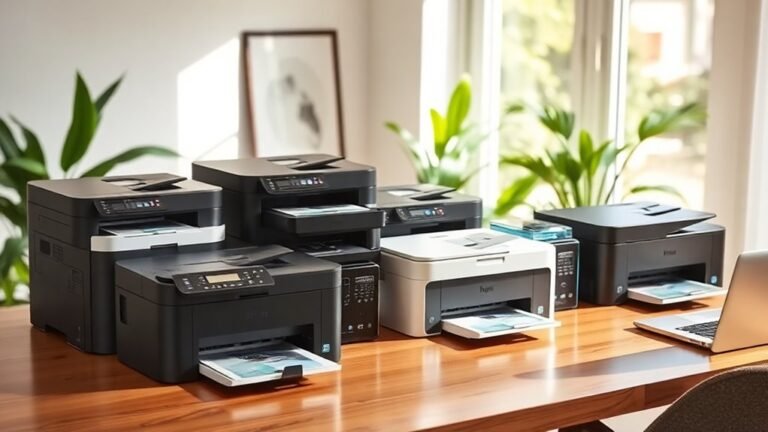
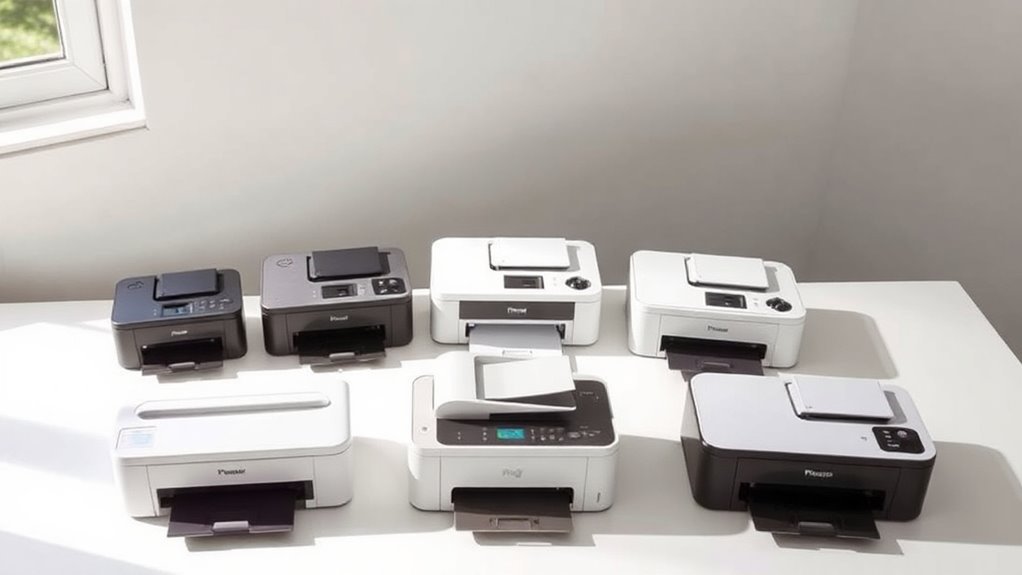
If you’re on the hunt for a budget-friendly home printer scanner in 2027, there are some great options to consider. These devices are perfect for everyday printing, scanning, and copying without breaking the bank. Whether you need something simple or a bit more feature-packed, affordable models can cover your home office or personal needs easily.
For basic tasks, the HP DeskJet 2923 or 2955 are reliable choices. They handle everyday printing and scanning smoothly, making them great for casual use.
If you want to print photos or need something for office work, check out the Canon PIXMA TS4320 and TR4720. These models deliver sharp images and come with handy features.
Epson’s XP-5200 and WF-2830 stand out with solid duplex printing and an automatic document feeder (ADF). That means less hassle when copying double-sided documents.
For faster, professional-quality prints, the HP OfficeJet Pro 8125 is a strong contender. And if mobile printing is your thing, the HP Envy 6155 offers easy wireless options.
Keep exploring these budget home printer scanners to find the one that fits your needs best!
| Image | Name | Editor's Rating | Price |
|---|---|---|---|

|
|
||

|
|
||

|
|
||

|
|
||

|
|
HP DeskJet 2923 Color Inkjet Printer | Wireless | All-in-One
- Perfect for basic printing needs – Print everyday color documents like to-do lists, letters, financial documents and recipes
- KEY FEATURES – Color print, copy, scan, and a 60-sheet input tray, plus mobile and wireless printing
- OPTIMIZE PRINT FORMATTING WITH HP AI – Print web pages and emails with precision—no wasted pages or awkward layouts; HP AI easily removes unwanted content, so your...
- ICON LCD – Print your basic documents with ease from the intuitive control panel
- PRINT SPEED – Up to 7.5 ppm black, 5.5 ppm color

The HP DeskJet 2923 Color Inkjet Printer offers a practical solution for home users who need a compact and affordable all-in-one device. It combines printing, copying, and scanning in one space-saving unit, making it ideal for everyday tasks. Its intuitive icon LCD control panel simplifies operation, reducing setup time and frustration.
This printer supports wireless connectivity through dual-band Wi-Fi, allowing you to print and scan directly from your smartphone using the HP App. This feature helps you stay productive without being tethered to a computer. The 60-sheet input tray handles moderate print jobs efficiently, while print speeds of up to 7.5 ppm (black) and 5.5 ppm (color) balance quality and speed for typical household use.
Maintenance is straightforward, but note that after a 6-month trial, an Instant Ink subscription is required to keep automatic ink delivery active. The device’s eco-friendly design uses recycled plastics and meets ENERGY STAR and EPEAT standards, appealing to environmentally conscious users.
Best for: individuals or families seeking a compact, wireless all-in-one printer for everyday home use.
What We Like:
- Color print, copy, and scan with a user-friendly icon LCD panel
- Wireless printing and scanning via dual-band Wi-Fi and mobile app
- Eco-conscious design with recycled materials and energy certifications
Specification:
| Feature | Details |
|---|---|
| Manufacturer | HP |
| Dimensions (W×D×H) | Approx. 16.5 × 12.1 × 7.1 in (41.9 × 30.7 × 18 cm) |
| Weight | Approx. 5.3 lb (2.4 kg) |
| Material | Plastic with recycled components |
| Color Options | White with black accents |
Canon PIXMA TS4320 – Wireless Color Inkjet Printer with Print, Copy, Scan
- Affordable Versatility - A budget-friendly all-in-one printer perfect for both home users and hybrid workers, offering exceptional value
- Crisp, Vibrant Prints - Experience impressive print quality for both documents and photos, thanks to its 2-cartridge hybrid ink system that delivers sharp text and vivid...
- Effortless Setup & Use - Get started quickly with easy setup for your smartphone or computer, so you can print, scan, and copy without delay
- Reliable Wireless Connectivity - Enjoy stable and consistent connections with dual-band Wi-Fi (2.4GHz or 5GHz), ensuring smooth printing from anywhere in your home or...
- Scan & Copy Handling - Utilize the device’s integrated scanner for efficient scanning and copying operations
The Canon PIXMA TS4320 offers a compact and stylish solution for home printing needs. It simplifies everyday tasks like printing, copying, and scanning, making it ideal for light use around the house. With wireless dual-band Wi-Fi and mobile app control, managing prints from your smartphone or tablet becomes effortless.
This all-in-one printer supports both color and black-and-white documents, helping you handle homework, photos, and recipes efficiently. Its print speeds of up to 14 ppm for black-and-white and 9 ppm for color keep your tasks moving without long waits. The flatbed scanner delivers clear 600 dpi scans for quality digital copies.
Maintenance is straightforward with included starter ink tanks to get you started right away. The 100-sheet paper tray supports various media types, but the single tray may limit flexibility for diverse printing needs. The maximum print size is Letter (8.5″ x 11″), so it’s best suited for standard documents.
Best for: Home users and hybrid workers who need a compact, wireless all-in-one printer for occasional printing, copying, and scanning.
What We Like:
- Wireless dual-band Wi-Fi with mobile app and Alexa compatibility
- Efficient print speeds up to 14 ppm (black-and-white) and 9 ppm (color)
- Supports multiple media types with a 100-sheet capacity
- Includes starter ink tanks for immediate use
Specification:
| Feature | Description |
|---|---|
| Manufacturer | Canon |
| Dimensions | 14.8 x 12.2 x 5.2 inches |
| Weight | 9.7 lb (4.4 kg) |
| Color Options | Black, White |
| Print Speed | Up to 14 ppm (B&W), 9 ppm (Color) |
| Scan Resolution | 600 dpi |
Canon PIXMA TR4720 Wireless All-in-One Printer
- Wireless 4-in-1 (print | copy | scan | fax)..Power Consumption: 7W (0.8W Standby / 0.3W Off)
- Print speed up to: 4" x 6" Borderless Photo (PP-201): Approx. 65.0 Seconds / Black Document (Letter/Simplex): Approx. 8.8 ipm / Color Document (Letter/Simplex): Approx...
- Designed for easy ink cartridge installation and replacement.
- Auto 2-sided printing and auto document feeder.
- Produce quality documents, photos and boarderless prints up to 8.5" x 11".
If you need a reliable all-in-one printer that simplifies your daily tasks, the Canon PIXMA TR4720 is a smart choice. It combines printing, scanning, copying, and faxing in one compact device, saving space and reducing clutter. The wireless connectivity allows you to print from virtually anywhere in your home or office.
This printer helps you save time with automatic duplex printing and a 100-sheet front-loading tray. The auto document feeder makes multi-page scanning and faxing more efficient. Its high print resolution ensures clear black text and vibrant photos, supporting documents up to 8.5 x 11 inches.
Maintenance is straightforward with the PIXMA Print Plan, which helps manage ink supplies effectively, though availability is limited to certain U.S. regions. The device integrates with Alexa for voice commands, adding a layer of convenience for busy users. Despite its compact size, it delivers versatile functionality tailored to everyday office needs.
Best for: Individuals and small offices looking for an affordable, space-saving all-in-one printer with wireless capabilities for routine printing, scanning, copying, and faxing.
What We Like:
- Wireless and mobile printing with easy app and Alexa integration
- Automatic duplex printing and 100-sheet front-loading tray
- Sharp print quality with resolutions up to 4800 x 1200 dpi
- Auto document feeder streamlines multi-page tasks
Specification:
| Feature | Details |
|---|---|
| Manufacturer | Canon |
| Dimensions (W x D x H) | 15.6 x 12.4 x 6.1 in |
| Weight | 11.4 lb |
| Color | Black |
| Connectivity | Wireless, USB |
| Max Print Resolution | 4800 x 1200 dpi |
| Paper Capacity | 100 sheets |
HP DeskJet 2955 Color Inkjet Printer | Wireless | All-in-One
- PERFECT FOR BASIC PRINTING NEEDS – Print everyday color documents like to-do lists, letters, financial documents and recipes
- KEY FEATURES – Color print, copy, scan, and a 60-sheet input tray, plus mobile and wireless printing
- OPTIMIZE PRINT FORMATTING WITH HP AI – Print web pages and emails with precision—no wasted pages or awkward layouts; HP AI easily removes unwanted content, so your...
- ICON LCD – Print your basic documents with ease from the intuitive control panel
- PRINT SPEED – Up to 7.5 ppm black, 5.5 ppm color
Experience hassle-free printing with the HP DeskJet 2955 Color Inkjet Printer, designed to simplify your everyday tasks. This compact all-in-one device lets you print, copy, and scan with ease, making it ideal for home use. Its straightforward controls and 60-sheet tray help you manage small jobs efficiently.
The printer’s wireless capability and mobile printing through the HP App mean you can print from virtually anywhere. This flexibility helps you stay productive without being tied to a desk. Maintenance is simple, and the eco-friendly build supports sustainable practices.
Built with over 70% recycled plastics and ENERGY STAR certified, this model reduces environmental impact while delivering reliable performance. HP AI formatting technology smartly optimizes print layouts, cutting down on wasted ink and paper. Print speeds are moderate, suitable for everyday documents and photos.
Best for: individuals needing a compact, eco-conscious all-in-one printer for home use that handles routine color printing, scanning, and copying.
What We Like:
- Compact and eco-friendly design using recycled plastics
- Wireless and mobile printing support with HP App integration
- AI formatting reduces ink and paper waste
- Simple operation with icon LCD control panel
Specification:
| Feature | Details |
|---|---|
| Manufacturer | HP |
| Dimensions (W×D×H) | Approx. 16.9 × 11.5 × 6.1 in |
| Weight | Around 5.0 lb |
| Material | Over 70% recycled plastics |
| Color Options | White with black accents |
HP OfficeJet Pro 8125 Wireless All-in-One Printer
- FROM AMERICA'S MOST TRUSTED PRINTER BRAND – The OfficeJet Pro 8125 is perfect for home offices printing professional-quality color documents like business documents...
- 3 MONTH TRIAL OF INSTANT INK INCLUDED – Subscribe to the Instant Ink delivery service to get ink delivered directly to your door before you run out, and you save up to...
- KEY FEATURES – Fast color printing, scan, copy, auto 2-sided printing, auto document feeder, and a 225-sheet input tray
- 2.7-INCH TOUCHSCREEN – Quickly navigate your printer with a large color touchscreen and a phone-like user interface
- WIRELESS PRINTING – Stay connected with our most reliable dual-band Wi-Fi, which automatically detects and resolves connection issues
Experience sharp, professional-quality color printing that enhances your home office productivity with the HP OfficeJet Pro 8125 Wireless All-in-One Printer. This versatile device handles fast print speeds, up to 20 ppm for black and 10 ppm for color, helping you complete tasks efficiently without delays. Automatic two-sided printing reduces paper use and saves time on multi-page documents.
Navigating the printer is simple thanks to its intuitive 2.7-inch touchscreen, while the HP Smart app allows you to print, scan, copy, and fax directly from your phone. This seamless mobile integration means you can manage your documents conveniently, whether at your desk or on the go. The printer supports a 225-sheet tray and various paper sizes up to 8.5 x 11.7 inches, making it suitable for everyday printing needs.
Designed with security and sustainability in mind, the HP OfficeJet Pro 8125 features HP Wolf Essential Security and uses recycled materials. Maintenance is straightforward, though it requires original HP cartridges with specific chips, and firmware updates enforce cartridge compatibility. Faxing is accessible via the app, not directly on the device, which may affect workflow preferences.
Best for: individuals and small home office users seeking a reliable, wireless all-in-one printer with easy mobile control and eco-conscious design.
What We Like:
- Fast, efficient printing with automatic duplex capability
- User-friendly touchscreen and comprehensive mobile app control
- Eco-friendly design combined with strong security features
- Supports a generous 225-sheet paper capacity for uninterrupted work
Specification:
| Feature | Details |
|---|---|
| Manufacturer | HP |
| Model | OfficeJet Pro 8125 |
| Print Speed | Up to 20 ppm (black), 10 ppm (color) |
| Touchscreen Size | 2.7 inches |
| Paper Capacity | 225 sheets |
| Max Paper Size | 8.5 x 11.7 inches |
| Connectivity | Wireless dual-band Wi-Fi, Ethernet |
| Security Features | HP Wolf Essential Security |
| Weight | Not specified |
Canon TS5320 Wireless All-in-One Printer Black
- With a 1.44 inch OLED display & LED status bar easily navigate and view your printer status; The OLED display displays deep, accurate color and the LED status bar...
- The Pixma TS5320 has a compact & stylish design that fits your space and personality; Not only is it small, but it comes in 4 distinct colors; Black, white, green, and...
- Designed for ease of use and simple replacement, the Pixma TS5320 only needs 2 fine cartridges for great print quality; Enjoy sharp text documents and great looking...
- With Air Print, easily print from your iPhone, iPad, and Mac without additional apps; (4) Air Print allows you to wirelessly print photos and documents without the need...
The Canon TS5320 Wireless All-in-One Printer Black offers a compact solution for users who need reliable, high-quality printing without the bulk. Its high print resolution of 4800 x 1200 dpi ensures sharp documents and vibrant photos, helping you produce professional results at home or in a small office.
This printer tackles everyday tasks efficiently with duplex printing, copying, and scanning, saving time and paper by handling double-sided jobs automatically. Its support for various photo sizes, including square formats, makes it ideal for creative projects and personalized prints.
Connectivity is seamless with options like Wi-Fi, AirPrint, Bluetooth, and USB, while voice control via Alexa adds convenience. The intuitive OLED display and LED status bar provide clear status updates, and the foldable output tray helps keep your workspace tidy.
Maintenance is straightforward, though the printer’s single paper tray holds up to 100 sheets, which may require frequent refills in busy settings. Print speeds are moderate, especially for color jobs, so it suits users who prioritize quality over fast output.
Best for: Home users and small office workers needing versatile wireless printing with duplex functionality in a compact, stylish design.
What We Like:
- Sharp print quality at 4800 x 1200 dpi with double-sided printing and scanning
- Multiple wireless and wired connectivity options, including voice control
- Supports diverse photo sizes, enhancing creative printing projects
- Space-saving foldable output tray and intuitive OLED display
Specification:
| Feature | Details |
|---|---|
| Manufacturer | Canon |
| Dimensions | Compact (exact size not provided) |
| Weight | Not specified |
| Color | Black |
| Connectivity | Wi-Fi, AirPrint, Bluetooth, USB, Alexa voice control |
Epson Expression Home XP-5200 Wireless Color All-in-One Inkjet Printer

- Remarkable Print Quality for Home and Photo Printing — Epson’s leading-edge PrecisionCore technology produces crisp documents, vibrant borderless photos with rich...
- Our Fastest Expression Home Printer — Plus, a 150-sheet paper tray for convenient paper handling
- Stress-Free Setup and Operation — Large 2.4" color display for effortless navigation, plus easy installation and operation through your smartphone or tablet using the...
- Convenient Connectivity — Supports easy wireless connections and printing from Android or iOS devices (2)
- Engineered for Reliability — Consistently delivers high-quality prints with heat-free technology and a permanent printhead designed to last the life of the printer
The Epson Expression Home XP-5200 is designed to simplify your everyday printing needs. Its sharp 4800 x 1200 dpi resolution ensures your documents and photos come out clear and vibrant. Automatic duplex printing saves time and paper, making double-sided printing effortless.
Wireless connectivity allows you to print from anywhere in your home. The Epson Smart Panel app and voice command support with Alexa or Siri offer convenient mobile printing options. This reduces the hassle of cables and makes printing more accessible.
Maintenance is straightforward with genuine Epson cartridges and energy-efficient PrecisionCore inkjet technology. The compact design fits easily in small spaces while handling up to 150 sheets of paper, including various sizes and borderless photos.
The 2.4-inch color LCD screen provides clear, intuitive navigation to streamline setup and daily use. However, the single paper tray limits the ability to load multiple paper types simultaneously, and print speeds may feel slow during large color print jobs.
Best for: Home users needing a compact, easy-to-use all-in-one printer with wireless and mobile printing for everyday documents and photos.
What We Like:
- Sharp print quality with automatic duplex and borderless photo support
- Flexible wireless printing via app and voice commands
- Energy-efficient with simple color LCD navigation
- Compact size suitable for small home spaces
Specification:
| Feature | Details |
|---|---|
| Manufacturer | Epson |
| Dimensions | Compact design (exact size not specified) |
| Weight | Not specified |
| Print Resolution | 4800 x 1200 dpi |
| Paper Capacity | Up to 150 sheets |
| Connectivity | Wireless, Epson Smart Panel app, Alexa and Siri voice commands |
| Display | 2.4-inch color LCD |
| Printing Technology | PrecisionCore inkjet |
Epson Workforce WF-2830 Wireless Color Inkjet Printer

- 【High-quality Main Features】 Fast printing, copying, scanning and faxing, plus double-sided printing and 1.4" color LCD. Plus 30-page auto document feeder for copying...
- 【Fast Printing Speed】 This wireless all-in-one printer has a fast printing speed of up to up to 10. 3 ISO ppm (black) and up to 4. 5 ISO ppm (color).
- 【Easy wireless】 Print from iPad, iPhone, Android tablets and smartphones; includes Wi-Fi Direct.
- 【High-quality performance】 Pigment Black Claria ink for crisp black text, plus professional-quality documents, proposals and reports.
- 【1.4" color LCD】Simple setup and navigation. 1.4" color LCD to easily print, copy, scan and fax
The Epson Workforce WF-2830 wireless color inkjet printer brings simplicity and efficiency to your home or small office tasks. It tackles printing, scanning, copying, and faxing in one compact device, reducing clutter and streamlining daily work. Automatic two-sided printing saves paper and effort, while a 30-page auto document feeder speeds up multitasking.
Setup and navigation are straightforward with the 1.4″ color LCD, designed for quick access to essential functions. Wireless connectivity, including Wi-Fi Direct, allows seamless printing from your smartphone or tablet without complicated network steps. This printer delivers crisp black text using Pigment Black Claria ink and vivid color prints that suit professional needs.
Maintenance is simple, with a 100-sheet paper tray that holds enough media for regular use but may need refilling during heavy printing sessions. The color print speed is modest, so it’s best suited for moderate volume rather than high-demand color jobs. Its compact design fits well in limited spaces.
Best for: home users and small offices needing an affordable, reliable all-in-one wireless printer with scanning, copying, and faxing capabilities.
What We Like:
- Automatic two-sided printing and 30-page auto document feeder improve workflow.
- Wireless connectivity with Wi-Fi Direct enables easy mobile device printing.
- High-quality black text with Pigment Black Claria ink and sharp color output.
- Compact design fits neatly in small workspaces.
Specification:
| Feature | Details |
|---|---|
| Manufacturer | Epson |
| Dimensions | Approx. 14.9 x 12.2 x 7.5 in |
| Weight | Approx. 13.7 lbs (6.2 kg) |
| Printing Technology | Wireless Color Inkjet |
| Display | 1.4″ Color LCD |
| Paper Capacity | 100-sheet input tray |
HP Envy 6155 Wireless All-in-One Inkjet Printer

- FROM AMERICA'S MOST TRUSTED PRINTER BRAND – The Envy 6155 is perfect for homes printing everyday high-quality color documents like homework and borderless photos. Print...
- 3 MONTH TRIAL OF INSTANT INK – Subscribe to the Instant Ink delivery service to get ink delivered directly to your door before you run out, and you save up to 50% on...
- KEY FEATURES – Color print, copy and scan, plus auto 2-sided printing and a 100-sheet input tray
- HP'S MOST INTUITIVE COLOR TOUCHSCREEN – Smoothly navigate your printer with the easy-to-use 2.4" touchscreen
- WIRELESS PRINTING – Stay connected with our most reliable dual-band Wi-Fi, which automatically detects and resolves connection issues
The HP Envy 6155 Wireless All-in-One Inkjet Printer is designed to simplify your daily printing tasks. It handles printing, scanning, and copying with ease, making it ideal for busy homes. The printer’s automatic duplex feature cuts paper use in half, saving you time and resources.
Maintenance is straightforward with its 100-sheet input tray that reduces frequent refills. Wireless dual-band Wi-Fi connectivity lets you print directly from your smartphone through the HP app. This flexibility helps you stay productive without being tied to a desk.
The 2.4″ color touchscreen makes navigation intuitive, while HP’s AI print optimization ensures sharp and vibrant results. Its sustainable design incorporates recycled plastics, reflecting an eco-conscious choice. However, the printer works only with original HP cartridges, which may limit ink options.
Instant Ink subscription helps prevent running out of ink but could involve ongoing costs after the trial. Print speeds are moderate, making it best suited for everyday color documents, homework, and casual photo printing.
Best for: Home users needing a versatile all-in-one printer for reliable color printing, scanning, and copying.
What We Like:
- Automatic duplex printing saves paper and time
- Wireless dual-band Wi-Fi with easy mobile control via HP app
- AI print optimization delivers precise, vibrant prints
- Compact, eco-friendly design using recycled materials
Specification:
| Feature | Details |
|---|---|
| Manufacturer | HP |
| Dimensions | Approx. 17.3 x 14.5 x 7.5 in (44 x 37 x 19 cm) |
| Weight | Approx. 13.3 lb (6 kg) |
| Material | Plastic with recycled components |
| Color Options | White |
Factors to Consider When Choosing a Budget Home Printer Scanner
When choosing a budget home printer scanner, focus on print quality and how fast it works to keep up with your needs. Check the connectivity options and whether it supports mobile printing for added convenience.
Also, consider if duplex printing is important to you for saving time and paper. It can really make a difference if you print a lot. Just think about what features will fit your everyday use best!
Print Quality Essentials
Although budget home printer scanners often come with compromises, paying close attention to print and scan resolution can make a big difference in output quality. Aim for at least 600 x 600 dpi optical scanning resolution to guarantee sharp text, and 1200 x 1200 dpi or higher for crisper printed graphics and photos.
If you want better photo and color document quality, look for printers with higher color print resolutions (2400–4800 x 1200 dpi) and multiple color inks instead of just tri-color cartridges. For scanning, 300–600 dpi is fine for standard documents, but 1200 dpi or more is best if you plan on detailed photo scans.
Also, consider color depth—24-bit or higher delivers smoother gradients. Finally, check if the printer supports borderless printing and photo-specific media, as these features enhance photo quality.
Speed and Efficiency
Since speed and efficiency directly impact your daily productivity, you’ll want to carefully evaluate print speeds, tray capacities, and features like automatic duplexing and document feeders. Check both black and color print speeds—budget models usually offer 5–15 ppm black and 4–10 ppm color—to match how fast you need documents.
Don’t overlook first-page-out time if you often print single pages, as long warm-ups slow you down. Look for automatic duplex printing and an automatic document feeder to speed multi-page jobs and cut manual handling.
Also, consider input and output tray capacities; small trays (60–150 sheets) mean more frequent refills during bigger print tasks. Finally, factor in real-world throughput and scanning speeds so your printer scanner keeps pace with your everyday mixed workload.
Connectivity Options Available
Speed and efficiency matter, but without solid connectivity options, your printer scanner won’t keep up with your workflow. Make certain it supports both 2.4 GHz and 5 GHz Wi‑Fi bands for faster, more reliable wireless printing, especially on busy networks.
Wi‑Fi Direct lets you print without joining the home network—handy for guests or isolated devices. Check for compatibility with Apple AirPrint and Mopria or Google Cloud Print alternatives to print directly from your phone or tablet without drivers.
A USB Type‑B or Type‑A port is essential for wired setup or when wireless isn’t available, while an Ethernet port guarantees stable wired connections in shared homes. Bluetooth or NFC offer quick pairing but come with shorter range and slower speeds than Wi‑Fi.
Mobile Printing Features
When choosing a budget home printer scanner, you’ll want to make sure it works seamlessly with your mobile devices. Make certain it supports common mobile standards like AirPrint, Mopria, or a vendor app so you can print directly from your iPhone, iPad, or Android device without installing drivers.
Look for dual-band Wi-Fi (2.4 GHz and 5 GHz) and Wi-Fi Direct to boost connection speed and reliability. Plus, these features allow printing without joining a network, which is pretty handy.
Check if the printer’s app offers scanning, copying, faxing, and cloud-saving features. That way, you can complete tasks entirely from your phone without needing to switch devices.
Also, confirm it has user-friendly features like one-tap wireless setup, touchscreen displays, and automatic connection issue detection. These will save you time by reducing troubleshooting headaches.
And don’t forget to consider remote printing and ink subscription services for added convenience. They can make your printing experience smoother and more cost-effective in the long run.
Duplex Printing Capability
Along with mobile printing features, duplex printing capability plays a big role in choosing a budget home printer scanner. Automatic duplex printing cuts your paper use roughly in half by printing on both sides, saving you money on consumables and reducing storage needs.
You’ll want to avoid manual duplex since flipping pages yourself is slower and prone to errors. Check if the printer supports automatic duplex on the media sizes you use most, like letter or A4.
Keep in mind that duplex can slightly reduce single-sided print speeds and might increase warm-up or first-page-out times. Also, confirm the printer’s software supports duplex options like short-edge or long-edge binding.
This is essential if you print booklets or reports and want correct page orientation.
Paper Handling Capacity
Several key factors determine how well a budget home printer scanner handles your printing and scanning needs. First, check the input tray capacity—budget models typically hold 60 to 150 sheets.
Choose one that matches your weekly print volume to avoid constant refilling. If you scan or copy multi-page documents often, an automatic document feeder (ADF) with a 20–30 sheet capacity is essential for convenience.
Also, consider the output tray size to make certain it can hold your typical print jobs without frequent emptying. Verify the printer supports various media types and sizes, like legal paper or envelopes.
And don’t forget to note whether it uses a rear single-sheet feed or a dedicated tray for specialty media. These factors guarantee smooth, efficient paper handling tailored to your needs.
Ink Cost and Usage
Understanding ink cost and usage plays a crucial role in choosing the right budget home printer scanner for your needs. Start by comparing the cost per page—divide the cartridge or refill price by its page yield to reveal true long-term expenses.
Opt for printers offering high-yield or XL cartridges with higher page ratings to lower replacement frequency and per-page costs. If you print regularly, evaluate subscription or auto-replenishment plans only if their monthly cost and page allowance beat buying cartridges outright.
Estimate your monthly print volume and pick printers with separate color and black cartridges or pigment black tanks to avoid wasting color ink on text-heavy prints. Also, consider features like duplex printing and eco modes that reduce paper and ink usage, stretching cartridge life and saving you money.
Device Size and Design
After considering ink costs and usage, you’ll want to focus on the physical fit of the printer scanner in your home. Measure your available space carefully, aiming for a compact footprint—many budget all-in-ones stay under 16 inches wide and 8 inches tall to fit shelves or desks.
Check the paper tray capacity and orientation; front-loading trays are easier to access but often hold only 60–100 sheets. That might affect where you place the device.
If you plan to move it often, choose a lightweight model around 12 to 18 pounds. Look for foldable output trays and a low-profile design to save clearance space.
Also, make sure the scanner lid or automatic document feeder has enough top clearance for thicker originals. Smaller models can limit this feature, so keep that in mind.
Frequently Asked Questions
How Do I Troubleshoot Wireless Connectivity Issues With Home Printers?
You’ll want to restart your printer and router first. This can often fix simple glitches quickly.
Next, check if your printer’s Wi-Fi is actually enabled. Make sure it’s connected to the correct network too.
Also, update your printer’s drivers if they’re out of date. That can solve compatibility issues.
And don’t forget to double-check your firewall settings. Sometimes it might be blocking the connection without you realizing it.
What Is the Average Lifespan of Budget Home Printer Scanners?
You can expect a budget home printer scanner to last around 3 to 5 years with regular use. Proper maintenance and avoiding overuse will help you get the most out of its lifespan without frequent replacements.
That said, how you use it really matters. Treat it gently, keep it clean, and you’ll probably stretch those years even further.
Are There Eco-Friendly Ink Options for Budget Printers?
Yes, you can find eco-friendly ink options for budget printers, like refillable cartridges or plant-based inks. These choices reduce waste and environmental impact.
They help you print responsibly without breaking the bank or sacrificing quality. So, going green with your printing doesn’t have to be complicated or expensive!
How Do I Securely Dispose of Used Printer Cartridges?
Think of used cartridges as empty treasure chests; you don’t just toss them away.
You should recycle them through manufacturer programs or local e-waste centers. This helps protect the environment and keeps valuable materials in circulation.
Can Budget Printers Handle Mobile Printing From Smartphones or Tablets?
Yes, many budget printers support mobile printing from smartphones or tablets. You’ll often use apps like AirPrint or Google Cloud Print, making it easy to print wirelessly without needing a computer or complicated setup.
It’s pretty convenient, right? Just a few taps and your document or photo prints out without any hassle.
Conclusion
Choosing the right budget home printer scanner is like finding a trusty compass in a sea of options—it guides you to effortless printing, copying, and scanning without sinking your wallet. Whether you prioritize wireless convenience or vibrant color, these top picks keep your home office sailing smoothly.
So, trust your instincts, and let one of these reliable devices anchor your productivity. With the best budget home printer scanners for 2027, you can turn everyday tasks into a breeze rather than a tempest. These affordable printers deliver great quality and functionality without breaking the bank, making them perfect for any home setup.
Finding a budget-friendly printer scanner that balances performance and price doesn’t have to be overwhelming. Just pick one from this list, and you’re set for hassle-free printing, scanning, and copying all year round.