12 Best Brother Printer Scanners for Home Use in 2027
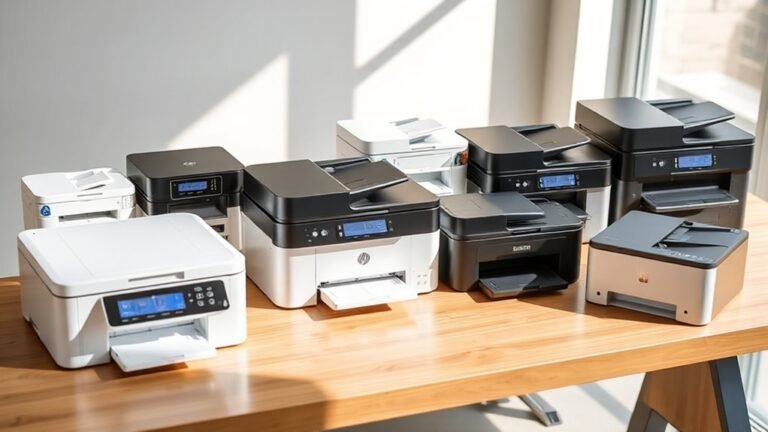
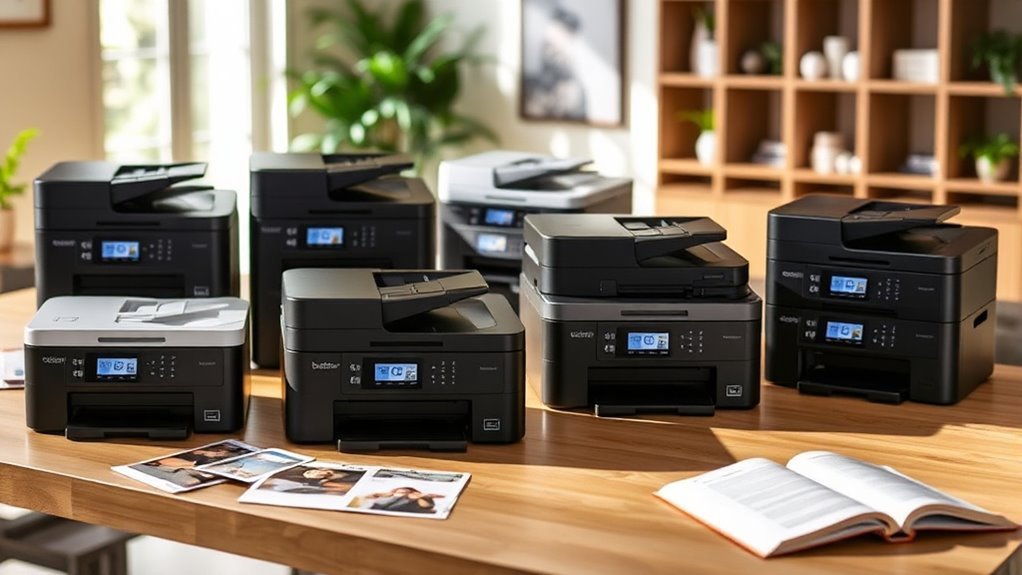
You’ll find Brother offers reliable printers and scanners perfect for home use in 2027. Whether you need a compact inkjet like the Work Smart 1360 or an efficient monochrome laser such as the DCP-L2640DW, Brother has you covered. These models support wireless and mobile printing, making it easy to print from anywhere in your home.
Many also feature automatic duplex scanning, which saves time by scanning both sides of a page without extra effort. They balance speed, quality, and convenience, so you get great results without hassle.
If you’re working on color projects, the INKvestment series offers long-lasting ink efficiency that helps keep costs down. On the other hand, laser models excel with sharp text and crisp details. Keep exploring to discover the ideal Brother printer scanner that fits your specific home needs.
| Image | Name | Editor's Rating | Price |
|---|---|---|---|

|
|
||

|
|
||

|
|
||

|
|
||

|
|
Brother Work Smart 1360 Wireless Color Inkjet All-in-One Print, Scan, Copy
- AFFORDABLE ALL-IN-ONE FOR HOME AND HOME OFFICE: Print, copy, and scan on one compact wireless printer designed for everyday home office printing, schoolwork, documents...
- EASY TO USE WITH CLOUD APP CONNECTIONS: Print from and scan to popular Cloud apps(2), including Google Drive, Dropbox, Box, OneDrive, and more from the simple-to-use...
- FULL-SIZE FEATURES IN A COMPACT DESIGN: This printer includes automatic duplex (2-sided) printing, a 20-sheet single-sided Automatic Document Feeder (ADF)(3), and a...
- MULTIPLE CONNECTION OPTIONS: Connect your way. Interface with your printer on your wireless network or via USB.
- MOBILE PRINTING MADE EASY: Go mobile with the Brother Mobile Connect app(5) that delivers easy onscreen menu navigation for printing, copying, scanning, and device...

Experience seamless productivity with the Brother Work Smart 1360 Wireless Color Inkjet All-in-One printer. Designed to simplify your daily tasks, this device handles printing, scanning, and copying effortlessly. Its wireless connectivity means you can print from anywhere in your home or office without the hassle of cables.
This printer tackles double-sided documents with ease through automatic duplex printing and a 20-sheet automatic document feeder, saving you time on multi-page jobs. The flatbed scanner complements the ADF, allowing you to scan various document types quickly. Print speeds reach up to 16 ppm for black and 9 ppm for color, delivering sharp, high-quality results at resolutions up to 1200 x 6000 dpi.
Maintenance is straightforward with a 150-sheet paper tray that accommodates multiple paper sizes, though frequent refills might be necessary during high-volume use. The mobile app enhances convenience, letting you print and scan directly from your smartphone or tablet. While color printing is slower than black and white, the overall functionality supports everyday office needs efficiently.
Best for: individuals and small home offices needing an affordable, versatile wireless all-in-one printer with duplex printing and easy mobile device integration.
What We Like:
- Fast black and color print speeds with high-resolution output
- Automatic duplex printing and 20-sheet ADF for efficient document handling
- Wireless connectivity including Wi-Fi, AirPrint, and mobile app support
- Compact design suitable for home or small office spaces
Specification:
| Feature | Details |
|---|---|
| Manufacturer | Brother |
| Dimensions | 16.1 x 13.4 x 7.6 inches |
| Weight | Approximately 14.3 lbs (6.5 kg) |
| Printing Technology | Wireless Color Inkjet |
| Paper Tray Capacity | 150 sheets |
| Scanner Type | Flatbed with 20-sheet ADF |
| Print Speed | Up to 16 ppm black, 9 ppm color |
| Maximum Print Resolution | 1200 x 6000 dpi |
Brother DCP-L2640DW Wireless Monochrome Printer
- BEST FOR SMALL BUSINESSES – Engineered for extraordinary productivity, the Brother DCP-L2640DW Monochrome (Black & White) 3-in-1 combines laser printer, scanner, copier...
- FAST PRINTER WITH EFFICIENT SCANNING – Produces documents quickly with print speeds up to 36 ppm(2) and scan speeds up to 23.6/7.9 ipm(3) (black/color). A 50-page auto...
- FLEXIBLE CONNECTION OPTIONS – Easily navigate the changing demands of your business with secure multi-device connectivity via built-in dual-band wireless (2.4GHz...
- BROTHER MOBILE CONNECT APP – Print, scan, and manage your wireless printer anytime, from almost anywhere from your mobile device. Order Brother Genuine Supplies, track...
- CHOOSE BROTHER GENUINE TONER – When it’s time to replace your toner, be sure to choose Brother Genuine TN830 or TN830XL replacement toner. And with Refresh EZ Print...
The Brother DCP-L2640DW Wireless Monochrome Printer is designed to simplify your daily printing, copying, and scanning tasks. Its compact size fits neatly into tight spaces, making it perfect for small offices or home workspaces. With printing and copying speeds up to 36 pages per minute, it handles busy workloads efficiently.
Automatic duplex printing and a 50-page auto document feeder reduce manual effort and save time when managing multi-page documents. Connectivity options include dual-band wireless, Ethernet, USB, and mobile printing through the Brother Mobile Connect app, allowing seamless integration with various devices.
Maintenance is straightforward with a 250-sheet paper tray that suits moderate print volumes and toner subscription options to keep you stocked without interruption. While it prints only in monochrome, this model excels in delivering sharp, clear text for professional documents.
Its ENERGY STAR® compliance and EPEAT® Silver rating ensure energy-efficient operation, supporting eco-conscious users. The basic LCD interface keeps controls simple, though it lacks an advanced touchscreen.
Best for: Small businesses and home offices needing a compact, high-speed monochrome printer with versatile connectivity and multi-function capabilities.
What We Like:
- Fast printing and copying up to 36 ppm with duplex and auto document feeder.
- Multiple connectivity options including dual-band wireless and mobile app support.
- Energy-efficient with recognized eco-friendly certifications.
- Compact design ideal for limited workspace.
- Easy maintenance with toner subscription service.
Specification:
| Feature | Details |
|---|---|
| Manufacturer | Brother |
| Dimensions (W×D×H) | Approx. 16.1 × 15.7 × 13.7 in |
| Weight | Approx. 17.2 lb (7.8 kg) |
| Color Options | White |
| Connectivity | Wireless (Dual-band), Ethernet, USB |
| Print Speed | Up to 36 ppm |
| Paper Tray Capacity | 250 sheets |
Brother Work Smart 1410 Wireless All-in-One Printer
- BEST FOR HOME OFFICE AND SMALL OFFICE: Get your work done with a multifunction printer. Print, copy, and scan on one convenient, compact printer, with quick and easy...
- EASY-TO-USE TOUCHSCREEN WITH CLOUD APP CONNECTIONS: Seamless integration with the Cloud(2). Print from and scan to popular Cloud apps(2), including Google Drive, Dropbox...
- PRODUCTIVITY-FOCUSED FEATURES: Automatic duplex (2-sided) printing, 20-sheet single-sided Automatic Document Feeder (ADF)(3), 150-sheet paper tray(3). Print at fast...
- MULTIPLE CONNECTION OPTIONS: Connect your way. Interface with your printer on your wireless network or via USB.
- THE BROTHER MOBILE CONNECT APP: Go mobile with the Brother Mobile Connect app(5) for easy onscreen menu navigation for printing, copying, scanning, and device management...
The Brother Work Smart 1410 Wireless All-in-One Printer is designed to enhance your productivity with versatile functions tailored for home and small office environments. Its wireless connectivity and mobile app support allow you to print and scan documents directly from your smartphone or tablet, streamlining everyday tasks.
This all-in-one device combines printing, copying, and scanning with a user-friendly 2.7” color touchscreen. You’ll benefit from automatic duplex printing and a 20-sheet automatic document feeder, which help reduce manual effort and speed up multi-page jobs. The 150-sheet paper tray balances capacity with compact design, though it may require refills during heavier use.
Maintenance is simplified through the Brother Mobile Connect app and cloud integration, supporting services like Google Drive and Dropbox. The printer uses genuine Brother LC501 ink cartridges, ensuring quality output but potentially increasing running costs. Its moderate print speeds fit typical home and small office workloads without overwhelming noise or complexity.
Best for: Home users and small offices seeking a reliable, wireless all-in-one printer with mobile and cloud features.
What We Like:
- Automatic duplex printing and 20-sheet ADF boost efficiency
- Intuitive 2.7” color touchscreen for easy control
- Wireless and mobile app support enable remote printing and scanning
- Cloud integration with Google Drive and Dropbox compatibility
Specification:
| Feature | Details |
|---|---|
| Manufacturer | Brother |
| Dimensions | Compact (exact size not provided) |
| Weight | Not specified |
| Color Options | Not specified |
| Connectivity | Wireless, USB |
| Display | 2.7” color touchscreen |
Brother MFC-L2820DW Wireless Monochrome Laser Printer
- BEST FOR SMALL OFFICES – Combining space-saving efficiency and premium monochrome (black & white) print quality with affordability, the Brother MFC-L2820DW delivers...
- EFFICIENT PRINTING & SCANNING – Produces black & white documents quickly with print speeds up to 36 ppm(2) and scan speeds up to 23.6/7.9 ipm(3) (bk/cl). A 50-page auto...
- FLEXIBLE CONNECTION OPTIONS – Securely connect to multiple devices with built-in dual-band wireless (2.4GHz / 5GHz), Ethernet, or connect locally to a single computer...
- 2.7" TOUCHSCREEN – The intuitive 2.7” touchscreen enables effortless navigation with the added ability to print-from and scan-to popular Cloud-based apps such as...
- BROTHER MOBILE CONNECT APP – Print, scan, and manage your wireless printer anytime, from almost anywhere from your mobile device. Order Brother Genuine Supplies, track...
Experience efficient printing tailored for small and home offices with the Brother MFC-L2820DW Wireless Monochrome Laser Printer. This compact device delivers fast printing speeds up to 36 pages per minute, helping you manage your workload without delay. Automatic duplexing reduces paper use, cutting costs and environmental impact.
Designed for versatility, it combines printing, copying, scanning, and faxing in one machine. The 50-page automatic document feeder simplifies multi-page tasks, boosting productivity. Its intuitive 2.7-inch touchscreen and Brother Mobile Connect app make operation straightforward and convenient.
Connectivity options include dual-band Wi-Fi, Ethernet, and USB, allowing seamless integration into various workspaces. Cloud printing and Alexa compatibility add flexibility for modern office environments. Maintenance is straightforward, though users should note the monochrome output and limited scanner resolution of 300 x 300 dpi.
Power usage peaks at 470 watts, which is higher than some alternatives but supports consistent performance. Overall, this printer meets the needs of users who prioritize speed, multifunctionality, and wireless convenience.
Best for: Small and home office users needing a reliable monochrome all-in-one laser printer with versatile wireless connectivity.
What We Like:
- Fast print speed with automatic duplexing for efficient document handling
- Multifunction 4-in-1 design with a 50-page automatic document feeder
- Flexible connectivity including dual-band Wi-Fi, Ethernet, USB, cloud printing, and Alexa support
Specification:
| Feature | Details |
|---|---|
| Manufacturer | Brother |
| Dimensions (W×D×H) | 16.1 × 15.7 × 12.0 inches (41 × 40 × 30.5 cm) |
| Weight | 16.5 lbs (7.5 kg) |
| Color Options | White |
| Print Speed | Up to 36 pages per minute (ppm) |
| Scanner Resolution | 300 x 300 dpi |
| Connectivity | Dual-band Wi-Fi, Ethernet, USB |
| Functions | Print, Copy, Scan, Fax |
Brother INKvestment 1365 Wireless Color Inkjet Printer
- BEST FOR HOME AND HOME OFFICE: This multifunction printer makes it easy to print, copy, and scan—all in one compact printer. Includes one 1,200-page yield black...
- WIRELESS, MOBILE, AND USB CONNECTIVITY: Connect your way. Interface with your printer on your wireless network or via USB. Enhance your workflow with Wi-Fi Direct, which...
- CLOUD APP CONNECTIONS: Print from and scan to popular Cloud apps(3), including Google Drive, Dropbox, Box, OneDrive, and more, from an impressive 1.8” color display...
- PRODUCTIVITY-FOCUSED FEATURES: A 150-sheet paper tray(4), 20-page single-sided automatic document feeder (ADF)(4), and automatic duplex (2-sided) printing. Prints at fast...
- THE BROTHER MOBILE CONNECT APP: Put the power of printing at your fingertips. Go mobile with the Brother Mobile Connect app(6) that delivers easy onscreen menu navigation...
The Brother INKvestment 1365 Wireless Color Inkjet Printer is designed to simplify your printing tasks. It handles a variety of jobs, from crisp color prints to scanning and automatic two-sided printing, making your workflow smoother and more efficient.
This all-in-one printer supports a 150-sheet tray and a 20-page automatic document feeder, minimizing interruptions during busy print sessions. Its wireless connectivity and mobile app support allow you to print conveniently from smartphones or tablets, enhancing flexibility in your home or small office.
Maintenance is straightforward with high-yield ink cartridges that lower running costs. Additionally, a free two-month ink subscription trial helps keep your printer stocked without hassle. The compact design and ENERGY STAR certification ensure it fits neatly into your workspace while conserving energy.
While the color print speed is moderate and the paper tray capacity is limited, this printer offers reliable performance for everyday use. The smaller 1.8″ color display may require some adjustment time but keeps the unit compact.
Best for: users needing a versatile, cost-effective all-in-one printer with wireless and mobile capabilities for home offices or small businesses.
What We Like:
- High-yield cartridges with free two-month ink subscription trial reduce expenses.
- Automatic duplex printing and 20-sheet document feeder boost productivity.
- Wireless and mobile app support enable easy remote printing.
Specification:
| Feature | Details |
|---|---|
| Manufacturer | Brother |
| Printer Type | Wireless Color Inkjet |
| Print Speed (Black) | Up to 16 ppm |
| Print Speed (Color) | Up to 9 ppm |
| Paper Tray Capacity | 150 sheets |
| Document Feeder | 20 pages automatic |
| Display | 1.8″ Color |
| Dimensions (W×D×H) | Compact design (exact size not provided) |
| ENERGY STAR Rated | Yes |
Brother INKvestment 5010 Wireless Color Inkjet Printer

- BEST FOR SMALL BUSINESS: Print, copy, scan, and fax with one powerful device, with advanced security features for business. Includes one 1,800-page yield black ink...
- PRODUCTIVITY-FOCUSED FEATURES: A 250-sheet paper tray, 50-page single-pass duplex (2-sided) automatic document feeder (ADF), and automatic duplex printing on paper up to...
- SUPERIOR PRINTING: Engineered with the Brother PerfectPrint Auto Detection System, which helps ensure reliable, consistent print quality and performance you can depend on...
- SEAMLESS CONNECTIONS: Simplify your workflow with Wi-Fi Direct and multiple connection options, including wireless network interfacing, Ethernet, and USB. Plus, print...
- THE BROTHER MOBILE CONNECT APP: Put the power of printing at your fingertips. Go mobile with the simple-to-use Brother Mobile Connect app, which delivers easy on-screen...
The Brother INKvestment 5010 Wireless Color Inkjet Printer is designed to simplify your printing tasks while maintaining high-quality results. It delivers sharp prints with a resolution of 4800 × 1200 dpi, ensuring vibrant documents and photos every time. Its fast printing speeds help you complete projects quickly, reducing downtime.
This all-in-one printer also copies, scans, and faxes, making it a versatile addition to any home or small office. The automatic duplex printing and a 50-page duplex ADF save time and paper by handling double-sided documents efficiently. You can rely on the 250-sheet paper tray for moderate print volumes, but very large jobs might need occasional refills.
Maintenance is straightforward thanks to the INKvestment system, which extends cartridge life and lowers ink costs. Connectivity options are flexible, including dual-band Wi-Fi, Ethernet, USB, and cloud service access via the 2.7″ touchscreen, allowing you to print and scan conveniently from multiple devices.
Although the touchscreen is compact and the color cartridge yields less than black, the printer balances performance and cost-effectiveness well. It suits users who need reliable, quality prints without frequent interruptions for ink replacement.
Best for: Home users and small businesses seeking a versatile all-in-one printer with efficient ink management and fast duplex printing.
What We Like:
- High-resolution output with fast print speeds.
- INKvestment system reduces ink replacement frequency.
- Multiple connectivity options including wireless and cloud.
- Automatic duplex printing and 50-sheet duplex ADF enhance productivity.
Specification:
| Feature | Details |
|---|---|
| Manufacturer | Brother |
| Dimensions (W×D×H) | Approx. 16.7 × 15.7 × 7.2 inches |
| Weight | Approx. 14.6 lbs |
| Print Resolution | Up to 4800 × 1200 dpi |
| Paper Capacity | 250 sheets |
| Connectivity | Dual-band Wi-Fi, Ethernet, USB |
| Display | 2.7″ Color Touchscreen |
Brother HL-L2480DW Wireless Monochrome Laser Printer

- BEST FOR SMALL OFFICES & WORK FROM HOME – Engineered for efficiency, the Brother HL-L2480DW Monochrome (Black & White) 3-in-1 Laser Printer is equipped with a...
- COMPACT, CONNECTED, DYNAMIC – Connect with built-in dual-band wireless (2.4GHz/5GHz), Ethernet, or to a single computer via USB interface. Produces B/W prints at speeds...
- 2.7" TOUCHSCREEN – The intuitive 2.7” touchscreen enables effortless navigation with the added ability to print-from and scan-to popular Cloud-based apps such as...
- BROTHER MOBILE CONNECT APP – Print, scan, and manage your wireless printer anytime, from almost anywhere from your mobile device. Order Brother Genuine Supplies, track...
- VERSATILE PAPER HANDLING – Tackle high-volume black & white printing with the 250-sheet capacity paper tray.(5) The manual feed slot enables printing on envelopes and...
Experience efficient black-and-white printing with the Brother HL-L2480DW Wireless Monochrome Laser Printer. Designed to handle the demands of busy small offices or home workspaces, this printer combines speed with functionality. It delivers sharp prints and copies at up to 36 pages per minute, helping you save time on everyday tasks.
Its compact design integrates scanning and copying features, reducing the need for multiple devices. The 2.7-inch touchscreen allows easy navigation through options and access to cloud apps such as Google Drive. This keeps your workflow smooth and organized without complicated setups.
Connectivity is flexible with dual-band Wi-Fi, Ethernet, and USB options, plus Alexa compatibility for voice commands. The 250-sheet paper tray and automatic duplex printing support longer print runs and help reduce paper waste. Maintenance is straightforward, making it practical for users without technical expertise.
Best for: Small offices and home users who require reliable monochrome printing alongside scanning and copying in a space-saving, eco-conscious device.
What We Like:
- Fast print and copy speeds up to 36 ppm with crisp 1200 x 1200 dpi output
- Multiple connectivity options including dual-band Wi-Fi and Alexa support
- Easy-to-use 2.7″ touchscreen with cloud app integration
- Automatic duplex printing for efficient paper use
- Compact multi-function design combines printing, scanning, and copying
Specification:
| Feature | Details |
|---|---|
| Manufacturer | Brother |
| Dimensions | Approximately 16.1 x 15.7 x 13.7 inches (WxDxH) |
| Weight | Approximately 19.8 lbs (9 kg) |
| Printing Technology | Monochrome Laser |
| Print Speed | Up to 36 ppm |
| Resolution | Up to 1200 x 1200 dpi |
| Connectivity | Dual-band Wi-Fi, Ethernet, USB |
| Display | 2.7″ Touchscreen |
| Paper Capacity | 250 sheets |
Brother MFC-L3720CDW Wireless Color Laser Printer

- Professional Performance: Dominate your business printing with this Brother Genuine color laser printer delivering exceptional print speeds up to 19 ppm and stunning...
- Advanced Connectivity: Take command of your workflow with dual-band wireless networking (2.4GHz/5GHz), Wi-Fi Direct, and USB 2.0 interface, enabling multiple users to...
- Productivity Powerhouse: Maximize efficiency with the 50-sheet auto document feeder, 250-sheet adjustable paper tray, and automatic duplex printing, ensuring...
- Smart Integration: Transform your workflow with the intuitive 3.5" color touchscreen featuring 48 customizable shortcuts and direct access to popular cloud services...
- Mobile Command Center: Leverage the power of mobile printing with remote access capabilities, toner level monitoring, and complete printer management directly from your...
Experience seamless productivity with the Brother MFC-L3720CDW, an all-in-one wireless color laser printer tailored for home and small office environments. It delivers crisp, smudge-free prints at speeds up to 19 pages per minute, helping you complete tasks efficiently.
This printer combines printing, scanning, copying, and faxing into one compact device. Its 3.5” touchscreen features 48 customizable shortcuts, making everyday operations quicker and more intuitive. Dual-band wireless and Wi-Fi Direct ensure stable connections without complicated setups.
Maintenance is straightforward with a 250-sheet paper tray and a 50-sheet automatic document feeder. Automatic duplex printing reduces paper waste and streamlines double-sided jobs. Mobile app controls and cloud service integration allow flexible management from anywhere.
While the printer is reliable, its 44-pound weight and footprint may require dedicated space. The paper capacity suits moderate workloads but might need refilling for heavy daily use. Security features keep your documents safe, adding peace of mind.
Best for: home users and small offices needing a versatile, wireless color laser printer that balances functionality and ease of use.
What We Like:
- High-quality, smudge-free color and black-and-white laser prints
- All-in-one functionality with user-friendly touchscreen shortcuts
- Reliable dual-band wireless and Wi-Fi Direct connectivity
- Automatic duplexing to save paper and time
- Mobile app and cloud service support for flexible printing
Specification:
| Feature | Details |
|---|---|
| Manufacturer | Brother |
| Dimensions | Approx. 16.1 x 18.0 x 18.3 inches |
| Weight | 44 lb (20 kg) |
| Paper Capacity | 250-sheet tray, 50-sheet ADF |
| Connectivity | Wireless dual-band, Wi-Fi Direct |
| Display | 3.5-inch color touchscreen |
Brother INKvestment 4355 Wireless Color Inkjet Printer

- UP TO 1-YEAR OF INK IN-BOX¹ – Enjoy exceptional convenience and savings with enough ink for up to 1 year of printing right out of the box¹.
- REVOLUTIONARY INKVESTMENT TANK TECHNOLOGY – Internal ink tank system works with front-loading cartridges for hassle-free, uninterrupted printing with no manual refills.
- COMPACT ALL-IN-ONE FUNCTIONALITY – Print, copy, scan, and fax with fast speeds, duplex printing, and a 20-page automatic document feeder
- WIRELESS AND CLOUD READY – Print-from and scan-to popular cloud services and mobile devices via the Brother Mobile Connect App³.
- VERSATILE PAPER HANDLING – Features a 150-sheet adjustable paper tray, bypass tray, and automatic duplex printing for letter and legal-size paper.
Experience hassle-free, high-quality color printing with the Brother INKvestment 4355 Wireless Color Inkjet Printer. This printer is designed to keep up with your busy home office, reducing interruptions with its innovative INKVESTMENT TANK TECHNOLOGY. It combines an internal ink tank with easy-to-replace front-loading cartridges, offering up to a year of ink right out of the box.
Enjoy crisp, vibrant prints at fast speeds — up to 19 pages per minute in color and 20 in black. The 1,200 x 4,800 dpi resolution ensures sharp details for documents and photos alike. Wireless connectivity through the Brother Mobile Connect app simplifies printing and scanning from your smartphone or tablet.
Maintenance is straightforward, with smart ink reordering enabled by Alexa, so you never run out unexpectedly. While the 20-sheet automatic document feeder and 150-sheet paper tray suit typical home office use, they may require more frequent refills for heavier workloads.
Best for: Home users and small offices needing a reliable, cost-effective all-in-one color inkjet printer with long-lasting ink and smart connectivity.
What We Like:
- Up to one year of ink included, minimizing cartridge changes
- Fast print speeds with high-resolution output
- Alexa-enabled smart ink reordering and wireless app support
- Compact design fits well into home office spaces
Specification:
| Feature | Details |
|---|---|
| Manufacturer | Brother |
| Dimensions (W x D x H) | Approx. 16.1 x 14.7 x 7.9 in (40.9 x 37.3 x 20.1 cm) |
| Weight | Approx. 15.4 lbs (7 kg) |
| Printer Type | Wireless Color Inkjet |
| Paper Tray Capacity | 150 sheets |
| Automatic Document Feeder | 20 sheets |
Brother Work Smart 1360 Wireless Color Inkjet Printer

- AFFORDABLE ALL-IN-ONE FOR HOME AND HOME OFFICE: Print, copy, and scan on one compact wireless printer designed for everyday home office printing, schoolwork, documents...
- EASY TO USE WITH CLOUD APP CONNECTIONS: Print from and scan to popular Cloud apps(2), including Google Drive, Dropbox, Box, OneDrive, and more from the simple-to-use...
- FULL-SIZE FEATURES IN A COMPACT DESIGN: This printer includes automatic duplex (2-sided) printing, a 20-sheet single-sided Automatic Document Feeder (ADF)(3), and a...
- MULTIPLE CONNECTION OPTIONS: Connect your way. Interface with your printer on your wireless network or via USB.
- MOBILE PRINTING MADE EASY: Go mobile with the Brother Mobile Connect app(5) that delivers easy onscreen menu navigation for printing, copying, scanning, and device...
The Brother Work Smart 1360 Wireless Color Inkjet Printer is designed to make home, school, and small office tasks easier. This all-in-one device combines printing, scanning, copying, and faxing, helping you handle multiple jobs without switching machines. Its reliable functions speed up your workflow, especially with fast black-and-white printing up to 16 ppm.
This printer saves time and resources with automatic duplex printing, cutting down paper use. The 20-sheet automatic document feeder (ADF) and 150-sheet tray keep your tasks moving smoothly, ideal for moderate workloads. Wireless and USB connectivity options offer flexible setups, while the Brother Mobile Connect app lets you print directly from cloud storage, improving convenience.
Maintaining the printer is straightforward, but be aware that starter ink cartridges may deplete quickly. For consistent quality and longevity, genuine Brother LC501 inks are recommended. Its high-resolution output ensures sharp text and vibrant colors, suitable for everyday document needs.
While color printing runs at a moderate speed of up to 9 ppm, this model balances performance and affordability. It suits users who value multifunctionality and wireless features but don’t require high-volume color output.
Best for: Individuals or small businesses needing a versatile, affordable all-in-one printer with wireless connectivity for everyday color and black-and-white printing.
What We Like:
- Fast black-and-white printing with automatic duplex to reduce paper waste
- Multifunctional design with print, copy, scan, and fax capabilities
- Wireless and USB connectivity plus mobile app support for easy cloud printing
- 20-sheet ADF and 150-sheet tray for efficient multitasking
Specification:
| Feature | Details |
|---|---|
| Manufacturer | Brother |
| Dimensions (W×D×H) | 16.1 × 15.7 × 8.5 inches |
| Weight | Approximately 14.3 lb |
| Color Options | White |
| Connectivity | Wireless, USB |
| Print Speed (Black) | Up to 16 ppm |
| Print Speed (Color) | Up to 9 ppm |
| Paper Capacity | 150 sheets + 20-sheet ADF |
Brother MFC-L2900DW Professional Laser Printer All-in-One

- Professional Performance: Elevate your business efficiency with this Brother Genuine laser printer delivering lightning-fast 36 ppm output, crystal-clear monochrome...
- Versatile Connectivity: Take command of your workflow with dual-band wireless (2.4GHz/5GHz), Ethernet, or USB connectivity options, plus seamless mobile printing and...
- Advanced Document Handling: Maximize productivity with the 50-page auto document feeder, automatic duplex printing to save paper, and convenient single-pass two-sided...
- Smart Interface: Navigate effortlessly through printing, scanning, and cloud functions using the responsive 3.5 in touchscreen display, with direct access to popular...
- Energy Efficient: Benefit from an enhanced fuser design that delivers 22% reduction in electricity consumption, faster warm-up times from sleep mode, and automatic duplex...
The Brother MFC-L2900DW Professional Laser Printer is designed to streamline your monochrome printing needs. It combines printing, scanning, copying, and faxing in one compact device. This all-in-one solution helps reduce workspace clutter while enhancing office efficiency.
With a fast print speed of 36 ppm and automatic duplex printing and scanning, tasks get done quicker. The 50-page automatic document feeder simplifies handling multi-page documents. Its dual-band wireless and Ethernet connectivity ensure seamless integration into different network environments.
Maintenance stays straightforward thanks to a 250-sheet paper tray and energy-saving features that cut power use by 22%. The 3.5″ touchscreen offers intuitive navigation for all functions. While the starter toner cartridge yields about 700 pages, regular replacement keeps productivity consistent.
This monochrome all-in-one printer suits home offices or small businesses where reliable, efficient document handling is essential. It addresses common workflow challenges with practical features and connectivity options.
Best for: small offices or home users needing a reliable, efficient monochrome all-in-one printer with strong connectivity and duplex capabilities.
What We Like:
- Fast print speed with automatic duplex functions for efficient document management
- Dual-band wireless and Ethernet provide flexible network connectivity
- Energy-efficient design lowers operational costs
- Easy-to-use 3.5″ touchscreen interface
- Compact all-in-one design saves desk space
Specification:
| Feature | Details |
|---|---|
| Manufacturer | Brother |
| Dimensions (W x D x H) | 16.1 x 15.7 x 12.5 inches |
| Weight | 16.2 lbs (7.35 kg) |
| Connectivity | Dual-band wireless, Ethernet |
| Paper Tray Capacity | 250 sheets |
| Display | 3.5-inch touchscreen |
Brother MFC-L3780CDW Wireless Digital Color All-in-One Printer

- Best for Small Businesses: The Brother MFC L3780CDW small business printer is a wireless multi-function digital color printer with copy, scan, and fax functionalities...
- AMPLIFY YOUR PROFESSIONAL DOCUMENTS. This Brother laser printer provides the consistent performance of laser-quality digital color printing
- MAXIMIZE EFFICIENCY WITH ALL-IN-ONE FUNCTIONALITY. This Brother all in one printer has print speeds up to 31 ppm(1) and scan speeds up to 29/22 ipm(2) (black/color) with...
- RELIABLE RESULTS WITH BROTHER GENUINE TONER. Choose Brother Genuine TN229 Standard Yield, TN229XL High Yield, or TN229XXL Super High Yield for your Brother printer...
- Flexible Connection Options: Brother laser color printer has built-in dual band wireless (2.4GHz / 5GHz)(5), Gigabit Ethernet, and Wi-Fi Direct connections, plus a USB...
The Brother MFC-L3780CDW Wireless Digital Color All-in-One Printer is designed to simplify your everyday office tasks. Combining printing, copying, scanning, and faxing into one compact device, it saves space without sacrificing performance. This printer delivers crisp, smudge-free color prints, helping you produce professional documents with ease.
Its user-friendly 3.5″ touchscreen makes navigating functions straightforward. Automatic duplex printing and scanning reduce paper use and speed up workflows. With versatile connectivity options like dual-band Wi-Fi, NFC, and Ethernet, you can print directly from multiple devices seamlessly.
Maintenance is hassle-free thanks to Brother’s toner subscription options, which keep your printer running smoothly while lowering supply costs. Energy-saving features also make it an eco-conscious choice for busy home offices or small businesses. While print speeds are optimized for single-sided jobs, duplex settings may require some adjustments.
Best for: Small business owners and home office users needing a versatile all-in-one wireless color laser printer that blends efficiency with connectivity.
What We Like:
- Sharp, laser-quality color prints with automatic duplexing
- Easy-to-use 3.5″ touchscreen interface
- Multiple wireless and wired connectivity options
- Energy-efficient design with cost-saving toner plans
Specification:
| Feature | Details |
|---|---|
| Manufacturer | Brother |
| Dimensions | 16.1 x 18.7 x 17.7 inches |
| Weight | 35.3 lbs (16 kg) |
| Color Options | White |
| Connectivity | Dual-band Wi-Fi, Ethernet, NFC |
Factors to Consider When Choosing Brother Printer Scanner for Home
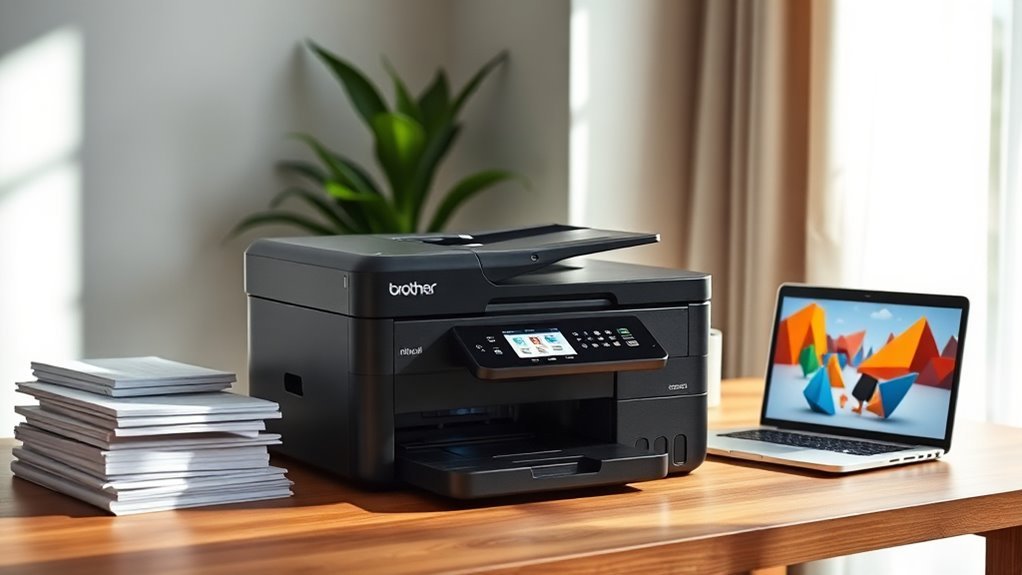
When choosing a Brother printer scanner for your home, you’ll want to take into account print and scan speed to keep up with your tasks. Think about connectivity options, ink and toner costs, and how much paper the device can handle.
Also, don’t forget the size and weight to make sure it fits your space comfortably.
It’s all about finding the right balance between performance and convenience for your everyday needs. So, consider what features matter most to you before making a decision.
Print and Scan Speed
Consider how quickly your Brother printer scanner handles both printing and scanning tasks to match your home office needs. Look for printers with higher pages per minute (ppm) if you print a lot—color inkjets usually offer around 9 ppm, while monochrome lasers can reach 30–36 ppm.
Check first-page-out times too, especially if you print single pages often; inkjets take about 4–9 seconds, lasers around 7–9 seconds. For scanning, compare images per minute (ipm); single-sided scans typically range from 5 to 30 ipm, but automatic document feeders (ADF) can scan 20–50 ipm.
If you scan double-sided documents frequently, choose a duplex ADF to cut scanning time roughly in half. Remember, actual speeds vary with resolution, color, and document complexity. So, it pays to think about what you print and scan most!
Connectivity Options Available
Print and scan speeds matter, but how you connect your Brother printer scanner can impact your experience just as much. Wi‑Fi and dual‑band Wi‑Fi let you print and scan wirelessly from multiple devices. With 2.4 GHz offering better range and 5 GHz providing faster, less-congested performance, you get to pick what suits your needs best.
Wi‑Fi Direct is super handy when you want a quick mobile connection without a home network. For secure, reliable use, USB 2.0 or higher wired connections link directly to one computer.
If multiple users share the device, Ethernet ports offer stable, fast connections over a wired network. Don’t forget cloud and mobile app integrations—they simplify printing and scanning from smartphones or cloud services. Just keep in mind they require internet and compatible apps.
Ink and Toner Costs
To get a clear picture of ink and toner costs, you’ll want to break down the price per page by dividing the cartridge cost by its rated page yield. Look for high-yield or XL cartridges—they usually lower your cost per page compared to standard ones.
If your Brother printer supports subscription or automatic-reorder programs, these can save you money, but watch for monthly fees and cancellation terms. Also, consider how much you print in color versus black and white; color printing uses multiple cartridges, driving up costs.
Don’t forget about extra expenses like replacement drum units or maintenance kits for laser models, as these can add significant long-term costs. By factoring these elements in, you’ll choose a Brother printer scanner that fits your budget.
Paper Handling Capacity
Several key factors influence the paper handling capacity of a Brother printer scanner, which directly affects your convenience and efficiency at home. First, check the main paper tray capacity—typically 150 to 250 sheets—to match your usual printing volume and reduce frequent reloads.
If you scan or copy multi-page documents regularly, opt for a model with a 20 to 50-sheet automatic document feeder (ADF) to save time. Also, consider if the device supports automatic duplex printing and can handle larger media sizes like legal (8.5″×14″).
Don’t forget to review the multipurpose tray’s capacity and media compatibility if you print envelopes, labels, or cardstock. Finally, make certain the output tray can hold enough sheets (usually 100 to 250) to prevent overflow during big print jobs.
Device Size and Weight
When choosing a Brother printer scanner for your home, you’ll want to look closely at the device’s size and weight to guarantee it fits comfortably in your space and meets your mobility needs.
Measure your available desk or shelf space, then compare it to the printer’s footprint—compact models usually range from 13–17 inches wide and 7–12 inches tall, while larger units can be deeper and taller.
Remember to allow extra clearance for cables, trays, and ventilation.
Consider the weight, too; lighter models often weigh under 20 pounds, making them easy to move, while heavier, feature-rich units can exceed 50 pounds and may need a sturdy surface or two people to relocate.
Balance size and weight with the functionality you really need to avoid unnecessary bulk. It’s all about finding the right fit for your space and lifestyle.
Mobile and Cloud Features
After considering the physical size and weight of your Brother printer scanner, you’ll want to explore its mobile and cloud capabilities to enhance convenience and productivity. Make sure your scanner supports Wi‑Fi or Wi‑Fi Direct, allowing you to scan directly from smartphones and tablets without needing a PC.
Look for compatibility with Apple AirPrint and Android Mopria standards to simplify printing and scanning from native apps. Check if the companion app offers remote scan-to-cloud, device management, and ink monitoring.
Confirm built-in cloud integration to send scans directly to services like Google Drive or Dropbox for easy access and sharing. Finally, verify that your device or app supports workflow shortcuts, letting you quickly execute preset scan destinations and formats for frequent tasks.
Energy Efficiency Certifications
Although you might focus on features and performance, paying attention to energy efficiency certifications can save you money and reduce environmental impact over time. Look for ENERGY STAR certification, which guarantees the printer meets EPA energy-efficiency guidelines, cutting standby and active power use.
EPEAT registration, rated Bronze to Gold, signals strong lifecycle environmental practices, including energy use. Check explicit power-consumption figures like sleep, idle, and max watts to compare real-world energy draw and estimate costs.
Features like automatic duplex printing, toner-saving modes, quick warm-up fusers, sleep timers, and low-power network wake help lower overall energy use. By choosing a Brother printer scanner with these certifications and energy-saving features, you’ll enjoy efficient performance while minimizing your electricity bills and ecological footprint at home.
Frequently Asked Questions
How Do Brother Printers Compare to Other Brands in Terms of Durability?
Brother printers generally last longer than many brands because they use high-quality components. You’ll find they’re durable and reliable, especially for home use.
Are There Any Eco-Friendly Brother Printer Models Available?
You’ll find eco-friendly Brother printers like the MFC-J995DW, which uses up to 50% less ink with its INKvestment Tank system. This means you’ll save money and reduce waste while printing efficiently at home.
It’s a great choice if you want to be green without sacrificing quality. Plus, the ink system lasts longer, so you don’t have to replace cartridges as often.
What Is the Average Cost of Replacement Ink or Toner for Brother Printers?
You’ll typically spend between $20 and $50 for Brother replacement ink cartridges, while toner cartridges usually run $40 to $80.
Prices vary based on model and cartridge type, so always check compatibility before buying. It’s a good idea to double-check to make sure you’re getting the right one for your printer.
Can Brother Printers Scan Directly to Cloud Storage Services?
You can instantly send your scanned documents to the cloud, like planting seeds in a vast digital garden. Brother printers let you scan directly to cloud storage, making your files easy to access anytime, anywhere.
It’s super convenient, right? No need to fuss with cables or transferring files manually. Just scan, and your documents are saved safely online, ready whenever you need them.
Do Brother Printers Support Mobile Printing Apps on All Smartphones?
Yes, Brother printers support mobile printing apps on most smartphones, including iOS and Android. You can easily print, scan, and manage tasks using Brother’s iPrint&Scan app.
It makes wireless printing super convenient wherever you are. So, whether you have an iPhone or an Android device, printing on the go is a breeze!
Conclusion
Choosing the right Brother printer scanner for your home is like finding the perfect key to unleash your creativity and productivity. Each model offers unique features that fit different needs, whether you’re scanning cherished memories or important documents.
Keep your priorities clear, and you’ll open doors to seamless printing and scanning experiences. With the right Brother device, you’re not just buying a machine—you’re embracing a tool that helps your ideas come to life effortlessly.
When selecting the best Brother printer scanner for home use, think about what matters most to you—speed, quality, or versatility. The 12 best Brother printer scanners for home use in 2027 offer something for everyone, ensuring you find one that matches your lifestyle perfectly. Embrace the convenience and efficiency that comes with choosing a reliable Brother printer scanner, and transform how you handle your printing and scanning tasks at home.