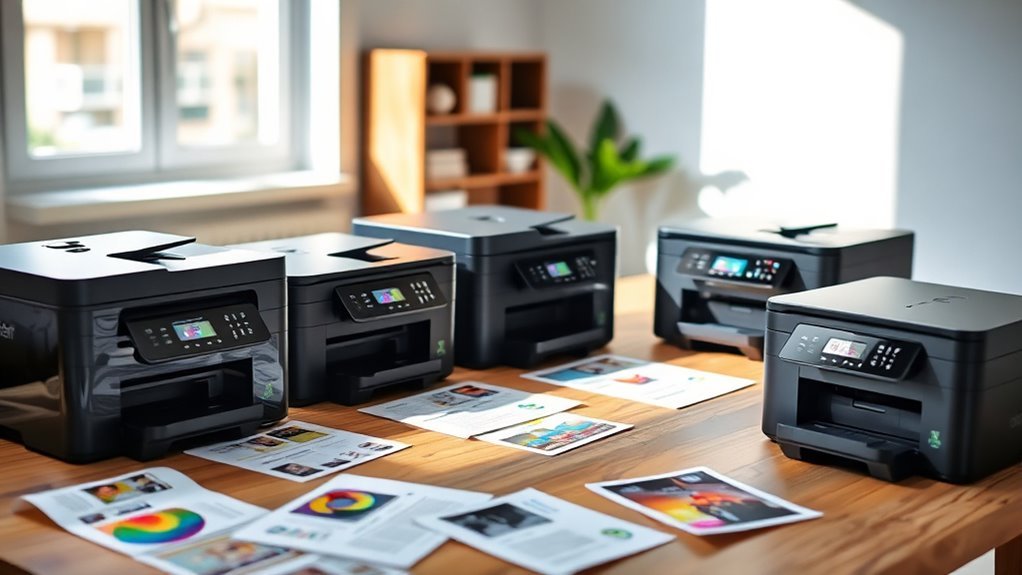
7 Best Brother Printer Ink Tank Systems for 2027 Reviews
You’ll find Brother’s INKvestment Tank 580, 780, and 980 models offer durable, cost-saving refillable tanks with spill-free bottles and wireless printing, perfect for home offices or small businesses.
These printers are designed to keep your ink usage efficient and mess-free, making them ideal for daily tasks without the hassle.
The LC406 cartridges and BTD1803PK high-yield bottles keep ink flowing efficiently and mess-free.
Plus, printers like the MFC-J4335DW and J4355DW provide sharp color prints with flexible connectivity options.
To pick the best fit for your needs, consider print speed, volume, and features like duplexing or ADF options.
Take some time to explore further insights to fine-tune your choice and find the perfect Brother printer ink tank system for your setup.
| Image | Name | Editor's Rating | Price |
|---|---|---|---|

|
|
||
|
|
||

|
|
||

|
|
||
|
|
Brother INKvestment Tank 580 Wireless Color Printer
- INNOVATIVE REFILLABLE INK TANK TECHNOLOGY: Brother Genuine no-spill bottles quickly refill the tank in 30 seconds for color, 65 seconds for black. The design prevents...
- BEST FOR HOME AND HOME OFFICE: Get all your work done with a durable all-in-one multifunction printer. Print, copy, and scan on one convenient, compact printer. Brother...
- RELIABLE AND EASY TO USE: A 1-line LCD on your printer provides uncomplicated, to-the-point messaging and operation. Includes a 3-year limited warranty(2) and Brother...
- WIRELESS AND USB CONNECTIONS: Connect your way. Interface with your printer on your wireless network or via USB.
- THE BROTHER MOBILE CONNECT APP: Put the power of printing at your fingertips. Go mobile with the Brother Mobile Connect app(3) that delivers easy onscreen menu navigation...

The Brother INKvestment Tank 580 Wireless Color Printer is built to help you save on ink costs without compromising print quality. Its innovative refillable ink tanks come with no-spill Brother Genuine bottles, providing up to three years of ink right from the start. This design reduces frequent cartridge replacements and hassles, making maintenance easier and more cost-effective.
This color all-in-one printer delivers sharp black and vibrant color prints at moderate speeds. With automatic duplex printing and a 150-sheet tray, it supports efficient daily workflows. Wireless connectivity and the Brother Mobile Connect app allow you to print and scan effortlessly from your smartphone, simplifying your work process.
The printer’s compact design fits well in homes or small offices where space and budget matter. It’s ideal for users who want dependable performance with lower ink expenses. However, the 1-line LCD limits detailed control, and it requires Brother Genuine BTD180 ink bottles, restricting ink choices.
Best for: individuals and small businesses seeking a cost-effective, reliable color all-in-one printer with refillable ink tanks and wireless convenience.
What We Like:
- Up to 3 years of ink included with easy-refill, no-spill ink bottles
- Automatic duplex printing for double-sided documents
- 150-sheet tray supports longer print runs without frequent refills
- Wireless printing and scanning via Brother Mobile Connect app
Specification:
| Feature | Details |
|---|---|
| Manufacturer | Brother |
| Dimensions (W×D×H) | Not specified |
| Weight | Not specified |
| Ink System | Refillable ink tanks |
| Print Speed | 16 ppm black, 9 ppm color |
| Paper Capacity | 150 sheets |
| Display | 1-line LCD |
| Connectivity | Wireless (Wi-Fi), Mobile app |
Brother INKvestment Tank 780 Wireless Color Printer
- INNOVATIVE REFILLABLE INK TANK TECHNOLOGY: Brother Genuine no-spill bottles quickly refill the tank in 30 seconds for color, 65 seconds for black. The design prevents...
- BEST FOR HOME OFFICE AND SMALL OFFICE: This does-it-all multifunction printer enables you to print, copy, and scan on one convenient, compact printer. Brother inkjet...
- WIRELESS AND USB CONNECTIONS: Connect your way. Interface with your printer on your wireless network or via USB.
- CLOUD APP CONNECTIONS: Print from and scan to popular Cloud apps(3), including Google Drive, Dropbox, Box, OneDrive, and more from the convenient 1.8” color display on...
- THE BROTHER MOBILE CONNECT APP: Put the power of printing at your fingertips. Go mobile with the Brother Mobile Connect app(4) that delivers easy onscreen menu navigation...
Experience hassle-free, high-volume color printing with the Brother INKvestment Tank 780 Wireless Color Printer. It solves the common problem of frequent ink cartridge replacements by using an innovative refillable ink tank system. This design lets you print longer without interruptions, saving time and reducing waste.
Maintenance is simple and neat thanks to no-spill, keyed ink bottles that prevent color mix-ups and refill quickly. You won’t have to worry about messy refills or confusing ink colors. This printer is designed to keep your workflow smooth and efficient.
Ideal for busy home offices or small businesses, it offers versatile functionality like duplex printing and a 150-sheet tray. The 20-page automatic document feeder lets you scan or copy multiple pages effortlessly. These features help boost your productivity without complicating your tasks.
The Brother Mobile Connect app adds convenience by enabling wireless printing and scanning from your mobile device or cloud services. This makes remote document management straightforward and flexible. However, keep in mind that a stable internet connection and compatible devices are necessary for these features.
Best for: Users who need dependable, high-volume color printing combined with easy maintenance and mobile connectivity for home or office environments.
What We Like:
- Refillable ink tanks with no-spill, keyed bottles for clean and fast refills
- Duplex printing and 150-sheet capacity enhance workflow efficiency
- Wireless and cloud app support for convenient remote printing and scanning
Specification:
| Feature | Details |
|---|---|
| Manufacturer | Brother |
| Dimensions (inches) | 18.3 x 10.5 x 19.3 |
| Weight | 17.2 lb |
| Ink System | Refillable ink tanks |
| Paper Capacity | 150-sheet tray |
| Automatic Document Feeder | 20 pages |
Brother INKvestment Tank 980 Wireless Color Printer
- INNOVATIVE REFILLABLE INK TANK TECHNOLOGY: Brother Genuine no-spill bottles quickly refill the tank in 30 seconds for color, 65 seconds for black. The design prevents...
- BEST FOR SMALL OFFICE AND SMALL BUSINESS: This multifunction printer does it all, enabling you to print, copy, scan, and fax on one convenient, compact printer. Brother...
- CLOUD APP CONNECTIONS: Print from and scan to popular Cloud apps(3), including Google Drive, Dropbox, Box, OneDrive, and more on the printer's convenient 1.8” color...
- PRODUCTIVITY-FOCUSED FEATURES: Automatic duplex (2-sided) printing, 150-sheet paper tray, 80-sheet multi-purpose tray, 20-page single-sided automatic document feeder...
- WIRELESS, WIRED NETWORK, AND USB CONNECTIONS: Connect your way. Interface with your printer on your wireless network, ethernet, or via USB connection. A front USB Port...
The Brother INKvestment Tank 980 Wireless Color Printer is designed to simplify printing tasks in small offices. Its all-in-one capabilities let you print, scan, copy, and fax without switching devices. This helps reduce clutter and speeds up your workflow.
Maintenance is hassle-free thanks to the refillable ink tank system with no-spill, keyed bottles. This design minimizes mess and lowers ink replacement costs, offering up to three years of ink right out of the box. You can focus more on work and less on refilling.
Connectivity options are versatile, including wireless, Ethernet, USB, and mobile app support. This means you can print from multiple devices and integrate with cloud services easily. The automatic duplex printing and 20-page ADF enhance efficiency for busy work environments.
While the 20-page single-sided document feeder may limit batch scanning speed, the printer’s vibrant color output and fast print speeds (up to 17 ppm black and 16.5 ppm color) make it ideal for producing professional documents and presentations.
Best for: Small offices and businesses needing a reliable, cost-effective all-in-one color printer with flexible connectivity and low maintenance.
What We Like:
- Refillable ink tanks reduce waste and ink expenses
- Fast print speeds with automatic duplex printing
- Multiple connectivity options including wireless and Ethernet
- Easy maintenance with no-spill, keyed ink bottles
- Compact all-in-one design saves space
Specification:
| Feature | Details |
|---|---|
| Manufacturer | Brother |
| Dimensions | Approx. 16.1 x 14.7 x 7.7 inches |
| Weight | Around 15.4 lb (7 kg) |
| Print Speed (Black) | Up to 17 pages per minute |
| Print Speed (Color) | Up to 16.5 pages per minute |
| Connectivity | Wireless, Ethernet, USB, Mobile |
| Automatic Duplex | Yes |
| Automatic Document Feeder | 20 pages |
Brother Genuine LC406 Ink Cartridges for INKvestment Tank Printers
- DELIVERS SUPERIOR INKJET QUALITY: LC4063PK Standard Yield Color INKvestment Tank 3-Pack Brother ink LC406 cartridges work seamlessly with INKvestment Tank printers for...
- THE CONVENIENCE OF MULTIPACKS. Brother ink cartridges LC406 provide the ultimate in convenience, giving you all three colors, Cyan, Magenta and Yellow, for your...
- BROTHER INKVESTMENT TANK INK CARTRIDGES: Easy-to-use, front-loading plug-in LC406 ink cartridges for Brother printer hold more ink to supply the internal tank for more...
- ENVIRONMENTALLY RESPONSIBLE CARTRIDGE DISPOSAL: Brother offers an environmentally responsible way to dispose of Brother inkjet printer ink cartridges
- FOR USE WITH: Brother Genuine LC4063PK ink for Brother MFC-J4335DW is for use with Brother INKvestment Tank color inkjet all-in-one printers MFC-J4335DW, MFC-J4335DW XL...
Experience hassle-free vibrant color printing with Brother Genuine LC406 Ink Cartridges, designed to deliver sharp, professional-quality results. These cartridges eliminate the mess of manual refilling, making it easier to maintain your Brother INKvestment Tank printer.
Each cartridge fits seamlessly into compatible Brother inkjet models, offering a straightforward front-loading design for quick replacement. This design keeps your workflow smooth and your printer ready, reducing downtime and frustration.
With a high page yield of up to 1,500 pages per cartridge, you can enjoy long-lasting performance without frequent replacements. The internal ink tank refills cleanly, preventing spills and ensuring consistent color output for every print.
Using these cartridges means vibrant, durable prints that meet your professional or personal needs. They are tailored specifically for Brother INKvestment Tank printers, providing reliable and precise ink delivery that enhances your printing experience.
Best for: users of Brother INKvestment Tank color inkjet printers seeking vibrant, professional-quality color prints with easy, mess-free cartridge replacement.
What We Like:
- High page yield up to 1,500 pages per cartridge
- Easy front-loading for quick, mess-free replacement
- Consistent, vibrant color output with durable prints
- Designed specifically for Brother INKvestment Tank printers
- Clean internal tank refilling reduces mess
Specification:
| Feature | Details |
|---|---|
| Manufacturer | Brother |
| Compatible Models | INKvestment Tank color inkjet printers (e.g., MFC-J4335DW) |
| Cartridge Colors | Cyan, Magenta, Yellow |
| Page Yield | Up to 1,500 pages per cartridge |
| Replacement Type | Front-loading cartridge |
Brother BTD1803PK 3-Pack High Yield Ink Bottles
- HIGH YIELD INK BOTTLES: 3-Pack of cyan, magenta, and yellow bottles to print for up to 5,000 pages each.* Works with Brother INKvestment Tank printers MFC-T580DW...
- PRINT CONFIDENTLY: The Brother Genuine BTD1803PK High Yield Ink Bottles deliver consistent, reliable performance.
- ENGINEERED FOR EXCELLENCE: The spill-free bottle design includes a key system that helps prevent inserting the wrong bottle into each color well.
- REDUCE CARTRIDGE WASTE: Brother INKvestment Tank printers with refillable ink tank technology help reduce cartridge waste in landfills.
- CHOOSE BROTHER GENUINE INK: Formulated and quality-tested by Brother to work seamlessly with your Brother INKvestment Tank printer, Brother Genuine Ink delivers...
Experience hassle-free, high-volume color printing with the Brother BTD1803PK 3-Pack High Yield Ink Bottles. Designed specifically for Brother INKvestment Tank printers, these bottles provide a reliable way to keep your printer running smoothly without frequent interruptions. Each bottle delivers vibrant cyan, magenta, or yellow ink, printing up to 5,000 pages to meet your demanding print needs.
The thoughtfully engineered spill-free design minimizes mess and prevents color mix-ups during refills. This makes maintaining your printer easier and more efficient, saving you time and frustration. Using genuine Brother ink ensures consistent, sharp, and bright prints every time, preserving the quality your projects deserve.
Ideal for those who rely on inkjet printing for professional or personal use, these high yield ink bottles reduce waste by working with refillable ink tanks. While compatible only with select Brother INKvestment Tank models, they offer a cost-effective alternative to traditional cartridges without sacrificing performance.
Best for: users of Brother INKvestment Tank printers needing efficient, high-volume color printing with reliable ink quality.
What We Like:
- High yield ink prints up to 5,000 pages per bottle.
- Spill-free, color-coded design simplifies refilling.
- Genuine Brother ink guarantees vibrant and consistent color.
- Reduces waste by refilling ink tanks instead of replacing cartridges.
Specification:
| Feature | Details |
|---|---|
| Manufacturer | Brother |
| Compatibility | Select Brother INKvestment Tank printers (e.g., MFC-T580DW, MFC-T980DW) |
| Ink Colors | Cyan, Magenta, Yellow |
| Yield per Bottle | Up to 5,000 pages |
| Bottle Pack | 3 (one of each color) |
Brother MFC-J4335DW Wireless All-in-One Inkjet Printer

- UP TO 1-YEAR OF INK IN-BOX¹ – Enjoy exceptional convenience and savings with enough ink for up to 1 year of printing right out of the box¹.
- REVOLUTIONARY INKVESTMENT TANK TECHNOLOGY – Internal ink tank system works with front-loading cartridges for hassle-free, uninterrupted printing with no manual refills.
- COMPACT ALL-IN-ONE FUNCTIONALITY – Print, copy, scan, and fax with fast speeds, duplex printing, and a 20-page automatic document feeder.
- WIRELESS AND CLOUD READY – Print-from and scan-to popular cloud services and mobile devices via the Brother Mobile Connect App³.
- VERSATILE PAPER HANDLING – Features a 150-sheet adjustable paper tray, bypass tray, and automatic duplex printing for letter and legal-size paper.
The Brother MFC-J4335DW Wireless All-in-One Inkjet Printer is designed to simplify your daily printing tasks at home or in small office settings. Its INKvestment Tank system provides up to a year of ink right out of the box, cutting down on frequent cartridge changes and interruptions.
This printer handles printing, copying, scanning, and faxing with sharp 600 dpi resolution and speeds of up to 20 ppm for black and 16 ppm for color. Automatic duplex printing and a 20-page document feeder keep your workflow efficient and organized.
Connectivity is straightforward with wireless and USB options, along with mobile and cloud printing support. Alexa-enabled ink reordering adds convenience by making maintenance effortless. Its compact size fits easily into limited spaces without sacrificing functionality.
While it offers reliable performance, the print resolution and paper size support are best suited for everyday documents rather than high-detail or large-format printing. Copy and scan features are basic but sufficient for typical small business or home office needs.
Best for: Small businesses, home offices, and school users needing an affordable all-in-one inkjet printer with long-lasting ink and versatile wireless functionality.
What We Like:
- INKvestment Tank system reduces frequent ink replacements.
- Automatic duplex and 20-page feeder improve productivity.
- Wireless connectivity with mobile/cloud printing and Alexa ink reordering.
- Compact design fits well in tight spaces.
Specification:
| Feature | Details |
|---|---|
| Manufacturer | Brother |
| Dimensions (W×D×H) | Approx. 16.1 × 14.1 × 7.5 inches |
| Weight | Approx. 13.6 lbs (6.2 kg) |
| Print Resolution | Up to 600 x 600 dpi |
| Print Speed | 20 ppm (black), 16 ppm (color) |
| Paper Capacity | 150-sheet tray |
| Connectivity | Wireless, USB |
Brother MFC-J4355DW Wireless Color Inkjet Printer

- Brother USA AUTHORIZED - Brother Full USA Warranty | All-in-One Productivity: Versatile 4-in-1 functionality that allows you to print, copy, scan, and fax from one...
- INKvestment Tank Efficiency: Advanced INKvestment Tank technology delivers long-lasting ink and lower running costs, making it ideal for frequent everyday printing.
- Fast & Automatic Printing: Print speeds of up to 20 ppm (black) and 19 ppm (color) with automatic two-sided printing to help save time and reduce paper usage.
- Wireless & Mobile Connectivity: Print easily using Wi-Fi, Wi-Fi Direct, or USB, and enjoy mobile printing through Brother Mobile Connect, Apple AirPrint, and Mopria for...
- INCLUDED IN THE BOX: Brother MFC-J4355DW All-in-One Printer | Starter Black INKvestment Tank Cartridge (approx. 1,800 pages) | Starter Cyan Ink Cartridge (approx...
The Brother MFC-J4355DW Wireless Color Inkjet Printer is designed to simplify office tasks by combining printing, copying, scanning, and faxing in one compact unit. Its INKvestment Tank system reduces ink expenses with long-lasting cartridges, easing maintenance and lowering operating costs.
This printer supports automatic duplex printing and includes a 150-sheet input tray plus a 20-sheet document feeder, helping you handle multiple documents efficiently. Wireless connectivity allows seamless printing from laptops, smartphones, or tablets, making it easier to work across different devices.
With print speeds up to 20 pages per minute and a sharp 1200 x 4800 dpi resolution, it delivers clear, professional-quality documents suitable for everyday office use. The design focuses on functionality and cost-effectiveness rather than high-speed performance.
While the printer offers reliable wireless features, its limited USB 2.0 connection and moderate speed may not suit high-volume environments. However, it remains a practical choice for small businesses and home offices needing a versatile and economical all-in-one printer.
Best for: Small business owners and home office users seeking an affordable all-in-one printer with wireless capabilities and efficient ink management.
What We Like:
- INKvestment Tank system lowers ink costs with long-lasting cartridges
- Automatic duplex printing improves workflow efficiency
- Wireless printing from multiple devices enhances convenience
Specification:
| Feature | Details |
|---|---|
| Manufacturer | Brother |
| Dimensions | Approx. 16.1 x 15.7 x 7.3 in (40.9 x 39.9 x 18.5 cm) |
| Weight | Approx. 16.1 lbs (7.3 kg) |
| Connectivity | Wireless, USB 2.0 |
| Print Speed | Up to 20 ppm |
| Print Resolution | 1200 x 4800 dpi |
Factors to Consider When Choosing Brother Printer Ink Tank System
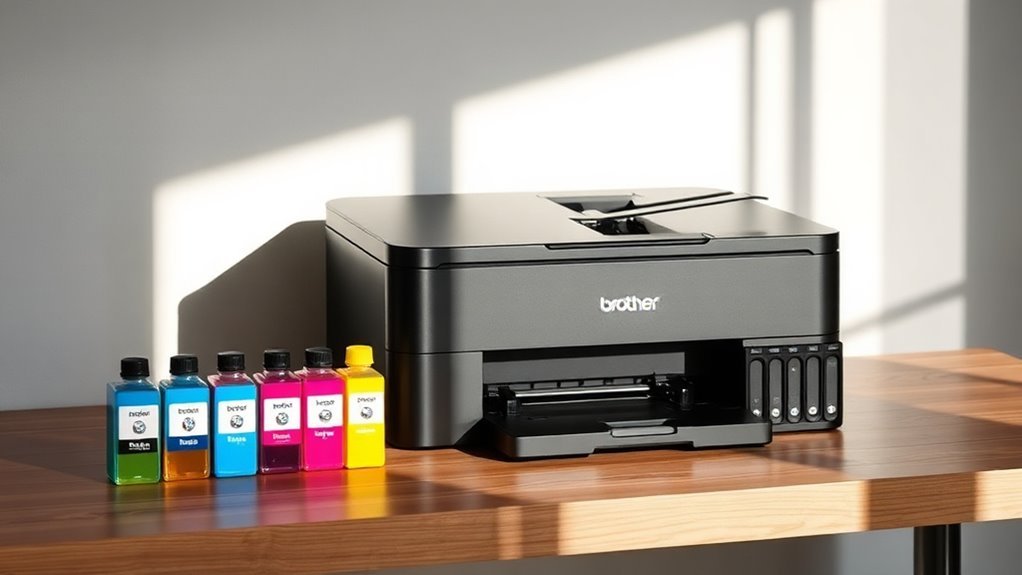
When choosing a Brother printer ink tank system, you’ll want to contemplate ink tank capacity to avoid frequent refills and print speed to keep up with your workload.
Also, check connectivity options to make certain it fits your setup. And don’t forget to review print quality standards for your specific needs.
Finally, assess paper handling features to match the types and sizes of documents you print regularly. It’s all about finding the right fit for how you work!
Ink Tank Capacity
Choosing a Brother printer ink tank system means paying close attention to ink tank capacity, since it directly impacts how often you’ll need to refill and your overall printing costs. Start by checking the total ink reservoir capacity—larger reservoirs mean fewer refills and a lower cost per page.
Compare the stated page yields or “years of ink” estimates, but verify their test conditions to match your typical usage. Look for systems with keyed or color-coded tanks, allowing you to refill individual colors without wasting ink.
Also, consider how fast and easy refilling is; a spill-free design and quick refill time save you hassle. Finally, calculate the real-world cost per page based on your monthly print volume to guarantee the capacity fits your needs.
Print Speed Performance
Ink tank capacity affects how often you refill, but print speed determines how quickly you get your pages. Brother printers usually list print speeds in pages per minute (ppm) based on standard tests, though real-world results vary.
Black text prints faster than color since color needs extra passes or mixing steps, slowing you down. If you print double-sided, expect slower output because the printer processes each side separately.
The complexity of your documents matters too—graphics or high-res images slow printing, especially at higher quality settings. Also, the way you connect your printer impacts speed; USB tends to be faster than Wi-Fi, which can introduce delays, particularly when sending many small jobs.
Keep these factors in mind to pick a Brother ink tank system that matches your workflow speed needs.
Connectivity Options
To get the most out of your Brother printer ink tank system, you’ll want to check the connectivity options it offers. Look for models with multiple connection types like Wi‑Fi, Ethernet, and USB to print from mobile devices, wired networks, or a directly connected computer.
If you often print from smartphones or tablets, verify Wi‑Fi Direct or peer-to-peer support so you don’t need a router. Make certain the printer supports mobile printing standards such as AirPrint, Mopria, or dedicated apps for easy printing and scanning on the go.
For shared office use, prioritize Ethernet or secure wireless (WPA2/WPA3) to guarantee reliable network performance. Also, consider front USB ports and cloud service integration if you regularly print from removable media or use cloud workflows.
Print Quality Standards
After making certain your Brother printer ink tank system connects seamlessly to your devices, it’s important to focus on the print quality standards that affect your final output. Start by checking the manufacturer’s reported print resolution—higher dpi like 1200 x 2400 delivers finer detail and smoother gradients, especially for photos.
Don’t just trust speed claims; evaluate sharpness, text legibility, and halftone smoothness using standardized test charts. Pay attention to color accuracy metrics like Delta E and ICC profile support to guarantee faithful color reproduction.
Also, consider ink formulation: pigment inks offer sharper, water-resistant text, while dye inks provide more vivid colors but less durability. In conclusion, use recommended paper types because print quality heavily depends on substrate compatibility and paper coating to achieve the best resolution and color gamut.
Paper Handling Features
When selecting a Brother printer ink tank system, you’ll want to take into account how it handles paper to match your workflow efficiently. Check the maximum paper-tray capacity—usually listed for standard 20 lb. paper—to make certain it fits your daily needs; 150 sheets is common for everyday tasks.
Having a multipurpose or bypass tray lets you feed envelopes, labels, or heavier paper without swapping out your main stack. That’s super handy when you need to switch things up on the fly.
Automatic duplex printing is a must if you often create double-sided documents, cutting paper use in half. It’s a real time and money saver.
If you scan, copy, or fax multi-page documents, an automatic document feeder (ADF) with at least a 20-sheet capacity will speed up the process. Just remember, capacities may vary with specialty or heavier media, so verify specs carefully before you buy.
Multi-function Capabilities
Although choosing a Brother printer ink tank system, you’ll want to assure it supports all the multifunction features you need—like printing, copying, scanning, and optionally faxing—to replace separate devices and save space.
Check if it includes an automatic document feeder (ADF) and its capacity, such as 20 pages, for efficient multi-page tasks. Verify duplex printing to save paper when handling double-sided documents.
Look closely at scanner specs, including flatbed resolution and color depth, to assure your scans meet quality expectations for both documents and images.
Also, consider the display and control options—whether it has a color touchscreen or a basic LCD—and if it supports mobile or cloud apps, so you can operate the device conveniently from your phone or computer.
Warranty and Support
How long can you rely on your Brother printer ink tank system without worrying about repairs? Check the warranty length—usually 1 to 3 years—and understand what hardware defects it covers.
Know which issues require contacting Brother’s customer service versus retailer returns to avoid surprises during repairs or replacements.
Also, clarify if consumables like ink bottles or tanks fall under the warranty or if they’re excluded.
Look for accessible support options—phone, chat, online resources, and app-based management—to simplify troubleshooting and warranty claims.
Don’t forget to verify any registration, proof-of-purchase, or usage-volume requirements needed to keep your warranty valid or qualify for extended coverage.
Being informed makes certain you get the most from your Brother printer’s warranty and support services.
Environmental Impact
Since ink tank systems let you refill instead of replacing cartridges, they markedly cut down on plastic waste and environmental impact. A single bottle refill replaces multiple disposable cartridges, reducing landfill waste considerably.
High-yield ink bottles print thousands of pages—commonly up to 5,000 for color—lowering material use and packaging volume per page. When choosing, look for spill-resistant, keyed refills and sealed bottles to avoid ink loss and contamination, which helps minimize waste.
Also, consider the lifecycle impact: longer-lasting tanks and high-capacity bottles spread manufacturing and shipping emissions over more prints, reducing your carbon footprint. Finally, check if the manufacturer offers take-back or recycling programs and if bottles and packaging are recyclable, ensuring proper disposal and further lessening environmental harm.
Frequently Asked Questions
How Do Brother Ink Tank Systems Compare to Other Brands?
You’ll find Brother ink tank systems offer reliable print quality and cost-efficiency compared to other brands. They’re easy to refill, minimizing mess, and provide consistent performance.
This makes them a smart choice for both home and office use. Plus, they’re designed to keep things simple, so you don’t have to worry about complicated maintenance.
What Is the Environmental Impact of Brother Ink Tank Printers?
Brother ink tank printers reduce waste by using refillable tanks instead of cartridges, so you’ll cut down plastic trash. They also consume less ink overall, helping you minimize your environmental footprint while printing efficiently.
Pretty neat, right? It’s a simple switch that makes a big difference for the planet. Plus, you get to save some money on ink in the long run!
Are Brother Ink Tank Printers Compatible With Third-Party Ink Bottles?
Around 70% of Brother ink tank users find third-party ink bottles compatible. But you should know using them might void your warranty or cause print quality issues.
Always check your model’s guidelines before deciding to use third-party ink. It’s better to be safe than sorry!
How Long Does It Take to Refill Brother Ink Tanks?
It usually takes you about 5 to 10 minutes to refill Brother ink tanks. You’ll want to be careful to avoid spills, and make sure the ink settles properly before you start printing again.
Taking your time here really pays off. It helps keep things neat and ensures your printer works smoothly once you’re done.
Can Brother Ink Tank Printers Connect to Mobile Devices via Bluetooth?
Brother ink tank printers typically don’t connect via Bluetooth; instead, you’ll use Wi-Fi or USB.
To print from your mobile device, you’ll rely on wireless network connections or apps like Brother iPrint&Scan. This makes it pretty easy to print without any cables. Just make sure your printer and device are on the same network, and you’re good to go!
Conclusion
So, you want the *perfect* Brother ink tank system, huh? Well, buckle up—because choosing between these ink marvels might just be your next thrilling adventure, right after watching paint dry.
Whether you pick the INKvestment Tank 580 or splurge on those high-yield bottles, just remember: your printer will never run out of ink… until it does.
But hey, at least you’ll have plenty of options to blame when it inevitably jams. Happy printing! When it comes to selecting the best Brother printer ink tank system, it’s all about balancing cost, efficiency, and ink capacity. The INKvestment Tank models are great for budget-conscious users who want reliability without frequent refills. On the other hand, high-yield bottles offer longer printing runs and fewer interruptions. Whichever you choose, these Brother ink tank systems are designed to keep your printing smooth and affordable through 2027 and beyond. So, go ahead, pick the best Brother printer ink tank system that fits your needs and enjoy hassle-free, high-quality prints every time!