7 Best Brother Printers for Stickers in 2027 You’ll Love
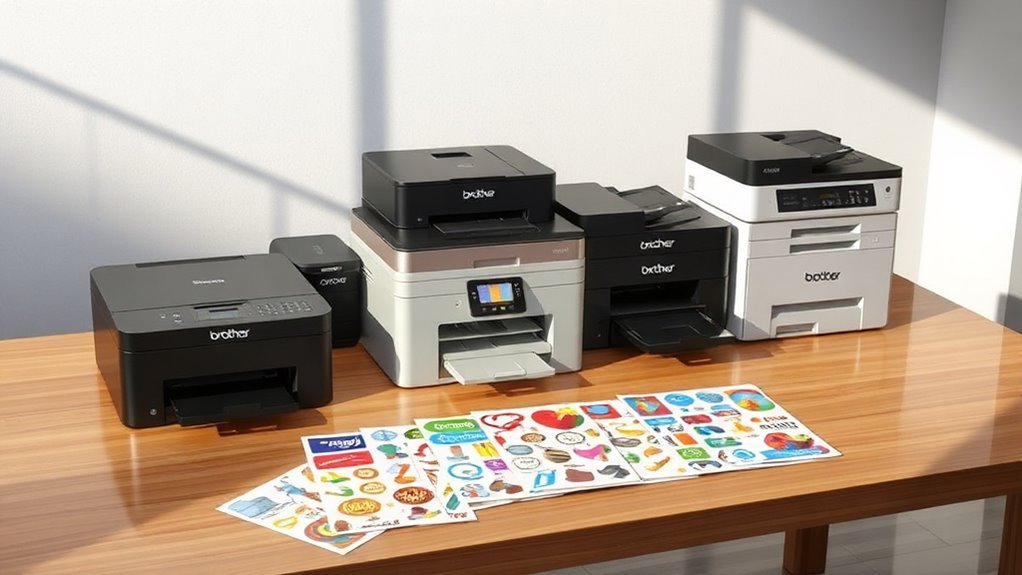
You’ll love the Brother QL-800 for fast, black-and-red labels and the QL-820NWB for versatile connectivity and speedy monochrome printing.
The P-Touch PT-D610BT offers Bluetooth convenience and tape customization, while the VC-500W delivers vibrant full-color, ink-free ZINK labels.
For reliable monochrome needs, the QL-600 is a solid pick. Also, don’t overlook the CZ-1005 ZINK roll and CK-1000 cleaning roll for smooth operation.
Keep going to discover which fits your sticker projects perfectly.
| Image | Name | Editor's Rating | Price |
|---|---|---|---|

|
|
||
|
|
||
|
|
||

|
|
||

|
|
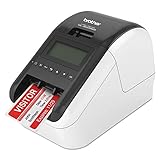
Brother QL-800 High-Speed Professional Label Printer
- Lightning Speed: Transform your labeling efficiency with this professional thermal label printer, delivering an impressive 93 labels per minute at crystal-clear 300 dpi...
- Dual-Color Innovation: Elevate your labeling with Brother Genuine technology that enables both black and red printing capabilities, allowing you to create eye-catching...
- Versatile Applications: Dominate your organization needs with this powerful label maker machine, perfect for creating professional shipping labels, file folders, name...
- Advanced Integration: Experience seamless connectivity with Windows and Mac systems, featuring Brother Genuine Plug & Label technology that enables instant printing from...
- Professional Design: Maximize productivity with the built-in auto-cutter for precise label finishing, compatible with Brother Genuine DK pre-sized labels and...

Experience fast, reliable label printing designed to boost your productivity with the Brother QL-800. This professional label printer handles both black and red prints effortlessly, making color-coded labeling simple and efficient. Its direct thermal technology means no ink or toner is required, reducing maintenance and running costs.
The QL-800 prints up to 93 labels per minute at a sharp 300 dpi resolution, delivering crisp, professional-quality labels every time. Changing labels is hassle-free thanks to the drop-in DK roll design and built-in auto-cutter, allowing you to focus on your tasks without interruptions.
This compact, lightweight printer connects easily to Windows and Mac systems via USB, making setup and operation straightforward. It supports continuous tape lengths up to 3 feet, perfect for creating banners or longer labels without breaks.
While it excels in dual-color printing, it requires Brother Genuine DK labels to maintain print quality and warranty coverage. Note that it lacks wireless connectivity and full-color printing options, focusing solely on black and red labels for clear, professional results.
Best for: Small businesses, office professionals, and home users needing fast, high-quality black and red label printing with simple operation.
What We Like:
- High-speed printing up to 93 labels per minute with 300 dpi clarity.
- Dual-color (black and red) direct thermal printing without ink or toner.
- Easy label loading with drop-in DK roll and built-in auto-cutter.
- Compatible with Windows and Mac via USB connection.
- Supports continuous tape for versatile labeling needs.
Specification:
| Feature | Details |
|---|---|
| Manufacturer | Brother |
| Dimensions (W×D×H) | 5.8 × 7.5 × 6.2 inches |
| Weight | 1.5 lbs (approx.) |
| Printing Technology | Direct thermal |
| Print Resolution | 300 dpi |
| Connectivity | USB 2.0 |
| Color Printing | Black and red |
Brother QL-820NWB Professional Monochrome Label Printer
- Flexible connectivity the QL 820NWB network label printer features Bluetooth wireless technology, Ethernet and Wireless (802.11B/g/N) interfaces
- Also offers a USB host interface for use with a peripheral such as a Scanner
- Ultra fast, up to 110 standard address labels per minute with black text at 300dpi
- Easy to read monochrome LCD screen allows for standalone use
- Print amazing black/red labels using DK 2251; Maximum Label Length: 3 feet
The Brother QL-820NWB Professional Monochrome Label Printer is designed to keep your office running smoothly. Its fast printing speed of up to 110 labels per minute means you can handle large labeling tasks without delay. This printer ensures crisp, clear text at 300 dpi, making every label easy to read.
Connectivity is simple and flexible with options including Bluetooth, Ethernet, Wi-Fi, and USB host. This versatility allows seamless integration into various work environments, whether you’re printing from a desktop or mobile device. The printer also supports standalone use with an easy-to-read LCD screen, adding convenience for quick jobs.
Maintenance is straightforward, but keep in mind that printing red labels requires special DK-2251 consumables, which may add to your operating costs. The large label length capacity, up to 3 feet, lets you customize labels for diverse needs—from shipping to file organization.
This monochrome label printer is ideal for businesses needing reliable, fast, and versatile label production. Its design balances functionality and ease of use, making it a practical choice for busy workplaces.
Best for: Professionals and businesses requiring fast, versatile, and high-quality monochrome label printing with multiple connectivity options.
What We Like:
- High-speed printing of up to 110 labels per minute
- Multiple connectivity options for flexible integration
- Supports long labels up to 3 feet for varied applications
- Standalone operation via easy-to-read LCD screen
- Ability to print black and red labels with special consumables
Specification:
| Feature | Details |
|---|---|
| Manufacturer | Brother |
| Dimensions | Not specified |
| Weight | Not specified |
| Print Resolution | 300 dpi |
| Print Speed | Up to 110 labels per minute |
| Connectivity | Bluetooth, Ethernet, Wi-Fi, USB host |
| Label Length Capacity | Up to 3 feet |
| Label Color Options | Black and red (with special consumables) |
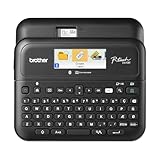
Brother P-Touch PT-D610BT Bluetooth Label Maker
- Advanced Connectivity: Seamlessly create and print labels through Bluetooth or USB connection, enabling multiple users to design custom labels from computers or mobile...
- Brother P-Touch Design Options: Features 17 fonts, 17 styles, 160 frames, and 900 symbols for creating eye-catching labels up to 1 in wide, with high-resolution printing...
- Efficient Organization: Built-in memory stores up to 90 frequently used labels for quick reprinting, while the automatic label cutter and QWERTY keyboard streamline your...
- Visual Preview: Large 20-character, 2-line full color LCD display allows you to preview labels before printing, ensuring accuracy and reducing waste while maintaining...
- Template Library: Access 175 pre-loaded business-specific templates for asset management and inventory tracking, plus customize designs using Brother P-Touch Editor...
The Brother P-Touch PT-D610BT Bluetooth Label Maker is designed to simplify your labeling tasks with seamless device connectivity. Whether you’re printing from a Windows PC, Mac, or mobile device, its Bluetooth and USB interfaces offer hassle-free operation. This makes it easy to create labels on the go or at your workstation without complicated setup.
You can customize your labels using 17 fonts, 900 symbols, and 175 business templates, which ensures clear and professional results for any project. The high-resolution color LCD lets you preview your design before printing, reducing errors and saving time.
The label maker supports durable Brother TZe tapes up to 1 inch wide, ideal for retail, warehousing, and asset tracking. Its automatic cutter provides clean edges, while the tough tapes withstand harsh conditions, ensuring your labels last. Maintenance is straightforward—simply replace the tape cartridges when needed.
Although it prints only in monochrome and is bulkier than smaller models, its robust build and extensive features make it a reliable choice for demanding environments.
Best for: Professionals and businesses needing versatile, high-quality labels for retail, inventory, and asset management with easy multi-device connectivity.
What We Like:
- Bluetooth and USB connectivity for diverse device compatibility
- Wide customization options with fonts, symbols, and templates
- High-resolution color LCD preview to minimize errors
- Durable tapes with automatic cutter for clean, long-lasting labels
Specification:
| Feature | Details |
|---|---|
| Manufacturer | Brother |
| Dimensions | Approx. 8.7 x 6.7 x 2.6 inches |
| Weight | About 1.3 lbs (0.6 kg) |
| Tape Width | Up to 1 inch (Brother TZe) |
| Connectivity | Bluetooth, USB |
| Printing Resolution | 180 x 360 dpi |
Brother CZ-1005 Zink Zero Ink Label Roll 50mm
- Print without ink: Brother Genuine CZ-1005 ~ 2 (1. 97”) 50 mm wide x 16. 4 ft. (5 m) long label roll with ZINK Zero Ink technology contains all the colors needed for...
- Versatile PRINTING FOR unlimited USES: create and print labels, photos, stickers and more to decorate, personalize and customize gifts: from photo projects and party...
- Durable ZINK paper with adhesive backing: Brother Genuine CZ and CK label rolls are highly durable as well as water, tear and smudge resistant and have an adhesive...
- For home and Office use: identify items and quickly organize your home or work space. Label containers, supply cabinets, storage boxes, personal items, files and more for...
- Compatible with Brother LABEL AND photo PRINTER: Brother Genuine CZ and CK label rolls are compatible with Brother VC- 500W versatile, compact label and photo printers.
Discover a smarter way to create vibrant, durable labels with the Brother CZ-1005 Zink Zero Ink Label Roll 50mm. This innovative label roll uses ZINK technology to print full-color images without ribbons or ink cartridges, reducing hassle and mess. The color is embedded directly within the paper, ensuring every print is sharp and vivid.
Designed specifically for the Brother VC-500W printer, this label roll produces water, tear, and smudge-resistant prints. This durability makes it ideal for a variety of uses, from product labeling to personalized stickers and tags. Maintenance is simple since there’s no ink to replace or clean up.
The compact 50 mm width fits perfectly for small to medium-sized labels, while the 16.4 ft length provides enough material for multiple projects. Keep in mind that high-volume users might need to replace the roll more frequently. Using genuine Brother supplies helps maintain printer performance and consistent quality.
Choose this label roll to streamline your labeling process with vibrant, hassle-free prints that stand up to everyday wear and tear. It’s a practical solution for creative and business needs where reliability and color matter most.
Best for: small business owners, sticker enthusiasts, and creatives seeking easy-to-use, full-color labels with lasting adhesion.
What We Like:
- ZINK Zero Ink technology for mess-free, ribbonless printing
- Water, tear, and smudge-resistant labels for durability
- Exclusively compatible with Brother VC-500W for consistent results
- Simple maintenance with no ink cartridges needed
Specification:
| Feature | Details |
|---|---|
| Manufacturer | Brother |
| Label Width | 50 mm (1.97 inches) |
| Roll Length | 16.4 ft (5 meters) |
| Technology | ZINK Zero Ink |
| Compatibility | Brother VC-500W printer |
Brother QL-600 Desktop Monochrome Label Printer
- High-quality Label Printing; The Brother QL-600 Label Printer fits easily into small spaces, delivering high-res printing and big power to print a variety of paper and...
- Convenient Label Printing; Brother Genuine DK drop-in rolls use no ink or toner; Choose continuous tapes, film labels, and pre-sized paper labels up to 2. 4 inches...
- Fast and Affordable; Tackle labeling jobs in a hurry with the Brother QL-600 that prints at up to 44 labels per minute (1); The economical price lets you create...
- Print Labels Right Out of the Box; Use the 2. 4 in. (62 mm) x 26. 2 ft. (8 m) Continuous Length Black on White Paper Tape (DK-2205) and USB cable to connect to your PC or...
- Create Custom Labels with the Free P-touch Editor Software; Seamlessly integrate with Microsoft applications such as Word, Excel, and Outlook to create labels using...
The Brother QL-600 Desktop Monochrome Label Printer delivers fast, precise label printing without the hassle of ink or toner. Its thermal printing technology produces sharp, high-resolution labels up to 2.4 inches wide, perfect for everyday organizational tasks. This makes it an ideal tool for those looking to streamline mailing, filing, and signage jobs efficiently.
Designed for convenience, it includes a built-in automatic cutter that ensures clean, professional edges on each label. The ability to print banners up to 3 feet long adds versatility, allowing users to create continuous labels for larger projects. Maintenance is simple since it only requires periodic replacement of Brother Genuine DK rolls.
The printer supports Windows, Mac, and Linux, giving users flexibility in their preferred operating system. Its compact footprint fits well in small offices or home workspaces, providing reliable performance without taking up much room. The included P-touch Editor software simplifies label design, helping users create customized labels quickly.
One limitation is the monochrome output, which restricts printing to black and white labels. Additionally, the maximum label width of 2.4 inches may not suit all labeling needs. The single USB connection means no wireless or network options are available, which could affect setup in some environments.
Best for: small office and home users who need a fast, reliable, and ink-free label printer for mailing, organizing, and signage tasks.
What We Like:
- Sharp, high-resolution labels up to 2.4″ wide with no ink or toner
- Built-in automatic cutter and banner printing up to 3 feet long
- Compatible with Windows, Mac, and Linux systems
- Compact design suitable for limited workspace
- Easy label creation with included P-touch Editor software
Specification:
| Feature | Details |
|---|---|
| Manufacturer | Brother |
| Dimensions | Compact desktop size (approx.) |
| Weight | Lightweight |
| Printing Method | Thermal monochrome |
| Maximum Label Width | 2.4 inches (6.1 cm) |
| Connectivity | USB only |
| Supported OS | Windows, Mac, Linux |
| Software | P-touch Editor included |
Brother CK-1000 Cleaning Roll for VC-500W Printers

- Designed to keep Print head clean. Brother Genuine CK-1000 cleaning roll for Brother VC-500W label and photo printers is specially designed to ensure that your labels...
- Protect your hardware investment. Use Brother Genuine supplies for consistent high-quality output. Use of non-Brother, third-party products may result in printer damage...
- Automatic cleaning. The CK-1000 cleaning roll is easy to use – simply insert the cleaning roll into the printer and cleaning will automatically start.
- Cleans entire print head. Brother Genuine CK-1000 ~ 2 (1. 97”) 50 mm wide x 6. 5 ft. (2 m) cleaning roll cleans the entire print head.
- Compatible with Brother LABEL AND photo PRINTER: Brother Genuine CZ and CK label rolls are compatible with Brother VC- 500W versatile, compact label and photo printers...
Keep your Brother VC-500W printer running smoothly with the Brother CK-1000 Cleaning Roll. This essential accessory prevents print head clogs and maintains the crisp quality of your labels and photos. By removing dirt and residue, it ensures every print stays sharp and vibrant without interruption.
The CK-1000 is designed for easy use. Simply insert the cleaning roll, and it automatically cleans the entire print head width. Its compact size fits perfectly in your VC-500W, making maintenance quick and hassle-free. This helps reduce downtime and protects your printer from damage caused by buildup.
Regular cleaning with the CK-1000 extends the life of your printer and keeps your output consistent. While it is a single-use roll, frequent replacement is a small trade-off for maintaining print quality. Using genuine Brother supplies like this keeps your printer in top condition and preserves warranty coverage.
Best for: users of the Brother VC-500W printer who want to maintain print head cleanliness and ensure consistent, high-quality label and photo printing.
What We Like:
- Genuine Brother part ensures perfect compatibility
- Automatically cleans the full print head width
- Compact design simplifies the cleaning process
- Helps prevent print quality issues from dirt buildup
Specification:
| Feature | Details |
|---|---|
| Manufacturer | Brother |
| Dimensions | 50 mm wide x 6.5 feet long (approx.) |
| Compatibility | Brother VC-500W printer |
| Usage | Single-use cleaning roll |
Brother CZ1005 CZ Roll Cassette, 1.97-Inch x 16.4 ft, White
- Sold as 1 Each.
- Have fun decorating, personalizing, organizing and creating everything from handmade gifts, gift wraps and tags, greeting cards and invitations, jewelry, photo projects...
- Features ZINK Zero Ink technology with all colors for high-quality photo printing embedded in the ZINK paper.
- Identify items and quickly organize your home or work space.
- Adhesive backing.
Create vibrant, full-color labels effortlessly with the Brother CZ1005 CZ Roll Cassette. This innovative label roll uses ZINK zero-ink technology, eliminating the need for messy ink cartridges. Simply print your designs and enjoy bright, peel-and-stick labels that stand out.
Designed for use with the Brother VC-500W printer, this roll measures 1.97 inches wide and 16.4 feet long. Its laminated surface protects your labels from smudging and wear, ensuring long-lasting durability for a variety of tasks. Whether organizing your home or crafting personalized gifts, this roll delivers professional-quality results.
Maintenance is simple since there’s no ink to replace or clean up. The lightweight cassette, at just 4.64 ounces, is easy to load and handle. However, the shorter roll length may require replenishing sooner if you print frequently.
The Brother CZ1005 roll cassette improves your labeling projects by combining convenience, quality, and vibrant color. Its compatibility limitation with the VC-500W printer is balanced by the ease of use and durable sticker output it provides.
Best for: Creators and crafters seeking vibrant, full-color, peel-and-stick labels without the need for ink cartridges, compatible with the Brother VC-500W printer.
What We Like:
- ZINK zero-ink tech for cartridge-free, full-color printing
- Laminated, durable labels resist smudges and wear
- Lightweight and easy to load in the VC-500W printer
- Produces vibrant, peel-and-stick labels for multiple uses
Specification:
| Feature | Details |
|---|---|
| Manufacturer | Brother |
| Dimensions | 1.97 inches wide x 16.4 ft long |
| Weight | 4.64 oz (0.29 lb) |
| Material | Laminated ZINK paper |
| Color | White |
Factors to Consider When Choosing a Brother Printer for Stickers
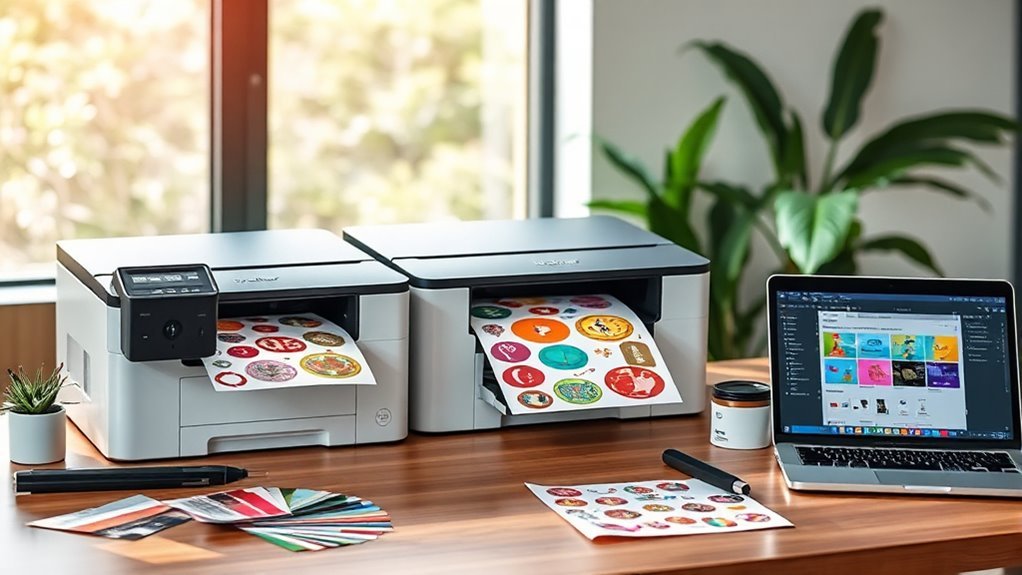
When choosing a Brother printer for stickers, you’ll want to contemplate the print technology and whether it supports the label sizes you need. Think about if you want color or monochrome printing, and check the connectivity options to fit your setup.
Also, pay attention to the media roll lengths to avoid frequent replacements. It’s all about making sure your printer matches your sticker-making needs without extra hassle.
Print Technology Types
Choosing the right print technology is essential to getting the best results from your Brother printer for stickers. If you want durable, ink-free prints, direct thermal printers use heat-sensitive media but need special coated paper.
For vibrant, photo-quality stickers, dye-sublimation printers transfer dye via heat, creating smooth color gradations. Inkjet printers spray liquid ink, offering wide color gamuts, yet require smudge- and water-resistant media or lamination for lasting durability.
Thermal transfer printers use heated ribbons to fuse solid ink onto labels, producing sharp, weather-resistant stickers perfect for outdoor use. Finally, ZINK technology prints full-color stickers without ink or ribbons by activating color layers embedded in paper.
Though its paper types and image longevity vary, ZINK is a neat option. Consider these options carefully to match your sticker needs.
Label Size Compatibility
Although print quality matters, label size compatibility plays a vital role in selecting the right Brother printer for your stickers. First, check the maximum media width the printer accepts to guarantee it can handle your widest sticker.
If you plan to print long banners or multiple identical-width stickers, confirm the printer supports continuous-length rolls or pre-sized labels. Don’t overlook the minimum printable margin and cutter capacity—these affect small or edge-to-edge stickers, preventing truncation or uncut edges.
Also, make sure the printer’s resolution and supported tape or paper widths match your sticker dimensions for clear text and detailed graphics. Finally, if you need various sticker sizes, pick a model that accommodates different roll widths and interchangeable cassettes to keep your options flexible.
Color Vs Monochrome
Decide whether you need vibrant, multicolored stickers or simple monochrome prints before picking your Brother printer. If your projects demand full-color labels, photos, or designs, go for a color printer using ZINK or dye-based/thermal transfer technology to get rich, photographic-quality images.
Keep in mind, color printing often requires specialty media and higher maintenance, which can increase costs. On the other hand, if you mostly print text, barcodes, or straightforward black-on-white stickers in high volumes, a monochrome thermal printer is faster and more economical.
Also, check the printer’s resolution and color fidelity to make certain your stickers have fine detail and accurate hues. Ultimately, your choice hinges on balancing print quality, color needs, and cost efficiency for your sticker projects.
Connectivity Options Available
When picking a Brother printer for stickers, you’ll want to zero in on the connectivity options it offers to fit your workflow. Check if it supports USB for wired connections, Ethernet for office networks, or Wi‑Fi (802.11b/g/n) for wireless printing from multiple devices.
Bluetooth is great for quick, cable-free printing from nearby smartphones or tablets without joining Wi‑Fi. If you plan to use barcode scanners, keyboards, or external storage, look for USB host or peripheral ports to enable standalone printing.
Also, verify that the printer’s drivers and apps work smoothly across your devices—whether Windows, macOS, Android, or iOS. Finally, consider models with built-in displays and internal storage so you can design and print stickers directly from the printer without needing a connected device.
Media Roll Lengths
Selecting the right media roll length plays a crucial role in how efficiently you can print stickers with your Brother printer. If you print stickers occasionally, short rolls of a few feet might suit you well.
But if you handle batch jobs, longer rolls—10 to 16 feet or more—cut down on frequent roll changes, saving time and reducing handling errors. Make sure your printer supports the roll length you need to print banners or multi-sticker sheets without interruption.
Also, check the maximum roll diameter and cassette size to avoid jams. Don’t forget storage: longer rolls need more space and can degrade if exposed to heat or humidity.
Balance your daily print volume with roll length to optimize efficiency and maintain adhesive quality. It’s all about finding the right fit for your printing needs!
Software and Integration
How well your Brother printer integrates with your existing software can make or break your sticker printing experience. You’ll want a printer that supports your design file formats like PNG, JPG, PDF, and SVG, preserving transparency and high resolution for sharp edges.
Make sure its driver and software offer color management and DPI control, so your stickers look just like they do on screen. Check compatibility with your OS and design apps, and see if it supports plug-ins for direct printing from Adobe or Microsoft programs.
Look for features like template libraries, batch printing from CSV or Excel, and barcode generation to speed up sticker jobs. Finally, confirm mobile and wireless printing options for remote work and integration with inventory or POS systems.
Frequently Asked Questions
Can Brother Printers Print Full-Color Sticker Designs?
Yes, Brother printers can print full-color sticker designs. You’ll get vibrant, detailed results if you use the right Brother model with compatible ink and sticker paper.
Just make sure to adjust settings for peak color quality. That way, your stickers will look sharp and colorful every time.
Are Brother Sticker Printers Compatible With Mac and Windows?
Imagine you’ve just set up a Brother QL-820NWB for your sticker business—it works seamlessly with both Mac and Windows.
Brother’s drivers and software are designed to support both, so you won’t face compatibility issues. It’s pretty straightforward and user-friendly, making your printing tasks hassle-free.
Do Brother Printers Support Waterproof Sticker Materials?
Yes, Brother printers support waterproof sticker materials when you use compatible waterproof labels and ink.
Just make sure you select the right media type and settings, so your stickers come out durable and water-resistant.
It’s pretty straightforward once you get the hang of it! Just double-check your printer’s specifications for the best results.
What Maintenance Is Required for Brother Sticker Printers?
You’ll need to clean the print heads regularly, replace ink or toner cartridges, and calibrate the printer occasionally.
Also, keep the rollers free from dust and make sure you use compatible sticker materials to avoid jams. It really helps keep everything running smoothly.
Can Brother Printers Handle Custom-Sized Sticker Labels?
Yes, Brother printers can handle custom-sized sticker labels. You’ll just need to adjust the settings in the printer software to match your label dimensions.
This ensures precise printing and perfect alignment every time you print your custom stickers. It’s pretty straightforward once you get the hang of it!
Conclusion
Choosing the right Brother printer for your stickers is like finding Excalibur—once you have the perfect tool, your creative kingdom thrives. Whether you need speed, precision, or versatility, these options equip you to conquer any labeling quest.
So, pick the one that fits your style and watch your sticker projects come to life with ease and flair. Your masterpiece awaits—grab your “sword” and start printing!
With the best Brother printers for stickers, you’re not just printing—you’re creating a vibrant world of custom labels and designs. These printers combine quality, reliability, and user-friendly features, making your crafting experience enjoyable and efficient.
No matter what kind of stickers you want to produce, the right Brother printer will help you achieve professional results every time. Ready to elevate your sticker-making game? Your perfect Brother printer is waiting to bring your ideas to life!