3 Best Budget Compact Printers for 2027
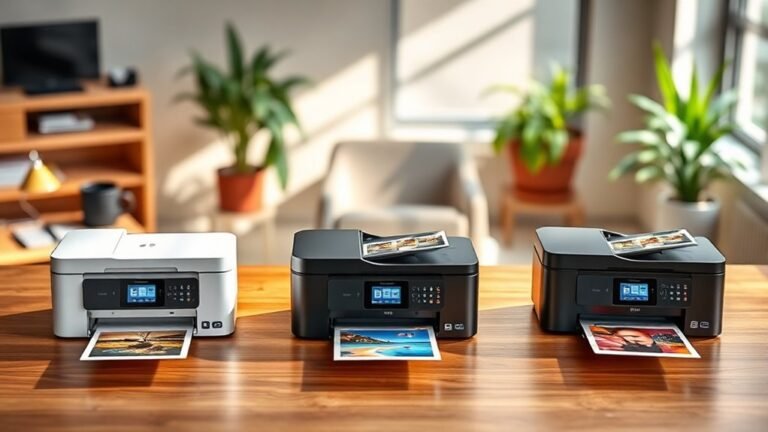
If you’re looking for a budget-friendly, compact printer for 2027, you’ve got some great options. These printers are perfect for small spaces and won’t break the bank. Plus, they handle everyday tasks with ease.
Consider the HP DeskJet 2923 for simple wireless all-in-one use. It’s great if you want something straightforward and reliable.
Or check out the Canon PIXMA TS4320, which offers sharp 1200 dpi prints and automatic duplexing. This model is ideal if you want quality and convenience.
Then there’s the Epson XP-4100, known for high detail and flexible connectivity options. It’s perfect for those who want versatility.
Each printer balances size, speed, and ink cost effectively. They also support mobile and cloud printing, so you can print from anywhere.
Keep exploring to find the one that suits your workspace and printing needs best.
| Image | Name | Editor's Rating | Price |
|---|---|---|---|

|
|
||

|
|
||
|
|
HP DeskJet 2923 Color Inkjet Printer | Wireless | All-in-One
- Perfect for basic printing needs – Print everyday color documents like to-do lists, letters, financial documents and recipes
- KEY FEATURES – Color print, copy, scan, and a 60-sheet input tray, plus mobile and wireless printing
- OPTIMIZE PRINT FORMATTING WITH HP AI – Print web pages and emails with precision—no wasted pages or awkward layouts; HP AI easily removes unwanted content, so your...
- ICON LCD – Print your basic documents with ease from the intuitive control panel
- PRINT SPEED – Up to 7.5 ppm black, 5.5 ppm color

The HP DeskJet 2923 Color Inkjet Printer is a practical all-in-one solution designed to simplify your home printing needs. It combines printing, scanning, and copying in one compact device that fits neatly into any space. With an easy-to-use icon LCD control panel, managing your documents becomes straightforward and hassle-free.
This printer offers wireless connectivity through dual-band Wi-Fi, allowing seamless printing from your smartphone via the HP App. Its 60-sheet input tray handles everyday tasks efficiently, making it ideal for casual users. The print speeds reach up to 7.5 ppm in black and 5.5 ppm in color, suitable for light to moderate printing volumes.
Maintenance is effortless with the included 6-month trial of Instant Ink, which automates ink delivery and helps control costs. The DeskJet 2923 also supports eco-friendly practices by using 70% recycled plastics and carrying ENERGY STAR certification, reducing environmental impact.
Best for: budget-conscious home users who need a compact, easy-to-use all-in-one printer for occasional color printing, scanning, and copying.
What We Like:
- Wireless dual-band Wi-Fi with HP App for mobile printing and management
- Eco-friendly design made with 70% recycled plastics and ENERGY STAR certified
- Includes a 6-month Instant Ink trial for automatic ink replenishment
Specification:
| Feature | Details |
|---|---|
| Manufacturer | HP |
| Dimensions | Compact size (exact size not specified) |
| Weight | Not specified |
| Material | 70% recycled plastics |
| Color Options | Not specified |
Canon PIXMA TS4320 – Wireless Color Inkjet Printer with Print, Copy, Scan
- Affordable Versatility - A budget-friendly all-in-one printer perfect for both home users and hybrid workers, offering exceptional value
- Crisp, Vibrant Prints - Experience impressive print quality for both documents and photos, thanks to its 2-cartridge hybrid ink system that delivers sharp text and vivid...
- Effortless Setup & Use - Get started quickly with easy setup for your smartphone or computer, so you can print, scan, and copy without delay
- Reliable Wireless Connectivity - Enjoy stable and consistent connections with dual-band Wi-Fi (2.4GHz or 5GHz), ensuring smooth printing from anywhere in your home or...
- Scan & Copy Handling - Utilize the device’s integrated scanner for efficient scanning and copying operations
The Canon PIXMA TS4320 is a sleek, compact all-in-one printer designed to simplify everyday tasks. It delivers sharp color and black-and-white prints up to 1200 dpi, making it ideal for home projects and documents. This printer helps you save time with fast print speeds and easy duplex printing, reducing paper waste effortlessly.
Its wireless dual-band Wi-Fi connection and compatibility with the Canon PRINT app allow smooth mobile printing from your smartphone or tablet. The small footprint fits neatly on any desk or shelf, making it a practical choice for tight spaces. You can also print on a variety of media types, including photo paper and envelopes, for versatile use.
Maintenance is straightforward, but keep in mind the single 100-sheet paper tray may need frequent refilling during heavy use. Starter ink tanks offer convenience but may require replacement sooner than standard cartridges. Overall, this printer balances performance and compact design for light home printing, copying, and scanning.
Best for: Home users and hybrid workers needing a compact, stylish all-in-one printer for occasional printing and scanning tasks.
What We Like:
- Wireless dual-band Wi-Fi and Canon PRINT app support for easy connectivity
- Duplex printing saves paper and time
- Compact design fits well in small spaces
- Handles various media types like photo paper and envelopes
Specification:
| Feature | Details |
|---|---|
| Manufacturer | Canon |
| Dimensions | Approx. 12.0 × 14.8 × 5.2 in (30.5 × 37.6 × 13.2 cm) |
| Weight | Approx. 9.8 lb (4.45 kg) |
| Printing Technology | Color Inkjet |
| Max Print Resolution | Up to 1200 dpi |
| Connectivity | Wireless dual-band Wi-Fi |
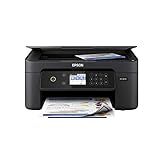
Epson XP-4100 Wireless Color Printer with Scanner
- This printer is designed for use with Epson cartridges only, not third party cartridges or ink; Cartridges described as Compatible, Re-manufactured, refilled or...
- Save time and paper auto 2 sided printing
- Simple setup and navigation high res 2. 4 inches Color LCD to easily print, copy and scan
- Complete wireless solution easily print from iPad, iPhone, Android tablets and smartphones (1); includes Wi Fi Direct (3)
- Affordable individual ink cartridges replace only the cartridge that runs out. Operating temperature - 10 to 35 degree Celsius
The Epson XP-4100 Wireless Color Printer is designed to make printing, scanning, and copying simple and efficient. Its compact size fits neatly in home offices or small workspaces, solving space constraints without sacrificing functionality. Automatic two-sided printing helps reduce paper use, supporting more sustainable work habits.
Connecting to the XP-4100 is straightforward with options for Wi-Fi, Wi-Fi Direct, and Ethernet. You can easily print from your smartphone or tablet, enhancing convenience for busy users. The 2.4-inch color LCD screen and voice-activated printing add user-friendly controls that save time.
Maintenance is hassle-free thanks to individual Claria ink cartridges. You only need to replace the color that runs out, which helps control ink costs. However, it requires genuine Epson cartridges to ensure optimal performance, as third-party inks may not be compatible.
This all-in-one printer delivers sharp prints at 5760 x 1440 dpi and includes a 100-sheet paper tray, balancing quality and capacity. Though print speed is moderate at five pages per minute for color, it suits everyday tasks in small offices or home environments.
Best for: individuals and small offices needing a compact, versatile all-in-one printer with wireless connectivity and efficient ink management.
What We Like:
- Compact design saves space in small work areas
- Multiple wireless connectivity options, including mobile printing
- Individual ink cartridges reduce replacement costs
- Easy-to-use 2.4-inch color LCD screen
- Automatic two-sided printing helps conserve paper
Specification:
| Feature | Details |
|---|---|
| Manufacturer | Epson |
| Dimensions | Compact (exact size not provided) |
| Weight | Not specified |
| Ink Type | Individual Claria cartridges |
| Print Resolution | 5760 x 1440 dpi |
| Paper Tray Capacity | 100 sheets |
| Connectivity | Wi-Fi, Wi-Fi Direct, Ethernet |
| Display | 2.4-inch color LCD |
Factors to Consider When Choosing a Budget Compact Printer
When choosing a budget compact printer, you’ll want to focus on print quality and resolution to guarantee your documents look sharp. Consider speed and efficiency, as well as the connectivity options that fit your setup.
Don’t forget to check ink costs, usage, and the printer’s size for easy portability. These factors can make a big difference in how satisfied you are with your printer in the long run.
Print Quality And Resolution
Achieving clear, sharp prints starts with understanding resolution and print quality. For text-heavy documents, choose printers offering at least 600 x 600 dpi effective resolution to guarantee crisp, readable characters with smooth edges.
If you print photos or images, aim for higher optical resolution—1200 x 1200 dpi or more—and better color depth to capture gradients and fine details accurately. Color accuracy depends on the inkset and color management, so look for models supporting 24-bit or higher color depth and ICC profile compatibility for consistent results.
Keep in mind, using “best” or “photo” settings at native resolution delivers superior sharpness, though it slows printing. Also, pigment-based inks produce sharper text, while dye inks tend to yield more vibrant photos, so choose based on your primary printing needs.
Speed And Efficiency
Print quality matters, but speed and efficiency often dictate how well a printer fits your daily routine. Check the pages-per-minute (ppm) ratings for both black and color prints—budget compact printers typically offer 5–14 ppm for black and 5–9 ppm for color.
If you print single documents often, look at the first-page-out time; some models take over 9 seconds to start. Automatic duplex printing can save you time and paper on multi-page jobs, so it’s worth considering.
Also, evaluate input and output tray capacities—larger trays reduce frequent refills during big print runs. If your printer doubles as a scanner or copier, review those speeds too, ensuring smooth multitasking without slowing your workflow.
Prioritizing these factors helps you find a printer that keeps up with your pace.
Connectivity Options Available
Beyond speed and efficiency, connectivity options play a crucial role in how easily you can integrate a budget compact printer into your digital lifestyle. Make sure your printer supports dual-band Wi‑Fi (2.4 GHz and 5 GHz) for a more reliable wireless connection, especially in crowded networks.
Look for direct mobile printing features like Apple AirPrint, Mopria, or a vendor app to print and scan from your smartphone or tablet without hassle. Wi‑Fi Direct or a built-in hotspot comes in handy when you don’t have access to a local network.
Don’t overlook wired options like USB or Ethernet for stable, faster transfers, particularly in shared or office settings. And finally, verify cloud and remote printing capabilities if you want to print or access documents from outside your home network.
Ink Cost And Usage
When you’re choosing a budget compact printer, don’t overlook ink cost and usage—they can quickly add up and impact your overall expense. Start by calculating the cost per page: divide the price of replacement ink or subscription plans by the cartridge yield.
Printers with individual color cartridges help you avoid wasting ink by replacing only what’s empty. Look for models supporting high-yield (XL) cartridges or subscription services that lower per-page costs considerably.
Remember, photo and color prints consume much more ink than black-and-white documents, so consider your typical printing habits. Finally, choose printers offering ink-saving features like draft mode, print preview, web optimization, and duplex printing to reduce ink consumption and the total number of pages you print.
These factors keep your ink expenses in check over time.
Size And Portability
Choosing the right size and portability for your budget compact printer means measuring your available space carefully. Make sure the printer’s footprint and height fit under shelves or in cubbies to keep it truly compact.
Check input and output tray capacities. Trays holding 60–100 sheets are common, but larger capacities add bulk and reduce portability.
Consider the printer’s weight—models under 10 to 16 pounds are easier to move or pack for travel. Look for foldable or retractable trays and top-loading designs that minimize space when not in use.
If portability is key, prioritize printers with simple plug-and-play setup and wireless or battery options. That way, you can print without permanent cables or bulky power supplies.
This guarantees convenience whether at home or on the go.
Additional Features Included
Although size and portability are essential, you’ll want to explore the additional features a budget compact printer offers to make sure it meets all your needs. Check if it includes multi-function capabilities like printing, copying, scanning, and even faxing, so you can replace several devices with one compact unit.
Automatic duplex printing is a must-have to save paper and avoid flipping pages manually. Also, look for mobile printing support through AirPrint, Mopria, or vendor apps, plus Wi-Fi dual-band compatibility for secure, reliable wireless use.
Onboard controls such as an LCD panel and basic editing functions let you operate quickly without a computer. Finally, consider bundled perks like ink subscriptions or cloud and scan-to-email features that cut costs and simplify your workflow.
Frequently Asked Questions
How Do I Recycle Printer Ink Cartridges Responsibly?
You can recycle printer ink cartridges responsibly by returning them to the manufacturer’s recycling program, dropping them off at local recycling centers, or using mail-in services.
Don’t toss them in the trash—they contain harmful chemicals. It’s better to handle them properly to protect the environment.
Can Compact Printers Print on Specialty Paper Types?
Yes, you can print on specialty paper with compact printers, but you’ll want to check the printer’s specifications first. Some handle photo paper, labels, or cardstock.
Others might struggle with thicker or textured sheets. So, it’s always good to double-check what your specific model supports before you start printing.
What Are Common Troubleshooting Tips for Printer Connectivity?
You should check your Wi-Fi or USB connection, restart your printer and device, update drivers, confirm the printer’s online, and disable any firewall blocking it.
Resetting network settings often fixes connectivity issues quickly.
Sometimes, a quick restart is all it takes to get things working again. If that doesn’t help, updating your drivers or checking for firewall blocks usually does the trick.
How Long Do Compact Printer Ink Cartridges Typically Last?
Ink cartridges last about 200-300 pages, or until your printer dramatically declares, “I’m out!”
You’ll replace them faster than you finish a coffee, so keep spares handy unless you enjoy frantic midnight shopping trips.
Are There Any Subscription Services for Affordable Printer Ink?
Yes, you’ll find subscription services like HP Instant Ink and Epson’s ReadyPrint that deliver affordable ink regularly. They save you money and hassle by automatically sending cartridges before you run out, so you’re always ready to print.
It’s pretty convenient, right? No more last-minute trips to the store or worrying about running out of ink when you need it most. These services really take the stress out of printing.
Conclusion
Choosing a budget compact printer is like picking the perfect travel companion—you want reliability, versatility, and ease without breaking the bank. Just as a trusty friend makes every journey smoother, the HP DeskJet 2923, Canon PIXMA TS4320, and Epson XP-4100 stand ready to handle your printing, copying, and scanning needs.
With the right choice, you’ll navigate your tasks effortlessly. These compact printers prove that even small devices can make a big impact on your daily adventures. Whether it’s for home or office use, a budget compact printer offers convenience and performance without the hefty price tag. So, when hunting for the best budget compact printer in 2027, remember that smart, affordable tech can keep your workflow smooth and your wallet happy.