6 best budget ink tank printer 2026
You’ll want to check out these top budget ink tank printers for 2026. These models are perfect if you’re looking to save money without sacrificing quality. Ink tank printers are great for high-volume printing because they offer low running costs and easy refills.
Canon MegaTank G3270 offers high-yield, affordable color printing with wireless ease. HP Smart Tank 5003 includes three years of ink and all-in-one features.
Epson’s ET-4800 and ET-2900 provide eco-friendly refilling with strong performance. HP’s Smart Tank 7001 and 5101 deliver long-lasting ink and versatile functionality.
Each balances low running costs, quality output, and simple refills—keep exploring to find the best fit for your needs. You’ll be surprised how much you can save while still getting great prints.
| Image | Name | Editor's Rating | Price |
|---|---|---|---|

|
|
||

|
|
||

|
|
||

|
|
||

|
|
Canon MegaTank G3270 All-in-One Wireless Color Printer
- Wireless Print/Copy/Scan
- Up to 2 years of ink included (2)
- Print up to 6,000 black & white / 7,700 color pages using a single set of inks! (1)
- Save up to $1,000 on ink (1)
- 1.35” Square LCD display

The Canon MegaTank G3270 offers a smart solution for home and home office printing needs. It helps reduce the hassle and cost of frequent ink replacements with its refillable MegaTank system. This system uses ink bottles designed to last up to two years, making it ideal for high-volume color printing without constant interruptions.
Designed for ease and flexibility, the G3270 supports wireless and USB connectivity, allowing you to print, scan, and copy directly from your smartphone or tablet. Its compact build fits well in tight spaces and handles various paper sizes, including borderless printing for professional-looking results.
Maintenance is straightforward, thanks to the visible ink tanks that let you monitor levels at a glance. While the printer delivers sharp images with a resolution of 4800 × 1200 dpi, it only supports simplex printing, which could slow down tasks that require double-sided documents.
The printer’s paper capacity is modest, holding up to 100 sheets, which fits casual to moderate use but may require frequent refills in busy environments. Copy speeds are moderate, balancing quality and performance for everyday home or office tasks.
Best for: users seeking an affordable, high-yield color printer with wireless features for versatile home or small office use.
What We Like:
- Long-lasting refillable MegaTank ink system reduces running costs
- Wireless and USB connectivity with smartphone/tablet control
- Compact design fits multiple paper sizes and supports borderless printing
- High print resolution delivers vibrant, sharp color output
Specification:
| Feature | Details |
|---|---|
| Manufacturer | Canon |
| Dimensions (W×D×H) | Approx. 17.7 × 13.3 × 5.5 in (45 × 33.8 × 14 cm) |
| Weight | Approx. 8.1 lb (3.7 kg) |
| Printing Technology | Inkjet |
| Connectivity | Wi-Fi, USB |
| Print Resolution | Up to 4800 × 1200 dpi |
| Paper Capacity | 100 sheets |
HP Smart Tank 5003 Ink Tank Printer | 3 Years of Ink Included | All-in-One
- THE LAST PRINTER YOU'LL EVER NEED – Set it up once and print with confidence; no complicated maintenance, just easy, reliable printing you can count on
- FULLY LOADED WITH SAVINGS – Best for low-cost, high-volume printing—up to 3 years of HP Ink included; get up to 6,000 color or black pages right out of the box
- KEY FEATURES – Print, copy and scan, plus borderless prints, mobile and wireless printing
- MESS-FREE REFILL – Replenish ink with HP's easy-access, mess-free refill system; simply plug the ink bottles into this cartridge-free ink tank and let them drain—no...
- BEST PRINT QUALITY, PERIOD – Sharper text, richer colors, only with HP Smart Tank
The HP Smart Tank 5003 is designed to make high-volume home printing hassle-free. With up to three years of ink included, it eliminates frequent refills, saving you time and effort. Its cartridge-free tank system ensures easy, mess-free ink refills, reducing maintenance and ink waste.
This all-in-one printer handles printing, copying, and scanning with sharp 4800 x 1200 dpi color output. You can connect wirelessly via Wi-Fi, Apple AirPrint, or USB, allowing you to print conveniently from smartphones or tablets. Its compact design fits well in any home workspace while using minimal power.
Manual duplex printing is supported, though it requires user attention, which might slow down large jobs. The print speed is moderate, suitable for typical home use but may not meet the demands of very large volumes. The 100-sheet paper capacity keeps the printer compact but needs regular refills for heavy printing.
Best for: Home users seeking a versatile, low-maintenance all-in-one printer with long-lasting ink and flexible wireless connectivity.
What We Like:
- Up to 3 years of ink included with bottles printing up to 6,000 pages
- Cartridge-free ink tank for easy, clean refilling
- Wireless printing via Wi-Fi, Apple AirPrint, and USB
- Compact design with low power consumption
Specification:
| Feature | Details |
|---|---|
| Manufacturer | HP |
| Dimensions (W × D × H) | 15.3 × 14.8 × 7.1 inches |
| Weight | 6.6 kg (14.5 lbs) |
| Print Resolution | Up to 4800 x 1200 dpi |
| Paper Capacity | 100 sheets |
| Connectivity | Wi-Fi, Apple AirPrint, USB |
Epson EcoTank ET-4800 Wireless Color All-in-One Supertank Printer
- INNOVATIVE CARTRIDGE-FREE PRINTING — High-capacity ink tanks mean no more dealing with lots of tiny ink cartridges; Epson’s exclusive EcoFit ink bottles make filling...
- CLEAR AND VIBRANT PRINT QUALITY ― Create memorable prints and projects; Unique Micro Piezo Heat-Free Technology allows wireless color printer to produce sharp text and...
- ZERO CARTRIDGE WASTE — By using an Epson EcoTank printer you can help reduce the amount of cartridge waste ending up in landfills
- BUILT IN SCANNER AND COPIER ― All-In-One Epson EcoTank is more than a printer; High-resolution flatbed scanner and color display come together for easy document copying...
- LESS FREQUENT INK REPLACEMENT — Replacement ink bottles don't have to be changed nearly as often as ink cartridges¹; Printer, scanner and copier lets you print up to...
The Epson EcoTank ET-4800 offers a smart solution for those tired of frequent cartridge changes. This wireless color all-in-one printer uses high-capacity ink tanks that provide thousands of prints before needing a refill. It’s ideal for home or office settings where convenience and efficiency matter.
With its cartridge-free design, you can say goodbye to the hassle of tiny ink cartridges. The EcoTank system reduces waste and saves time by using Epson EcoFit ink bottles that are easy to refill. This setup lowers your environmental impact without compromising print quality.
The ET-4800 delivers sharp, vibrant prints thanks to Micro Piezo Heat-Free Technology. It handles various paper types, making it versatile for different printing tasks. Plus, the built-in scanner, copier, and fax add functionality to support everyday office needs.
Maintenance is straightforward but requires genuine Epson ink to keep the printer performing well and maintain warranty coverage. The printer’s size is larger due to its integrated features, so it’s best suited for spaces where footprint is not a primary concern.
Best for: users seeking a high-yield, cartridge-free all-in-one printer that offers eco-friendly refilling and versatile office functionality.
What We Like:
- High-capacity ink tanks reduce refills and waste
- Sharp, vibrant prints with Micro Piezo Heat-Free Technology
- Easy-to-use EcoFit ink bottles for simple, eco-friendly refills
- Built-in scanner, copier, and fax for multifunctional use
Specification:
| Feature | Details |
|---|---|
| Manufacturer | Epson |
| Dimensions | 14.9 x 13.7 x 9.8 inches |
| Weight | 11.7 lbs (5.3 kg) |
| Color Options | White |
| Connectivity | Wireless, USB |
Epson EcoTank ET-2900 Wireless All-in-One Printer
- Epson EcoTank includes enough ink to last up to 3 years⁴
- WORRY-FREE PRINTING — Epson EcoTank comes with enough ink to print up to 3,600 pages black/6,500 color⁹ for fewer out-of-ink frustrations. Each replacement ink bottle...
- SIMPLE INK REFILLING — Supersized ink tanks and uniquely keyed EcoFit bottles make refilling ink simple—no mess, no stress and no ink bottle mix-ups; fits in...
- THE WORLD’S #1 SELLING SUPERTANK PRINTER² — Epson invented EcoTank to revolutionize the way people print; we’ve sold 100 million EcoTanks worldwide⁷ and this is...
- KEY PRODUCTIVITY FEATURES — 11 black/6 color ISO ppm print speeds with zero warmup time, 100-sheet paper tray, high-resolution flatbed scanner and a 1.44" color display...
The Epson EcoTank ET-2900 offers a smart solution for home printing needs by combining efficiency with ease of use. Its cartridge-free design means you can print thousands of pages without the hassle of frequent ink replacements. This system uses supersized tanks and EcoFit bottles, making refills clean and straightforward.
Designed to fit seamlessly into your home workspace, the ET-2900 delivers reliable print speeds of 11 ppm for black and 6 ppm for color. The wireless all-in-one functionality supports both printing and scanning, while the 100-sheet tray accommodates everyday tasks without constant paper loading.
Maintenance is simple and mess-free, thanks to the large ink reservoirs that cut down on interruptions. The compact 1.44″ color display allows for easy navigation of settings, though it may limit advanced adjustments. Its white finish adds a clean, modern look to any room.
While the color print speed is slower compared to black, and the paper tray might be small for heavy users, this printer balances performance with convenience for typical home use.
Best for: individuals seeking an affordable, low-maintenance wireless printer with high-capacity ink tanks for everyday home printing and scanning.
What We Like:
- Includes enough ink for thousands of pages, reducing refills and saving money
- Cartridge-free EcoTank system with easy, mess-free refill bottles
- Fast black print speeds with zero warmup time
- Wireless all-in-one functionality supports scanning and printing
Specification:
| Feature | Details |
|---|---|
| Manufacturer | Epson |
| Dimensions (W×D×H) | 13.7 × 12.1 × 7.5 inches |
| Weight | Approx. 8.8 lb (4 kg) |
| Color | White |
| Paper Tray Capacity | 100 sheets |
HP Smart Tank 7001 Ink Tank Printer | 2 Years of Ink Included | All-in-One
- SET IT UP ONCE AND PRINT WITH CONFIDENCE. No complicated maintenance. Just easy, reliable printing you can count on.
- INK FOR YEARS. NOT MONTHS. Up to 2 years of ink included. Get thousands of pages of cartridge-free printing. More pages, less hassle
- KEEPS PRINTING WELL AFTER COMPETITORS HAVE QUIT. No complex maintenance. Sharper text, richer colors.[2] Only with HP Smart Tank
- INNOVATION YOU CAN TRUST. Cartridge-free printing that keeps you printing longer with fewer interruptions, powered by the trusted HP innovation you rely on today
- THE LAST PRINTER YOU'LL EVER NEED. Enjoy years of refillable, cartridge-free printing.[
Experience seamless high-volume printing with the HP Smart Tank 7001, designed to keep your workflow running smoothly. This all-in-one printer simplifies tasks by combining printing, copying, and scanning in one device. Its cartridge-free, refillable ink tank system eliminates frequent cartridge changes, reducing downtime and mess.
The Smart Tank 7001 includes up to 2 years of Original HP ink, allowing you to print up to 8,000 color pages and 6,000 black pages without interruption. This long-lasting ink supply is ideal for users who need consistent, cost-efficient printing. The printer delivers sharp text and vibrant colors, with borderless printing and HP AI formatting for cleaner, professional-quality output.
Maintenance is straightforward thanks to the mess-free refill bottles that make topping up ink hassle-free. While the printer’s larger size requires more space, it supports wireless and mobile printing, adding convenience to your busy schedule. Setup may take a bit longer initially but results in a reliable system built for heavy use.
Best for: users who require high-volume, cost-efficient printing with minimal maintenance and a long-lasting ink supply.
What We Like:
- Up to 2 years of Original HP ink included
- Cartridge-free, refillable ink tanks with mess-free refills
- All-in-one functionality: print, copy, scan
- Wireless and mobile printing support
Specification:
| Feature | Details |
|---|---|
| Manufacturer | HP |
| Dimensions | Not specified |
| Weight | Not specified |
| Material | Plastic and electronic components |
| Color Options | Not specified |
HP Smart Tank 5101 Ink Tank Printer | 2 Years of Ink Included | All-in-One

- SET IT UP ONCE AND PRINT WITH CONFIDENCE. No complicated maintenance. Just easy, reliable printing you can count on.
- INK FOR YEARS. NOT MONTHS. Up to 2 years of ink included. Get thousands of pages of cartridge-free printing. More pages, less hassle
- KEEPS PRINTING WELL AFTER COMPETITORS HAVE QUIT. No complex maintenance. Sharper text, richer colors.[2] Only with HP Smart Tank
- INNOVATION YOU CAN TRUST. Cartridge-free printing that keeps you printing longer with fewer interruptions, powered by the trusted HP innovation you rely on today
- PREMIUM SUPPORT - Strong technical expertise to solve issues faster.
Experience hassle-free printing with the HP Smart Tank 5101 Ink Tank Printer, designed to simplify your daily tasks. Its innovative cartridge-free ink tank system lets you refill ink bottles directly into the tank, eliminating spills and mess. This reduces the need for frequent replacements, saving you time and effort.
With up to two years of ink included, you can print up to 6,000 color or black pages right away. This makes it ideal for high-volume printing without constant interruptions. Sharp text and vibrant colors ensure your documents and photos look professional every time.
The printer’s smart design features HP’s AI technology, which optimizes web pages and emails for efficient ink and paper use. This helps reduce waste and lowers your operating costs. Although it has a slightly bulkier footprint, its durability and cost-effectiveness make it a practical choice for home or small office use.
Best for: Users seeking a reliable, low-maintenance all-in-one printer with long-lasting ink supply and efficient high-volume printing.
What We Like:
- Cartridge-free ink tank system with easy, mess-free refills
- Includes up to 2 years of ink for extended printing
- AI-powered optimization saves ink and paper
- Produces sharp text and vibrant colors
- Durable design suited for frequent use
Specification:
| Feature | Details |
|---|---|
| Manufacturer | HP |
| Dimensions | Not specified |
| Weight | Not specified |
| Ink System | Cartridge-free ink tank |
| Ink Included | Up to 2 years supply |
| Print Volume | Up to 6,000 pages |
| Technology | AI optimization for ink and paper |
Factors to Consider When Choosing a Budget Ink Tank Printer 2026
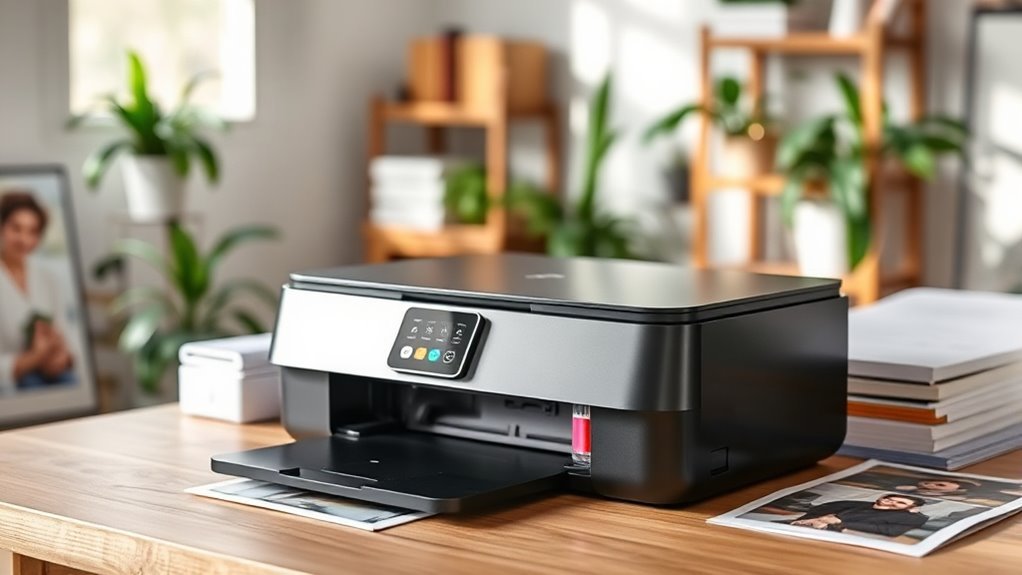
When choosing a budget ink tank printer, you’ll want to focus on print quality and how long the ink lasts between refills.
Also, check the connectivity options and make sure the printer works smoothly with your devices.
Don’t forget to take into account the paper handling capacity to match your printing needs.
It’s all about finding the right balance so you get the best value without any hassle.
Print Quality Standards
Though budget ink tank printers come with cost-saving advantages, you shouldn’t compromise on print quality. Look for high maximum print resolutions—up to 4800 × 1200 dpi for color and strong black dpi for sharp text—to guarantee crisp photos and detailed graphics.
Check print speeds for both black and color; faster ppm often means less smearing and smoother document handling. Evaluate color depth (16–24 bit) and color gamut support to see how well the printer reproduces gradients and vibrant hues.
Don’t overlook scan and copy resolution, focusing on true optical dpi rather than interpolated values. That’s important because it affects how faithfully originals transfer to print.
Prioritize models that maintain consistent quality over large print volumes. It’s all about balancing high-yield ink systems with advertised resolution standards.
Ink Yield Efficiency
Print quality matters, but so does how far your ink stretches between refills. When choosing a budget ink tank printer, compare the advertised page yields for initial ink sets and replacement bottles to estimate how often you’ll need to refill.
Calculate the cost per page by dividing the price of replacement ink by its claimed yield to understand long-term efficiency. Look for separate yield figures for black and color inks since these often differ by thousands of pages. This helps you match your typical printing needs.
Also, consider whether the printer offers high-capacity tanks and check the rated pages per tank to minimize downtime. Finally, note if the yield claims follow recognized test standards like ISO/IEC. Just remember, real-world results vary depending on your print settings and coverage.
Connectivity Options Available
Since connectivity determines how easily you can send jobs to your ink tank printer, you’ll want to weigh the options available carefully. Wi-Fi is the go-to wireless choice, letting you print from multiple devices without cables.
If you mostly print from one computer, USB 2.0 offers a faster, more stable connection. Check for mobile printing standards like AirPrint or Mopria—they simplify printing from phones and tablets by removing the need for drivers.
Some printers even support cloud or remote printing, so you can send jobs from anywhere, but these need internet access and an account. Also, consider features like duplex printing and network security protocols (WPA2/WPA3), which help protect your data and improve workflow efficiency.
Choose connectivity that fits your daily routine best. It’s all about what works for you and keeps things running smoothly.
Device Compatibility Range
Choosing the right connectivity options is only part of the equation when selecting a budget ink tank printer. You also need to make certain the printer supports the operating systems and devices you use daily, whether it’s Windows, macOS, Linux, iOS, or Android.
Some printers don’t fully support every OS, which can limit features or cause driver issues. So, it’s important to look for compatibility with your preferred print workflows—cloud printing, mobile apps, or local networks. Make sure the necessary apps or services work smoothly on your devices.
Don’t forget to verify that driver and firmware updates are regularly available for your OS to keep performance and security up to date. And if you rely on advanced functions like scanning or duplexing, double-check that these features work across all your platforms.
Paper Handling Capacity
Paper handling capacity directly impacts how efficiently you can manage your printing tasks without constant interruptions. When choosing a budget ink tank printer, look for higher input and output tray capacities, typically between 50 and 100 sheets. This helps minimize how often you need to refill or reload.
Check if the printer has separate trays or just a single multipurpose tray. Multiple trays reduce manual switching between paper types, making your workflow smoother.
Make sure the printer supports the paper sizes you use, including legal, photo, and cardstock. Also, verify it handles different media types without jams.
If you plan on printing photos or graphics, consider whether the printer offers borderless printing. And don’t forget to check the maximum media size it supports for edge-to-edge output.
Maintenance And Durability
Although budget ink tank printers offer great value, you’ll want to pay close attention to their maintenance and durability to avoid costly downtime and repairs. Check how easy and clean the refill system is—features like keyed bottles or spill-preventing funnels help prevent stains and clogged ports that can damage printheads.
Compare maintenance intervals and part lifespans to estimate how often you’ll need cleaning or replacements. It’s a good idea to opt for printers with user-friendly printhead cleaning tools and clear alerts. These can reduce service calls and extend nozzle life.
Evaluate build quality and warranty length, including spare-parts availability, to make sure your printer lasts. Also, consider ink yield per bottle and initial supply relative to your monthly volume. Higher yields mean fewer refills and less wear on mechanical parts.
Cost Of Ownership
Understanding the true cost of ownership helps you pick a budget ink tank printer that fits your long-term needs without surprises. Start by calculating the cost per page—divide the total cost of replacement ink by the manufacturer’s page yield.
Don’t forget to factor in the initial ink supply included with the printer, which can reduce early expenses. Also, include costs for non-ink consumables like printheads and maintenance, spreading these over the printer’s expected lifespan.
You’ll want to estimate energy costs too by considering power use during printing and standby, then multiply that by your local electricity rates and print volume. Finally, think about throughput and downtime—slower speeds or frequent refills can add hidden costs in lost time or productivity.
Putting all these factors together gives you a realistic picture of ownership costs. It’s all about making sure you know what you’re really getting into.
Frequently Asked Questions
How Long Do Ink Tank Printers Typically Last?
Ink tank printers typically last around 3 to 5 years with regular use.
You’ll get the best lifespan by keeping the tanks filled and performing routine maintenance.
This helps prevent clogs and guarantees smooth, consistent printing over time.
Just a little care goes a long way in making your printer last longer!
Are Ink Tank Printers Compatible With Third-Party Ink Refills?
Yes, you can usually use third-party ink refills with ink tank printers, but be careful. Some manufacturers might void your warranty or cause print quality issues, so always check compatibility before refilling to avoid problems.
It’s a good idea to do a bit of research first. That way, you won’t run into any unexpected issues with your printer or prints. Just keep an eye on what the manufacturer says!
What Is the Average Print Speed of Budget Ink Tank Printers?
You’ll find budget ink tank printers usually sprint at about 8-12 pages per minute for black and 5-8 for color.
They’re not lightning-fast, but they keep a steady pace without breaking your budget or patience.
Can Ink Tank Printers Handle Photo Printing Well?
Yes, ink tank printers can handle photo printing well, especially if you use high-quality photo paper. You’ll get vibrant colors and decent detail.
That said, they might not match the sharpness or speed of specialized photo printers. But for casual photo printing, they do a pretty good job.
How Energy Efficient Are Ink Tank Printers Compared to Laser Printers?
You’d save enough energy with an ink tank printer to power a small moon!
They’re generally more energy-efficient than laser printers since they use less heat and electricity, especially during startup and standby modes.
Conclusion
Choosing the best budget ink tank printer in 2026 doesn’t have to feel like searching for a needle in a haystack. With options like Canon’s MegaTank G3270 or HP’s Smart Tank series, you’re set for quality and savings.
Just keep your priorities clear—whether it’s ink longevity, wireless features, or all-in-one functionality—and you’ll find a printer that fits your needs like a glove.
When it comes down to it, a budget ink tank printer should offer more than just affordability. Look for models that combine cost-effectiveness with reliability and ease of use. This way, every print job becomes a breeze and your investment truly pays off. Whether you want fast printing, great photo quality, or low running costs, there’s a budget ink tank printer out there that ticks all the boxes for 2026.