3 Best Budget 3D Printer Pens for 2027
For budget 3D printer pens in 2027, you’ll want something reliable and easy to use without breaking the bank. The SCRIB3D P1 stands out with its adjustable temperature and anti-clog ceramic nozzle, making it perfect for beginners who want smooth printing every time.
If you need more material flexibility, the MYNT3D Super is a solid choice. It works with both ABS and PLA filaments and features a sleek, ergonomic design that feels comfortable during long sessions.
For those who love detailed and colorful projects, the SCRIB3D Advanced is a great pick. It comes loaded with lots of PLA filament and handy guides to help you get started quickly. Each of these pens balances ease of use, precision, and value, so you’ll find plenty more useful details as you explore these options.
| Image | Name | Editor's Rating | Price |
|---|---|---|---|
|
|
||

|
|
||

|
|
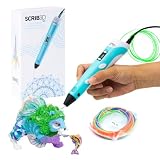
SCRIB3D P1 3D Printing Pen with Starter Kit
- [A GIFT FOR THE WHOLE FAMILY] Create, Draw, Doodle, and Build in 3D with this affordable yet high grade 3D pen. The new SCRIB3D P1 3D Pen helps improve spatial thinking...
- [READY-TO-USE KIT] Includes 3 colors (30 feet) of PLA plastic to keep you Doodling for ages, as well as a power adapter, step-by-step manual, and a free stencil guide...
- [BEGINNER FRIENDLY] Plug the adapter into the back of the pen and choose your filament. The red light will turn on indicating warm up, this will take about 2-3 mins...
- [MULTI-FUNCTIONAL] The SCRIB3D P1 Pen is temperature adjustable to accommodate multiple types of filament: PLA (160-210℃, 320-410°F) or ABS (210-235℃, 410-455°F...
- [SAFE & RISK FREE PURCHASE] The P1's ceramic nozzle and premium motor ensure safety and high performance without clogging. Equipped with 2 minute auto sleep function...
Discover the freedom of 3D drawing with the SCRIB3D P1 3D Printing Pen with Starter Kit. This pen is designed to help users create detailed models and designs with ease. Its adjustable temperature and stepless speed slider allow for precise control, making it simple to switch between fine details and faster strokes.
The pen’s ceramic nozzle and anti-clogging technology reduce interruptions, ensuring smooth and reliable operation. Maintenance is straightforward, helping to keep your pen in top condition for longer creative sessions. The built-in display and intuitive controls provide real-time feedback, improving your workflow and making adjustments effortless.
This starter kit includes three PLA filament colors, a stencil book, and a power adapter to get you started immediately. While the warm-up time of 2–3 minutes requires a brief wait, it ensures the pen reaches optimal performance. The filament diameter compatibility is between 1.0 and 1.9 mm, which may limit filament choices but still offers enough variety for most projects.
Best for: Beginners and hobbyists seeking an easy-to-use, versatile 3D drawing tool to develop creativity and spatial skills.
What We Like:
- Precise speed and temperature controls for customizable drawing
- Starter kit includes essential accessories for immediate use
- Ceramic nozzle with anti-clogging feature enhances reliability
- Clear display and simple controls improve user experience
Specification:
| Feature | Details |
|---|---|
| Manufacturer | SCRIB3D |
| Dimensions | Not specified |
| Weight | Not specified |
| Material | Includes ceramic nozzle |
| Filament Diameter | 1.0–1.9 mm |
| Included Accessories | 3 PLA filament colors, stencil book, power adapter |
MYNT3D Super 3D Pen, 1.75mm ABS and PLA Compatible 3D Printing Pen
- Turn your ordinary drawings into 3D works of art
- Stepless speed slider lets you regulate flow for optimal control of material while you're drawing
- New: ultrasonic sealed nozzle is nearly clog-proof and provides market leading durability
- The Super 3D Printing Pen is great for kids, artists and engineers of all ages
- Kit includes 3 colors of PLA plastic filament A/C adapter and slim, ergonomic touch pen with 1 year limited warranty

The MYNT3D Super 3D Pen transforms your creative ideas into tangible 3D models with ease. Its adjustable speed and temperature controls allow for precise filament extrusion, helping you achieve smooth and detailed results. This pen works with both ABS and PLA filaments, giving you flexibility depending on your project needs.
Maintenance is straightforward thanks to the ultrasonic sealed nozzle, which reduces clogging and extends the pen’s lifespan. The slim, ergonomic design ensures comfortable use over long sessions, making it suitable for users of all ages and skill levels. Whether you’re crafting intricate artwork or prototyping models, this pen provides consistent performance.
The included PLA filaments let you start creating immediately, though ABS users may want to source additional colors. Keep in mind the pen supports only 1.75 mm filament diameter, which may limit compatibility with some specialty filaments. The power adapter requires a nearby outlet, so portability depends on access to power.
Best for: artists, educators, and hobbyists seeking a reliable, easy-to-control 3D pen that supports multiple filament types for versatile crafting.
What We Like:
- Stepless variable speed and temperature for detailed control
- Ultrasonic sealed nozzle minimizes clogs
- Lightweight, ergonomic design for comfortable use
Specification:
| Feature | Details |
|---|---|
| Manufacturer | MYNT3D |
| Filament Diameter | 1.75 mm |
| Compatible Filaments | ABS and PLA |
| Included Filaments | 3 PLA colors |
| Power Supply | A/C adapter required |
| Design | Slim, lightweight, ergonomic |
SCRIB3D Advanced 3D Printing Pen with Colors
- Ultimate 3D Drawing Bundle: Includes SCRIB3D Advanced 3D Printing Pen, 20 feet of filament, stencil book, project guide, and an extra 328 feet of filament in 20 vibrant...
- Advanced 3D Printing Pen: Features variable speed control, a large LCD screen, and ergonomic design for a smooth, precise, and comfortable drawing experience.
- Vast Filament Supply: Enjoy 348 feet of high-quality 1.75mm PLA filament, ensuring smooth, clog-free 3D creations compatible with most 3D pens.
- Durable & Reliable: Features a ceramic nozzle, premium motor, and anti-clogging design for a seamless experience.
- Perfect for All Projects: Whether you're crafting intricate designs, making handmade gifts, or doing everyday fixes, this bundle has got you covered.
The SCRIB3D Advanced 3D Printing Pen is designed to bring your creative ideas to life with precision and ease. Its ergonomic design and variable speed control make it simple to handle, helping you achieve detailed results whether you’re a beginner or an experienced artist. The large LCD screen allows for easy adjustments, enhancing your control over each project.
This pen uses vibrant PLA filament available in 20 colors, offering smooth extrusion thanks to its ceramic nozzle and anti-clogging features. These elements reduce maintenance needs and ensure consistent performance, so you can focus on crafting without interruptions. The included stencil book and project guide provide helpful inspiration and instructions, making it easier to start and improve your skills.
SCRIB3D is versatile enough for a range of uses, from creating intricate art pieces to repairing household items. Its reliable build supports extended use, delivering creative solutions that improve your everyday projects. While it only supports PLA filament, this choice favors ease of use and safety.
Best for: Artists and hobbyists seeking a reliable 3D drawing pen for detailed creations and practical fixes.
What We Like:
- Ergonomic design with variable speed control for precision
- Large LCD screen for easy operation
- Ceramic nozzle with anti-clogging features for smooth flow
- Includes stencil book and project guide for learning and inspiration
- 348 feet of vibrant PLA filament in 20 colors for diverse projects
Specification:
| Feature | Details |
|---|---|
| Manufacturer | SCRIB3D |
| Dimensions | Not specified |
| Weight | Not specified |
| Material | PLA filament, ceramic nozzle |
| Color Options | 20 assorted vibrant colors |
Factors to Consider When Choosing a Budget 3D Printer Pen
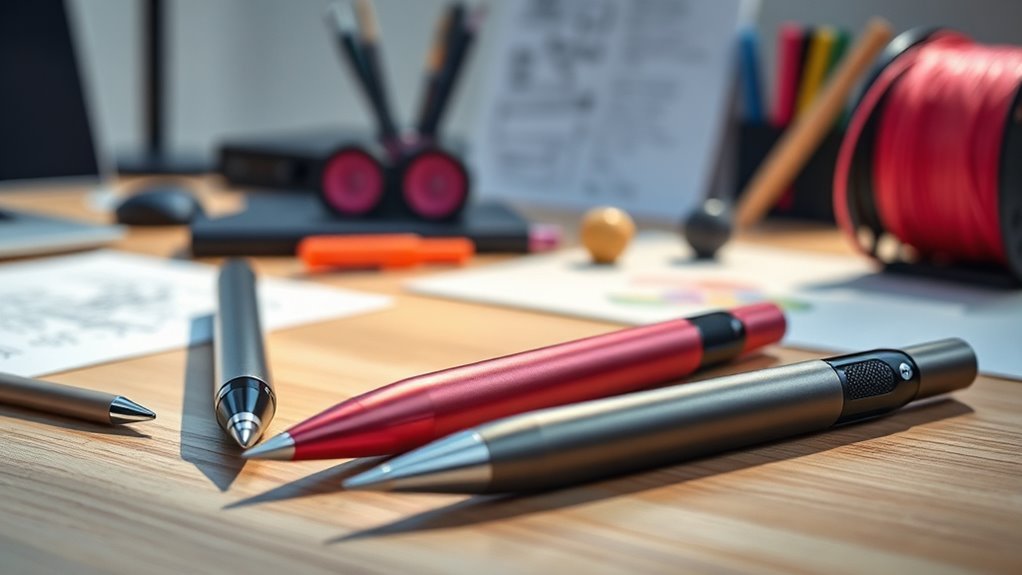
When choosing a budget 3D printer pen, you’ll want to check its filament compatibility and temperature control range to match your project needs. It’s important that the pen works well with the materials you plan to use.
Look for speed adjustment features and an ergonomic design to keep your hand comfortable during use. Trust me, you’ll thank yourself later when your hand doesn’t cramp up.
Also, consider whether the pen includes starter materials so you can begin creating right away. It’s always nice to get going without extra trips to the store!
Filament Compatibility Options
Explore filament compatibility carefully to get the most from your budget 3D printer pen. First, check the filament diameter your pen supports—usually 1.75 mm or 3.0–3.2 mm—since the wrong size can jam or stop extrusion.
Next, confirm if the pen works with PLA, ABS, or both. PLA melts at lower temperatures and is beginner-friendly, while ABS needs higher heat and emits fumes.
When buying refills, pay attention to filament stiffness and diameter tolerance (±0.05 mm) to avoid feeding problems or breakage. Also, consider the availability of filament colors and refill options to keep your creative choices open and costs low.
Choosing the right filament compatibility guarantees smooth printing and long-term satisfaction with your 3D pen.
Temperature Control Range
Although choosing a budget 3D printer pen might seem straightforward, paying close attention to its temperature control range can make a big difference in your printing results. A wider range, like 160–235°C, lets you work with both PLA and ABS filaments, boosting your material options.
You’ll want fine control, ideally adjusting temperatures in 1–5°C steps, so you can perfect flow and layer adhesion for different colors and types. Look for pens with accurate temperature displays to avoid overheating or underheating, which cause clogs or poor extrusion.
Fast, consistent warm-up times (2–5 minutes) minimize wait and keep your workflow smooth. And don’t forget thermal safety features like auto-cooldown and sleep—they protect you from burns and help maintain filament quality.
Speed Adjustment Features
Temperature control sets the foundation for quality prints, but adjusting the extrusion speed lets you fine-tune your work for different stages of your project. Look for pens with stepless speed control so you can smoothly vary the extrusion rate—from slow for detailed lines to fast for bulk filling.
Pens offering dual-mode feed controls are a plus; single-press feeds filament continuously while reverse retracts it, reducing blobs and stringing. A responsive speed slider or dial with tactile feedback helps you make precise micro-adjustments, ensuring consistent line thickness.
Keep in mind that faster speeds require reliable motors and anti-clogging features to maintain smooth filament flow and avoid jams. Choosing a pen with these speed adjustment features boosts both precision and workflow efficiency.
Pen Ergonomics Design
When you spend hours drawing with a 3D printer pen, comfort becomes essential to maintain precision and avoid hand fatigue. Choose a lightweight pen around 7–9 ounces with an ergonomic, slightly tapered grip to ease long sessions.
Look for balanced weight distribution and a comfortable diameter of about 10–15 mm, so the pen feels stable and lets you control fine details easily. Make sure controls like speed, feed, and temperature sit within thumb or forefinger reach for quick, uninterrupted adjustments.
A textured or silicone-coated grip boosts traction, preventing slipping during intricate work. Finally, opt for a pen with a low-vibration motor and smooth extrusion mechanism to reduce hand strain and help you draw steady, precise lines every time.
Included Starter Materials
Since the filament you use directly affects your 3D pen projects, you’ll want to check the type and diameter included in the starter materials. Most budget pens come with PLA or ABS filament in sizes like 1.75 mm or between 1.0 and 1.9 mm, so make sure it matches your pen’s feed system.
Also, take note of the total filament length or weight to estimate how many projects you can complete before needing more. A variety of colors in the starter pack lets you create multicolor designs without extra purchases right away.
Look for beginner-friendly materials like PLA, which melts at lower temperatures and emits fewer fumes. Finally, see if the kit includes helpful extras such as stencils or guides to jumpstart your creativity.
Safety And Reliability
Although budget 3D printer pens come with appealing prices, you shouldn’t compromise on safety and reliability. Look for pens with adjustable temperature ranges that suit common filaments like PLA (160–210°C) and ABS (210–235°C) to avoid burning, smoke, and clogs.
Prioritize devices featuring insulated ceramic nozzles, auto-sleep or auto-shutoff after inactivity, and anti-clog designs to reduce heat exposure and maintenance issues. These features really help keep things running smoothly.
Make sure the pen has certified electrical safety marks such as CE, FCC, or RoHS, and uses safe low-voltage DC power adapters (5–12 V) to prevent electrical faults. It’s always better to be safe than sorry.
Choose pens made from heat-resistant materials with reliable motors and sealed nozzles to prevent jams and accidental burns from molten plastic. With these factors in mind, you’ll enjoy safe, consistent, and trouble-free 3D drawing.
Warranty And Support
Choosing a budget 3D printer pen means you should pay close attention to warranty and support options to protect your investment. Check the warranty length and terms—whether it’s a 1-year guarantee or a limited warranty—and confirm it covers defects like motor or nozzle failures.
Make sure the manufacturer offers responsive support through email, phone, or chat, and note their typical response times. It’s important to know you can reach out when you need help without long waits.
Understand the warranty’s requirements, such as proof-of-purchase or registration, and what damages are excluded, like misuse or using non-approved filaments. These details can make a big difference if something goes wrong.
Also, look for availability of replaceable parts and whether the company sells or ships them under warranty or separately. It’s handy to know if you can easily get parts to fix your pen.
Finally, review return and refund policies, including time limits and any fees, to avoid surprises if you need an exchange or refund. Being clear on these points can save you hassle down the road.
Portability And Power
When you’re on the move, a 3D printer pen’s portability and power can make or break your creative flow. You’ll want to weigh battery-powered pens, which offer true portability but limited run-time, against corded ones that need mains or USB power but allow continuous use.
Look for pens with higher wattage and voltage tolerance to heat filaments faster and sustain longer sessions, especially if you work away from stable power. Quick warm-up times (2–3 minutes) help you start creating without delay.
Also, consider the pen’s size and weight—lighter models are easier to carry but might compromise battery life and heating performance. Finally, prioritize safety features like auto-sleep, insulated nozzles, and secure plug storage to keep your portable setup safe and hassle-free.
Frequently Asked Questions
How Do 3D Printer Pens Compare to Traditional 3D Printers?
You’ll find 3D printer pens offer more hands-on, freeform creativity but lack the precision and speed of traditional 3D printers. They’re great for quick prototypes or art, but not for detailed, complex models.
Basically, if you want something fast and fun to experiment with, a 3D pen is awesome. But for serious, intricate designs, a traditional 3D printer is the way to go.
Can Children Safely Use 3D Printer Pens Unsupervised?
Careful children can’t confidently craft creations without close, cautious care. You shouldn’t let kids use 3D printer pens unsupervised since hot tips and melted plastic pose potential perils.
Always oversee their safe, smart sessions. It’s better to be safe than sorry when it comes to these tools. Just keep an eye on them while they create!
What Types of Projects Are Best Suited for 3D Pen Art?
You’ll find 3D pen art perfect for creating small sculptures, customized jewelry, and decorative items. It’s great for DIY repairs, adding details to crafts, or experimenting with abstract designs.
It really lets your creativity flow freely and easily. Plus, it’s super fun to try out different ideas and see them come to life right before your eyes!
How Do I Troubleshoot a 3D Pen That Overheats?
If your 3D pen overheats, turn it off and let it cool. Check for clogged nozzles, clean them carefully, and avoid prolonged use.
Also, make certain there’s proper ventilation around your workspace. And always use the recommended filament to help prevent overheating issues.
Are There Eco-Friendly Filament Options for 3D Printer Pens?
Think of eco-friendly filaments as a gust of rejuvenation for your creations. You’ll find biodegradable PLA and recycled materials that reduce waste, letting you craft responsibly without sacrificing quality or creativity in your 3D pen projects.
It’s pretty cool how these options let you be kind to the planet while still making amazing stuff. So, you get to enjoy your 3D printing fun and do your bit for the environment at the same time!
Conclusion
When choosing a budget 3D printer pen, you want reliability and ease of use without breaking the bank. The SCRIB3D P1, MYNT3D Super, and SCRIB3D Advanced all deliver great value.
Fun fact: the 3D pen market is expected to grow by 12% annually through 2027, showing just how popular these creative tools are becoming.
So, pick a pen that fits your style and budget, and start bringing your ideas to life! Budget 3D printer pens are perfect for beginners and hobbyists wanting to explore 3D art without spending too much. Whether you want to create fun projects or prototype designs, these affordable options make it easy and enjoyable. With the market growing steadily, now’s a great time to jump in and get creative with a budget-friendly 3D pen!