11 Best Beginner FDM Printers for 2027
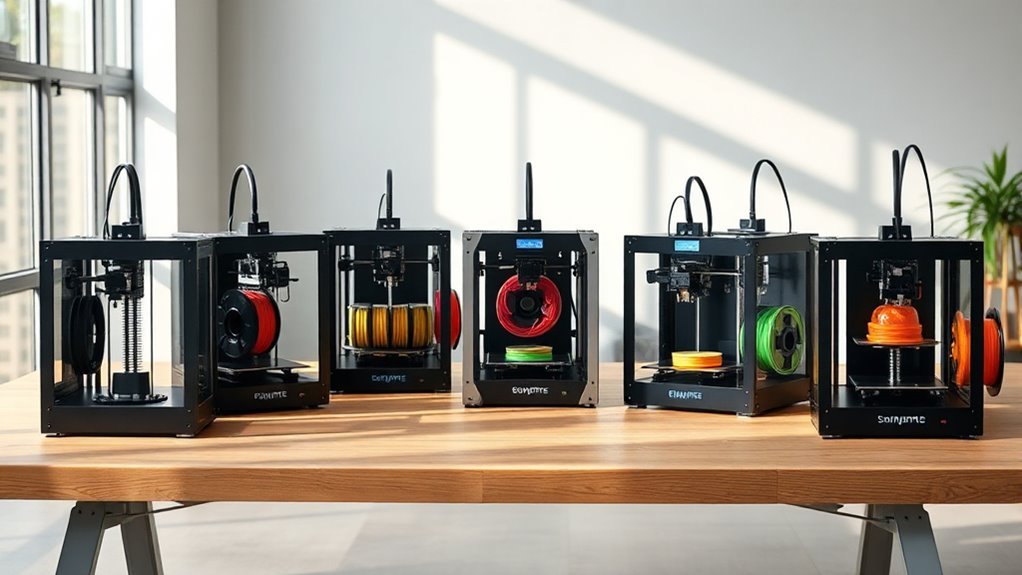
If you’re starting 3D printing in 2027, it’s smart to look at beginner-friendly FDM printers that make the whole process easier. Models like the Bambu Lab A1 stand out for their easy setup and fast calibration, which means less hassle and more printing fun right away.
Another great choice is the Portable Compact, known for its simple modular assembly that even beginners can handle without stress.
Then there are options like the Bambu Lab P1S and Creality Ender 3 V3 SE. These printers offer speedy and versatile printing, plus automatic bed leveling to keep things smooth.
Many of these beginner FDM printers support multiple filament types and feature designs that make maintenance quick and straightforward.
To pick the perfect printer for you, explore their user-friendly features and see how they can simplify your creative projects ahead!
| Image | Name | Editor's Rating | Price |
|---|---|---|---|

|
|
||

|
|
||

|
|
||

|
|
||

|
|
Bambu Lab A1 3D Printer, Ready-to-Use FDM 3D Printer for Beginners and Kids
- High-Speed Precision: Experience unparalleled speed and precision with the Bambu Lab A1 3D Printer. With an impressive acceleration of 10,000 mm/s², the A1 delivers...
- Multi-Color Printing with AMS lite: Unlock your creativity with vibrant and multi-colored 3D prints. The Bambu Lab A1 3D printers make multi-color printing accessible and...
- Full-Auto Calibration: Say goodbye to manual calibration hassles. The A1 3D printer takes care of all the calibration processes automatically, ensuring optimal...
- Active Flow Rate Compensation: Achieve consistently smooth prints with active flow rate compensation. The algorithm actively compensates the flow rate according to the...
- Easy and Quiet 3D Printing: Experience effortless printing with the Bambu Lab A1 FDM 3D printer. Its user-friendly interface and simplified touchscreen make it easy to...
The Bambu Lab A1 3D Printer is designed to make 3D printing accessible and enjoyable for beginners and kids. Its ready-to-use setup eliminates complex installation, allowing users to start printing quickly. The printer’s high acceleration and active flow rate compensation deliver precise and smooth prints, reducing common issues like layer inconsistencies.
Maintenance is straightforward thanks to the 1-clip quick swap nozzle, which simplifies changing printing styles or replacing parts. The full-auto calibration feature further reduces setup time and ensures reliable print quality with minimal effort. Its quiet operation, running at under 48 dB, makes it suitable for home or educational environments without causing distractions.
This compact and lightweight printer supports AMS Lite for multi-color projects, adding creative possibilities while maintaining ease of use. However, advanced users might find the multi-material options somewhat limited. The design balances functionality and simplicity, making it an excellent choice for learning and experimentation.
Best for: beginners and kids seeking an easy-to-use, fast, and precise 3D printer with basic multi-color printing capabilities.
What We Like:
- Full-auto calibration and intuitive touchscreen simplify operation
- High acceleration with flow rate compensation ensures accurate prints
- Quiet performance ideal for home or classroom use
- Easy maintenance with quick swap nozzle design
- Compact, lightweight build for flexible placement
Specification:
| Feature | Details |
|---|---|
| Manufacturer | Bambu Lab |
| Dimensions (WxDxH) | Compact (exact size not specified) |
| Weight | Lightweight (exact weight not specified) |
| Printing Technology | FDM |
| Nozzle Swap | 1-clip quick swap |
| Multi-color Support | AMS Lite compatibility |
| Noise Level | ≤48 dB |
Portable Compact FDM 3D Printer for Beginners
- Foolproof Setup with Video Guides – Never get stuck! We provide a crystal-clear Quick Start Guide and step-by-step video tutorials. Watch them online to get started.
- Simple Assembly with Video Guide – Requires quick modular setup (watch our step-by-step video). Comes with 10m PLA filament, TF card, tools, and 12V Type-C power...
- Versatile Filament Compatibility – Unleash your creativity with both PLA and flexible TPU (1.75mm). The reliable 0.4mm nozzle and precise 0.05-0.3mm layer thickness...
- Reliable Performance & Compact Design – Features stable FDM technology and a removable build plate for easy model removal. The perfect 100x100x100mm build volume is...
- Complete Package – No Hidden Costs – Includes printer, 10m PLA filament, 8GB TF card + reader, tools, illustrated manual, and 12V Type-C power adapter. Plus free...
Discover the ease of creating detailed models with this portable compact FDM 3D printer, designed specifically for beginners and small-scale projects. Its lightweight design at just 2.2 pounds allows you to move it effortlessly and fit it into tight spaces like classrooms or home workstations.
The printer supports PLA and TPU filaments, offering flexibility for various creative tasks while maintaining precision with a 0.4mm nozzle. Its 100x100x100mm build volume is ideal for small parts, making it perfect for educational uses and hobbyist experimentation.
Maintenance is straightforward thanks to the removable build plate, which simplifies model removal and cleaning. Setup is quick and accessible with modular assembly and step-by-step video guides, allowing users to start printing with minimal hassle.
Included accessories such as 10 meters of PLA filament, an 8GB TF card, tools, and a power adapter provide everything you need to begin printing immediately. While the build volume and filament compatibility limit larger or more complex projects, this printer excels in ease of use and portability.
Best for: Beginners and hobbyists seeking a lightweight, easy-to-use, compact 3D printer for small projects and educational settings.
What We Like:
- Lightweight, portable design perfect for limited spaces
- Simple setup with clear video guides and modular parts
- Removable build plate for easy maintenance
- Includes essential accessories and filament for immediate use
Specification:
| Feature | Details |
|---|---|
| Manufacturer | Not specified |
| Dimensions | Compact (fits small spaces) |
| Weight | 2.2 lb (1 kg) |
| Build Volume | 100 x 100 x 100 mm |
| Supported Filaments | PLA, TPU |
| Nozzle Size | 0.4 mm |
| Included Extras | 10m PLA filament, 8GB TF card, tools, power adapter |
Bambu Lab P1S 3D Printer, Ready-to-Use FDM 3D Printer
- Up to 16 Colors: Bring your designs to life with vibrant multi-color/multi-material printing capabilities, perfect for showcasing your creativity. Note: Connecting Bambu...
- 500mm/s and 20000 mm/s² Acceleration True High Speed: Don't wait around for your masterpieces. Lightning-fast printing speed lets you focus on creating, not waiting.
- Enclosed Design: Fully enclosed body improves print performance for advanced filaments. Automatic Bed Leveling: Say hello to high-quality, successful prints. Auto bed...
- Set Up in 15 Minutes: Spend more time printing and less time setting up. User-friendly design ensures a hassle-free assembly experience for all skill levels.
- Supported Filament: Ideal: PLA, PETG, TPU, PVA, PET ABS, ASA; Capable : PA, PC; Not Recommended: Carbon/Glass Fiber Reinforced Polymer.
The Bambu Lab P1S 3D Printer transforms the printing experience with its fully enclosed design, ensuring consistent print quality and faster results. Its advanced speed reaches up to 500mm/s, cutting down project times significantly while maintaining precision. This printer is ideal for users who want to bring complex, multi-color designs to life with the AMS add-on supporting up to 16 colors.
Setup is straightforward and quick, taking only about 15 minutes. Automatic bed leveling simplifies maintenance and helps prevent print errors, making it accessible even for beginners. The P1S handles a wide variety of filaments such as PLA, PETG, and TPU, offering flexibility for diverse projects without the hassle of frequent adjustments.
Compact yet sturdy, weighing 38.9 pounds, this printer fits comfortably on most desks without sacrificing stability. Its ready-to-use setup means you can start printing quality models right out of the box. However, it is not suited for Carbon or Glass Fiber Reinforced Polymers, which limits certain advanced material options.
Best for: hobbyists and beginners seeking a fast, versatile 3D printer with multi-color capabilities and minimal setup.
What We Like:
- Fast printing speeds up to 500mm/s with smooth acceleration
- Supports up to 16 colors using the AMS add-on for creative projects
- Quick 15-minute assembly with automatic bed leveling
- Compatible with various filament types for project versatility
- Compact design fits well in limited workspace
Specification:
| Specification | Details |
|---|---|
| Manufacturer | Bambu Lab |
| Dimensions | Not specified |
| Weight | 38.9 lb (17.65 kg) |
| Material Compatibility | PLA, PETG, TPU |
| Color Options | Supports up to 16 colors with AMS add-on |
Entina Tina2 Plus Fast WiFi 3D Printer
- 【Start Printing in Minutes – Beginner Friendly】No setup required. Tina2 Plus 3d printer comes fully assembled and ready to use out of the box. With included TF card...
- 【Fast 250mm/s Printing Performance】This Tina2 Plus high speed 3D printer print speeds up to 250 mm/s help reduce waiting time and support fast project turnaround...
- 【WiFi App Control & STEM Model Library】Powered by the Poloprint Cloud app, this WiFi-enabled 3D printer gives access to 3,500+ printable models and 25+ creative DIY...
- 【40-Second Fast Heat Ceramic Hotend】High-efficiency ceramic hotend heats up in just 40 seconds for faster start-up and less downtime. The quick-swap nozzle design...
- 【Compact 3D Printer for Home & Classroom】Designed with a space-saving footprint while maintaining practical print capacity, this compact 3D printer fits easily on...
The Entina Tina2 Plus Fast WiFi 3D Printer is designed to make 3D printing accessible and hassle-free. Its compact, fully assembled design allows users to start printing in minutes, ideal for beginners who want to avoid complex setups. The preloaded models on the TF card simplify the first prints, making it easy to create without prior experience.
With WiFi connectivity and the Poloprint Cloud app, you can browse thousands of models and control your prints remotely. This feature enhances convenience, allowing you to manage projects without being tied to your printer. The printer’s fast speed of up to 250 mm/s and quick 40-second heat-up time help reduce downtime and speed up your workflow.
Maintenance is straightforward thanks to the ceramic hotend and auto-leveling system, which ensure stable and consistent print quality with minimal adjustments. The partially enclosed frame adds a layer of safety, making it suitable for home or school environments where safety is important.
While the printer is limited by a smaller build volume and the reliance on cloud services, it effectively meets the needs of hobbyists and beginners seeking an easy-to-use, fast, and wireless 3D printing solution.
Best for: Beginners and hobbyists needing a compact, fast, and wireless 3D printer for home or educational use.
What We Like:
- Ready to use right out of the box with no assembly.
- Remote print control via WiFi and Poloprint Cloud app.
- Fast printing speeds and quick heat-up time.
- Auto-leveling and dual Z-axis for stable, quality prints.
- Compact and partially enclosed frame for safer operation.
Specification:
| Feature | Details |
|---|---|
| Manufacturer | Entina |
| Dimensions | Compact size (exact size not provided) |
| Weight | Not specified |
| Material | Not specified |
| Color Options | Not specified |
Creality Ender 3 V3 SE Beginner-Friendly 3D Printer with Auto Leveling
- 250mm/s High-Speed Printing: Print at speeds of up to 250mm/s with 2500mm/s² acceleration, helping you complete prototypes, functional parts, and everyday projects...
- Easy Setup with Auto Leveling: Designed for a fast and straightforward setup, the Ender 3 V3 SE can be assembled in just a few simple steps. CR Touch Auto Leveling and...
- Proven Sprite Direct Drive Extruder: The upgraded Sprite Direct Drive Extruder provides smooth and consistent filament feeding for PLA, PETG, and TPU. Its proven design...
- Stable Motion System for Consistent Results: Dual synchronized Z-axis lead screws and precision Y-axis linear shafts work together to help reduce vibration and Z...
- Quiet Operation with Easy Print Removal: A 32-bit silent mainboard helps reduce operating noise for a more comfortable printing experience, while the flexible PC spring...
Experience hassle-free 3D printing with the Creality Ender 3 V3 SE, designed to simplify your creative projects. Its auto leveling feature with CR Touch and automatic Z-offset calibration ensures your prints start perfectly every time, eliminating the frustration of manual adjustments.
Assembly is quick and straightforward, letting you focus on printing rather than setup. The printer’s upgraded Sprite Direct Drive Extruder handles PLA, PETG, and TPU smoothly, making it versatile for various beginner-friendly materials.
Built for stability, the dual Z-axis lead screws and precision linear shafts reduce vibration, improving print quality. A 32-bit silent mainboard ensures quiet operation, so your workspace stays peaceful during long print runs.
Maintenance is easy thanks to the flexible PC spring steel build plate, which allows effortless removal of finished prints without damage. While the print volume suits most hobby projects, larger builds may require alternative solutions.
Best for: Beginners and hobbyists seeking a reliable, easy-to-use 3D printer with advanced auto leveling and quiet performance.
What We Like:
- Fast assembly with reliable CR Touch auto leveling
- Smooth extrusion of multiple filaments via Sprite Direct Drive
- Stable printing with dual Z-axis and low noise from silent mainboard
- Flexible build plate for easy print removal
Specification:
| Feature | Details |
|---|---|
| Manufacturer | Creality |
| Print Volume | 15 x 19.6 x 15 inches |
| Filament Compatibility | PLA, PETG, TPU |
| Extruder | Upgraded Sprite Direct Drive |
| Build Plate | Flexible PC spring steel |
| Mainboard | 32-bit silent mainboard |
Entina Tina2 Basic Mini 3D Printer for Beginners
- 3D Printer for Beginners and Kids: Out of the box, fully assembled, Speedy Printing –TINA2 BASIC 3d printer is super easy to use and does not require a complex setup...
- Ready to Print: Equipped with 2.4" LCD screen and Wiibulider slicer software makes it easy to conduct offline printing using the MicroSD Card. The 3-d printer supports...
- Fully Open-Source: Entina TINA2 BASIC Mini 3D printer adopts a safety-first design philosophy, featuring complete open-source compatibility for enhanced flexibility and a...
- Auto Leveling & Magnetic Platform: The small 3d printer does not need manual leveling, the intelligent leveling system can automatically adjust the uneven bed, thus...
- Compact Design:This is light weight and minimalist desktop 3D printers, the mini 3D printer size is 8.3''x8.3''x11.4'', weight is 3kg. Light weight and portable design...
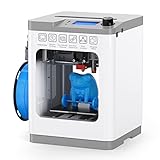
Experience hassle-free 3D printing with the Entina Tina2 Basic Mini 3D Printer, designed for beginners eager to explore creative projects quickly. This printer arrives fully assembled and uses an intelligent auto-leveling system, allowing you to start printing within minutes without complicated setup.
Its compact and lightweight design fits comfortably in any home or classroom environment. Maintenance is straightforward, thanks to the flexible magnetic build plate, which simplifies model removal and reduces cleanup time. Offline printing is supported through the included TF card and Wiibuilder slicer, enabling smooth operation without a constant computer connection.
The dual Z-axis rails provide improved print precision and stability, making it easier to produce quality models. While the open design offers easy access, it may not suit environments requiring enclosed printing for safety or odor control. The limited build volume of 100x105x100 mm is ideal for small to medium projects but restricts larger prints.
Overall, the Entina Tina2 Basic Mini balances ease of use with reliable performance, making it a practical choice for beginners and younger users to develop their 3D printing skills safely.
Best for: Beginners, kids, and hobbyists looking for a user-friendly, compact 3D printer for home or educational projects.
What We Like:
- Fully assembled with intelligent auto-leveling for quick and easy startup.
- Lightweight, compact design with a magnetic build plate for effortless model removal.
- Supports offline printing via TF card and simple controls for beginner convenience.
- Dual Z-axis rails ensure stable, precise printing for better quality models.
- Open frame design allows easy access and monitoring during prints.
Specification:
| Feature | Details |
|---|---|
| Manufacturer | Entina |
| Dimensions | Compact (exact size not specified) |
| Weight | Lightweight (exact weight not specified) |
| Build Volume | 100 x 105 x 100 mm |
| Material | Not specified |
| Color Options | Not specified |
Anycubic Kobra X Multicolor 3D Printer, Easy Setup, Native 4-Color

- 【 Newest Level - 19-Color with 4 ACE 2 Pro】Why settle for one color when you can have multicolor? The Kobra X comes born with 4 colors built-in. It is innovative 3D...
- 【 Savings 2X Time】Stop wasting hours and filament on purging! Kobra X impresora 3D reduces the filament and machine travel path by 81.25%, so 2X the Speed, and...
- 【Hardened Precision & High Speed 】 Equipped with a high-durability hardened steel nozzle and vibration compensation, the Kobra X ensures every layer remains smooth...
- 【Flawless First Layer with LeviQ 3.0】The LeviQ 3.0 and auto bed leveling system uses a 49-point calibration and advanced leveling algorithm to ensure 100% bed...
- 【Smart AI Monitoring & Large Model Library】APP remote control, features Spaghetti detection and foreign object detection. The innovative top-mount spool holder...

The Anycubic Kobra X Multicolor 3D Printer brings vibrant, detailed multicolor printing to your workspace. Its native 4-color system lets you produce intricate designs without switching materials mid-print. For even more variety, you can expand to 19 colors with additional ACE 2 Pro units, offering flexibility for complex projects.
This printer dramatically cuts printing time by reducing filament use and travel distance by 81.25%, reaching speeds up to 600mm/s. You can finish detailed models like the Benchy in just 14 minutes. Setup is quick and straightforward thanks to LeviQ 3.0’s 49-point auto bed leveling, ensuring reliable prints in just 15 minutes.
Maintenance is simplified with smart AI monitoring, which keeps an eye on print quality and alerts you to potential issues. The dual-band Wi-Fi connection allows seamless remote control and monitoring. Its 260mm³ build volume and support for various materials make it suitable for a wide range of creative and professional uses.
While expanding beyond four colors requires extra hardware, and the build volume may limit very large projects, the Kobra X Multicolor balances speed, precision, and connectivity for advanced multicolor 3D printing.
Best for: Creative professionals, hobbyists, and educators seeking fast, reliable multicolor 3D printing with easy setup and smart features.
What We Like:
- Native 4-color printing with option to expand up to 19 colors
- High-speed printing up to 600mm/s for efficient production
- LeviQ 3.0 auto bed leveling for consistent print quality
- Smart AI monitoring for hassle-free maintenance
- Dual-band Wi-Fi for remote operation and control
Specification:
| Feature | Details |
|---|---|
| Manufacturer | Anycubic |
| Printing Technology | Multicolor FDM 3D Printer |
| Max Print Speed | 600 mm/s |
| Color Options | Native 4 colors, expandable to 19 |
| Build Volume | 260 mm³ |
| Auto Bed Leveling | LeviQ 3.0 (49-point) |
| Connectivity | Dual-band Wi-Fi |
Anycubic Kobra X Multicolor 3D Printer, Easy One-Click Printing

- 【Vivid 19-Color and Versatile Materials】Unleash creativity beyond limits. The Kobra X supports 4-color standard and expands up to 19 colors with 4 ACE 2 Pro for...
- 【600mm/s High Speed Performance】Don't let slow speeds limit your creativity. This high-speed FDM 3D printer reaches up to 600mm/s, completing tasks significantly...
- 【True Plug & Play Experience】Start your first project in as little as 15 minutes. The Kobra X arrives with a user-friendly setup and LeviQ 3.0 automatic bed leveling...
- 【LeviQ 3.0 Perfect First Layer】Forget the frustration of manual bed leveling that plagues beginner machines. The LeviQ 3.0 system utilizes 49-point full-auto leveling...
- 【Quiet & Reliable for Home】The ultra-quiet ≤48 dB operation ensures the living or learning space remains peaceful. Combined with power loss recovery and filament...
The Anycubic Kobra X Multicolor 3D Printer transforms your creative workflow by enabling seamless multi-material and multi-color printing with a single click. Its intuitive design addresses the common challenge of switching filaments, allowing you to produce vibrant and complex projects effortlessly.
Equipped to handle up to four colors by default, and expandable to nineteen with the ACE 2 Pro, it supports popular materials like TPU, PLA, and PETG. This flexibility lets you explore diverse applications without frequent hardware changes. The high-speed printing capability of up to 600mm/s, combined with vibration compensation, ensures accurate, detailed results every time.
Maintenance is straightforward with plug-and-play setup and LeviQ 3.0 auto-leveling, which guarantees perfect first layers without manual adjustments. The built-in AI camera provides real-time monitoring, reducing the need for constant supervision and preventing print failures. Quiet operation and features like power loss recovery further enhance usability for both beginners and experienced users.
Best for: hobbyists, educators, and professionals seeking a fast, versatile multicolor 3D printer that simplifies complex, multi-material projects.
What We Like:
- Supports up to 4 colors standard, expandable to 19 with ACE 2 Pro units
- High-speed printing up to 600mm/s with vibration compensation for sharp details
- Simple plug-and-play setup with automatic LeviQ 3.0 bed leveling
- AI-powered real-time monitoring via built-in camera
- Quiet operation at ≤48 dB with power loss recovery and filament sensors
Specification:
| Feature | Details |
|---|---|
| Manufacturer | Anycubic |
| Build Volume | 260 x 260 x 260 mm |
| Supported Colors | 4 standard, up to 19 expandable |
| Compatible Materials | TPU, PLA, PETG |
| Maximum Speed | 600 mm/s |
| Noise Level | ≤48 dB |
FLASHFORGE AD5M 3D Printer with Auto Calibration

- Unleash Your Creativity: The Perfect Companion for Beginners and Experts Alike. The AD5M combines brand-new technology and superior craftsmanship to meet the needs of all...
- Achieve Perfect Prints with Ease: The AD5M is equipped with a fully automatic one-click leveling system that precisely measures the nozzle-to-build plate distance to set...
- Core XY All-Metal Motion Structure: The AD5M features a durable, innovative design that ensures high-speed printing without compromising quality. Its stable and smooth...
- Patent Quick-Release Nozzle: With multiple nozzle diameters available (0.25/0.4/0.6/0.8 mm), the AD5M caters to both high-precision and high-efficiency printing needs...
- Enhanced Control and Efficiency: The Orca-flashforge slicer enables one-click batch file transmission and multi-printer network monitoring. Additionally, the Flash Maker...
Experience a seamless start to 3D printing with the FLASHFORGE AD5M, designed to eliminate setup frustrations. Its auto calibration feature ensures precise nozzle-to-build plate alignment with just one click. This means less downtime and more time turning your ideas into reality.
Built with a sturdy all-metal CoreXY frame, the printer delivers fast and stable performance at speeds up to 600 mm/s. The low-noise operation makes it suitable for home or professional environments without disruption. Maintenance is simple thanks to the tool-free quick-swap nozzles, allowing easy changes to support different filament diameters.
The flexible double-sided PEI steel plate enhances model removal, accommodating both standard and PETG materials smoothly. Additional features like power recovery and remote control via the Flash Maker APP give you confidence that your prints stay on track, even with unexpected interruptions.
The FLASHFORGE AD5M is ideal for users who need a reliable, high-speed 3D printer with effortless setup and versatile material handling.
Best for: Enthusiasts and professionals seeking a fast, easy-to-use 3D printer with remote management and straightforward maintenance.
What We Like:
- Automatic one-click leveling for precise and quick calibration
- Robust CoreXY design offers fast, stable, and quiet printing
- Tool-free nozzle changes with support for multiple diameters
- Double-sided PEI plate for easy model removal and material versatility
- Power recovery and remote control enhance print reliability
Specification:
| Feature | Details |
|---|---|
| Manufacturer | FLASHFORGE |
| Print Volume | 220 x 220 x 220 mm |
| Maximum Print Speed | 600 mm/s |
| Weight | 22 lb (10 kg) |
| Frame Material | All-metal CoreXY structure |
| Nozzle Exchange | Tool-free quick-swap |
| Build Plate | Double-sided PEI steel |
Creality SPARKX i7 3D Printer with AI Camera

- Easy 3D Printing with Auto Leveling: The Creality SPARKX i7 features automatic bed leveling, quick setup, and streamlined calibration for a smoother desktop 3D printing...
- Smart Camera Monitoring for Reliable Printing: Built-in smart camera monitoring supports remote viewing, time-lapse recording, and print status detection to help improve...
- Quiet High-Speed Desktop 3D Printer: With an optimized motion system and low-noise operation, the SPARKX i7 delivers stable high-speed 3D printing with reduced vibration...
- Large Build Volume for Bigger Creative Projects: Featuring a 260×260×255mm build volume and flexible PEI build plate, the SPARKX i7 supports larger models, props...
- 5-Second Quick-Swap Hotend for Easy Maintenance: The tool-free quick-swap hotend design allows faster nozzle replacement and simplified maintenance, helping reduce...
Experience hassle-free 3D printing with the Creality SPARKX i7, designed to simplify setup and enhance precision. Its auto leveling feature ensures your prints start perfectly aligned, reducing errors and saving time.
Stay connected even when away from your workspace. The built-in AI camera allows remote monitoring, letting you track print progress and capture time-lapses effortlessly. This feature helps you catch issues early, improving print success rates.
The printer is engineered for quiet operation, making it suitable for home or office environments. Its optimized motion system delivers consistent, high-speed printing, ideal for daily or professional projects.
Maintenance is straightforward with a quick-swap, tool-free hotend, minimizing downtime. The flexible PEI build plate and a spacious 260×260×255mm build volume accommodate larger or multiple prints with ease. For more advanced needs, the optional multi-color CFS Lite system expands your creative possibilities.
Best for: hobbyists and professionals seeking a reliable 3D printer with smart monitoring and versatile build options.
What We Like:
- Auto leveling and AI camera for easy setup and remote monitoring
- Quiet operation with high-speed, consistent print quality
- Quick-swap hotend simplifies maintenance
- Expandable multi-color printing capabilities
Specification:
| Feature | Details |
|---|---|
| Manufacturer | Creality |
| Build Volume | 260 × 260 × 255 mm |
| Weight | 29.5 lb (13.4 kg) |
| Build Plate | Flexible PEI |
| Additional Feature | AI Camera, Auto Leveling |
FLASHFORGE Adventurer 5M High-Speed 3D Printer

- 【Succeed with a Perfect First Layer】Full-auto one-click leveling calibrates and levels the bed properly, making you a perfect first layer for every 3D print. It...
- 【Ultra-Fast and Exceptional Quality】Core XY up to 20000 mm/s² Acceleration, Maximum speed 600mm/s, the acceleration from zero to 600 mm/s takes just 0.025 seconds...
- 【Vibration Compensation&Less Waiting Time】Vibration compensation, eliminating ghosting in prints. Nozzle with a flow of 32mm³/s, 50w heating power, 200℃ heating up...
- 【Filament Run-out Sensor & Power Loss Recovery】Eliminate the problem of empty spools during printing. Change filament when empty and Resume. Worry-free from a power...
- 【Robust designs for superior quality】Open 3D printer, Suitable for use in open and, well-ventilated environments, Flexible removable PEI steel plate support...
The FLASHFORGE Adventurer 5M is designed to meet the needs of beginners who want fast and reliable 3D printing without complexity. Its Core XY technology enables rapid acceleration up to 600 mm/s, allowing you to complete projects quickly and efficiently. Heating up to 200°C in just 35 seconds means less waiting and more creating.
Maintenance is straightforward with features like one-click auto leveling and a flexible, removable PEI steel print bed that supports multiple filament types. This ensures consistent first layers and simplifies print removal, reducing downtime and frustration. The open design offers easy access but works best in well-ventilated spaces.
This printer’s built-in filament sensor and power loss recovery system protect your prints from interruptions, saving time and material. Vibration compensation ensures sharp, precise results even at high speeds. Setup is quick, taking about 10 minutes, making it ideal for hobbyists eager to start printing right away.
While the Adventurer 5M excels in speed and user-friendliness, its open frame limits temperature control for sensitive materials, and nozzle size options are somewhat limited. It is best suited for small to medium projects rather than large-scale industrial use.
Best for: Beginners and hobbyists seeking a fast, easy-to-use 3D printer with reliable performance and diverse filament compatibility.
What We Like:
- Rapid printing speeds with quick heat-up.
- One-click auto leveling for hassle-free setup.
- Filament sensor and power loss recovery for uninterrupted printing.
- Flexible removable PEI steel plate for versatile filament use.
- Compact open design with vibration compensation for sharp prints.
Specification:
| Feature | Details |
|---|---|
| Manufacturer | FLASHFORGE |
| Print Speed | Up to 600 mm/s |
| Heater Power | 50W |
| Maximum Temperature | 200°C |
| Setup Time | Approximately 10 mins |
| Bed Plate | Removable PEI steel |
| Design | Open frame |
Factors to Consider When Choosing a Beginner FDM Printer
When choosing your first FDM printer, you’ll want to focus on ease of setup and how quickly it prints without sacrificing accuracy.
Also, consider what materials it supports and how simple its user interface is to navigate. These things can really make a difference when you’re just starting out.
Don’t forget to check the printer’s noise level and size to make sure it fits comfortably in your workspace. It’s important that your new printer doesn’t become a hassle to use or store.
Ease of Setup
Choosing an FDM printer with a straightforward setup can save you hours of frustration and get you printing faster. Look for models that include clear video guides and quick start manuals to simplify your first steps.
Automatic bed leveling and calibration features take the guesswork out of adjustments, letting you focus on printing right away. A compact design also helps by fitting easily into your workspace and making the printer easier to handle.
To minimize hassle, consider printers that come fully assembled or need minimal assembly—this saves time and avoids common beginner headaches. Finally, a user-friendly interface, such as a responsive touchscreen, makes traversing setup menus intuitive, ensuring you spend less time figuring things out and more time creating.
Printing Speed And Accuracy
Once your printer is set up and ready, you’ll want to focus on how quickly and accurately it can bring your designs to life. Many beginner FDM printers reach speeds up to 600 mm/s, so you can finish projects faster without sacrificing quality.
High acceleration rates, like 20,000 mm/s², help maintain precision even at faster speeds. Accuracy depends on features such as automatic bed leveling, which guarantees a consistent first layer and stable prints.
You can adjust layer thickness from 0.05 mm to 0.3 mm, letting you choose between finer detail or quicker prints. Plus, consistent flow rate adjustments during printing assure even material deposition, giving you smooth, high-quality results every time.
Balancing speed and accuracy is key to satisfying your 3D printing experience. It’s all about finding that sweet spot that works best for your projects.
Material Compatibility
Material compatibility plays an essential role in expanding what you can create with your FDM printer. Different printers support various filament types like PLA, TPU, and PETG, which directly affects the projects you can tackle.
Choosing a printer that handles multiple materials gives you the freedom to print everything from durable parts to flexible or artistic models. Pay close attention to the nozzle size and temperature range, as these determine which filaments work smoothly.
Some advanced printers even support specialty materials like PVA or ASA, opening doors for multi-material prints. Also, verify the printer matches the common filament diameter, usually 1.75mm, to guarantee consistent quality and fewer printing issues.
Selecting a versatile printer sets you up for success and creativity. It really makes a difference in what you can bring to life!
User Interface Simplicity
Although 3D printing can seem complex at first, a user interface designed with simplicity in mind makes a huge difference for beginners. When choosing a beginner FDM printer, look for one with a touchscreen or a straightforward control panel to make navigation easy.
Features like foolproof setup guides and step-by-step tutorials help you get started without prior experience. Automatic calibration systems remove the hassle of manual adjustments, so you can focus on creating rather than troubleshooting.
Visual indicators and clear menus allow you to monitor print status effortlessly, keeping you informed throughout the process. A well-designed interface reduces the learning curve, boosting your confidence and encouraging you to experiment more with your new printer.
Noise And Size
Two key factors you’ll want to evaluate when choosing a beginner FDM printer are noise levels and physical size. Quieter models operating at or below 48 dB create a peaceful environment, perfect for homes or classrooms where noise can be disruptive.
Many beginner printers also come fully enclosed, which helps reduce noise further and adds safety, especially around kids.
Size matters too. Compact printers measuring roughly 6.8 x 6.1 x 8.3 inches fit easily into small workspaces and are simple to store.
If you need larger build volumes, bigger printers offer that but can be bulky and heavy, sometimes weighing up to 39 pounds. Lightweight models around 2.2 pounds are easier to move and set up, giving you flexibility.
Balancing noise and size guarantees your printer fits both your space and lifestyle.
Frequently Asked Questions
What Types of Filaments Are Best for Beginner FDM Printers?
You’ll find PLA filament best for beginners—it’s easy to print, low-warp, and eco-friendly.
PETG is another good choice, offering strength and flexibility without much hassle.
Avoid ABS until you’re more experienced. It can be tricky to work with at first.
How Much Maintenance Do Beginner FDM Printers Typically Require?
You don’t need much maintenance with beginner FDM printers; regular cleaning of the nozzle and bed, occasional lubrication, and firmware updates keep them running smoothly.
This minimal upkeep disproves the myth that 3D printers are high-maintenance machines. It’s really not as complicated as some people think. Just a little care goes a long way!
Can Beginner FDM Printers Be Used for Educational Purposes?
Yes, you can definitely use beginner FDM printers for educational purposes. They’re great for hands-on learning, teaching design, engineering concepts, and creativity.
Plus, they’re user-friendly enough for students to operate and explore safely. It’s a fantastic way to make learning interactive and fun!
Are There Safety Precautions Specific to FDM 3D Printing for Kids?
Imagine the hot nozzle like a tiny dragon’s breath—yes, you must keep kids away from it! Always supervise, use enclosed printers, and guarantee proper ventilation.
This helps protect little hands and lungs during FDM 3D printing sessions. Safety first, right?
What Software Is Recommended for Beginners to Design 3D Models?
You should try Tinkercad or SketchUp for easy, beginner-friendly 3D modeling. They’re intuitive, web-based, and free, making it simple to design your first models without overwhelming features or steep learning curves.
These tools are perfect if you’re just starting out. Plus, you don’t need to install anything, which is pretty convenient! Give them a shot and see how it goes.
Conclusion
So, you want to plunge into 3D printing without turning your living room into a disaster zone? These beginner FDM printers have got your back—no need to be a tech wizard or sacrifice your sanity.
Whether you want something compact or AI-powered, there’s a newbie-friendly option here that won’t judge your first wonky print. Go ahead, pick one, and prepare to amaze your friends with your “totally intentional” abstract sculptures!
With the best beginner FDM printers for 2027, you’re getting reliable, easy-to-use machines designed to make your entry into 3D printing smooth and fun. These printers help you learn the ropes without overwhelming you, whether you’re focused on quality, budget, or cool features. So dive in, experiment, and watch your creativity come to life with the perfect beginner 3D printer!