12 Best Beginner 3D Printers with Multiple Filaments in 2027
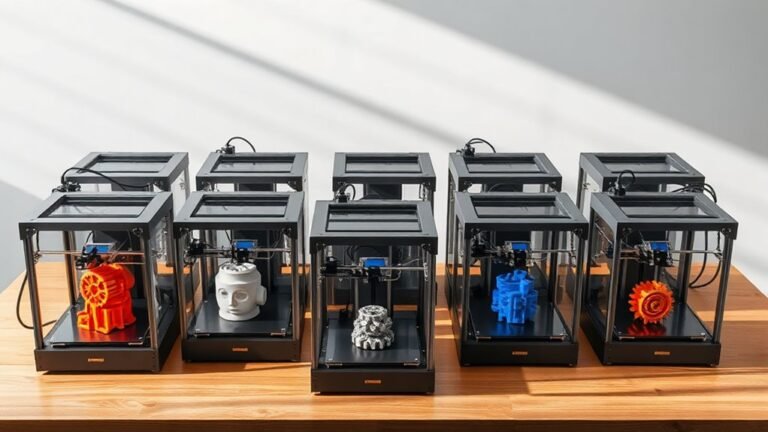
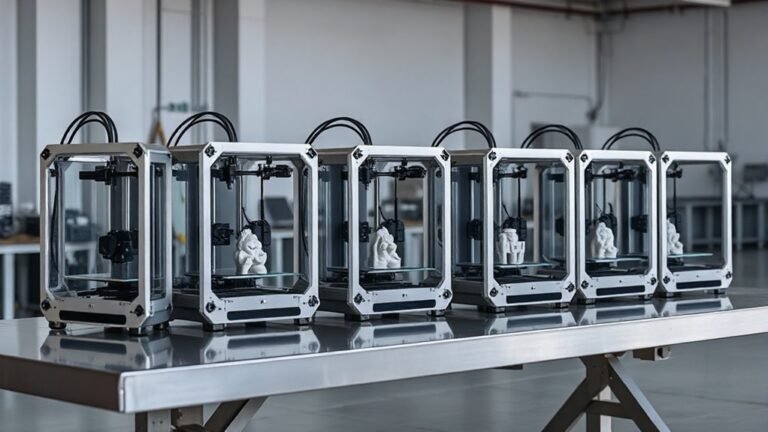
You’ll find beginner-friendly 3D printers like the FLASHFORGE AD5X and Anycubic Kobra X that support multiple filaments and colors with fast, easy setup.
These models are perfect if you’re just starting out and want something that works right away without a steep learning curve.
Models such as the Bambu Lab P2S Combo and ELEGOO Centauri 2 offer smart calibration and AI monitoring for consistent quality.
They take a lot of the guesswork out of printing, so you can focus more on creating and less on troubleshooting.
These printers handle various materials and simplify maintenance with modular designs.
If you want to explore features, speeds, and user experiences that match your creative needs, there’s plenty more to discover.
Dive in and find the perfect beginner 3D printer that supports multiple filaments and colors for your projects!
| Image | Name | Editor's Rating | Price |
|---|---|---|---|

|
|
||

|
|
||

|
|
||

|
|
||

|
|
FLASHFORGE AD5X Multi-Material Multi-Color 3D Printer
- Build for Speed and Full-Color Printing: Bring your creative vision to life with vibrant and multicolored 3D prints in 4-colors. With speed of up to 600mm/s and...
- Seamless Printing, Precise Control: Full auto leveling sensor measures multiple points on the print bed to ensure consistent distance between nozzle and bed. As well as...
- Multi-Material and Multi-Color Capability: Intelligent Filament System (IFS) allows you to print in multiple colors and materials simultaneously. Among the wide selection...
- CoreXY Structure, Vibration Compensation: With its all-metal motion CoreXY structure offers highly rigid, reducing the risk of errors caused by vibration or mechanical...
- Compact Design, Space Saving: With its lightweight, modular design and intelligent filament system (IFS), Four spools of filament arranged side by side, AD5X offers...
Experience the freedom to create complex, colorful 3D prints with the FLASHFORGE AD5X Multi-Material Multi-Color 3D Printer. This printer removes the hassle of swapping filaments by printing up to four colors and materials at once. It solves the common problem of managing multiple materials, streamlining your workflow.
Its compact, modular design saves valuable space while making maintenance straightforward. The full-auto calibration system ensures every print starts perfectly aligned, reducing setup time and errors. Vibration compensation technology helps maintain precision, even at high speeds.
Built with an all-metal CoreXY frame, the AD5X offers stability and durability for consistent results. Speeds reaching up to 600mm/s let you complete projects faster without sacrificing quality. This printer supports diverse materials like PLA, TPU, and PETG, providing versatility for various applications.
While the build volume is moderate, this design balances size and functionality well. It requires some experience with advanced filaments like PLA-CF for best results. Weighing 22 pounds, it is sturdy but less portable for frequent moves.
Best for: Makers and professionals needing a reliable, multi-material 3D printer that combines speed, precision, and a space-saving design.
What We Like:
- Prints up to four colors and materials simultaneously with Intelligent Filament System (IFS)
- High-speed printing with precise layer alignment and vibration control
- Easy maintenance through full-auto calibration and modular design
- Durable all-metal CoreXY structure for stable, quality prints
Specification:
| Feature | Detail |
|---|---|
| Manufacturer | FLASHFORGE |
| Dimensions | Compact modular design |
| Weight | 22 lb (approx. 10 kg) |
| Supported Materials | PLA, TPU, PETG |
| Max Print Speed | Up to 600 mm/s |
| Color Capability | Up to 4 colors simultaneously |
Anycubic Kobra X Multicolor 3D Printer, Easy Setup, Native 4-Color
- 【 Newest Level - 19-Color with 4 ACE 2 Pro】Why settle for one color when you can have multicolor? The Kobra X comes born with 4 colors built-in. It is innovative 3D...
- 【 Savings 2X Time】Stop wasting hours and filament on purging! Kobra X impresora 3D reduces the filament and machine travel path by 81.25%, so 2X the Speed, and...
- 【Hardened Precision & High Speed 】 Equipped with a high-durability hardened steel nozzle and vibration compensation, the Kobra X ensures every layer remains smooth...
- 【Flawless First Layer with LeviQ 3.0】The LeviQ 3.0 and auto bed leveling system uses a 49-point calibration and advanced leveling algorithm to ensure 100% bed...
- 【Smart AI Monitoring & Large Model Library】APP remote control, features Spaghetti detection and foreign object detection. The innovative top-mount spool holder...

The Anycubic Kobra X Multicolor 3D printer transforms complex, multi-color printing into a simple, accessible process. Its native 4-color capability allows users to create vibrant projects without the usual hassle of manual filament changes. Expanding up to 19 colors with additional units gives you the flexibility to handle intricate designs with ease.
This printer’s fast 600mm/s speed, combined with an 81.25% travel reduction, significantly cuts print time, enabling quick project turnarounds. The LeviQ 3.0 auto bed leveling simplifies setup and maintenance, ensuring accurate first layers and reducing print failures. Smart AI technology continuously monitors prints to catch problems early, improving reliability.
Designed for creative users, the Kobra X supports various filament types and can print objects up to 260mm in size. Dual-band Wi-Fi connectivity lets you control and monitor your prints remotely, adding convenience to your workflow. While the 300℃ nozzle temperature may limit some specialty filaments, its overall design balances versatility and ease of use.
Best for: Creative beginners and hobbyists seeking efficient, multi-color 3D printing with smart features and straightforward setup.
What We Like:
- Native 4-color printing, expandable to 19 colors for detailed projects
- Fast printing speed with reduced travel time for efficiency
- LeviQ 3.0 auto bed leveling ensures reliable first layers
- Smart AI monitoring improves print success rates
- Dual-band Wi-Fi enables remote print management
Specification:
| Feature | Details |
|---|---|
| Manufacturer | Anycubic |
| Printing Technology | FDM (Fused Deposition Modeling) |
| Color Capability | Native 4-color, expandable to 19 colors |
| Max Nozzle Temperature | 300℃ |
| Max Print Speed | 600 mm/s |
| Print Volume | 260 × 260 × 260 mm |
| Connectivity | Dual-band Wi-Fi |
Bambu Lab P2S Combo, P2S 3D Printer & AMS 2 Pro, Multi-Color 3D Printing
- High-Speed Precision: The Bambu Lab P2S 3D printer prints up to 600 mm/s while maintaining exceptional accuracy. With the PMSM Servo Extruder and Active Flowrate...
- Ready to Print in 15 Minutes: Set up your P2S FDM 3D printer and start printing in just 15 minutes. With AI failure detection, quick-swap nozzles, and automatic...
- Effortless Multi-Color Printing: The AMS 2 Pro enables seamless multi-color/multi-material 3D printing. It features built-in filament drying at up to 65 °C, keeping...
- Smart Airflow for Any Filament: The Adaptive Airflow System automatically balances cooling and heat retention—keeping overhangs crisp with cool air, or maintaining a...
- Limitless Creativity, Seamless Workflow: Explore over one million 3D models on MakerWorld and bring them to life with a smooth, unified workflow using Bambu Studio, Bambu...
Experience the future of 3D printing with the Bambu Lab P2S Combo, designed to transform your creative workflow. This system solves the challenge of producing vibrant, multi-color prints without complex setups or interruptions. It delivers sharp, smooth layers and flawless corners at speeds reaching 600 mm/s, letting you complete projects faster and with precision.
Maintenance is simplified with features like automatic calibration and AI failure detection, reducing downtime and frustration. The built-in filament dryer keeps materials dry and ready, preventing clogs and print defects. Adaptive airflow manages cooling efficiently, while a controlled 50 °C chamber ensures consistent results for engineering-grade parts.
This combo is ideal for users who need fast, multi-material printing without sacrificing quality or ease of use. Its intuitive setup takes just 15 minutes, making it accessible to both beginners and professionals. Access to over a million models through MakerWorld enhances creative possibilities within a seamless Bambu Studio and Handy app workflow.
While the multi-color capability requires the full Combo system, its larger size may limit placement in small spaces. Released in 2026, long-term reliability is still being established.
Best for: professionals and hobbyists seeking precise, high-speed multi-material 3D printing with user-friendly operation.
What We Like:
- High-speed printing up to 600 mm/s with fine detail quality
- Seamless multi-color/multi-material printing powered by AMS 2 Pro
- Built-in filament drying system for reliable material handling
- AI-driven failure detection and automatic calibration for easy maintenance
Specification:
| Feature | Details |
|---|---|
| Manufacturer | Bambu Lab |
| Dimensions | Not specified |
| Weight | Not specified |
| Supported Materials | Multi-color/multi-material via AMS 2 Pro |
| Chamber Temperature | 50 °C |
ELEGOO Centauri 2 Combo 3D Printer, Beginner-Friendly Multicolor Printing
- 4-Color Printing with CANVAS: Create vibrant multi-color models effortlessly with CANVAS 4-color printing. Independent motors, instant color switching, RFID filament...
- Start Printing with Confidence: Full auto calibration and smart pre-print checks simplify setup, while 22 intelligent sensors monitor every print in real time. From first...
- Designed for Speed: Experience faster creation with a high-speed CoreXY system reaching up to 500mm/s and 20,000mm/s² acceleration. The rigid aluminum frame and...
- Smoother, Sharper, Smarter: From the first layer to the final detail, intelligent calibration, vibration compensation, and precise extrusion control help produce clean...
- A Seamless Workflow from Idea to Print: Simplify your entire workflow with the ELEGOO ecosystem. Discover ready-to-print models on Nexprint, prepare projects with...
The ELEGOO Centauri 2 Combo offers a seamless way to bring multicolor 3D printing to your creative projects. Designed for beginners, it simplifies complex workflows with its intuitive CANVAS software and RFID filament recognition, eliminating guesswork in color management.
Its high-speed CoreXY system ensures fast and precise printing, while intelligent calibration and 22 sensors maintain consistent quality. The 4-color printing capability with independent motors allows you to create vibrant, detailed models without hassle.
Maintenance is straightforward, featuring a magnetic printhead cover and nozzle wiper that reduce downtime. Setup is quick thanks to full auto calibration and a responsive 5-inch touchscreen, making it easy to get started and stay productive.
Though it weighs 33 pounds, requiring a dedicated workspace, the printer’s remote management through the ELEGOO Matrix app adds convenience for ongoing project control. This combination makes multicolor printing accessible and reliable for users ready to expand their 3D printing skills.
Best for: Beginners and hobbyists seeking an easy-to-use 3D printer that delivers advanced multicolor printing with smooth workflow integration.
What We Like:
- 4-color printing with independent motors and RFID filament recognition for easy multicolor use
- High-speed CoreXY mechanism with intelligent calibration and 22 sensors for consistent precision
- User-friendly setup with full auto calibration and a 5-inch touchscreen
- Hassle-free maintenance featuring magnetic printhead cover and nozzle wiper
- Remote project management via ELEGOO Matrix app
Specification:
| Feature | Details |
|---|---|
| Manufacturer | ELEGOO |
| Dimensions | Not specified |
| Weight | 33 pounds (15 kg) |
| Printing Technology | Multicolor 3D printing |
| Color Printing | 4-color, independent motors |
| Software | CANVAS |
| Touchscreen | 5-inch |
| Connectivity | ELEGOO Matrix app (remote control) |
Anycubic Kobra X Multicolor 3D Printer, Easy One-Click Printing
- 【Vivid 19-Color and Versatile Materials】Unleash creativity beyond limits. The Kobra X supports 4-color standard and expands up to 19 colors with 4 ACE 2 Pro for...
- 【600mm/s High Speed Performance】Don't let slow speeds limit your creativity. This high-speed FDM 3D printer reaches up to 600mm/s, completing tasks significantly...
- 【True Plug & Play Experience】Start your first project in as little as 15 minutes. The Kobra X arrives with a user-friendly setup and LeviQ 3.0 automatic bed leveling...
- 【LeviQ 3.0 Perfect First Layer】Forget the frustration of manual bed leveling that plagues beginner machines. The LeviQ 3.0 system utilizes 49-point full-auto leveling...
- 【Quiet & Reliable for Home】The ultra-quiet ≤48 dB operation ensures the living or learning space remains peaceful. Combined with power loss recovery and filament...
Discover the ease of multi-material 3D printing with the Anycubic Kobra X Multicolor. This printer simplifies complex projects by offering an intuitive one-click setup that gets you printing quickly. It allows up to four colors at once, expandable to 19 with the ACE 2 Pro, so you can create vibrant, detailed models without hassle.
Designed for speed and precision, the Kobra X reaches up to 600mm/s, making it ideal for both rapid prototyping and intricate designs. Its LeviQ 3.0 automatic bed leveling ensures consistent print quality and reduces time spent on manual adjustments. Quiet operation enhances your workspace comfort during long print runs.
Maintenance is straightforward thanks to features like power loss recovery and filament sensors. These help avoid failed prints and material waste. The printer’s 260mm build volume and hardened steel nozzle accommodate a wide range of materials, including TPU, PLA, PETG, and ASA, supporting diverse creative and professional applications.
While expanding to multi-color printing requires additional hardware, the Kobra X balances ease of use with advanced functionality. It’s a versatile machine that fits well in both maker spaces and professional studios.
Best for: Creators and professionals seeking fast, multi-material 3D printing with simple setup and reliable results.
What We Like:
- Supports up to 4 colors, expandable to 19 with ACE 2 Pro
- High-speed printing up to 600mm/s with automatic bed leveling
- Reliable power loss recovery and filament monitoring
- Quiet operation for a better workspace environment
- Compatible with multiple materials for versatile printing
Specification:
| Feature | Details |
|---|---|
| Manufacturer | Anycubic |
| Build Volume | 260 x 260 x 260 mm |
| Max Print Speed | 600 mm/s |
| Supported Materials | TPU, PLA, PETG, ASA |
| Color Options | Up to 4 colors (expandable) |
| Nozzle Material | Hardened steel |
Entina Tina2C Mini 3D Printer Starter Bundle

- Complete Starter Bundle with 1kg PLA: Includes four 250g rolls of PLA filament in different colors. Start creating colorful toys, decorations, and DIY projects without...
- Fully Assembled & Ready in 5 Minutes: No complicated assembly required. The Tina2C mini 3D printer comes ready for guided setup through the Poloprint Cloud app, helping...
- 3500+ Models, New Designs Added Daily: Explore over 3500 printable models and 25+ DIY modules through the app. Discover fresh creative projects and hands-on STEM...
- Auto Leveling & Power-Loss Recovery: Automatic bed leveling improves first-layer setup and reduces manual adjustments. Power-loss recovery helps resume interrupted...
- Magnetic Build Plate & Quick-Swap Nozzle: The flexible magnetic plate helps release finished prints with a gentle bend, while the quick-swap nozzle design makes routine...
The Entina Tina2C Mini 3D Printer Starter Bundle offers a straightforward way to dive into 3D printing. Designed especially for kids and beginners, it arrives fully assembled, allowing setup in just five minutes through the Poloprint Cloud app. This quick start eliminates common frustrations and helps users begin creating immediately.
Maintenance is simple thanks to its magnetic build plate and quick-swap nozzle system. Auto leveling and power-loss recovery features reduce errors and downtime, making printing more reliable. These thoughtful design elements ensure users spend less time troubleshooting and more time printing.
Connectivity is flexible with 2.4GHz WiFi or offline printing via a TF card, compatible with popular software like Cura and Simplify3D. Its quiet operation and included 1kg of multi-color PLA filament support a smooth creative process. The 3.9-inch build volume suits small projects, ideal for educational settings and STEM learning.
While it lacks advanced features and larger build capacity, the Tina2C Mini excels as an accessible and user-friendly tool for early learners exploring 3D design and printing.
Best for: Kids and beginners seeking an easy-to-use, ready-to-print 3D printer with educational support and hassle-free maintenance.
What We Like:
- Fully assembled with quick 5-minute setup via Poloprint Cloud app
- Auto leveling and power-loss recovery enhance print reliability
- Magnetic build plate and quick-swap nozzle simplify maintenance
- Includes 1kg multi-color PLA filament and access to model library
- Quiet operation supports a distraction-free environment
Specification:
| Feature | Details |
|---|---|
| Manufacturer | Entina |
| Build Volume | 3.9 x 3.9 x 3.9 inches |
| Connectivity | 2.4GHz WiFi, TF card |
| Included Filament | 1kg multi-color PLA |
| Setup Time | Approximately 5 minutes |
| Software Compatible | Cura, Simplify3D |
Creality SPARKX i7 Nano Combo 3D Printer

- 𝐌𝐮𝐥𝐭𝐢-𝐜𝐨𝐥𝐨𝐫 𝐏𝐫𝐢𝐧𝐭𝐢𝐧𝐠: Supports automatic filament switching for up to 4 colors, no frequent manual...
- 𝐋𝐚𝐫𝐠𝐞 𝟐𝟔𝟎×𝟐𝟔𝟎×𝟐𝟓𝟓𝐦𝐦 𝐁𝐮𝐢𝐥𝐝 𝐒𝐢𝐳𝐞: Break free from size restrictions to complete diverse...
- 𝐂𝐨𝐦𝐩𝐚𝐜𝐭 𝐒𝐩𝐚𝐜𝐞‑𝐒𝐚𝐯𝐢𝐧𝐠 𝐃𝐞𝐬𝐢𝐠𝐧: Features a tiny footprint for easy desk placement. Optimized...
- ...
- 𝐄𝐦𝐩𝐭𝐲 𝐑𝐮𝐧 𝐃𝐞𝐭𝐞𝐜𝐭𝐢𝐨𝐧: Real‑time filament monitoring on all channels. Automatically halts printing upon detecting...
The Creality SPARKX i7 Nano Combo transforms multi-color 3D printing into a smooth and hassle-free experience. Its automatic filament switching supports up to four colors, eliminating the need for manual spool changes and saving you valuable time. This feature helps you focus on creativity rather than printer management.
With a generous build volume of 260×260×255 mm, it handles a variety of projects, from intricate miniatures to larger models. The printer’s auto filament refill system works seamlessly with real-time monitoring to switch to backup spools, preventing print interruptions and ensuring consistent results.
Designed to fit comfortably on your desk, the compact yet stable frame provides reliable performance without occupying too much space. Maintenance is simplified through features like empty run detection and automatic feeding, which reduce the risk of failed prints and minimize downtime.
Though it weighs 21.4 pounds, making it less portable, the SPARKX i7 Nano Combo excels in delivering dependable multi-color prints with minimal fuss. Its future availability date means it may not be immediately accessible but offers advanced convenience when available.
Best for: hobbyists and professionals who need a dependable multi-color 3D printer with smart filament management for diverse and detailed projects.
What We Like:
- Automatic filament switching for up to 4 colors reduces manual intervention
- Large build volume supports various project sizes
- Auto filament refill and empty run detection minimize print failures
- Compact, stable design fits easily on workspaces
Specification:
| Feature | Details |
|---|---|
| Manufacturer | Creality |
| Build Volume | 260 × 260 × 255 mm |
| Weight | 21.4 lb (9.7 kg) |
| Color Options | Not specified |
| Filament Colors | Supports up to 4 colors |
Creality K2 Combo 3D Printer with Auto Leveling

- Multicolor 3D Printing: 4 × CFS for up to 16 colors. By hooking up as many as four CFS units together, you are able to print in the splendor of 16 colors. Saves the need...
- Ultra Quiet Printing: Silent Mode for a quieter printing experience. Annoyed by the buzzing noise? Not K2. By adopting step-servo motors and dynamically balanced fans. It...
- Out-of-the-Box Experience: Pre-assembled for plug and play. You can use K2 right after unpacking and screen installation. Unlocks a wider selection of materials...
- Smart Auto Leveling & AI Camera: Faster leveling of only the target print area. The leveling sensor only probes and levels the bed area relevant to the desired print...
- Superior Print Quality: Sturdy frame and precise step-servo motor system. K2 uses 3 step-servo motors, both in the extruder and on the X/Y axis. They can adjust torque...
The Creality K2 Combo 3D Printer transforms the way you create multicolor prints with ease and precision. Its smart auto leveling focuses only on the relevant print area, simplifying setup and ensuring consistent accuracy every time. This means less time adjusting and more time printing high-quality models.
Designed for vibrant, multi-hued projects, the printer supports up to 16 colors through 4 CFS units. You can achieve rich, detailed prints without any need for painting afterward. The next-gen direct drive extruder delivers smooth and steady filament flow, minimizing print defects.
Maintenance is straightforward thanks to its 95% pre-assembled design, letting you start printing almost immediately. The built-in AI camera monitors your prints in real-time, catching errors early to reduce wasted materials and effort. Its ultra-quiet operation suits busy workspaces without distraction.
Though it weighs 61.9 pounds and offers a 260 x 260 x 260 mm build volume, this printer balances size and functionality well for most personal or professional projects. Advanced features may take some getting used to, but they enhance print quality and reliability.
Best for: Hobbyists and professionals seeking a versatile, multicolor 3D printer with precise, quiet, and efficient performance right out of the box.
What We Like:
- Supports up to 16 colors with 4 CFS units for rich, multicolor printing
- Smart auto leveling reduces setup time and improves accuracy
- AI camera enables real-time print monitoring and error detection
- Ultra-quiet with dynamic step-servo motors for minimal noise
- 95% pre-assembled for easy setup and immediate use
Specification:
| Feature | Details |
|---|---|
| Manufacturer | Creality |
| Build Volume | 260 x 260 x 260 mm |
| Weight | 61.9 lb (28.1 kg) |
| Color Support | Up to 16 colors with 4 CFS units |
| Assembly | 95% pre-assembled |
Creality SPARKX i7 Nano Combo Multi‑Color 3D Printer for Beginners

- Compact Multi-Color Printing for Every Workspace: The Creality SPARKX i7 Nano Combo combines a compact desktop design with intelligent multi-color printing, making it...
- Auto Feed & Retract for Simplified Printing: Load filament once and let the printer handle the rest. The intelligent Auto Feed & Retract system automatically loads and...
- Auto Refill for Longer Print Jobs: When a filament spool runs out, the Creality SPARKX i7 Nano Combo automatically switches to a backup spool to help keep long prints...
- Easy to Start with Auto Leveling & AI Monitoring: Automatic bed leveling helps simplify printer setup and improve first-layer consistency, while the built-in AI camera...
- Quick-Swap Modular Design: Tool-free replacement of the hotend, extruder, and cutter makes routine maintenance faster and easier, helping minimize downtime between...
Experience vibrant multi-color 3D printing with the Creality SPARKX i7 Nano Combo, designed for beginners who want hassle-free creativity. This compact desktop printer fits neatly in any workspace, from home offices to classrooms and studios, making it a versatile choice for various environments.
Its intelligent multi-color system streamlines the printing process by automatically feeding, retracting, and refilling filament. This reduces interruptions and keeps your projects moving smoothly. With printing speeds up to 500 mm/s, it balances efficiency with quiet operation.
Setup and maintenance are straightforward thanks to auto leveling and quick-swap modular parts. These features minimize downtime and let you focus on designing rather than troubleshooting. The AI-powered camera enables remote monitoring, so you can keep an eye on prints without staying by the machine.
While the printer’s compact size may limit maximum build volume compared to larger models, it offers a practical solution for small-scale multi-color projects. Its moderate weight provides stability but may reduce portability slightly.
Best for: Beginners and hobbyists seeking an easy-to-use, multi-color 3D printer suitable for home, classroom, or studio use.
What We Like:
- Intelligent multi-color printing with fast speeds up to 500 mm/s
- Automated filament management for uninterrupted printing
- Easy setup with auto leveling and remote AI camera monitoring
- Quick-swap modular parts for simple maintenance
Specification:
| Feature | Details |
|---|---|
| Manufacturer | Creality |
| Dimensions | Compact desktop size |
| Weight | 21.4 lb (9.7 kg) |
| Material | Not specified |
| Color Options | Not specified |
Snapmaker U1 3D Printer,4-Toolhead with 5s Toolchanger,Multi-Color Printing

- 【4-Toolhead System with 5-Second Tool Changer】 Powered by the SnapSwap system, Snapmaker U1 multi-color 3D printer features four independent toolheads with filaments...
- 【5X Faster Printing, 5X Less Waste】 Unlike traditional filament-changing systems, Snapmaker U1 3D printer swaps toolheads instead of repeatedly loading, unloading...
- 【True Multi-Material & Mixed-Material Printing】 Snapmaker U1 3D printer combines rigid and flexible materials, water-soluble supports, and engineering materials in a...
- 【Smart Calibration】 Automatic toolhead offset calibration, vibration compensation, fine-tuned extrusion, and perfect first-layer work together to deliver smooth...
- 【Easy to Use for Beginners & Professionals】 With a built-in model library, Snapmaker Orca — custom open-source slicing software, makes it easy to get started with...
The Snapmaker U1 3D Printer transforms complex projects into seamless creations. Its four-toolhead system and rapid 5-second tool changer reduce downtime, making multi-material and multi-color printing smooth and efficient. This system tackles the common problem of slow tool swaps and filament waste, so you can focus on creativity without interruption.
Designed for versatility, the Snapmaker U1 supports a wide range of materials from rigid PLA to flexible TPU. This flexibility enables you to produce detailed models, articulated parts, and even wearable items like flexible shoes. The printer’s automatic calibration and intuitive touchscreen simplify setup and ongoing maintenance, helping you avoid typical calibration frustrations.
The rigid CoreXY frame ensures stability and speed, reaching up to 500 mm/s within a 270 mm cube build volume. This balance of speed and precision suits both detailed prototypes and faster production runs. While the advanced multi-tool system may take some learning, it unlocks new possibilities for users ready to expand their 3D printing skills.
Best for: Creators seeking efficient, multi-material 3D printing with ease of use and reliable performance.
What We Like:
- Fast 5-second tool changes with SnapSwap reduce waste and downtime
- Supports diverse materials for versatile project options
- Easy maintenance with automatic calibration and touchscreen controls
- Stable and fast CoreXY design for precise printing
- Compact build volume fits most small to medium projects
Specification:
| Feature | Details |
|---|---|
| Manufacturer | Snapmaker |
| Dimensions | Not specified |
| Weight | Not specified |
| Build Volume | 270 x 270 x 270 mm |
| Toolheads | 4-toolhead with 5s changer |
| Print Speed | Up to 500 mm/s |
| Supported Materials | PLA, TPU, others |
| Interface | Touchscreen |
FLASHFORGE Creator 5 3D Printer, 4-Toolhead Multi-Color and Multi-Material

- 4 Independent Toolheads for True Multi-Color: Unlike traditional single-nozzle multi-color printers, the Creator 5 utilizes 4 independent toolheads to prevent color...
- 7-Second Swaps with Intelligent Preheating: Standard single-nozzle setups demand constant filament loading, unloading, and purging for every color change. The Creator...
- Up to 80% Less Filament Waste: Single-nozzle multi-color printing generates massive amounts of wasted "poop." The Creator 5's independent architecture completely bypasses...
- True Multi-Material & Clean Support Removal: Print PLA, PETG, TPU, PETG-CF and support materials in a single job. By allocating one toolhead exclusively to specialized...
- 600mm/s CoreXY Speed & Auto Calibration: Built upon a rigid CoreXY motion system with fully automatic calibration, the Creator 5 delivers stable high-speed printing up to...
The FLASHFORGE Creator 5 transforms 3D printing with its four independent toolheads, enabling vibrant multi-color and multi-material projects without the usual hassles of color mixing or nozzle clogging. Its quick 7-second tool changes with intelligent preheating help you switch materials smoothly, saving time and reducing frustration during complex prints.
This printer supports a variety of materials, including PLA, PETG, TPU, and specialized support filaments, all in a single print job. The dedicated support filament toolhead ensures clean removals and smooth surface finishes, cutting down post-processing work. You’ll also benefit from up to 80% less filament waste compared to single-nozzle printers, making your workflow more efficient and cost-effective.
Maintenance is straightforward with automatic calibration and active vibration compensation, which enhance print accuracy and reliability. The printer operates at speeds up to 600mm/s, balancing fast production with high-quality results. While its larger size might require more space, the robust build supports professional-grade projects with ease.
Best for: Professionals and enthusiasts who need versatile multi-color and multi-material 3D printing with efficient material use and minimal downtime.
What We Like:
- True multi-color printing with four independent toolheads
- Up to 80% reduction in filament waste
- Fast tool changes with intelligent preheating
- Automatic calibration and vibration compensation for precision
- Supports a wide range of materials in one print job
Specification:
| Feature | Details |
|---|---|
| Manufacturer | FLASHFORGE |
| Dimensions | Not specified |
| Weight | Not specified |
| Material Compatibility | PLA, PETG, TPU, support filaments |
| Max Print Speed | 600 mm/s |
Creality K2 SE 3D Printer Bundle with 74Pcs 3D Printing Tool Wrap Kit

- 【500mm/s High-Speed Fast Printing】Driven by a lightweight CoreXY motion system, the Creality K2 SE delivers up to 500mm/s high-speed printing with 20,000mm/s...
- 【Solid Metal Build—High Precision & Stable Printing】Featuring a die-cast aluminum alloy frame, corner gussets, and dual-side crossbeams, the K2 SE offers...
- 【Expandable Multicolor Printing—Compatible with Creality CFS】K2 SE is the upgrade of K1 SE 3d printer, the K2 SE is fully compatible with the Creality CFS...
- 【16 COLORS TO ENHANCE YOUR CREATIVITY】The Creality Filament System (CFS) has a connection hub on the back. By connecting up to four CFS units together, you can print...
- 【Professional Versatility & Wide Application】Disassemble, assemble, connect, grind, cut, cleaning, scrape, shovel.This 3D Printer Tool Wrap Kit Pro contains the tools...
Experience the power of the Creality K2 SE, designed to bring precision and speed to your 3D printing projects. Its high-speed CoreXY system cuts down print time while maintaining smooth, detailed results. This means you get quality prints faster, boosting your productivity.
The printer’s die-cast aluminum frame with crossbeams ensures stability during rapid movements, preventing wobble and print defects. Its design also simplifies maintenance, making upkeep straightforward and hassle-free.
For multicolor projects, the K2 SE supports up to four Creality CFS units, enabling automatic filament detection and seamless color transitions. This flexibility expands your creative possibilities without complicating the printing process.
This bundle includes a comprehensive 74-piece tool kit, equipping you with essential tools to maintain and optimize your printer. Whether you’re a beginner or a professional, this kit helps keep your workflow smooth and efficient.
Best for: Enthusiasts and professionals seeking fast, accurate, and versatile 3D printing with robust construction and an inclusive tool kit.
What We Like:
- High-speed CoreXY system with vibration sensor and input shaping for precise prints
- Durable aluminum alloy frame with crossbeams for enhanced stability
- Supports advanced multicolor printing with up to four Creality CFS units
- Comprehensive 74-piece tool kit included for maintenance and setup
Specification:
| Feature | Details |
|---|---|
| Manufacturer | Creality |
| Dimensions | Not specified |
| Weight | Not specified |
| Frame Material | Die-cast aluminum alloy |
| Color Options | Not specified |
Factors to Consider When Choosing a Beginner 3D Printer With Multiple Filaments
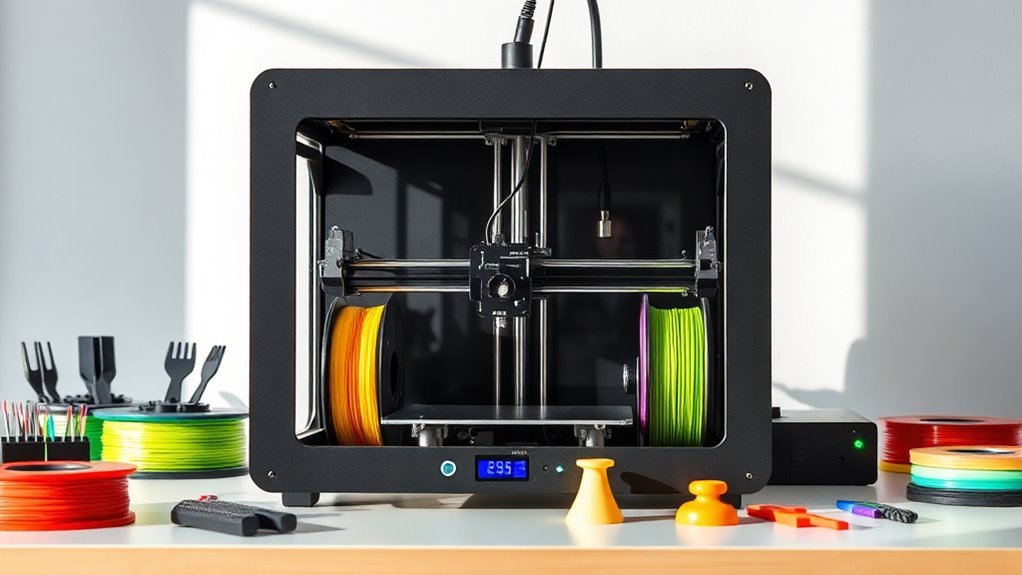
When choosing a beginner 3D printer that handles multiple filaments, you’ll want to check its filament compatibility range and how easy it is to set up.
Consistent print quality and reliable multi-material support are key to getting great results every time. Don’t forget to assess how simple the calibration and leveling process is to keep your prints on track.
Filament Compatibility Range
Anyone looking to immerse themselves in 3D printing will benefit from a printer that supports a broad range of filaments like PLA, PETG, TPU, and PVA. This gives you the flexibility to tackle various projects without feeling limited.
Choose a printer compatible with specialty filaments such as PLA-CF and PETG-CF to create stronger, more intricate designs. Also, make sure it handles temperatures up to 300°C. That way, you expand your material options and improve print quality.
Look for features like intelligent filament recognition and automatic switching. These help your printer manage multi-color and multi-material prints seamlessly.
Backup filament systems are also essential to prevent interruptions during long prints. Prioritizing filament compatibility guarantees your beginner 3D printer grows with your skills and creative ambitions without limiting your material choices.
Ease Of Setup
How quickly can you start printing with your new 3D printer? Choosing a model that’s 95% or fully pre-assembled means you’ll spend less time on setup and more on creating.
Look for features like auto bed leveling and guided setup, which simplify calibration and reduce frustration. A plug-and-play design lets you start printing within minutes of unpacking.
Intuitive interfaces or touchscreen controls make navigation easy, even if you’re new to 3D printing. Plus, printers that support remote monitoring or control via apps let you manage prints conveniently from your phone or tablet.
Prioritizing ease of setup guarantees you’ll enjoy a smooth start. This way, you can focus on learning and experimenting with multiple filaments without technical headaches.
Print Quality Consistency
Consistency plays a key role in achieving dependable print quality, especially when working with multiple filaments. You want sharp layer details and smooth finishes, no matter the colors or materials you use.
Look for printers with advanced calibration features like automatic bed leveling and vibration compensation—they cut down errors during printing. A rigid frame and sturdy motion system help minimize vibrations and flexing, which can ruin your prints, especially at higher speeds.
Speaking of speed, balancing it with detail is essential since pushing too fast can hurt accuracy. Intelligent filament systems also boost consistency by adjusting settings automatically based on the material, ensuring ideal extrusion and adhesion.
Keeping these factors in mind will help you get reliable results every time you print. It’s all about dialing in the details so your prints come out perfect, no matter what you’re making.
Multi-Material Printing Support
When you want to create more intricate and dynamic prints, multi-material printing support becomes essential. It lets you combine flexible and rigid materials like TPU and PLA in one go, expanding your creative possibilities.
Look for printers that handle a variety of filaments such as PETG and PVA, so you’re not limited in your projects. Intelligent filament systems that switch materials automatically reduce your workload and keep your prints running smoothly.
If you want multi-color prints, opt for models with independent toolheads to avoid color mixing and clogs. Quality multi-material printers often include automatic calibration and real-time monitoring, ensuring each layer prints accurately.
This support helps you achieve complex designs with less hassle and greater reliability. It’s definitely a game-changer for anyone looking to push their 3D printing creativity further.
Calibration And Leveling
Managing multiple filaments adds complexity that makes proper calibration and leveling more important than ever. You’ll want a printer with automatic calibration features like multi-point leveling, which keeps the nozzle distance consistent for flawless first layers.
Advanced auto leveling systems measure the bed surface at multiple points, correcting any unevenness to guarantee a perfectly flat print bed. Look for calibration algorithms that include vibration compensation—they help prevent layer shifts and improve print accuracy.
Some printers even offer intelligent pre-print checks to assess bed flatness and readiness, minimizing errors before printing starts. Remember, regular maintenance and recalibration are essential, especially when switching filament types.
This helps accommodate different thermal behaviors and maintain top print quality throughout your multi-filament projects.
Printing Speed And Efficiency
Speed and efficiency play an essential role when selecting a beginner 3D printer with multiple filaments. You’ll want a model that can reach speeds up to 600 mm/s to cut down your project times considerably.
Look for printers with automatic filament switching and reduced travel paths—they can slash filament use and machine movement by over 80%. High acceleration rates, like 20,000 mm/s², help speed up shifts between printing phases so your prints finish faster.
Advanced vibration compensation algorithms maintain print quality even at high speeds, ensuring your results stay sharp. Additionally, a reliable auto-leveling system can have you printing in as little as 15 minutes while keeping first-layer accuracy.
User Interface Simplicity
A simple user interface can make a huge difference for beginners diving into 3D printing with multiple filaments. You’ll want a printer with a touchscreen or an intuitive app that simplifies navigation, so you can start printing quickly without feeling overwhelmed.
Guided setup processes and pre-configured settings often let you begin printing in as little as 15 minutes. Automatic calibration features reduce the risk of errors by ensuring proper first-layer adhesion without manual tweaks.
Clear visual indicators like progress bars and alerts keep you informed about filament changes and print status. Plus, easy access to model libraries and integrated slicing software streamlines your workflow, so you can focus more on creativity and less on technical challenges.
Maintenance And Durability
When choosing a beginner 3D printer with multiple filaments, you want one that’s easy to maintain and built to last. Look for features like quick-swap nozzles and magnetic printhead covers—they simplify maintenance and cut downtime.
A sturdy frame made from die-cast aluminum alloy boosts durability and reduces flex during fast printing. Automated tools like intelligent calibration and real-time monitoring keep print quality high while minimizing manual tweaks.
Built-in sensors for filament run-out and break detection help prevent failed prints and save material. Also, pick a printer with regular software updates and an active support community to guarantee it stays reliable and performs well over time.
These factors together make your printing experience smoother and more consistent. It’s all about making your 3D printing journey easier and more enjoyable!
Frequently Asked Questions
How Do Multiple Filament Printers Handle Filament Jams?
Multiple filament printers detect jams using sensors and pause the print. You’ll be prompted to clear the blockage, then the printer resumes.
This helps prevent damage and guarantees smooth multi-material printing without wasting filament or time.
It’s pretty handy because it keeps your project on track without extra hassle. Just clear the jam and keep going!
Can I Use Third-Party Filaments With These Multi-Filament Printers?
Yes, you can use third-party filaments with multi-filament printers, but make sure they match the printer’s specifications. It’s important to check compatibility to avoid jams and ensure quality prints.
You don’t want to risk voiding your warranty either. So, a little extra caution goes a long way when choosing your filaments.
What Maintenance Is Required for Multi-Filament 3D Printers?
You’ll need to clean nozzles regularly and check filament paths for jams. Lubricate moving parts to keep everything running smoothly.
Also, don’t forget to update your firmware from time to time. Proper maintenance guarantees smooth multi-filament printing and extends your printer’s lifespan.
Are Multi-Filament Printers Compatible With Common 3D Modeling Software?
Yes, multi-filament printers are compatible with most common 3D modeling software. You just need to configure the software to assign different filaments to specific parts of your model before slicing and printing.
This makes your designs colorful and complex. It’s pretty straightforward once you get the hang of it!
How Does Print Speed Compare Between Single and Multi-Filament Printers?
Print speed between single and multi-filament printers isn’t a lightning race difference; you’ll notice multi-filament printers often slow down due to filament swapping.
But with smart tech, they’re getting faster without sacrificing quality, so you won’t wait forever.
Conclusion
Choosing your first multi-filament 3D printer doesn’t have to be a maze. With options like the FLASHFORGE AD5X or Anycubic Kobra X, you’re stepping into a world where creativity flows effortlessly.
These beginner-friendly machines gently guide you through your printing journey, making complex projects feel like a breeze. So, embrace the colorful possibilities ahead—your perfect printer is ready to turn your ideas into vibrant realities with ease and grace.
When searching for the best beginner 3D printers with multiple filaments, it’s all about finding a balance between ease of use and versatility. These models offer intuitive controls and reliable multi-material printing, making them ideal for newcomers eager to explore 3D printing. Whether you’re crafting prototypes, artistic pieces, or functional parts, these printers empower you to bring your imagination to life without hassle. Dive into the exciting world of 3D printing with confidence—your journey starts here, and the right multi-filament 3D printer will make every project a colorful success.