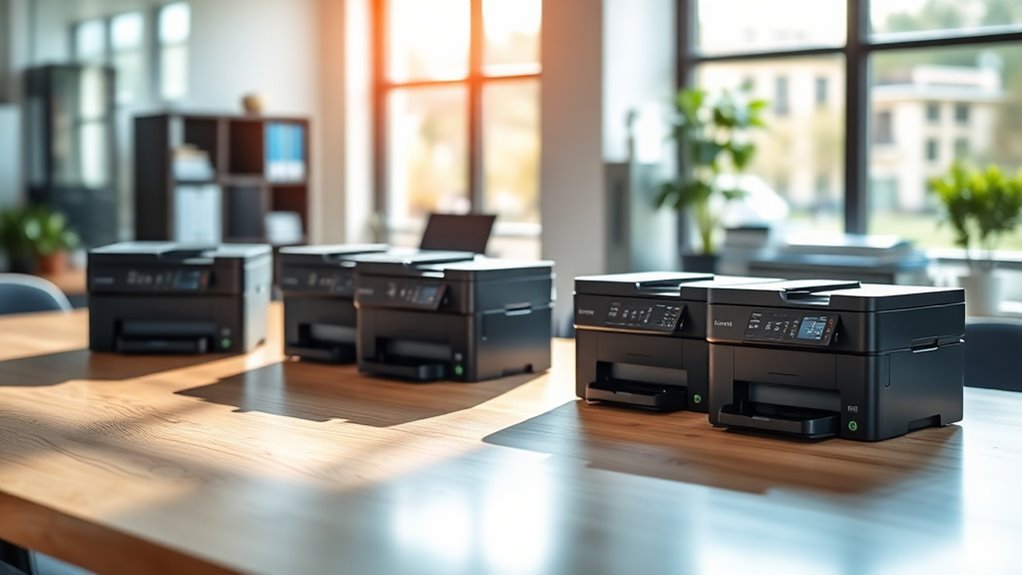
8 Best Black Office Printers for 2027
You’ll find top black office printers like the Brother DCP-L2640DW and HL-L2405W offer fast, reliable monochrome printing perfect for small offices. These models are built for efficiency, making sure your documents come out crisp and clear every time.
HP’s LaserJet Pro 3001dw and 3105sdw models deliver secure, high-speed output for teams. They’re great if you need both speed and security in your printing tasks, especially in busy work environments.
For all-in-one needs, the Canon PIXMA TR8620a and TR4720 combine versatility with quality. These printers handle everything from scanning to copying, making them ideal for multitasking in the office.
The HP OfficeJet Pro 8125 brings vibrant color when needed. It’s perfect if you want to switch between black-and-white and color printing without hassle.
Each printer suits different workstyles and volumes, so you can explore their specifics to pinpoint what fits your workspace best. Whether you prioritize speed, versatility, or color, there’s a black office printer ready to meet your needs.
| Image | Name | Editor's Rating | Price |
|---|---|---|---|

|
|
||

|
|
||

|
|
||

|
|
||

|
|
Brother DCP-L2640DW Wireless Monochrome Printer
- BEST FOR SMALL BUSINESSES – Engineered for extraordinary productivity, the Brother DCP-L2640DW Monochrome (Black & White) 3-in-1 combines laser printer, scanner, copier...
- FAST PRINTER WITH EFFICIENT SCANNING – Produces documents quickly with print speeds up to 36 ppm(2) and scan speeds up to 23.6/7.9 ipm(3) (black/color). A 50-page auto...
- FLEXIBLE CONNECTION OPTIONS – Easily navigate the changing demands of your business with secure multi-device connectivity via built-in dual-band wireless (2.4GHz...
- BROTHER MOBILE CONNECT APP – Print, scan, and manage your wireless printer anytime, from almost anywhere from your mobile device. Order Brother Genuine Supplies, track...
- CHOOSE BROTHER GENUINE TONER – When it’s time to replace your toner, be sure to choose Brother Genuine TN830 or TN830XL replacement toner. And with Refresh EZ Print...

The Brother DCP-L2640DW is designed to handle demanding black-and-white printing tasks with ease. Its wireless 3-in-1 functionality combines printing, copying, and scanning, making it a versatile solution for busy environments. This compact laser printer helps streamline workflows and reduces the hassle of managing multiple devices.
With print speeds reaching up to 36 pages per minute, you can complete large jobs quickly. The 50-page auto document feeder simplifies multitasking by allowing you to scan or copy multiple pages without constant supervision. Dual-band wireless and Ethernet connections ensure stable access from various devices.
Maintenance is straightforward thanks to its energy-efficient design. Automatic duplex printing cuts paper usage, which lowers operating costs. Its monochrome focus means it’s ideal for text-heavy documents but doesn’t support color printing. The 250-sheet paper tray balances capacity with space, though very high-volume users may need to refill more often.
Overall, this printer’s functionality and connectivity make it a practical choice for small offices or home workspaces, where reliable black-and-white output is essential.
Best for: small businesses and home offices needing a fast, reliable monochrome printer with wireless multifunction features.
What We Like:
- Fast print and copy speeds with quick first-page output
- Efficient 3-in-1 design with a 50-sheet automatic document feeder
- Energy-saving duplex printing and ENERGY STAR compliance
- Flexible connectivity via dual-band Wi-Fi and Ethernet
Specification:
| Feature | Details |
|---|---|
| Manufacturer | Brother |
| Dimensions | 14 x 14 x 7.2 inches |
| Weight | 15.4 lb (7 kg) |
| Color Options | White |
| Connectivity | Dual-band Wi-Fi, Ethernet |
Brother HL-L2405W Wireless Monochrome Laser Printer
- BEST FOR HOMES & HOME OFFICES – Engineered for consistent, premium print quality, the Brother HL-L2405W Monochrome (Black & White) Laser Printer delivers sharp, crisp...
- COMPACT, CONNECTED PRINTER – Flexible connection options make this an ideal printer for home use and at-home offices. Securely connect to multiple devices with built-in...
- BROTHER MOBILE CONNECT APP – Manage your printer remotely and print from your mobile device anytime, from almost anywhere. Order Brother Genuine Supplies, track toner...
- VERSATILE PAPER HANDLING – Enjoy seamless, reliable everyday printing with the 250-sheet paper tray(4) and a manual feed slot that enables printing on envelopes and...
- BROTHER IS AT YOUR SIDE – Backed by Brother with a 1-year limited warranty and free online, call, or live chat support for the life of your printer
Experience quick and dependable black-and-white printing with the Brother HL-L2405W. Designed for small offices or personal workspaces, this compact laser printer delivers crisp documents at speeds up to 30 pages per minute. Its sharp 1200 x 1200 dpi resolution ensures every printout is clear and professional.
The HL-L2405W offers dual-band wireless connectivity, making it easy to print from laptops, smartphones, or tablets via the Brother Mobile Connect app. Its straightforward setup and operation reduce downtime and simplify your workflow. The printer handles up to 250 sheets, helping you manage daily printing tasks efficiently.
Maintenance is simple with this lightweight device. It supports manual duplex printing, allowing you to save paper when needed. A dedicated envelope slot adds versatility by letting you print directly on envelopes without hassle. While it lacks scanning and copying functions, its focus on reliable printing makes it a practical choice.
Best for: small home offices or personal spaces needing fast, reliable monochrome printing with wireless convenience.
What We Like:
- Fast print speed of up to 30 pages per minute with sharp resolution
- Dual-band wireless connectivity with easy mobile printing
- Compact, lightweight design with manual duplex and envelope printing
Specification:
| Feature | Details |
|---|---|
| Manufacturer | Brother |
| Dimensions (W x D x H) | 14 x 14 x 7.2 inches (35.6 x 35.6 x 18.3 cm) |
| Weight | 15.4 lbs (7 kg) |
| Color Options | White |
HP OfficeJet Pro 8125 Wireless All-in-One Printer
- FROM AMERICA'S MOST TRUSTED PRINTER BRAND – The OfficeJet Pro 8125 is perfect for home offices printing professional-quality color documents like business documents...
- 3 MONTH TRIAL OF INSTANT INK INCLUDED – Subscribe to the Instant Ink delivery service to get ink delivered directly to your door before you run out, and you save up to...
- KEY FEATURES – Fast color printing, scan, copy, auto 2-sided printing, auto document feeder, and a 225-sheet input tray
- 2.7-INCH TOUCHSCREEN – Quickly navigate your printer with a large color touchscreen and a phone-like user interface
- WIRELESS PRINTING – Stay connected with our most reliable dual-band Wi-Fi, which automatically detects and resolves connection issues
The HP OfficeJet Pro 8125 Wireless All-in-One Printer is designed to streamline your printing tasks with reliable speed and quality. It delivers sharp black and vibrant color prints at 20 ppm and 10 ppm, helping you save time on everyday documents.
This printer supports automatic duplex printing, cutting down paper use while maintaining efficiency. Its 225-sheet tray accommodates various standard paper sizes, making it easy to handle typical home or small office needs without constant refills.
Scanning is straightforward with a flatbed scanner and a one-sided automatic document feeder (ADF). Connectivity options like dual-band Wi-Fi, Ethernet, USB, and Apple AirPrint ensure you can print from multiple devices seamlessly.
Maintenance is simplified with a touchscreen interface and the HP Smart app, allowing you to monitor ink levels and manage print jobs remotely. However, the printer requires original HP cartridges with specific chips, and firmware updates may limit third-party cartridge use.
Best for: Home users and small office professionals who need fast, high-quality color printing with versatile paper handling and convenient mobile connectivity.
What We Like:
- Fast print speeds with automatic duplexing
- Multiple connectivity options including dual-band Wi-Fi and Apple AirPrint
- Intuitive 2.7-inch touchscreen plus HP Smart app support
Specification:
| Feature | Details |
|---|---|
| Manufacturer | HP |
| Dimensions (W×D×H) | Approx. 17.2 × 14.9 × 7.6 in |
| Weight | Approx. 16.2 lb (7.35 kg) |
| Paper Capacity | 225-sheet input tray |
| Scanning | Flatbed + one-sided ADF |
| Connectivity | Dual-band Wi-Fi, Ethernet, USB, Apple AirPrint |
| Display | 2.7-inch color touchscreen |
Canon PIXMA TR8620a All-in-One Printer Black
- Never run out of ink. Connect your printer to Alexa and receive notifications when you’re running low. Alexa can even place a smart reorder from Amazon on your behalf...
- Enrolling in Smart Reorders with Alexa ensures that you never have too much or too little ink supplies. No subscription needed.
- Wireless 4-in-1 (Print | Copy | Scan | Fax)
- 15 / 10 ipm Print Speed
- 200 Sheet Capacity (100 Cassette, 100 Rear Feed)
Experience smooth productivity with the Canon PIXMA TR8620a All-in-One Printer. This versatile device handles printing, copying, scanning, and faxing, simplifying your busy home office tasks. Its auto document feeder and auto 2-sided printing reduce manual effort, saving you time on multi-page jobs.
Designed to keep pace with your workflow, it offers 15 ipm black and 10 ipm color print speeds and holds up to 200 sheets. While its moderate speed suits typical home or small office use, heavy printing demands may require frequent maintenance due to its 1,000-page duty cycle.
Wireless connectivity via AirPrint and Android support lets you print conveniently from multiple devices. Alexa integration adds smart control with voice commands for status updates and reordering supplies, enhancing ease of use. The printer’s sleek black design fits neatly into any workspace.
Being ENERGY STAR certified and EPEAT Silver rated, this model also supports eco-friendly printing practices without compromising performance. It is a practical choice for users looking for dependable functionality combined with environmental consideration.
Best for: Home office users and creative professionals needing a reliable, all-in-one printer with wireless features and eco-conscious design.
What We Like:
- Efficient multitasking with 4-in-1 functions and automatic document handling.
- Convenient wireless printing and voice control with Alexa integration.
- Environmentally responsible with ENERGY STAR and EPEAT Silver certifications.
Specification:
| Feature | Details |
|---|---|
| Manufacturer | Canon |
| Dimensions | Not specified |
| Weight | Not specified |
| Color | Black |
| Print Speed (Black) | 15 ipm |
| Print Speed (Color) | 10 ipm |
| Paper Capacity | 200 sheets |
| Duty Cycle | 1,000 pages |
HP LaserJet M234sdw Monochrome Laser Printer | All-in-One
No products found.
Experience efficient and reliable printing with the HP LaserJet M234sdw, designed to meet the demands of small teams. This monochrome laser printer delivers sharp black-and-white prints at speeds up to 30 pages per minute, helping you complete tasks quickly without compromising quality.
Its automatic duplex printing and 40-page automatic document feeder simplify multi-page jobs, reducing manual effort and saving time. The printer supports various media sizes up to legal (8.5 x 14 inches), making it versatile for different document types.
Connectivity is seamless with dual-band Wi-Fi, Ethernet, and USB options. You can also print from mobile devices using the HP Smart app, enhancing convenience in busy office environments. The compact design fits easily into small office spaces without sacrificing performance.
Maintenance is straightforward, although the 150-sheet maximum input capacity may require regular refills in high-volume settings. Built-in security features protect sensitive data, and the Energy Star certification ensures energy-efficient operation.
Best for: Small teams of 1–5 users needing a fast, secure, and versatile monochrome laser printer for everyday office printing.
What We Like:
- Fast print speed with automatic duplex and 40-page ADF
- Multiple connectivity options including mobile printing
- Built-in security and energy-efficient design
Specification:
| Feature | Details |
|---|---|
| Manufacturer | HP |
| Dimensions (W×D×H) | Not specified |
| Weight | Not specified |
| Print Speed | Up to 30 ppm |
| Resolution | 600 x 600 dpi |
| Media Size | Up to legal (8.5 x 14 in) |
| Input Capacity | 150 sheets |
| Connectivity | Dual-band Wi-Fi, Ethernet, USB |
| Additional Features | Auto duplex, 40-page ADF |
Canon PIXMA TR4720 Wireless All-in-One Printer
- Wireless 4-in-1 (print | copy | scan | fax)..Power Consumption: 7W (0.8W Standby / 0.3W Off)
- Print speed up to: 4" x 6" Borderless Photo (PP-201): Approx. 65.0 Seconds / Black Document (Letter/Simplex): Approx. 8.8 ipm / Color Document (Letter/Simplex): Approx...
- Designed for easy ink cartridge installation and replacement.
- Auto 2-sided printing and auto document feeder.
- Produce quality documents, photos and boarderless prints up to 8.5" x 11".
The Canon PIXMA TR4720 offers a compact and versatile solution for wireless printing, copying, scanning, and faxing. Its design addresses common home and small office challenges by enabling easy duplex printing, which saves paper and time. You can control print jobs effortlessly through a mobile app or voice commands via Alexa, simplifying your workflow.
Maintenance is straightforward with the PIXMA Print Plan, helping you manage ink costs without hassle. The printer’s 100-sheet front tray and auto document feeder support higher productivity by handling multiple pages efficiently.
Designed for sharp black text and vibrant color prints up to 4800 x 1200 dpi, it delivers quality output for documents and photos alike. Borderless photo printing allows for creative projects without the distraction of margins. Lightweight and ENERGY STAR certified, it balances performance with energy efficiency.
While its moderate print speed and single USB port may limit heavy or multi-device use, the PIXMA TR4720 remains a practical choice for everyday printing needs.
Best for: users seeking an all-in-one wireless printer that combines versatile printing features with easy maintenance for home or small office use.
What We Like:
- Automatic two-sided printing reduces paper waste and effort
- Wireless control via mobile app and Alexa integration
- High-resolution prints with vibrant colors and borderless photo capability
- 100-sheet front paper tray and auto document feeder enhance productivity
Specification:
| Feature | Details |
|---|---|
| Manufacturer | Canon |
| Dimensions | Compact design (exact dimensions not provided) |
| Weight | Lightweight (exact weight not provided) |
| Color | Black |
| Printing Resolution | Up to 4800 x 1200 dpi |
| Paper Tray Capacity | 100 sheets |
| Connectivity | Wireless, USB (single port) |
| Energy Certification | ENERGY STAR certified |
HP LaserJet Pro 3105sdw Monochrome Laser Printer | All-in-One
No products found.
The HP LaserJet Pro 3105sdw is designed to enhance productivity for small businesses and teams. It delivers crisp, professional black-and-white prints quickly, helping you meet tight deadlines without sacrificing quality.
This all-in-one device combines printing, copying, scanning, and faxing in one compact unit. Its fast print speeds and duplex printing reduce wait times and paper use, making daily tasks more efficient. Wireless connectivity options like Wi-Fi and Apple AirPrint keep your workflow flexible and clutter-free.
Maintenance is straightforward with a single 250-sheet tray and a requirement for genuine HP toner cartridges, ensuring consistent output but possibly increasing operating costs. The built-in AI features simplify managing scanned documents by creating smart email subjects and improving formatting automatically.
Security is a priority with HP Wolf Pro Security protecting sensitive data. Its sleek design fits easily into most workspaces and supports up to seven users, making it ideal for teams needing reliable, monochrome multifunction printing.
Best for: Small businesses and work teams of up to seven users needing fast, reliable, high-quality monochrome printing with multifunction capabilities.
What We Like:
- Fast printing up to 33 ppm with sharp 1200 x 1200 dpi resolution
- Multifunction capabilities: print, scan, copy, and fax in one device
- Duplex printing saves paper and time
- AI-powered document management for clean, professional output
- Strong data protection with HP Wolf Pro Security
Specification:
| Feature | Details |
|---|---|
| Manufacturer | HP |
| Dimensions (W×D×H) | Approx. 15.1 × 15.9 × 12.3 in (38.3 × 40.4 × 31.3 cm) |
| Weight | Approx. 20.5 lb (9.3 kg) |
| Color Options | Monochrome (black and white) |
| Paper Capacity | 250 sheets |
HP Laserjet Pro 3001dw Wireless Printer (3G65OF)

- FROM AMERICA'S MOST TRUSTED PRINTER BRAND – Perfect for small teams printing professional-quality black & white documents and reports plus auto 2-sided printing...
- SUPER-FAST PRINT SPEEDS – Up to 35 black-and-white pages per minute single-sided
- STAYS CONNECTED – Intelligent Wi-Fi looks for the best connection to stay online and ready to print
- PROTECTS YOUR DATA – Includes HP Wolf Pro Security with customizable settings so your printer and information are always secure
- PRINT FROM ANY DEVICE – Wireless printing from any mobile device, PC or tablet. Ethernet and Bluetooth included. Works with Microsoft, Mac, AirPrint, Android...
The HP LaserJet Pro 3001dw wireless printer is designed to enhance productivity for small teams. It delivers fast, reliable monochrome printing at up to 35 pages per minute, helping you meet tight deadlines without delay. Auto duplex printing reduces paper usage, making it both efficient and eco-friendly.
This printer supports print, copy, and scan functions with sharp 1200 x 1200 dpi resolution. Its versatile connectivity options, including Ethernet, Wi-Fi, Bluetooth, and USB, allow seamless printing from laptops, smartphones, or tablets. This flexibility helps streamline workflows across different devices.
Maintenance is straightforward with the Instant Ink subscription, ensuring toner is replenished automatically, so you never run out unexpectedly. The single 250-sheet tray fits most small office needs, although high-volume environments may require more frequent refills.
Security is a priority with HP Wolf Pro Security, protecting sensitive data and offering cloud-based management tools for hassle-free administration. The monochrome-only output suits offices focused on text-based documents without the need for color printing.
Best for: Small teams and offices that need fast, high-quality black-and-white printing with flexible connectivity and secure, easy maintenance.
What We Like:
- Fast printing speed of up to 35 ppm with automatic duplex for paper savings
- Multiple connectivity options including Wi-Fi, Bluetooth, Ethernet, and USB
- HP Wolf Pro Security provides robust data protection and cloud management
- Instant Ink subscription simplifies toner replacement and reduces downtime
Specification:
| Feature | Details |
|---|---|
| Manufacturer | HP |
| Model | LaserJet Pro 3001dw (3G65OF) |
| Print Speed | Up to 35 pages per minute |
| Print Resolution | 1200 x 1200 dpi |
| Connectivity | Ethernet, Wi-Fi, Bluetooth, USB |
| Input Capacity | 250 sheets |
| Color Output | Monochrome only |
| Dimensions (HxWxD) | 8.5 x 14.2 x 14.3 inches |
| Weight | 17.2 lbs (7.8 kg) |
Factors to Consider When Choosing a Black Office Printer
When choosing a black office printer, you’ll want to compare print speed and quality to match your needs. Consider connectivity options and whether duplex printing is essential for your workflow.
Don’t forget to check the paper handling capacity to avoid constant refills during busy days. It really makes a difference when you’re pressed for time.
Print Speed Comparison
Consider print speed carefully to guarantee your black office printer meets your workflow demands. Check the pages per minute (ppm) rating for black printing since it directly affects how fast large jobs finish.
Remember, advertised speeds usually reflect simplex (one-sided) printing; duplex jobs often take longer. Don’t overlook first-page-out time—it determines how quickly the printer starts, impacting responsiveness for short tasks.
If you’re eyeing a multifunction device, factor in scan and copy speeds too, as overall workflow depends on all functions. Keep in mind that real-world speeds can vary from specs due to print resolution, duplexing, network traffic, and document complexity.
Match these speed considerations to your typical job types for the best fit in your office. It’s all about finding the right balance for what you print most often.
Print Quality Standards
Print quality plays a vital role in choosing the right black office printer, especially if your documents demand sharp text and detailed graphics. You’ll want to check resolution specs—at least 600 x 600 dpi guarantees crisp monochrome prints, while 1200 x 1200 dpi suits higher-fidelity needs.
Don’t overlook how fast the printer maintains quality; faster speeds can sometimes reduce detail. Bit depth and rendering matter too—advanced halftone or smoothing algorithms deliver smoother grayscale gradients.
If you scan or copy documents, inspect scanner resolution separately, since low scan quality can hurt overall fidelity. Finally, consider toner, drum quality, and printing modes.
High-quality or genuine parts help maintain consistent print results and longer-lasting performance, so you get the sharpness and detail your office demands.
Connectivity Options Available
Although print quality is essential, connectivity options often determine how seamlessly your black office printer fits into your workflow. You’ll want dual-band Wi-Fi (2.4 GHz and 5 GHz) for flexible wireless printing. The 5 GHz band offers faster speeds and less interference, especially in busy networks.
Ethernet connections provide reliable, low-latency printing. This is ideal for shared office environments where consistent performance matters. USB 2.0 guarantees direct, high-speed connections for single computers or initial setup without network access.
Don’t overlook mobile and cloud printing via apps like AirPrint or Mopria. These let you print and scan from smartphones and tablets without installing drivers. Features like Wi-Fi Direct, Bluetooth, and PIN or pull secure-release support help you connect devices directly and control job release when security or network availability is a concern.
Duplex Printing Features
When you need to save paper and speed up your workflow, automatic duplex printing is a game changer. It prints on both sides without you having to flip pages, cutting paper use by up to 50%.
If your office handles high print volumes or has limited staff, automatic duplex can markedly boost efficiency compared to manual duplex, which slows you down. But keep in mind, duplex printing may run slower than single-sided jobs. So, check the printer’s two-sided print speed if speed matters to you.
Also, if you often scan or copy double-sided documents, make sure the printer supports duplex scanning or has an automatic document feeder with two-sided scanning. Finally, confirm the printer handles your preferred paper types and weights during duplex printing to avoid jams or quality issues.
Paper Handling Capacity
Besides duplex capabilities, you’ll want to pay close attention to paper handling capacity to keep your office running smoothly. Start by checking the input tray capacity—printers typically hold 100 to 250 sheets.
Choose one that matches your daily print volume to reduce frequent reloads. Also, consider the output tray size to prevent jams and mixed pages during large jobs.
If you scan or copy multi-page documents often, look for an automatic document feeder (ADF) with a capacity around 40 to 50 sheets. Confirm the printer supports your required media sizes and offers optional extra trays if you handle legal or ledger paper.
These features guarantee your printer can handle diverse tasks and maintain high throughput without slowing your workflow.
Maintenance And Consumables
Evaluate toner yield and cartridge options carefully to manage your printing costs effectively. Compare standard and high-yield cartridges to estimate cost-per-page and how often you’ll need replacements.
Check if the printer uses separate drum units or integrated drum-and-toner assemblies. Separate drums usually last longer but add occasional maintenance costs.
Look for features like automatic duplexing, toner-save modes, and adjustable print density to reduce toner and paper use. These little things can really help stretch your supplies.
Confirm the availability and price of genuine replacement consumables, and whether firmware or chip restrictions limit third-party cartridge use. It’s important to know this upfront to avoid surprises later.
Finally, consider maintenance needs like cleaning intervals, ADF servicing, and the lifespan of parts such as rollers and fusers. This helps you budget for periodic upkeep and avoid unexpected downtime in your office.
Energy Efficiency Ratings
Managing your printer’s maintenance and consumables goes hand in hand with keeping energy costs low. Start by choosing a model with ENERGY STAR certification, ensuring it meets strict EPA energy-efficiency standards.
Also, check for EPEAT Silver or Gold registration to confirm broader environmental performance. Compare typical and maximum power consumption, including sleep and standby watts, to understand ongoing energy use.
Look for printers with automatic duplexing and toner-save modes, as these features cut paper and toner waste, reducing overall energy per page. Don’t forget to review the manufacturer’s Typical Electricity Consumption (TEC) or annual kWh estimates to gauge yearly energy costs.
Prioritizing these ratings helps you pick a black office printer that’s both eco-friendly and budget-conscious, making your office greener and more efficient. It’s really a smart way to save money and the planet at the same time.
Device Size And Weight
When choosing a black office printer, you’ll want to take into account its size and weight carefully to make certain it fits your workspace and meets your mobility needs. Measure your desk or shelf space, comparing it to the printer’s footprint and height, which can range from compact (~7–17 inches tall) to larger multifunction models (~12–13 inches deep).
Don’t forget to allow extra clearance for paper trays, output access, and document feeders. Consider weight too: lighter printers (~12–16 lbs) are easy to move, while heavier multifunction units (~19–25 lbs) need a stable surface.
If you plan to relocate the printer often, check if it has handles or a compact design. For multi-user offices, balance footprint size with capacity needs to optimize space and flexibility.
Frequently Asked Questions
What Is the Environmental Impact of Black Office Printers?
You’ll find black office printers consume energy and produce waste from cartridges and paper. Choosing energy-efficient models and recycling supplies helps reduce their environmental impact.
This way, you’re saving resources and minimizing pollution in your office routine. It’s a simple step that makes a big difference!
How Do Printer Warranties Typically Work?
Warranties generally offer a safety net, covering repairs or replacements if your printer misbehaves within a set period.
You’ll just need to follow the steps, like providing proof of purchase, to claim your coverage.
It’s pretty straightforward once you know what to do. Just keep your receipt handy, and you’re good to go!
Can Black Office Printers Handle Photo Printing?
Yes, black office printers can handle photo printing, but their quality varies.
If you want vibrant, detailed photos, you’ll need a printer designed for photo output. Standard office models focus more on text and document clarity, so they might not give you the best photo results.
What Are the Best Paper Types for Black Laser Printers?
For flawless, fine finishes, you’ll want to pick plain paper, premium photo paper, or heavyweight cardstock. These papers prevent smudges and support sharp, solid prints.
This way, your black laser printer performs perfectly every time you print. It’s all about choosing the right paper to get the best results.
How Often Should Printer Maintenance Be Performed?
You should perform printer maintenance every three to six months, depending on usage. Regular cleaning, replacing toner cartridges, and checking for jams will keep your printer running smoothly and extend its lifespan.
Don’t skip these tasks! They really help avoid bigger problems down the road. Just a little upkeep goes a long way.
Conclusion
Choosing your champion black office printer comes down to durability, design, and dependable delivery. Whether you want wireless wonders or all-in-one advantages, these top-tier tools tackle tasks with terrific tenacity.
Don’t delay—decide diligently, discover distinct features, and drive your daily duties with devices designed to dominate. With smart selections, you’ll streamline your setup, save space, and secure seamless printing success.
Picking the best black office printer means considering what fits your workflow perfectly. From speedy printing to sharp quality, the right printer can really boost your office efficiency. So, take a moment to explore these reliable options, and you’ll find a durable, easy-to-use printer that meets your demands.
In the end, choosing a black office printer for 2027 is about balancing performance, features, and value. Make your decision wisely, and enjoy a smoother, more productive office experience with a printer built to handle all your daily printing needs.