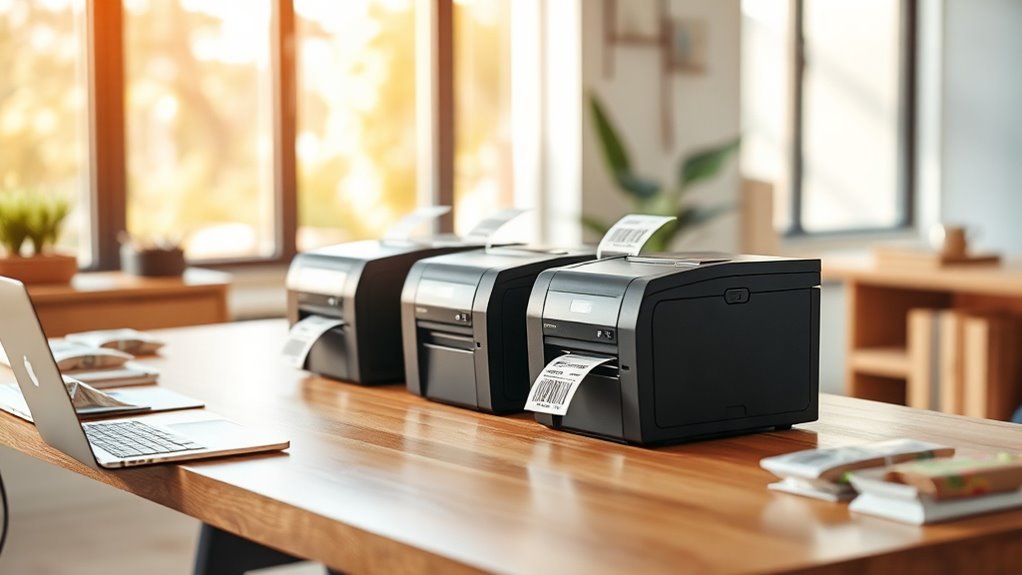
5 Best Barcode Printers for Small Business Success in 2027
If you want reliable barcode printing for your small business in 2027, choosing the right barcode printer can make all the difference. Compact and efficient models are perfect for keeping your workflow smooth without taking up too much space.
Consider options like the CLABEL 221D, which is great for mobile Bluetooth use. Or check out the versatile iDPRT SP310 that handles 1″–3.35″ labels and connects easily via USB.
The Thermal Shipping Label Printer 4×6 offers fast Bluetooth label printing. Meanwhile, the Rollo USB printer is ideal for heavy desktop use where speed and reliability matter most.
Rongta’s Bluetooth 4×6 model strikes a nice balance between speed and portability. Keep exploring these choices to find the perfect fit based on your printing needs and workspace. Your small business deserves a printer that works as hard as you do!
| Image | Name | Editor's Rating | Price |
|---|---|---|---|

|
|
||

|
|
||
|
|
CLABEL 221D 2″ Bluetooth Barcode Label Printer for Small Business
No products found.
The CLABEL 221D Bluetooth Barcode Label Printer is designed to simplify your labeling tasks. Its compact, wireless design lets you print high-quality labels without the hassle of cables. Whether you need price tags, barcodes, or gift labels, this printer handles them with ease and clarity.
With a sharp 203 dpi resolution, the labels are crisp and easy to scan. The printer supports label widths from 25 to 50 mm, ideal for small product tags and inventory labels. You can connect via Bluetooth to iOS and Android devices or use USB for bulk printing on Windows, allowing flexible printing options.
Maintenance is straightforward thanks to its thermal printing technology, which requires no ink or toner. The lightweight build makes it portable, while the Clabel trade app offers customizable templates and batch printing to streamline your daily operations. This printer helps reduce time spent on labeling and improves organization.
Keep in mind, the CLABEL 221D only prints in black and white and supports small label sizes, so it’s not suitable for larger shipping labels or color needs. It also lacks direct compatibility with tablets or POS systems.
Best for: Small business owners and retailers needing a wireless, compact label printer for barcode and price tag creation.
What We Like:
- Wireless Bluetooth connectivity for easy printing from smartphones
- Fast print speed of up to 50 pages per minute with sharp 203 dpi output
- User-friendly Clabel trade app with customizable templates and batch printing options
Specification:
| Feature | Details |
|---|---|
| Manufacturer | CLABEL |
| Label Width Range | 25 – 50 mm |
| Print Resolution | 203 dpi |
| Connectivity | Bluetooth, USB |
| Print Speed | Up to 50 pages/minute |
| Color | Monochrome (black) |
| Dimensions | Not specified |
| Weight | Lightweight |
iDPRT SP310 Thermal Label Printer, Label Maker Fits 1″-3.35″ Width
No products found.
The iDPRT SP310 Thermal Label Printer offers a smart solution for small businesses needing flexible labeling. It handles label widths from 1″ up to 3.35″, allowing you to use standard, non-proprietary rolls. This versatility reduces supply costs while providing sharp, clear prints at a steady speed of 4 inches per second.
Designed for efficiency, the SP310 excels in environments requiring up to 100 copies per print run without delays. Its reliable USB connection ensures consistent performance, avoiding the dropouts common with wireless models. Compatible with Windows, macOS, Linux, ChromeOS, and Raspberry Pi, it integrates smoothly into various setups.
Maintenance is straightforward thanks to its compact and lightweight design, which includes smart calibration to reduce misprints. The free HereLabel software simplifies label creation and bulk printing, saving time and effort. Though it prints only in monochrome, this printer meets the needs of many office and retail labeling tasks.
Best for: Small businesses and office users who need a versatile, fast, and reliable thermal label printer compatible with multiple operating systems and third-party label rolls.
What We Like:
- Supports a wide range of label widths and non-proprietary rolls, cutting ongoing costs.
- Cross-platform compatibility with free software for easy label design and bulk printing.
- Fast print speed with smart calibration to minimize misprints.
- Stable USB connection ensures reliable, uninterrupted printing.
Specification:
| Feature | Details |
|---|---|
| Manufacturer | iDPRT |
| Label Width Range | 1″ to 3.35″ (2.54 to 8.5 cm) |
| Print Speed | 4 inches per second (10.16 cm/s) |
| Connectivity | USB |
| Compatibility | Windows, macOS, Linux, ChromeOS, Raspberry Pi |
| Weight | Lightweight (exact weight not specified) |
Thermal Shipping Label Printer 4×6 Bluetooth Label Maker for Small Business
- 【High‑Quality, Energy‑Efficient Thermal Printing】The NULLTONEX shipping label printer uses direct thermal technology, eliminating the need for ink or toner and...
- 【Bluetooth & USB Dual Connectivity】 Connect seamlessly to your phone, laptop or PC via Bluetooth or USB. Download the free app for quick Bluetooth pairing to create...
- 【User‑Friendly Operation】 Easy setup and a dedicated app offer 1,800+ customizable templates, 300+ fonts, and multiple editing tools for everything from daily home...
- 【Wide Compatibility with Popular Shipping Platforms】 Works seamlessly with major shipping carriers and e‑commerce platforms including Amazon, Shopify, Etsy, USPS...
- 【Durable, Compact & Ready to Use】 Featuring a special matte finish with reinforced coating and a space‑saving design that fits neatly on any desk. Built‑in...
Streamline your shipping tasks with the Thermal Shipping Label Printer 4×6 Bluetooth Label Maker, tailored for small businesses that demand quick, dependable label printing. This compact device prints sharp 4×6 labels at 203 dpi resolution, producing up to 72 labels per minute without the hassle of ink or toner. Its thermal printing technology significantly cuts down maintenance costs and downtime.
The printer supports both Bluetooth and USB connections, making it compatible with Windows, Mac, and mobile devices. It integrates seamlessly with popular e-commerce platforms like Amazon and Shopify. Managing and customizing labels is simple with its mobile app, which offers over 1,800 templates and works offline for uninterrupted productivity.
Designed for efficiency, this lightweight printer is perfect for businesses needing fast, professional labels. While it prints only monochrome labels and lacks duplex printing, its straightforward functionality ensures reliable performance. Note that the package label sheets count varies between 15 and 25, so check contents upon purchase.
Best for: Small businesses and entrepreneurs looking for a fast, cost-effective thermal label printer for shipping and e-commerce needs.
What We Like:
- Fast printing speed up to 72 labels per minute without ink or toner
- Dual connectivity with Bluetooth and USB for versatile device compatibility
- Mobile app with extensive templates and offline use enhances label customization
Specification:
| Feature | Details |
|---|---|
| Manufacturer | Not specified |
| Print Size | 4 x 6 inches |
| Print Resolution | 203 dpi |
| Connectivity | Bluetooth, USB |
| Compatible Devices | Windows, Mac, Mobile |
| Label Sheets per Pack | 15 or 25 (varies) |
| Color Options | Monochrome (black and white) |
| Weight | Lightweight (exact weight N/A) |
Rollo USB Shipping Label Printer – Commercial Grade 4×6 Thermal Printer
- ROLLO PRINTER: Rollo USB is compatible with both Windows (XP and newer) and Mac (10.9 and newer) with easy set up; Print shipping labels, warehouse labels, barcode...
- ROLLO SHIP: Our complimentary shipping app provides a streamlined and cost saving way to mail packages; Connect any ecommerce platform and gain access to exclusive...
- HIGH SPEED & HIGH SAVINGS: Stop buying ink and toner and start printing with advanced direct thermal technology at a speed of 150mm/s or one 4x6 label per second; Labels...
- CUSTOM LABEL MAKER: Our thermal label printer is also a custom label maker (labels from 1.57" to 4.1" width) making it ideal for more than shipping labels; Create from...
- VERSATILE COMPATIBILITY: Rollo thermal label printer is compatible with all major shipping platforms including Fedex, UPS, USPS, Rollo Ship Manager, ShipStation...
The Rollo USB Shipping Label Printer transforms the way small businesses handle shipping. Its fast, high-quality printing of 4×6 labels speeds up your workflow, cutting down wait times. Using direct thermal technology, it eliminates the need for ink, reducing maintenance and supply costs.
Designed for efficiency, this printer supports various label sizes and connects easily to your computer via USB. It works smoothly with major shipping services like FedEx, UPS, and Amazon, simplifying your label creation process. The included Rollo Ship app lets you customize labels and tap into exclusive shipping rates, streamlining your operations.
Maintenance is straightforward since it uses inkless printing, and its compact design fits neatly into busy workspaces. The printer holds up to 30 labels at a time, ideal for moderate shipping volumes. However, it only prints in black and requires a wired USB connection, which may limit some users.
With its balanced features, the Rollo USB Shipping Label Printer is a reliable tool for businesses seeking to improve shipping efficiency without complex setups.
Best for: Small businesses and e-commerce sellers who need fast, reliable, and high-quality thermal label printing for frequent shipping and inventory tasks.
What We Like:
- Rapid 4×6 label printing at about one label per second using inkless thermal technology
- Seamless integration with Windows and Mac via USB and compatibility with major shipping platforms
- Free Rollo Ship app for custom label creation and access to exclusive shipping rates
Specification:
| Feature | Details |
|---|---|
| Manufacturer | Rollo |
| Dimensions | Compact size (exact size not provided) |
| Weight | Not specified |
| Printing Technology | Direct thermal, inkless |
| Max Label Size | 4 x 6 inches |
| Connectivity | USB wired |
| Label Capacity | Up to 30 labels |
Rongta Bluetooth 4×6 Thermal Shipping Label Printer
- Wireless Bluetooth Connectivity for Flexible Use: The RONGTA RP425 Bluetooth thermal shipping label printer is fully compatible with iOS and Android phones/tablets...
- Automatic Label Identification: Rongta shipping label printer automatically detects, grabs, and feeds labels, eliminating manual adjustment hassle. It supports all direct...
- Easy Installation for Multiple Systems: The Windows and Mac driver software is available on Rongta official website for easy setup. Compatible with Windows 7 and newer...
- Compact and Portable Design: The Rongta thermal label printer features a space-saving compact build with dimensions of 10.2 x 7.4 x 5.3 inches, making it easy to store...
- High-Speed Printing Performance: Features fast printing speed of up to 150 mm/s with 203dpi resolution and thermal printing method, ensuring efficient label production...
Rongta’s Bluetooth 4×6 Thermal Shipping Label Printer (RP425) offers a practical solution for businesses needing quick, wireless label printing. Its compact design fits easily into small workspaces or on the go. You can print shipping labels directly from your phone, tablet, or laptop without complicated setups.
This printer supports standard 4×6-inch labels with clear 203 dpi resolution, producing sharp text and barcodes. It prints efficiently at speeds up to 150 mm/s, helping you keep up with busy shipping demands. The automatic label feeding and 100-sheet capacity reduce the need for frequent refills, streamlining your workflow.
Connectivity is flexible, with Bluetooth and USB Type-C options that work across iOS, Android, Windows, Mac, and Chrome OS. While setup might require some attention to drivers on certain systems, once connected, it runs smoothly. Maintenance is straightforward, mainly involving occasional label roll replacement.
The Rongta RP425 is ideal for small businesses and entrepreneurs seeking a reliable, portable label printer. Its design and functionality help improve shipping efficiency without clutter or complexity.
Best for: Small businesses and entrepreneurs needing a portable, fast, and wireless label printer compatible with multiple devices and operating systems.
What We Like:
- Wireless Bluetooth and USB Type-C connectivity for easy pairing
- Supports standard 4×6-inch shipping labels with clear 203 dpi printing
- Fast print speed up to 150 mm/s for efficient label production
- Compact and lightweight with automatic label feeding and 100-sheet capacity
Specification:
| Feature | Details |
|---|---|
| Manufacturer | Rongta |
| Dimensions | Compact, lightweight design |
| Supported Label Size | 4 x 6 inches |
| Print Resolution | 203 dpi |
| Print Speed | Up to 150 mm/s |
| Connectivity | Bluetooth, USB Type-C |
| Compatibility | iOS, Android, Windows, Mac, Chrome OS |
Factors to Consider When Choosing a Barcode Printer for Small Business
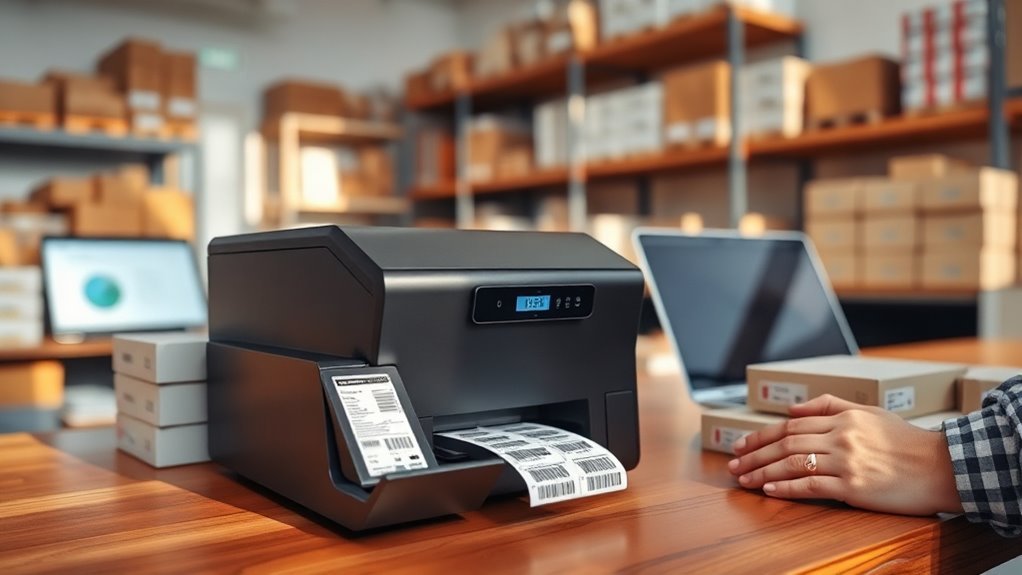
When choosing a barcode printer for your small business, you’ll want to take into account the printing technology type and whether it supports your label sizes. Make sure the printer offers the connectivity options you need and meets your required print speeds.
Don’t forget to check if the software and app support fits your workflow for smooth operation. It’s all about finding a printer that works seamlessly with how you run things, so you can keep everything moving without a hitch.
Printing Technology Types
Although choosing the right printing technology might seem complex, understanding the differences between direct thermal and thermal transfer printers helps you make an informed decision for your small business.
Direct thermal printers use heat-sensitive paper, eliminating the need for ink or ribbons. They’re low maintenance and cost-effective, perfect for short-term labels like shipping tags or shelf labels. However, these prints can fade when exposed to heat, light, or oils.
Thermal transfer printers use a heated ribbon to apply durable wax or resin-based ink, creating long-lasting labels resistant to abrasion, chemicals, and UV exposure. This makes them ideal for product identification or harsh environments. Keep in mind, thermal transfer involves higher consumable costs.
Also, consider print resolution: higher dpi means sharper barcodes, which are essential for tiny or dense labels. So, choose your technology based on your label lifespan and durability needs.
Label Size Compatibility
Picking the right barcode printer means making sure it can handle the label sizes you use most. Check the printer’s minimum and maximum printable widths and lengths to fit your common tags—some handle labels as narrow as 0.96″, others up to 4″ or more.
Match the printer to your primary needs; price tags require narrower widths than 4×6 shipping labels. Also, confirm the media handling limits, like roll versus sheet, core diameter, and capacity, so your label supply fits perfectly.
Make sure the printer’s sensor can detect your label type—gap, black mark, or continuous—to avoid misprints. Finally, consider future growth by choosing a printer that supports a wide range of label sizes, preventing costly upgrades as your business scales.
Connectivity Options Available
After confirming your barcode printer handles the label sizes you need, consider how it will connect to your devices. USB connections offer stable, fast links ideal for bulk desktop printing and are widely supported.
If multiple workstations need access, Ethernet lets you share the printer over a wired network. This ensures reliability and easier remote management.
Wi-Fi provides cable-free flexibility and mobile device access. But it does require network setup and may face interference.
Bluetooth is great for printing wirelessly from smartphones or tablets at the counter or on the go. Though, it can have pairing and range issues.
Legacy serial or parallel ports exist for older POS systems but deliver slower speeds. They also need specific drivers or adapters, making them less practical for modern setups.
Choose connectivity that matches your workflow and device ecosystem. It’ll make your printing experience smoother and more efficient.
Print Speed Requirements
Assess your print speed needs by estimating your peak and regular label volumes to make certain your barcode printer can keep up without causing delays. For most small businesses, speeds between 50–150 mm/s—about 1 to 3 labels per second for standard 4×6 shipping labels—strike a good balance for moderate to high output.
Remember, faster speeds cut wait times but might slightly reduce print quality on very detailed barcodes, so match speed with your readability needs. Decide if you require fast bursts of labels or consistent continuous printing, as printers often specialize in one mode.
Also, factor in workflow elements like label design time, cutter delays, and connectivity latency. Even a high-rated printer can slow down if your system bottlenecks elsewhere, so consider overall throughput, not just nominal print speed.
Software and App Support
How well your barcode printer integrates with software can make or break your label printing efficiency. You’ll want a printer that supports design and batch-printing software compatible with your operating systems—whether Windows, macOS, Linux, iOS, or Android.
Look for apps or drivers featuring built-in barcode libraries, variable data, and template saving to speed up repetitive jobs and reduce errors. Check whether the software is free, subscription-based, or requires paid upgrades, and confirm it includes bulk import, print preview, and automatic label size detection to cut waste.
Make sure it syncs with your ecommerce or warehouse platforms through CSV export or APIs, streamlining order-to-label workflows. Finally, prioritize apps offering remote printing, offline templates, and easy calibration so your team can print labels quickly without relying on IT support.
Device Portability Features
Beyond software compatibility, the physical design and connectivity of your barcode printer play a big role in daily operations. You’ll want to check the printer’s size and weight to guarantee it fits on your counter, shelf, or travel bag.
Wireless options like Bluetooth or Wi‑Fi let you print on the go without a PC. Just confirm it works with your phone or tablet’s OS.
Battery life matters too; choose a model with enough capacity or a rechargeable battery to handle your daily label volume without constant recharging. Look for built-in media holders or compact roll capacities that balance portability with label needs.
If you carry the printer often or work in rough environments, opt for durable construction and shock resistance to keep it safe and reliable. It’ll save you a lot of headaches down the line.
Budget and Warranty Coverage
When you’re setting out to buy a barcode printer, it’s crucial to factor in not just the upfront cost but also ongoing expenses like labels, thermal heads, and replacement parts. Set a clear budget that covers these recurring costs to avoid surprises.
Compare warranty coverage carefully—look for at least 12 months protecting printheads, electronics, and labor, not just manufacturer defects. Consider extended warranties or service plans, especially if you expect high-volume use. Maintenance can surpass initial savings on cheaper models.
Check warranty terms for repair turnaround times, on-site vs. return-to-factory service, and whether loaner units or expedited support are available to keep your business running smoothly. Also, watch for exclusions like damage from improper media or environmental factors, which can impact your total ownership cost.
Frequently Asked Questions
How Do Barcode Printers Connect to Different Operating Systems?
You connect barcode printers to different operating systems via USB, Ethernet, or Wi‑Fi. Most printers support Windows, macOS, and Linux. You’ll install compatible drivers or software to guarantee smooth communication and printing.
It’s pretty straightforward once you have the right setup. Just make sure your printer and device are on the same network if you’re using Ethernet or Wi‑Fi. That way, everything talks to each other without a hitch.
What Maintenance Is Required for Barcode Printers?
Don’t worry about complicated upkeep; you just need to regularly clean the printhead, check for worn parts, and use quality labels to prevent jams.
This simple maintenance keeps your barcode printer running smoothly and reliably. It’s easy to stay on top of, and makes a big difference in performance.
Can Barcode Printers Print in Color or Only Black and White?
Yes, you can print in color with certain barcode printers, especially those using inkjet or thermal transfer technology.
However, most commonly, barcode printers print in black and white for clarity and scanning accuracy. It really depends on the type of printer you have and what you need it for.
Are There Eco-Friendly Barcode Printer Options Available?
Looking for green solutions? You’ll find eco-friendly barcode printers that use soy-based inks and recyclable materials.
They save energy and reduce waste, helping you print responsibly without sacrificing quality or efficiency in your daily operations. It’s a smart choice for businesses wanting to go green!
How Do Barcode Printers Integrate With Inventory Management Software?
You’ll connect barcode printers directly to your inventory software via USB, Wi-Fi, or Ethernet. This setup allows seamless label printing and automatic stock updates.
Most systems support popular printer models, ensuring smooth integration. That way, you get real-time inventory tracking without any hassle.
Conclusion
Choosing the right barcode printer can boost your small business efficiency—did you know that 82% of small businesses using barcode systems report faster inventory management?
Whether you need Bluetooth convenience or commercial-grade speed, the printers we’ve covered offer reliable options tailored to your needs.
Investing in the right device not only saves time but also reduces errors, helping you stay competitive and grow confidently in 2027. Don’t overlook this smart upgrade!
By selecting one of the best barcode printers for small business success in 2027, you can streamline operations and enhance accuracy. These printers are designed to meet diverse business needs, from portability to high-volume printing. Upgrading your equipment is a practical step to improve productivity, minimize mistakes, and ultimately, boost your bottom line. So, make the smart choice today and watch your small business thrive with efficient barcode printing solutions.