7 Best Printers for 2027
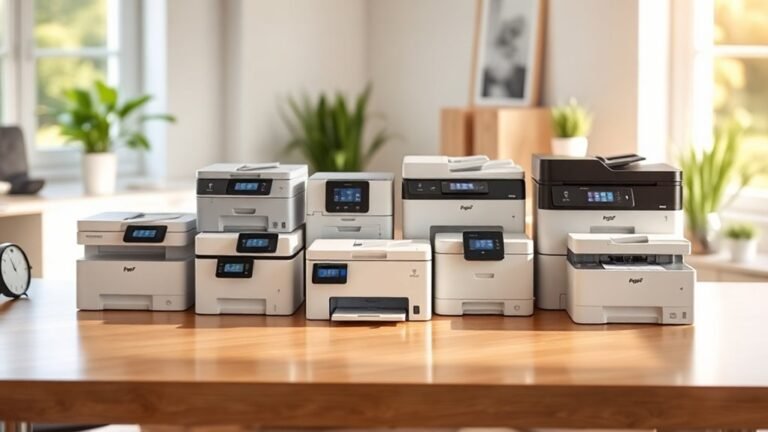
You’ll want a printer that balances quality, cost, and features in 2027. Finding the best printer means looking for one that fits your specific needs—whether that’s high-volume printing, photo quality, or smart features. With so many options, it helps to know which models stand out.
The Canon MegaTank G3270 offers high-volume, budget-friendly printing, perfect if you want to save on ink without sacrificing quality. Meanwhile, the PIXMA TS6520 shines for compact duplex photo and document needs, making it great for smaller spaces and double-sided printing.
HP’s OfficeJet Pro 8125 and Envy Photo 7975 combine speed with professional output and photo-focused options. They’re ideal if you want fast, high-quality prints with a focus on photos. Epson’s EcoTank ET-4800 and Workforce Pro WF-4920 excel in high-capacity, versatile tasks, handling everything from everyday documents to larger print jobs.
The HP Smart Tank 5003 stands out with a three-year ink supply, which means fewer refills and less hassle. Discover which model fits your workflow best and make printing easier in 2027.
| Image | Name | Editor's Rating | Price |
|---|---|---|---|

|
|
||

|
|
||

|
|
||

|
|
||

|
|
Canon MegaTank G3270 All-in-One Wireless Color Printer
- Wireless Print/Copy/Scan
- Up to 2 years of ink included (2)
- Print up to 6,000 black & white / 7,700 color pages using a single set of inks! (1)
- Save up to $1,000 on ink (1)
- 1.35” Square LCD display

If you need a dependable all-in-one printer that handles both color and black-and-white printing with ease, the Canon MegaTank G3270 is designed to simplify your workflow. Its refillable MegaTank system significantly reduces the hassle of frequent ink replacements, letting you print up to 6,000 black and 7,700 color pages per ink set. This means fewer interruptions and lower running costs for your home or office.
The printer offers sharp print quality with a resolution of 4800 × 1200 dpi, ensuring your documents and photos come out crisp and clear. Wireless connectivity and mobile app control add convenience, allowing you to print, scan, and copy from your smartphone or tablet without needing to be near the device.
Maintenance is straightforward thanks to the large ink tanks, which are easy to refill and help avoid the frustration of constantly changing cartridges. While it supports various paper sizes, note that the printer only prints single-sided pages and has a single paper tray with a 100-sheet capacity.
With its compact design and versatile functions, the Canon MegaTank G3270 fits well in small offices or home environments where cost-effective, high-volume printing is essential.
Best for: users who need a cost-effective, high-volume wireless color and black-and-white all-in-one printer for home or small office use.
What We Like:
- High ink yield with refillable MegaTank system reduces frequent replacements
- Sharp print resolution up to 4800 × 1200 dpi for detailed output
- Wireless connectivity and mobile app control enable flexible printing and scanning
Specification:
| Feature | Details |
|---|---|
| Manufacturer | Canon |
| Dimensions | Not specified |
| Weight | Not specified |
| Printing Technology | Inkjet |
| Print Resolution | Up to 4800 × 1200 dpi |
| Ink System | Refillable MegaTank |
| Connectivity | Wireless, Mobile App |
| Paper Handling | Single tray, 100-sheet capacity |
| Duplex Printing | No (simplex only) |
Canon PIXMA TS6520 Wireless Color Inkjet Printer, 1.42″ OLED Display, White
- Affordable Versatility - A budget-friendly all-in-one printer perfect for both home users and hybrid workers, offering exceptional value
- Crisp, Vibrant Prints - Experience impressive print quality for both documents and photos, thanks to its 2-cartridge hybrid ink system that delivers sharp text and vivid...
- Effortless Setup & Use - Get started quickly with easy setup for your smartphone or computer, so you can print, scan, and copy without delay
- Reliable Wireless Connectivity - Enjoy stable and consistent connections with dual-band Wi-Fi (2.4GHz or 5GHz), ensuring smooth printing from anywhere in your home or...
- Scan & Copy Handling - Utilize the device’s integrated scanner for efficient scanning and copying operations
The Canon PIXMA TS6520 is designed to simplify wireless color printing at home or in small workspaces. Its compact, sleek white design fits easily on desks without taking up much space. This makes it an excellent choice for families, students, or home workers who need reliable printing without clutter.
With sharp print quality thanks to a hybrid ink system and up to 1200 x 1200 dpi resolution, it produces clear photos and documents. Automatic duplex printing saves paper and time by printing on both sides effortlessly. You can print borderless photos or documents up to letter size, enhancing versatility for creative or professional needs.
Maintenance is straightforward, although it features a single paper tray that may require frequent refills during heavy use. The lack of an automatic document feeder means scanning or copying multiple pages can take longer. Starter ink tanks come included but may run out quickly for frequent users.
Connectivity options are broad, including dual-band Wi-Fi, USB, and voice control via Alexa. The 1.42″ OLED display and mobile app support streamline setup and daily operation, making printing tasks more manageable.
Best for: Families, students, and home or hybrid workers needing a compact, versatile wireless color inkjet printer for everyday printing, scanning, and copying.
What We Like:
- Compact design fits well in limited spaces.
- High-resolution prints with hybrid ink system.
- Automatic duplex printing saves time and paper.
- Multiple connectivity options, including voice control.
- Easy setup and operation with OLED display and mobile apps.
Specification:
| Feature | Details |
|---|---|
| Manufacturer | Canon |
| Dimensions | Compact size (exact size not specified) |
| Weight | Not specified |
| Color Options | White |
| Display | 1.42″ OLED |
| Print Resolution | Up to 1200 x 1200 dpi |
HP OfficeJet Pro 8125 Wireless All-in-One Printer
- FROM AMERICA'S MOST TRUSTED PRINTER BRAND – The OfficeJet Pro 8125 is perfect for home offices printing professional-quality color documents like business documents...
- 3 MONTH TRIAL OF INSTANT INK INCLUDED – Subscribe to the Instant Ink delivery service to get ink delivered directly to your door before you run out, and you save up to...
- KEY FEATURES – Fast color printing, scan, copy, auto 2-sided printing, auto document feeder, and a 225-sheet input tray
- 2.7-INCH TOUCHSCREEN – Quickly navigate your printer with a large color touchscreen and a phone-like user interface
- WIRELESS PRINTING – Stay connected with our most reliable dual-band Wi-Fi, which automatically detects and resolves connection issues
Experience professional-quality printing with the HP OfficeJet Pro 8125 Wireless All-in-One Printer, designed to meet the demands of busy homes and small offices. It delivers sharp, vibrant prints, helping you bring documents and images to life with up to 4800 x 1200 dpi resolution. Fast printing speeds reduce wait times, so you stay productive throughout your day.
This all-in-one device simplifies your workflow. You can print, scan, copy, and fax using the flatbed scanner or the one-sided automatic document feeder. Wireless dual-band Wi-Fi and the HP Smart app provide easy control from your smartphone, letting you manage tasks on the go.
Maintenance is straightforward with original HP 923 series cartridges ensuring quality and reliability, although third-party ink options are limited. Automatic duplex printing saves paper, and the included HP Wolf Essential Security protects your network, giving you peace of mind.
Its compact design fits well in home offices, supporting standard media sizes up to 8.5 x 11.7 inches. The intuitive 2.7-inch touchscreen makes navigation simple, helping you complete tasks efficiently.
Best for: Small business owners and home users seeking a reliable, fast, and secure wireless all-in-one printer with professional color output.
What We Like:
- Sharp print quality with fast speeds for both black and color documents
- Versatile functions including scan, copy, and fax with easy wireless control
- Efficient duplex printing and strong security features for safe network use
Specification:
| Feature | Details |
|---|---|
| Manufacturer | HP |
| Dimensions (W×D×H) | Approx. 17.3 × 14.3 × 7.1 in |
| Weight | Approx. 17.9 lb (8.1 kg) |
| Color Options | Black |
| Print Resolution | Up to 4800 x 1200 dpi |
| Print Speed | 20 ppm (black), 10 ppm (color) |
| Connectivity | Wireless dual-band Wi-Fi |
| Media Size Limit | Up to 8.5 x 11.7 inches |
| Security | HP Wolf Essential Security |
Epson EcoTank ET-4800 Wireless Color All-in-One Supertank Printer
- INNOVATIVE CARTRIDGE-FREE PRINTING — High-capacity ink tanks mean no more dealing with lots of tiny ink cartridges; Epson’s exclusive EcoFit ink bottles make filling...
- CLEAR AND VIBRANT PRINT QUALITY ― Create memorable prints and projects; Unique Micro Piezo Heat-Free Technology allows wireless color printer to produce sharp text and...
- ZERO CARTRIDGE WASTE — By using an Epson EcoTank printer you can help reduce the amount of cartridge waste ending up in landfills
- BUILT IN SCANNER AND COPIER ― All-In-One Epson EcoTank is more than a printer; High-resolution flatbed scanner and color display come together for easy document copying...
- LESS FREQUENT INK REPLACEMENT — Replacement ink bottles don't have to be changed nearly as often as ink cartridges¹; Printer, scanner and copier lets you print up to...
Experience hassle-free printing with the Epson EcoTank ET-4800, designed to eliminate frequent cartridge changes. Its cartridge-free ink tanks hold high-capacity ink, allowing you to print thousands of pages before needing a refill. This means fewer interruptions and more time for your important tasks.
Refilling is simple and clean with EcoFit ink bottles, which help reduce cartridge waste and environmental impact. The printer’s Micro Piezo Heat-Free Technology ensures sharp text and vibrant colors on almost any paper type, supporting professional-quality results every time.
The all-in-one design combines printing, scanning, copying, and faxing in one compact device. This versatility makes it ideal for home offices or small businesses looking to maximize productivity without clutter. Maintaining the printer is straightforward but requires genuine Epson ink to preserve print quality and warranty coverage.
While setup and refilling might take slightly longer than cartridge-based printers, the low running costs and high capacity make it worthwhile. Larger ink tanks suit users with regular printing needs, though occasional users may find the refill process less convenient.
Best for: Home office users and small businesses needing a high-capacity, cartridge-free all-in-one printer with versatile functionality.
What We Like:
- High-capacity ink tanks minimize interruptions with up to 4,500 black and 7,500 color pages per refill
- EcoFit ink bottles simplify refills and reduce plastic waste
- Sharp, vibrant prints using Micro Piezo Heat-Free Technology
- All-in-one device with scanning, copying, and fax capabilities
Specification:
| Feature | Details |
|---|---|
| Manufacturer | Epson |
| Dimensions | Approx. 14.8 x 13.7 x 9.8 in (37.6 x 34.8 x 24.9 cm) |
| Weight | Approx. 12.3 lb (5.6 kg) |
| Ink System | Cartridge-free EcoTank tanks |
| Color Options | Black |
Epson Workforce Pro WF-4920 Wireless All-in-One Printer
- Built for Speed — PrecisionCore Heat-Free technology delivers fast, high-volume printing with 25 (black)/12 (color) ISO ppm and fast first-page-out
- High-Precision Office Printing — Accurate dot placement and DURABrite Ultra instant-dry pigment inks for professional-quality prints
- High-Volume Durability for Heavy Workloads — Innovative heat-free technology engineered for reliability and reduced downtime
- Designed for Productivity — All-in-one printer with auto 2-sided printing and 1-sided, 35-page ADF streamline workflow
- Maximize Printing Efficiency — High-performance office printer with large, 250-sheet paper capacity
The Epson Workforce Pro WF-4920 is designed to keep busy offices running smoothly with fast and reliable printing. It delivers sharp prints at speeds up to 25 ppm in black and 12 ppm in color, helping you meet tight deadlines without sacrificing quality. The high resolution of 4800 x 1200 dpi ensures every document looks professional.
This all-in-one printer simplifies your workflow with essential features like a 250-sheet paper tray, automatic duplex printing, and a 35-page automatic document feeder. These functions reduce manual handling, saving time and effort during large print jobs. Connectivity is versatile, allowing easy integration via Ethernet, Wi-Fi, or USB.
Maintenance is straightforward, but it requires genuine Epson 842 ink cartridges to avoid damage and maintain print quality. The 4.3-inch touchscreen lets you control printing, copying, scanning, and faxing with ease, making it a practical choice for busy environments that demand multifunction capability.
Best for: Offices and professionals needing efficient, high-quality multifunction printing with robust connectivity and streamlined paper handling.
What We Like:
- Fast print speeds with crisp 4800 x 1200 dpi resolution
- Efficient paper handling: 250-sheet tray, duplex, and 35-page ADF
- Multiple connectivity options including Wi-Fi and mobile printing
- Intuitive 4.3″ touchscreen for easy operation
Specification:
| Feature | Details |
|---|---|
| Manufacturer | Epson |
| Dimensions (W×D×H) | Approx. 18.7 × 19.3 × 12.4 in |
| Weight | Approx. 22.3 lbs (10.1 kg) |
| Color Options | Black |
| Ink Type | DURABrite Ultra |
HP Envy Photo 7975 Wireless Color Inkjet Printer

- From America's most trusted printer brand, the HP Envy Photo 7975 is a premium multi-purpose home printer with everything families need to learn, work, and create. Loaded...
- PERFECT FOR HOME - The HP Envy Photo 7975 is great for printing documents, high-quality true-to-screen borderless photos, creative projects and more. Print speeds up to...
- 3 MONTHS OF INK INCLUDED - Subscribe to the Instant Ink delivery service to get ink delivered directly to your door before you run out. After 3 months, a monthly fee...
- KEY FEATURES - Print, copy, scan, automatic 2-sided printing, advanced photo features, separate photo tray, auto document feeder, mobile and wireless printing.
- EFFORTLESS PRINTING - Smoothly navigate printing with a large intuitive printer color touchscreen.
The HP Envy Photo 7975 is designed to simplify printing tasks for busy households. It combines printing, scanning, and copying in one device, making it ideal for families managing homework, photos, and creative projects. With wireless connectivity, you can print easily from multiple devices without clutter.
This printer adapts to your workflow with AI-enabled features, helping you save time and reduce effort. The automatic two-sided printing and auto document feeder streamline tasks, while the separate photo tray offers true-to-screen, borderless photo prints. These functions ensure vivid, high-quality images that preserve your memories.
Maintenance is straightforward, and the included three months of Instant Ink reduces the hassle of running out of ink. However, ongoing subscription costs may apply after the initial period. Print speeds reach up to 10 pages per minute in color, suitable for moderate use but may be slower for large volumes.
The HP Envy Photo 7975 is primarily built for home environments, balancing convenience, security, and photo printing quality. Its large color touchscreen makes navigation simple and intuitive.
Best for: Families and home users needing a versatile all-in-one printer for photos, homework, and creative projects with wireless convenience.
What We Like:
- AI-enabled features that adapt to user workflow
- Automatic two-sided printing with an auto document feeder
- Separate photo tray for borderless, true-to-screen photo prints
- Wireless connectivity for easy device integration
- Large color touchscreen for intuitive control
Specification:
| Feature | Description |
|---|---|
| Manufacturer | HP |
| Dimensions (W×D×H) | Approx. 17.3 × 14.5 × 6.7 inches |
| Weight | Approx. 15.7 lbs (7.1 kg) |
| Color Options | Mostly black with gray accents |
| Functions | Print, scan, copy |
| Print Speed | Up to 10 ppm color, 15 ppm black |
HP Smart Tank 5003 Ink Tank Printer | 3 Years of Ink Included | All-in-One
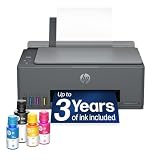
- THE LAST PRINTER YOU'LL EVER NEED – Set it up once and print with confidence; no complicated maintenance, just easy, reliable printing you can count on
- FULLY LOADED WITH SAVINGS – Best for low-cost, high-volume printing—up to 3 years of HP Ink included; get up to 6,000 color or black pages right out of the box
- KEY FEATURES – Print, copy and scan, plus borderless prints, mobile and wireless printing
- MESS-FREE REFILL – Replenish ink with HP's easy-access, mess-free refill system; simply plug the ink bottles into this cartridge-free ink tank and let them drain—no...
- BEST PRINT QUALITY, PERIOD – Sharper text, richer colors, only with HP Smart Tank
Experience hassle-free printing with the HP Smart Tank 5003, designed to keep your workflow smooth and uninterrupted. This all-in-one ink tank printer includes up to three years of ink, letting you print up to 6,000 pages without stopping for refills. Say goodbye to cartridge replacements and messy ink spills thanks to its cartridge-free refill system with easy, mess-free bottles.
Handling print, copy, and scan tasks is simple and efficient, whether you’re at your desk or on the go. Wireless and mobile printing support allows you to print directly from your smartphone or tablet, adding flexibility to your workspace. The printer delivers sharp color prints at a resolution of up to 4800 x 1200 dpi, ensuring your documents and photos look clear and vibrant.
Its compact design fits neatly into any home or office setup without taking up too much space. While manual duplex printing requires you to flip pages yourself, this feature helps reduce paper use when needed. The printer’s moderate speed and limited paper capacity make it ideal for users who prioritize quality and cost-efficiency over high-volume, rapid output.
Best for: Individuals or small offices seeking reliable, cost-effective all-in-one printing with wireless convenience and long-lasting ink supply.
What We Like:
- Up to 3 years of original HP ink included, supporting up to 6,000 pages without refills
- Cartridge-free refillable ink tanks with mess-free bottles for easy maintenance
- Wireless and mobile printing from phones and tablets for added convenience
- High-quality color output with up to 4800 x 1200 dpi resolution
Specification:
| Feature | Details |
|---|---|
| Manufacturer | HP |
| Model | Smart Tank 5003 |
| Print Resolution | Up to 4800 x 1200 dpi |
| Print Speed | 10 ppm (black), 5 ppm (color) |
| Paper Capacity | 100 sheets |
| Duplex Printing | Manual |
| Connectivity | Wireless, Mobile Printing |
| Dimensions (W×D×H) | Compact size (exact not specified) |
Factors to Consider When Choosing Best Printer

When choosing the best printer, you’ll want to take into account the type of printing technology it uses and how it impacts print quality. Think about ink efficiency and costs, along with the connectivity options that fit your setup.
Don’t forget to check the speed and overall performance to match your printing needs. It really helps to pick a printer that suits how often and how much you print.
Printing Technology Types
Although choosing a printer might seem straightforward, understanding different printing technologies can help you pick the best one for your needs.
Inkjet printers spray liquid ink, offering vibrant colors and high resolutions. They’re great for photos and mixed home or small-office tasks.
Laser printers use toner powder fused by heat, delivering fast, cost-efficient printing for high-volume documents, especially text.
If you want to save on ink, supertank or ink-tank models with refillable reservoirs provide thousands of pages per refill at a much lower cost.
For true photo labs, thermal dye-sublimation printers create smooth, durable photos by transferring dye from ribbons.
Also, consider ink types: pigment-based inks resist water and fading, while dye-based inks produce brighter, more vivid photos.
Knowing these tech differences guarantees you choose the right printer for your specific needs.
Print Quality Metrics
Understanding printing technologies is just the start; knowing how to evaluate print quality helps you pick a printer that meets your expectations. Focus on print resolution, measured in dpi. Higher values like 1200×1200 or 4800×1200 dpi deliver sharper text and finer photo details.
Color depth matters too—printers with higher bit depth produce smoother gradients and more accurate colors. Pay attention to halftoning and droplet size, since smaller droplets and finer halftone patterns create crisper edges and smoother images.
Also, consider color gamut and accuracy, often assessed through ICC profiles and Delta E metrics. This guarantees true-to-life color reproduction. Finally, check print permanence and media compatibility, which affect how long your prints last and how well they perform on different paper types.
Ink Efficiency And Costs
Ink efficiency often plays a crucial role in choosing the best printer, especially if you print frequently or in high volumes. Start by checking ink yield, usually shown as pages per full cartridge or bottle. Then, divide the supply cost by this yield to find your cost per page for black and color.
If you print a lot, consider refillable-tank or high-capacity supplies—they typically lower your cost per page compared to standard cartridges. Also, think about ink type: pigment inks last longer and produce sharper text. On the other hand, dye inks offer vibrant photos but might cost more over time.
Don’t forget hidden expenses like printhead replacements, maintenance kits, and firmware restrictions that can raise your overall costs. Finally, assess your print mix to pick an ink system that matches your usage and budget. It’s all about finding what works best for you!
Connectivity Options Available
When choosing the best printer, you’ll want to take into account how it connects to your devices, since this affects convenience and speed. Wi‑Fi, whether single- or dual-band, lets multiple devices print wirelessly and supports mobile protocols like AirPrint and Mopria, making smartphone or tablet printing easy.
Ethernet offers stable, high-speed connections ideal for shared office printers and provides network management and security features. USB connections guarantee reliable, low-latency printing directly from one computer—perfect when network access isn’t available.
Wi‑Fi Direct allows devices to print without a router, great for guest or temporary use. Cloud and app-based printing let you send print jobs remotely and access scanning features, though they require internet access and account setup.
Consider your environment and device types to choose the best connectivity options. It really depends on what fits your needs the best!
Speed And Performance
Connectivity plays a big role in how smoothly your printer fits into your workflow, but speed and performance will determine how quickly and efficiently it gets the job done. Look beyond just rated print speeds—check both black and color ppm, aiming for 10–25 ppm for faster throughput.
Don’t overlook first-page-out times; lower seconds mean quicker responsiveness for occasional prints. If you handle multi-page jobs, duplexing and automatic document feeder speeds matter—they boost overall efficiency.
Also, evaluate scanner and copy performance, including scan resolution and ADF capacity, to avoid frequent interruptions. Finally, consider duty cycle and recommended monthly volume to make certain your printer can handle your workload without premature wear or excessive maintenance, keeping your productivity steady over time.
Paper Handling Capacity
Consider how much paper your printer can handle before you start a big job—input tray capacity is key. Most printers range from 50 to 250+ sheets, so choose one that matches your print volume to avoid constant refills.
If you print multi-page documents often, look for automatic duplexing to save time and paper. Also, check the types and sizes of media the printer supports—letter, legal, envelopes, cardstock, or glossy photo paper—to guarantee versatility without jams.
Don’t forget the output tray capacity to prevent overflow during large jobs. If scanning or copying multi-page documents is common, consider a model with an automatic document feeder (ADF) that holds 30–35 pages or more, speeding up your workflow and reducing manual handling.
Device Size And Design
Choosing the right printer size and design hinges on measuring your available desk or shelf space accurately. Make sure the printer’s footprint and height fit comfortably—compact models usually sit under 15″ wide and 7″ high. Larger multifunction printers can be over 18″ wide and up to 22″ deep.
Don’t forget to take into account the weight if you plan to move it often; lighter home printers weigh around 11–15 pounds. Office models can top 23 pounds, so keep that in mind.
Also, allow extra clearance for loading paper, replacing ink, and scanning, so trays and lids open fully. Check the control panel’s location and display size—larger touchscreens improve usability but require more space.
Finally, factor in paper tray and output capacity. Bigger trays increase depth and need room for duplexing or automatic document feeders. It’s all about making sure your printer fits your space and workflow perfectly.
Warranty And Support
Once you’ve found a printer that fits your space and design needs, it’s important to look into the warranty and support options. Check the length and type of the manufacturer’s warranty—like a 1-year limited hardware warranty—to know how long defects are covered.
Also, verify which parts and services are included or excluded, such as printheads, labor, and issues caused by non-genuine supplies. It’s good to know exactly what you’re covered for.
Confirm the availability of spare parts and how long the manufacturer guarantees them to keep your printer serviceable. You don’t want to be stuck without a fix when you need one.
Look for multiple support channels—phone, email, chat—and features like remote troubleshooting or app support. Having options makes getting help easier and faster.
Finally, understand actions that void your warranty, like using unauthorized inks or repairs. This way, you can maintain protection and avoid unexpected costs down the road.
Frequently Asked Questions
How Do I Recycle Printer Cartridges Responsibly?
You can recycle printer cartridges responsibly by returning them to the manufacturer’s recycling program, dropping them off at local recycling centers, or using mail-in programs.
It’s pretty simple to do, and it really helps reduce waste. Just make sure you don’t throw them in the regular trash.
That way, you’re protecting the environment and doing your part to keep things green!
What Is the Average Lifespan of a Home Printer?
You can expect your home printer to last around 3 to 5 years with regular use. Proper maintenance and using quality ink can extend its lifespan.
Can Printers Handle Printing on Specialty Paper Types?
Printers can handle specialty paper types like a skilled chef working with diverse ingredients. You’ll want to check your printer’s specifications and adjust settings to make certain smooth printing on materials like cardstock, photo paper, or labels without jams or smudges.
It’s all about knowing what your printer can do and making a few tweaks here and there. That way, you get great results without any fuss.
Are There Printers Compatible With Mobile Printing Apps?
Yes, many printers are compatible with mobile printing apps like Apple AirPrint and Google Cloud Print. You’ll find models that let you print directly from your smartphone or tablet, making printing on the go super easy and convenient.
It’s pretty handy, especially if you’re always on the move. Just a few taps, and your document or photo is ready to go—no need to connect cables or transfer files.
How Do I Troubleshoot Common Printer Connectivity Issues?
When your printer’s connection feels like a tangled web, restart both devices, check cables, and guarantee Wi-Fi is strong.
Clear print queues, update drivers, and reboot your router. These steps usually untangle the problem quickly.
It’s often simpler than it seems once you give it a try!
Conclusion
Choosing the best printer for 2027 doesn’t have to feel like searching for a needle in a haystack. Whether you need vibrant color, speedy printing, or budget-friendly ink, there’s a perfect match waiting for you.
Keep your priorities clear, and you’ll find a printer that works like a well-oiled machine—reliable, efficient, and ready to tackle any task. So, jump in confidently and make your pick with ease!
When selecting a printer, think about what matters most to you—be it print quality, speed, or cost-effectiveness. The right printer for 2027 will blend these features seamlessly to fit your lifestyle or business needs. With so many options available, choosing the best printer can be simple and stress-free. Just focus on your needs, and the ideal printer will be there to deliver excellent results every time.