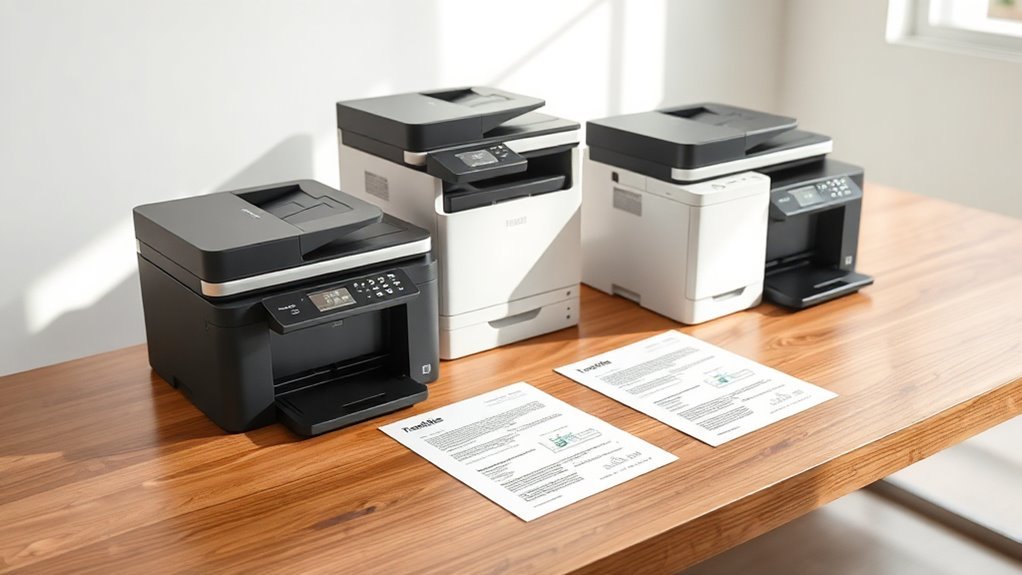
4 Best Black and White Printer and Scanner Combos for 2027
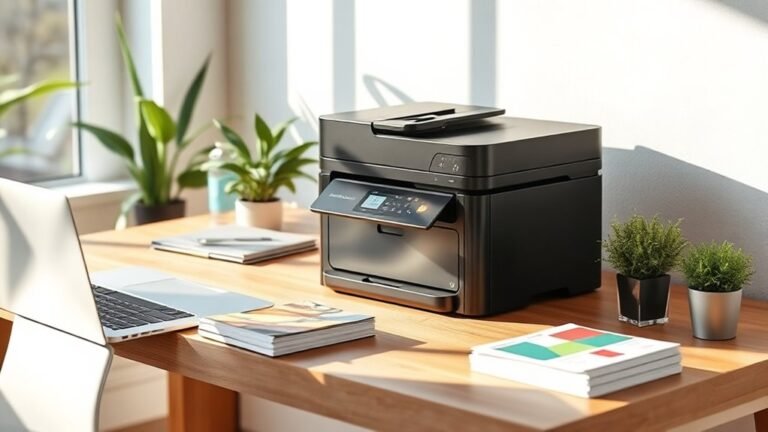
You’ll want fast, reliable black-and-white printer and scanner combos like the Brother DCP-L2640DW, HP LaserJet Pro 3105sdw, HP LaserJet MFP M140w, and Canon imageCLASS MF462dw II.
These models are perfect if you need sharp text output and efficient duplex scanning. Plus, they come with mobile connectivity, which makes printing and scanning on the go super easy.
On top of that, these combos help keep your long-term costs low. They balance print speed with energy savings and are designed for easy maintenance.
This makes them ideal for any office setup, whether you’re working from home or managing a busy workplace. Keep exploring to find which combo fits your workflow and budget best in 2027.
| Image | Name | Editor's Rating | Price |
|---|---|---|---|

|
|
||

|
|
||
|
|
Brother DCP-L2640DW Wireless Monochrome Printer
- BEST FOR SMALL BUSINESSES – Engineered for extraordinary productivity, the Brother DCP-L2640DW Monochrome (Black & White) 3-in-1 combines laser printer, scanner, copier...
- FAST PRINTER WITH EFFICIENT SCANNING – Produces documents quickly with print speeds up to 36 ppm(2) and scan speeds up to 23.6/7.9 ipm(3) (black/color). A 50-page auto...
- FLEXIBLE CONNECTION OPTIONS – Easily navigate the changing demands of your business with secure multi-device connectivity via built-in dual-band wireless (2.4GHz...
- BROTHER MOBILE CONNECT APP – Print, scan, and manage your wireless printer anytime, from almost anywhere from your mobile device. Order Brother Genuine Supplies, track...
- CHOOSE BROTHER GENUINE TONER – When it’s time to replace your toner, be sure to choose Brother Genuine TN830 or TN830XL replacement toner. And with Refresh EZ Print...

The Brother DCP-L2640DW is a dependable monochrome printer-scanner combo designed to streamline your printing tasks. Its fast printing speed of up to 36 pages per minute helps you handle high-volume jobs without delay. This printer’s compact design fits neatly into small offices or workspaces, saving you valuable room.
Maintenance is simple with features like automatic duplex printing, which reduces paper use and toner consumption. The 50-sheet auto document feeder speeds up scanning and copying, minimizing manual effort. Its ENERGY STAR compliance and EPEAT Silver rating underline its commitment to eco-friendly operation.
Connectivity options include dual-band Wi-Fi and Ethernet, allowing flexible placement without messy cables. You can also manage printing and scanning remotely using the Brother Mobile Connect app, adding convenience to your workflow. Although it only prints in black and white, this laser printer meets the needs of users focused on efficient monochrome document handling.
Best for: Small businesses and home offices seeking a fast, reliable monochrome laser printer with scanning and copying functions.
What We Like:
- Rapid print speed with quick first-page output
- Wireless dual-band Wi-Fi and remote app management
- Eco-conscious features like automatic duplex and toner save mode
- Efficient 50-sheet auto document feeder for fast scanning
- Compact design fits small workspaces
Specification:
| Feature | Details |
|---|---|
| Manufacturer | Brother |
| Dimensions | Compact size |
| Weight | Lightweight |
| Connectivity | Dual-band Wi-Fi, Ethernet, USB 2.0 |
| Color Options | Monochrome (Black & White) |
HP LaserJet Pro 3105sdw Monochrome Laser Printer | All-in-One
No products found.
Experience efficient and professional black-and-white printing designed for busy small offices. The HP LaserJet Pro 3105sdw delivers sharp, clear documents at speeds up to 33 pages per minute. Its all-in-one functionality lets you print, scan, copy, and fax, streamlining daily tasks into one compact device.
This printer supports automatic duplex printing and scanning, saving time and reducing paper waste. Connectivity options like Wi-Fi, Ethernet, and USB make it easy to print from multiple devices, including your smartphone via the HP app. The smart AI features help optimize emails and documents for cleaner output.
Maintenance is straightforward with a single paper tray that holds up to 250 sheets, balancing capacity with space-saving design. Weighing just 23 pounds, it fits well in small workspaces and supports up to seven users comfortably. Security is robust with HP Wolf Pro Security protecting your data against threats.
While its monochrome printing suits text-heavy jobs, the lack of color and single tray may limit some users. Firmware restrictions on cartridge use could increase operating costs but ensure print quality and security.
Best for: Small to medium workgroups needing fast, reliable monochrome printing with versatile all-in-one features and mobile control.
What We Like:
- Fast print speeds with crisp 1200 x 1200 dpi resolution
- Efficient duplex printing and scanning reduce paper use
- Multiple connectivity options including mobile app support
- Compact and lightweight design fits small offices
- Strong security with HP Wolf Pro and AI-enhanced document handling
Specification:
| Feature | Details |
|---|---|
| Manufacturer | HP |
| Dimensions | Not specified |
| Weight | 23 lb (10.4 kg) |
| Printing Technology | Monochrome Laser |
| Print Speed | Up to 33 pages per minute |
| Resolution | 1200 x 1200 dpi |
| Paper Capacity | 250 sheets |
| Connectivity | Wi-Fi, Ethernet, USB |
HP Laserjet MFP M140w Wireless Printer
- FROM AMERICA'S MOST TRUSTED PRINTER BRAND – Perfect for small teams printing, scanning and copying professional-quality black & white documents and reports. Perfect for...
- WORLD'S SMALLEST LASER IN ITS CLASS – Precision laser printing, scanning, and copying that fits anywhere
- FAST PRINT SPEEDS – Up to 21 black-and-white pages per minute single-sided
- WIRELESS WITH SELF-RESET – Helps you stay connected
- EASILY COPY ID CARDS AND MORE – Copy both sides of ID cards or other small-size documents onto the same side of one sheet of paper
The HP Laserjet MFP M140w is a compact powerhouse designed to streamline printing and scanning for small teams. Its small footprint means it fits neatly on any desk or in limited spaces, helping to keep your workspace organized and efficient. Ideal for black-and-white documents, it handles everyday tasks quickly with print speeds up to 21 pages per minute.
This printer simplifies mobile workflows by offering wireless connectivity through the HP Smart app. You can easily print and scan from smartphones, tablets, or PCs without hassle. It also copies both sides of ID cards onto a single sheet, saving paper and time.
Maintenance is straightforward with the use of original HP cartridges that include built-in security features. This ensures consistent performance and helps prevent issues that might disrupt your workflow. However, it only supports these cartridges, which may increase consumable costs.
Designed for small teams of one to three users, the HP Laserjet MFP M140w is not suited for high-volume or color printing needs. It focuses on reliability and convenience for everyday black-and-white document handling.
Best for: Small teams needing an efficient, space-saving black-and-white laser printer with wireless mobile capabilities.
What We Like:
- Compact design fits easily in tight workspaces.
- Fast printing speeds enhance productivity.
- Wireless printing and scanning via HP Smart app.
- Efficient ID card copying on a single sheet.
- Original HP cartridges with security for reliable operation.
Specification:
| Feature | Details |
|---|---|
| Manufacturer | HP |
| Model | Laserjet MFP M140w |
| Dimensions | Compact (exact size not provided) |
| Weight | Not specified |
| Printing Speed | Up to 21 pages per minute |
| Printing Type | Black-and-white laser |
| Connectivity | Wireless (HP Smart app compatible) |
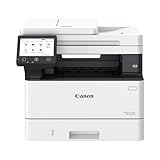
Canon imageCLASS MF462dw II – Wireless, Monochrome Duplex Laser Printer
- Monochrome, Wireless, Duplex 4-in-1: Print, scan, copy, fax.
- Fast Print Speeds: Print up to 37 pages per minute and spend less time waiting with a quick first print time of approximately 5 seconds.
- Easy Wireless Setup: Setup your wireless connection and get up and running in just a few steps2
- 5-inch Color Touchscreen: Get the job done quickly with Application Library - an intuitive and easy to use customizable access to the features you use most.
- Mobile Device Printing: Print from your compatible mobile devices using the free Canon PRINT app, Apple AirPrint and Mopria Print Service.
Experience efficient and reliable printing designed to meet the demands of small or home offices with the Canon imageCLASS MF462dw II. This wireless monochrome duplex laser printer simplifies daily tasks by combining printing, copying, scanning, and faxing in one compact device. It helps reduce clutter and streamlines your workflow with the convenience of one machine.
The 5-inch color touchscreen and customizable Application Library make navigation intuitive, allowing you to access functions quickly. Its fast print speed of up to 37 pages per minute ensures that busy workdays stay productive. Duplex scanning with the 50-sheet automatic document feeder handles multi-page documents effortlessly in a single pass.
Maintenance is straightforward with a standard 350-sheet paper capacity that can be expanded to match growing workload needs. Wireless connectivity supports mobile printing through the Canon PRINT app, AirPrint, and Mopria, keeping you connected without the hassle of cables.
While it offers sharp 1200 x 1200 dpi resolution for crisp monochrome output, the lack of color printing may limit versatility. The printer’s weight of 44 pounds means it’s best suited for a stable office setup rather than frequent relocation.
Best for: Small and home office users who need a dependable, wireless monochrome all-in-one printer with advanced duplex features and mobile printing.
What We Like:
- Fast print speed of up to 37 ppm with high-resolution monochrome output
- Efficient one-pass duplex scanning via a 50-sheet automatic document feeder
- Wireless and mobile printing support for seamless connectivity
- Customizable touchscreen for easy access to frequent tasks
Specification:
| Feature | Details |
|---|---|
| Manufacturer | Canon |
| Dimensions | Not specified |
| Weight | 44 lb (20 kg) |
| Printer Type | Wireless Monochrome Duplex Laser |
| Paper Capacity | 350 sheets (expandable) |
| Display | 5-inch Color Touchscreen |
Factors to Consider When Choosing a Black and White Printer and Scanner
When choosing a black and white printer and scanner, you’ll want to compare print speeds to match your workflow. Look for a variety of connectivity options to keep your setup flexible.
Also, consider scanner quality, paper handling, and the cost of consumables to find the best fit for your needs. It’s all about balancing what works best for you with what fits your budget.
Print Speed Comparison
Understanding print speed is essential when choosing a black and white printer-scanner combo, especially if you need efficient throughput in a busy office. Print speed, measured in pages per minute (ppm), shows how fast your printer produces one-sided monochrome pages.
Don’t overlook first-page-out time (FPOT), which tells you how quickly the first page appears after sending a job—this is crucial for short print tasks. Copy speed often mirrors print speed but may vary due to scanning or image processing, so be sure to check both if you copy frequently.
For scanning, throughput is measured in images per minute (ipm), and it differs between simplex and duplex modes. You’ll want to consider both peak ppm and sustained speeds, including warm-up and duplex scanning, to get a realistic sense of performance for multi-page, two-sided, or scanned-copy jobs.
Connectivity Options Variety
Since your printer-scanner combo needs to fit seamlessly into your work environment, you’ll want to make sure it offers a variety of connectivity options. Look for devices supporting both wired connections like Ethernet and USB, plus wireless options such as 2.4/5 GHz Wi‑Fi and Wi‑Fi Direct.
These guarantee reliable connections despite network interference or security demands. Mobile printing protocols like AirPrint and Mopria let you print and scan directly from smartphones or tablets without installing drivers.
Automatic network features, including intelligent connection selection and self-resetting Wi‑Fi, help maintain stability in busy environments. Also, check for remote management capabilities and app-based setup, which allow you to configure the device and scan to email or cloud without being physically present.
These options keep your workflow flexible and efficient.
Scanner Quality Features
Although black and white printing remains the primary function, choosing a printer-scanner combo with strong scanner quality features guarantees your documents come out crisp and clear.
Focus on optical scan resolution—300 to 600 dpi suits text documents, while 1,200 dpi or more captures detailed graphics sharply.
Check scan speed to estimate efficiency, especially for batch jobs, noting differences between black-and-white and color scans.
If you scan multi-page or double-sided documents often, look for an automatic document feeder (ADF) with one-pass duplex scanning to save time.
Also, make certain the scanner supports various file formats and offers accurate OCR for editable text.
Finally, consider connectivity and workflow options like mobile scanning and scan-to-email to seamlessly integrate scanning into your daily routine.
Paper Handling Capacity
Many factors affect how well a black and white printer-scanner handles your daily workload, starting with its paper capacity. Check the input and output tray sizes—like a 250-sheet input and 120-sheet output—to avoid frequent refills during busy jobs.
Don’t forget the automatic document feeder (ADF) capacity; a 50-sheet ADF lets you scan or copy large batches unattended. See if the ADF supports duplex one-pass scanning, so double-sided originals scan efficiently in one go without manual flipping.
Also, confirm the maximum media size the device can handle, especially if you use legal-sized paper or envelopes. Finally, consider the maximum copy limits and whether auto-duplex printing is available to save time and reduce paper handling hassles during large print runs.
Consumables And Cost
After considering how well a printer-scanner handles your paper needs, it’s just as important to evaluate the ongoing costs of consumables. Start by comparing toner yield and cost-per-page—divide the cartridge price by its rated pages to estimate running costs.
Look for high-yield or XL toner options, and choose models with duplex printing to cut costs and reduce cartridge replacements. These little choices can really add up over time.
Don’t forget to factor in the lifespan and replacement cost of drum or imaging units, which affect total ownership cost. Also, check if the device enforces original-cartridge authentication or firmware restrictions. These can limit your use of cheaper third-party or refilled supplies.
Finally, consider extras like maintenance kits, fusers, and subscription refill programs that might impact your recurring expenses. It’s worth thinking about all these parts to get a clear picture of what you’ll really be spending.
Security And Privacy
When choosing a black and white printer and scanner, you’ll want to prioritize security features that protect your data from unauthorized access and cyber threats. Look for devices with secure boot, firmware signing, and regular updates to block unauthorized code and reduce remote attack risks.
Guarantee network security with WPA3 Wi‑Fi, TLS encryption, and optional Ethernet port isolation or VLAN support to safeguard print jobs and scanned files. It’s also important to verify user authentication options like PIN, card, or LDAP/Active Directory.
Plus, role-based access controls help restrict functions to authorized users only. Using encrypted storage and automatic overwrites prevents data leaks from cached files.
Also, don’t forget to confirm secure printing and scan-to-email protections like pull-print release, signed PDFs, and audit logging. These features are great for compliance and activity tracking.
Mobile And App Support
Security features don’t stop at hardware and network protection—they extend to how you interact with your printer and scanner through mobile apps. First, make certain the companion app supports your mobile OS—whether iOS, Android, or Chromebook—and offers essential functions like printing, scan-to-cloud or email, firmware updates, and remote management.
Check for wireless features such as Wi-Fi setup, dual-band support, and AirPrint or Mopria compatibility to ensure smooth mobile printing. Look for advanced scanning options within the app, like OCR, searchable PDFs, and auto file naming, which save time and boost productivity.
Finally, verify mobile security controls, including secure setup, user authentication, and the ability to receive firmware updates. Convenience features like remote toner orders and usage monitoring also help reduce manual maintenance. It’s all about making your mobile experience seamless and secure.
Energy Efficiency Standards
Although choosing a black and white printer-scanner combo often focuses on features and speed, energy efficiency plays a pivotal role in reducing long-term costs and environmental impact. Look for ENERGY STAR certification to guarantee lower standby and operational power use, which typically reduces energy consumption compared to non-certified models.
EPEAT registration (Silver or higher) signals broader environmental responsibility, including energy efficiency and safer materials. Compare typical and peak power consumption, keeping in mind that modern monochrome lasers use 10–100 watts during operation but can spike during warm-up.
Prioritize features like automatic duplex printing, toner-save modes, and fast first-page-out times to cut energy per page. Finally, check sleep, auto-off, and power-down functions with low sleep wattage and quick wake times to balance savings and usability.
Frequently Asked Questions
How Do Black and White Printers Affect Electricity Consumption?
Black and white printers usually use less electricity than color ones because they have simpler printing mechanisms. You’ll notice lower power consumption during printing and standby.
This helps you save energy and reduce your electricity bills over time. Pretty convenient, right?
Are Black and White Printer Cartridges Recyclable?
Cartridges aren’t just trash—they’re treasure chests you can recycle!
You can return black and white printer cartridges to many manufacturers or local recycling centers.
This helps you reduce waste and give those materials a second life.
Can Black and White Printers Print on Colored Paper Effectively?
Yes, you can print on colored paper with black and white printers effectively. Just make sure the paper is compatible with your printer type.
Also, remember the contrast might vary depending on the paper’s color and texture. So, it’s a good idea to do a quick test print first to see how it looks.
What Is the Average Lifespan of a Black and White Printer?
You can expect a black and white printer to last about 3 to 5 years with regular use. Proper maintenance and quality parts can extend its lifespan, so don’t forget to clean and service it regularly.
Keeping up with simple care really makes a difference. It’s all about giving your printer a little attention now and then, and it will keep running smoothly for longer.
Do Black and White Printers Support Mobile Printing Apps?
You’d think black and white printers were rocket ships with how advanced they are!
Yes, most support mobile printing apps, letting you print directly from your phone or tablet with ease. No cables or fuss required.
Conclusion
When choosing a black and white printer and scanner combo, you want reliability and efficiency. Did you know that 60% of small businesses prefer monochrome printers for their cost savings and speed?
These models—Brother DCP-L2640DW, HP LaserJet Pro 3105sdw, HP Laserjet MFP M140w, and Canon imageCLASS MF462dw II—offer excellent performance without breaking the bank.
Pick one that fits your needs, and you’ll boost productivity while keeping expenses low. Finding the right black and white printer and scanner combo can make a real difference in your workflow. Whether it’s for home office use or a growing business, these monochrome printer combos deliver quality and speed. So, choose wisely to enjoy efficient printing and scanning without overspending.