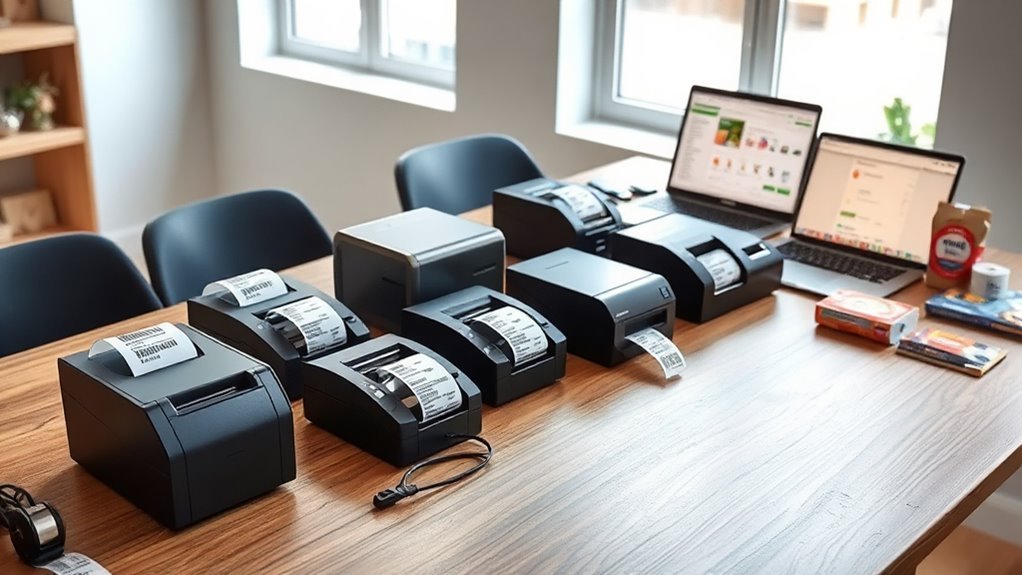
9 Best Barcode Label Printers for Shopify Stores in 2027
You want a barcode label printer that’s fast, reliable, and works seamlessly with Shopify. Finding the right printer can make a huge difference in your store’s efficiency and order accuracy. Whether you need something compact for small labels or a heavy-duty machine for shipping, there are plenty of great options out there.
The iDPRT SP310 offers compact inkless printing for smaller labels. It’s perfect if you want something simple and efficient without the fuss. Meanwhile, the KNAON and Nelko models provide Bluetooth and USB connectivity, supporting 4×6-inch labels. These are ideal for busy small businesses that need flexibility and speed.
For more heavy-duty needs, the Rollo and Zebra ZP450 deliver durable, high-quality prints. They’re great for shipping labels that need to hold up during transit. Explore these and more options to find the perfect match that boosts your Shopify store’s performance.
| Image | Name | Editor's Rating | Price |
|---|---|---|---|

|
|
||

|
|
||
|
|
||

|
|
||

|
|
iDPRT SP310 Thermal Label Printer, Label Maker Fits 1″-3.35″ Width
No products found.
The iDPRT SP310 Thermal Label Printer offers a straightforward solution for businesses needing fast, inkless label printing. Its direct thermal printing technology means no ink or toner refills, cutting maintenance time and costs. This simplifies your labeling tasks and keeps operations running smoothly.
Designed to handle label widths from 1″ to 3.35″, it fits a variety of labeling needs, from barcodes to shipping and inventory tags. The printer quickly produces clear, black-and-white labels at up to 4 inches per second, helping you stay efficient during busy workflows.
Its built-in sensors ensure labels are perfectly aligned every time, reducing errors and wasted materials. The included HereLabel software makes designing custom labels intuitive, even if you’re new to label creation.
With USB connectivity and compatibility across Windows, macOS, Linux, ChromeOS, and Raspberry Pi, this printer integrates easily with your existing systems. Its compact and durable design fits well in small workspaces without adding clutter.
Best for: Small businesses and office users who need a reliable, inkless label printer compatible with multiple operating systems for printing barcodes, SKU tags, and address labels efficiently.
What We Like:
- Inkless direct thermal printing reduces upkeep and supply costs
- Broad compatibility with Windows, macOS, Linux, ChromeOS, and Raspberry Pi
- Smart sensors ensure precise label alignment every print
- Compact design saves workspace without sacrificing durability
Specification:
| Feature | Details |
|---|---|
| Manufacturer | iDPRT |
| Label Width Range | 1″ to 3.35″ (25.4 mm to 85 mm) |
| Print Speed | Up to 4 inches per second |
| Connectivity | USB only |
| Supported OS | Windows, macOS, Linux, ChromeOS, Raspberry Pi |
| Dimensions | Compact design (exact size not specified) |
| Printing Type | Direct thermal (monochrome) |
Thermal Shipping Label Printer 4×6 Bluetooth Label Maker for Small Business
- 【High‑Quality, Energy‑Efficient Thermal Printing】The NULLTONEX shipping label printer uses direct thermal technology, eliminating the need for ink or toner and...
- 【Bluetooth & USB Dual Connectivity】 Connect seamlessly to your phone, laptop or PC via Bluetooth or USB. Download the free app for quick Bluetooth pairing to create...
- 【User‑Friendly Operation】 Easy setup and a dedicated app offer 1,800+ customizable templates, 300+ fonts, and multiple editing tools for everything from daily home...
- 【Wide Compatibility with Popular Shipping Platforms】 Works seamlessly with major shipping carriers and e‑commerce platforms including Amazon, Shopify, Etsy, USPS...
- 【Durable, Compact & Ready to Use】 Featuring a special matte finish with reinforced coating and a space‑saving design that fits neatly on any desk. Built‑in...
Experience hassle-free shipping label printing with the Thermal Shipping Label Printer 4×6 Bluetooth Label Maker. This device is designed to simplify the labeling process for small businesses that manage large shipping volumes. Its direct thermal printing technology eliminates the need for ink or toner, reducing maintenance and ongoing costs.
The printer delivers sharp, clear labels at a resolution of 203 dpi and prints up to 72 labels per minute. Its compact design fits easily into any workspace, while Bluetooth and USB connectivity offer flexible connection options. This label maker supports 4×6 labels with adjustable widths, making it versatile for various shipping needs.
Compatible with Windows, Mac, and mobile devices, it integrates smoothly with popular shipping platforms like Shopify, Amazon, USPS, and FedEx. The easy-to-use app also allows offline template storage, enhancing productivity even without an internet connection.
While the printer produces only monochrome labels and requires special thermal paper, its straightforward operation and minimal upkeep make it a reliable choice for busy businesses. Note that it lacks duplex printing and uses a single-core processor, which suits standard shipping tasks without advanced features.
Best for: Small businesses needing efficient, reliable thermal label printing without the hassle of ink or toner.
What We Like:
- Fast printing speed up to 72 labels per minute with clear 203 dpi resolution
- Dual connectivity with Bluetooth and USB for versatile use
- Broad compatibility with major shipping platforms and devices
- Compact design and simple app control for easy operation
- Offline template storage keeps printing smooth during network issues
Specification:
| Feature | Details |
|---|---|
| Manufacturer | Not specified |
| Dimensions | Not specified |
| Weight | Not specified |
| Print Resolution | 203 dpi |
| Print Speed | Up to 72 labels per minute |
| Label Size Supported | 4×6 inches, widths 1.57″–4.3″ |
| Connectivity | Bluetooth, USB |
| Compatibility | Windows, Mac, Mobile Devices |
| Printing Technology | Direct Thermal |
Nelko Bluetooth Thermal Shipping Label Printer, 4×6 Thermal Label Printer
- Go Wireless by Bluetooth: Download the "NELKO"app to print via Bluetooth on your Nelko Bluetooth thermal label printer for iOS and Android. Printing shipping labels has...
- Print via USB: For Windows (7 and later), Mac OS,Chrome OS, you can connect the desktop label printer via USB cable. Note that Mac OS only works with USB connection, you...
- Good Helper for Cost Saving: Advanced thermal direct technology is adopted to achieve the printing speed of 150 mm/s, up to 72 sheets 4x6 labels/min. High speed brings...
- Strong Platform Compatibility: This bluetooth shipping label printer can work with virtually all platforms, including Amazon, Ebay, Shopify, USPS, UPS, Esty, PayPal...
- Suitable for Commercial and Home Use: Printer driver, instruction videos and problem shooting videos are provided in U-Disk for better setting. Nelko PL70E label printer...
Experience hassle-free label printing with the Nelko Bluetooth Thermal Shipping Label Printer. Designed for busy Shopify store owners, this compact printer offers wireless connectivity that simplifies your shipping process. Say goodbye to tangled cables and slow printing.
The printer uses direct thermal technology, meaning no ink or toner is needed, reducing maintenance. It produces clear, crisp labels at 203 × 203 DPI and prints up to 72 labels per minute, helping you keep up with high-volume orders efficiently.
Setting up is straightforward with Bluetooth or USB options, compatible with laptops, Macs, smartphones, and tablets. While Bluetooth printing on Mac OS is limited, USB connection ensures smooth operation. The printer supports multiple label sizes, enhancing versatility for various shipping needs.
With 50 labels included, you can start printing immediately. Its compact design saves workspace, making it ideal for small to medium-sized e-commerce businesses focused on streamlined shipping.
Best for: Small to medium-sized e-commerce businesses and Shopify store owners needing fast, wireless 4×6 label printing.
What We Like:
- Dual connectivity via Bluetooth and USB for flexible device compatibility
- High-speed printing up to 72 labels per minute with sharp 203 × 203 DPI output
- Direct thermal printing requires no ink or toner, lowering upkeep needs
- Includes starter pack of 50 labels for immediate use
- Compact and lightweight design fits easily in busy workspaces
Specification:
| Feature | Details |
|---|---|
| Manufacturer | Nelko |
| Printing Technology | Direct Thermal |
| Resolution | 203 × 203 DPI |
| Print Speed | Up to 72 labels per minute |
| Connectivity | Bluetooth, USB |
| Supported Devices | Laptops, Macs, Smartphones, Tablets |
| Label Size | 4 x 6 inches |
| Included Labels | 50 |
| Dimensions | Compact (exact size not specified) |
| Weight | Lightweight (exact weight not specified) |
KNAON Bluetooth 4×6 Thermal Shipping Label Printer
- Bluetooth Wireless Connection: KNAON Bluetooth shipping label printer enables wireless printing. For Mobile users, download the 'FlashLabel Pro' app from APP Store or...
- USB Cable Connectivity: This printer ensures seamless USB connectivity with macOS, Windows (7 and above), ChromeOS, and Linux. KNAON printer features a built-in USB drive...
- Versatile DIY Labeling Options: KNAON Thermal Shipping Label Printer offers a vast selection of pre-designed templates, including 3,000+ templates, 5,000+ icons, and...
- Seamless Multi-Platform Compatibility: This Bluetooth shipping label printer works effortlessly with all major platforms, including Amazon, eBay, Shopify, USPS, UPS...
- Portable & Stylish Design: KNAON multi-function thermal label printer offers user-friendly operation in a compact design. Its perfect size (7.17 x 3.9 x 3.43 inches...
Experience hassle-free label printing with the KNAON Bluetooth 4×6 Thermal Shipping Label Printer. Designed for busy Shopify store owners, it delivers fast, wireless printing that keeps your shipping process smooth and efficient. This printer produces sharp, clear labels at speeds up to 180 mm/s, helping you handle orders quickly without compromising quality.
Its compact design makes it easy to move around your workspace or take on the go. The KNAON printer connects effortlessly via Bluetooth or USB-C, allowing seamless integration with Shopify and other major shipping platforms. Printing shipping, barcode, and price tags becomes straightforward through the FlashLabel Pro app, compatible with iOS, Android, macOS, and Windows devices.
Maintenance is simple since it uses thermal printing technology, which means no ink or toner replacements. Just load the label paper and print. However, keep in mind it prints in black and white only and does not support duplex printing. The included label supply is perfect for starting out but may require replenishment for larger volumes.
Best for: Shopify merchants and small businesses seeking a portable, wireless label printer that streamlines shipping and inventory tasks with reliable, high-quality output.
What We Like:
- Fast print speed and sharp 203 dpi resolution for professional labels
- Wireless Bluetooth and USB-C connectivity with broad platform support
- Compact and lightweight design for easy portability
- Simple maintenance with thermal printing—no ink or toner needed
Specification:
| Feature | Details |
|---|---|
| Manufacturer | KNAON |
| Print Speed | Up to 180 mm/s |
| Resolution | 203 dpi |
| Connectivity | Bluetooth, USB-C |
| Supported OS | iOS, Android, macOS, Windows |
| Label Size | 4 x 6 inches |
| Weight | Lightweight (exact weight not specified) |
| Included Supplies | 10 label papers |
ZP450 Zebra Direct Thermal Label Barcode Printer – USB, Serial & Parallel
- [Efficient Label Printing] The Zebra ZP 450 is purpose-built for label printing, offering direct thermal technology with a max print speed 5 ips & max print resolution...
- [Plug-and-Play Connectivity] With Parallel, USB, and Serial connectivity options, this printer easily integrates into various low-volume printing environments, such as...
- [Cost-Effective Labeling] No need for toner or ribbons, reducing operational costs and provide monochrome color output. The fixed media width optimizes label printing...
- [Compact and Durable Design] The double-walled construction and sleek design make this desktop printer robust enough for busy work environments, ensuring it can withstand...
- [Versatile Label Compatibility] The printer can handle a variety of label types, including UPS, FedEx, labels, making it a versatile choice for businesses that require...
The ZP450 Zebra Direct Thermal Label Barcode Printer is designed to simplify your label printing tasks. It delivers sharp, clear labels without the need for ink or ribbons, reducing your maintenance time and costs. This printer handles shipping labels and inventory tags efficiently, helping you stay organized.
Its compact and durable build fits well in busy retail or office spaces. The printer offers versatile connectivity with USB, serial, and parallel ports, allowing smooth integration into various systems. This flexibility makes it easy to incorporate into your existing workflow.
Printing at 203 dpi and speeds up to 5 inches per second, it provides consistent results for everyday labeling needs. While it only supports monochrome printing, it suits most shipping and inventory applications where color is not required.
The direct thermal technology means fewer consumables to manage, making it a practical choice for businesses looking to lower ongoing expenses. However, the printer’s limited resolution may not be ideal for highly detailed labels.
Best for: Small to medium-sized businesses and Shopify store owners needing a reliable, cost-effective label printer for shipping, inventory, and retail labeling tasks.
What We Like:
- Direct thermal printing reduces the need for ink and ribbons.
- Multiple connectivity options for seamless setup.
- Compact, durable design fits tight workspaces.
- Fast printing speed supports high-volume tasks.
Specification:
| Specification | Details |
|---|---|
| Manufacturer | Zebra |
| Dimensions (W×D×H) | Approx. 7.7 × 9.4 × 6.5 inches |
| Weight | Approx. 3.5 lbs (1.6 kg) |
| Printing Technology | Direct Thermal |
| Print Resolution | 203 dpi |
| Connectivity | USB, Serial, Parallel |
| Color Options | Monochrome (Black) |
iDPRT SP310 Label Maker, Thermal Label Printer for Width 1″-3.35″
- ✅[Multi-format Label Printer] This versatile thermal label printer supports label widths from 1 inch to 3.35 inches, perfectly prints shipping labels, shipping address...
- ✅[Ink-Free Thermal Label Maker] Adopts direct thermal printing technology, no ink cartridges, no toner, no carbon tape required. Only standard thermal label rolls are...
- ✅[High-Definition & High-Speed Output] Label printer built-in 203 DPI high resolution print head delivers sharp text, graphics and scannable barcodes. 102mm/s...
- ✅[Extensive Compatibility] Label maker fully compatible with Windows and Mac OS systems, seamlessly works with mainstream e-commerce & logistics platforms including...
- ✅[Compact desktop design] Compact curved desktop design saves limited desk space for front desk, home office and small warehouse. Equipped with one-touch paper...

Discover the iDPRT SP310 Label Maker, a compact thermal printer designed to streamline your labeling tasks. It tackles the frustration of bulky printers and complicated setups with a sleek design and straightforward operation. This device prints sharp, clear labels with a width range from 1 to 3.35 inches, making it versatile for various small business needs.
The SP310 uses thermal printing technology, eliminating the need for ink cartridges. This means lower maintenance and cost savings. Its fast print speed of 102 mm/s and 203 dpi resolution ensure your shipping labels, barcodes, and price tags are crisp and easily scanned. One-touch paper adjustment reduces waste, helping your workspace stay tidy.
Compatibility is another strong suit. The printer works smoothly with Windows, macOS, Linux, and Shopify, plus it supports custom label design software. Its lightweight and durable build fits comfortably on any desktop, ready for frequent use without taking up space.
However, it’s important to note that the SP310 doesn’t support standard 4×6 shipping labels and only prints in monochrome. These limitations might affect specific shipping or branding needs.
Best for: Small businesses and individuals needing a compact, reliable thermal label printer for efficient shipping labels, barcodes, and price tags.
What We Like:
- Sharp 203 dpi print quality at fast 102 mm/s speed
- Ink-free thermal printing cuts ongoing consumable costs
- Wide OS compatibility including Windows, macOS, Linux, and Shopify
- Easy one-touch paper adjustment to minimize waste
- Lightweight, space-saving design for desktop use
Specification:
| Feature | Details |
|---|---|
| Manufacturer | iDPRT |
| Print Resolution | 203 dpi |
| Print Speed | 102 mm/s |
| Label Width | 1″ to 3.35″ (2.54 to 8.5 cm) |
| Compatibility | Windows, macOS, Linux, Shopify |
| Printing Type | Thermal (monochrome) |
| Weight | Lightweight (exact weight not specified) |
Rollo USB Shipping Label Printer – Commercial Grade 4×6 Thermal Printer

- ROLLO PRINTER: Rollo USB is compatible with both Windows (XP and newer) and Mac (10.9 and newer) with easy set up; Print shipping labels, warehouse labels, barcode...
- ROLLO SHIP: Our complimentary shipping app provides a streamlined and cost saving way to mail packages; Connect any ecommerce platform and gain access to exclusive...
- HIGH SPEED & HIGH SAVINGS: Stop buying ink and toner and start printing with advanced direct thermal technology at a speed of 150mm/s or one 4x6 label per second; Labels...
- CUSTOM LABEL MAKER: Our thermal label printer is also a custom label maker (labels from 1.57" to 4.1" width) making it ideal for more than shipping labels; Create from...
- VERSATILE COMPATIBILITY: Rollo thermal label printer is compatible with all major shipping platforms including Fedex, UPS, USPS, Rollo Ship Manager, ShipStation...
The Rollo USB Shipping Label Printer offers a fast and reliable way to print professional 4×6 shipping labels. Designed for efficiency, it produces crisp, monochrome labels at 203 dpi, helping streamline your shipping process. With the ability to print a label every second, it supports busy work environments without slowing you down.
This printer uses direct thermal technology, which means no ink or toner cartridges are needed. This reduces ongoing costs and simplifies maintenance. Its compact design fits easily on a desk, making it ideal for small businesses with limited space.
Compatible with both Windows and macOS, it connects via USB 2.0 for a stable and easy setup. The Rollo printer integrates smoothly with popular platforms like Shopify, Amazon, and ShipStation, improving workflow for ecommerce sellers.
While it only prints in black and white and requires a wired USB connection, its speed and cost-effectiveness make it a practical choice. The label roll holds up to 30 labels before needing replacement, which is suitable for moderate printing volumes.
Best for: Small businesses and ecommerce sellers who need a fast, reliable, and cost-effective printer for high-quality 4×6 shipping and barcode labels.
What We Like:
- Prints up to one label per second, boosting shipping speed
- Inkless direct thermal printing reduces maintenance and costs
- Compatible with Windows, macOS, and major shipping platforms
- Compact and lightweight for easy placement in small workspaces
Specification:
| Feature | Details |
|---|---|
| Manufacturer | Rollo |
| Print Resolution | 203 dpi |
| Printing Technology | Direct Thermal |
| Label Size Supported | 1.57″ to 4.1″ width |
| Connectivity | USB 2.0 |
| Compatible Systems | Windows, macOS |
| Dimensions | Compact (exact size not specified) |
| Label Capacity | Up to 30 labels per roll |
Bluetooth Thermal Label Printer,4×6 Shipping Label Printer

- Wireless Bluetooth Connectivity: N40 thermal label printer features automatic calibration, smart paper ejection to prevent jams and waste. It connects seamlessly with...
- USB Cable Connectivity: This shipping label printer ensures seamless USB connectivity with Windows (7 and above), macOS, Linux. Simply connect the desktop label printer...
- Fast Thermal Printing:This label printer for shipping packages utilizes BPA-Free direct thermal printing, eliminating the need for ink, toner or ribbons. Featuring a...
- Universal Platform Compatibility: This thermal printer is designed for both Commercial and Home Use. The printer integrates seamlessly with multiple marketplaces and...
- Tips: All our 4x6 label printer are 100% print-tested and inspected before leaving our facility. If you have any questions or concerns about our bluetooth thermal...
The N40 Bluetooth Thermal Label Printer is designed to make shipping label printing effortless and efficient. This compact device handles 4×6 shipping labels with ease, offering smooth wireless connectivity through Bluetooth or USB Type-C. Its lightweight design at just 722.5 grams fits comfortably in any workspace.
By using BPA-free direct thermal printing, the N40 eliminates the need for ink or toner, reducing maintenance and ongoing costs. It prints up to 55 labels per minute, speeding up daily shipping tasks and minimizing downtime.
This printer supports multiple operating systems, including iOS, Android, and Windows, and integrates with platforms like Shopify, Amazon, and FedEx. Automatic calibration and smart paper ejection help prevent jams and wasted labels, ensuring reliable operation.
Regular cleaning of the print head is necessary to maintain sharp print quality. Also, the power adapter connection should be secure to avoid interruptions during use. Overall, the N40 streamlines label printing for small business owners and online sellers.
Best for: Small business owners and online sellers who need fast, reliable 4×6 shipping label printing with wireless connectivity and platform support.
What We Like:
- Prints up to 55 labels per minute with BPA-free direct thermal technology
- Wireless Bluetooth and USB Type-C connectivity for versatile use
- Automatic calibration and smart paper ejection reduce paper jams
Specification:
| Feature | Details |
|---|---|
| Manufacturer | N40 |
| Dimensions | Compact, fits small workspaces |
| Weight | 722.5 grams |
| Printing Technology | Direct thermal (BPA-free) |
| Connectivity | Bluetooth, USB Type-C |
| Supported Systems | iOS, Android, Windows |
| Label Size | 4×6 inches |
| Color Options | Pink |
MUNBYN Bluetooth Thermal Label Printer, Wireless 4×6 Shipping Label Printer

- VERSATILE LABEL SIZES FOR MORE USES: Print a wide range of direct thermal labels from 1.57" to 4.25" wide, giving you the flexibility to handle everything from shipping...
- Save on Long-Term Costs: Designed as a thermal printer, it lasts up to 970,000 labels—six times more than ordinary devices. Its professional-grade engineering ensures a...
- DAC Dynamic Algorithm Tech: As the first thermal shipping label printer with a 4-inch DAC chip, it auto-calibrates to reduce label misalignment and delivers precision for...
- Enhanced Clarity: Built for professional-grade output, this shipping label printer ensures 0.1 mm font legibility. It’s ideal for creating crisp monochrome labels...
- Whisper-Quiet Performance: Operating at just 60 dB—quieter than typing—this thermal label printer maintains focus in quiet environments like home offices, libraries...
The MUNBYN Bluetooth Thermal Label Printer offers a compact and wireless solution for printing 4×6 shipping labels effortlessly. Its seamless Bluetooth and USB connectivity make it compatible with Android, iOS, Windows, and Mac devices, allowing you to print directly from multiple platforms without hassle.
Designed for efficiency, this printer uses direct thermal paper, eliminating the need for ink or toner. It operates quietly, making it suitable for busy workspaces or home offices. The near-zero jam rate and sharp 0.1 mm font printing ensure clear labels every time, reducing interruptions and improving workflow.
Maintenance is straightforward thanks to its durable design, capable of printing up to 970,000 labels before replacement is needed. The printer holds one label at a time with a maximum sheet capacity of 500, which suits small to medium label printing needs without frequent reloads.
While it prints only in monochrome, limiting color-coded labeling options, the MUNBYN excels in reliability and precision for everyday shipping and organizational tasks. Its compact size and wireless function help save space and simplify printing setups.
Best for: Small businesses and home users who need a reliable, compact, wireless label printer for 4×6 shipping labels and other organizational tasks.
What We Like:
- Supports Bluetooth and USB connections across various operating systems.
- Near-zero jam rate with crisp, precise 0.1 mm font printing.
- Long-lasting thermal printing technology without the need for ink.
- Whisper-quiet operation suitable for any environment.
- Durable design with a high label printing capacity.
Specification:
| Feature | Details |
|---|---|
| Manufacturer | MUNBYN |
| Dimensions | Compact size (exact size not provided) |
| Weight | Not specified |
| Connectivity | Bluetooth, USB |
| Compatible Systems | Android, iOS, Windows, Mac |
| Print Size | 4 x 6 inches |
| Print Type | Direct thermal, monochrome |
| Label Capacity | 1 label at a time, max 500 sheets |
Factors to Consider When Choosing a Barcode Label Printer for Shopify
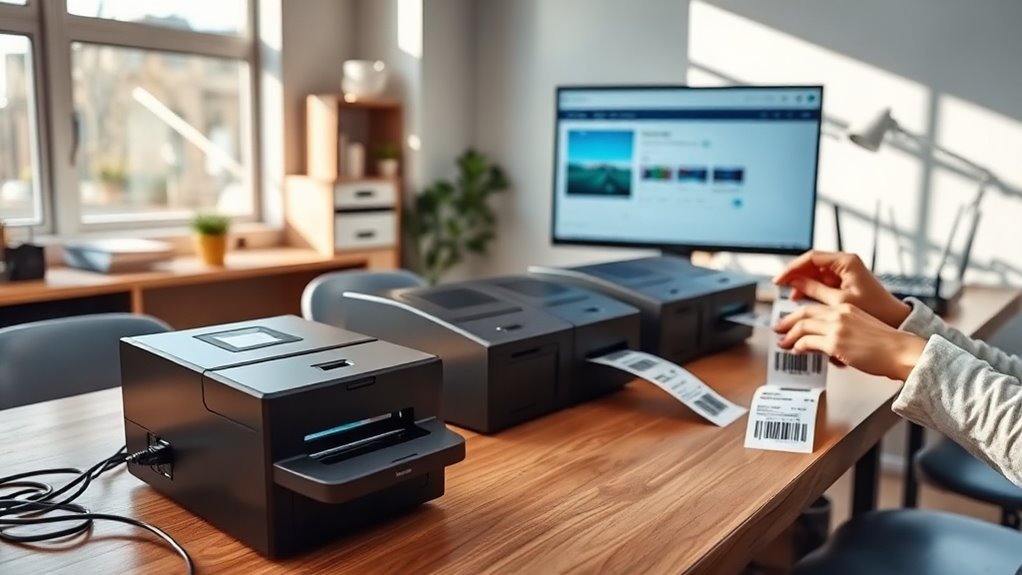
When choosing a barcode label printer for your Shopify store, you’ll want to focus on print quality and resolution to guarantee clear, scannable labels.
Check the connectivity options and compatible label sizes to match your setup and packaging needs. Also, consider printing speed and software integration to keep your workflow efficient and seamless.
It’s all about making sure your labels look great and fit your operation smoothly without any hiccups. That way, you can keep things moving quickly and hassle-free.
Print Quality and Resolution
Because print quality directly affects barcode readability and brand presentation, you should choose a printer with at least 203 dpi resolution for standard labels and 300 dpi or higher for detailed graphics or dense 2D barcodes. Higher dpi delivers sharper edges and better scanner read rates but can slow print speed and increase data size, so balance resolution with your throughput needs.
Confirm the printer’s dpi and bit depth suit your label design, especially if you use complex logos or fine fonts. Also, make sure your label material and thermal media match the resolution; poor media can blur prints and reduce scannability.
Finally, test actual barcode readability with your scanners at intended distances—don’t rely only on specs, as real-world results matter most. It’s always better to check in practice than just trust the numbers.
Connectivity Options Available
Choosing the right connectivity options can make or break your barcode label printing setup for Shopify. USB connections offer the most stable, low-latency link, perfect for high-volume printing and broad OS compatibility.
If you need mobility, Bluetooth lets you print from tablets or phones without cables. Just watch for pairing issues and limited range—it’s better suited for lighter use.
For multi-user environments, Wi-Fi or Ethernet supports centralized printing from multiple workstations and cloud apps. This setup really boosts efficiency.
Direct mobile printing via AirPrint or Mopria simplifies use on iOS and Android devices. However, it requires compatible drivers or app support to work smoothly.
Also, check your device’s ports—USB-C, USB-A, Ethernet—and prioritize network security with WPA2/WPA3 or VLAN. This helps protect shared printing in your Shopify workspace.
Compatible Label Sizes
Although barcode label printers come in various models, not all support the label sizes you need for your Shopify store. You should confirm the printer handles the exact label width and height you use—like 4×6 inches for shipping or smaller sizes such as 2×1 or 3×2 inches for barcode tags.
Check its maximum and minimum media width to guarantee your label rolls or fanfold labels fit, preventing feed errors. Also, verify compatibility with label roll types and core diameters so labels load smoothly without jamming.
Don’t forget to confirm your printer’s firmware and Shopify templates support your label dimensions, margins, and required quiet zones. For barcode clarity, choose label sizes that maintain scanability at your printer’s resolution, especially if it’s 203 dpi versus 300 dpi.
Printing Speed Efficiency
When you need to print large batches of labels quickly, matching your printer’s speed to your daily volume is essential. Look for printers rated around 100–150 mm/s (4–6 ips). These can handle dozens to over 100 4×6 shipping labels per minute—ideal for high-volume Shopify shops.
Check throughput specs like labels per minute and peak continuous run limits. Actual speed may slow during long jobs or complex graphics. Also, consider processor power and buffering, since high DPI and dense barcodes require more processing time.
Efficient media handling, like auto-calibration and sensor detection, reduces misfeeds and pauses. And finally, wired connections usually provide lower latency and steadier print speeds than Bluetooth or Wi-Fi. This helps you maintain consistent printing efficiency throughout your busy workday.
Software and Integration
To get the most out of your barcode label printer, you’ll want to make sure it seamlessly integrates with your Shopify store and software. Make certain your printer supports common label sizes, like 4×6-inch shipping labels and smaller SKU barcodes. It should also be able to handle PDFs or PNGs generated by Shopify or its shipping apps.
Check that it offers native drivers or SDKs for your operating system and supports USB or Bluetooth connections compatible with your setup. Look for printers with integrations or middleware that can pull orders, batch print labels, and map key fields like carrier and tracking numbers.
Also, verify if the vendor or apps provide template editors, bulk import, serialized barcode generation, and mobile or cloud printing for on-the-go order fulfillment. These features can really streamline your process and keep your workflow smooth.
Durability and Build Quality
Consider durability and build quality as key factors when choosing a barcode label printer for your Shopify store. Opt for printers with robust housings made of metal or reinforced ABS that can handle your high-volume fulfillment demands.
Check printhead lifespan ratings and make certain printheads are replaceable to minimize downtime and maintenance costs. Look for models with solid mechanical feeds, rollers, and anti-jam features to maintain reliable continuous printing.
High mean time between failures (MTBF) figures signal long-term dependability. Also, verify the printer’s operating temperature, humidity tolerance, and ingress protection ratings to match your warehouse environment.
Finally, prioritize printers with longer warranties, easy access to service parts, and modular components like replaceable cutters and sensors to simplify repairs and extend the printer’s usable life.
Ease of Use Setup
Getting your barcode label printer up and running should be straightforward so you can focus on fulfilling Shopify orders efficiently. Choose printers with plug-and-play USB or Bluetooth connectivity and clear OS drivers for Windows, macOS, Linux, or ChromeOS to minimize setup hassles.
Look for bundled label design software that offers templates and bulk import or CSV support to speed printing large batches. Prefer models with automatic label size detection or one-touch calibration to avoid misaligned prints and manual adjustments.
If you print from mobile devices, verify easy Bluetooth pairing and mobile app availability. Also, check that the printer’s documentation includes step-by-step setup guides, sample labels, and troubleshooting tips to help new staff get up to speed quickly and reduce onboarding time.
Cost and Warranty Coverage
While choosing a barcode label printer for your Shopify store, you’ll want to balance upfront costs with ongoing expenses like thermal labels and replacement parts. This helps guarantee the investment pays off over time.
Compare the printer’s price against your expected monthly label volume to make certain you recoup the cost within your desired timeframe. Don’t forget to factor in consumables—thermal labels and specialty tags.
Keep in mind that direct-thermal printers don’t need ink but still require media. Check the warranty length and coverage carefully. Aim for at least one year covering printheads and electronics, including labor and shipping if possible.
Also, be aware of exclusions like wear items or damage from unsupported media. Finally, consider extended warranties or support plans to minimize downtime. This is especially important if you handle high shipping volumes on Shopify.
Frequently Asked Questions
Can Barcode Label Printers Be Used With Other E-Commerce Platforms?
Yes, you can use barcode label printers with other e-commerce platforms. Most printers support universal software or integrate easily via APIs.
How Do I Maintain and Clean My Thermal Label Printer?
When Emma neglected cleaning her thermal printer, labels printed blurry. You should regularly wipe the printhead with isopropyl alcohol.
Keep rollers dust-free, and avoid sticky residue buildup to guarantee crisp, reliable labels every time. It’s a simple step but makes a big difference!
Are There Eco-Friendly Label Printing Options Available?
Yes, you can choose eco-friendly label printers that use sustainable materials and soy-based inks. These options help reduce the environmental footprint of your printing process.
You’ll also find printers with recyclable labels and energy-efficient features. This way, you can cut down on waste and save energy while printing. It’s a smart choice for anyone looking to be more eco-conscious.
What Software Is Compatible With These Barcode Printers?
You’ll find most barcode printers compatible with popular software like Shopify’s built-in label tools, ZebraDesigner, Bartender, and NiceLabel. These programs make designing and printing labels straightforward.
They really help streamline your inventory and shipping processes efficiently. So, whether you’re managing a small shop or a large warehouse, these tools have got you covered.
Can These Printers Handle Printing on Custom Label Sizes?
These printers can handle custom label sizes like a champ. Just tweak the settings in the software, and you’ll have labels fitting your unique needs without breaking a sweat or burning the midnight oil.
It’s really straightforward. You don’t need to be a tech whiz to get it right. Just set it up once, and you’re good to go every time.
Conclusion
Choosing the right barcode label printer can seriously boost your Shopify store’s efficiency and customer satisfaction. Did you know that 78% of small businesses saw faster shipping times after upgrading their label printers?
Imagine cutting down order processing delays and impressing your customers with speedy delivery. Whether you pick a Bluetooth model or a USB printer, investing in the best fit for your needs will save you time and hassles.
Don’t wait—make your shipping smoother today! Finding the best barcode label printers for Shopify stores means less stress and more happy customers. With the right printer, your order fulfillment becomes quicker and more accurate, giving your business a real edge. So if you want to streamline your shipping and keep your customers coming back, choosing the perfect barcode label printer is the way to go!