6 Best At Home Photo Printer 4×6 for 2027
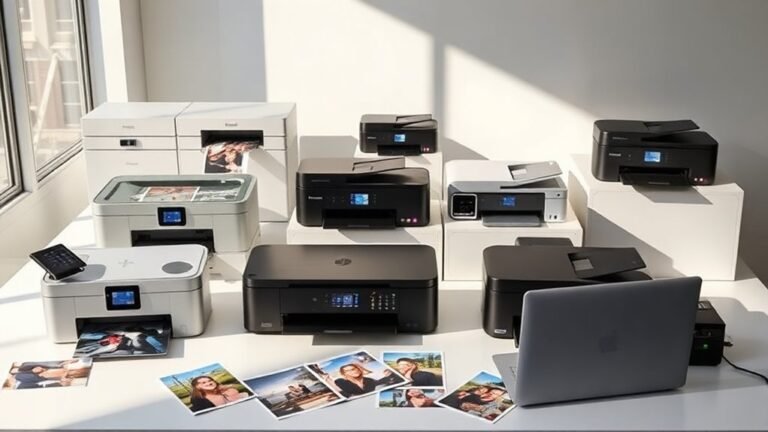
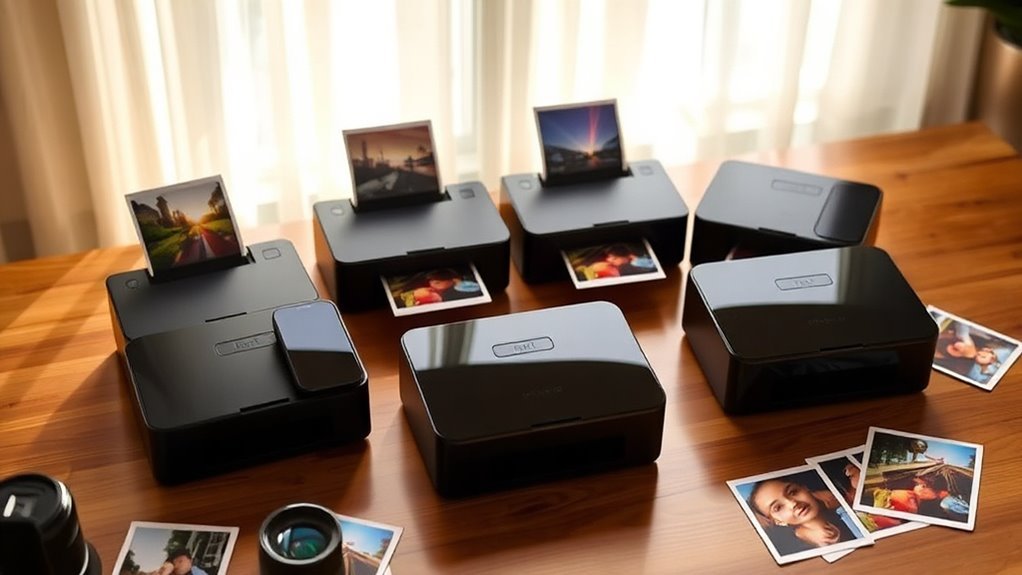
You’ll find top 4×6 photo printers perfect for at-home use, like the ultra-portable Liene M100 with Wi-Fi for on-the-go printing. If you want quick smartphone docking and charging, the KODAK Dock Plus is a great choice.
The HP Sprocket Studio Plus offers instant, tear-resistant prints, making it ideal for parties and gatherings. Meanwhile, the HP Envy Photo 7975 and 7855 deliver multifunction features and vibrant borderless photos for more versatility.
For those who want portability without sacrificing color quality, the Canon SELPHY CP1500 blends convenience with smooth color shifts. Take a look at these models’ strengths and see which one fits your lifestyle best.
| Image | Name | Editor's Rating | Price |
|---|---|---|---|

|
|
||

|
|
||

|
|
||

|
|
||

|
|
Liene M100 Portable 4×6” Photo Printer with Wi-Fi
- User-Friendly Portable Photo Printer for iPhone, Android & PC - Get beautiful and colourful memories with Liene 4x6 photo printer! After opening the entire package, you...
- Superior Quality 4x6 Photo Printer - Print photos like no other thanks to the thermal-dye sublimation tech adopted by the picture printer for iphone. The dyes deeply...
- Wi-Fi Photo Printer for Smartphone - The built-in hotspot of the photo printer makes it easy to print pictures from your phone, avoiding outside interference with a fast...
- Multiple Device Compatibility - Liene phone printer provides instant photo printing for up to 5 simultaneous connections. Share with family and friends or print from your...
- Customize your Printing with the Liene App - Customize your photos with our specialized App! You can add a Square border, insert filters, enhance the contrast and...
The Liene M100 Portable 4×6” Photo Printer with Wi-Fi offers a simple solution for printing high-quality photos wherever you go. Its ultra-lightweight design at just 200 grams makes it easy to carry, solving the hassle of bulky printers when traveling or attending events. With vibrant, borderless prints produced through thermal dye-sublimation, your memories come to life with rich colors and sharp details.
Connecting multiple devices is effortless thanks to the built-in Wi-Fi hotspot and USB-C port. You can link up to five devices simultaneously, making it ideal for group settings or quick sharing. The companion Liene app allows you to customize prints with filters and adjustments, enhancing creativity right from your smartphone or laptop.
Maintenance is straightforward with included supplies of 100 glossy photo papers and three color cartridges, so you are ready to print immediately. The laminated, water-resistant finish ensures photos last and resist damage from spills or fingerprints. However, the device prints at a modest speed of about one page per minute and holds a limited 20-sheet paper capacity.
Best for: Users needing a compact, portable photo printer with seamless multi-device connectivity and durable, customizable 4×6 prints.
What We Like:
- Lightweight and easy to transport (200 g)
- Connects up to five devices via Wi-Fi hotspot and USB-C
- Produces vibrant, borderless photos with water-resistant lamination
- Includes starter supplies for immediate use
- Simple app customization for personalized prints
Specification:
| Feature | Details |
|---|---|
| Manufacturer | Liene |
| Dimensions | Compact (exact size not given) |
| Weight | 200 grams (0.44 lbs) |
| Technology | Thermal dye-sublimation |
| Print Size | 4×6 inches (10.16×15.24 cm) |
| Connectivity | Wi-Fi hotspot, USB-C |
| Paper Capacity | Up to 20 sheets |
| Color Options | Standard color cartridges |
KODAK Dock Plus 4×6 Photo Printer, Smartphone Docking, 4PASS, 50 Sheets
- Dock Photo Printer: The KODAK Dock Plus is a home photo printer that produces high-quality 4x6” prints directly from compatible smartphones. Featuring an integrated...
- Genuine 4PASS dye sublimation printing: Each photo is produced in three color layers and finished with a clear protective lamination layer. In approximately 55 seconds...
- Easy to Use: Print photos quickly without complicated setup or technical steps. Simply power on, connect wireless bluetooth, and start printing within seconds. The Dock...
- Home Printing Station: Designed for stable desktop use, this dock photo printer connects to a power outlet for consistent performance and larger 4x6” prints. Ideal for...
- KODAK Photo Printer APP: Featuring integrated Bluetooth connectivity, this portable printer connects to compatible iOS and Android devices through the KODAK Photo Printer...
Experience the ease of printing vibrant 4×6 photos right from your smartphone with the KODAK Dock Plus 4×6 Photo Printer. This device solves the hassle of transferring images to a computer by offering a direct docking station for your phone. It holds and charges your device while printing, keeping everything organized and ready to go.
Using authentic 4PASS dye sublimation technology, it produces photos that resist fingerprints and water damage. Each print takes about 55 seconds, delivering durable, high-quality images ideal for preserving family memories. The stable desktop design keeps your workspace tidy and supports everyday use.
Maintenance is simple with the included 50 sheets, allowing you to print without frequent refills. Powered through a constant outlet connection, it is best suited for stationary use at home or in the office. The companion app offers straightforward Bluetooth setup and photo editing tools, enhancing the printing experience.
This printer is designed for users who want quick, reliable, and easy access to physical photos without complex setups or bulky equipment.
Best for: Anyone seeking an easy-to-use home photo printer that produces durable 4×6 prints directly from smartphones.
What We Like:
- Integrated dock charges and secures your smartphone during printing
- 4PASS dye sublimation ensures vibrant, water- and fingerprint-resistant photos
- User-friendly Bluetooth setup with editing and customization via app
- Compact desktop design ideal for home or office use
- Comes with 50 sheets for immediate printing
Specification:
| Feature | Details |
|---|---|
| Manufacturer | KODAK |
| Print Size | 4 x 6 inches (10.16 x 15.24 cm) |
| Printing Technology | 4PASS dye sublimation |
| Connectivity | Bluetooth |
| Included Paper | 50 sheets |
| Power Source | AC power outlet |
| Dimensions | Not specified |
| Weight | Not specified |
HP Sprocket Studio Plus Wireless Photo Printer Bundle
- PHOTOS MADE TO LAST – Print quality photos that will last for years on tear-resistant, smudge-proof, waterproof paper.
- CUSTOMIZE YOUR CREATIONS – Add your own style to each photo by decorate it with stickers, frames, filters, and more before you print them out.
- INSTANT PRINTING – Designed for efficiency and convenience, this printer will produce dry-to-the-touch 4x6” photos in an instant directly from your smartphone.
- WI-FI COMPATIBLITY – Download the user-friendly HP Sprocket app to your smartphone and easily connect your mobile device to Wi-fi-enabled printer in mere seconds.
- PICTURE-PERFECT PHOTO FEATURES – The HP Sprocket Studio Plus gives you several different and unique ways to take a photo. Don’t miss out on the chance to make a...

Experience the convenience of instant, vibrant photo printing with the HP Sprocket Studio Plus Wireless Photo Printer Bundle. This compact printer solves the hassle of waiting for photos by delivering tear-resistant 4×6 prints in seconds. Its premium dye-sublimation technology ensures your photos are smudge-proof and waterproof, so they stay fresh and clear without fading or damage.
Connecting is simple via Wi-Fi using the HP Sprocket app. You can easily customize your images with stickers, frames, filters, and create collages before printing. The printer’s intuitive design fits neatly on any countertop, making it ideal for home use, parties, or creative projects.
Maintenance is straightforward with included supplies—118 sheets and three cartridges—allowing you to print many photos before needing replacements. While designed primarily for casual users, it offers durable, high-quality prints without complicated setups.
This printer is perfect for anyone looking to quickly produce lasting, personalized photos without the bulk and complexity of traditional photo printers.
Best for: Mobile photo enthusiasts seeking easy, vibrant, and durable 4×6 photo prints with wireless convenience and creative options.
What We Like:
- Produces vivid, tear-resistant, smudge-proof, and waterproof photos instantly.
- Simple Wi-Fi setup and versatile image editing through the HP Sprocket app.
- Compact design fits well on countertops, ideal for casual and creative use.
- Comes with a large supply of photo sheets and cartridges for extended printing.
- Uses advanced dye-sublimation technology for long-lasting photo quality.
Specification:
| Feature | Details |
|---|---|
| Manufacturer | HP |
| Print Size | 4 x 6 inches (10.2 x 15.2 cm) |
| Connectivity | Wireless (Wi-Fi) |
| Included Supplies | 118 sheets, 3 dye-sublimation cartridges |
| Dimensions | Compact countertop size |
HP Envy Photo 7975 Wireless Inkjet Printer (B63K3A)
- From America's most trusted printer brand, the HP Envy Photo 7975 is a premium multi-purpose home printer with everything families need to learn, work, and create. Loaded...
- PERFECT FOR HOME - The HP Envy Photo 7975 is great for printing documents, high-quality true-to-screen borderless photos, creative projects and more. Print speeds up to...
- 3 MONTHS OF INK INCLUDED - Subscribe to the Instant Ink delivery service to get ink delivered directly to your door before you run out. After 3 months, a monthly fee...
- KEY FEATURES - Print, copy, scan, automatic 2-sided printing, advanced photo features, separate photo tray, auto document feeder, mobile and wireless printing.
- EFFORTLESS PRINTING - Smoothly navigate printing with a large intuitive printer color touchscreen.
The HP Envy Photo 7975 Wireless Inkjet Printer is designed to simplify your family’s printing needs. It handles photos and documents with ease, making home projects smoother and more enjoyable. Its AI-enabled features adjust to your workflow, helping you print efficiently without hassle.
This all-in-one printer lets you print, scan, and copy quickly, thanks to its automatic two-sided printing and auto document feeder. The separate photo tray supports borderless 4×6 prints, perfect for preserving memories with true-to-screen colors. Maintenance is straightforward, and wireless updates keep the device secure and reliable.
Ideal for everyday home use, the Envy Photo 7975 balances quality and convenience. Print speeds reach 10 ppm for color and 15 ppm for black, which suits most household tasks but may feel slower for heavy office use. The included Instant Ink subscription helps manage ink costs, though it requires cancellation after three months to avoid ongoing fees.
Best for: families and home users who want a versatile printer for photos, schoolwork, and creative projects.
What We Like:
- AI-enabled adaptation improves printing workflow
- Multi-function print, scan, and copy with duplex and auto feeder
- Dedicated photo tray for high-quality borderless 4×6 prints
- Wireless updates enhance security and performance
Specification:
| Feature | Details |
|---|---|
| Manufacturer | HP |
| Dimensions | 17.28 x 14.5 x 6.61 in |
| Weight | 14.33 lb |
| Printer Type | Wireless Inkjet |
| Color Options | Black |
Canon SELPHY CP1500 Wireless Photo Printer Bundle
- COMPLETE CANON SELPHY CP1500 BUNDLE: Includes Canon SELPHY CP1500 Wireless Compact Photo Printer (Black), Genuine Canon RP-108 Color Ink & Paper Set (108 Sheets of 4x...
- 108 PHOTO PRINTS INCLUDED: Genuine Canon RP-108 Color Ink & Paper Set includes 108 sheets of 4x6-inch photo paper and 2 ink cartridges, each capable of producing...
- WIRELESS & CONVENIENT PHOTO PRINTING: Easily print beautiful photos directly from compatible smartphones, tablets, memory cards, USB flash drives, or Mac and Windows...
- MULTIPLE PHOTO SIZES: Supports four different paper sizes, including standard 4x6-inch postcard prints and 2.1x3.4-inch adhesive sticker prints (additional paper sold...
- VIBRANT, HIGH-QUALITY PHOTO PRINTS: Advanced dye-sublimation printing technology produces stunning 300 x 300 dpi photos with up to 16.7 million colors, delivering rich...
Experience vibrant, professional-quality 4×6 photo prints right at home with the Canon SELPHY CP1500 wireless photo printer. This compact device offers a simple solution for printing sharp, colorful images without the need for bulky equipment. Its wireless design lets you connect easily to smartphones, tablets, or computers via Wi-Fi or USB.
The SELPHY CP1500 uses dye-sublimation technology to produce smooth color transitions, enhancing the detail and depth of your photos. Its portability means you can take it anywhere, making it convenient for both home use and travel. The printer supports fast setup and straightforward maintenance, keeping your printing experience hassle-free.
Included in the bundle are 108 sheets of glossy photo paper and ink cassettes, along with extras like a memory card wallet and screen protectors. These additions help you organize and protect your photos while ensuring you’re ready to print immediately. Customizable finishes and an intuitive app make it easy to personalize prints to your liking.
Though the print resolution is 300 x 300 dpi and the print speed is about 10 pages per minute, this printer balances quality and convenience well. Its single USB port limits wired connections but complements the wireless options nicely.
Best for: photographers and casual users wanting a portable, user-friendly wireless photo printer for quality 4×6 prints directly from mobile devices or computers.
What We Like:
- Compact, lightweight design for portability and ease of use
- Dye-sublimation printing delivers vivid, smooth color prints
- Bundle includes photo paper, ink, and useful accessories for immediate printing
Specification:
| Feature | Details |
|---|---|
| Manufacturer | Canon |
| Dimensions | Compact (exact size not specified) |
| Weight | Lightweight (exact weight not specified) |
| Printing Technology | Dye-sublimation |
| Print Resolution | 300 x 300 dpi |
| Connectivity | Wi-Fi, USB |
| Included Extras | 108 sheets photo paper, ink cassettes, memory card wallet, screen protectors |
HP Envy Photo 7855 All-in-One Printer (K7R96A)

- Paper Size: 3 x 5 to 8.5 x 14, Letter, Legal, Envelope
Experience versatile, high-quality printing with the HP Envy Photo 7855 All-in-One Printer. Designed to handle photos, documents, copying, and scanning, it delivers sharp results with up to 4800 x 1200 dpi resolution. This printer solves the hassle of multiple devices by combining essential functions into one compact unit.
Wireless connectivity options like Wi-Fi, Ethernet, Bluetooth, and USB ensure easy setup and control. You can operate the printer using the responsive touchscreen, the HP Smart app, or even Alexa voice commands. This flexibility helps you stay productive without being tied to a desk.
Maintenance is simple with the HP Instant Ink subscription, which automatically delivers cartridges before you run out. The automatic duplex printing feature and 125-sheet input tray support efficient handling of daily tasks, especially in a busy home office environment.
While print speeds are moderate, the Envy Photo 7855 excels at producing vibrant photos and borderless 4×6 prints using its dedicated photo tray. It is best suited for users seeking a reliable all-in-one printer that balances photo quality with everyday document needs.
Best for: home users needing a versatile all-in-one printer that combines photo-quality output with convenient wireless features and easy maintenance.
What We Like:
- High-resolution printing with borderless 4×6 photo capability
- Multiple wireless and wired connectivity options
- User-friendly touchscreen and smart app control
- Automatic duplexing for efficient double-sided printing
- HP Instant Ink subscription for hassle-free ink management
Specification:
| Feature | Details |
|---|---|
| Manufacturer | HP |
| Model | Envy Photo 7855 (K7R96A) |
| Print Resolution | Up to 4800 x 1200 dpi |
| Connectivity | Wi-Fi, Ethernet, Bluetooth, USB |
| Paper Capacity | 125 sheets |
| Media Size | Up to 8.5 x 14 inches |
| Dimensions (W×D×H) | Approx. 17.2 × 14.4 × 5.8 in |
| Weight | Approx. 12.8 lb (5.8 kg) |
Factors to Consider When Choosing an At Home Photo Printer 4×6
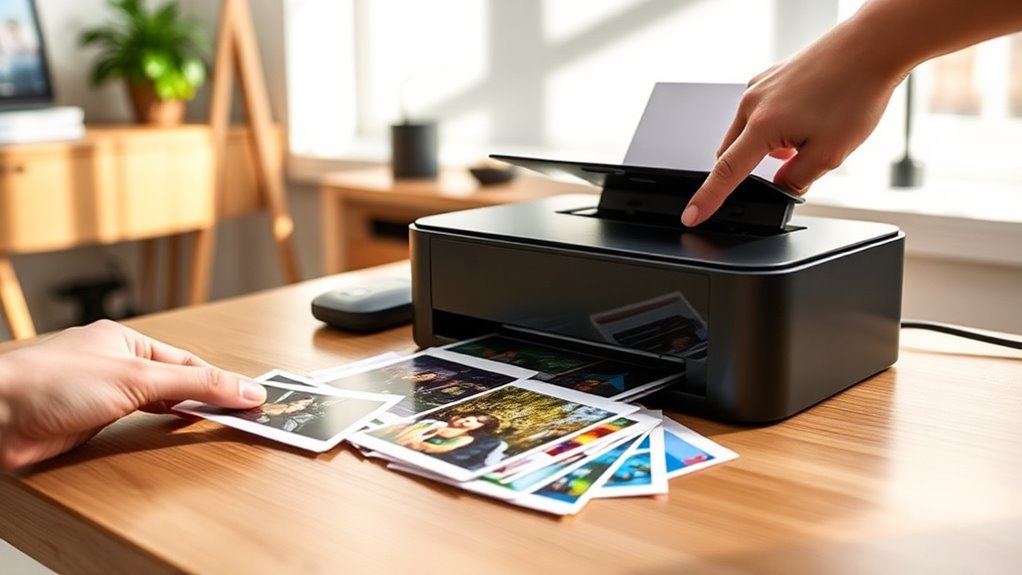
When choosing an at-home 4×6 photo printer, you’ll want to focus on print quality and resolution to get sharp, vibrant images. These are key to making your photos really pop.
Also, think about connectivity options, printer size, and portability. This way, the printer fits nicely into your space and workflow.
Don’t forget to check consumables, operating costs, and print speed. It’s important to make sure the printer meets your efficiency needs without breaking the bank.
Print Quality And Resolution
Consider print quality and resolution as the cornerstone of choosing the best at-home 4×6 photo printer. You’ll want a printer that uses dye-sublimation or high-resolution inkjet technology for smooth color gradations and richer tones.
Check the native print resolution—300 dpi is standard, but higher effective resolutions and advanced color processing can boost detail and color fidelity. Don’t overlook color depth and management; 24-bit color and ICC profile support guarantee accurate, consistent hues.
Evaluate print durability and finish options, like laminated or protective coatings, to keep your photos safe from water, fingerprints, and fading. Finally, focus on output sharpness and how well the printer handles skin tones and gradients, rather than just dpi numbers, for the best real-world image quality.
Connectivity Options Available
Print quality means little if you can’t easily get your photos from device to printer. When choosing a 4×6 photo printer, consider how you’ll connect.
Wi‑Fi, including built-in hotspots, lets multiple devices print wirelessly and supports simultaneous connections for quick sharing. Bluetooth offers simple, short-range pairing with minimal setup and saves power compared to Wi‑Fi.
If you prefer a wired connection, USB Type-C or USB ports provide reliable, low-latency transfers, especially when wireless isn’t available.
Check if the printer supports a mobile app for editing and print management, ensuring compatibility with your phone’s operating system. Some models also have memory card slots or docking stations, letting you print directly without a phone or computer.
Choose connectivity options that fit your workflow for smooth printing every time.
Printer Size And Portability
Evaluate the size and weight of your 4×6 photo printer to match how often you’ll carry it around. If you need true portability, look for compact models weighing under 1 kg that fit like a pocket or tablet.
Battery-powered or USB-C bus-powered printers let you print on the go, unlike mains-only devices. Consider sheet and tray capacity; portable printers usually hold 20–100 sheets, so you won’t have to reload frequently during events.
Check connectivity options like built-in Wi-Fi hotspots, Bluetooth, or USB Type-C for hassle-free mobile use. Finally, factor in durability—laminated output, sealed consumable cassettes, and sturdy, compact shells protect your printer from dust and damage when you move it often.
This way, your printer stays reliable wherever you take it.
Consumables And Operating Costs
After choosing a printer that fits your size and portability needs, you’ll want to look closely at consumables and operating costs to keep your printing affordable over time. Start by calculating the cost per 4×6 print—divide the combined price of paper and color consumables by the sheet count.
Remember that dye-sublimation printers often bundle ink and paper, which can affect the per-print price. Factor in cartridge yields and whether you buy ink and paper separately or together.
Don’t forget replacement parts like print heads, cleaning kits, or protective laminates, as these add to long-term expenses. Also, consider power usage during printing and standby, plus any subscription fees for ink delivery or cloud features.
Finally, specialty paper finishes, such as waterproof or laminated types, can increase costs but improve durability. It’s all about balancing price and quality to get the best bang for your buck.
Print Speed And Efficiency
Speed and efficiency matter a lot when choosing an at-home 4×6 photo printer, especially if you plan to print multiple photos in one session. Thermal dye-sublimation printers typically take 50–70 seconds per print, so consider how that affects your overall workflow.
Don’t forget to check the first-page-out time separately, since warm-up can add about a minute to your first print. Also, look at the paper tray capacity—smaller trays mean more frequent reloads and interruptions.
If you have several devices, make certain the printer supports simultaneous connections and fast wireless transfers to minimize delays. Finally, factor in maintenance like print-head cleaning or cartridge swaps; frequent manual upkeep can slow your printing efficiency, even if the per-photo print time is fast.
Editing And Customization Features
Printing efficiency is important, but how you customize your photos before printing can make a big difference in the final result. You should choose a printer with a companion app that offers built-in editing tools like crop, rotate, filters, brightness, contrast, and color saturation for quick tweaks.
Support for multiple print layouts—such as collages, photobooth strips, or passport templates—boosts creativity and paper use. Look for apps that include stickers, frames, text overlays, and layer-based editing, so you can personalize photos without extra software.
Real-time print previews and resolution indicators help you avoid cropping errors or pixelation at 4×6 size. Plus, batch editing and print queue management save time when handling large print jobs, letting you apply adjustments to multiple images and reorder prints effortlessly.
Frequently Asked Questions
What Type of Photo Paper Is Best for 4×6 Prints?
You’ll want glossy or semi-gloss photo paper for vibrant 4×6 prints with sharp details. Make sure it’s compatible with your printer type, whether inkjet or dye-sublimation, to get the best color and longevity.
That way, your photos really pop and last longer. It’s all about matching the paper to your printer and what you want out of the final print.
How Long Do 4×6 Photo Prints Typically Last?
You might be surprised, but 4×6 photo prints typically last anywhere from 20 to 100 years!
It all depends on the paper, ink, and how well you protect them from light, heat, and moisture.
Can These Printers Connect to Both Android and iOS Devices?
Yes, you can connect these printers to both Android and iOS devices. They usually support Wi-Fi, Bluetooth, or app-based printing, making it easy for you to print photos directly from your smartphone or tablet.
It’s pretty convenient, right? Just pick your device, connect, and start printing without any hassle.
Are There Any Recurring Costs Besides Ink and Paper?
Besides ink and paper, you won’t find hidden monsters lurking in your bills.
Just watch out for occasional maintenance or replacement parts. But mostly, your costs stick to supplies, keeping your printing experience smooth and budget-friendly.
How Do I Clean and Maintain My Photo Printer?
You clean your photo printer by wiping the exterior gently and running the printer’s built-in cleaning cycles regularly. It helps keep everything working smoothly.
Keep the print heads free of dust, and replace ink cartridges promptly to avoid clogs and maintain quality. That way, your prints always look their best.
Conclusion
Choosing the right 4×6 photo printer for your home might seem overwhelming, but it doesn’t have to be. You might worry about complicated setups or bulky devices, but these compact, user-friendly printers make printing memories easy and fun.
Whether you want wireless convenience or high-quality color, there’s a perfect option for you. Don’t let doubts hold you back—bringing your favorite moments to life is just a click away!
Finding the best at home photo printer 4×6 for 2027 means looking for something that fits your style and needs. From sleek designs to vibrant prints, these printers offer everything you want without any hassle. So, get ready to turn your digital photos into beautiful keepsakes with ease and enjoy the magic of printing right at home!