12 Best All-in-One Printers with Double-Sided Scanning in 2027
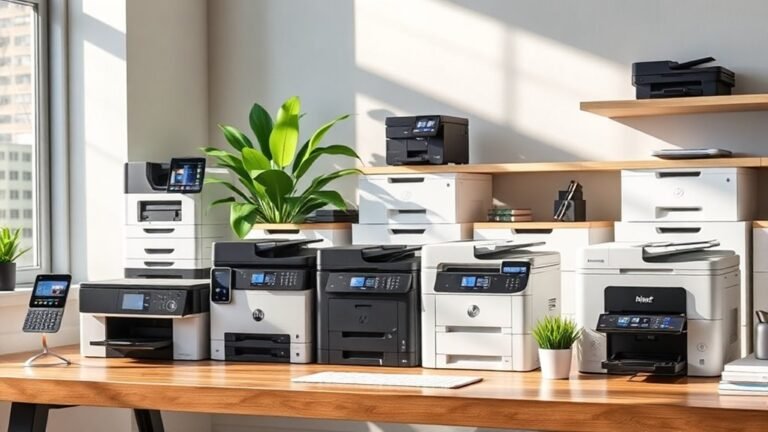
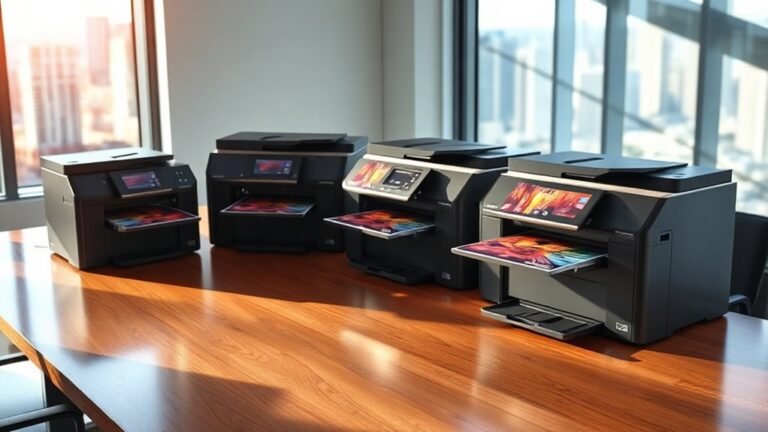
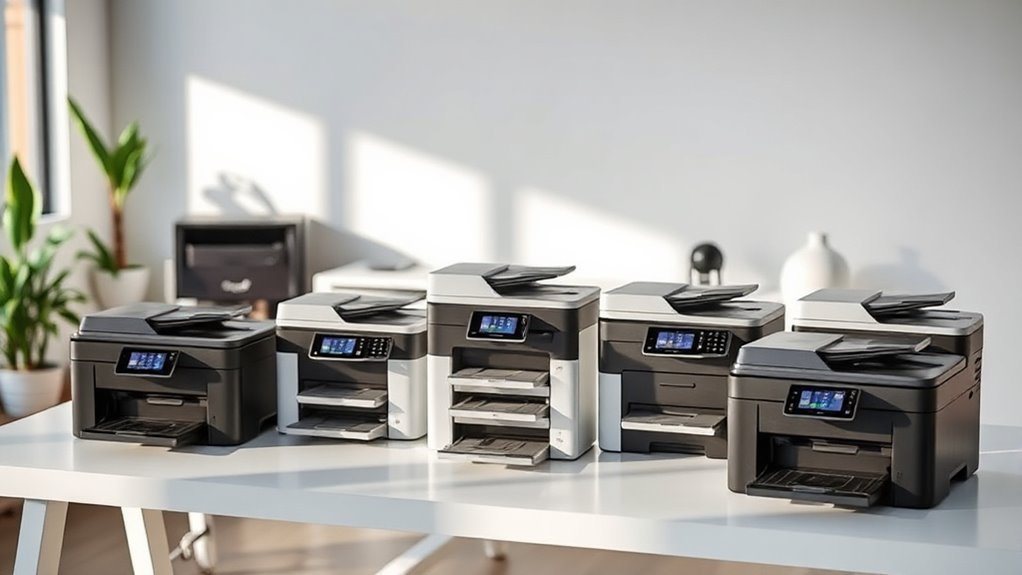
If you need an all-in-one printer with double-sided scanning in 2027, you’re in luck! There are plenty of great options that combine speed, reliability, and smart features.
For example, the Epson Workforce Pro WF-4935 and HP OfficeJet Pro 8125 stand out with fast duplex scanning and wireless connectivity, making your office tasks smoother.
Models like the Brother INKvestment take things further by focusing on smart ink usage and efficient workflows. These printers are perfect if you handle high volumes and want professional-quality prints without constant interruptions.
Keep reading to find out which features best match your office needs and how these machines can boost your productivity!
| Image | Name | Editor's Rating | Price |
|---|---|---|---|

|
|
||

|
|
||

|
|
||

|
|
||

|
|
Epson Workforce Pro WF-4935 Wireless All-in-One Printer
- Built for Speed — PrecisionCore Heat-Free technology delivers fast, high-volume printing with 25 (black)/12 (color) ISO ppm and fast first-page-out
- High-Precision Office Printing — Accurate dot placement and DURABrite Ultra instant-dry pigment inks for professional-quality prints
- High-Volume Durability for Heavy Workloads — Innovative heat-free technology engineered for reliability and reduced downtime
- Complete Duplex Solution — All-in-one printer with auto 2-sided print, copy, scan and fax; plus 50-sheet ADF
- Maximize Printing Productivity — High-performance office printer with 500-sheet paper capacity; includes two 250-sheet trays for added convenience

The Epson Workforce Pro WF-4935 offers a smart solution for busy offices needing efficient, high-volume printing. Its PrecisionCore Heat-Free technology eliminates warm-up time, delivering sharp prints quickly and maintaining smooth workflows throughout the day.
Designed to handle demanding tasks, this all-in-one printer supports auto two-sided printing and a 50-sheet automatic document feeder, making double-sided scanning and copying straightforward and time-saving. The dual 250-sheet trays reduce interruptions, enhancing productivity during large print jobs.
Maintenance is simple with DURABrite Ultra instant-dry pigment inks that produce professional-quality prints without smudging. The 4.3-inch color touchscreen provides an intuitive interface, streamlining operation for users of all levels.
While inkjet printing can lead to higher ink costs in extremely heavy-use scenarios, the WF-4935 balances speed, quality, and functionality for most office environments. Its moderate paper capacity fits typical workloads, supporting consistent output without frequent refills.
Best for: busy offices and professionals seeking a reliable, versatile all-in-one printer that handles high-volume tasks with sharp, fast results.
What We Like:
- Fast printing with no warm-up time thanks to PrecisionCore Heat-Free technology
- High-resolution output (4800 x 2400 dpi) with DURABrite Ultra pigment inks
- Convenient 50-sheet automatic document feeder and auto duplex printing
- User-friendly 4.3-inch color touchscreen for easy navigation
- Dual 250-sheet trays for uninterrupted workflow
Specification:
| Feature | Details |
|---|---|
| Manufacturer | Epson |
| Dimensions (W×D×H) | 17.7 × 18.3 × 11.6 inches |
| Weight | 21.2 lbs (9.6 kg) |
| Printing Technology | Inkjet with PrecisionCore Heat-Free |
| Print Resolution | Up to 4800 x 2400 dpi |
| Paper Capacity | 2 × 250-sheet trays + 50-sheet ADF |
| Display | 4.3-inch color touchscreen |
Epson Workforce Pro WF-4930 Wireless All-in-One Printer
- Built for Speed — PrecisionCore Heat-Free technology delivers fast, high-volume printing with 25 (black)/12 (color) ISO ppm and fast first-page-out
- High-Precision Office Printing — Accurate dot placement and DURABrite Ultra instant-dry pigment inks for professional-quality prints
- High-Volume Durability for Heavy Workloads — Innovative heat-free technology engineered for reliability and reduced downtime
- Complete Duplex Solution — All-in-one printer with auto 2-sided print, copy, scan and fax; plus 50-sheet ADF
- Maximize Printing Productivity — High-performance office printer with 500-sheet paper capacity; includes two 250-sheet trays for added convenience
The Epson Workforce Pro WF-4930 is designed to streamline demanding office tasks with speed and precision. It handles double-sided scanning and printing efficiently, eliminating delays and boosting productivity. This printer’s PrecisionCore Heat-Free Technology enables fast printing, so you can complete large jobs without waiting for warm-up.
Maintenance is simplified with dual 250-sheet trays and a 50-sheet Automatic Document Feeder, reducing the need for frequent paper reloads. Wireless connectivity allows printing from various devices, while voice-activated printing via Siri adds a hands-free convenience. The 4.3-inch touchscreen offers intuitive control for smooth operation.
Built for busy professionals and small to medium-sized offices, the WF-4930 delivers sharp, professional-quality documents using DURABrite Ultra Inks. Its compact design fits well in office spaces, though its weight may limit portability. While an inkjet, it balances quality and speed, though running costs can be higher compared to laser options in very high-volume settings.
Best for: busy professionals and small to medium-sized offices needing fast, reliable, high-volume wireless printing and scanning with professional-quality output.
What We Like:
- Fast, double-sided printing with no warm-up time
- Large paper capacity and efficient document feeder
- Wireless and voice-activated print options
- Easy-to-use touchscreen interface
- Compact design suitable for office environments
Specification:
| Manufacturer | Epson |
|---|---|
| Model | Workforce Pro WF-4930 |
| Dimensions | 16.5 x 19.3 x 11.2 in |
| Weight | 23.6 lb (10.7 kg) |
| Technology | Inkjet (PrecisionCore) |
| Paper Capacity | Dual 250-sheet trays + 50-sheet ADF |
Epson Workforce Pro WF-5938 Wireless All-in-One Printer
- Built for Speed — PrecisionCore Heat-Free technology delivers fast, high-volume printing with 25 (black)/25 (color) ISO ppm and fast first-page-out
- High-Precision Office Printing — Accurate dot placement and DURABrite Ultra instant-dry pigment inks for professional-quality prints
- High-Volume Durability for Heavy Workloads — Innovative heat-free technology engineered for reliability and reduced downtime
- Complete Duplex Solution — All-in-one printer with auto 2-sided print, copy, scan and fax; plus 50-sheet ADF
- Maximize Printing Productivity — High-performance office printer with 500-sheet paper capacity; includes two 250-sheet trays for added convenience
The Epson Workforce Pro WF-5938 is designed to tackle demanding office tasks with ease. Its fast double-sided scanning and printing keeps workflows moving without delays. PrecisionCore Heat-Free Technology ensures sharp prints at 25 ISO ppm, eliminating warm-up time and boosting productivity.
This all-in-one printer uses DURABrite Ultra pigment inks, delivering documents with vivid colors and crisp text that stand up to frequent handling. The dual 250-sheet trays and 50-sheet automatic document feeder handle large volumes, reducing interruptions and saving time.
Controlling the printer is simple. The intuitive 4.3-inch touchscreen offers easy navigation, while wireless connectivity lets you print or scan directly from laptops, smartphones, and tablets. Maintenance is straightforward but requires genuine Epson ink cartridges to maintain print quality and warranty coverage.
The WF-5938 suits professionals and small to medium-sized offices that need reliable, high-volume printing and scanning with flexible wireless options. It balances performance with practical features for busy workspaces.
Best for: Professionals and small to medium-sized offices needing fast, reliable, high-volume double-sided printing and scanning with wireless connectivity.
What We Like:
- Fast printing at 25 ISO ppm with no warm-up delays
- Durable, high-quality prints using DURABrite Ultra pigment inks
- Efficient handling of large jobs with dual trays and 50-sheet ADF
- Easy operation via 4.3-inch touchscreen and mobile app connectivity
Specification:
| Feature | Details |
|---|---|
| Manufacturer | Epson |
| Dimensions (W x D x H) | 18.1 x 19.6 x 11.7 inches |
| Weight | 23.5 lbs (10.7 kg) |
| Ink Type | DURABrite Ultra pigment inks |
| Paper Capacity | Dual 250-sheet trays + 50-sheet ADF |
| Connectivity | Wireless, Epson Smart Panel app |
HP OfficeJet Pro 8125 Wireless All-in-One Printer
- FROM AMERICA'S MOST TRUSTED PRINTER BRAND – The OfficeJet Pro 8125 is perfect for home offices printing professional-quality color documents like business documents...
- 3 MONTH TRIAL OF INSTANT INK INCLUDED – Subscribe to the Instant Ink delivery service to get ink delivered directly to your door before you run out, and you save up to...
- KEY FEATURES – Fast color printing, scan, copy, auto 2-sided printing, auto document feeder, and a 225-sheet input tray
- 2.7-INCH TOUCHSCREEN – Quickly navigate your printer with a large color touchscreen and a phone-like user interface
- WIRELESS PRINTING – Stay connected with our most reliable dual-band Wi-Fi, which automatically detects and resolves connection issues
Experience fast, professional-quality printing designed to keep your home office running smoothly. The HP OfficeJet Pro 8125 wireless all-in-one printer delivers sharp black-and-color prints at impressive speeds, helping you complete tasks without delay. Its duplex scanning feature saves time by quickly handling double-sided documents.
Navigation is simple with a bright 2.7-inch color touchscreen, while dual-band Wi-Fi ensures a stable, hassle-free wireless connection. The built-in automatic document feeder (ADF) supports multi-page copying and scanning, making it easier to manage large jobs. Maintenance is straightforward, though the printer requires original HP cartridges to operate optimally.
Security and sustainability are key benefits. HP Wolf Essential Security safeguards your data during printing, and the printer’s design incorporates over 45% recycled plastic, reflecting a commitment to eco-friendliness. However, the maximum media size of 8.5 x 11.7 inches limits larger print projects.
Best for: Small business owners and home office users who require fast, reliable color printing with strong security and wireless convenience.
What We Like:
- Fast print speeds with sharp resolution for clear documents
- Easy-to-use 2.7-inch color touchscreen and reliable dual-band Wi-Fi
- Efficient multi-page scanning and copying with built-in ADF
- Strong data protection through HP Wolf Essential Security
- Environmentally conscious design using recycled plastics
Specification:
| Feature | Details |
|---|---|
| Manufacturer | HP |
| Dimensions | Approx. 17.3 x 14.5 x 9.3 in (W x D x H) |
| Weight | Approx. 17.5 lb (7.9 kg) |
| Color Options | Black |
| Connectivity | Dual-band Wi-Fi, USB |
Brother INKvestment Wireless Color All-in-One Printer
- BEST FOR SMALL BUSINESS: Print, copy, scan, and fax with one powerful device, with advanced security features for business. Includes one 1,800-page yield black ink...
- PRODUCTIVITY-FOCUSED FEATURES: A 250-sheet paper tray, 50-page single-pass duplex (2-sided) automatic document feeder (ADF), and automatic duplex printing on paper up to...
- SUPERIOR PRINTING: Engineered with the Brother PerfectPrint Auto Detection System, which helps ensure reliable, consistent print quality and performance you can depend on...
- SEAMLESS CONNECTIONS: Simplify your workflow with Wi-Fi Direct and multiple connection options, including wireless network interfacing, Ethernet, and USB. Plus, print...
- THE BROTHER MOBILE CONNECT APP: Put the power of printing at your fingertips. Go mobile with the simple-to-use Brother Mobile Connect app, which delivers easy on-screen...
The Brother INKvestment Wireless Color All-in-One Printer is designed to simplify busy office workflows. Its fast duplex scanning and automatic double-sided printing cut down handling time for multi-page documents. This helps small businesses improve efficiency without added hassle.
With versatile wireless connectivity options like Wi-Fi Direct, Ethernet, and mobile printing through the Brother Mobile Connect app, you can print or scan from almost anywhere in your workspace. The 50-page single-pass duplex ADF speeds up multi-page scanning and copying, minimizing interruptions.
Maintenance is straightforward thanks to the smart ink delivery system. High-yield cartridges reduce the need for frequent replacements, keeping your productivity steady. The 250-sheet main tray holds ample paper to avoid constant refills.
Though compact and powerful with sharp, high-resolution output and cloud integration, the printer weighs over 30 pounds, which might be a consideration for tight office spaces. The color cartridge yield is lower than black, which could increase ink replacement frequency.
Best for: Small businesses needing a fast, versatile all-in-one printer with advanced duplex scanning and flexible wireless connectivity.
What We Like:
- Efficient multi-page handling with automatic duplex printing and 50-page single-pass duplex ADF
- Multiple connectivity options including Wi-Fi Direct, Ethernet, and mobile app printing
- Smart ink delivery with high-yield cartridges to reduce downtime
- Compact design with high-resolution output and cloud integration
Specification:
| Feature | Details |
|---|---|
| Manufacturer | Brother |
| Dimensions (W×D×H) | Approx. 16.1 × 15.7 × 7.2 inches |
| Weight | Over 30 lbs (approx. 13.6 kg) |
| Connectivity | Wi-Fi Direct, Ethernet, USB, Mobile app |
| Paper Capacity | 250-sheet main tray |
HP OfficeJet Pro 9135 Wireless All-in-One Printer

- FROM AMERICA'S MOST TRUSTED PRINTER BRAND – The OfficeJet Pro 9135 is perfect for offices printing professional-quality color documents like presentations, brochures...
- 3 MONTH TRAIL OF INSTANT INK INCLUDED – Subscribe to the Instant Ink delivery service to get ink delivered directly to your office door before you run out, and you save...
- KEY FEATURES – Fast color printing, copy, fax, auto 2-sided printing, auto document feeder with single-pass 2-sided scanning, and two 250-sheet input trays
- 4.3-INCH TOUCHSCREEN – Quickly navigate your printer with a large color touchscreen and a phone-like user interface
- WIRELESS PRINTING – Stay connected with our most reliable dual-band Wi-Fi, which automatically detects and resolves connection issues
The HP OfficeJet Pro 9135 Wireless All-in-One Printer delivers fast, dependable printing designed to keep your office productive. With print speeds of up to 25 ppm for black and 20 ppm for color, it handles large workloads efficiently. You can print and scan double-sided documents automatically, saving time and reducing paper use.
Navigation is simple thanks to the 4.3-inch color touchscreen, which makes managing tasks quick and intuitive. Connectivity options like dual-band Wi-Fi and mobile app support give you the freedom to print from multiple devices without hassle. This printer’s design incorporates over 40% recycled plastic, reflecting a commitment to sustainability.
Maintenance is straightforward but requires original HP cartridges, which helps maintain print quality but may increase running costs. The printer supports standard letter-sized media, making it ideal for most office documents but not larger formats. AI-powered formatting and HP Wolf Pro Security add layers of convenience and protection for sensitive information.
Best for: Small to medium-sized offices and professionals needing fast, reliable wireless printing with advanced duplex scanning and eco-friendly design.
What We Like:
- Fast print speeds with automatic two-sided printing and scanning
- Easy-to-use color touchscreen and robust wireless connectivity
- Eco-conscious build using recycled materials
- AI-powered formatting enhances document quality
- Strong security features via HP Wolf Pro Security
Specification:
| Feature | Details |
|---|---|
| Manufacturer | HP |
| Dimensions | Not specified |
| Weight | Not specified |
| Material | Over 40% recycled plastic |
| Color Options | Not specified |
Epson Workforce Pro WF-4920 Wireless All-in-One Printer

- Built for Speed — PrecisionCore Heat-Free technology delivers fast, high-volume printing with 25 (black)/12 (color) ISO ppm and fast first-page-out
- High-Precision Office Printing — Accurate dot placement and DURABrite Ultra instant-dry pigment inks for professional-quality prints
- High-Volume Durability for Heavy Workloads — Innovative heat-free technology engineered for reliability and reduced downtime
- Designed for Productivity — All-in-one printer with auto 2-sided printing and 1-sided, 35-page ADF streamline workflow
- Maximize Printing Efficiency — High-performance office printer with large, 250-sheet paper capacity
The Epson Workforce Pro WF-4920 is designed to keep busy offices running smoothly. Its fast printing speeds and 35-page automatic document feeder help reduce time spent on repetitive tasks. This printer handles high-volume jobs with ease, making it a reliable partner for demanding work environments.
Thanks to PrecisionCore Heat-Free technology, it delivers sharp prints at 25 ppm in black and 12 ppm in color. The use of DURABrite Ultra pigment inks ensures professional-quality documents that resist smudging and fading. Navigation is simple with the large 4.3-inch color touchscreen, which streamlines access to settings and features.
Maintenance is straightforward, and the printer supports auto double-sided printing to save paper. Its 250-sheet capacity reduces frequent paper refills, helping maintain uninterrupted workflow. Wireless connectivity options like Wi-Fi Direct, Apple AirPrint, and Mopria allow easy printing from various devices.
While the inkjet technology provides quality output, it may result in higher running costs compared to laser printers for very heavy use. The printer’s size and weight require sufficient desk space, and it supports media sizes only up to 8.5 x 14 inches.
Best for: busy offices and professionals needing fast, high-quality printing with versatile all-in-one features and wireless convenience.
What We Like:
- Fast print speeds with PrecisionCore Heat-Free technology
- Large, intuitive 4.3-inch color touchscreen
- 35-page automatic document feeder for efficient multitasking
- Wireless printing options including Wi-Fi Direct and Apple AirPrint
- Auto double-sided printing and 250-sheet capacity for smooth workflow
Specification:
| Feature | Details |
|---|---|
| Manufacturer | Epson |
| Dimensions (W×D×H) | 18.5 × 15.5 × 11.6 inches |
| Weight | 22.5 lb (10.2 kg) |
| Technology | Inkjet with PrecisionCore |
| Max Media Size | 8.5 × 14 inches |
Epson Workforce WF-2990 Wireless All-in-One Printer
- Fast Professional-Quality Home Office Printing — Epson's leading-edge printing technology produces sharp text and clear, vibrant color graphics
- Our Fastest WorkForce Printer — Plus, a 150-sheet paper tray for convenient paper handling
- Convenient Operation — Large 2.4" color display for effortless navigation
- Engineered for Reliability — Consistently delivers high-quality prints with PrecisionCore Heat-Free technology and a permanent printhead designed to last the life of...
- Efficient, Economical Design — Automatic 2-sided printing helps you save paper and reduce paper waste
The Epson Workforce WF-2990 is designed to streamline your home office tasks with reliable wireless printing and scanning. It tackles common challenges like slow print speeds and cumbersome double-sided scanning. With fast output of up to 15.5 pages per minute in black and white, it keeps your workflow moving smoothly.
Its wireless connectivity, including Wi-Fi Direct, eliminates the hassle of cables and allows printing from multiple devices effortlessly. The intuitive 2.4-inch color touchscreen makes operation straightforward, while the automatic document feeder handles double-sided scanning with ease.
Maintenance is simple and cost-effective thanks to individual ink cartridges. You only replace the color that runs out, reducing waste and saving money over time. The 150-sheet tray supports a variety of paper sizes, though it may require refilling during large print jobs.
This Energy Star certified printer is ideal for those who want a device that balances speed, convenience, and energy efficiency. Its compact design fits well in small spaces without sacrificing functionality.
Best for: small home offices or individuals needing fast, versatile wireless printing and scanning with economical ink usage.
What We Like:
- Fast black and white printing at 15.5 ppm
- Convenient Wi-Fi Direct for easy wireless setup
- Cost-saving individual ink cartridges
- Efficient double-sided scanning with automatic feeder
- Energy Star certification for reduced power consumption
Specification:
| Feature | Details |
|---|---|
| Manufacturer | Epson |
| Dimensions (W x D x H) | 17.7 x 15.3 x 9.8 inches |
| Weight | 11.7 lb (5.3 kg) |
| Paper Tray Capacity | 150 sheets |
| Touchscreen | 2.4-inch color |
| Connectivity | Wireless, Wi-Fi Direct |
Epson WorkForce Pro WF-4833 Wireless All-in-One Printer

- High-speed printing — PrecisionCore Heat-Free Technology delivers high-speed, high-volume printing with 25 black/12 color ISO ppm and fast first-page-out
- High-precision printing — accurate dot placement and DURABrite Ultra instant-dry pigment inks for professional-quality prints
- High-volume reliability for heavy workloads — innovative heat-free technology designed for reliability and reduced downtime
- Complete duplex solution — auto 2-sided print, copy, scan and fax; plus 50-sheet ADF
- Maximize productivity — with 500-sheet paper capacity; includes two 250-sheet trays for added convenience
The Epson WorkForce Pro WF-4833 is designed to streamline busy office tasks with its fast, automatic double-sided printing and scanning. It handles printing, copying, scanning, and faxing, reducing the need for multiple devices. This versatility makes managing documents easier and more efficient.
With print speeds of 25 black and 12 color pages per minute, it keeps up with demanding workloads. The precision printing technology ensures sharp, high-resolution results every time. Dual 250-sheet trays and a 50-sheet automatic document feeder help you manage large jobs without constant refills.
This wireless all-in-one printer offers flexible connectivity options, including Wi-Fi, Bluetooth, and Ethernet. You can control it easily through a 4.3-inch touchscreen or the Epson Smart Panel app. Maintenance is straightforward but note it requires Epson Genuine Cartridges, which helps maintain print quality but may limit cartridge choices.
Its compact yet sturdy design fits well in small to medium office spaces, though it requires a bit more desk room. The WF-4833 is ideal for those who need dependable, high-quality printing and multifunction capabilities in one device.
Best for: Small to medium-sized offices and home businesses needing a versatile, fast, and reliable wireless all-in-one printer with sharp color and black-and-white output.
What We Like:
- Fast and efficient automatic duplex printing speeds
- Large paper capacity with dual 250-sheet trays and 50-sheet feeder
- Multiple connectivity options including Wi-Fi and Bluetooth
- Easy navigation via touchscreen and mobile app
Specification:
| Feature | Details |
|---|---|
| Manufacturer | Epson |
| Dimensions (W x D x H) | 16.9 x 16.9 x 11.7 inches |
| Weight | 17.2 lbs (7.8 kg) |
| Printing Technology | PrecisionCore Heat-Free Inkjet |
| Color Options | Black, Color |
Epson EcoTank ET-4950 Wireless Color All-in-One Supertank Printer – Black

- Epson EcoTank Wireless All-in-One Ink Tank Printer – Cartridge-Free System, High-Capacity Ink Bottles, Mobile Printing, Auto Duplex
- WORRY-FREE PRINTING — Epson EcoTank comes with enough ink to print up to 6,600 pages black/5,500 color⁹ for fewer out-of-ink frustrations. Each replacement ink bottle...
- SIMPLE INK REFILLING — Supersized ink tanks and uniquely keyed EcoFit bottles make refilling ink simple—no mess, no stress and no ink bottle mix-ups
- THE WORLD’S #1 SELLING SUPERTANK PRINTER² — Epson invented EcoTank to revolutionize the way people print; we’ve sold 100 million EcoTanks worldwide⁷ and this is...
- ADVANCED PRODUCTIVITY FEATURES — Fast 18 black/9 color ISO ppm print speeds with zero warmup time, an Auto Document Feeder, fax, a high-capacity 250-sheet paper tray...
The Epson EcoTank ET-4950 is designed for small offices and home users who face the hassle of frequent ink replacements. Its cartridge-free system with large ink tanks means fewer interruptions and lower running costs. This helps you focus on your work without constant maintenance.
It delivers sharp, high-quality prints at 4800 x 1200 dpi. The printer handles both black and color printing efficiently, producing up to 18 black and 9 color pages per minute. This balance of speed and clarity supports everyday office tasks and creative projects alike.
The ET-4950 boosts productivity with features like auto duplex printing, a 250-sheet input tray, and an automatic document feeder. Wireless connectivity and the Epson Smart Panel app allow for easy printing and scanning from mobile devices, simplifying your workflow.
While the printer’s footprint is larger than basic models, its compact design fits well in most workspaces. Initial setup and ink refilling require some attention but result in long-term savings. Note that it lacks advanced security features for highly sensitive environments.
Best for: Small offices and home users needing cost-effective, high-volume printing with versatile wireless options.
What We Like:
- Cartridge-free design with large ink tanks reduces ink replacement frequency and costs.
- High print quality and fast speeds support diverse printing needs.
- Productivity-enhancing features like auto duplex and an automatic document feeder.
- Wireless printing and mobile app integration for easy remote use.
Specification:
| Feature | Details |
|---|---|
| Manufacturer | Epson |
| Model | EcoTank ET-4950 |
| Dimensions (W×D×H) | Approx. 15.4 × 14.8 × 9.2 in (39.1 × 37.6 × 23.4 cm) |
| Weight | Approx. 14.5 lb (6.57 kg) |
| Color | Black |
Epson Workforce Pro WF-3925 Wireless All-in-One Printer

- Built for Speed — PrecisionCore Heat-Free technology delivers fast, high-volume printing with 21 (black)/11 (color) ISO ppm and fast first-page-out
- High-Precision Office Printing — Accurate dot placement and DURABrite Ultra instant-dry pigment inks for professional-quality prints
- High-Volume Durability for Heavy Workloads — Innovative heat-free technology engineered for reliability and reduced downtime
- Designed for Productivity — All-in-one printer with auto 2-sided printing and 1-sided, 35-page ADF streamline workflow
- Maximize Printing Efficiency — High-performance office printer with large, 250-sheet paper capacity
The Epson Workforce Pro WF-3925 is designed to streamline busy office tasks with fast, reliable double-sided scanning and printing. It helps professionals reduce time spent on repetitive document handling, boosting daily productivity. With crisp print quality and efficient workflow, it meets the demands of small offices and workgroups.
This wireless all-in-one printer supports seamless connectivity through Wi-Fi Direct and mobile app control, allowing users to print from laptops, smartphones, or tablets without hassle. Voice-activated printing adds an extra layer of convenience, simplifying operation and saving effort.
Maintenance is straightforward thanks to a 250-sheet paper capacity and a 35-page automatic document feeder, cutting down on frequent refills and manual input. The DURABrite Ultra Ink system delivers sharp, vibrant prints at resolutions up to 4800 x 2400 dpi, ensuring professional-looking results every time.
While the inkjet technology offers excellent print quality, it may be less cost-effective for very high-volume printing compared to laser alternatives. The medium paper capacity also means it is best suited for moderate workloads rather than extreme heavy use.
Best for: Small office users and busy professionals needing efficient, high-quality wireless printing and scanning with double-sided functionality.
What We Like:
- Fast print speeds with sharp, vibrant output using DURABrite Ultra Inks
- 35-page automatic document feeder and auto double-sided printing for improved productivity
- Wireless connectivity including Wi-Fi Direct and voice-activated printing for ease of use
Specification:
| Feature | Details |
|---|---|
| Manufacturer | Epson |
| Dimensions (W×D×H) | 16.5 × 18.7 × 11.4 inches |
| Weight | 15.9 lbs (7.2 kg) |
| Printing Technology | Inkjet |
| Print Speed (Black) | 21 pages per minute |
| Print Speed (Color) | 11 pages per minute |
| Resolution | Up to 4800 x 2400 dpi |
| Paper Capacity | 250 sheets |
| Automatic Document Feeder | 35 pages |
| Connectivity | Wi-Fi, Wi-Fi Direct, Mobile App |
Epson WorkForce WF-2940 Wireless All-in-One Printer

- Fast Professional-Quality Home Office Printer — Epson's leading-edge printing technology produces sharp text and clear, vibrant color graphics
- Convenient Operation — 1.4" color display for effortless navigation
- Engineered for Reliability — Consistently delivers high-quality prints with Heat-Free technology and a permanent printhead designed to last the life of the printer
- Epson Smart Panel App¹ — Transforms your mobile device into a high-performance command center and adds time-saving features like Smart Setup
- Efficient, Economical Design — Automatic 2-sided printing helps you save paper and reduce paper waste
Experience seamless productivity with the Epson WorkForce WF-2940 Wireless All-in-One Printer, designed to simplify your daily tasks. This versatile device handles printing, scanning, copying, and faxing, making it an ideal solution for small offices or home workspaces.
Its wireless capabilities, including Wi-Fi Direct, let you print effortlessly from laptops or smartphones without needing a router. The automatic two-sided printing and Auto Document Feeder save time by managing multi-page documents efficiently.
Maintenance is straightforward with individual ink cartridges, allowing you to replace only the colors that run out. This approach reduces waste and lowers ongoing costs, supporting a more sustainable workflow.
The compact design features a 1.4-inch color display for easy operation, though its size may limit complex navigation. While print speeds are moderate, the WF-2940 produces sharp black and color documents on media up to 8.5 x 14 inches.
Best for: Small offices or home users looking for a wireless all-in-one printer with dependable double-sided printing and scanning.
What We Like:
- Wi-Fi Direct enables printing without a router
- Automatic two-sided printing and Auto Document Feeder boost efficiency
- Individual ink cartridges reduce waste and save money
- Handles multiple media sizes up to legal (8.5 x 14 inches)
Specification:
| Specification | Details |
|---|---|
| Manufacturer | Epson |
| Dimensions (W×D×H) | Approx. 17.7 × 14.6 × 9.8 in |
| Weight | Approx. 13.7 lb (6.2 kg) |
| Color Options | Black |
| Display | 1.4-inch color LCD |
Factors to Consider When Choosing an All in One Printer With Double Sided Scanning
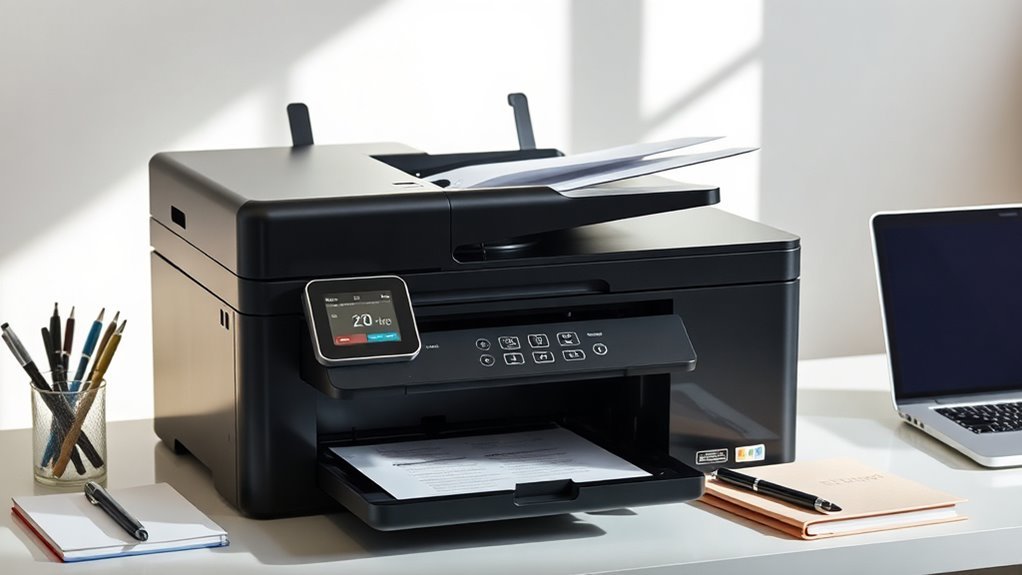
When choosing an all-in-one printer with double-sided scanning, you’ll want to focus on scanning speed and efficiency to save time. Make sure the duplex scanning mechanism is reliable and check if the printer works smoothly with your devices.
Don’t forget to evaluate paper handling capacity, as well as software and connectivity options for a seamless experience. These factors can really make a difference in how well the printer fits into your workflow.
Taking a little extra time to consider these details will pay off in the long run with fewer headaches and better productivity.
Scanning Speed Efficiency
Because efficient scanning can make a big difference in your workflow, you’ll want to focus on speed when choosing an all-in-one printer with double-sided scanning. Look for models with single-pass duplex scanning, as they capture both sides of a page in one go, speeding up tasks and reducing wear on the scanner.
Typical speeds range from 10 to 25 pages per minute for black and white, with color scanning slightly slower. A larger Automatic Document Feeder (ADF) capacity also boosts efficiency by allowing you to scan more pages at once without interruption.
Additionally, printers with advanced tech like heat-free scanning can deliver faster first-page output and minimize downtime between scans. Prioritizing these factors guarantees your device handles heavy workloads smoothly and quickly.
Duplex Scanning Mechanism
Speed plays a big role in how well your all-in-one printer handles double-sided scanning, but the underlying duplex scanning mechanism is just as important.
Duplex scanning lets you automatically scan both sides of a document in one pass, saving you time and effort, especially with multi-page tasks. Most printers use a single sensor that captures images from both sides simultaneously, boosting efficiency.
This mechanism usually supports various media sizes, so you can scan everything from standard letters to larger documents without hassle. It also reduces manual handling, which not only speeds up your workflow but protects the scanner’s components from excess wear.
Plus, you can customize your scans with options like color, grayscale, and resolution, tailoring the output exactly to your needs. It really makes the scanning process smoother and more flexible for whatever project you’re working on.
Compatibility With Devices
Choosing an all-in-one printer with double-sided scanning means thinking about how well it connects with your devices. You’ll want a printer that supports multiple connectivity options like Wi-Fi, Ethernet, and USB. This way, linking up with laptops, desktops, tablets, and smartphones is a breeze.
Also, check if it’s compatible with major operating systems like Windows, macOS, and mobile OS. You don’t want to run into integration issues down the road.
Look out for support of mobile printing apps and services like AirPrint or Mopria Print Service. These let you print and scan right from your mobile device without needing extra drivers.
And don’t forget to consider printers that work with cloud platforms like Google Drive and Dropbox. This makes printing and scanning documents from the cloud super easy, which definitely boosts your productivity and convenience.
Paper Handling Capacity
When you rely on your all-in-one printer for heavy-duty tasks, paper handling capacity plays a key role in keeping your workflow smooth. You want a printer that holds a large number of sheets at once to minimize interruptions for reloads, especially during high-volume printing.
Look for models with dual paper trays—they let you switch between different paper sizes or types without hassle. An Automatic Document Feeder (ADF) with a generous capacity also streamlines scanning and copying multi-page documents.
Plus, printers that support various media sizes give you the flexibility to handle everything from standard letter to legal or even custom formats. Prioritizing robust paper handling guarantees your printer keeps up with your demands efficiently and reduces downtime.
Software And Connectivity
Beyond paper handling, the software and connectivity features of an all-in-one printer really shape how easily you manage tasks like double-sided scanning. You’ll want a printer that supports mobile printing through apps. That way, you can print directly from your smartphone or tablet without any hassle.
Make sure it’s compatible with various operating systems and offers built-in wireless options like Wi-Fi Direct. This lets you connect without needing a router, which is super convenient.
Look for software that integrates with cloud storage services such as Google Drive or Dropbox. This makes scanning and printing from the cloud seamless and straightforward.
Voice-activated printing adds hands-free convenience through voice assistants. It’s perfect when your hands are full or you’re in a hurry.
Finally, a user-friendly touchscreen interface makes navigation simple. Features like double-sided scanning become more accessible and efficient for your everyday needs.
Frequently Asked Questions
How Do Double-Sided Scanning Features Impact Printer Maintenance?
Double-sided scanning reduces your time but increases maintenance needs, like cleaning rollers and sensors more often.
You’ll want to check for paper jams regularly to keep the mechanism smooth and avoid costly repairs down the line. It’s a bit of extra care, but totally worth it to keep things running well!
Are All-In-One Printers Compatible With Mac and Windows Operating Systems?
Think of your all-in-one printer as a universal key—it usually fits both Mac and Windows locks. You’ll find most are compatible, but double-check drivers to guarantee smooth operation without any unexpected hiccups.
It’s always a good idea to peek at the specs before you buy. That way, you avoid any surprises and keep your printing hassle-free.
What Is the Average Warranty Period for All-In-One Printers With Duplex Scanning?
You’ll typically get a one-year warranty for all-in-one printers with duplex scanning, though some brands extend it to two or three years.
It’s always a good idea to check the specific model’s warranty details before buying. That way, you can avoid any surprises down the line.
Can These Printers Connect to Mobile Devices via Bluetooth?
Yes, many all-in-one printers with duplex scanning connect to mobile devices via Bluetooth.
You’ll find this feature super convenient for wireless printing and scanning directly from your smartphone or tablet. No need to worry about cables or setting up a network connection.
How Energy-Efficient Are All-In-One Printers With Double-Sided Scanning?
You’ll find these printers quite energy-efficient, especially models with ENERGY STAR certification. They use less power during scanning and printing.
Double-sided scanning reduces paper waste, helping you save energy and support eco-friendly practices. It’s a smart choice if you want to be kinder to the environment without sacrificing convenience.
Conclusion
Choosing the right all-in-one printer with double-sided scanning is like finding a trusty sidekick for your busy workdays. You want speed, reliability, and smart features that keep your tasks flowing smoothly without hiccups.
Whether you’re printing vibrant photos or important documents, these printers have got your back. So, trust your instincts, pick the perfect match, and watch your productivity soar like a well-oiled machine ready to tackle anything.
When it comes to all-in-one printers with double-sided scanning, having a device that combines efficiency and versatility is a game-changer. These models save time, reduce paper waste, and deliver professional-quality results every time. By choosing one that fits your needs, you’re not just investing in a printer—you’re boosting your workflow for years to come.