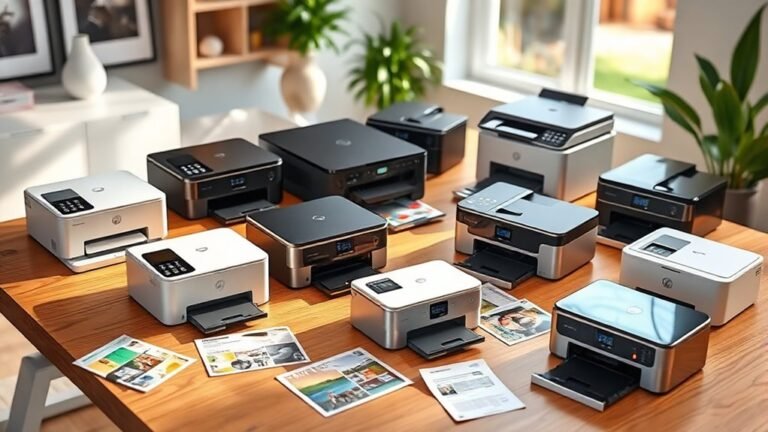
3 Best All-in-One Printers Under $100 for 2027
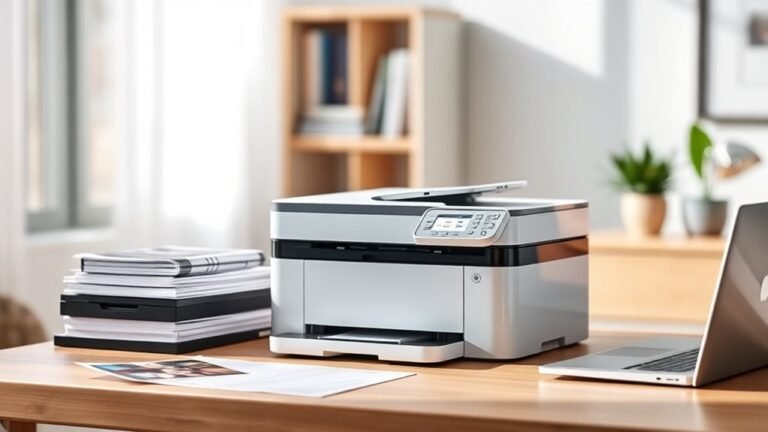
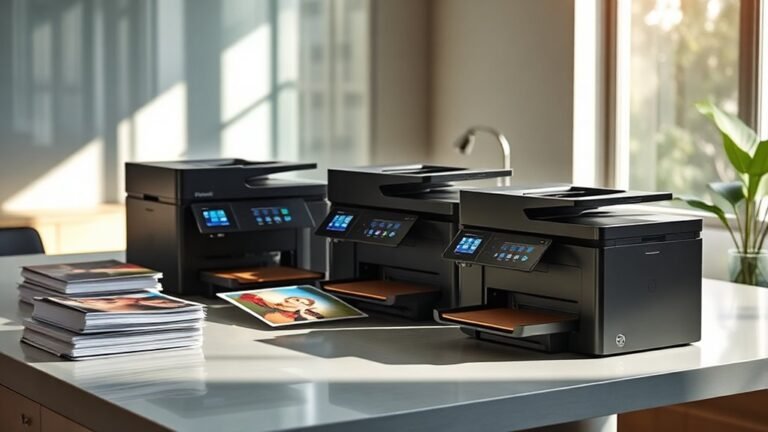
You’ll find three top all-in-one printers under $100 perfect for home use: the HP DeskJet 2923, HP DeskJet 2955, and Canon PIXMA TS3720. These budget-friendly printers are great for basic printing, scanning, and copying tasks. Plus, they come with wireless dual-band Wi-Fi and mobile app support, making it easy to print from your phone or tablet.
They’re compact and straightforward to operate, fitting nicely into small spaces without any fuss. But keep in mind, these models are best suited for light workloads rather than heavy or professional use.
If you want to dive deeper into their features, connectivity options, or figure out which one fits your needs and space best, keep reading to explore these great all-in-one printers.
| Image | Name | Editor's Rating | Price |
|---|---|---|---|

|
|
||

|
|
HP DeskJet 2923 Color Inkjet Printer | Wireless | All-in-One
- Perfect for basic printing needs – Print everyday color documents like to-do lists, letters, financial documents and recipes
- KEY FEATURES – Color print, copy, scan, and a 60-sheet input tray, plus mobile and wireless printing
- OPTIMIZE PRINT FORMATTING WITH HP AI – Print web pages and emails with precision—no wasted pages or awkward layouts; HP AI easily removes unwanted content, so your...
- ICON LCD – Print your basic documents with ease from the intuitive control panel
- PRINT SPEED – Up to 7.5 ppm black, 5.5 ppm color

Experience hassle-free printing with the HP DeskJet 2923 Color Inkjet Printer, designed to fit perfectly into your home or small office setup. This all-in-one device lets you effortlessly print, scan, and copy with wireless convenience. Its dual-band Wi-Fi and HP app compatibility mean you can send documents directly from your smartphone or laptop without any cables.
Maintenance is straightforward, helped by the included 6-month Instant Ink trial that manages your ink supply and saves you trips to the store. The printer’s compact design and 60-sheet input tray make it ideal for limited spaces, keeping your workspace neat and organized.
Though it requires manual intervention for duplex printing, it still supports double-sided printing, helping reduce paper use. Print speeds of up to 7.5 ppm in black and 5.5 ppm in color suit everyday tasks, while the printer handles basic color documents with clarity.
This printer is best suited for home users who need a reliable, easy-to-use all-in-one solution without the complexity of high-end models.
Best for: Home users needing an affordable, wireless all-in-one printer for basic color printing, scanning, and copying.
What We Like:
- Wireless dual-band Wi-Fi and HP app enable easy mobile printing
- Includes 6-month Instant Ink trial for ink savings and convenience
- Compact footprint fits well in small spaces
- Supports manual duplex printing to save paper
- Simple operation ideal for everyday home use
Specification:
| Feature | Details |
|---|---|
| Manufacturer | HP |
| Dimensions | Compact design (exact size not specified) |
| Weight | Not specified |
| Printing Technology | Color Inkjet |
| Connectivity | Wireless Dual-Band Wi-Fi |
| Input Tray Capacity | 60 sheets |
| Print Speed | Up to 7.5 ppm (black), 5.5 ppm (color) |
HP DeskJet 2955 Color Inkjet Printer | Wireless | All-in-One
- PERFECT FOR BASIC PRINTING NEEDS – Print everyday color documents like to-do lists, letters, financial documents and recipes
- KEY FEATURES – Color print, copy, scan, and a 60-sheet input tray, plus mobile and wireless printing
- OPTIMIZE PRINT FORMATTING WITH HP AI – Print web pages and emails with precision—no wasted pages or awkward layouts; HP AI easily removes unwanted content, so your...
- ICON LCD – Print your basic documents with ease from the intuitive control panel
- PRINT SPEED – Up to 7.5 ppm black, 5.5 ppm color
The HP DeskJet 2955 Color Inkjet Printer brings a compact and efficient solution to everyday printing needs. Designed for home use, it handles printing, scanning, and copying tasks with ease, helping you stay organized without cluttering your space. This all-in-one printer delivers sharp color prints at up to 4800 x 1200 dpi, making your documents and photos look vibrant and clear.
Its dual-band Wi-Fi connectivity and mobile app compatibility simplify wireless printing and scanning, eliminating the hassle of cables. The printer supports HP Instant Ink, which helps you avoid unexpected ink shortages by delivering cartridges before you run out. This feature saves time and reduces maintenance stress.
While it offers manual duplex printing, it requires user involvement to print on both sides, which might slow down large print jobs. The print speed suits typical home use, but it may not meet high-volume demands. The smaller copy capacity and moderate resolution reflect its focus on convenience rather than heavy-duty performance.
With a small footprint and eco-friendly design, the HP DeskJet 2955 fits neatly in tight spaces and helps reduce waste. It’s a practical choice for users who want reliable, straightforward printing without complicated features.
Best for: Home users needing an affordable, compact all-in-one printer with wireless capabilities for basic printing, scanning, and copying.
What We Like:
- Compact size ideal for small home offices or living spaces
- Dual-band Wi-Fi and mobile app support enable easy wireless operation
- HP Instant Ink subscription option ensures timely ink replenishment
Specification:
| Feature | Details |
|---|---|
| Manufacturer | HP |
| Dimensions | Approx. 16.4 x 11.5 x 5.8 inches (41.7 x 29.2 x 14.7 cm) |
| Weight | Approximately 4.08 lbs (1.85 kg) |
| Print Resolution | Up to 4800 x 1200 dpi |
| Print Speed | 7.5 ppm (black), 5.5 ppm (color) |
| Connectivity | Dual-band Wi-Fi, USB |
| Duplex Printing | Manual |
| Copy Resolution | 300 x 300 dpi |
Canon PIXMA TS3720 Wireless All-in-One Printer White
No products found.
Experience hassle-free wireless printing with the Canon PIXMA TS3720, a compact all-in-one solution built for home use. This printer makes printing, copying, and scanning straightforward, delivering crisp documents and vibrant photos with a sharp 4800 x 1200 dpi resolution. Its easy setup and mobile compatibility solve common frustrations of connecting devices.
Designed to handle everyday tasks, the TS3720 supports various paper sizes, including Legal and borderless 5″ x 7″ photos. It offers reliable print quality thanks to Canon’s FINE Hybrid ink system, ensuring your text is clear and images vivid. While print speeds are moderate, the printer balances quality and affordability for basic home needs.
Maintenance is simple, but keep in mind the 60-sheet paper tray capacity means you’ll refill it more often during heavy use. The printer lacks automatic duplexing, so double-sided printing requires manual page flipping. Despite these limits, its compact design fits well in small spaces.
This white Canon PIXMA is a practical choice for users needing an affordable, easy-to-use wireless all-in-one printer that delivers consistent results without complicated setup or high costs.
Best for: Home users needing a budget-friendly wireless all-in-one printer for everyday printing, copying, and scanning with good photo quality.
What We Like:
- Compact design with simple wireless and mobile device setup
- High maximum print resolution for sharp text and vibrant photos
- Supports multiple media sizes, including borderless photos and Legal paper
- Reliable print quality with Canon’s FINE Hybrid ink system
Specification:
| Attribute | Details |
|---|---|
| Manufacturer | Canon |
| Dimensions | Approx. 15.0 x 12.0 x 5.9 in (38.1 x 30.5 x 15.0 cm) |
| Weight | Approx. 8.0 lb (3.6 kg) |
| Color | White |
| Print Resolution | Up to 4800 x 1200 dpi |
| Connectivity | Dual-band Wi-Fi, USB |
| Paper Capacity | Up to 60 sheets |
Factors to Consider When Choosing an All in One Printer Less Than $100

When choosing an all-in-one printer under $100, you’ll want to focus on print quality to guarantee your documents and photos look sharp. Consider connectivity options like Wi-Fi or USB to match your devices.
Also, check ink cost efficiency to keep running expenses low. Don’t forget to evaluate device compatibility and the printer’s physical size.
Make sure it fits your space and tech setup. This way, you get a printer that works well and doesn’t clutter your desk.
Print Quality Essentials
Since print quality directly impacts your satisfaction with an all-in-one printer under $100, you’ll want to focus on key factors like resolution, ink type, and color management features to get the best results. Look for printers offering at least 600 x 600 dpi for sharp text, with higher resolutions—up to 1200 x 1200 dpi rendered or 4800 x 1200 optimized dpi—ideal for photos and color documents.
Choose pigment black ink for crisp, fade-resistant text or dye-based inks for richer photo saturation. Consider scanner and copy resolutions; 300 x 300 dpi works for documents, while higher dpi yields better photo detail.
Also, check for supported paper sizes and borderless printing if you print photos. Finally, explore color management and driver options that enhance print appearance and reduce defects.
Connectivity Options Available
To get the most out of an all-in-one printer under $100, you’ll want to look closely at its connectivity options. Prioritize models with dual-band Wi-Fi (2.4 GHz and 5 GHz) to guarantee stable, fast connections in busy wireless environments.
Make sure the printer supports mobile printing standards like Apple AirPrint and Mopria or offers a vendor app for easy smartphone and tablet use without driver installation. Wi-Fi Direct or Wireless Direct is a handy feature for printing without a network or router.
Check for a USB port to connect directly to your PC, since many budget printers skip Ethernet. If scanning from your phone matters, confirm the printer supports app-based scan-to-device or cloud scanning over Wi-Fi. These features make printing and scanning smoother and more flexible.
Ink Cost Efficiency
Beyond connectivity, ink cost efficiency plays a big role in choosing the right all-in-one printer under $100. Start by checking the cost per page (CPP) for black and color ink—divide the cartridge price by its page yield to see what each print actually costs.
Opt for printers supporting high-yield or XL cartridges, as they can cut CPP by 20–50% compared to standard cartridges. If you’re considering subscription ink plans, calculate the break-even point first; they’re economical only if you print regularly.
Also, consider your color usage—if you mostly print black-and-white, prioritize low black CPP or pigment black cartridges to avoid costly color ink. Finally, account for ink wasted during maintenance cycles, since frequent cleaning can raise your effective CPP noticeably.
Device Compatibility Range
When choosing an all-in-one printer under $100, you’ll want to make sure it works seamlessly with your devices and operating systems. Confirm the printer supports your OS versions—whether Windows, macOS, Android, iOS, or Chromebook. Budget models sometimes drop support for older or less common systems, so it pays to double-check.
Check connection options like Wi-Fi (2.4/5 GHz), Wi-Fi Direct, and USB to avoid needing extra adapters. Also, verify mobile printing protocols such as AirPrint, Mopria, or the manufacturer’s app for easy printing from smartphones and tablets.
If you use a Chromebook or Linux, be certain the printer supports cloud print or driverless IPP. Finally, look for ongoing driver and firmware updates to maintain compatibility as your devices receive system updates over time. That way, your printer stays reliable long after you buy it.
Physical Size Considerations
After confirming your printer’s compatibility with your devices, you’ll want to contemplate how its physical size fits your workspace. Measure your available desk or shelf space and compare it to the printer’s footprint, typically 12–17 inches wide and 6–7 inches tall.
Don’t forget to allow extra clearance for extended paper trays, whether rear or front feed, as fold-out trays can add several inches. Consider the printer’s weight—usually 7–9 pounds—especially if you plan to move it often or place it on lightweight shelving.
Also, check scanner lid clearance and hinge swing if you scan thicker items. Finally, make certain ports and buttons remain accessible if the printer sits against a wall, since some models need side or rear access for USB connections or manual paper handling.
Frequently Asked Questions
Can These Printers Connect to Mobile Devices via Bluetooth?
Some all-in-one printers under $100 do connect via Bluetooth, but many rely on Wi-Fi or USB. You’ll want to check each model’s specs to guarantee it supports Bluetooth for seamless mobile device printing.
It really depends on the specific printer you choose. So, before buying, make sure to confirm that Bluetooth connectivity is included if that’s important for you. That way, you can print directly from your phone or tablet without any hassle.
What Is the Average Print Speed for These All-In-One Printers?
You’ll be amazed how these printers crank out pages at around 8 to 12 pages per minute!
They won’t break any speed records, but they’ll definitely keep up with your everyday printing needs without slowing you down.
Are There Eco-Friendly Ink Options Compatible With These Models?
Yes, you’ll find eco-friendly ink options compatible with many models, like recycled or plant-based cartridges. They help reduce waste and environmental impact while maintaining print quality.
Just double-check compatibility before purchasing them. It’s always good to make sure they’ll work perfectly with your specific printer model.
Do These Printers Support Printing on Specialty Paper Types?
Yes, many of these printers support specialty paper types like photo paper or labels. You’ll want to check each model’s specifications to guarantee compatibility.
But most budget-friendly all-in-ones handle various media with ease. So, you should be able to print on different kinds of specialty paper without much hassle.
What Warranty Coverage Is Typically Offered for Budget All-In-One Printers?
You’ll typically get a one-year limited warranty on budget all-in-one printers, covering defects and malfunctions.
Some brands might offer extended plans or customer support, but don’t expect extensive coverage with lower-priced models.
Conclusion
Choosing an all-in-one printer under $100 doesn’t mean you have to sacrifice quality or features. Imagine Sarah, a college student, who picked the HP DeskJet 2955 for her dorm. It handles her assignments, notes, and photos effortlessly—all without breaking her budget.
Whether you need wireless convenience or vibrant color prints, these options have you covered. With a little thought, you’ll find the perfect printer to fit your needs and save money in 2027.
Finding the best all-in-one printer under $100 is easier than you think. These budget-friendly printers deliver solid performance for everyday tasks. So go ahead—pick one that suits your lifestyle and enjoy reliable printing without overspending this year!