7 Best 3D Printer Minis for 2027
You’ll find top mini 3D printers like the Entina Tina2C and Bambu Lab A1 Mini offering plug-and-play setup, auto leveling, and compact builds perfect for beginners and hobbyists.
These mini 3D printers are designed to be user-friendly, making your printing journey smooth right from the start.
Models like the AOSEED and FLASHFORGE Adventurer 5M bring fast speeds and safe, enclosed designs.
This means you can print quickly without worrying about safety or messy setups.
For multi-color projects, Bambu Lab’s P2S Combo stands out with advanced features.
It’s a great pick if you want to add some color and creativity to your prints.
These printers balance ease, speed, and precision, making them excellent choices for small-scale, creative 3D printing.
Keep exploring to discover which suits your needs best.
| Image | Name | Editor's Rating | Price |
|---|---|---|---|

|
|
||

|
|
||

|
|
||

|
|
||

|
|
Entina Tina2C Mini 3D Printer for Beginners
- 【Easy to Use 3D Printer – Ready in 5 Minutes】 Meet the Entina Tina2C, a plug-and-play mini 3D printer designed for first-time users. Fully assembled with factory...
- 【3500+ 3D Models & Easy One-Tap Printing】 Explore 3500+ ready-to-print 3D models and 25+ DIY projects in the Poloprint Cloud app, with new designs added daily...
- 【Smart WiFi 3D Printer & AI-Powered App】 Connect via 2.4GHz WiFi and enjoy convenient 3D printer app control through Poloprint Cloud. Explore models, manage prints...
- 【Auto Leveling 3D Printer & Power-Loss Recovery】 Automatic bed leveling helps improve first-layer adhesion and reduces manual adjustments for a smoother 3D printing...
- 【Flexible Magnetic Print Bed & Quick-Swap Nozzle】 The flexible magnetic build plate makes finished 3D prints easier to remove with a gentle bend. A removable...
The Entina Tina2C Mini 3D Printer is a smart solution for beginners and kids eager to explore 3D printing without hassle. Its fully assembled, plug-and-play design lets you start printing in just a few minutes. This ease of use removes the common frustration of complicated setups and trial-and-error calibration.
Designed for small spaces, its compact size fits neatly on desks or shelves, making it ideal for home or classroom use. The printer’s auto leveling feature ensures each print starts perfectly aligned, reducing errors and wasted materials. You control it easily via the Poloprint app, which also offers guided setup and access to over 3,500 ready-to-print models.
Maintenance is straightforward, with power-loss recovery to protect your work and quiet operation that won’t disturb your environment. The AI-powered tools like text-to-3D simplify the creative process, helping users turn ideas into physical objects quickly. However, the build volume is limited, and WiFi connectivity supports only 2.4GHz networks.
Best for: Beginners and children looking for a user-friendly, compact 3D printer with guided setup and creative support.
What We Like:
- Fully assembled with quick plug-and-play setup
- Auto leveling and power-loss recovery for reliable prints
- AI-powered app features including text-to-3D and extensive model library
- Quiet operation suitable for home or educational environments
Specification:
| Feature | Details |
|---|---|
| Manufacturer | Entina |
| Dimensions | Compact, fits small spaces |
| Weight | Lightweight |
| Material | Durable components |
| Color Options | Standard color scheme |
Mini 3D Printer Starter Kit for Kids & Beginners
No products found.
The Mini 3D Printer Starter Kit offers a simple and efficient way for kids and beginners to explore 3D printing. It arrives fully assembled, eliminating setup frustrations and allowing users to start printing immediately. This all-in-one kit includes a mini 3D printer, test PLA filament, SD card, and essential accessories, delivering a smooth, hassle-free experience.
Designed for ease of use, the printer features automatic nozzle cleaning and one-button auto-leveling. These functions reduce maintenance time and ensure consistent print quality. One-touch filament loading further simplifies operation, making it accessible for those new to 3D printing.
With a printing speed of up to 250mm/s and a precision of 0.01mm, the Mini 3D Printer produces detailed, professional-quality models quickly. The PEI heated bed supports easy removal of prints, minimizing damage and saving time during post-processing.
While the kit is ideal for beginners, it has limited filament capacity without an additional spool holder and may not include some advanced features sought by experienced users. The starter PLA filament is small, so longer projects will require extra purchases.
Best for: kids and beginners looking for an easy-to-use, fully assembled 3D printing starter kit with reliable performance.
What We Like:
- Fast printing speed and high precision for quality models
- User-friendly maintenance with automatic nozzle cleaning and auto-leveling
- Simple filament loading process for quick setup
- PEI heated bed ensures easy print removal
- Comprehensive starter kit including filament and accessories
Specification:
| Feature | Details |
|---|---|
| Manufacturer | Mini 3D Printer Co. |
| Dimensions | Compact (exact size not provided) |
| Weight | Lightweight (exact weight not provided) |
| Material | Durable plastic and metal components |
| Color Options | Not specified |
Bambu Lab A1 Mini Combo, A1 Mini 3D Printer&AMS lite, Multi-Color Printing
- High-Speed Precision: Experience unparalleled speed and precision with the Bambu Lab A1 Mini 3D Printer. With an impressive acceleration of 10,000 mm/s², the A1 Mini...
- Multi-Color Printing with AMS lite: Unlock your creativity with vibrant and multi-colored 3D prints. The Bambu Lab A1 Mini 3D printers make multi-color printing...
- Full-Auto Calibration: Say goodbye to manual calibration hassles. The A1 Mini 3D printer takes care of all the calibration processes automatically, ensuring optimal...
- Active Flow Rate Compensation: Achieve consistently smooth prints with active flow rate compensation. The algorithm actively compensates the flow rate according to the...
- Easy and Quiet 3D Printing: A1 mini 3D printer offers easy printing with a user-friendly interface and simplified touchscreen. Setup for your first print takes just...
The Bambu Lab A1 Mini Combo transforms multi-color 3D printing into a smooth and accessible experience. Its fast acceleration of 10,000 mm/s² ensures your prints finish quickly without losing precision or detail. This printer is designed to save you time with full-auto calibration, eliminating complex setup steps.
Maintenance is effortless thanks to the 1-Clip quick swap nozzle, which allows for easy cleaning and part replacement. The quiet operation at 48 dB or less keeps your workspace peaceful, making it ideal for home or office use. Its compact, lightweight design fits neatly on your desk without crowding your space.
This mini printer is perfect for beginners and hobbyists who want reliable multi-color printing in a compact machine. While the AMS lite system supports multi-color projects, it may limit options for advanced materials. Setup takes about 20 minutes, which is slightly longer than fully plug-and-play models, but the user-friendly touchscreen interface helps guide you smoothly through the process.
Best for: users seeking a compact, beginner-friendly 3D printer with efficient multi-color capabilities and fast, precise printing.
What We Like:
- Full-auto calibration simplifies setup and use.
- Fast printing speed with precise detail retention.
- Quiet operation suitable for desktop environments.
- Easy maintenance with quick swap nozzle system.
- Compact and lightweight design fits small spaces.
Specification:
| Feature | Details |
|---|---|
| Manufacturer | Bambu Lab |
| Dimensions | Compact, desk-friendly size |
| Weight | 22 lbs (10 kg) |
| Color Options | Multi-color printing via AMS lite |
| Noise Level | ≤48 dB |
AOSEED AI 3D Printer for Kids, Fast 400mm/s, 20,000+ Models, Enclosed Safe
- [NOTE] PLA comes in multiple colors, but this printer supports single-color printing only. Multi-color designs can be created by printing separate parts and assembling...
- A Home Toy Factory with Endless DIY Fun: This mini 3D printer brings a toy factory home, helping families make new toys without extra store trips. With access to...
- AI-Powered Creativity Made Simple: This AI 3D printer lets kids bring their imagination to life. With AI Doodle, children can create custom 3D models using voice, text...
- Easy, Safe One-Tap Printing: Designed as a 3D printer for kids, it makes every project simple. Kids can print with one tap in the app, while parents can feel confident...
- Fast, Precise Printing with Smart Detection: This 3D printer delivers precision up to 0.05 mm and upgraded speeds of 220–250 mm/s, with peaks up to 400 mm/s. Small toy...

The AOSEED AI 3D Printer for Kids brings creativity to life with a safe, enclosed design that protects little hands. Its fast printing speed of up to 400 mm/s lets young users see their ideas take shape quickly, reducing wait times and keeping them engaged. The printer’s pinch-resistant enclosure and TÜV Rheinland-tested PLA filament provide peace of mind for parents and educators.
Setup is simple with a leveling-free platform and one-tap printing, making it easy for beginners to start without frustration. Monitoring prints is hassle-free thanks to the built-in camera and filament runout detection, allowing users to track progress and avoid failed prints. Quick nozzle changes help reduce downtime and keep projects moving.
This 3D printer is designed for safe, creative learning. Access to over 20,000 human-reviewed models and innovative AI tools like AI Doodle and MiniMe enable kids to customize designs and explore new ideas. While it supports only PLA filament, this ensures non-toxic, kid-friendly printing.
Best for: Kids and beginners looking for a safe, user-friendly 3D printer with fast performance and creative AI features.
What We Like:
- Enclosed, pinch-resistant design ensures child safety
- Large library of 20,000+ human-reviewed models and creative AI tools
- Easy operation with one-tap printing and filament runout detection
- Built-in camera for real-time monitoring and time-lapse sharing
- Quick nozzle changes minimize maintenance time
Specification:
| Feature | Details |
|---|---|
| Manufacturer | AOSEED |
| Dimensions | Not specified |
| Weight | Not specified |
| Material | PLA filament (TÜV Rheinland-tested) |
| Color Options | Not specified |
Portable Compact FDM 3D Printer with Removable Plate
- Foolproof Setup with Video Guides – Never get stuck! We provide a crystal-clear Quick Start Guide and step-by-step video tutorials. Watch them online to get started.
- Simple Assembly with Video Guide – Requires quick modular setup (watch our step-by-step video). Comes with 10m PLA filament, TF card, tools, and 12V Type-C power...
- Versatile Filament Compatibility – Unleash your creativity with both PLA and flexible TPU (1.75mm). The reliable 0.4mm nozzle and precise 0.05-0.3mm layer thickness...
- Reliable Performance & Compact Design – Features stable FDM technology and a removable build plate for easy model removal. The perfect 100x100x100mm build volume is...
- Complete Package – No Hidden Costs – Includes printer, 10m PLA filament, 8GB TF card + reader, tools, illustrated manual, and 12V Type-C power adapter. Plus free...
Discover a 3D printer designed to fit your space and your needs without compromise. This portable compact FDM printer offers a practical solution for users who require quality prints in a small footprint. Its lightweight design allows easy transport, making it ideal for various environments.
The printer’s removable build plate simplifies model removal, reducing mess and frustration. Printing with PLA and flexible TPU filaments is straightforward, thanks to the reliable 0.4mm nozzle that supports precise layer thickness from 0.05 to 0.3mm. This versatility ensures your projects come out detailed and consistent.
Setup is quick and hassle-free, aided by clear online tutorials and video guides. Maintenance is minimal, focusing mainly on keeping the nozzle clean and the build plate ready for your next print. The included filament, tools, TF card, and power adapter mean you’re ready to start without searching for extras.
While the build volume of 100x100x100mm limits larger projects, this printer balances portability with functionality. It lacks advanced features like Wi-Fi or touchscreen control, but its straightforward design suits users prioritizing ease and reliability.
Best for: Educators, beginners, and hobbyists needing a compact, easy-to-use 3D printer for small-scale projects.
What We Like:
- Lightweight and portable for easy placement and transport
- Removable build plate enables mess-free print removal
- Supports PLA and flexible TPU filaments with fine layer control
- Includes all necessary accessories and setup guides
Specification:
| Feature | Details |
|---|---|
| Manufacturer | [Not Provided] |
| Dimensions | Compact (exact size N/A) |
| Weight | 2.2 lb (1 kg) |
| Build Volume | 100 x 100 x 100 mm |
| Nozzle Size | 0.4 mm |
| Supported Filaments | PLA, TPU |
| Included Accessories | Filament, tools, TF card, power adapter |
FLASHFORGE Adventurer 5M 3D Printer, All-Metal CoreXY, 600mm/s Max Travel
- One-Click Automatic Printing: Experience hassle-free 3D printing with the Adventurer 5M Series. Enjoy automatic bed leveling for flawless first layers, ensuring...
- 12X Ultra Fast Printing: Featuring a CoreXY structure with 600mm/s travel speed and 20000mm/s² acceleration, the AD5M maximizes efficiency, reduces production cycles...
- Smart and Efficient Design: Quick 3-second nozzle changes, a high-flow 32mm³/s nozzle, and fast 35-second warm-up to 200°C deliver stable high-speed printing. Its...
- Superior Print Quality & Adaptability: Combines a 280°C direct drive extruder with dual-fan cooling and vibration compensation. Includes a standard 0.4mm nozzle and...
- Real-Time App Monitoring: Monitor print progress, adjust settings, and receive instant status alerts remotely with the Flash Studio. Smart mobile control ensures a...
Experience the power of ultra-fast, precise 3D printing with the FLASHFORGE Adventurer 5M. Its all-metal CoreXY design delivers smooth, accurate movements that dramatically reduce print times. With a max travel speed of 600mm/s and rapid acceleration, it tackles rapid prototyping and small-batch production without compromising quality.
Maintenance is simple and user-friendly. The printer features automatic bed leveling to ensure perfect first layers every time, eliminating manual adjustments. Nozzle swaps take just 3 seconds, minimizing downtime and keeping projects on schedule. Dual-fan cooling and vibration compensation work together to produce high-quality, consistent prints.
Designed for professionals, the Adventurer 5M’s compact 220 x 220 x 220 mm build volume suits a wide range of projects without occupying excessive workspace. Real-time app monitoring lets you control and track prints remotely, adding flexibility and convenience to your workflow. It heats up quickly, reaching 200°C in 35 seconds for faster job starts.
While the build volume may limit very large parts, and certain industrial-scale uses might require bigger machines, this printer excels in speed and precision within its size range.
Best for: Professionals and businesses requiring fast, accurate 3D printing for prototyping and small-batch manufacturing.
What We Like:
- High-speed travel and acceleration for efficient printing
- Automatic bed leveling and quick nozzle changes for easy maintenance
- Real-time app monitoring enables remote print control
- Dual-fan cooling and vibration compensation enhance print quality
Specification:
| Specification | Details |
|---|---|
| Manufacturer | FLASHFORGE |
| Build Volume | 220 x 220 x 220 mm |
| Max Travel Speed | 600 mm/s |
| Acceleration | 20,000 mm/s² |
| Nozzle Change Time | 3 seconds |
| Max Temperature | 200°C (heats in 35s) |
| Cooling | Dual-fan |
| Design | All-metal CoreXY |
Bambu Lab P2S Combo, P2S 3D Printer & AMS 2 Pro, Multi-Color 3D Printing

- High-Speed Precision: The Bambu Lab P2S 3D printer prints up to 600 mm/s while maintaining exceptional accuracy. With the PMSM Servo Extruder and Active Flowrate...
- Ready to Print in 15 Minutes: Set up your P2S FDM 3D printer and start printing in just 15 minutes. With AI failure detection, quick-swap nozzles, and automatic...
- Effortless Multi-Color Printing: The AMS 2 Pro enables seamless multi-color/multi-material 3D printing. It features built-in filament drying at up to 65 °C, keeping...
- Smart Airflow for Any Filament: The Adaptive Airflow System automatically balances cooling and heat retention—keeping overhangs crisp with cool air, or maintaining a...
- Limitless Creativity, Seamless Workflow: Explore over one million 3D models on MakerWorld and bring them to life with a smooth, unified workflow using Bambu Studio, Bambu...
Experience seamless multi-color 3D printing with the Bambu Lab P2S Combo, designed to elevate your creative projects. Combining the P2S 3D Printer with the AMS 2 Pro filament system, this setup solves common printing challenges like filament handling and color changes, making complex prints simpler and faster.
The built-in filament drying and automatic calibration ensure consistent print quality, reducing downtime and maintenance needs. With print speeds up to 600 mm/s, the combo delivers smooth layers and sharp details, thanks to advanced extrusion and flowrate technology.
User convenience is a priority. Setup takes just 15 minutes, and AI failure detection monitors prints to prevent errors. The adaptive airflow system paired with a carbon filter maintains optimal print conditions and air quality, supporting longer, uninterrupted print jobs.
While the P2S alone cannot print in multiple colors, the AMS 2 Pro adds this vital capability, making the combo ideal for multi-material projects. Weighing 46.3 pounds, it offers stable performance but is less portable.
Best for: professionals and enthusiasts seeking fast, precise, and hassle-free multi-color 3D printing with smart maintenance features.
What We Like:
- High-speed printing up to 600 mm/s with exceptional layer quality
- Multi-material capability with built-in filament drying and calibration
- AI-powered failure detection for reliable printing
- Quick 15-minute setup for immediate productivity
- Adaptive airflow and carbon filter for clean, consistent printing environment
Specification:
| Feature | Details |
|---|---|
| Manufacturer | Bambu Lab |
| Dimensions | Not specified |
| Weight | 46.3 lb (21 kg) |
| Color Options | Not specified |
| Included Components | P2S 3D Printer, AMS 2 Pro |
Factors to Consider When Choosing 3d Printer Minis
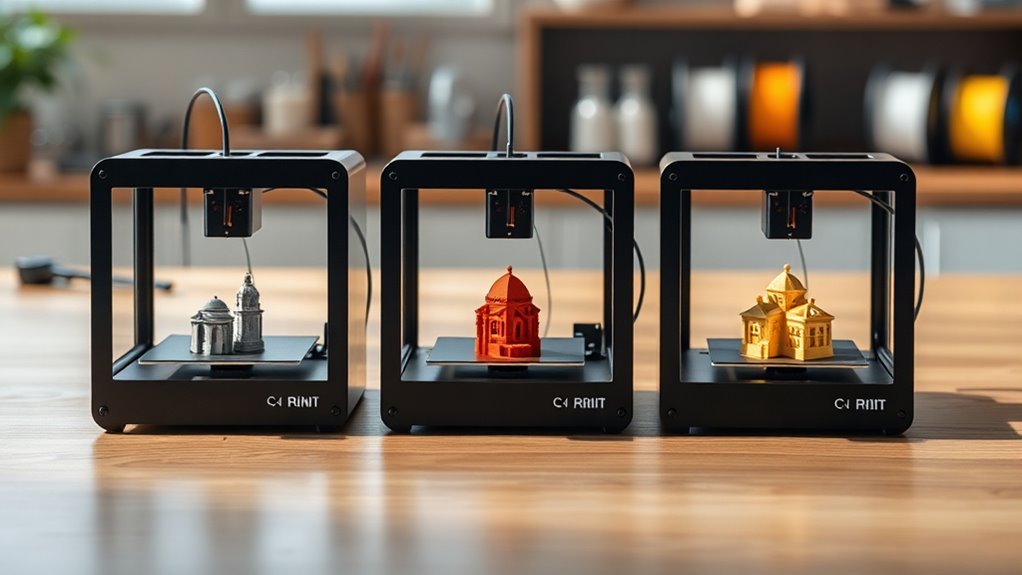
When choosing a 3D printer mini, you’ll want to focus on print quality and precision to guarantee your projects come out just right. Consider how easy it is to set up and the build volume capacity to match your needs.
Don’t forget to check connectivity options, compatibility with your devices, and the safety features included for worry-free printing. These little details can make a big difference in your overall experience.
Print Quality And Precision
Although many factors influence your choice of a 3D printer mini, print quality and precision often take center stage. You’ll want to focus on layer thickness, typically ranging from 0.01mm to 0.3mm, to get smooth, detailed prints.
Keep in mind, faster speeds like 250mm/s can save time but might sacrifice accuracy unless the printer handles high-speed well. Features like automatic bed leveling help maintain consistent first-layer adhesion, which is key for quality throughout the print.
Look for printers with stable flow rates, often achieved through technologies like Active Flow Rate Compensation, ensuring uniform material deposition. Also, consider nozzle size: smaller nozzles (0.25mm) capture fine details, while larger ones (0.8mm) speed up less intricate jobs.
Prioritize these factors to get precise, high-quality results. It really makes all the difference in your final print!
Ease Of Setup
Since ease of setup can make or break your 3D printing experience, choosing a mini printer that gets you printing quickly matters a lot. Look for fully assembled models that get you up and running within minutes, so you won’t waste time on complicated setups.
Features like plug-and-play designs and one-button auto-leveling simplify the process, making it beginner-friendly—even kids can handle it. Many printers offer guided setup via apps, walking you through each step effortlessly.
Automatic bed leveling cuts down on manual tweaks, ensuring better adhesion from the start. Plus, compact and lightweight designs make it easy to move and position your printer wherever you want.
Prioritizing these ease-of-setup features means you’ll spend more time creating and less time fiddling. Sounds like a win, right?
Build Volume Capacity
Choosing the right build volume capacity is essential because it determines the maximum size of the objects you can print. Build volume refers to the maximum width, depth, and height your 3D printer can handle, usually measured in millimeters.
Mini 3D printers typically offer build volumes between 100x100x100 mm and 200x200x200 mm. If you want to create larger, more complex pieces without assembling multiple parts, you’ll need a bigger build volume.
However, bigger prints also mean using more filament, so you’ll need to manage your material carefully. Think about the projects you plan to tackle: smaller build volumes work well for toys and prototypes but may limit your creative options.
Choose a build volume that fits your needs to get the most out of your mini 3D printer. It’s all about finding the right balance for what you want to create.
Connectivity And Compatibility
Two key factors to evaluate when picking a mini 3D printer are connectivity and compatibility. Look for models with WiFi support, so you can control prints remotely and easily access design apps.
Also, check if the printer works with popular slicing software like Cura or Simplify3D, giving you more customization options. It’s helpful if the printer supports offline printing using TF cards, allowing you to print without a computer connection.
Make sure it handles common filament types such as PLA and TPU to cover various project needs. Finally, consider printers with guided setup apps or features that simplify finding models and managing projects. This makes the experience smoother, especially if you’re just starting out.
Safety Features Included
When you’re picking a mini 3D printer, safety features should top your list to protect both users and your workspace. Look for enclosed designs that shield you from moving parts and hot surfaces. This makes them way safer around kids.
Pinch-resistant mechanisms are a must. They help protect small fingers from injury during printing. Also, check for safety certifications like TÜV Rheinland ISO 16000. These guarantee non-toxic, child-safe materials.
Automatic nozzle cleaning is a handy feature. It helps maintain print quality while cutting down burn risks from hot components. Plus, consider printers with filament management systems, especially runout detection. This stops the printer if the filament runs out—preventing overheating and potential fire hazards.
Prioritizing these safety features keeps your printing experience secure and worry-free. It’s all about peace of mind while you create.
Speed And Efficiency
Although mini 3D printers are compact, they don’t have to compromise on speed or efficiency. You’ll find models reaching printing speeds up to 400 mm/s, letting you finish projects faster without sacrificing quality.
High acceleration rates, like 10,000 mm/s², guarantee smooth, precise prints even at rapid speeds. Look for efficient printing technologies such as CoreXY structures, which boost speed and support quick prototyping.
Features like automatic bed leveling and nozzle cleaning cut down setup time, so you spend less time fiddling and more time printing. Plus, a resume-after-power-loss function saves your progress, minimizing wasted time and material.
When choosing a mini 3D printer, focusing on these speed and efficiency factors helps you get the best performance without delays. It’s all about working smarter, not harder!
Maintenance And Support
Since maintaining your mini 3D printer can directly impact its performance and lifespan, you’ll want to prioritize models that offer reliable support and easy upkeep. Look for printers with at least a 12-month warranty to protect against defects and a 30-day return policy so you can test performance risk-free.
Some brands provide lifetime professional support with quick 24-hour response times, which can be a lifesaver when troubleshooting. Features like automatic nozzle cleaning or simple nozzle swaps reduce maintenance hassle and keep print quality high.
Also, check if the manufacturer offers user-friendly resources, such as video tutorials and online guides. These tools help you maintain your printer effectively, ensuring consistent results and extending its lifespan with minimal downtime.
Frequently Asked Questions
How Do I Maintain and Clean a Mini 3D Printer?
You should regularly clean the nozzle, remove filament residue, and lubricate moving parts. Keep the build plate free of debris and dust.
Don’t forget to update the firmware now and then. Also, make sure to store your mini 3D printer in a dry, safe place when you’re not using it.
What Materials Are Compatible With Most Mini 3D Printers?
You can print with PLA, ABS, PETG, and TPU on most mini 3D printers. Just check your printer’s specs for temperature limits and bed compatibility to guarantee smooth printing with these common filaments.
It’s pretty straightforward once you know what your printer can handle. And honestly, these materials cover most of what you’ll want to create. So, you’re good to go with these options!
Can Mini 3D Printers Be Used for Commercial Purposes?
You can definitely use mini 3D printers for commercial purposes. In fact, 60% of small businesses rely on them for prototyping and small-batch production.
They’re perfect for quick, cost-effective manufacturing and custom product creation. So, if you’re looking to keep things efficient and affordable, a mini 3D printer is a great option.
How Noisy Are Mini 3D Printers During Operation?
Mini 3D printers are generally quieter than full-sized models, but noise levels vary by brand and design. You’ll still hear some motor whirring and fan noise.
It’s usually manageable, especially in small spaces. So, while they’re not completely silent, they won’t be too distracting.
What Software Is Best for Designing 3D Printable Models?
You might think 3D design software is too complex, but Tinkercad and Fusion 360 are user-friendly and powerful.
You’ll create precise models quickly, even if you’re new, turning your ideas into amazing 3D prints effortlessly.
Conclusion
Choosing the right mini 3D printer is like picking the perfect brush for your masterpiece—it shapes your creative journey. Whether you’re a beginner or a pro, these top picks for 2027 offer something unique, from speedy prints to multi-color magic.
So, don’t just dream it—print it! With the right mini printer in your hands, your ideas will leap off the screen and into reality faster than you can say “layer by layer.” Mini 3D printers are not just compact; they bring convenience and precision right to your workspace.
When selecting the best 3D printer mini, consider print speed, build volume, and ease of use. These factors can transform how you create and innovate. Embrace the future of printing with these amazing mini 3D printers for 2027, and watch your creative ideas come to life effortlessly!