4 Best 3D Printer Laptops for 2027
You’ll want a laptop with a powerful Intel i5 or AMD Ryzen 5 processor, at least 16GB of RAM (32GB is even better), and fast PCIe NVMe SSD storage for smooth 3D printing.
These specs ensure your modeling software runs without hiccups and renders designs quickly.
Look for a 15.6″ Full HD IPS display with anti-glare to guarantee clear, accurate modeling.
A sharp screen helps you spot every detail and work comfortably for hours.
Models like the NIMO series and Dell Precision 3540 offer great options with strong connectivity and decent battery life.
To find the perfect fit, knowing key specs will help sharpen your choice.
So, keeping these factors in mind makes choosing one of the best 3D printer laptops for 2027 a breeze!
| Image | Name | Editor's Rating | Price |
|---|---|---|---|

|
|
||
|
|
||

|
|
||

|
|
NIMO 15.6″ FHD Laptop i5-12450H, 16GB RAM
- 【POWERFUL INTEL CORE i5-12450H PROCESSOR】 Driven by a 12th Gen Intel i5-12450H CPU (8 cores, 12 threads, up to 4.4GHz, 28W TDP), this 15.6" laptop speeds up app...
- 【LAG-FREE MULTITASKING PERFORMANCE】 Say goodbye to freezing and delay—the #1 buyer concern. Optimized with Windows 11 Home and 28W processing power, this laptop...
- 【16GB RAM & 256GB PCIe 4.0 SSD FOR MAX SPEED & STORAGE】 Pre-installed with massive 16GB DDR4 RAM and an ultra-fast 256GB PCIe 4.0 NVMe SSD (expandable up to...
- 【15.6" FHD SCREEN WITH 175° HINGE】 Features a 15.6" Full HD (1920x1080) EDP display delivering sharp detail for dual-window document editing. The flexible...
- 【US ASSEMBLED WITH 2-YEAR WARRANTY & LOCAL SUPPORT】 Final assembled and rigorously quality-tested in the USA for ultimate reliability. Backed by an industry-leading...
Experience seamless productivity with the NIMO 15.6″ FHD Laptop, designed to tackle demanding 3D printing software and multitasking effortlessly. Its powerful Intel i5-12450H processor with 8 cores and 12 threads delivers smooth performance, helping you maintain workflow efficiency without interruptions.
Equipped with 16GB DDR4 RAM, expandable up to 64GB, this laptop handles multiple applications and browser tabs with ease. The fast 256GB PCIe 4.0 NVMe SSD ensures quick load times and reduces waiting during complex tasks like 4K video editing.
The slim and lightweight design makes it easy to carry, while the vibrant 15.6″ Full HD display provides clear visuals essential for detailed 3D modeling. Optimized for Windows 11, it supports a modern work environment and integrates well with your existing software.
Maintenance is straightforward with expandable memory and storage options, allowing you to upgrade as your needs grow. While the HDMI 1.4 port limits external display resolution and the lack of a dedicated graphics card may affect heavy rendering, this laptop balances portability and power effectively.
Best for: Professionals and enthusiasts who need a portable, capable laptop for 3D printing software, multitasking, and video editing.
What We Like:
- Efficient Intel 12th Gen i5-12450H processor for multitasking
- Expandable 16GB DDR4 RAM and fast PCIe 4.0 SSD storage
- Lightweight design with a sharp 15.6″ FHD display
- Optimized for Windows 11 and versatile connectivity options
Specification:
| Feature | Details |
|---|---|
| Manufacturer | NIMO |
| Display Size | 15.6 inches |
| Display Resolution | Full HD (1920×1080) |
| Processor | Intel i5-12450H (12th Gen) |
| RAM | 16GB DDR4 (expandable to 64GB) |
| Storage | 256GB PCIe 4.0 NVMe SSD |
| Operating System | Windows 11 |
| Weight | Not specified |
| Connectivity | HDMI 1.4, dual 4K monitor support |
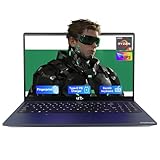
NIMO 15.6” IPS FHD Student Laptop Computer, 32GB RAM 1TB SSD, AMD Ryzen 5
- 【2-Year Warranty | Assembled in the U.S. | 90-Day Returns】We put your satisfaction first. Every laptop includes a 2-year manufacturer’s warranty plus 90-day...
- 【Ryzen 5 Beats Intel i5-8250U & i3 CPUs】Powered by the AMD Ryzen 5 3501U (4C/8T, up to 3.7GHz), this high-performance notebook outperforms older Core i5-8250U and...
- 【Upgradable RAM for Smooth Multitasking】No more annoying lag. This NIMO laptop comes with 32GB DDR4 RAM—great for students running dozens of research tabs or...
- 【Ultra-Fast SSD with Plenty of Storage】Access everything instantly. A powerful 1TB PCIe SSD delivers lightning-fast boot-ups and file transfers. Perfect for creators...
- 【65W USB-C PD Fast Charger Included】Enjoy the convenience of a 65W PD fast charger and a 6.56-foot USB-C cable. A 15-minute charge gives you 2 hours of use—making...
The NIMO 15.6” IPS FHD Student Laptop offers a powerful solution for students and professionals facing demanding tasks. Its 32GB RAM and AMD Ryzen 5 3501U processor handle multitasking and complex 3D printing software smoothly. This laptop ensures your workflow remains efficient without frustrating lags.
Storage is a critical factor for large projects, and the 1TB PCIe SSD provides fast boot times and ample space for all your files. The laptop’s 15.6-inch Full HD IPS display delivers sharp, glare-free visuals, ideal for detailed design and study sessions. Its lightweight design supports portability without sacrificing performance.
Connectivity is straightforward with nine versatile ports, including USB-C and HDMI, allowing easy connection to peripherals and external displays. The fingerprint scanner adds a layer of quick, secure access to protect your work. Battery life lasts up to 9 hours, balancing mobility and productivity.
Maintenance is simple with durable components that support daily use. While Wi-Fi 5 limits wireless speeds compared to newer standards, the laptop remains reliable for most educational and professional environments.
Best for: Students and professionals needing a powerful, portable laptop for multitasking, 3D design, and extensive project storage.
What We Like:
- Robust AMD Ryzen 5 3501U processor paired with 32GB RAM for smooth multitasking
- Large and fast 1TB PCIe SSD for quick startups and ample project storage
- Multiple ports including USB-C, HDMI, and fingerprint scanner for secure access
- Clear, glare-free 15.6-inch Full HD IPS display for detailed work
Specification:
| Feature | Details |
|---|---|
| Manufacturer | NIMO |
| Display | 15.6 inches, Full HD IPS |
| Processor | AMD Ryzen 5 3501U |
| RAM | 32GB |
| Storage | 1TB PCIe SSD |
| Ports | 9 (including USB-C, HDMI) |
| Battery Life | Up to 9 hours |
| Security | Fingerprint scanner |
| Wireless | Wi-Fi 5 |
| Weight | Lightweight (exact weight not provided) |
Dell Precision 3540 Laptop Core i5, 16GB RAM
- This Certified Refurbished product is tested and certified to look and work like new. The refurbishing process includes functionality testing, basic cleaning, inspection...
- 1x Thunderbolt Type C, 3x USB 3.1 Gen 1 (1x power enabled)
- 1x HDMI, 1x RJ-45, 1x Headset jack
- Laptop and AC Adapter
- A GRADE
Experience seamless 3D printing workflows with the Dell Precision 3540, powered by a reliable Intel Core i5 processor and 16GB RAM. This combination handles multitasking efficiently, helping you maintain consistent productivity without slowdowns. Its 15.6″ Full HD display delivers clear visuals, making it easier to manage detailed designs and print setups.
The laptop’s 512GB SSD ensures quick access to files and software, reducing wait times during complex projects. Certified refurbished, it offers a like-new performance while providing dependable value. Connectivity options are versatile, with Thunderbolt Type C, USB 3.1, HDMI, and Wi-Fi, allowing smooth integration with printers and other essential peripherals.
Designed for professional and hobbyist use, the Precision 3540 runs Windows 11 Pro, supporting a wide range of 3D printing software. Its sleek black design and lightweight form make it easy to carry and maintain for daily use. However, its integrated Intel UHD 620 graphics may limit performance with demanding CAD applications, and battery life details are not specified.
Best for: Professionals and enthusiasts seeking a refurbished laptop with strong processing power and flexible connectivity for 3D printing and general productivity.
What We Like:
- Efficient multitasking with Intel Core i5 and 16GB RAM
- Fast storage access via 512GB SSD
- Wide connectivity options including Thunderbolt Type C and USB 3.1
- Certified refurbished condition with reliable performance
- Compact design suitable for portability
Specification:
| Feature | Details |
|---|---|
| Manufacturer | Dell |
| Processor | Intel Core i5 |
| RAM | 16GB |
| Storage | 512GB SSD |
| Display | 15.6″ Full HD (1920×1080) |
| Graphics | Integrated Intel UHD 620 |
| Operating System | Windows 11 Pro |
| Connectivity | Thunderbolt Type C, USB 3.1, HDMI, Wi-Fi |
| Color | Black |
NIMO 15.6″ Ryzen 5 Student Laptop, 16GB RAM
- 【Silent & Efficient AMD Ryzen 5 Performance】Tired of loud fan noise in the library? The NIMO laptop features 4-core Ryzen 5 3501U processor with Radeon Vega...
- 【16GB RAM & Flexible Expansion】Future-proof your work with this laptop 16GB RAM and 512GB SSD. This student laptop offers smooth multitasking and fast boots. Easily...
- 【15.6" FHD & 180° Easy Sharing】Struggling to share your screen in crowded cafes or group meetings? This student laptop features a 180° lay-flat hinge for effortless...
- 【2-Year Warranty & Reliability】Choose the NIMO laptop for long-term peace of mind. Built with a premium metal top cover for extra durability against daily bumps, this...
- 【Say Goodbye to Battery Anxiety】With 65W PD fast charging, just 15 minutes gives you up to 2 hours of use. This lightweight NIMO laptop includes an extra-long...
The NIMO 15.6″ Ryzen 5 laptop offers a powerful yet portable solution for students and creators who need reliable performance on the go. Its AMD Ryzen 5 3501U processor, combined with 16GB of RAM and Radeon Vega 8 graphics, ensures smooth multitasking and efficient 3D modeling. This setup helps you tackle complex projects without lag or interruptions.
The laptop’s 15.6-inch Full HD anti-glare display features a 180° hinge, making it easy to share your work during group sessions. Its lightweight design and long-lasting 9-hour battery mean you can work comfortably throughout the day without searching for an outlet. Quick charging adds convenience when time is tight.
Storage is fast and responsive with a 512GB SSD, which can be expanded up to 2TB to meet your growing needs. Connectivity options like Wi-Fi 6, Bluetooth 5.3, dual USB-C, and HDMI ports provide flexible ways to connect peripherals and external displays. Security features such as a fingerprint reader and webcam shutter help protect your privacy.
Maintenance is straightforward thanks to its durable build, but note that upgrading storage requires additional purchases. While it lacks a dedicated GPU, this laptop is well-suited for most student and creator workflows involving 3D printing and moderate 3D rendering.
Best for: Students and creators seeking a portable, efficient laptop for 3D modeling and multitasking.
What We Like:
- Smooth performance with AMD Ryzen 5 3501U and 16GB RAM
- Long battery life with fast charging for all-day use
- Versatile 180° hinge and anti-glare Full HD display
- Expandable storage up to 2TB SSD
- Comprehensive connectivity including Wi-Fi 6 and dual USB-C
Specification:
| Feature | Details |
|---|---|
| Manufacturer | NIMO |
| Processor | AMD Ryzen 5 3501U |
| RAM | 16GB |
| Graphics | Radeon Vega 8 |
| Display | 15.6″ Full HD, Anti-Glare |
| Storage | 512GB SSD (expandable to 2TB) |
| Battery Life | Up to 9 hours |
| Connectivity | Wi-Fi 6, Bluetooth 5.3, USB-C (x2), HDMI |
| Security Features | Fingerprint Reader, Webcam Shutter |
| Dimensions | Not specified |
| Weight | Not specified |
Factors to Consider When Choosing a 3D Printer Laptop
When choosing a laptop for 3D printing, you’ll want to focus on processor performance and enough RAM to handle complex designs smoothly. Storage type and display quality also play key roles in your overall experience.
Don’t forget to take into account battery life, especially if you need to work on the go. It really makes a difference when you’re not always near a power outlet.
Processor Performance Needs
Choosing the right processor is critical for smooth 3D printing performance. You’ll want a high-performance CPU like an Intel i5 or AMD Ryzen 5, especially if you’re handling complex modeling software or multitasking.
Focus on processors with at least 4 cores and 8 threads to boost parallel processing. This really helps when rendering detailed 3D designs.
Aim for a clock speed above 3.0 GHz to keep slicing and model processing efficient. It makes a noticeable difference in how fast your work gets done.
Also, opt for modern architectures—Intel’s 12th gen or AMD Ryzen 5 series offer better speed and energy efficiency than older models. Plus, these newer chips handle demanding tasks more smoothly.
And don’t forget about cooling. Look for laptops with strong cooling systems to prevent overheating during long, intensive 3D printing sessions. This balance guarantees your laptop keeps pace with demanding tasks without throttling performance.
RAM Capacity Importance
Although processor speed plays an essential role in 3D printing, your laptop’s RAM capacity directly impacts how smoothly you can multitask and handle large design files.
For 3D printing, you’ll want at least 16GB of RAM to run design software and slicing applications without lag. When working with complex models or high-resolution textures, upgrading to 32GB or more can greatly enhance performance and reduce processing times.
Insufficient RAM slows down your workflow, especially if you juggle multiple applications or design iterations. Luckily, many laptops allow RAM expansion, so you can start with 16GB and upgrade later as your projects demand more memory.
Prioritizing RAM capacity guarantees a smoother, more efficient 3D printing experience overall.
Storage Type Options
Storage plays an essential role in your 3D printing workflow, affecting how quickly you can access and process large design files. Solid State Drives (SSD) offer fast read/write speeds, boosting performance and cutting down boot times.
For even better speed, PCIe NVMe SSDs reach up to 3,500MB/s, ideal for handling complex 3D models and software efficiently. While Hard Disk Drives (HDD) provide more storage for less money, their slower speeds can cause frustrating delays.
Hybrid drives try to balance speed and capacity by combining SSD and HDD tech, storing frequently used files on the SSD part. Don’t forget upgradability—choosing a laptop that lets you easily swap or add drives means you can expand storage as your projects grow.
Display Quality Factors
Three key display qualities can make a huge difference when designing and monitoring 3D prints on your laptop. First, aim for a resolution of at least 1920×1080 (Full HD) to guarantee clear, detailed visuals.
Next, choose a laptop with an IPS panel for wider viewing angles and accurate colors. These are vital for precise 3D modeling. Brightness should be 250 nits or higher to maintain visibility in different lighting conditions.
An anti-glare coating is also valuable, reducing reflections to make long design sessions easier on your eyes. Finally, a refresh rate of 60Hz or above helps animations and shifts run smoothly.
This enhances your interaction with 3D software. These display factors collectively improve your overall design experience.
Battery Life Expectations
When choosing a laptop for 3D printing, you’ll want to carefully consider battery life since demanding tasks like modeling and rendering can drain power quickly.
While many laptops offer 8 to 10 hours of battery life for light activities like web browsing, expect that high-performance processors will reduce this to 3-5 hours during intensive 3D work.
Look for models with fast charging, as some can reach 50% battery in just 30 minutes, letting you recharge during short breaks.
Also, check the balance between battery capacity (watt-hours) and power consumption to estimate how long your laptop will last under heavy use.
Keep in mind, average standby times range from 10 to 12 hours, giving you extra flexibility when you step away.
Port Availability Essential
Battery life keeps you working longer, but having the right ports on your laptop guarantees you can connect all the tools and devices needed for smooth 3D printing. Make sure your laptop offers multiple USB ports, especially USB 3.0 or USB-C, to handle peripherals and devices efficiently.
HDMI or DisplayPort connections are essential for hooking up external monitors, giving you better views of your 3D models. A Micro SD card reader comes in handy for easily transferring large design files from cameras or storage devices.
Dual USB ports will let you connect your 3D printer and other tools simultaneously, streamlining your workflow. Don’t forget to prioritize Wi-Fi 6 support for faster wireless transfers when sending hefty design files to your 3D printer.
Graphics Capability Requirements
Although many laptops offer integrated graphics, you’ll want a dedicated graphics card with at least 4GB of VRAM to handle the demanding rendering tasks involved in 3D modeling and slicing. This guarantees smooth operation in CAD and other advanced 3D software, preventing lag when working with complex or large models.
Look for laptops that support OpenGL and DirectX technologies, as these enhance rendering performance considerably. While integrated graphics might manage basic tasks, they often struggle with intricate designs, affecting your workflow.
Additionally, a Full HD or higher resolution display improves visibility of fine details, helping you make precise adjustments. Prioritizing strong graphics capability means you’ll enjoy a faster, more responsive experience when preparing your 3D prints.
Build Quality Considerations
Strong graphics performance is only part of the equation for a reliable 3D printer laptop—you’ll also want to pay close attention to build quality. Look for models with a durable construction, like a premium metal top cover, to withstand demanding environments such as design studios or workshops.
A lightweight laptop under 4 lbs enhances portability, letting you work on projects wherever you go. Slim profiles around 0.75 inches or less make carrying and storing your device effortless.
Check out hinge designs that open 180°, ideal for collaborating and sharing your 3D designs. Finally, confirm your laptop has a robust cooling system to prevent overheating during intense modeling sessions, helping maintain steady performance and reliability throughout your work.
Frequently Asked Questions
How Do I Maintain My 3D Printer Laptop’s Hardware Longevity?
You should keep your laptop clean and avoid overheating by using cooling pads. Updating drivers regularly is also super important to keep things running smoothly.
Handle it gently and make sure to back up your files often. Also, try closing unused programs to reduce the strain on your laptop.
Don’t forget to guarantee proper ventilation when you’re doing 3D printing tasks. It really helps keep your laptop in good shape over time.
Can I Connect My Laptop to Multiple 3D Printers Simultaneously?
Yes, you can connect your laptop to multiple 3D printers at the same time by using separate USB ports or a USB hub.
Just make sure your software supports managing multiple printers. This helps avoid conflicts and ensures everything runs smoothly.
What Software Is Best for 3D Printing on These Laptops?
You’ll want to use software like Ultimaker Cura, PrusaSlicer, or Simplify3D for 3D printing. These programs are user-friendly and compatible with most printers.
They also let you customize settings to get the best print results. It’s pretty straightforward once you get the hang of it!
ARe These Laptops Suitable for VR or AR Design Applications?
You’ll feel like you’re holding a supercomputer because these laptops easily handle VR and AR design apps. They’ve got the power, graphics, and speed you need.
How Do I Optimize Battery Life During Intensive 3D Printing Tasks?
You can optimize battery life by lowering screen brightness and closing unnecessary apps. Enabling power-saving mode also helps a lot.
Using a cooling pad is a smart move to prevent overheating. And hey, if you can, consider plugging in during intensive 3D printing tasks to keep your performance steady.
Conclusion
When choosing a laptop for 3D printing, you want power and reliability. Did you know that 85% of successful 3D designers rely on laptops with at least 16GB of RAM for smooth performance?
That means opting for models like the NIMO or Dell Precision will keep your projects running without a hitch. So, pick a laptop that matches your needs and watch your 3D creations come to life effortlessly.
Choosing the right 3D printer laptop is essential for a seamless printing experience. With the best laptops for 3D printing, you get the power, speed, and reliability necessary to bring your designs to life. Remember, your work deserves nothing less than a laptop built to handle the demands of 3D modeling and printing.