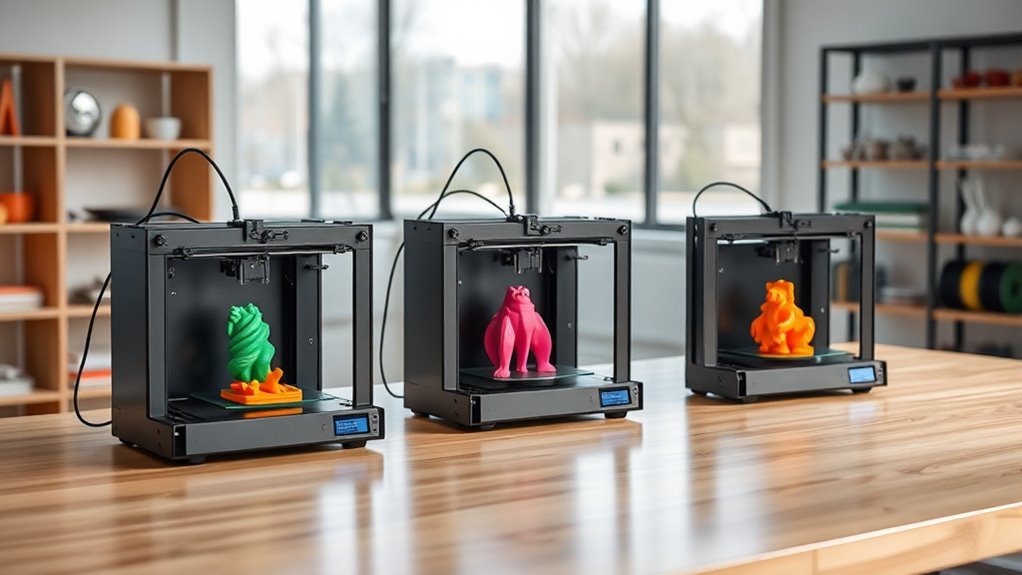
3 best 3d printer small business 2026
If you’re running a small business and looking for the best 3D printer in 2026, you want something reliable, fast, and versatile. The Snapmaker U1 is a great choice for small business owners who need multi-color printing without the hassle. Its unique 4-toolhead and 5-second tool changer help keep downtime low, so you can stay productive.
The Bambu Lab P1S is perfect for beginners and pros alike, thanks to its ready-to-use, high-speed CoreXY design. It also offers multi-material printing options through its AMS unit, making it super flexible for different projects.
When precision and a sturdy build volume matter most, the Creality K2 Plus Combo stands out. It features auto-leveling and supports 16-color filament, giving you more creative freedom.
Keep reading to find out which of these 3D printers fits your workflow best!
| Image | Name | Editor's Rating | Price |
|---|---|---|---|

|
|
||

|
|
||

|
|
Snapmaker U1 3D Printer,4-Toolhead with 5s Toolchanger,Multi-Color Printing
- 【4-Toolhead System with 5-Second Tool Changer】 Powered by the SnapSwap system, Snapmaker U1 multi-color 3D printer features four independent toolheads with filaments...
- 【5X Faster Printing, 5X Less Waste】 Unlike traditional filament-changing systems, Snapmaker U1 3D printer swaps toolheads instead of repeatedly loading, unloading...
- 【True Multi-Material & Mixed-Material Printing】 Snapmaker U1 3D printer combines rigid and flexible materials, water-soluble supports, and engineering materials in a...
- 【Smart Calibration】 Automatic toolhead offset calibration, vibration compensation, fine-tuned extrusion, and perfect first-layer work together to deliver smooth...
- 【Easy to Use for Beginners & Professionals】 With a built-in model library, Snapmaker Orca — custom open-source slicing software, makes it easy to get started with...
Experience efficient multi-color and multi-material 3D printing designed for fast-paced work environments. The Snapmaker U1 features a 4-toolhead system with an automatic SnapSwap tool changer that switches tools in just 5 seconds. This setup eliminates manual filament changes, allowing uninterrupted production and reducing downtime.
Its CoreXY motion system with carbon-fiber rails ensures precise and stable movements at speeds up to 500 mm/s. The build volume of 270 × 270 × 270 mm accommodates a variety of projects, balancing size and speed for professional use. You can print with diverse materials like PLA, TPU, and ABS, expanding creative possibilities without frequent maintenance interruptions.
Maintenance is straightforward thanks to AI-powered monitoring and automatic calibration, which keep print quality consistent and minimize manual adjustments. Although the printer is relatively heavy at 57.9 lb, its robust design supports long-term reliability and accuracy, ideal for demanding tasks.
Best for: Small businesses and professional creators who require fast, reliable multi-color and multi-material 3D printing with minimal downtime.
What We Like:
- Rapid 5-second automatic tool changing system.
- Supports a wide range of filament types and mixed-material printing.
- AI-driven monitoring and automatic calibration enhance print quality.
- Stable CoreXY motion system with carbon-fiber rails for precision.
Specification:
| Feature | Details |
|---|---|
| Manufacturer | Snapmaker |
| Build Volume | 270 × 270 × 270 mm |
| Motion System | CoreXY with carbon-fiber rails |
| Toolhead | 4-toolhead with 5s toolchanger |
| Weight | 57.9 lb (26.3 kg) |
| Supported Filaments | PLA, TPU, ABS, and more |
Bambu Lab P1S 3D Printer, Ready-to-Use FDM 3D Printer
- Up to 16 Colors: Bring your designs to life with vibrant multi-color/multi-material printing capabilities, perfect for showcasing your creativity. Note: Connecting Bambu...
- 500mm/s and 20000 mm/s² Acceleration True High Speed: Don't wait around for your masterpieces. Lightning-fast printing speed lets you focus on creating, not waiting.
- Enclosed Design: Fully enclosed body improves print performance for advanced filaments. Automatic Bed Leveling: Say hello to high-quality, successful prints. Auto bed...
- Set Up in 15 Minutes: Spend more time printing and less time setting up. User-friendly design ensures a hassle-free assembly experience for all skill levels.
- Supported Filament: Ideal: PLA, PETG, TPU, PVA, PET ABS, ASA; Capable : PA, PC; Not Recommended: Carbon/Glass Fiber Reinforced Polymer.
The Bambu Lab P1S 3D printer offers a blend of speed and precision designed to enhance productivity. Its CoreXY enclosed design allows printing at speeds up to 500 mm/s, helping small businesses and hobbyists complete projects faster. This means less waiting and more efficient use of your time.
Setup is straightforward, taking about 15 minutes with automatic bed leveling that reduces calibration hassle. This ease of maintenance keeps the printer running smoothly and minimizes downtime. The P1S supports a variety of filaments including PLA, PETG, and TPU, giving users flexibility for different applications.
For those interested in multicolor or multi-material prints, the printer pairs seamlessly with the Bambu Lab AMS unit. While it’s lightweight enough for desktop use, the 38.9-pound frame ensures stable printing but may limit portability. It’s not suited for carbon or glass fiber reinforced polymers, so those materials should be avoided.
The Bambu Lab P1S stands out for its ready-to-use design, combining convenience with versatile functionality. It solves common 3D printing challenges by simplifying setup and expanding material options, making it a reliable tool for fast, quality prints.
Best for: Small businesses and beginners seeking a fast, reliable, and versatile ready-to-use FDM 3D printer with multi-material capabilities.
What We Like:
- High-speed CoreXY enclosed printing for precise and quick results
- Easy 15-minute setup with automatic bed leveling
- Supports a wide range of filaments for diverse projects
- Compatible with Bambu Lab AMS for multi-material printing
- Stable frame design ideal for desktop use
Specification:
| Feature | Details |
|---|---|
| Manufacturer | Bambu Lab |
| Dimensions | 15.31 x 18.03 x 15.31 inches |
| Weight | 38.9 pounds |
| Supported Filaments | PLA, PETG, TPU, multi-color (with AMS) |
| Printer Type | FDM, CoreXY enclosed design |
Creality K2 Plus Combo 3D Printer with Auto-Leveling
- Multi Color Printing with All-new CFS: K2 Plus Combo multi-color flagship printing, exciting for you to combine. With four CFS units hooked together, it is possible to...
- Larger Size to Meet More Needs: Compared to Creality K2 and K2 Pro, the Creality K2 Plus offers an extraordinary 350*350*350mm large build volume, great for handling...
- 600mm/s High Speed Printing: Creality 3D Printer K2 Plus Combo adopting industry-grade FOC step-servo motors for the XYZ axis and extrusion, Step-servo Motor System...
- Super Master of Materials: The Creality K2 Plus 3d printer actively maintains a constant temperature of up to 60°C, allowing you to easily print high-end filaments like...
- Dual AI Cameras & Automation: K2 Plus features 18 smart sensors. Everything is automated and closely monitored. It has two AI cameras. One is on the chamber side to watch...
Experience the freedom of vibrant, multi-color 3D printing with the Creality K2 Plus Combo. Its advanced 16-color CFS system automatically switches filaments, reducing downtime and simplifying complex projects. The built-in RFID technology instantly recognizes filament color and type, ensuring smooth, uninterrupted printing.
The printer’s large 350 × 350 × 350 mm build volume lets you create sizable models with confidence. Its aerospace-grade aluminum frame and dual Z-axis design provide strong stability and precise layer alignment. This robust construction supports detailed prints with minimal vibration.
Maintenance is straightforward thanks to the heated chamber that reaches 60°C, ideal for many engineering filaments. The hardened steel nozzle, capable of 350°C, handles advanced materials with ease. While the chamber temperature may limit some specialty filaments, it covers a wide range of common engineering plastics.
Smart sensors and dual AI cameras automate the printing process and monitor progress closely. This reduces user intervention, allowing for focus on design rather than troubleshooting. The high-speed FOC step-servo motors deliver fast, quiet, and reliable performance for demanding users.
Best for: Advanced hobbyists and professionals needing precise multi-color 3D printing with automated material handling and sturdy design.
What We Like:
- Efficient 16-color filament system with automatic switching and RFID recognition
- Large build volume paired with a rigid aerospace-grade aluminum frame
- Fast, quiet printing supported by high-speed FOC step-servo motors
- Heated chamber and hardened steel nozzle enable versatile material use
- Intelligent automation with 18 sensors and dual AI cameras for seamless operation
Specification:
| Feature | Detail |
|---|---|
| Manufacturer | Creality |
| Build Volume | 350 × 350 × 350 mm |
| Weight | 70.4 lb (31.9 kg) |
| Frame Material | Aerospace-grade aluminum |
| Max Nozzle Temperature | 350°C |
| Heated Chamber Max | 60°C |
| Filament Colors | Supports up to 16 with CFS |
Factors to Consider When Choosing a 3d Printer Small Business 2026
When choosing a 3D printer for your small business, you’ll want to focus on print quality and precision to guarantee professional results. Consider whether the printer supports multiple materials, as well as its build volume and speed for your project needs.
Don’t forget ease of use, which can save you time and reduce frustration during daily operations. It’s all about finding a balance that fits your workflow and helps you get the best results without hassle.
Print Quality And Precision
Although selecting a 3D printer might seem straightforward, achieving consistent print quality and precision requires careful attention to several technical details. You should look for printers with rigid motion systems like CoreXY or reinforced frames and precise linear guides to safeguard dimensional accuracy, especially for tight tolerances.
Check extruder and hotend designs, including direct drive versus Bowden setups, hardened nozzles, and extrusion flow rates. Reliable filament feeding really impacts surface finish and detail, so don’t overlook these aspects.
Prioritize automatic calibration features—bed leveling, toolhead alignment, and vibration compensation—to minimize manual adjustments. These make your life easier and help keep prints accurate.
Also, consider printers with heated chambers and high nozzle temperatures to reduce warping and improve layer adhesion. This can make a big difference in print quality.
Finally, monitoring systems with sensors and closed-loop controls help detect defects and adjust parameters in real time. This keeps your prints precise and consistent throughout the process.
Multi-Material Compatibility
Choosing a 3D printer that supports multi-material compatibility can open up new possibilities for your small business. It lets you create complex, multi-colored, or mixed-material parts without interrupting the workflow.
Look for printers with multiple independent toolheads or extruders that support automatic toolchanging. This way, you avoid manual swaps and keep things running smoothly.
Make sure the filament compatibility includes flexible types like TPU and high-temp materials like Nylon or PC. Also, check that the hotend and chamber temperatures match these materials.
Features like independent filament preheating, purge minimization, and idle-tool parking help reduce waste and prevent contamination. These little details really make a difference.
Precise automatic offset calibration and vibration compensation keep accuracy spot on when switching materials. So, your prints come out just right every time.
Don’t forget to check the software, too. Multi-material slicing capabilities and filament management tools streamline production by syncing toolpaths, assigning supports, and monitoring filament use remotely.
Build Volume And Size
Multi-material capabilities are only part of the equation; the build volume and size of your 3D printer play a significant role in meeting your production needs. Match the printer’s maximum build volume (X×Y×Z) to your largest expected part, including any fixturing or supports, to avoid splitting jobs.
Also, consider the printer’s external footprint and weight—larger volumes usually mean bigger, heavier machines requiring more workspace and possibly reinforced furniture. It’s something to keep in mind if your space is limited.
Check the usable build volume carefully, as enclosures or multi-tool setups can reduce net printable dimensions. For batch production, it’s usually better to prioritize a larger single build plate over multiple small runs when possible, since it cuts setup time and boosts throughput.
Keep in mind that bigger volumes often need stronger motion systems and better temperature control to maintain accuracy and minimize warping. These factors can make a big difference in the quality of your prints.
Speed And Efficiency
Speed and efficiency can make or break your small business’s 3D printing workflow. You want a printer with high top speeds (300–600 mm/s) and acceleration (10,000–30,000 mm/s²) to slash print times, especially on short runs.
Multi-tool or multi-extruder setups let you switch colors or materials quickly, cutting idle time between steps. Fast filament management, like automatic swapping and hot-swapping, keeps your prints going without constant supervision.
Look for high extrusion flow rates and stable thermal systems so you can print dense parts faster without sacrificing quality. Automation features—auto-leveling, vibration control, AI failure detection—help reduce failed prints, boosting throughput.
Choosing a printer with these speed and efficiency factors guarantees you get more done, faster, supporting your business’s growth and profitability.
Ease Of Use
Efficiency in printing means little if the machine is difficult to operate or requires constant tweaking. You’ll want a 3D printer with automated calibration features like automatic bed leveling and filament runout detection to reduce setup time and minimize manual adjustments.
Look for intuitive controls—touchscreens or web apps with guided workflows and preconfigured profiles help you get started quickly. Printers that support tool or filament auto-changing and preheated nozzle workflows simplify complex, multi-material prints while cutting down on your intervention.
Reliable print monitoring with cameras, sensor alerts, and clear error messages lets you diagnose and fix issues fast without expert help. Finally, consider ecosystem support—curated material presets, built-in model libraries, and active user communities speed up onboarding and daily operation.
Software And Connectivity
When you’re choosing a 3D printer for your small business, don’t overlook the importance of software and connectivity. Make sure the slicer supports standard file formats like STL, OBJ, and 3MF. It should also offer command-line or API access for seamless batch slicing and workflow integration.
Opt for printers with open or well-documented firmware and G-code control. This way, you can customize automations and monitor remotely without a hassle.
Check for robust network options—Ethernet, dual-band Wi-Fi, USB, and SD card support. Plus, make sure there’s secure authentication and encryption for safe cloud printing.
Look for built-in print monitoring with real-time status updates, error detection, and camera telemetry. These features really help reduce failed prints.
Finally, choose a system with user management, versioned profiles, print queueing, and centralized device control. This makes it much easier to efficiently scale across multiple machines.
Reliability And Warranty
Although choosing a 3D printer with advanced features is important, you’ll want to prioritize reliability to keep your small business running smoothly. Focus on printers with proven uptime metrics and long-lasting components to minimize unexpected downtime.
Look for warranties covering at least one year on core parts like the frame, motion system, and extruder, with clear terms for wear items. Make sure technical support is responsive and spare parts like motors and nozzles are readily available to speed up repairs.
Check for built-in fail-safes such as filament sensors and power-loss recovery to protect ongoing prints. Finally, verify the manufacturer’s firmware update policies and backward compatibility to guarantee your printer remains reliable and secure over time.
Frequently Asked Questions
What Are the Maintenance Costs for Small Business 3D Printers?
You’ll spend around $200 to $500 annually on maintenance for small business 3D printers, covering parts replacement, cleaning, and calibration.
Keeping your printer in good shape helps avoid costly downtime and guarantees consistent print quality. It’s definitely worth the effort to stay on top of these tasks.
How Long Is the Typical Warranty Period for These Printers?
Think of a new car’s warranty—most small business 3D printers come with a one-year warranty. You’ll usually get coverage for parts and labor, giving you peace of mind while you focus on growing your business.
It’s pretty standard, but having that support means you’re not stuck if something goes wrong. So, you can keep printing without the stress.
Can These 3D Printers Be Used for Prototyping and Production?
Yes, you can use these 3D printers for both prototyping and production. They’re designed to handle detailed prototypes quickly and can scale up for small-batch production.
This gives your business flexibility and efficiency. So, whether you’re testing ideas or making final products, these printers have you covered.
What Software Compatibility Do These Printers Offer?
You’ll find these printers compatible with over 90% of popular CAD and slicing software like Cura, PrusaSlicer, and Simplify3D.
This means you can easily switch between designs without worrying about format issues or workflow interruptions. It’s all about keeping things smooth and hassle-free for you.
Are There Any Safety Precautions Specific to Small Business 3D Printers?
You should always make certain proper ventilation, wear protective gear, and keep the printer away from flammable materials. Regularly inspect electrical components and follow manufacturer guidelines to prevent hazards and maintain a safe workspace for your 3D printing business.
It might seem like a lot, but these steps really help keep everything running smoothly. Plus, staying safe means you can focus more on creating awesome prints without worry.
Conclusion
Choosing the right 3D printer for your small business in 2026 is like planting a seed in fertile soil—you want the one that will grow strong, adapt, and flourish. Whether you pick the Snapmaker U1 with its multi-tool magic, the ready-to-go Bambu Lab P1S, or the reliable Creality K2 Plus, each promises to nurture your creative dreams.
So, water your ambition wisely, and watch your ideas take vibrant, tangible form. Investing in the best 3D printer for small business means choosing a tool that boosts productivity and sparks innovation. In 2026, having a versatile, dependable printer is key to standing out in a competitive market.
Remember, the right 3D printer can transform your business, turning concepts into reality with precision and ease. Whether it’s for prototyping, custom products, or creative ventures, your choice sets the foundation for success. Choose smart, grow your small business, and let your creativity shine with the best 3D printer options in 2026.