8 Best 3D Printers for Kids in 2027 That Inspire Creativity
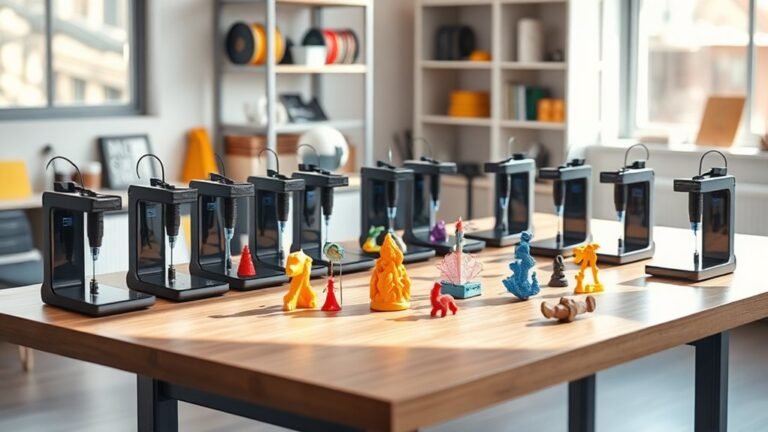
If you’re on the hunt for a kid-friendly 3D printer that’s safe, easy to use, and sparks creativity, you’re in the right place. These 3D printers for kids come with features designed to make the printing experience fun and hassle-free. Models like the Entina Tina2C Mini, Magic Jimmy Spark AI, and Ugee Funbox are perfect examples.
They’re plug-and-play, meaning they come fully assembled, so your child can start printing right away. Plus, they have auto-leveling and easy filament loading, which take the guesswork out of setup. Safety is a big deal here, too, with cool-touch exteriors and enclosed frames to protect little hands.
On top of that, these printers offer tons of models and app controls that guide kids through STEM projects, making it easier for beginners to learn and explore. Keep browsing, and you’ll find the perfect fit for your family’s unique learning style and creative goals.
| Image | Name | Editor's Rating | Price |
|---|---|---|---|

|
|
||

|
|
||

|
|
||

|
|
||

|
|
Entina Tina2C Mini 3D Printer for Beginners & Kids
- 【Easy to Use 3D Printer – Ready in 5 Minutes】 Meet the Entina Tina2C, a plug-and-play mini 3D printer designed for first-time users. Fully assembled with factory...
- 【3500+ 3D Models & Easy One-Tap Printing】 Explore 3500+ ready-to-print 3D models and 25+ DIY projects in the Poloprint Cloud app, with new designs added daily...
- 【Smart WiFi 3D Printer & AI-Powered App】 Connect via 2.4GHz WiFi and enjoy convenient 3D printer app control through Poloprint Cloud. Explore models, manage prints...
- 【Auto Leveling 3D Printer & Power-Loss Recovery】 Automatic bed leveling helps improve first-layer adhesion and reduces manual adjustments for a smoother 3D printing...
- 【Flexible Magnetic Print Bed & Quick-Swap Nozzle】 The flexible magnetic build plate makes finished 3D prints easier to remove with a gentle bend. A removable...
The Entina Tina2C Mini 3D Printer is designed to make 3D printing accessible and enjoyable for beginners and kids. Its plug-and-play design allows you to start printing within minutes, eliminating the usual setup frustrations. This ease of use helps users focus on creativity rather than technical hurdles.
This mini printer features auto-leveling and a guided setup through the Poloprint app, which simplifies the printing process and reduces errors. Its quiet operation and compact footprint make it ideal for home or classroom use without distractions. The flexible magnetic build plate means finished prints can be removed quickly and cleanly.
Maintenance is straightforward with a quick-swap nozzle, allowing users to change parts without hassle. The printer also includes power-loss recovery, so printing resumes automatically after an interruption, preventing wasted materials and time.
Though the build volume is compact, it suits small projects perfectly, especially for educational purposes. This makes the Tina2C Mini a reliable tool for families and STEM learners eager to explore 3D printing with confidence.
Best for: Families, beginners, and STEM learners seeking a simple, compact, and user-friendly 3D printer for educational and creative projects.
What We Like:
- Easy plug-and-play setup with auto-leveling and app guidance
- Quiet operation with a flexible magnetic build plate for easy print removal
- Quick-swap nozzle simplifies maintenance
- Power-loss recovery prevents print interruptions
- Robust connectivity including WiFi and offline TF card printing
Specification:
| Specification | Details |
|---|---|
| Manufacturer | Entina |
| Dimensions | Compact size (approx. 3.9 in³ build volume) |
| Weight | Lightweight |
| Color Options | Not specified |
| Connectivity | 2.4 GHz WiFi, TF card |
| Special Features | Auto-leveling, power-loss recovery, quick-swap nozzle |
Entina Tina2C Mini 3D Printer Starter Bundle
- Complete Starter Bundle with 1kg PLA: Includes four 250g rolls of PLA filament in different colors. Start creating colorful toys, decorations, and DIY projects without...
- Fully Assembled & Ready in 5 Minutes: No complicated assembly required. The Tina2C mini 3D printer comes ready for guided setup through the Poloprint Cloud app, helping...
- 3500+ Models, New Designs Added Daily: Explore over 3500 printable models and 25+ DIY modules through the app. Discover fresh creative projects and hands-on STEM...
- Auto Leveling & Power-Loss Recovery: Automatic bed leveling improves first-layer setup and reduces manual adjustments. Power-loss recovery helps resume interrupted...
- Magnetic Build Plate & Quick-Swap Nozzle: The flexible magnetic plate helps release finished prints with a gentle bend, while the quick-swap nozzle design makes routine...
The Entina Tina2C Mini 3D Printer Starter Bundle offers a simple and effective way to explore 3D printing without hassle. Fully assembled and ready to use, it saves you time and frustration during setup. The guided Poloprint Cloud app makes it easy to start printing in just five minutes.
This compact printer is designed to fit small spaces and operate quietly, making it great for home or classroom environments. Its auto bed leveling and power-loss recovery features help ensure consistent, reliable prints. The magnetic flexible build plate also simplifies maintenance and model removal.
Included are four colorful PLA filament rolls and access to over 3,500 printable models with 25 DIY modules. These resources encourage creativity and learning, ideal for beginners and kids. Although the build volume is limited to 3.9 x 3.9 x 3.9 inches, it suits smaller projects perfectly.
Connectivity is straightforward with WiFi control or offline printing via TF card, though only 2.4 GHz WiFi is supported. Weighing 11.68 pounds, the printer remains portable enough for different settings but may not be ideal for frequent transport.
Best for: Kids and beginners seeking an easy-to-use, fully assembled 3D printer starter bundle with guided setup and creative resources.
What We Like:
- Fully assembled with quick, guided setup through the app
- Includes colorful PLA filaments and extensive printable model library
- Reliable printing with auto bed leveling and power-loss recovery
- Compact, quiet design suitable for home and classroom use
Specification:
| Feature | Details |
|---|---|
| Manufacturer | Entina |
| Build Volume | 3.9 x 3.9 x 3.9 inches |
| Weight | 11.68 pounds (5.3 kg) |
| Connectivity | WiFi (2.4 GHz), TF card |
| Included Filament | 4 PLA rolls (various colors) |
| Control Method | Poloprint Cloud app, offline mode |
Entina Tina2 Plus Fast WiFi 3D Printer
- 【Start Printing in Minutes – Beginner Friendly】No setup required. Tina2 Plus 3d printer comes fully assembled and ready to use out of the box. With included TF card...
- 【Fast 250mm/s Printing Performance】This Tina2 Plus high speed 3D printer print speeds up to 250 mm/s help reduce waiting time and support fast project turnaround...
- 【WiFi App Control & STEM Model Library】Powered by the Poloprint Cloud app, this WiFi-enabled 3D printer gives access to 3,500+ printable models and 25+ creative DIY...
- 【40-Second Fast Heat Ceramic Hotend】High-efficiency ceramic hotend heats up in just 40 seconds for faster start-up and less downtime. The quick-swap nozzle design...
- 【Compact 3D Printer for Home & Classroom】Designed with a space-saving footprint while maintaining practical print capacity, this compact 3D printer fits easily on...
The Entina Tina2 Plus Fast WiFi 3D Printer offers a user-friendly experience right out of the box. Designed with beginners and young users in mind, it comes fully assembled, eliminating setup hassles. This means you can start printing quickly, thanks to its fast 40-second heat-up time and preloaded models on the included TF card.
Its compact and partially enclosed frame enhances safety, making it ideal for supervised kids and classroom environments. The stable dual Z-axis ensures precise and reliable prints, even during longer projects. Maintenance is straightforward with an auto-leveling PEI spring steel plate, which promotes consistent print quality and easy bed cleaning.
The WiFi connectivity paired with the Poloprint Cloud app opens up vast creative possibilities. Users can control prints remotely and access thousands of ready-made models, streamlining the creative process. Though desktop-sized and less customizable than professional-grade printers, it fits perfectly for home, educational, and STEM uses.
Best for: Beginners, kids, and educators seeking a safe, fast-start 3D printer tailored for home or classroom STEM projects.
What We Like:
- Fully assembled with fast heat-up and preloaded models for instant use
- Stable dual Z-axis and auto-leveling plate ensure accurate printing
- WiFi and Poloprint Cloud app enable remote control and vast model access
Specification:
| Feature | Description |
|---|---|
| Manufacturer | Entina |
| Dimensions | Desktop-sized (compact) |
| Weight | Not specified |
| Color Options | Not specified |
| Frame | Partially enclosed |
| Connectivity | WiFi |
| Heat-up Time | 40 seconds |
Mini 3D Printer Starter Kit for Kids & Beginners
No products found.
Step into the world of 3D printing with the Mini 3D Printer Starter Kit, designed specifically for kids and beginners. This compact printer arrives fully assembled, allowing users to start creating right out of the box without complicated setup. It simplifies the learning curve by combining intuitive features with reliable print quality.
Maintenance is straightforward thanks to its one-button auto-leveling and automatic nozzle cleaning. These functions reduce downtime and ensure consistent results without technical headaches. The one-touch filament loading also makes material changes quick and easy, ideal for young users or novices.
This starter kit is perfect for home or school environments where space and ease of use matter. It supports PLA filament, which is safe and eco-friendly, but its compact size limits print dimensions. Despite this, it achieves impressive precision of 0.01 mm and a fast printing speed of up to 250 mm/s, delivering detailed models efficiently.
The kit includes accessories, PLA filament, and an SD card with a pre-sliced spool holder file, so users have everything needed to begin creative projects immediately. This makes it a practical solution for sparking interest in 3D design and printing with minimal barriers.
Best for: Kids and beginners seeking a simple, ready-to-use 3D printer kit for educational or personal use.
What We Like:
- Fully assembled and ready to print immediately
- Easy maintenance with auto-leveling and nozzle cleaning
- Quick filament loading for uninterrupted printing
- High precision and fast print speeds for quality results
Specification:
| Feature | Details |
|---|---|
| Manufacturer | Not specified |
| Dimensions | Not specified |
| Weight | Not specified |
| Material | PLA filament compatible |
| Color Options | Not specified |
Entina Tina2C Mini 3D Printer Bundle for Kids
- Fast & Effortless Start:Start printing in minutes with the Entina Tina2C mini 3D printer. Fully assembled and beginner-friendly, it features guided setup via the...
- Creative Freedom with Smart App:Enjoy flexible printing with WiFi and offline modes. Access a large model library, DIY projects, smart search, and photo-to-print...
- Includes 4 PLA Colors – Create Right Away:Comes with 4 vibrant PLA filament colors (approx. 1kg total), so you can start building and prototyping immediately—ideal...
- Easy to Use with Smart Features:Auto leveling reduces manual setup for faster printing. The intuitive interface makes operation simple, while power-loss recovery helps...
- Reliable Performance & Easy Maintenance:Flexible magnetic build plate allows easy model removal with a simple bend. The quick-swap nozzle design simplifies maintenance...
Step into the world of 3D printing with the Entina Tina2C Mini 3D Printer Bundle, designed especially for beginners and young creators. This compact printer arrives fully assembled, allowing you to start printing your ideas in just minutes. Included with the printer are four vibrant PLA filament colors that inspire creativity from the very first project.
The Tina2C Mini offers smart features that ease the printing process. Its auto-leveling function ensures precise prints without manual adjustments. In case of power interruptions, the power-loss recovery lets you resume printing without losing progress. The quick-swap nozzle simplifies maintenance, making it easy to keep the printer in top shape.
Connectivity is flexible with both WiFi and offline modes, managed through the intuitive Poloprint app. Access to over 3,500 downloadable models expands your creative possibilities without needing advanced design skills. Its quiet operation and reliable performance fit well in homes and classrooms alike.
While the build volume is limited to 3.9 x 3.9 x 3.9 inches, it perfectly suits small-scale crafts and prototypes. Weighing over 11 pounds, it is stable but less portable. The printer’s solid functionality supports a smooth learning curve for young users.
Best for: Families and educators seeking an easy-to-use, compact 3D printer to encourage creativity and learning at home or school.
What We Like:
- Fully assembled with colorful PLA filaments ready to print
- Auto-leveling and power-loss recovery optimize print quality and reliability
- Quick-swap nozzle streamlines routine maintenance
- WiFi and offline modes via Poloprint app enhance flexibility
- Access to thousands of downloadable 3D models for diverse projects
Specification:
| Feature | Details |
|---|---|
| Manufacturer | Entina |
| Dimensions | Compact size (exact not specified) |
| Build Volume | 3.9 x 3.9 x 3.9 inches |
| Weight | Over 11 lbs (approx. 5 kg) |
| Filament Included | 4 vibrant PLA colors |
Spark AI 3D Printer for Kids, 20,000+ Models, Enclosed Safe
- [NOTE] This printer prints one filament at a time, so each print is a single color. PLA comes in many colors, including gradient. For multi-color models, print parts...
- Fully enclosed child-safe design: The enclosed printing chamber keeps all hot components and moving parts away from children at all times. Non-toxic PLA filament only...
- Fully assembled and ready to use out of the box: No tools, no manual assembly required. Connect to WiFi, load the included white PLA filament, and start printing. Once...
- 12,000+ toy models and creative design tools: Browse a growing library of toys, animals, vehicles, and STEM projects on iOS, Android, or Windows. New models added...
- Fast printing at up to 400mm/s with built-in camera: Small models complete in as little as 20 minutes. Most library models print in 1 to 3 hours. The built-in camera...

The Magic Jimmy Spark AI 3D Printer transforms ideas into tangible creations with ease and safety. Designed specifically for kids, it features a fully enclosed, cool-touch exterior that eliminates concerns about hot parts. Using safe, non-toxic PLA filament, it ensures a worry-free printing experience.
This printer enhances creativity with AI-powered tools like AI Craft, which convert sketches or text into printable 3D models. With access to over 20,000 ready-made designs, children can explore endless possibilities without feeling overwhelmed.
Setup is simple—no assembly or leveling needed. The Spark AI connects via WiFi and includes a built-in camera for live monitoring, allowing parents and kids to watch the printing process remotely. Its magnetic build plate makes maintenance straightforward and hassle-free.
While it prints one color at a time and uses only PLA filament, its speed and user-friendly design make it an excellent introduction to 3D printing. Print times vary but generally range from 1 to 3 hours, balancing quality and engagement.
Best for: Kids and beginners eager to explore STEM and creativity with a safe, easy-to-use 3D printer featuring AI-assisted design tools.
What We Like:
- Fully enclosed, child-safe design with non-toxic PLA filament
- AI-powered design tools and a massive library of 20,000+ models
- Plug-and-play setup with WiFi connectivity and live camera monitoring
- Magnetic build plate simplifies print removal and maintenance
Specification:
| Feature | Description |
|---|---|
| Manufacturer | Magic Jimmy |
| Dimensions | Not specified |
| Weight | Not specified |
| Material | PLA filament (non-toxic) |
| Color Options | Not specified |
Entina Tina2 Basic Mini 3D Printer for Beginners
- 3D Printer for Beginners and Kids: Out of the box, fully assembled, Speedy Printing –TINA2 BASIC 3d printer is super easy to use and does not require a complex setup...
- Ready to Print: Equipped with 2.4" LCD screen and Wiibulider slicer software makes it easy to conduct offline printing using the MicroSD Card. The 3-d printer supports...
- Fully Open-Source: Entina TINA2 BASIC Mini 3D printer adopts a safety-first design philosophy, featuring complete open-source compatibility for enhanced flexibility and a...
- Auto Leveling & Magnetic Platform: The small 3d printer does not need manual leveling, the intelligent leveling system can automatically adjust the uneven bed, thus...
- Compact Design:This is light weight and minimalist desktop 3D printers, the mini 3D printer size is 8.3''x8.3''x11.4'', weight is 3kg. Light weight and portable design...
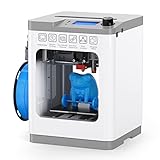
Experience the ease of 3D printing with the Entina Tina2 Basic Mini 3D Printer, designed to get you started quickly and effortlessly. Its fully assembled setup means you can begin printing within minutes, eliminating the frustration of complex assembly.
This printer solves common beginner issues like bed leveling with its one-touch auto bed leveling feature, ensuring your prints stick properly and come out clean. The dual Z-axis rails provide added stability, improving precision during printing.
Maintenance is simplified with a magnetic flexible build plate, which makes removing finished models quick and damage-free. The compact and safe design is perfect for home, school, or office use, especially for beginners and kids exploring 3D printing as a hobby.
While its build volume is limited to 100 x 105 x 100 mm, it covers most small projects well. The basic 2.4″ LCD screen offers straightforward controls, balancing ease of use with essential functionality.
Best for: Beginners, children, and hobbyists seeking an easy-to-use, safe, and compact 3D printer for small-scale projects.
What We Like:
- Fully assembled with quick start using included MicroSD card and slicing software
- One-touch auto bed leveling for hassle-free setup
- Dual Z-axis rails enhance printing stability and accuracy
- Magnetic flexible build plate simplifies model removal
- Safety features include resume printing after power interruptions
Specification:
| Feature | Details |
|---|---|
| Manufacturer | Entina |
| Build Volume | 100 x 105 x 100 mm |
| Screen | 2.4″ LCD |
| Weight | Not specified |
| Color Options | Not specified |
Ugee Funbox 3D Printer for Kids, UL GREENGUARD Safe, AI-Powered STEM Gift

- 🚀 20,000+ Toys with Endless DIY Fun:Ages 8+. Imagine a home toy factory. With over 20,000 print-tested toys, animals & vehicles — more than any kids' 3D printer...
- 🛡️ 360°SafeShield & UL GREENGUARD Certified:Safety and clean air you can trust. Funbox features a fully enclosed body, anti-pinch door, and anti-scald exterior...
- 🌈 Zero Calibration, Ready in Minutes: Designed as a 3D printer for kids, so easy to use. Setup in seconds, not hours. Funbox arrives 100% assembled and pre-calibrated...
- 🏆 500 mm/s Fast Printing, <46dB Quiet & Built-in Camera: Power meets peace. Funbox 3D Printer delivers consistent print speeds of 220–300 mm/s, with peak bursts up...
- 🤖 AI-Powered Creation & 15 Fun Studios: Imagine your child drawing a rocket, snapping a photo of the family dog, or saying "I want a unicorn" — and watching it...
The Ugee Funbox 3D Printer offers a safe and straightforward way for kids aged 8 and up to bring their ideas to life. Its fully assembled design requires no calibration, so children can start printing immediately through a simple app using WiFi 6. The printer’s enclosed, cool-touch casing and UL GREENGUARD certification ensure a safe environment with low emissions.
This 3D printer encourages creativity and learning with AI-powered design modes and a vast model library. Integrated STEM-focused courses help young users develop important skills while exploring new projects. Its open filament system and precise printing support a variety of creative endeavors in bedrooms or classrooms.
Maintenance is minimal thanks to the printer’s reliable leveling-free technology and easy-to-use app controls. However, it prints only in single color and supports PLA filament exclusively, which may limit more advanced users seeking multi-color or diverse material options.
Fast and user-friendly, the Ugee Funbox makes 3D printing accessible and educational, helping kids design, customize, and build independently.
Best for: Young creators aged 8+ who want a safe, easy-to-use 3D printer that promotes STEM learning through AI-driven features and guided lessons.
What We Like:
- Pre-assembled with no calibration needed for quick setup
- Safety-focused with UL GREENGUARD certification and enclosed design
- AI-powered modes and STEM courses enhance creativity and education
- Open filament system allows flexible material use within PLA options
Specification:
| Feature | Details |
|---|---|
| Manufacturer | Ugee |
| Dimensions | Standard desktop size |
| Weight | Lightweight design |
| Material | Durable plastic casing |
| Color Options | Single color printer |
Factors to Consider When Choosing a 3D Printer for Kids

When picking a 3D printer for kids, you’ll want to focus on safety features and how easy it is to use. You should also consider printing speed, quality, and whether it offers educational value.
Don’t forget to check the connectivity options to make sure it fits your setup. It’s all about finding a balance between fun and functionality, so the kids stay engaged without any hassle.
Safety Features Importance
Because kids are naturally curious and hands-on, prioritizing safety features in a 3D printer is essential to prevent burns, cuts, and other injuries. Look for models with enclosed or partially enclosed frames and cool-touch exteriors to keep hot components out of reach.
Automatic bed leveling and one-touch filament loading reduce the need for manual handling near heated nozzles. Features like power-loss recovery and print-pause help avoid unsafe printer behavior during interruptions, minimizing risky interventions.
Magnetic flexible build plates and tool-free removal systems make part removal safer by lowering cut or poke risks. Also, low-noise operation, stable motion systems like dual Z axes, and clear status indicators reduce startle risks and help you supervise your child’s printing safely and confidently.
Ease of Use
Choosing a 3D printer for kids often means finding one that’s easy to use right out of the box. Look for fully assembled, plug-and-play models with guided setup or one-touch start so your child can begin printing within minutes.
Automatic bed leveling and one-button filament loading simplify calibration and reduce failed prints. It’s all about making things as smooth as possible for little hands.
Choose printers with intuitive interfaces or apps that offer one-tap printing and pre-sliced models, making the process straightforward for beginners. Offline printing via SD card and simple wireless control also help kids print without advanced computer skills.
Finally, prioritize easy maintenance features like magnetic flexible build plates and quick-swap nozzles. That way, your child can remove parts and clean the printer hassle-free, keeping their creative flow uninterrupted.
Printing Speed & Quality
Although speed is important, you’ll want a 3D printer for kids that balances printing speed with quality to guarantee reliable, detailed results. Aim for printers with moderate maximum speeds around 200–300 mm/s. This lets prints finish quickly without causing layer artifacts or vibrations that reduce quality.
Look for layer heights between 0.05 and 0.2 mm; 0.1 mm is ideal for smooth, detailed toys and figurines. Printers with stable motion systems, like dual Z axes or reinforced frames, maintain quality even at faster speeds by minimizing ringing and failed small features.
Efficient cooling and precise extrusion control also improve surface finish and sharpness, which is essential for small models. For classrooms, you can choose lower resolution for quick prints or higher resolution when fine detail truly matters.
Educational Value
Printing speed and quality set the foundation, but the true value of a 3D printer for kids lies in its educational potential. You want a printer that supports a wide range of age-appropriate STEM projects and lesson plans, helping kids move from guided builds to independent design.
Look for tools with block-based CAD, text-to-3D converters, and simple slicing presets that teach design thinking and spatial reasoning. Choose printers enabling quick projects (15–60 minutes) to keep kids engaged with frequent feedback.
Make sure the system offers multimodal learning resources like tutorials, videos, and assessment rubrics linked to math and science standards. Platforms with progress tracking, printable templates, and community lesson sharing help you scaffold skills, measure growth, and reuse materials.
This way, education becomes both effective and fun.
Connectivity Options
Several connectivity options can shape how easily kids interact with their 3D printer and how you manage their projects. Wi‑Fi (2.4 GHz) allows wireless printing and control via tablet or phone, but make sure the printer supports your home network and offers a kid-friendly app.
Offline options like TF/SD cards or USB sticks work well in classrooms or for younger kids. They keep devices and Wi‑Fi credentials secure, which is a big plus for peace of mind.
Built-in USB ports enable direct computer connections for live control and troubleshooting. This is great when teaching slicing and print monitoring.
Look for a dedicated app with one-tap printing and preloaded models to simplify beginners’ workflow. Meanwhile, compatibility with desktop slicers like Cura encourages advanced learning.
Remote monitoring and power-loss recovery features help you supervise and resume prints effortlessly. It’s like having a safety net for those long print jobs.
Maintenance and Support
Understanding how to maintain your 3D printer and knowing the support options available can save you time and frustration, especially when kids are involved.
Choose a model with easy-to-replace wear parts like nozzles and build plates, and keep spares handy to minimize downtime.
Regularly clean and inspect the nozzle, extruder gear, and filament path—monthly for light use or weekly for classrooms—to prevent clogs.
Stick to a bed maintenance routine and check leveling before each print to guarantee good first-layer adhesion.
Use quality, dry filament stored in sealed containers with desiccant to avoid moisture issues.
Finally, verify warranty coverage and access to responsive technical support or clear community resources. That way, you can quickly troubleshoot or repair issues, keeping your kids’ creativity flowing smoothly.
Frequently Asked Questions
What Materials Are Safe for Kids to Use With These 3D Printers?
You should use non-toxic, biodegradable filaments like PLA with your 3D printer. Avoid ABS or materials that emit strong fumes.
Always supervise kids and guarantee proper ventilation to keep the printing process safe and fun.
That way, everyone stays safe and can really enjoy the creative experience.
How Much Maintenance Do These 3D Printers Require?
You’ll need to do basic maintenance like cleaning nozzles and leveling the bed regularly. Most kid-friendly printers have easy-to-follow instructions, so you won’t spend much time fixing issues or replacing parts.
It’s really not that complicated once you get the hang of it. Just a little upkeep here and there keeps everything running smoothly.
Are There Age Recommendations for Each 3D Printer Model?
Age recommendations dance like guiding stars—you’ll find most models suggest ages 8 and up, ensuring safety and skill match.
You’ll want to check each printer’s specs, so your kid’s creativity can truly take flight.
Can These Printers Connect to Tablets or Smartphones?
Yes, many of these 3D printers connect to tablets or smartphones via Wi-Fi or Bluetooth. You’ll find apps that let you control printing, design models, and monitor progress right from your device.
It makes the whole process super convenient and fun. So, you can manage your prints without being stuck at the printer all the time.
What Software Is Compatible With These Kids’ 3D Printers?
You’ll find popular kid-friendly software like TinkerCAD, Doodle3D, and Cura compatible with these printers. They’re easy to use on tablets or smartphones, letting you design and print creative projects effortlessly.
Plus, these apps make the whole process super fun and simple. So, whether your kid is just starting out or already a little pro, they’ll have a blast bringing their ideas to life!
Conclusion
Choosing the perfect 3D printer for your kid might seem tricky, but it’s funny how many great options, like the Entina Tina2C or Spark AI, all focus on safety and creativity. You’ll find one that sparks their imagination while keeping things simple and secure.
So, why wait? Plunge in now—because the right printer isn’t just a tool; it’s a gateway to endless fun and learning. A good 3D printer for kids inspires creativity and encourages hands-on exploration, making it perfect for your child’s next big idea.
With so many safe, easy-to-use options available, choosing the best 3D printer for kids in 2027 can truly unlock their potential. It’s an investment in their creativity, problem-solving skills, and future innovation.