10 Best 3D Printers for Beginners in 2027 (Easy & Affordable)
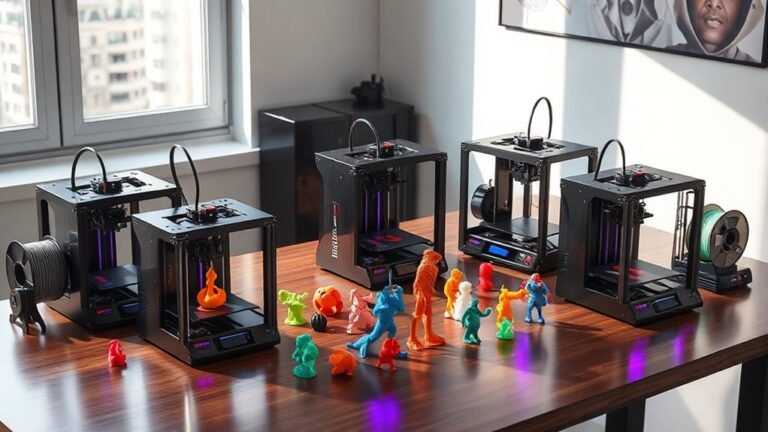
If you’re new to 3D printing, finding the right beginner 3D printer can make all the difference. Look for features like easy setup, automatic bed leveling, and reliable filament loading to get started without frustration.
Printers like the Entina Tina2C Mini, Bambu Lab A1 mini, and Anycubic Kobra X Multicolor fit the bill perfectly. They offer plug-and-play designs and guided apps that walk you through every step.
Affordable and beginner-friendly options like the Creality Ender 3 V3 SE and Geeetech M1S also deliver smooth first prints. These models combine convenience, quality, and compact size to kickstart your 3D printing journey with minimal hassle.
Curious about what makes these top picks ideal for you? Dive in and explore the best 3D printers for beginners in 2027!
| Image | Name | Editor's Rating | Price |
|---|---|---|---|

|
|
||

|
|
||

|
|
||

|
|
||

|
|
Entina Tina2C Mini 3D Printer for Beginners
- 【Easy to Use 3D Printer – Ready in 5 Minutes】 Meet the Entina Tina2C, a plug-and-play mini 3D printer designed for first-time users. Fully assembled with factory...
- 【3500+ 3D Models & Easy One-Tap Printing】 Explore 3500+ ready-to-print 3D models and 25+ DIY projects in the Poloprint Cloud app, with new designs added daily...
- 【Smart WiFi 3D Printer & AI-Powered App】 Connect via 2.4GHz WiFi and enjoy convenient 3D printer app control through Poloprint Cloud. Explore models, manage prints...
- 【Auto Leveling 3D Printer & Power-Loss Recovery】 Automatic bed leveling helps improve first-layer adhesion and reduces manual adjustments for a smoother 3D printing...
- 【Flexible Magnetic Print Bed & Quick-Swap Nozzle】 The flexible magnetic build plate makes finished 3D prints easier to remove with a gentle bend. A removable...
Step into the world of 3D printing with the Entina Tina2C Mini, a compact printer designed to make your first prints effortless and enjoyable. Its fully assembled, plug-and-play setup means you can start creating in just five minutes, eliminating setup frustrations. The auto leveling feature and guided Poloprint app help you achieve precise prints with minimal effort.
This mini 3D printer fits neatly on your desk and operates quietly, so it won’t disrupt your workspace or home environment. Maintenance is simple thanks to the flexible magnetic build plate, which makes removing prints quick and damage-free. The removable nozzle also streamlines cleaning and upkeep, so your printer stays in top shape longer.
With power-loss recovery, your projects are protected from unexpected interruptions, giving you peace of mind during printing. Its compact build volume is perfect for small models, making it ideal for beginners, kids, and educational STEM projects. While it may lack advanced features for experts, its reliability and ease of use are unmatched for newcomers.
Best for: Beginners, kids, and families seeking a user-friendly, compact 3D printer for home use and learning.
What We Like:
- Ready to print in 5 minutes with auto leveling and app guidance
- Quiet operation ideal for home or office environments
- Flexible magnetic build plate and removable nozzle simplify maintenance
- Power-loss recovery protects printing progress
- Supports wireless and offline printing with AI design tools
Specification:
| Feature | Details |
|---|---|
| Manufacturer | Entina |
| Build Volume | 3.9 x 3.9 x 3.9 inches |
| Setup | Fully assembled, plug-and-play |
| Operation | Quiet |
| Print Bed | Flexible magnetic |
| Connectivity | Wireless and offline |
| Target Users | Beginners, kids, families |
Bambu Lab A1 mini 3D Printer + LED Lamp Kit, Ready-to-Use for Beginners
- A1 mini + LED Lamp Kit for Creative Light Projects: Bring your ideas to life with the included LED Lamp Kit. Simply print compatible lamp models and turn your 3D...
- The Perfect 3D Printer for Beginners: A1 mini 3D Printer is designed to make 3D printing easy from day one with automatic calibration, simple setup, and a smooth printing...
- Experience the Bambu Lab Ecosystem: Access MakerWorld’s huge library of ready-to-print models, manage prints through the Bambu Handy app, and enjoy a connected...
- Fast, Quiet, and Reliable Printing: Compact and beginner-friendly, A1 mini delivers high-speed, high-quality printing with quiet operation that fits naturally into your...
- Made for Everyday Creativity: From toys and home décor to functional tools and personalized gifts, A1 mini makes it easy to turn ideas into real-life creations with a...
Discover the ease of 3D printing with the Bambu Lab A1 mini 3D Printer + LED Lamp Kit. This compact device removes the usual setup headaches, offering full-auto calibration to ensure your prints start perfectly every time. Its quiet operation (≤48 dB) and fast printing speed make it ideal for home or small workspace use.
The printer’s simple design means maintenance is straightforward, allowing you to focus on creativity rather than troubleshooting. It’s perfect for making toys, home décor, and personalized gifts with consistent, high-quality output. Weighing just 12.1 pounds, it fits neatly on any desk without taking up much space.
With access to Bambu Lab’s MakerWorld model library and print management through the Handy app, you can easily explore diverse projects and control printing remotely. Its compact size limits print dimensions but is well-suited for beginners and hobbyists who prioritize ease of use and reliability.
Best for: Beginners and hobbyists seeking a user-friendly, compact 3D printer to create small-scale toys and décor with minimal setup.
What We Like:
- Full-auto calibration for hassle-free first prints
- Quiet operation and fast printing speed
- Handy app and MakerWorld library access for creative project management
Specification:
| Feature | Details |
|---|---|
| Manufacturer | Bambu Lab |
| Dimensions | Compact size (exact size not specified) |
| Weight | 12.1 lb (5.5 kg) |
| Color Options | Not specified |
| Noise Level | ≤48 dB |
Anycubic Kobra X Multicolor 3D Printer, Easy Setup, Native 4-Color
- 【 Newest Level - 19-Color with 4 ACE 2 Pro】Why settle for one color when you can have multicolor? The Kobra X comes born with 4 colors built-in. It is innovative 3D...
- 【 Savings 2X Time】Stop wasting hours and filament on purging! Kobra X impresora 3D reduces the filament and machine travel path by 81.25%, so 2X the Speed, and...
- 【Hardened Precision & High Speed 】 Equipped with a high-durability hardened steel nozzle and vibration compensation, the Kobra X ensures every layer remains smooth...
- 【Flawless First Layer with LeviQ 3.0】The LeviQ 3.0 and auto bed leveling system uses a 49-point calibration and advanced leveling algorithm to ensure 100% bed...
- 【Smart AI Monitoring & Large Model Library】APP remote control, features Spaghetti detection and foreign object detection. The innovative top-mount spool holder...
The Anycubic Kobra X Multicolor 3D Printer brings vibrant multicolor printing to your creative projects without the hassle of complex setups. Its native 4-color printing feature lets you produce detailed, colorful models with ease. This printer is designed to simplify your 3D printing experience right from the start.
Setup is fast and straightforward, taking about 15 minutes. The LeviQ 3.0 auto bed leveling ensures your prints come out flawlessly every time, reducing the need for manual adjustments. Its compact design includes a top-mount spool holder, saving valuable workspace.
The printer supports a variety of filament types and prints quickly, completing popular test models like the Benchy in just 14 minutes. Smart AI monitoring and dual-band Wi-Fi or LAN connectivity let you control and observe your printer remotely, combining convenience with quiet operation.
Maintenance is made easier with its reliable leveling system and straightforward filament loading. While the build volume is moderate at 260 × 260 × 260 mm, it suits most hobbyist projects. Keep in mind, filament is not included, so you’ll need to purchase it separately.
Best for: Users seeking an easy-to-use 4-color 3D printer that combines quick setup, efficient printing, and remote control capabilities.
What We Like:
- Native 4-color printing with expandability up to 19 colors
- LeviQ 3.0 auto bed leveling for consistent results
- Fast print speeds, finishing a Benchy in 14 minutes
- Smart AI monitoring with Wi-Fi/LAN remote control
- Compact design with space-saving spool holder
Specification:
| Feature | Details |
|---|---|
| Manufacturer | Anycubic |
| Dimensions | Not specified |
| Weight | 20.9 lb (9.5 kg) |
| Build Volume | 260 × 260 × 260 mm |
| Filament Compatibility | Various filaments supported |
| Color Printing | Native 4-color, expandable to 19 |
Bambu Lab A1 3D Printer, Ready-to-Use FDM 3D Printer for Beginners and Kids
- High-Speed Precision: Experience unparalleled speed and precision with the Bambu Lab A1 3D Printer. With an impressive acceleration of 10,000 mm/s², the A1 delivers...
- Multi-Color Printing with AMS lite: Unlock your creativity with vibrant and multi-colored 3D prints. The Bambu Lab A1 3D printers make multi-color printing accessible and...
- Full-Auto Calibration: Say goodbye to manual calibration hassles. The A1 3D printer takes care of all the calibration processes automatically, ensuring optimal...
- Active Flow Rate Compensation: Achieve consistently smooth prints with active flow rate compensation. The algorithm actively compensates the flow rate according to the...
- Easy and Quiet 3D Printing: Experience effortless printing with the Bambu Lab A1 FDM 3D printer. Its user-friendly interface and simplified touchscreen make it easy to...
The Bambu Lab A1 3D Printer is designed to make 3D printing simple and accessible. Its automatic calibration removes the hassle of manual setup, helping beginners and kids get started quickly. This ensures a smooth start without the usual frustrations.
With features like active flow rate compensation and a 1-Clip quick swap nozzle, the printer maintains consistent print quality. You can expect reliable, precise results every time. Its quiet operation at ≤48 dB makes it ideal for use at home or in classrooms without distractions.
The printer supports multi-color printing when paired with the AMS lite add-on, expanding creative possibilities. Its compact design, weighing just 22 pounds, fits comfortably in most workspaces. Maintenance is straightforward, making it easy to keep the printer running smoothly.
While it offers excellent ease of use, the Bambu Lab A1 may lack some advanced features preferred by experienced users. The build volume is moderate, which might limit larger projects. Still, it serves as a solid entry-level option for quality FDM printing.
Best for: beginners and kids seeking an easy-to-use, reliable FDM 3D printer with automatic calibration and optional multi-color printing.
What We Like:
- Automatic calibration simplifies setup and upkeep
- Consistent print quality with flow rate compensation and quick swap nozzle
- Quiet operation suitable for home and educational settings
- Supports multi-color printing with optional AMS lite add-on
Specification:
| Feature | Details |
|---|---|
| Manufacturer | Bambu Lab |
| Dimensions | Not specified |
| Weight | 22 lb (10 kg) |
| Printing Technology | FDM |
| Noise Level | ≤48 dB |
| Multi-Color Support | Yes, with AMS lite add-on |
Creality Ender 3 V3 SE Beginner-Friendly 3D Printer with Auto Leveling
- 250mm/s High-Speed Printing: Print at speeds of up to 250mm/s with 2500mm/s² acceleration, helping you complete prototypes, functional parts, and everyday projects...
- Easy Setup with Auto Leveling: Designed for a fast and straightforward setup, the Ender 3 V3 SE can be assembled in just a few simple steps. CR Touch Auto Leveling and...
- Proven Sprite Direct Drive Extruder: The upgraded Sprite Direct Drive Extruder provides smooth and consistent filament feeding for PLA, PETG, and TPU. Its proven design...
- Stable Motion System for Consistent Results: Dual synchronized Z-axis lead screws and precision Y-axis linear shafts work together to help reduce vibration and Z...
- Quiet Operation with Easy Print Removal: A 32-bit silent mainboard helps reduce operating noise for a more comfortable printing experience, while the flexible PC spring...
The Creality Ender 3 V3 SE makes 3D printing accessible with its automatic bed leveling and filament loading. These features reduce setup time and minimize errors, helping beginners achieve consistent, high-quality prints. Its CR Touch auto-leveling system and automatic Z-offset calibration ensure the printer’s first layers stick perfectly without manual adjustments.
This model’s Sprite Direct Drive Extruder handles a variety of filaments, including PLA, PETG, and TPU. It feeds filament smoothly, which improves print reliability and reduces maintenance needs. The printer’s dual synchronized Z-axis design stabilizes movements, reducing vibrations that can affect print quality.
Designed for ease of use, the Ender 3 V3 SE runs quietly thanks to its 32-bit mainboard. It offers a decent build volume suitable for most hobby projects but may feel limiting for larger or industrial uses. While its maximum print speed of 250 mm/s is adequate for most jobs, advanced users might find it somewhat slow.
Best for: Beginners and hobbyists seeking a user-friendly 3D printer with dependable automatic leveling and smooth filament handling.
What We Like:
- Reliable CR Touch auto-leveling and Z-offset calibration
- Versatile Sprite Direct Drive Extruder for multiple filament types
- Stable dual Z-axis and quiet 32-bit mainboard for precise printing
Specification:
| Feature | Details |
|---|---|
| Manufacturer | Creality |
| Dimensions | Compact size |
| Weight | Not specified |
| Material | Various (printer components) |
| Color Options | Not specified |
MakeBuddy Smart5 AI 3D Printer for Beginners, Plug & Play, High Speed

- 【Designed for Beginners】 MakeBuddy Smart5 3d printer arrives fully assembled and enclosed, so there is no kit to build. Guided app setup and automatic bed leveling...
- 【Easy to Start – Beginner Friendly 3D Printer】From unboxing to your first print in just 15 minutes. Features the leveling technology inherited from QIDI’s...
- 【Safe & Low-Noise Home 3D Printer】The QIDI Smart5 features a sealed enclosure that covers the hot end and moving gantry while lowering operating noise, so the printer...
- 【AI 3D Printer with One-Tap Printing】 The MakeBuddy Smart5 AI 3D printer turns a photo into a printable model: capture an object with a phone or tablet, let the AI...
- 【Complete Starter Kit with Filament and Course Access】 Smart5 ships with 4 PLA filaments, LED and clock DIY build kits, and access to a regularly updated STEAM...

Step into the world of 3D printing effortlessly with the MakeBuddy Smart5 AI 3D Printer. Designed especially for beginners, it eliminates the usual hurdles of setup and design. Simply snap a photo, and its intelligent app automatically creates a 3D model, making complex CAD skills unnecessary.
This printer’s CoreXY motion system ensures fast, precise prints at speeds up to 600 mm/s. Its fully enclosed design reduces noise and maintains a clean workspace with an integrated HEPA filter. Automatic bed leveling means fewer adjustments and more reliable results.
Maintenance is straightforward thanks to its sealed build chamber and included starter filaments. With 32 GB of onboard storage and access to STEAM project libraries, users can explore creative projects right away. The printer’s compact build volume suits typical hobbyist and educational needs but may limit larger creations.
Overall, the MakeBuddy Smart5 offers a seamless, plug-and-play 3D printing experience with AI-driven modeling and advanced features tailored for ease and speed.
Best for: Beginners, hobbyists, and educators seeking an intuitive, high-speed 3D printer with AI-assisted design and minimal setup.
What We Like:
- Fully assembled, enclosed design with automatic bed leveling
- High-speed CoreXY motion system up to 600 mm/s
- HEPA filtration for a quieter, cleaner workspace
- AI companion app simplifies 3D model creation
- Includes 32 GB storage and STEAM project access
Specification:
| Feature | Details |
|---|---|
| Manufacturer | MakeBuddy |
| Build Volume | 18 × 18 × 18 cm |
| Print Speed | Up to 600 mm/s |
| Storage | 32 GB |
| Filament Type | PLA (starter included) |
| Enclosure | Fully enclosed with HEPA |
| Motion System | CoreXY |
Entina Tina2 Basic Mini 3D Printer for Beginners
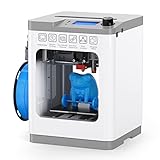
- 3D Printer for Beginners and Kids: Out of the box, fully assembled, Speedy Printing –TINA2 BASIC 3d printer is super easy to use and does not require a complex setup...
- Ready to Print: Equipped with 2.4" LCD screen and Wiibulider slicer software makes it easy to conduct offline printing using the MicroSD Card. The 3-d printer supports...
- Fully Open-Source: Entina TINA2 BASIC Mini 3D printer adopts a safety-first design philosophy, featuring complete open-source compatibility for enhanced flexibility and a...
- Auto Leveling & Magnetic Platform: The small 3d printer does not need manual leveling, the intelligent leveling system can automatically adjust the uneven bed, thus...
- Compact Design:This is light weight and minimalist desktop 3D printers, the mini 3D printer size is 8.3''x8.3''x11.4'', weight is 3kg. Light weight and portable design...
The Entina Tina2 Basic Mini 3D Printer is designed to make 3D printing accessible and straightforward. It comes fully assembled, allowing you to start printing in just minutes. The included TF card with test models and slicing software simplifies your first projects, removing common setup frustrations.
This compact printer features an intuitive 2.4″ LCD screen and a simple control knob, making navigation easy for beginners. The one-button filament loading system reduces hassle and downtime. Its auto bed leveling and dual Z-axis rails ensure precise prints, while the magnetic removable build plate speeds up maintenance and model removal.
Maintenance is minimal, thanks to its user-friendly design and durable components. Its small size fits comfortably in classrooms, dorm rooms, or home offices, saving space without sacrificing quality. However, the open frame means supervision is advised for younger users to avoid contact with moving parts.
With a build volume of 100 x 105 x 100 mm, it’s ideal for smaller projects but may limit larger creations. Overall, the Entina Tina2 Basic Mini offers a safe, convenient introduction to 3D printing for learners and hobbyists.
Best for: Beginners, students, and educators seeking an easy-to-use, compact 3D printer for small-scale printing projects.
What We Like:
- Fully assembled for quick setup and printing
- Auto bed leveling and dual Z-axis rails for accuracy
- Simple one-button filament loading system
- Compact design ideal for limited spaces
- Magnetic removable build plate for easy maintenance
Specification:
| Feature | Details |
|---|---|
| Manufacturer | Entina |
| Build Volume | 100 x 105 x 100 mm |
| Screen | 2.4″ LCD with control knob |
| Frame Type | Open frame |
| Weight | Lightweight |
| Included Software | Slicing software on TF card |
Geeetech M1S 3D Printer for Kids and Beginners

- Smart 3D Printer: Compact body with sleek design. Access massive 3D models, enjoy WiFi printing, and experience seamless smart operation-connect the "Geeetech" APP and...
- Designed for Kids and Beginners: The Geeetech M1 comes fully assembled and is incredibly user-friendly with knob operation and one-button filament loading. Its 2.4" LCD...
- High-Speed Printing & Superior Quality: Experience the future of printing with Geeetech M1's advanced nozzle and 50W heating rod, ensuring efficient heat dissipation for...
- Innovative Direct Drive Extruder: Equipped with a high-performance dual-drive metal gear system offering a 1:5 gear ratio for unmatched torque and extrusion force...
- Auto-Leveling & Heated Build Plate: Simplify your printing process with our 16-point full-auto leveling technology and a heated, flexible magnetic build plate. These...
Geeetech M1S 3D Printer is designed to make 3D printing simple and accessible, especially for kids and beginners. Its fully assembled, plug-and-play setup removes the hassle of complicated assembly. The intuitive knob control and one-button filament loading help users start printing quickly without confusion.
This printer offers smooth and reliable printing with its direct drive extruder featuring dual-drive metal gears. The 16-point auto leveling combined with a heated magnetic bed minimizes print failures by reducing warping. Its compact size fits well in small spaces and encourages creative projects at home or school.
Connectivity is straightforward with built-in WiFi and support for one-click printing through the Geeetech APP or TF card. The 2.4″ LCD color screen with bright lighting provides easy navigation and control. Maintenance is low effort, making it suitable for young users or those new to 3D printing.
While the print area is modest and the print speed moderate, the M1S focuses on reliability and ease of use. It supports common filaments like TPU and PLA, which are safe and versatile for educational purposes.
Best for: Kids and beginners seeking a user-friendly, compact 3D printer with WiFi and plug-and-play convenience.
What We Like:
- Fully assembled design with simple knob operation and easy filament loading
- Reliable extrusion thanks to dual-drive metal gear extruder
- 16-point auto leveling and heated magnetic bed reduce print errors
- WiFi connectivity and one-click printing via Geeetech APP or TF card
Specification:
| Feature | Details |
|---|---|
| Manufacturer | Geeetech |
| Print Volume | 3.94 × 4.33 × 3.94 inches |
| Print Speed | Up to 250 mm/s |
| Supported Filaments | TPU, PLA |
| Display | 2.4″ LCD color screen |
| Connectivity | WiFi, TF card |
| Extruder Type | Direct drive with dual metal gears |
| Bed | Heated magnetic bed |
Portable Compact FDM 3D Printer with Removable Plate

- Foolproof Setup with Video Guides – Never get stuck! We provide a crystal-clear Quick Start Guide and step-by-step video tutorials. Watch them online to get started.
- Simple Assembly with Video Guide – Requires quick modular setup (watch our step-by-step video). Comes with 10m PLA filament, TF card, tools, and 12V Type-C power...
- Versatile Filament Compatibility – Unleash your creativity with both PLA and flexible TPU (1.75mm). The reliable 0.4mm nozzle and precise 0.05-0.3mm layer thickness...
- Reliable Performance & Compact Design – Features stable FDM technology and a removable build plate for easy model removal. The perfect 100x100x100mm build volume is...
- Complete Package – No Hidden Costs – Includes printer, 10m PLA filament, 8GB TF card + reader, tools, illustrated manual, and 12V Type-C power adapter. Plus free...
Experience the ease of 3D printing with this portable compact FDM printer designed to simplify your creative process. Its removable build plate allows quick print removal, reducing downtime and enhancing your workflow. The printer’s modular design and clear quick-start guide make setup straightforward, helping you start printing in minutes.
This printer delivers precise details with a 0.4 mm nozzle and supports layer thickness from 0.05 to 0.3 mm. While its 100 x 100 x 100 mm build volume is ideal for small projects, it fits perfectly in tight spaces like classrooms or hobby rooms. Compatible with PLA and flexible TPU, it offers versatility for various toy, decor, and model creations.
Maintenance is hassle-free thanks to the easy-to-remove plate and simple filament loading system. However, the power adapter uses a 12 V Type-C connection, which may need specific adapters depending on your power sources. This compact model balances functionality with convenience, making it a practical choice for beginners.
Best for: Beginners, students, and hobbyists seeking a compact, easy-to-use 3D printer for small-scale educational or creative projects.
What We Like:
- Modular assembly with quick-start guide and video tutorials for fast setup
- Removable build plate for easy print handling and maintenance
- Supports PLA and flexible TPU for diverse print materials
Specification:
| Feature | Details |
|---|---|
| Manufacturer | [Not Provided] |
| Build Volume | 100 x 100 x 100 mm |
| Nozzle Diameter | 0.4 mm |
| Layer Thickness | 0.05 – 0.3 mm |
| Filament Compatibility | PLA, TPU |
| Power Supply | 12 V Type-C |
| Dimensions | [Not Provided] |
| Weight | [Not Provided] |
Creality Ender 3 V3 SE 3D Printer Upgrade

- 【250mm/s High-speed Printing】Creality Ender 3 V3 SE 3d printer supports a maximum printing speed of 250mm/s, 2500mm/s² acceleration.The speed has been greatly...
- 【Powerful ""Sprite"" Direct Extruder】Ender 3 V3 SE is the upgrade of ender 3, ender 3 v2, ender 3 pro, ender 3 neo, ender 3 v2 neo, ender 3 s1, ender 3 s1 pro etc 3d...
- 【Worry-free CR Touch Auto Leveling & Strain Sensor】Creality Ender 3 upgraded 3d printer features a CR Touch sensor for auto leveling and a strain sensor for auto...
- 【Stable Dual Z-axis & Y-axis Linear Shafts】High-precision dual Z-axis lead screws reduce Z wobbling effectively, avoid printing deviation in single-axis printing...
- 【Quick Assembly & Easy to Use】Preassembly has solved those hassles and worries of parts assembly, It only takes 3 steps to complete the assemble the ender-3 v3 se 3d...
The Creality Ender 3 V3 SE is designed to make 3D printing accessible and efficient for beginners and hobbyists. It addresses common challenges like complicated setup and uneven printing by offering quick assembly and auto bed leveling. This ensures your prints stick well and come out accurately without constant manual adjustments.
With a max print speed of 250 mm/s, it works up to 73% faster than many comparable models. The sturdy dual Z-axis lead screws stabilize the build platform, reducing wobble for sharper details. Its full-metal Sprite dual-gear extruder delivers smooth filament feeding and simplifies loading with a one-touch mechanism.
Maintenance is straightforward, thanks to the preassembled components and automated features. The printer supports popular materials such as PLA, TPU, and PETG, making it versatile for various projects. Its compact size and stable platform help keep your workspace organized.
While the 220 x 220 x 250 mm print volume suits most small to medium projects, it may limit larger creations. The printer’s weight and dimensions could affect portability but contribute to its stability during operation.
Best for: beginners and hobbyists seeking a fast, reliable 3D printer with user-friendly setup and advanced printing features.
What We Like:
- Fast print speeds up to 250 mm/s, improving productivity
- Auto bed leveling with CR Touch for hassle-free calibration
- Smooth filament handling via full-metal Sprite dual-gear extruder
- Quick setup with mostly preassembled parts
- Supports multiple filament types for versatile use
Specification:
| Feature | Description |
|---|---|
| Manufacturer | Creality |
| Dimensions | Compact build size |
| Print Volume | 220 x 220 x 250 mm |
| Weight | 15.66 lb (7.1 kg) |
| Material | Full-metal extruder, stable frame |
| Supported Filaments | PLA, TPU, PETG |
Factors to Consider When Choosing a 3D Printer for Beginners
When choosing your first 3D printer, you’ll want to focus on ease of setup to avoid frustration. It’s really important that you can get started quickly without too much hassle.
Consistent print quality and the right build volume size matter for your projects. You want something that fits what you plan to create, not too big or too small.
Also, consider connectivity options and how much noise the printer makes during operation. It’s nice to have flexible ways to connect, and a quieter printer can make the whole experience more enjoyable.
Ease of Setup
Choosing a 3D printer that arrives fully or nearly assembled can save you hours of frustrating setup. Look for models advertising “plug-and-play” setups, which often take under 20 minutes.
Auto bed leveling or guided leveling systems simplify the tricky first step, ensuring your print adheres properly without constant adjustments. Printers with built-in filament presets and companion apps reduce the need to manually configure temperature or speed, making your first prints smoother.
Multiple connection options like Wi-Fi, USB, or offline printing let you transfer files easily, even if you’re new to slicing software. Finally, clear onboarding resources—step-by-step videos, quick-start guides, and included test models—help you quickly grasp the basics and start printing confidently.
This ease of setup is key to a positive beginner experience.
Print Quality Consistency
Although setup ease gets you started, consistent print quality keeps your projects looking professional and prevents wasted materials. Focus on printers with reliable auto-leveling or strong first-layer calibration to avoid failed prints and layer shifts.
Stable motion systems, like dual Z-axis or reinforced frames, reduce vibrations that cause Z-wobble and ringing. This improves surface smoothness and accuracy. Make certain the extruder delivers consistent filament feeding by maintaining stable extrusion temperature and flow rate, preventing under- or over-extrusion.
A heated, stable build plate with proper temperature control minimizes warping and layer separation, especially for tricky materials like PETG and ABS. Finally, look for closed-loop firmware features and repeatable calibration routines that maintain quality over time.
That way, your prints stay reliable from the first layer to the last.
Build Volume Size
Reliable print quality depends not only on mechanics but also on the size of your printer’s build volume. This determines the maximum size of single prints, so you’ll need to decide if you want to print large models whole or split them into parts.
Beginner-friendly printers usually offer build volumes from about 100 × 100 × 100 mm to 220 × 220 × 250 mm. Keep in mind that bigger volumes mean a larger footprint, higher power use, and longer warm-up times.
Smaller build plates heat more evenly, reducing warping and making first prints more reliable. If you plan multi-part assemblies, consider how your slicer handles splitting and joining, not just the build volume itself.
That way, you get the best results without needing an oversized machine.
Connectivity Options
When deciding on connectivity options for your 3D printer, you’ll want to balance ease of use with reliability. USB or SD card printing offers the simplest setup—just load your file offline and start printing. It’s perfect if you want minimal fuss.
Wi‑Fi lets you send prints wirelessly and monitor jobs remotely, though it can be slower or less stable with large files. Ethernet connections provide the most reliable network link. This is ideal if you plan continuous remote printing or want to share a workshop.
Bluetooth and app-based control make one-tap phone or tablet operation easy but may limit advanced settings. Some printers offer built-in cameras and cloud services for remote monitoring. Just keep in mind, these require good bandwidth and might involve subscriptions or privacy trade-offs.
Choose what fits your comfort and setup best. It’s all about finding the right balance for you.
Noise and Operation
Besides connectivity, noise and operation play a big role in how comfortable your 3D printing experience will be. Look for printers with noise levels at or below 48 dB, which are quiet enough for home or classroom use.
Models with enclosed or vibration-damped frames, dual Z-axis screws, and linear shaft designs help reduce mechanical noise and improve print stability by minimizing resonance. Stepper motor and fan noise dominate, so choosing printers with low-noise drivers like 32-bit silent boards and quieter cooling fans can make a big difference.
Keep in mind that higher print speeds increase vibration and noise, so balance speed with quiet operation. Also, if your printer includes filtration systems, check their noise levels, as HEPA or carbon filters and silent fans can add some operational noise.
Software Compatibility
Although hardware quality matters, software compatibility can make or break your 3D printing experience. Make sure your printer supports popular slicers like Cura, Simplify3D, or PrusaSlicer. This way, you get access to reliable slicing profiles and frequent updates.
Check that the firmware enables both offline printing via SD cards or USB and wireless options like Wi-Fi or LAN. That way, you’re not tied to your PC.
Look for easy firmware updates and compatibility with standard file formats such as G-code and STL. A user-friendly companion app or cloud integration with one-tap printing and print monitoring is a big plus. Just make sure it supports standard file exports for flexibility.
Finally, confirm your printer handles multi-material setups and third-party filament profiles. This lets you switch materials without any hassle.
Safety Features
Since 3D printing involves heated components and moving parts, prioritizing safety features is essential, especially for beginners. Look for printers with enclosed or partially enclosed designs and active filtration systems like HEPA or activated carbon filters to reduce exposure to ultrafine particles and odors.
Thermal protection, including thermal runaway detection and regulated heater control, prevents overheating of the nozzle or bed. You’ll want physical safety guards, covered hotend areas, and stable filament paths to minimize burn risks and pinch points.
Features like resume-after-power-loss and automatic shutdown on critical faults help avoid print failures and reduce fire hazards. Finally, choose models with child-safe controls, cool-touch surfaces, and easy-to-remove build plates to keep handling safe and straightforward for inexperienced users.
Frequently Asked Questions
What Materials Are Best for Beginner 3D Printing Projects?
You’ll want to start with PLA because it’s easy to print, affordable, and environmentally friendly. It’s really beginner-friendly and gives you great results without much hassle.
PETG is another good option if you need more durability. It’s a bit tougher than PLA but still pretty easy to work with.
Avoid ABS until you’re comfortable with temperature settings. It can be tricky to print and might require a bit more experience to get right.
How Much Maintenance Does a Beginner 3D Printer Require?
You’ll spend a little time cleaning nozzles and lubricating rails, like tending a tiny garden. Maintenance is simple and quick, usually just a few minutes weekly.
This keeps your printer humming smoothly without much hassle. It’s pretty easy once you get the hang of it!
Are There Any Safety Tips for First-Time 3D Printer Users?
Absolutely, always keep your printer in a well-ventilated area. Avoid touching hot parts, unplug it when not in use, and never leave it unattended during printing.
Also, wear gloves and safety glasses for extra protection. It’s better to be safe than sorry!
Can Beginners Design Their Own 3D Models Easily?
Designing your own 3D models is like learning to ride a bike—challenging at first, but you’ll get the hang of it quickly.
With beginner-friendly software, you’ll create and customize designs easily, gaining confidence as you go. It’s all about taking that first step and practicing a bit every day.
What Software Is Recommended for Beginners to Use With 3D Printers?
You should try Tinkercad or Fusion 360; they’re beginner-friendly and intuitive. Both offer easy learning curves, letting you create and modify 3D models quickly.
Plus, they work well with most 3D printers. Give them a shot, and you’ll be designing in no time!
Conclusion
Choosing the right 3D printer can transform your creative journey. Imagine Sarah, a beginner who picked the Creality Ender 3 V3 SE. Its easy setup and auto-leveling helped her quickly master printing, turning ideas into reality faster than she expected.
Whether you want multi-color prints or a compact design, one of these beginner-friendly printers will fit your needs and budget. These 3D printers are designed to make your first printing experience smooth and rewarding.
Finding the best 3D printer for beginners in 2027 means looking for ease of use, reliability, and affordability. With options like the Ender 3 V3 SE, you can start printing confidently and bring your creative projects to life without hassle. Dive into the world of 3D printing with a beginner-friendly printer that suits your style and budget perfectly!