4 Best 3D Printers Under $600 for 2027 (Affordable & Reliable)
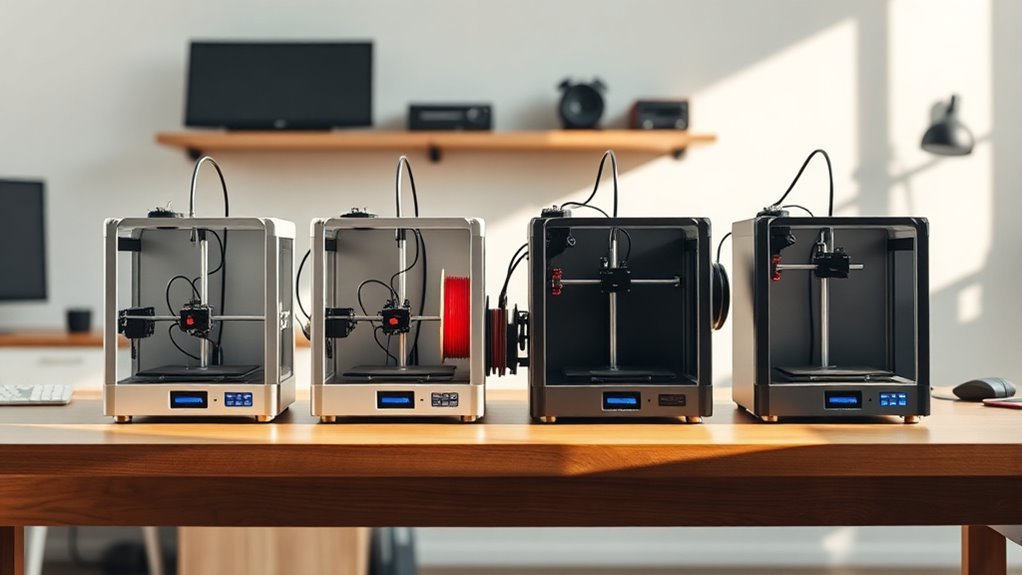
If you’re on the hunt for an affordable and reliable 3D printer under $600 in 2027, you’ve got some great options to consider. Whether you’re a beginner or looking to step up your printing game, these models offer a nice mix of features without breaking the bank.
From easy setup to advanced functionality, finding the right printer can really boost your creativity and productivity.
For detailed multicolor prints, check out the Anycubic Kobra X Multicolor. It’s known for its straightforward setup and solid performance.
The Creality Ender 3 V3 SE is perfect for beginners, featuring auto-leveling and dependable printing quality. If you want a bit more stability and power, the Upgrade model adds dual Z-axis support and a dual-gear extruder.
Lastly, if speed is your priority, the Sovol T300 runs on Klipper firmware and includes auto-leveling to enhance print quality. Take your time exploring these options to find the perfect fit for your 3D printing needs!
| Image | Name | Editor's Rating | Price |
|---|---|---|---|

|
|
||

|
|
||

|
|
||

|
|
Anycubic Kobra X Multicolor 3D Printer, Easy Setup, Native 4-Color
- 【 Newest Level - 19-Color with 4 ACE 2 Pro】Why settle for one color when you can have multicolor? The Kobra X comes born with 4 colors built-in. It is innovative 3D...
- 【 Savings 2X Time】Stop wasting hours and filament on purging! Kobra X impresora 3D reduces the filament and machine travel path by 81.25%, so 2X the Speed, and...
- 【Hardened Precision & High Speed 】 Equipped with a high-durability hardened steel nozzle and vibration compensation, the Kobra X ensures every layer remains smooth...
- 【Flawless First Layer with LeviQ 3.0】The LeviQ 3.0 and auto bed leveling system uses a 49-point calibration and advanced leveling algorithm to ensure 100% bed...
- 【Smart AI Monitoring & Large Model Library】APP remote control, features Spaghetti detection and foreign object detection. The innovative top-mount spool holder...
Step into the world of vibrant, detailed 3D printing with the Anycubic Kobra X Multicolor 3D Printer. Designed for creative flexibility, it solves the challenge of limited color printing by offering native 4-color capability. This feature allows you to bring complex, multicolor models to life without the hassle of multiple print runs.
Setup is straightforward and quick, getting you printing in about 15 minutes. The printer’s LeviQ 3.0 auto bed leveling ensures every print starts perfectly aligned, reducing failed prints and wasted materials. Its hardened steel nozzle heats up to 300°C, supporting a variety of filaments like PLA and TPU, expanding your creative possibilities.
Maintenance is simplified through its durable components and intuitive design, making it suitable for both beginners and experienced users. While the print volume is modest, it’s ideal for detailed, multicolor projects. Note that color expansion requires specific ACE 2 Pro units, which are not compatible with other models, so planning upgrades carefully is important.
Best for: Artists, hobbyists, and professionals seeking a reliable, multicolor 3D printer that balances ease of use with creative versatility.
What We Like:
- Native 4-color printing with expansion up to 19 colors for complex designs
- Fast, user-friendly setup with automatic bed leveling
- High-temperature nozzle supports diverse filament types
- Durable build simplifies maintenance and ensures reliability
Specification:
| Manufacturer | Anycubic |
|---|---|
| Dimensions | Not specified |
| Weight | Not specified |
| Material | Hardened steel nozzle and durable frame |
| Color Options | Native 4-color printing, expandable to 19 colors |
Creality Ender 3 V3 SE Beginner-Friendly 3D Printer with Auto Leveling
- 250mm/s High-Speed Printing: Print at speeds of up to 250mm/s with 2500mm/s² acceleration, helping you complete prototypes, functional parts, and everyday projects...
- Easy Setup with Auto Leveling: Designed for a fast and straightforward setup, the Ender 3 V3 SE can be assembled in just a few simple steps. CR Touch Auto Leveling and...
- Proven Sprite Direct Drive Extruder: The upgraded Sprite Direct Drive Extruder provides smooth and consistent filament feeding for PLA, PETG, and TPU. Its proven design...
- Stable Motion System for Consistent Results: Dual synchronized Z-axis lead screws and precision Y-axis linear shafts work together to help reduce vibration and Z...
- Quiet Operation with Easy Print Removal: A 32-bit silent mainboard helps reduce operating noise for a more comfortable printing experience, while the flexible PC spring...
The Creality Ender 3 V3 SE transforms 3D printing by eliminating common setup frustrations. Its auto leveling and automatic Z-offset calibration let you start printing quickly without tedious manual adjustments. This means more time is spent on creating and less on preparation.
With a top printing speed of 250 mm/s and a Sprite Direct Drive Extruder, the printer ensures smooth and consistent filament extrusion. It handles various materials like PLA, PETG, and TPU, making it versatile for different projects and prototypes.
Maintenance is straightforward thanks to the flexible spring steel build plate, which simplifies print removal and reduces downtime. The printer’s stable motion system minimizes vibrations, delivering precise and high-quality prints quietly.
Ideal for hobbyists and beginners, the Ender 3 V3 SE combines ease of use with reliable performance. Its durable design supports regular use while keeping noise levels low, fitting well into home or small workshop environments.
Best for: Beginners and hobbyists seeking a reliable and user-friendly 3D printer with auto leveling and versatile filament support.
What We Like:
- Auto leveling and Z-offset calibration reduce setup effort.
- Supports diverse filaments with smooth extrusion.
- Stable motion system ensures precise, quiet printing.
- Flexible spring steel build plate for easy print removal.
Specification:
| Feature | Details |
|---|---|
| Manufacturer | Creality |
| Dimensions | Not specified |
| Weight | 19.8 lb (9 kg) |
| Material | Various (filament types) |
| Printing Speed | Up to 250 mm/s |
Creality Ender 3 V3 SE 3D Printer Upgrade
- 【250mm/s High-speed Printing】Creality Ender 3 V3 SE 3d printer supports a maximum printing speed of 250mm/s, 2500mm/s² acceleration.The speed has been greatly...
- 【Powerful ""Sprite"" Direct Extruder】Ender 3 V3 SE is the upgrade of ender 3, ender 3 v2, ender 3 pro, ender 3 neo, ender 3 v2 neo, ender 3 s1, ender 3 s1 pro etc 3d...
- 【Worry-free CR Touch Auto Leveling & Strain Sensor】Creality Ender 3 upgraded 3d printer features a CR Touch sensor for auto leveling and a strain sensor for auto...
- 【Stable Dual Z-axis & Y-axis Linear Shafts】High-precision dual Z-axis lead screws reduce Z wobbling effectively, avoid printing deviation in single-axis printing...
- 【Quick Assembly & Easy to Use】Preassembly has solved those hassles and worries of parts assembly, It only takes 3 steps to complete the assemble the ender-3 v3 se 3d...

Experience reliable and precise 3D printing with the Creality Ender 3 V3 SE, designed to enhance your creative projects. Its advanced Sprite full-metal dual-gear direct extruder ensures smooth and consistent filament feeding, reducing print failures and improving overall quality.
The printer’s dual Z-axis lead screws and dual 8mm steel linear shafts significantly increase stability and accuracy. This design minimizes wobble during printing, making your models sharper and more detailed.
Enjoy faster production times with print speeds up to 250 mm/s. Automated features like CR Touch bed leveling and filament loading streamline setup and maintenance, saving you time and effort.
With a print volume of 8.66 x 8.66 x 9.84 inches, this model suits a wide range of projects. While assembly takes about 20 minutes, it remains manageable for users willing to invest some initial time.
Best for: Makers and hobbyists seeking an affordable, dependable 3D printer that balances ease of use with advanced capabilities.
What We Like:
- Smooth and reliable filament feeding with full-metal dual-gear extruder
- Enhanced print stability thanks to dual Z-axis screws and steel shafts
- Convenient automation with CR Touch bed leveling and filament loading
- Fast printing speeds up to 250 mm/s for efficient workflows
Specification:
| Feature | Description |
|---|---|
| Manufacturer | Creality |
| Print Volume | 8.66 x 8.66 x 9.84 inches |
| Extruder Type | Sprite full-metal dual-gear direct extruder |
| Linear Shafts | Dual 8 mm steel |
| Z-Axis | Dual lead screws |
| Max Print Speed | 250 mm/s |
Sovol T300 High-Speed 3D Printer with Auto Leveling
- [Intelligent Core Based on Klipper] - Sovol T300 optimizes a 64-bit microcomputer with Klipper, not only significantly improving computational speed but also greatly...
- [30s Super Rapid Heating for Nozzle & Hotbed] - Sovol T300 comes with a brand new all-in-one structure hotend, which can reach 200℃ within 30s, efficiently reducing the...
- [All Metal Body & Industrial-grade Linear Rails] - The frame and the majority of Sovol T300 3D Printer's components are crafted from metal, not only to achieve the...
- [300℃ Hotend realized More Materials Printing] - Optimized ceramic heater in the hotend brings higher density of the heating area, and makes nozzles quickly reach...
- [Dual Gear Extrusion & User-friendly UI] - Sovol T300 features a 6.5:1 gear ratio for more precise material control, allowing for more accurate printing of flexible...
The Sovol T300 High-Speed 3D Printer transforms your printing experience by cutting print times by up to 73%. Its 64-bit microcomputer runs Klipper firmware, enabling speeds as fast as 600 mm/s. This technology reduces delays and improves the smoothness of your prints with pressure advance, making it ideal for detailed projects.
Equipped with an all-metal hotend that heats to 300°C in just 30 seconds, the T300 handles a variety of materials, including ABS. The powerful 1000 W heated bed preheats quickly, reducing wait times and ensuring better adhesion. These features allow users to tackle more challenging prints without frequent adjustments.
Setup and maintenance are simplified thanks to the 81-point auto-leveling system and a 4.3-inch touchscreen interface. The dual-gear extruder provides precise filament control, enhancing print quality and reducing filament waste. The mostly pre-assembled design means less hassle and more printing time.
Built with industrial-grade linear rails, the T300 offers stability and durability. However, its larger footprint and moderate touchscreen resolution may require consideration for smaller workspaces and user preferences.
Best for: hobbyists and small business owners needing a fast, reliable 3D printer with advanced features and high-temperature capability.
What We Like:
- Ultra-fast print speeds up to 600 mm/s with Klipper firmware
- High-temperature all-metal hotend (300°C) and 1000 W heated bed for versatile materials
- 81-point auto-leveling ensures precise bed leveling and hassle-free setup
- Durable industrial-grade linear rails and dual-gear extruder for stable, quality printing
Specification:
| Feature | Specification |
|---|---|
| Manufacturer | Sovol |
| Dimensions (WxDxH) | ~20 × 25 × 33 inches |
| Weight | 37.4 lb (17 kg) |
| Hotend Temperature | Up to 300°C |
| Heated Bed Power | 1000 W |
| Display | 4.3-inch touchscreen |
| Firmware | Klipper (64-bit microcomputer) |
Factors to Consider When Choosing a 3D Printer for Under 600
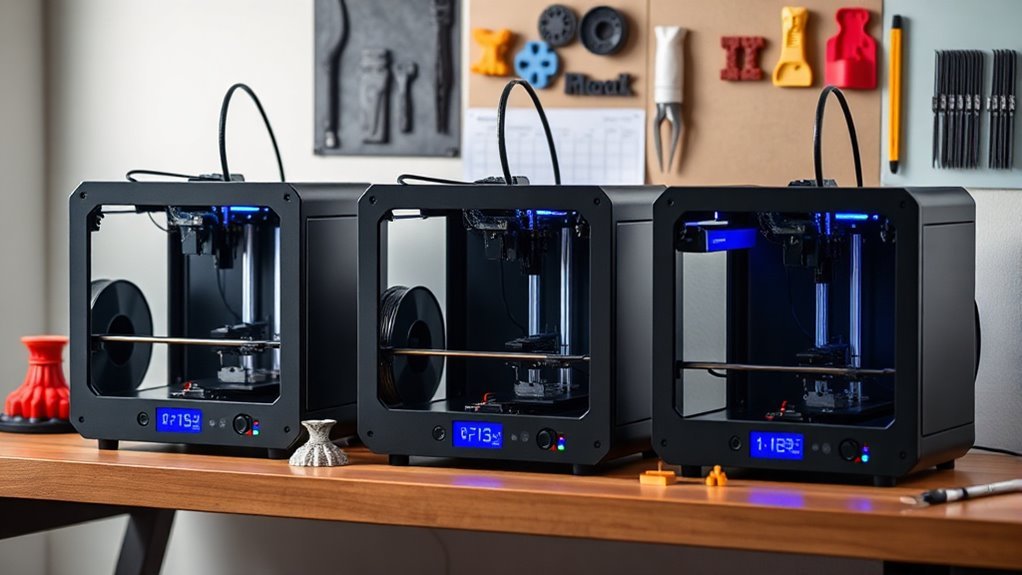
When choosing a 3D printer under $600, you’ll want to take into account factors like print volume capacity and how fast it works.
Make sure it supports the materials you plan to use and offers easy leveling and calibration.
Also, check the connectivity options to fit your workflow. It’s all about finding something that matches your needs without breaking the bank.
Print Volume Capacity
Choosing a 3D printer under $600 often means balancing print volume capacity with your project needs. Most models in this price range offer build volumes between 200–300 mm per axis, which limits the size of objects you can print.
If your projects require larger parts, you’ll often need to split models into sections. Remember to check the usable volume after considering bed clamps, nozzle clearance, and moving parts, as nominal specs might overstate actual printable space.
Larger volumes can lead to longer print times and higher failure risks, so plan accordingly. If you print mostly small parts, a printer with a slightly smaller build area but faster operation might serve you better.
Aim for a build volume about 10–20% larger than your typical needs to future-proof your investment.
Speed and Efficiency
Although speed often grabs attention, you’ll want to verify a printer’s practical print speeds rather than relying solely on advertised numbers like 250–600 mm/s. Many printers reach those speeds only with advanced firmware features like input shaping or pressure advance to keep quality high.
Check the maximum volumetric flow rate and nozzle size compatibility—larger nozzles and higher flow rates let you deposit material faster without under-extrusion. Look for sturdy motion systems with dual Z screws or linear rails that reduce vibration and improve layer consistency at high speeds.
Also, prioritize printers with firmware supporting smart motion control for smoother acceleration and deceleration. Finally, cooling and hotend heating performance matter; rapid nozzle heating and strong part cooling guarantee stable extrusion and quick layer solidification to maintain print quality during fast printing.
Material Compatibility Range
Since different projects demand various materials, you’ll want a 3D printer that handles a broad range of filaments. Check the maximum hotend temperature—it should reach at least 240°C for PETG or ASA, and up to 300°C for nylons and specialty blends.
Prefer an all-metal hotend if you plan to print abrasive or high-temp filaments, as PTFE-lined ones struggle above 240°C. Also, confirm the extruder type: direct-drive or dual-gear extruders feed flexible filaments like TPU better than Bowden setups.
A heated bed capable of 60–80°C or higher is essential for adhesion with materials like ABS and ASA. Finally, see if the printer’s firmware supports specialty modes like slowed cooling or tunable retraction, which help print warp-prone or hygroscopic filaments more reliably.
Leveling and Calibration
Mastering bed leveling and calibration is key to consistent 3D prints, especially when working with printers under $600. You should look for models with automatic bed leveling (ABL) systems that use at least a multi-point probe, preferably 25+ points. This helps handle surface irregularities and cuts down on manual adjustments.
Make sure the printer supports reliable Z-offset calibration or live Z-adjustment. That way, you can fine-tune the first layer height without constant re-leveling.
Also, check if the firmware or slicer stores mesh bed compensation in EEPROM. This allows you to save and reuse detailed bed height maps for repeated accuracy.
Finally, choose a printer with a rigid frame and stable bed mounting. Features like dual-Z or stabilized axes keep your leveling valid longer, minimizing layer inconsistencies and improving print quality.
Connectivity Options Available
How do you guarantee seamless file transfers and remote control with a 3D printer under $600? Look for models offering both Wi-Fi (2.4 GHz and/or 5 GHz) and Ethernet. These options guarantee reliable remote transfers and lower latency, especially for larger files.
Built-in USB or SD card slots remain essential for offline transfers when network access isn’t available. A local USB connection, whether USB-A or USB-C, also helps with direct tethered printing and quick firmware updates.
If remote monitoring matters to you, choose printers supporting cameras and app or slicer integration. This lets you start, stop, and monitor prints right from your phone or PC.
Finally, make sure your printer supports standard protocols like OctoPrint, FTP, or SMB. This way, it smoothly integrates into your existing workflow and third-party tools.
Noise and Operation
Beyond connectivity, noise and operational factors play a big role in your 3D printing experience, especially in shared or quiet spaces. You’ll want a printer with noise levels around 40–50 dB to avoid disruption.
Check if it uses a silent 32-bit mainboard or quiet stepper drivers like the TMC series. Fans are often the loudest, so look for PWM-controlled, replaceable fans with efficient ducting.
Mechanical design matters too—features like dual Z-screws, linear rails, and rigid frames reduce vibration, lowering both noise and print defects. Also, consider printers that maintain quality at moderate speeds or offer eco modes, since printing faster raises motor and airflow noise.
These factors make certain your printer runs quietly and smoothly without sacrificing performance.
Build Quality Durability
When choosing a 3D printer under $600, you’ll want to prioritize build quality and durability to guarantee reliable, long-term performance. Look for an all-metal frame or at least solid metal brackets and fasteners to reduce flex and keep alignment stable during long prints.
Dual Z-axis lead screws or reinforced gantry designs help minimize wobble and secure consistent layers on taller objects. Check the motion system: steel or hardened linear rods and metal bearings resist wear better than plastic alternatives, preserving precision.
Quality extrusion parts like metal dual-gear extruders and hardened drive gears handle abrasive and flexible filaments without slipping. Also, consider printers with easy serviceability and widely available spare parts—standard belts, bearings, and lead screws—so you can maintain and extend your printer’s life without hassle.
Frequently Asked Questions
What Types of Filament Are Compatible With These Printers?
You’ll find these printers typically support PLA, ABS, PETG, and TPU filaments. They’re versatile, letting you experiment with flexible, durable, or easy-to-print materials.
It really depends on your project needs and the printer specifications. So, whether you’re aiming for strength, flexibility, or simplicity, these filaments have you covered.
How Long Do the Warranty Periods Typically Last?
Warranty periods usually offer a peace-of-mind window lasting about 6 to 12 months.
You’ll find most affordable 3D printers cover basic malfunctions, letting you confidently explore your creative projects without worry.
Are Replacement Parts Readily Available for These Models?
Yes, replacement parts are usually easy to find for these models. You’ll often get access to manufacturer websites, online retailers, or third-party suppliers.
This makes maintenance and repairs straightforward without much hassle or delay. So, keeping your model in top shape is pretty convenient.
Can These Printers Be Used for Commercial Purposes?
You can use these printers for commercial purposes; for example, a small business owner printed custom prototypes quickly and affordably.
Just keep in mind, their speed and volume might limit large-scale production demands. So, they’re great for small runs but might struggle with bigger jobs.
What Software Is Recommended for Designing 3D Models?
You should try software like Tinkercad for beginners, Fusion 360 for advanced designs, or Blender for artistic modeling.
These tools are user-friendly, versatile, and compatible with most 3D printers you’ll use. Give them a shot and see which one feels right for you!
Conclusion
Choosing the right 3D printer under $600 doesn’t have to be a shot in the dark. Whether you’re after the vibrant multicolor capabilities of the Anycubic Kobra X or the reliable performance of the Creality Ender 3 V3 SE, there’s something here to fit your needs.
Keep your priorities in mind, and you’ll be printing like a pro in no time. After all, a good printer is the heart of every great creation.
Finding the best 3D printer under $600 means balancing affordability with reliability and features. With options like these affordable and reliable 3D printers, you can confidently start your printing projects without breaking the bank. So go ahead, explore your options, and bring your ideas to life with a top-notch 3D printer under $600.