3 Best 3D Printers for TPE in 2027 You Should Consider
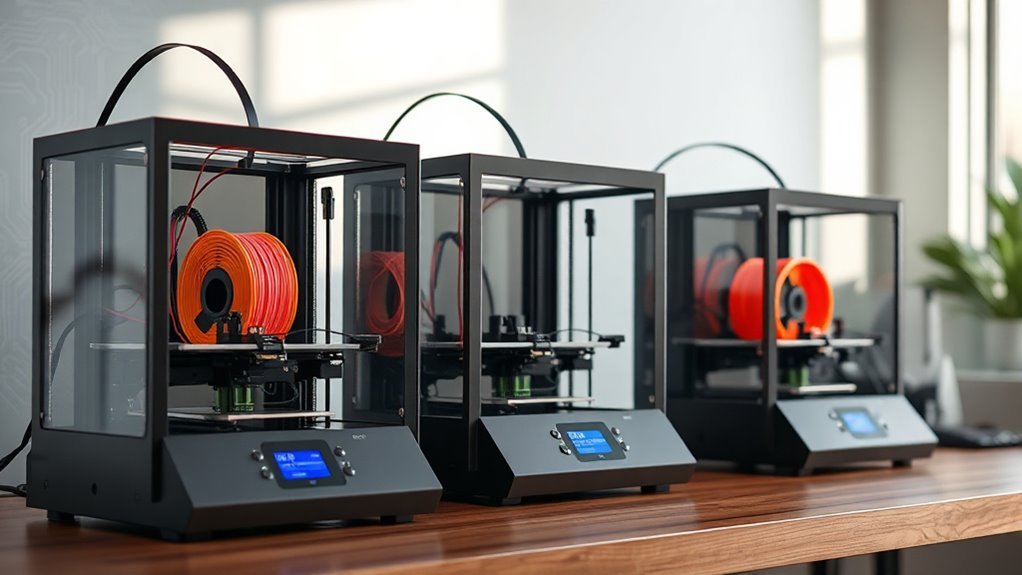
If you’re planning to print with TPE in 2027, the right 3D printer can make all the difference.
Consider the Bambu Lab P2S Combo with AMS 2 Pro—it’s perfect for seamless multi-material prints and even includes filament drying to keep things smooth. Or, if you want something reliable and precise for TPU jobs, the Bambu Lab P1S is a great choice.
Pair either printer with ELEGOO’s flexible 95A TPU filament for excellent stretch and strength.
Both printers come equipped with heated chambers and offer precise extrusion control, which are crucial features when working with flexible materials like TPE.
Wondering why these setups stand out for TPE? We’ve got all the details on their key features and some handy tips to help you get the best results.
Stick around and see what makes these 3D printers ideal for your flexible filament projects!
| Image | Name | Editor's Rating | Price |
|---|---|---|---|

|
|
||

|
|
||

|
|
Bambu Lab P2S Combo, P2S 3D Printer & AMS 2 Pro, Multi-Color 3D Printing
- High-Speed Precision: The Bambu Lab P2S 3D printer prints up to 600 mm/s while maintaining exceptional accuracy. With the PMSM Servo Extruder and Active Flowrate...
- Ready to Print in 15 Minutes: Set up your P2S FDM 3D printer and start printing in just 15 minutes. With AI failure detection, quick-swap nozzles, and automatic...
- Effortless Multi-Color Printing: The AMS 2 Pro enables seamless multi-color/multi-material 3D printing. It features built-in filament drying at up to 65 °C, keeping...
- Smart Airflow for Any Filament: The Adaptive Airflow System automatically balances cooling and heat retention—keeping overhangs crisp with cool air, or maintaining a...
- Limitless Creativity, Seamless Workflow: Explore over one million 3D models on MakerWorld and bring them to life with a smooth, unified workflow using Bambu Studio, Bambu...
The Bambu Lab P2S Combo redefines multi-material 3D printing by offering vibrant, flexible prints with precision and speed. Designed to tackle complex projects, this CoreXY printer combined with the AMS 2 Pro enables effortless multi-color and multi-material workflows. Its quick-swap nozzles and automatic calibration ensure accuracy, even when working with challenging flexible materials like TPE.
Maintenance is simplified with a 50 °C heated chamber that stabilizes printing conditions, reducing warping and improving layer adhesion. The AMS 2 Pro keeps filament dry and ready, preventing clogs and print failures. Additionally, AI failure detection monitors prints in real time, enhancing reliability and saving time.
The integrated Bambu Studio software streamlines the entire printing process, making it easier to manage multi-material setups without complex adjustments. While the system’s advanced features offer professional-grade results, beginners may need some time to master the setup. Its larger footprint requires dedicated workspace but supports consistent, high-quality output.
This combo is perfect for users needing fast, precise, and colorful 3D prints with flexible materials, boosting creativity and productivity in one complete package.
Best for: Professionals and enthusiasts seeking reliable, high-speed multi-color and flexible material 3D printing.
What We Like:
- Seamless multi-material and multi-color printing with AMS 2 Pro integration
- Quick-swap nozzles and automatic calibration for consistent precision
- Heated chamber and filament drying system enhance print quality
- AI failure detection improves print success rates
- Unified software simplifies complex print management
Specification:
| Feature | Details |
|---|---|
| Manufacturer | Bambu Lab |
| Dimensions | 18 x 22 x 18 inches |
| Weight | 46.3 pounds |
| Printer Type | CoreXY |
| Heated Chamber Temp | Up to 50 °C |
| Material Support | Flexible materials (e.g., TPE), multi-color filaments |
Bambu Lab P1S 3D Printer, Ready-to-Use FDM 3D Printer
- Up to 16 Colors: Bring your designs to life with vibrant multi-color/multi-material printing capabilities, perfect for showcasing your creativity. Note: Connecting Bambu...
- 500mm/s and 20000 mm/s² Acceleration True High Speed: Don't wait around for your masterpieces. Lightning-fast printing speed lets you focus on creating, not waiting.
- Enclosed Design: Fully enclosed body improves print performance for advanced filaments. Automatic Bed Leveling: Say hello to high-quality, successful prints. Auto bed...
- Set Up in 15 Minutes: Spend more time printing and less time setting up. User-friendly design ensures a hassle-free assembly experience for all skill levels.
- Supported Filament: Ideal: PLA, PETG, TPU, PVA, PET ABS, ASA; Capable : PA, PC; Not Recommended: Carbon/Glass Fiber Reinforced Polymer.
Experience the power of precision and speed with the Bambu Lab P1S 3D Printer, designed to handle flexible materials like TPU effortlessly. Its innovative CoreXY enclosed design ensures a stable printing environment, reducing warping and delivering consistent results. Whether you’re creating prototypes or intricate models, this printer accelerates your workflow with printing speeds up to 500 mm/s.
Setup is straightforward, taking just 15 minutes to get started. Automatic bed leveling simplifies maintenance and helps maintain print accuracy over time. The enclosed structure also protects prints from environmental fluctuations, enhancing reliability when working with sensitive filaments such as TPU, PLA, and PETG.
This printer is ideal for those who need fast, high-quality prints without complex adjustments. While it’s optimized for flexible and common filaments, it’s not suitable for carbon or glass fiber reinforced polymers. For multi-color or multi-material projects, the optional Bambu Lab AMS accessory is required.
Weighing nearly 39 pounds, the P1S needs a stable workspace but delivers robust performance for both beginners and professionals.
Best for: hobbyists and professionals looking for a fast, precise, and user-friendly 3D printer capable of printing flexible materials like TPU.
What We Like:
- High-speed printing up to 500 mm/s with smooth acceleration.
- Stable enclosed design for consistent quality with flexible filaments.
- Quick 15-minute setup with automatic bed leveling.
- Supports TPU, PLA, and PETG without hassle.
- Beginner-friendly ecosystem simplifies operation and maintenance.
Specification:
| Specification | Details |
|---|---|
| Manufacturer | Bambu Lab |
| Dimensions | Not specified |
| Weight | 38.6 lb (17.5 kg) |
| Material Compatibility | TPU, PLA, PETG |
| Printer Type | FDM, CoreXY enclosed |
ELEGOO TPU 3D Printer Filament 1.75mm Black 1KG, 95A Flexible
- EXCELLENT FLEXIBILITY & RESILIENCE: With a Shore hardness of 95A, ELEGOO TPU filament stretches up to 5 times its original size without breaking
- OUTSTANDING IMPACT RESISTANCE: ELEGOO TPU is a soft filament with outstanding impact resistance, ideal for printing parts built to withstand impacts, collisions, and...
- DIMENSIONAL ACCURACY & CONSISTENCY: Strict tolerances ensure these TPU filaments of 1.75 mm diameter, providing consistent and smooth feeding
- NO CLOGGING & NO BUBBLE: Completely dried before packaging and vacuum sealed well to protect the filament from moisture, no clogging and bubbling problems
- WIDE COMPATIBILITY: Universal compatibility with most of the common 1.75 mm FDM 3D printers on the market. It’s recommended to dry the filament before printing
Experience the freedom to create flexible and durable 3D prints with the ELEGOO TPU 3D Printer Filament. Designed to stretch up to five times its length without breaking, this filament solves the challenge of producing impact-resistant parts that need to bend and flex. Its black, 1.75mm diameter ensures compatibility with most standard FDM 3D printers.
This filament offers a Shore hardness of 95A, providing a balanced softness that maintains strength and elasticity. Its precise diameter tolerance means smoother feeding and fewer clogs, reducing print failures and saving time. Packaged vacuum-sealed and moisture-free, the filament stays fresh and ready for optimal printing performance.
Maintenance is straightforward but crucial; drying the filament before use prevents moisture-related printing issues, ensuring consistent quality. Whether you’re tackling hobby projects or professional prototypes, ELEGOO TPU delivers reliable flexibility and durability for parts that endure stress and impacts.
Best for: Hobbyists and professionals needing a flexible, high-elasticity filament suitable for impact-resistant 3D printed components using standard 1.75mm FDM printers.
What We Like:
- Exceptional flexibility with up to 5× stretch without breaking
- Precise diameter tolerance for smooth feeding and minimal clogging
- Vacuum-sealed, moisture-proof packaging preserves filament quality
- Balanced Shore hardness (95A) ideal for sturdy yet elastic parts
Specification:
| Feature | Details |
|---|---|
| Manufacturer | ELEGOO |
| Diameter | 1.75 mm |
| Weight | 1 kg |
| Material | TPU (Thermoplastic Polyurethane) |
| Color | Black |
| Shore Hardness | 95A |
Factors to Consider When Choosing a 3D Printer for TPE
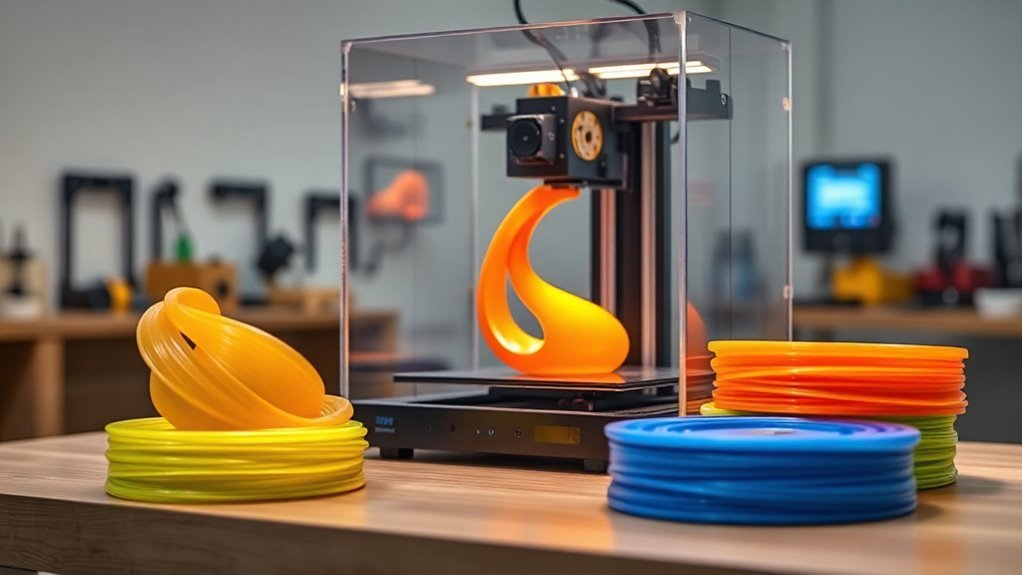
When choosing a 3D printer for TPE, you need to make sure it’s compatible with flexible materials and offers precise print speed control. Look for an extruder designed to handle soft filaments and a heated bed that maintains stable temperatures.
Don’t forget to take into account features like filament drying to prevent moisture issues during printing. These little details can make a big difference in your print quality and overall experience. So, it’s worth paying attention to them!
Material Compatibility
Although printing with TPE and similar flexible filaments can be challenging, selecting a 3D printer that supports flexible filament feed systems—such as direct-drive or short Bowden setups with geared extruders—makes a significant difference. These setups reduce filament buckling, ensuring reliable feeding.
You’ll want an extruder with fine motor control and precise retraction to prevent jams and stringing common with soft filaments. A heated bed with strong adhesion surfaces like PEI or build-tak, combined with accurate leveling, helps TPE stick without warping.
For higher-temperature flexible blends, a heated build chamber or enclosure maintains stable ambient temperatures, reducing curling and layer separation. Finally, confirm your printer’s firmware and slicer support tunable settings for slow speeds, low pressure advance, and customized cooling to handle varying TPE shore hardness and elasticity properly.
Print Speed and Precision
Making sure your 3D printer handles flexible filaments well sets the stage for managing print speed and precision with TPE. You’ll want to keep print speeds moderate, around 20–40 mm/s, to avoid filament stretching and guarantee smooth extrusion.
Lower acceleration and jerk settings help maintain dimensional accuracy by reducing sudden movements that can distort soft prints. Opt for a slightly slower layer height, such as 0.12–0.24 mm, combined with consistent extrusion to improve surface finish and detail.
Minimize retraction distance and speed or disable it if needed to prevent under-extrusion and filament grinding. Finally, a stable, vibration-free motion system with tuned flow compensation preserves sharp corners and consistent wall thickness, even when pushing print speeds higher with flexible materials like TPE.
Extruder Type and Features
Choosing the right extruder is essential for printing with TPE because flexible filaments demand precise control and consistent feeding. You’ll want a direct-drive extruder since its short filament path and close drive gear reduce buckling and improve control over soft materials like TPE.
A geared extruder with high torque and low microstepping pushes filament reliably at slower speeds, which suits TPE’s elasticity. Consider a Bondtech-style dual-drive system to increase grip and minimize slipping or under-extrusion during retractions and long prints.
Look for extruders offering precise, retractable retraction settings with fine incremental steps to reduce oozing and stringing. Also, a PTFE-lined or fully constrained filament path with minimal diameter changes prevents deformation and jamming, ensuring smooth, consistent extrusion of your flexible filament.
Bed Temperature Control
Once you’ve selected an extruder optimized for handling TPE, the next step is managing bed temperature to keep your prints stable. TPE prints best with a heated bed set between 40–60 °C to promote first-layer adhesion without causing warping or softening.
Look for printers offering precise bed temperature control within ±1–2 °C to maintain consistent adhesion and minimize nozzle drag or filament ooze during long prints. A temperature-stable build surface like PEI or textured sheets paired with proper bed heat prevents part lifting without aggressive adhesives.
Additionally, printers that allow temperature ramps or different bed temps for multi-material jobs can boost print quality. Gradual cooling or maintaining a warm bed reduces internal stresses, enhancing dimensional stability and layer bonding in flexible TPE parts.
Filament Drying Capability
Although TPE filaments absorb moisture from the air, causing bubbling, stringing, and weak layer adhesion, you can prevent these issues by drying your filament to below about 0.1–0.2% moisture content before printing.
Effective drying usually involves heating the filament at 40–60 °C for 4–12+ hours, depending on spool size and moisture level. Just be careful not to overheat and deform the spool.
Look for printers that support filament dryers or offer enclosed, heated storage with stable temperature and low humidity. This helps keep filament dry during printing.
Active drying systems with forced airflow and precise temperature control remove moisture faster and more evenly than passive desiccants.
Always watch your prints for signs like popping or erratic extrusion. These indicate your TPE filament needs re-drying or better moisture control to maintain print quality.
Software and Usability
How can you guarantee smooth, high-quality prints with TPE filaments? Start by choosing slicing software that gives you fine control over retraction, coasting, and print speed settings. Since TPE needs reduced or disabled retraction and slower travel moves to prevent stringing, these features are key.
Make sure it supports per-filament temperature and flow overrides, allowing you to tweak print temperature, fan speed, and extrusion multiplier in small increments. These adjustments greatly impact quality, so having that control really helps.
Look for customizable acceleration and pressure advance controls to avoid extrusion issues during direction changes. A user-friendly interface with presets for flexible filaments and quick profile switching can save you a lot of setup time.
Finally, pick software that integrates with your printer for live monitoring and AI failure detection. This way, you get real-time extrusion feedback to catch feeding problems, which are common with soft TPE during long prints.
Frequently Asked Questions
How Does TPE Filament Affect the Longevity of 3D Printer Nozzles?
TPE filament can wear down your 3D printer nozzles faster because of its flexible, abrasive nature. This means your nozzles might not last as long as they do with other filaments.
What Post-Processing Techniques Work Best With TPE Prints?
You’ll want to focus on gentle sanding, careful trimming, and light heat treatment for TPE prints.
Avoid harsh chemicals since TPE is soft and flexible; these techniques help improve surface finish without damaging your prints.
Taking it slow and easy really pays off here. It keeps your prints looking great without risking any damage.
Can TPE Be Safely Used for Food-Contact 3D Printed Items?
You can’t safely use TPE for food-contact 3D prints unless it’s specifically food-grade certified.
Over 60% of non-certified filaments leach harmful chemicals, so always check certifications to protect your health and avoid contamination.
It’s really important to be cautious here. Using the wrong material could lead to unwanted risks.
How Does Ambient Temperature Impact TPE Print Quality?
You’ll find that ambient temperature affects TPE print quality markedly; cooler environments can cause warping or poor layer adhesion.
On the other hand, consistent warmth helps maintain flexibility and smooth extrusion, ensuring your prints come out strong and precise. It really makes a difference in the final result.
Are There Specific Slicer Settings Recommended for TPE Materials?
You’ll need slicer settings so precise, they feel like threading a needle in a hurricane. Use slower print speeds, increased retraction, and lower print temperatures to prevent stringing and guarantee your TPE prints come out flawless every time.
It might sound tricky, but once you dial in these settings, the results are totally worth it. Just take it slow and steady—your prints will thank you!
Conclusion
Choosing the perfect 3D printer for TPE means prioritizing precision, performance, and pliability. Whether you’re captivated by the cutting-edge capabilities of the Bambu Lab P2S Combo or the seamless simplicity of the P1S, these options stand out. Don’t forget the flexible finesse offered by ELEGOO filament, which rounds out these top choices nicely.
Each printer promises powerful prints packed with potential. You can dive into dynamic designs with devices that deliver dependable, detailed, and durable results. This makes your TPE projects truly stand out and succeed spectacularly.
When selecting your 3D printer for TPE, remember to focus on features that handle flexibility and precision well. These printers excel at managing the unique properties of TPE, ensuring your prints are both strong and elastic. So, whether you’re a hobbyist or a professional, these models are fantastic picks to elevate your 3D printing game in 2027.