8 Best 3D Printers for Starters in 2027 to Kickstart Your Hobby
If you’re just starting your 3D printing journey in 2027, finding the best 3D printers for starters is key to kicking off your hobby with ease. You’ll want user-friendly options that make the learning curve smooth and fun.
Look at models like the Entina Tina2C Mini or Bambu Lab’s A1 mini with an LED kit—perfect for quick, creative projects. The Bambu Lab P1S Combo is great if you want multi-color printing, while the Anycubic Kobra X supports native 4-color prints for more vibrant designs.
Compact printers such as the MakeBuddy Smart5 AI and other portable models make setup a breeze. And don’t forget to grab quality filament bundles like ELEGOO’s to fuel your ideas. Explore their features and find your perfect match to jumpstart your hobby today!
| Image | Name | Editor's Rating | Price |
|---|---|---|---|

|
|
||

|
|
||

|
|
||

|
|
||

|
|
Entina Tina2C Mini 3D Printer for Beginners
- 【Easy to Use 3D Printer – Ready in 5 Minutes】 Meet the Entina Tina2C, a plug-and-play mini 3D printer designed for first-time users. Fully assembled with factory...
- 【3500+ 3D Models & Easy One-Tap Printing】 Explore 3500+ ready-to-print 3D models and 25+ DIY projects in the Poloprint Cloud app, with new designs added daily...
- 【Smart WiFi 3D Printer & AI-Powered App】 Connect via 2.4GHz WiFi and enjoy convenient 3D printer app control through Poloprint Cloud. Explore models, manage prints...
- 【Auto Leveling 3D Printer & Power-Loss Recovery】 Automatic bed leveling helps improve first-layer adhesion and reduces manual adjustments for a smoother 3D printing...
- 【Flexible Magnetic Print Bed & Quick-Swap Nozzle】 The flexible magnetic build plate makes finished 3D prints easier to remove with a gentle bend. A removable...
Step confidently into the world of 3D printing with the Entina Tina2C Mini 3D Printer, designed especially for beginners. Its fully assembled, plug-and-play setup means you can start printing within minutes, avoiding common startup frustrations. The printer’s guided calibration via the Poloprint app ensures precise results without the usual guesswork.
This compact printer boasts a quiet operation and is equipped with built-in LED lighting, enhancing visibility while printing. The flexible magnetic build plate allows for effortless removal of finished prints, reducing the risk of damage. Maintenance is simple thanks to its removable quick-swap nozzle, making cleaning and part replacement hassle-free.
While the Tina2C Mini’s build volume is modest, it’s ideal for small projects and educational use. Wireless connectivity supports 2.4 GHz WiFi and TF card printing, balancing convenience with straightforward functionality. Its user-friendly design makes it perfect for families, kids, and classrooms exploring STEM concepts.
Best for: Beginners and educators seeking an easy-to-use, compact 3D printer for home or classroom STEM learning.
What We Like:
- Ready to print out of the box with factory presets
- Auto-leveling and app-guided setup simplify calibration
- Quiet printing with LED lighting and flexible build plate
- Quick-swap nozzle for easy maintenance
Specification:
| Feature | Details |
|---|---|
| Manufacturer | Entina |
| Dimensions (inches) | Compact, approx. 10 x 10 x 10 |
| Build Volume (inches) | 3.9 x 3.9 x 3.9 |
| Connectivity | 2.4 GHz WiFi, TF card |
| Lighting | Built-in LED |
| Nozzle | Removable quick-swap |
Bambu Lab A1 mini 3D Printer + LED Lamp Kit, Ready-to-Use for Beginners
- A1 mini + LED Lamp Kit for Creative Light Projects: Bring your ideas to life with the included LED Lamp Kit. Simply print compatible lamp models and turn your 3D...
- The Perfect 3D Printer for Beginners: A1 mini 3D Printer is designed to make 3D printing easy from day one with automatic calibration, simple setup, and a smooth printing...
- Experience the Bambu Lab Ecosystem: Access MakerWorld’s huge library of ready-to-print models, manage prints through the Bambu Handy app, and enjoy a connected...
- Fast, Quiet, and Reliable Printing: Compact and beginner-friendly, A1 mini delivers high-speed, high-quality printing with quiet operation that fits naturally into your...
- Made for Everyday Creativity: From toys and home décor to functional tools and personalized gifts, A1 mini makes it easy to turn ideas into real-life creations with a...
The Bambu Lab A1 mini 3D Printer + LED Lamp Kit is designed to make 3D printing accessible and enjoyable for beginners. Its full-auto calibration and straightforward setup remove the usual hurdles of starting with 3D printing. You can quickly bring your ideas to life without frustration.
This compact device operates quietly, producing prints at speeds that won’t disrupt your home or studio. The Active Flow Rate Compensation ensures consistent, high-quality results every time you print. Its small size fits easily on a desk or shelf, making it ideal for limited spaces.
Maintenance is simple, with the printer’s design intended to reduce downtime and keep you printing smoothly. The included LED lamp kit adds a creative dimension, allowing you to craft custom decorative lights alongside your 3D prints.
Managing projects is effortless through the Bambu Handy app, which also connects you to MakerWorld’s library of ready-to-print models. While it excels for beginners, those seeking larger print volumes or advanced features may find its compact build limiting.
Best for: Beginners and hobbyists wanting a user-friendly, compact 3D printer with creative project options like LED lamp making.
What We Like:
- Full-auto calibration simplifies setup and use
- Quiet operation (≤48 dB) ensures a peaceful environment
- Includes LED lamp kit for creative lighting projects
- Access to MakerWorld’s ready-to-print models enhances versatility
Specification:
| Feature | Details |
|---|---|
| Manufacturer | Bambu Lab |
| Dimensions | Compact size (specifics not provided) |
| Weight | Not specified |
| Color Options | Not specified |
| Noise Level | ≤48 dB |
| Availability Date | February 28, 2026 |
Bambu Lab A1 3D Printer, Ready-to-Use FDM 3D Printer for Beginners and Kids
- High-Speed Precision: Experience unparalleled speed and precision with the Bambu Lab A1 3D Printer. With an impressive acceleration of 10,000 mm/s², the A1 delivers...
- Multi-Color Printing with AMS lite: Unlock your creativity with vibrant and multi-colored 3D prints. The Bambu Lab A1 3D printers make multi-color printing accessible and...
- Full-Auto Calibration: Say goodbye to manual calibration hassles. The A1 3D printer takes care of all the calibration processes automatically, ensuring optimal...
- Active Flow Rate Compensation: Achieve consistently smooth prints with active flow rate compensation. The algorithm actively compensates the flow rate according to the...
- Easy and Quiet 3D Printing: Experience effortless printing with the Bambu Lab A1 FDM 3D printer. Its user-friendly interface and simplified touchscreen make it easy to...
Discover the Bambu Lab A1 3D Printer, designed to make 3D printing accessible and enjoyable for beginners and kids. This printer combines speed and precision to help users create detailed models quickly without sacrificing quality. Its rapid acceleration of 10,000 mm/s² means projects finish faster, enhancing productivity and creativity.
Maintenance is hassle-free, thanks to the full-auto calibration and active flow rate compensation that ensure consistent results every time you print. The intuitive touchscreen interface simplifies operation, while the 1-Clip quick-swap nozzle makes changing parts straightforward and fast. These features reduce downtime and keep printing smooth.
The Bambu Lab A1 supports multi-color printing through the optional AMS Lite accessory, opening new possibilities for vibrant and complex designs. Its active motor noise canceling creates a quiet environment, ideal for home or classroom use. The printer’s compact, ready-to-use design helps users start their 3D printing journey immediately.
While perfect for beginners, the A1 is tailored for simple projects and may lack advanced features sought by experienced users. The need for an additional accessory to print in multiple colors can also add to the setup cost.
Best for: Beginners and kids seeking an easy-to-use, precise, and quiet 3D printer with potential for multi-color printing.
What We Like:
- Fast printing with high acceleration for quick project completion
- Consistent quality through automatic calibration and flow compensation
- User-friendly touchscreen and quick-swap nozzle for simple maintenance
- Quiet operation with active motor noise canceling
- Multi-color printing option via AMS Lite expands creative possibilities
Specification:
| Feature | Details |
|---|---|
| Manufacturer | Bambu Lab |
| Dimensions | Compact size (exact not specified) |
| Weight | Not specified |
| Printer Type | Ready-to-use FDM 3D Printer |
| Color Printing Capability | With AMS Lite accessory |
Bambu Lab P1S Combo, P1S 3D Printer and AMS, Multi-Color 3D Printing
- Up to 16 Colors: Bring your designs to life with vibrant multi-color/multi-material printing capabilities, perfect for showcasing your creativity. Note: Connecting Bambu...
- 500mm/s and 20000 mm/s² Acceleration True High Speed: Don't wait around for your masterpieces. Lightning-fast printing speed lets you focus on creating, not waiting.
- Enclosed Design: Fully enclosed body improves print performance for advanced filaments. Automatic Bed Leveling: Say hello to high-quality, successful prints. Auto bed...
- Set Up in 15 Minutes: Spend more time printing and less time setting up. User-friendly design ensures a hassle-free assembly experience for all skill levels.
- Supported Filament: Ideal: PLA, PETG, TPU, PVA, PET ABS, ASA; Capable : PA, PC; Not Recommended: Carbon/Glass Fiber Reinforced Polymer.
Experience the freedom of vibrant, multi-color 3D printing with the Bambu Lab P1S Combo. This innovative printer, paired with the AMS accessory, allows you to incorporate up to 16 colors in a single project, unlocking creative possibilities that standard printers can’t match. Its design ensures seamless color transitions without sacrificing print speed.
Built with a CoreXY motion system, the P1S delivers precise prints at speeds up to 500 mm/s. This means you can complete detailed projects faster without compromising quality. The fully enclosed structure not only maintains a stable printing environment but also supports a wide range of filaments, including PLA, PETG, and TPU, enhancing versatility.
Maintenance is straightforward thanks to the automatic bed leveling feature. This reduces setup time and minimizes print failures, making the printer accessible for both beginners and experienced users. Although it weighs 47.5 pounds, the printer remains manageable for desktop use in studios or classrooms.
The multi-color capability requires the AMS accessory, adding to the overall investment. It is important to note that this printer is not designed for carbon or glass fiber reinforced polymers, which limits some advanced material options.
Best for: hobbyists, educators, and professionals seeking high-speed, multi-color 3D printing with user-friendly setup and advanced filament compatibility.
What We Like:
- Seamless multi-color printing with up to 16 colors via AMS accessory
- Fast and precise CoreXY motion system reaching 500 mm/s
- Fully enclosed design supports diverse filaments and stable printing
- Automatic bed leveling simplifies maintenance and setup
Specification:
| Specification | Details |
|---|---|
| Manufacturer | Bambu Lab |
| Dimensions | Not specified |
| Weight | 47.5 lb (21.5 kg) |
| Supported Filaments | PLA, PETG, TPU |
| Color Options | Multi-color with AMS |
Anycubic Kobra X Multicolor 3D Printer, Easy Setup, Native 4-Color
- 【 Newest Level - 19-Color with 4 ACE 2 Pro】Why settle for one color when you can have multicolor? The Kobra X comes born with 4 colors built-in. It is innovative 3D...
- 【 Savings 2X Time】Stop wasting hours and filament on purging! Kobra X impresora 3D reduces the filament and machine travel path by 81.25%, so 2X the Speed, and...
- 【Hardened Precision & High Speed 】 Equipped with a high-durability hardened steel nozzle and vibration compensation, the Kobra X ensures every layer remains smooth...
- 【Flawless First Layer with LeviQ 3.0】The LeviQ 3.0 and auto bed leveling system uses a 49-point calibration and advanced leveling algorithm to ensure 100% bed...
- 【Smart AI Monitoring & Large Model Library】APP remote control, features Spaghetti detection and foreign object detection. The innovative top-mount spool holder...
The Anycubic Kobra X Multicolor 3D Printer transforms your creative ideas into vivid, multi-material models with ease. Its native 4-color printing capability lets you produce intricate, colorful designs without complicated setup. This reduces frustration and saves time, making it ideal for users new to multicolor 3D printing.
With a print volume of 260 × 260 × 260 mm, it handles a wide range of projects, though larger prints may require alternative options. The machine’s LeviQ 3.0 auto bed leveling ensures consistent, precise layers, so your prints come out flawless every time. The hardened steel nozzle supports different filament types, offering flexibility for various materials.
Maintenance is straightforward thanks to the smart AI monitoring system, which helps detect printing issues early and minimizes failed prints. Quiet operation and an intuitive app enhance your workflow, allowing you to manage prints smoothly without noise distractions.
Best for: Beginners and hobbyists seeking easy, colorful, multi-material 3D printing with reliable performance and minimal setup.
What We Like:
- Native 4-color printing, expandable up to 19 colors for detailed multi-hued models
- Fast print speeds up to 600 mm/s with automatic bed leveling for precision
- Smart AI monitoring reduces print failures and simplifies maintenance
- Hardened steel nozzle supports a variety of filament types
- Quiet operation and user-friendly app improve the printing experience
Specification:
| Feature | Details |
|---|---|
| Manufacturer | Anycubic |
| Print Volume | 260 × 260 × 260 mm |
| Printing Speed | Up to 600 mm/s |
| Nozzle Material | Hardened steel |
| Color Printing | Native 4-color, expandable to 19 colors |
| Bed Leveling | LeviQ 3.0 Auto Bed Leveling |
Portable Compact FDM 3D Printer with Removable Plate

- Foolproof Setup with Video Guides – Never get stuck! We provide a crystal-clear Quick Start Guide and step-by-step video tutorials. Watch them online to get started.
- Simple Assembly with Video Guide – Requires quick modular setup (watch our step-by-step video). Comes with 10m PLA filament, TF card, tools, and 12V Type-C power...
- Versatile Filament Compatibility – Unleash your creativity with both PLA and flexible TPU (1.75mm). The reliable 0.4mm nozzle and precise 0.05-0.3mm layer thickness...
- Reliable Performance & Compact Design – Features stable FDM technology and a removable build plate for easy model removal. The perfect 100x100x100mm build volume is...
- Complete Package – No Hidden Costs – Includes printer, 10m PLA filament, 8GB TF card + reader, tools, illustrated manual, and 12V Type-C power adapter. Plus free...
Experience the ease of 3D printing with this portable compact FDM 3D printer, designed to simplify your creative projects. Its modular assembly and clear video tutorials allow you to set up quickly and start printing within minutes. The removable plate makes print removal easy and keeps maintenance straightforward, reducing downtime.
This printer is crafted for precision, using a 0.4 mm nozzle that supports filament types like PLA and flexible TPU. It delivers smooth, detailed prints ideal for small-scale designs. Its compact footprint fits neatly into tight spaces, making it a practical choice for home, classrooms, and workbenches.
Maintenance is hassle-free thanks to the accessible design and included illustrated manual. The printer’s size and filament options suit beginners, students, and hobbyists focused on educational and personal projects. While the build volume is limited to 100 x 100 x 100 mm, it effectively handles most small models.
Best for: Beginners, students, and hobbyists seeking a reliable, easy-to-use compact 3D printer for small prints and STEM activities.
What We Like:
- Quick, modular setup supported by clear video guides
- Supports PLA and flexible TPU filaments for versatile printing
- Compact design ideal for limited spaces and educational environments
- Removable plate simplifies print removal and maintenance
Specification:
| Feature | Details |
|---|---|
| Manufacturer | Not specified |
| Build Volume | 100 x 100 x 100 mm |
| Nozzle Diameter | 0.4 mm |
| Filament Types | PLA, TPU |
| Layer Thickness | 0.05–0.3 mm |
| Weight | Not specified |
| Color Options | Not specified |
MakeBuddy Smart5 AI 3D Printer for Beginners, Plug & Play, High Speed

- 【Designed for Beginners】 MakeBuddy Smart5 3d printer arrives fully assembled and enclosed, so there is no kit to build. Guided app setup and automatic bed leveling...
- 【Easy to Start – Beginner Friendly 3D Printer】From unboxing to your first print in just 15 minutes. Features the leveling technology inherited from QIDI’s...
- 【Safe & Low-Noise Home 3D Printer】The QIDI Smart5 features a sealed enclosure that covers the hot end and moving gantry while lowering operating noise, so the printer...
- 【AI 3D Printer with One-Tap Printing】 The MakeBuddy Smart5 AI 3D printer turns a photo into a printable model: capture an object with a phone or tablet, let the AI...
- 【Complete Starter Kit with Filament and Course Access】 Smart5 ships with 4 PLA filaments, LED and clock DIY build kits, and access to a regularly updated STEAM...

The MakeBuddy Smart5 AI 3D Printer is perfect for those just starting their 3D printing journey. Its plug-and-play design means you can go from unboxing to printing your first model in about 15 minutes without any assembly or CAD experience. This ease of use helps beginners focus on creativity rather than setup challenges.
With a fully enclosed build and automatic bed leveling, it delivers consistent, reliable prints. The printer’s high-speed CoreXY motion system reaches speeds up to 600 mm/s, making it ideal for fast prototyping. Quiet operation and built-in HEPA filtration ensure a safe and pleasant printing environment, even at home or in classrooms.
Control the printer easily via WiFi and use the AI-powered app to convert photos into 3D models, removing the need for complex design software. Maintenance is straightforward thanks to its robust design and enclosed system, which minimizes dust and debris.
While its 180 × 180 × 180 mm build volume suits most small projects, larger prints may require alternative solutions. The printer’s weight of 31.6 pounds offers stability but reduces portability. It comes optimized for PLA filament, though other materials might need separate purchases.
Best for: Beginners, educators, and hobbyists seeking a fast, safe, and user-friendly 3D printer with AI-assisted modeling.
What We Like:
- Fully assembled, enclosed design with automatic bed leveling
- High-speed CoreXY motion system up to 600 mm/s
- AI app converts photos to 3D models without CAD skills
- Built-in HEPA filtration for improved air quality
- Quiet operation suitable for home and classroom use
Specification:
| Feature | Details |
|---|---|
| Manufacturer | MakeBuddy |
| Dimensions | Not specified |
| Weight | 31.6 lb (14.3 kg) |
| Build Volume | 180 × 180 × 180 mm |
| Motion System | CoreXY high-speed |
| Filament Compatibility | PLA (included) |
| Connectivity | WiFi |
| Special Features | Automatic bed leveling, HEPA filtration, AI app |
ELEGOO PLA 3D Printer Filament Bundle 1.75mm 8 Colors 250g*8

- MULTICOLORS PACK: Comes with 8 pcs pla filaments, each spool is 250g. ELEGOO 3d filament bundle offers a range of colors to boost your creativity and is essential for...
- HIGH-QUALITY PLA FILAMENT - Made of high-quality PLA, a commonly used thermoplastic material features lower melting temperature and ease of use, low warp and shrinkage...
- DIMENSIONAL ACCURACY & CONSISTENCY - Strict tolerances guarantee these PLA filaments of 1.75 mm diameter, much smoother and more stable printing with the dimensional...
- LESS TANGLE & EASY TO USE - Full mechanical winding and strict manual examination to ensure that the filament is neatly arranged and less tangled, and to avoid possible...
- NO CLOGGING & NO BUBBLE - Designed and manufactured with superb layer bonding and great fluidity for smooth and stable extrusion. Completely dried for before packaging...
Discover the vibrant world of 3D printing with the ELEGOO PLA 3D Printer Filament Bundle. Designed to deliver consistent, high-quality prints, this set offers eight vivid colors that bring your designs to life with smooth, glossy finishes. The precise 1.75mm diameter ensures steady extrusion, reducing common issues like clogging and warping.
Each spool contains 250g of premium PLA filament, vacuum-sealed to keep moisture at bay. This packaging helps maintain the filament’s integrity, so you can enjoy reliable printing every time without frequent maintenance hassles. Its ease of use makes it ideal for users looking to produce sharp, detailed models with minimal setup.
This filament is perfect for those new to 3D printing or hobbyists exploring colorful projects. While the spool size suits small to medium prints, it may require replenishing for larger tasks. Being PLA, it’s best suited for standard applications rather than high-temperature environments.
ELEGOO’s filament bundle simplifies your printing process, offering dependable performance and a palette of vibrant hues to enhance your creative projects.
Best for: Beginners and hobbyists seeking a reliable, easy-to-use PLA filament set with multiple color options for smooth, vibrant 3D prints.
What We Like:
- Eight distinct, bright colors expand creative possibilities.
- Precise 1.75mm diameter minimizes clogging and warping.
- Vacuum-sealed spools keep filament dry and ready to use.
- Smooth extrusion supports detailed and glossy print finishes.
Specification:
| Feature | Details |
|---|---|
| Manufacturer | ELEGOO |
| Filament Diameter | 1.75 mm |
| Spool Weight | 250 g per spool |
| Material | PLA |
| Color Options | 8 colors (including Neon Green, Red, Dark Blue) |
Factors to Consider When Choosing a 3D Printer for Starters
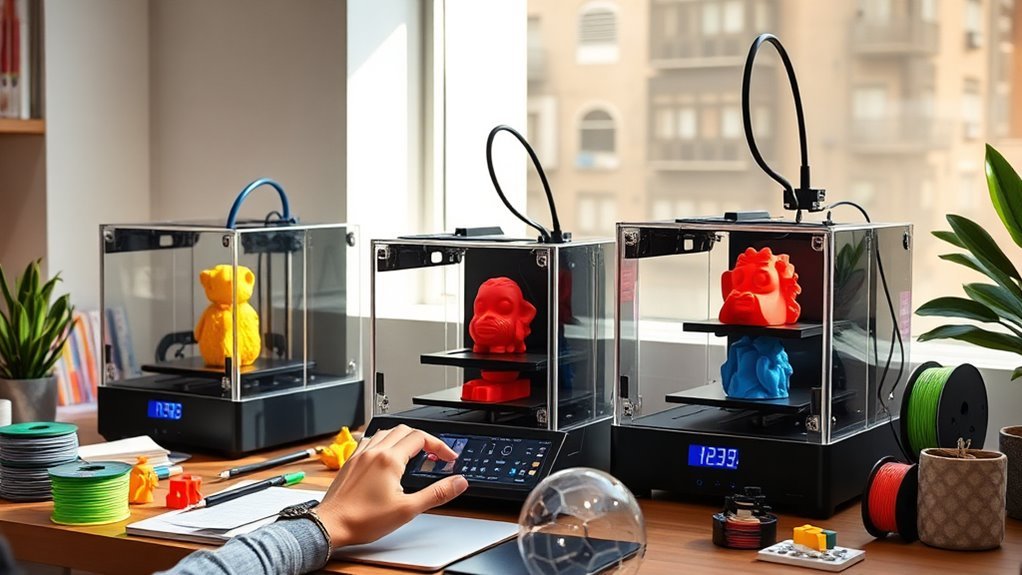
When picking your first 3D printer, you’ll want to focus on ease of setup and the quality of prints it can produce. Make sure the software works well with your computer and that the printer includes safety features you’re comfortable with.
Also, keep your budget in mind to find the best balance between cost and performance. It’s all about getting something that fits your needs without breaking the bank. Just take your time and choose wisely!
Ease of Setup
Although 3D printing can seem complex at first, choosing a printer with easy setup features will get you printing quickly and confidently. Look for fully assembled or plug-and-play models that promise setup times under 20 minutes and include guided app wizards or step-by-step tutorials.
Automatic bed leveling systems save you from manual adjustments and reduce failed first prints. Built-in presets for common filaments and temperatures simplify slicer settings, so you avoid frustrating trial and error.
Features like one-click Wi-Fi or TF-card printing, cloud control, and preloaded sample models let you start printing even before creating your own designs. Plus, removable magnetic build plates and quick-swap nozzles streamline post-print cleanup and maintenance, making the entire process from unboxing to first print smooth and beginner-friendly.
Print Quality
Print quality often determines how satisfied you’ll be with your 3D prints, so it’s important to take into account several key factors before choosing a printer.
Look for a machine that reliably prints at 0.1–0.2 mm layer height to balance fine detail with reasonable speed. The nozzle diameter matters too—a standard 0.4 mm nozzle works well for versatility, while smaller nozzles give finer detail but print slower and clog more easily.
Make sure the printer has a stable frame and precise motion system to reduce ringing and misalignment, which boosts accuracy and surface finish.
Also, verify it supports common filaments like PLA, PETG, and TPU, with a hotend temperature reaching around 240–260°C.
Finally, good bed adhesion and accurate leveling prevent warping and first-layer issues essential for consistent print quality. It’s these details that really make a difference in your prints.
Software Compatibility
Since software bridges your ideas to physical objects, ensuring your 3D printer supports popular slicers like Cura or PrusaSlicer is essential. These slicers offer presets, community profiles, and regular updates that boost print quality and ease.
You’ll also want a printer compatible with standard file types like STL, OBJ, and G-code. This lets you import designs from common CAD or 3D scanning tools seamlessly.
Check if your printer supports both offline options (USB/SD) and Wi-Fi or cloud printing, so you can work how you prefer. Look for beginner-friendly software features such as one-click profiles and automatic bed-leveling adjustments to minimize setup errors.
Finally, verify firmware updates and community support are available. This way, you can customize settings and grow your skills with third-party plugins as you advance.
Safety Features
After ensuring your 3D printer handles software and file compatibility, you’ll want to focus on safety features that protect both you and your workspace. Look for printers with enclosed or semi-enclosed build areas and guarded hotend components to reduce burn risks and exposure to moving parts.
Automatic bed leveling and reliable first-layer calibration help prevent nozzle crashes, filament jams, and motor strain. Make sure your printer includes thermal runaway protection and firmware safeguards that shut off heaters if temperature sensors fail.
To minimize indoor air pollutants, consider machines with HEPA or activated carbon filters and use low-emission filaments like PLA. Additionally, power-loss recovery and accessible emergency stop controls let you safely pause or resume prints after interruptions, ensuring a safer printing experience overall.
Budget Considerations
Although it’s tempting to go for the cheapest 3D printer, setting a realistic budget is essential to balance cost with features that matter, like auto-leveling and an enclosed build chamber. Entry-level models range from $150 to $600, but remember to factor in ongoing costs like filament spools, which average $15–$30 per kilogram, plus replacement nozzles and bed surfaces.
Set aside 10–20% of your budget for essential accessories and upgrades to improve reliability and reduce downtime. Don’t overlook warranty, customer support, and return policies—cheaper printers often have limited service, potentially increasing repair costs.
If you want to explore advanced materials or multi-color printing, plan for a higher initial investment rather than repeatedly upgrading a basic model. This approach guarantees you get a printer that suits your needs without hidden expenses.
Frequently Asked Questions
What Safety Precautions Should Beginners Take When Using 3D Printers?
You should always wear safety goggles and keep your workspace well ventilated. This helps protect your eyes and ensures you’re not breathing in any harmful fumes.
Also, avoid touching hot parts of the printer—they can cause serious burns. It’s a good idea to use gloves when handling materials to keep your hands safe and clean.
And remember, never leave the printer unattended while it’s running. Staying close means you can quickly handle any issues that come up and keep everything running smoothly.
How Do I Maintain and Clean My 3D Printer Regularly?
You should clean the nozzle and build plate regularly, lubricate moving parts, and check belts for tension.
Always power off before maintenance, remove filament carefully, and use brushes or alcohol wipes for residue buildup to keep it running smoothly.
Doing these simple steps helps prevent clogs and keeps your prints looking great. Plus, it extends the life of your printer, which is always a win!
What Software Is Best for Designing 3D Models as a Beginner?
You’ll find Tinkercad is perfect for beginners—it’s intuitive and browser-based. Many believe complex software is necessary, but starting simple helps you grasp basics fast.
As you grow, try Fusion 360 for advanced features. It’s a great next step once you feel comfortable with the basics.
Can I Use Recycled Filament With These Starter 3D Printers?
Yes, you can use recycled filament with most starter 3D printers, but make sure it’s high-quality and properly dried.
Recycled filament might clog nozzles or affect print quality if it’s inconsistent or contaminated. So, keep an eye on that to avoid issues.
How Long Does It Typically Take to Learn Basic 3D Printing Skills?
You’ll typically learn basic 3D printing skills within a week or two, practicing a few hours each day.
Don’t worry if it feels tricky at first; consistent effort quickly boosts your confidence and proficiency. Keep at it, and you’ll get the hang of it before you know it!
Conclusion
Whether you’re diving into 3D printing with the compact Entina Tina2C or exploring vibrant creations using the Anycubic Kobra X’s 4-color magic, your journey starts with the right choice. Some printers promise simplicity, others boast advanced features—but all open doors to endless creativity.
Don’t let complexity intimidate you; instead, let innovation inspire you. With these beginner-friendly options, your hobby can be both fun and fulfilling from the very first print.
Choosing the best 3D printer for starters means finding a balance between ease of use and exciting capabilities. Whether you prefer straightforward models or those packed with features, the right 3D printer can kickstart your creative journey. So, pick a printer that fits your style and budget and enjoy bringing your ideas to life with every print.