5 Best All-in-One Epson Printers for 2027 You Need to See
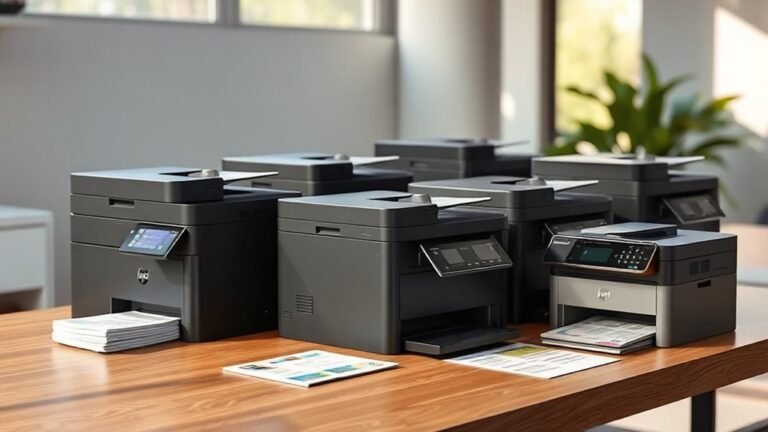
You’ll want to check out Epson’s top all-in-one printers for 2027. These models are perfect for anyone looking for reliable, efficient, and versatile printing solutions. Epson’s Workforce Pro WF-4830 and WF-4820 stand out with speedy duplex printing and high-volume trays. They also offer versatile connectivity options that make printing from multiple devices a breeze.
The EcoTank ET-4950 and ET-2903 are great choices if you want to save on ink costs. These printers feature cartridge-free, high-yield ink tanks that are ideal for cost-conscious users.
Looking for something compact yet powerful? The Workforce Pro WF-3925 balances speed and features perfectly. Keep reading to find out what makes each model ideal for your office needs and how they can help boost your productivity.
| Image | Name | Editor's Rating | Price |
|---|---|---|---|

|
|
||

|
|
||

|
|
||

|
|
||
|
|
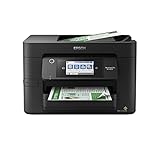
Epson Workforce Pro WF-4830 Wireless Color All-in-One Inkjet Printer
- Sold as 1 Each.
- All-in-one printer provides printing, copying, and scanning capabilities in one compact machine
- Inkjet printer creates documents up to 4800 x 2400 dpi for sharp detail
- 12 ppm for color and 25 ppm for black/white images with a maximum monthly duty cycle of 33000 pages; supports auto two-sided print, copy, scan, and fax
- USB, Ethernet (10/100Mbps), Bluetooth Low Energy, and Wi-Fi (802.11b/g/n/a/ac) connectivity enhances productivity

The Epson Workforce Pro WF-4830 is designed to meet the demands of busy work environments. It simplifies multi-tasking by combining printing, copying, scanning, and faxing into one device. Its duplex auto 2-sided feature saves time and paper, making it ideal for offices focused on efficiency.
This all-in-one printer handles large workloads with ease, thanks to dual paper trays that hold up to 500 sheets and a 50-sheet auto document feeder. These features reduce interruptions and support uninterrupted productivity. Connecting to your network is straightforward with Wi-Fi, Ethernet, Bluetooth, and USB options.
Maintenance is user-friendly, with DURABrite Ultra inks delivering consistent, high-quality prints. The 4.3-inch touchscreen and voice command compatibility with Alexa offer intuitive control and accessibility. This printer fits well in small to medium offices needing reliable, versatile color printing.
Best for: Small to medium-sized offices or home offices requiring a dependable all-in-one printer that supports high-volume, duplex printing with versatile connectivity.
What We Like:
- Large dual paper trays and 50-sheet feeder for efficient high-volume use
- Multiple connectivity options, including Wi-Fi, Ethernet, and Bluetooth
- Easy control through touchscreen and Alexa voice commands
- Sharp, professional-quality prints with DURABrite Ultra inks
Specification:
| Feature | Details |
|---|---|
| Manufacturer | Epson |
| Dimensions | Approx. 16.5 x 14.8 x 11.8 in |
| Weight | Approx. 19.8 lb (9 kg) |
| Color Options | Black |
| Connectivity | Wi-Fi, Ethernet, Bluetooth, USB |
Epson EcoTank ET-4950 Wireless All-in-One Color Supertank Printer, White
- Epson EcoTank Wireless All-in-One Ink Tank Printer – Cartridge-Free System, High-Capacity Ink Bottles, Mobile Printing, Auto Duplex
- WORRY-FREE PRINTING — Epson EcoTank comes with enough ink to print up to 6,600 pages black/5,500 color⁹ for fewer out-of-ink frustrations. Each replacement ink bottle...
- SIMPLE INK REFILLING — Supersized ink tanks and uniquely keyed EcoFit bottles make refilling ink simple—no mess, no stress and no ink bottle mix-ups
- THE WORLD’S #1 SELLING SUPERTANK PRINTER² — Epson invented EcoTank to revolutionize the way people print; we’ve sold 100 million EcoTanks worldwide⁷ and this is...
- ADVANCED PRODUCTIVITY FEATURES — Fast 18 black/9 color ISO ppm print speeds with zero warmup time, an Auto Document Feeder, fax, a high-capacity 250-sheet paper tray...
Experience hassle-free printing with the Epson EcoTank ET-4950 Wireless All-in-One Color Supertank Printer. This innovative printer eliminates the need for cartridges, helping you save money and reduce interruptions. With large ink tanks, it delivers thousands of pages per refill, cutting down maintenance time significantly.
Designed for busy home and small office environments, it handles printing, scanning, copying, and faxing with ease. The automatic duplex feature boosts productivity by allowing double-sided printing without extra effort. Connectivity is flexible, supporting Wi-Fi, Ethernet, and USB, so you can print from various devices conveniently.
The compact design fits well in limited spaces, while the Epson Smart Panel app lets you manage tasks remotely. Although print speeds are moderate, they suit typical office needs without overwhelming noise or complexity. The printer’s robust ink supply and multifunctionality make it a practical solution for everyday document handling.
Best for: home and small office users seeking a cost-effective, cartridge-free all-in-one printer with high ink yield and versatile connectivity options.
What We Like:
- Supersized ink tanks reduce refills, supporting up to 6,600 black and 5,500 color pages.
- Multifunction capability includes printing, scanning, copying, faxing, and auto duplex.
- Flexible connectivity via Wi-Fi, Ethernet, USB, plus mobile management through Epson Smart Panel.
- Compact footprint fits comfortably in small workspaces.
Specification:
| Feature | Details |
|---|---|
| Manufacturer | Epson |
| Dimensions | Not specified |
| Weight | 16.1 lbs (7.3 kg) |
| Color | White |
| Connectivity | Wi-Fi, Ethernet, USB |
Epson Workforce Pro WF-3925 Wireless All-in-One Printer
- Built for Speed — PrecisionCore Heat-Free technology delivers fast, high-volume printing with 21 (black)/11 (color) ISO ppm and fast first-page-out
- High-Precision Office Printing — Accurate dot placement and DURABrite Ultra instant-dry pigment inks for professional-quality prints
- High-Volume Durability for Heavy Workloads — Innovative heat-free technology engineered for reliability and reduced downtime
- Designed for Productivity — All-in-one printer with auto 2-sided printing and 1-sided, 35-page ADF streamline workflow
- Maximize Printing Efficiency — High-performance office printer with large, 250-sheet paper capacity
The Epson Workforce Pro WF-3925 Wireless All-in-One Printer is designed to keep busy home offices and small businesses running smoothly. It tackles everyday printing tasks with fast black print speeds up to 21 ppm and handles color documents at 11 ppm. This printer uses PrecisionCore Heat-Free inkjet technology combined with DURABrite Ultra pigment inks to deliver sharp, vibrant results.
Maintaining productivity is simple with a 250-sheet paper capacity and automatic duplex printing that saves time and paper. The 35-page automatic document feeder (ADF) and flatbed scanner allow for quick copying and scanning of multi-page documents without hassle. Its compact design fits comfortably in small workspaces.
Connectivity options are versatile, including Wi-Fi, Ethernet, and Wi-Fi Direct. Mobile printing is seamless using Apple AirPrint or the Epson Smart Panel app, so you can print from smartphones or tablets with ease. The 2.4-inch touchscreen makes navigation intuitive, reducing setup and operational delays.
While color printing is slower than black, and it supports paper sizes up to 8.5 x 14 inches only, the WF-3925 offers reliable performance for everyday office demands. Regular maintenance involves standard cartridge replacements and keeping the scanner glass clean for optimal results.
Best for: Small businesses and busy home offices needing a dependable, high-speed all-in-one printer with wireless and mobile printing capabilities.
What We Like:
- Fast black and color printing with PrecisionCore technology and DURABrite Ultra ink
- Automatic duplex printing and a 35-page ADF enhance workflow efficiency
- Multiple connectivity options including Wi-Fi, Ethernet, and mobile device printing
- Easy-to-use 2.4-inch touchscreen for quick navigation and setup
Specification:
| Feature | Details |
|---|---|
| Manufacturer | Epson |
| Dimensions (W×D×H) | 17.9 × 15.5 × 10.4 inches |
| Weight | 20.9 lbs (9.5 kg) |
| Ink Technology | PrecisionCore Heat-Free Inkjet |
| Maximum Paper Size | 8.5 × 14 inches (Legal) |
| Connectivity | Wi-Fi, Ethernet, Wi-Fi Direct |
| Display | 2.4-inch color touchscreen |
Epson EcoTank ET-2903 Wireless Color Supertank Printer
- Epson EcoTank includes enough ink to last up to 3 years⁴.
- WORRY-FREE PRINTING — Epson EcoTank comes with enough ink to print up to 3,600 pages black/6,500 color⁹ for fewer out-of-ink frustrations. Each replacement ink bottle...
- SIMPLE INK REFILLING — Supersized ink tanks and uniquely keyed EcoFit bottles make refilling ink simple—no mess, no stress and no ink bottle mix-ups; fits in...
- THE WORLD’S #1 SELLING SUPERTANK PRINTER² — Epson invented EcoTank to revolutionize the way people print; we’ve sold 100 million EcoTanks worldwide⁷ and this is...
- KEY PRODUCTIVITY FEATURES — 11 black/6 color ISO ppm print speeds with zero warmup time, 100-sheet paper tray, high-resolution flatbed scanner and a 1.44" color display...
Experience hassle-free, high-quality printing at home with the Epson EcoTank ET-2903 Wireless Color Supertank Printer. This all-in-one device solves the common problem of frequent ink replacements by providing an impressive ink yield that can last up to three years. You can print thousands of pages without worrying about running out or constantly buying cartridges.
Its high-resolution output (5760 × 1440 dpi) ensures sharp, vibrant prints, ideal for photos and documents alike. The built-in scanner adds versatility, making it easy to digitize important papers. The compact design fits comfortably on any desk, saving valuable space.
Maintenance is simple thanks to the EcoFit refill system, which reduces mess and waste. Wireless connectivity, including Wi-Fi, Apple AirPrint, and the Epson Smart Panel app, lets you print directly from your smartphone or tablet with ease. This convenience enhances your workflow without the clutter of cables.
While it’s perfect for everyday home or small office use, note that the color print speed is moderate, and the single 100-sheet tray suits light to moderate printing needs. It’s not designed for large-format printing, but it excels at standard size tasks.
Best for: Home users seeking a versatile, all-in-one color printer with a long-lasting ink supply and wireless mobile printing.
What We Like:
- High ink yield lasting up to 3 years, reducing frequent refills.
- Sharp, vibrant prints with 5760 × 1440 dpi resolution.
- Wireless printing via Wi-Fi, AirPrint, and Epson Smart Panel app.
- Compact design fits neatly on a home desk.
- Mess-free EcoFit refill system for easy maintenance.
Specification:
| Feature | Details |
|---|---|
| Manufacturer | Epson |
| Model | EcoTank ET-2903 |
| Dimensions | Approx. 14.8 × 13.7 × 9.2 in (37.6 × 34.8 × 23.4 cm) |
| Weight | Approx. 7.7 lb (3.5 kg) |
| Print Resolution | Up to 5760 × 1440 dpi |
| Paper Capacity | 100 sheets |
| Connectivity | Wi-Fi, Apple AirPrint, Epson Smart Panel app |
Epson Workforce Pro WF-4820 Wireless Color All-in-One Inkjet Printer
- High-speed printing — PrecisionCore Heat-Free Technology delivers high-speed, high-volume printing with 25 black/12 color ISO ppm and fast first-page-out.
- High-precision printing — accurate dot placement and DURABrite Ultra instant-dry pigment inks for professional-quality prints.
- High-volume reliability for heavy workloads — innovative heat-free technology designed for reliability and reduced downtime.
- Easy to use — 4.3" color touchscreen for quick navigation and control, plus all-new Epson Smart Panel App (1) for enhanced connectivity and productivity from your...
- Designed for productivity — auto 2-sided printing and 1-sided, 35-page ADF streamline workflow.
The Epson Workforce Pro WF-4820 stands out as a reliable solution for offices struggling with high-volume printing demands. Its PrecisionCore Heat-Free technology ensures fast, energy-efficient prints without the usual heat buildup, keeping your workflow smooth and consistent. You get sharp, vibrant output at resolutions up to 4800 x 2400 dpi, ideal for professional documents.
Designed to reduce downtime, this all-in-one printer offers a generous 250-sheet paper tray and an automatic duplex feature that halves paper use. The 35-page automatic document feeder (ADF) streamlines scanning and copying, saving time on multi-page tasks. Its compact design fits well in busy workspaces without sacrificing power.
Connectivity options are versatile, including wireless, Ethernet, and USB, allowing easy integration into your existing network. The Epson Smart Panel app puts control at your fingertips, simplifying maintenance and remote operation. However, some features depend on an internet connection and compatible devices, which may limit offline use.
Maintenance is straightforward thanks to energy-saving technology that reduces wear and tear. While color print speed is slower than black, this printer excels at handling large black-and-white jobs efficiently. It balances performance and durability, making it a practical choice for busy offices.
Best for: busy offices and professionals needing a fast, reliable, and energy-efficient color all-in-one printer with advanced connectivity.
What We Like:
- Fast, precise printing with energy-efficient heat-free technology.
- Large paper capacity and automatic duplex printing for productivity.
- 35-page ADF simplifies multi-page scanning and copying.
- Multiple connectivity options and easy smartphone control.
- Compact design fits well in tight office spaces.
Specification:
| Feature | Details |
|---|---|
| Manufacturer | Epson |
| Dimensions (WxDxH) | Approx. 16.3 x 18.5 x 11.6 in |
| Weight | Approx. 17.8 lb (8.1 kg) |
| Technology | PrecisionCore Heat-Free Inkjet |
| Print Speed | 25 ppm (black), 12 ppm (color) |
| Resolution | Up to 4800 x 2400 dpi |
| Paper Capacity | 250 sheets |
| Automatic Document Feeder | 35 pages |
| Connectivity | Wireless, Ethernet, USB |
Factors to Consider When Choosing an All in One Epson Printer
When choosing an Epson all-in-one printer, you’ll want to compare print speeds to match your workflow. Consider the ink type and yield, along with connectivity options like Wi-Fi or Ethernet for seamless use.
Don’t forget to check paper handling capacity and device compatibility to make certain it fits your needs perfectly. It’s all about finding the right balance that works for you.
Print Speed Comparison
Evaluate ISO print speed ratings for black and color prints to get a reliable measure of an Epson all-in-one printer’s sustained performance. Don’t just look at pages per minute (ppm); check first-page-out times to see how quickly your printer starts, especially if you often print single pages.
Remember to take into account duplex print speeds separately since automatic two-sided printing usually runs slower than single-sided, impacting double-sided job throughput. If you use copy and scan functions frequently, compare their speeds alongside print ppm, as copy speeds can differ.
Finally, review the monthly duty cycle and understand that advertised speeds follow ISO/IEC standards—actual performance may vary depending on document complexity, driver settings, and network conditions. This thorough approach helps you choose a printer that matches your speed needs.
Ink Type & Yield
Since ink type directly affects both print quality and operating costs, you’ll want to decide between cartridge-based pigment inks and refillable supertank systems carefully. Pigment cartridges dry faster and resist smudges, making them ideal for sharp text and quick handling.
On the other hand, supertank systems offer much higher in-box yields and lower cost per page, perfect if you print frequently. Compare starter ink yields and replacement costs to estimate long-term expenses.
Check the quoted page yields for black and color, then calculate cost per page by dividing replacement price by yield. Also, consider whether you prefer sealed cartridges, which are simpler but generate more waste, or refillable tanks that reduce waste and supply thousands of pages.
Finally, verify ink compatibility to avoid voiding your warranty. It’s always better to be safe than sorry!
Connectivity Options Available
Picking the right connectivity options can make a huge difference in how easily you use your Epson all-in-one printer. You’ll want a model supporting both Wi-Fi (802.11 a/b/g/n/ac) and Ethernet for flexible placement and reliable wired connections.
If you print from mobile devices, look for Wi-Fi Direct and Bluetooth Low Energy to print without a router. USB 2.0 ports and USB host support are handy if you print or scan to flash drives.
Make sure the printer works with mobile standards like AirPrint and Mopria, and has a companion app for remote setup and cloud features. Finally, if smart-home integration matters, check for voice assistant compatibility and any required apps or internet connections to use voice commands.
Paper Handling Capacity
Consider how much paper your Epson all-in-one printer can hold and handle before choosing a model. Check the input tray capacity—single trays hold 100–250 sheets, while multi-tray setups can manage 500+ sheets, matching your print volume.
Look for automatic duplexing and duplex ADF scanning to save paper and speed up double-sided jobs. Make sure the printer supports the sizes and media types you use, from standard letter and legal to envelopes and photo paper up to 8.5×14 inches or larger.
Don’t forget the output tray size and monthly duty cycle; smaller capacities mean more frequent refills and upkeep. If you frequently scan, copy, or fax multi-page documents, pick one with a high-capacity automatic document feeder—ideally 35–50 sheets—to minimize interruptions and boost productivity.
Device Compatibility Features
Beyond paper capacity and handling, you’ll want to make sure your Epson all-in-one printer works smoothly with your devices and network. First, confirm it supports your operating systems like iOS, Android, Windows, or macOS, and protocols such as AirPrint or Mopria for easy mobile printing.
Check for wired and wireless connections—Wi-Fi, Ethernet, USB, or Bluetooth—to match your setup. Also, verify compatibility with mobile apps and cloud services if you need remote printing or scanning to cloud storage.
Assure the printer’s drivers and software support your OS versions and receive regular updates. Finally, look for features like touchscreen controls, multi-device setup via BLE or QR codes, and network security options like WPA3 to keep your workflow efficient and secure.
Frequently Asked Questions
How Do Epson Printers Compare to Other Brands in Print Speed?
Epson printers usually offer competitive print speeds, especially for color prints. You’ll find they balance speed and quality well.
But some brands might be faster for pure black-and-white printing. It really depends on your specific needs.
Are Epson All-In-One Printers Compatible With Mac and Windows?
You’ll be glad to know over 95% of Epson all-in-one printers seamlessly support both Mac and Windows. They’ve designed drivers and software to work smoothly across these platforms, so you won’t face compatibility hassles.
It’s pretty convenient, right? Whether you’re team Mac or team Windows, Epson has got you covered without any fuss.
What Is the Average Lifespan of Epson All-In-One Printers?
You can expect your Epson all-in-one printer to last around 3 to 5 years with regular use.
Proper maintenance and careful handling will help you get the most out of its lifespan and performance. So, taking good care of it really pays off!
Can Epson Printers Print on Specialty Media Like Labels or Cardstock?
Like a painter choosing a canvas, you can print on specialty media with Epson printers. They handle labels, cardstock, and more,
letting you craft vibrant, professional projects that truly stand out from the ordinary.
Pretty cool, right? Epson makes it easy to get creative beyond plain paper!
How Energy-Efficient Are Epson All-In-One Printers?
Epson all-in-one printers are quite energy-efficient. They’re designed to reduce power consumption with features like auto power-off and low energy modes.
You’ll save energy without sacrificing performance. This makes them eco-friendly and cost-effective for your printing needs.
Conclusion
Picture your workspace humming smoothly, with crisp prints and seamless scanning right at your fingertips. Choosing the right Epson all-in-one printer means less hassle and more productivity, whether you pick the efficient Workforce Pro or the eco-friendly EcoTank.
These models blend speed, quality, and convenience, fitting perfectly into your daily routine. So, go ahead—make your choice and watch your printing tasks flow effortlessly, turning your desk into a hub of creativity and efficiency.
With the best all-in-one Epson printers, you’re not just buying a device—you’re investing in a smoother workflow. Whether it’s for home or office, these printers offer reliability, vibrant print quality, and multifunction features that save time and space. Embrace the convenience of scanning, copying, and printing all-in-one, and transform how you work every day.