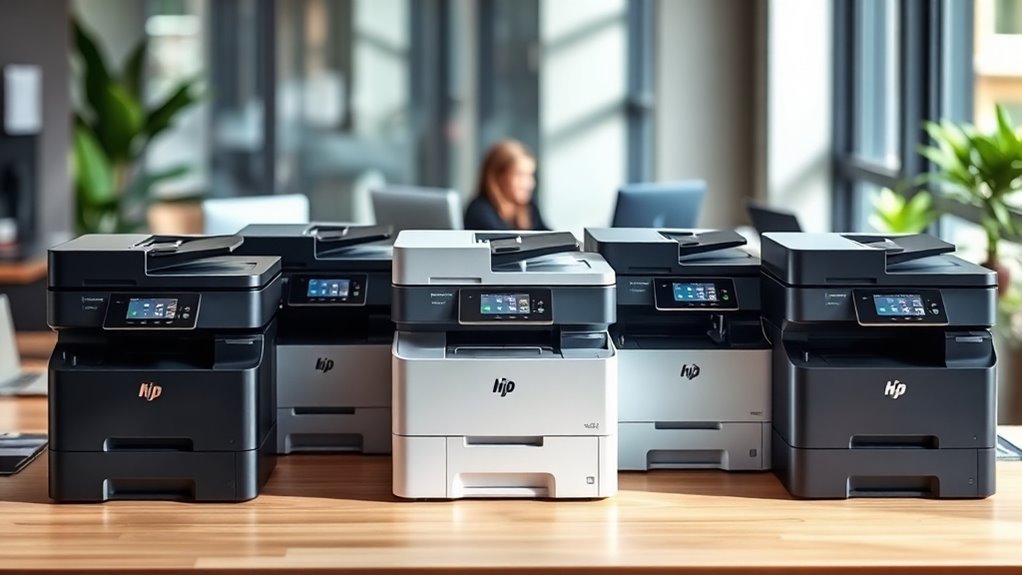
6 Best All In One Dual Tray Laser Printers for 2027 Reviews
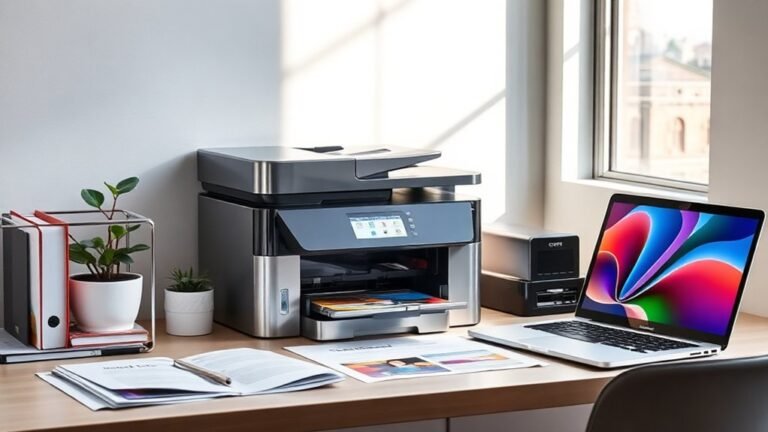
You’ll want a dual tray all-in-one laser printer that balances speed, quality, and convenience for 2027. These printers are perfect for anyone looking to boost productivity with reliable performance and versatile features.
Consider models like Brother’s MFC-L5915DW for fast monochrome printing, Canon’s MF753Cdw II for vibrant color and duplex scanning, or Brother’s MFC-L9610CDN for enterprise-level volume and security. Each of these options comes with intuitive touchscreens, wireless connectivity, and reliable paper handling.
If you prioritize sharp prints, efficient duplex, and expandable capacity, exploring these options will help you pick the best fit for your workspace. With the right dual tray all-in-one laser printer, managing your documents becomes a breeze.
| Image | Name | Editor's Rating | Price |
|---|---|---|---|

|
|
||

|
|
||

|
|
||

|
|
||
|
|
Brother MFC-L5915DW Professional Laser Printer All-in-One
- FAST BUSINESS PRINTING AND COPYING: The Brother MFC-L5915DW business monochrome laser all-in-one printer delivers high-quality output and print and copy speeds of up to...
- LOW-COST OUTPUT: Help reduce operating costs by using the Brother Genuine TN920UXXL ultra high-yield 18,000-page replacement toner cartridge. Includes a Brother Genuine...
- FAST, HIGH-VOLUME SCANNING: The 70-page capacity(3) auto document feeder offers single-pass, two-sided scanning up to 56ipm(4). Features a large document glass for up to...
- FLEXIBLE CONNECTIVITY OPTIONS: Features built‐in Gigabit Ethernet and dual band wireless networking to seamlessly set up and share on your wired.

The Brother MFC-L5915DW Professional Laser Printer All-in-One is designed to streamline office workflows. It handles printing, copying, scanning, and faxing efficiently, making it ideal for busy environments. Its fast printing speed of up to 50 pages per minute means less waiting and more productivity.
This model features a user-friendly 5-inch color touchscreen for intuitive control. Automatic duplex printing helps reduce paper use, supporting cost savings and eco-friendly practices. The 250-sheet paper tray and 70-sheet automatic document feeder simplify handling of large tasks without frequent reloading.
Connectivity options include Gigabit Ethernet and dual-band Wi-Fi, plus mobile printing support. This variety lets you print conveniently from multiple devices and locations. Maintenance is straightforward, with toner cartridges designed for easy replacement to minimize downtime.
While it only prints in monochrome, this printer excels in delivering sharp, professional documents quickly. The initial toner yield covers up to 3,000 pages, and options for higher-yield cartridges are available for heavy users.
Best for: small businesses and office teams needing a reliable, high-speed monochrome all-in-one printer with versatile connectivity.
What We Like:
- Fast print speed of 50 ppm with quick first page output
- Large 5-inch touchscreen for simple navigation
- Automatic duplex printing saves paper and cost
- Multiple connectivity options including Gigabit Ethernet and Wi-Fi
- Efficient handling of large print jobs with 250-sheet tray and 70-sheet ADF
Specification:
| Feature | Details |
|---|---|
| Manufacturer | Brother |
| Dimensions (W x D x H) | 16.1 x 15.7 x 12.5 inches |
| Weight | Approx. 26.6 lb (12.1 kg) |
| Print Technology | Monochrome Laser |
| Paper Capacity | 250-sheet tray, 70-sheet ADF |
| Connectivity | Gigabit Ethernet, Dual-band Wi-Fi, USB, Mobile Printing |
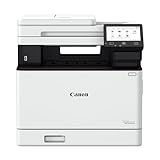
Canon Color imageCLASS MF753Cdw II – All-in-One Color Duplex Laser Printer
- Color, Wireless, Duplex 4-in-1: Print, scan, copy, fax.
Experience seamless productivity with the Canon Color imageCLASS MF753Cdw II, designed to handle multiple office tasks efficiently. This all-in-one color laser printer combines printing, scanning, copying, and faxing in a compact, energy-saving design that fits well into small and home office spaces.
Its fast print speed of 35 ppm and sharp 1200 x 1200 dpi resolution ensure your documents look professional every time. The automatic duplex printing with a 50-sheet one-pass ADF simplifies double-sided jobs, reducing paper waste and saving time on manual handling.
Maintenance is straightforward with its 250-sheet cassette and 50-sheet multipurpose tray, expandable up to 850 sheets to accommodate various media sizes. Connectivity options are versatile, including Wi-Fi, Ethernet, and USB, allowing easy integration into your existing setup.
While it weighs 50 pounds, making it less portable, the printer’s performance and customizable 5-inch touchscreen help streamline your workflow. Starter toner yields are modest, so consider replacements for continuous heavy use.
Best for: Small and home offices or hybrid work environments needing fast, versatile color printing with scanning, copying, and faxing capabilities in a compact, energy-efficient device.
What We Like:
- Fast printing at 35 ppm with crisp 1200 x 1200 dpi quality
- Efficient automatic duplex printing with a 50-sheet one-pass ADF
- Expandable paper capacity up to 850 sheets
- Multiple connectivity options including Wi-Fi, Ethernet, and USB
- User-friendly 5-inch customizable touchscreen
Specification:
| Feature | Details |
|---|---|
| Manufacturer | Canon |
| Dimensions (W×D×H) | Approx. 18.5 × 19.0 × 16.0 inches |
| Weight | 50 lb (22.7 kg) |
| Color Options | White with black accents |
| Print Speed | Up to 35 pages per minute |
| Print Resolution | 1200 x 1200 dpi |
| Paper Capacity | 250-sheet cassette + 50-sheet multipurpose tray (expandable to 850 sheets) |
| Connectivity | Wi-Fi, Ethernet, USB |
Brother MFC-L8930CDW Color Laser All-in-One Printer
- Updated design, professional results. High-quality output with sharp color and black printing. Fast print and copy speeds up to 33ppm(1) help boost productivity. Reliable...
- Maximize printing budgets. Offers built-in value with included Brother Genuine 3,000-page black and 1,800-page color standard yield toner cartridges. Help lower printing...
- Advanced scanning. High-speed, two-sided scanning up to 104ipm(3) with 80-page auto document feeder(4) and legal-size glass. Scan to cloud, email, SharePoint, and more...
- Productivity-enhancing features. Flexible connectivity, including built-in dual-band (2.4GHz / 5GHz) wireless networking and Gigabit Ethernet networking. 7” color...
- Triple Layer Security. Advanced security features to help keep devices secure, protect documents in transit to and from print devices, and safeguard networks. Includes an...
The Brother MFC-L8930CDW is a compact all-in-one color laser printer designed to meet the demands of busy offices. Its smaller footprint saves valuable desk space without sacrificing performance. You can print and copy quickly, helping your team stay productive even during heavy workloads.
This multifunction printer simplifies scanning with a 7-inch touchscreen that offers preview and customizable shortcuts. Two-sided scanning speeds up document handling, making it easier to digitize files efficiently. The printer delivers sharp color and black prints, enhancing the quality of your presentations and reports.
Maintenance is straightforward, but keep in mind that standard-yield toner cartridges may need frequent replacement unless you opt for high-yield versions. The device supports both wireless and Ethernet connectivity, providing flexible setup options for various office environments.
Security is robust, featuring triple-layer protection and NFC badge authentication to safeguard sensitive data. Energy-efficient design and eco-friendly certifications make this printer a sustainable choice for organizations focusing on reducing their environmental impact.
Best for: Offices and workgroups requiring a fast, space-saving color laser all-in-one printer with advanced scanning and strong security features.
What We Like:
- Compact design with high-speed printing and copying up to 33 ppm
- Efficient two-sided scanning up to 104 ipm with touchscreen shortcuts
- Strong security features including NFC badge authentication
- Wireless and Ethernet connectivity options
- Energy-efficient operation with eco-friendly certifications
Specification:
| Feature | Details |
|---|---|
| Manufacturer | Brother |
| Dimensions | Approximately 16.1 x 18.5 x 15.7 inches (41 x 47 x 40 cm) |
| Weight | Around 42 lbs (19 kg) |
| Color Options | White with gray accents |
| Connectivity | Wireless (Wi-Fi), Ethernet |
Brother MFC-L5710DW Wireless Monochrome Laser Printer
- FAST BUSINESS PRINTING AND COPYING: The Brother MFC-L5710DW business monochrome laser all-in-one printer delivers high-quality output and print and copy speeds up to...
- COST-EFFICIENT OUTPUT: Help reduce operating costs by using the Brother Genuine TN920XXL super high-yield 11,000-page replacement toner cartridge. Includes a Brother...
- FAST, DUPLEX SCANNING: The 50-page capacity(3) auto document feeder offers single-pass, two-sided scanning up to 60ipm(4).
- ADVANCED SCANNING CAPABILITIES: Scan to popular destinations directly from the touchscreen display including cloud services(5), email, SharePoint, SSH Server (SFTP), and...
- FLEXIBLE CONNECTIVITY OPTIONS: Features built-in Gigabit Ethernet and dual band wireless networking to seamlessly set up and share on your wired or wireless network...
Experience streamlined productivity with the Brother MFC-L5710DW Wireless Monochrome Laser Printer. Designed to handle demanding office tasks, it efficiently manages printing, copying, scanning, and faxing. This unit helps reduce bottlenecks with fast print speeds up to 48 pages per minute and crisp 1200 x 1200 dpi quality, ensuring sharp text every time.
Its 50-page automatic document feeder and dual paper trays accommodate various paper sizes, minimizing interruptions for reloading. Wireless and Ethernet connectivity options keep your team connected, while the intuitive 3.5-inch touchscreen makes scanning to email or cloud services straightforward. These features help improve workflow and reduce manual effort.
Maintenance is simplified with easy toner replacement and energy-saving modes that lower operational costs. The monochrome laser technology suits environments focused on text-heavy documents, though it may not meet needs for color printing. It requires some space due to its size, a consideration for compact offices.
Robust security features safeguard sensitive information, making it a practical choice for busy workplaces. Overall, this all-in-one printer combines speed, reliability, and smart design to support everyday office functions seamlessly.
Best for: Busy offices and small workgroups needing a fast, dependable monochrome all-in-one printer with strong connectivity and security options.
What We Like:
- Rapid printing speeds with high-resolution output for professional documents
- Flexible paper handling with automatic feeder and dual trays
- Strong wireless and Ethernet connectivity, plus mobile printing support
- User-friendly touchscreen simplifies scanning and copying tasks
- ENERGY STAR certified with eco-friendly modes to reduce energy use
Specification:
| Feature | Details |
|---|---|
| Manufacturer | Brother |
| Dimensions (W x D x H) | Approx. 16.1 x 16.7 x 12.4 in |
| Weight | Approx. 23.5 lb |
| Printing Technology | Monochrome Laser |
| Print Speed | Up to 48 ppm |
| Print Resolution | 1200 x 1200 dpi |
| Paper Handling | 50-page ADF, dual trays |
| Connectivity | Wireless, Gigabit Ethernet |
| Display | 3.5-inch touchscreen |
Canon imageCLASS MF751Cdw II Wireless Laser Printer
- Color, Wireless, Duplex 3-in-1: Print, scan, copy.
- Fast Print Speeds: Print up to 35 ppm in both color and monochrome and spend less time waiting with a quick first print time of approximately 7 seconds.
- Easy Wireless Setup: Setup your wireless connection and get up and running in just a few steps.
- 5-inch Color Touchscreen: Get the job done quickly with Application Library - an intuitive and easy to use customizable access to the features you use most.
- Mobile Device Printing: Print on-the-go using your compatible mobile devices with the free Canon PRINT app, Apple AirPrint and Mopria Print Service.
The Canon imageCLASS MF751Cdw II is designed to streamline your printing tasks with speed and efficiency. It delivers vibrant color and sharp monochrome prints at up to 35 pages per minute, helping you tackle busy workloads without delay. The quick first-page output reduces wait times, so you can start your projects faster.
This all-in-one printer simplifies office tasks by combining printing, scanning, and copying with a user-friendly 5-inch touchscreen. Its automatic duplex printing saves paper and time, while the 250-sheet capacity handles everyday print jobs easily. For larger demands, you can expand the paper capacity with an optional tray.
Connectivity options are versatile, supporting wireless, Ethernet, and USB connections. This flexibility ensures smooth integration into various office setups and mobile environments. Maintenance is straightforward, though note that the starter toner cartridges yield around 1,100 pages each, which may require earlier replacement compared to standard volumes.
Ideal for small offices or home use, this Energy Star-certified printer balances productivity and energy efficiency but has a modest 50-sheet automatic document feeder, which may limit batch scanning speed for heavy users.
Best for: Small and home office users needing a fast, reliable all-in-one color laser printer with versatile connectivity and duplex printing.
What We Like:
- Fast printing speed of up to 35 ppm with quick first-page output
- Automatic duplex printing reduces paper usage
- Expandable paper capacity up to 850 sheets with optional tray
- Intuitive 5-inch color touchscreen for easy operation
- Multiple connectivity options including Wi-Fi, Ethernet, and USB
Specification:
| Feature | Details |
|---|---|
| Manufacturer | Canon |
| Dimensions (W x D x H) | 16.4 x 19.7 x 16.7 inches |
| Weight | 48.3 lbs |
| Print Speed | Up to 35 ppm |
| First Print Time | Approx. 7 seconds |
| Paper Capacity | 250 sheets (expandable) |
| ADF Capacity | 50 sheets (simplex feeder) |
| Connectivity | Wireless, Ethernet, USB |
| Display | 5-inch color touchscreen |
| Print Resolution | Up to 600 dpi |
Brother MFC-L9610CDN Enterprise Color Laser Printer

- FAST BUSINESS PRINTING AND SCANNING:The Brother MFC‐L9610CDN Enterprise Color Laser All‐in‐One provides the fastest color laser printspeeds ever from Brother–up...
- CREATE PROFESSIONAL BUSINESS DOCUMENTS: Features the boldest laser color output ever from Brother with vivid color and sharp black output for the professional results...
- LIFETIME VALUE: Offers built‐in value with included Brother Genuine 6,500‐page black and 5,000‐page color toner cartridges. For even lower cost printing, use...
- ADVANCED SECURITY FEATURES: Equipped with Triple Layer Security features to help safeguard your network, keep your devices secure, and protect documents in transit to and...
- LARGE, SCALABLE PAPER HANDLING: Spend less time refilling paper trays with the 520‐ sheet capacity paper tray and 100‐sheet capacity multipurpose tray(3). Total...
Experience fast, versatile printing designed to keep your enterprise moving. The Brother MFC-L9610CDN delivers sharp color and crisp black prints at speeds up to 42 pages per minute. This printer tackles large jobs efficiently, reducing wait times and streamlining your workflow.
Its 100-page auto document feeder and duplex scanning handle high-volume scanning tasks swiftly, processing up to 104 images per minute. The intuitive 7″ color touchscreen makes navigation simple, minimizing setup time and errors.
Built for heavy workloads, the printer supports a standard 620-sheet capacity, expandable to 1,620 sheets, so you spend less time refilling paper. High-yield toner options reduce maintenance frequency, keeping your office running smoothly.
Security is a priority with triple-layer protection and an NFC card reader, safeguarding sensitive data and controlling access. While wireless connectivity requires an optional module, the printer’s robust wired connections ensure reliable network performance.
Best for: Enterprises and busy offices needing fast, high-quality color printing combined with versatile scanning and strong security for demanding workloads.
What We Like:
- Fast printing and duplex scanning boost productivity
- Large, expandable paper capacity reduces interruptions
- Robust security features protect confidential information
- User-friendly 7″ color touchscreen simplifies operation
- High-yield toner options lower maintenance needs
Specification:
| Feature | Details |
|---|---|
| Manufacturer | Brother |
| Dimensions (W×D×H) | Approx. 17.3 × 18.5 × 16.1 in |
| Weight | Approx. 53.6 lbs (24.3 kg) |
| Paper Capacity | 620 sheets standard, expandable to 1,620 sheets |
| Scan Speed | Up to 104 images per minute |
| Connectivity | Wired standard; optional dual-band Wi-Fi module |
| Display | 7-inch color touchscreen |
Factors to Consider When Choosing an All in One Dual Tray Laser Printer
When choosing an all in one dual tray laser printer, you’ll want to focus on print speed and how many pages it can handle without interruption. It’s important because nobody wants to wait around for their documents.
Consider the quality and resolution to guarantee your documents look sharp. After all, clear and crisp prints make a big difference.
Don’t forget to check for connectivity options that match your devices. Whether it’s USB, Wi-Fi, or Bluetooth, having the right connections makes life easier.
Security features are also vital to protect your information during printing. You definitely want to keep your documents safe from prying eyes.
Print Speed and Efficiency
Although print speed isn’t the only factor to weigh, you’ll want a laser printer that keeps up with your daily volume demands. Look for models rated between 30 to 50 pages per minute (ppm) for both monochrome and color to match your workload.
Don’t overlook first-page-out time, usually 6–10 seconds. This is crucial if you handle frequent short jobs.
Efficient duplex and duplex-scan throughput speeds matter too, especially if your tasks involve two-sided printing and scanning. Single-pass two-sided ADF scanning can greatly speed multi-page copying.
Make sure the printer’s processor and memory can handle complex jobs like large PDFs or high-res color files without slowing down. These factors together guarantee smooth, fast printing that won’t stall your productivity.
Paper Capacity and Trays
Balancing your printer’s paper capacity and tray options is key to maintaining smooth workflows and minimizing interruptions. Start by checking the standard tray, usually holding 250 sheets, and the multipurpose tray, often sized for 50–100 sheets, to guarantee they meet your regular print volume.
For high-demand settings, consider models with expandable capacity up to 1,600+ sheets to reduce refills. Don’t overlook output tray and ADF limits—150-sheet outputs and 50–100-sheet feeders help avoid bottlenecks during large jobs.
Make sure trays support your media types and sizes, including envelopes and cardstock, with adjustable settings for nonstandard dimensions. Look for automatic duplexing and intelligent tray switching to handle mixed-media tasks seamlessly, maximizing your printer’s efficiency without constant manual intervention.
Print Quality and Resolution
Selecting an all-in-one dual tray laser printer means paying close attention to print quality and resolution, as these factors directly impact the clarity of your documents. You’ll want a printer with a high maximum print resolution, like 1200 x 1200 dpi or more, to guarantee crisp text and fine detail. This is especially important for professional documents or small fonts.
Laser printers excel at sharp monochrome output, so check the measured resolution for clear black text and strong line art. For color models, focus on higher color resolution and effective halftoning to produce accurate graphics and smooth gradients.
Since dual trays and duplex printing require consistent quality across media types, verify the printer’s rated resolution and paper handling. Finally, pair manufacturer specs with real-world samples or reviews to confirm actual print sharpness. It’s always good to see how a printer performs outside of the specs sheet!
Connectivity and Compatibility
Print quality matters, but how you connect your all-in-one dual tray laser printer can make a big difference in your workflow. Make sure it supports both Gigabit Ethernet and dual-band Wi-Fi (2.4 GHz and 5 GHz). This way, you can rely on fast, stable connections whether wired or wireless.
You’ll also want USB host ports and USB flash-printing to print or scan without a PC. Verify compatibility with your operating systems—Windows, macOS, Linux—and network authentication like LDAP or Active Directory. This guarantees smooth, secure access.
Look for mobile and cloud printing support such as Apple AirPrint and Mopria. These let you print directly from smartphones or tablets. Finally, check advanced scan options and integrated protocols to easily route documents into your existing systems.
Security Features and Protocols
When you choose an all-in-one dual tray laser printer, you need to prioritize robust security features to protect your data and network. Look for printers that support network protocols like WPA3 for Wi-Fi, TLS/SSL to encrypt print and scan data, and IPsec or 802.1X for secure authentication.
Make certain user authentication options like PIN codes, LDAP/AD integration, or NFC cards prevent unauthorized access and enable secure print release. Confirm the device encrypts stored data with AES and securely erases drives when decommissioning.
Check for digitally signed firmware updates, automatic update checks, and options to disable unused services to reduce vulnerabilities. Also, verify audit logs, role-based access, and remote management over secure protocols like HTTPS and SNMPv3 to maintain control and monitor activity effectively.
Cost and Consumable Yields
Although the upfront cost of an all-in-one dual tray laser printer matters, you’ll save more by closely examining cost per page and consumable yields. To get the true running cost, divide the price of toner or drum replacements by their rated page yields.
Opt for high-yield or ultra-high-yield cartridges—they lower your $/page and reduce how often you swap cartridges. Don’t forget about other consumables like drums, transfer belts, and maintenance kits; their replacement costs and intervals can add up over time.
Be cautious if the starter toner has a lower yield than standard cartridges, as this can mask higher ongoing expenses. Finally, use duplex and toner-save modes to cut toner use and stretch cartridge life, which helps keep your long-term costs down.
Frequently Asked Questions
How Do Dual Tray Printers Impact Energy Consumption?
Dual tray printers can slightly increase energy use since they have extra components to manage.
However, you’ll save energy overall by reducing paper waste and reprints. This makes your printing process more efficient and eco-friendly.
Can Dual Tray Printers Handle Different Paper Sizes Simultaneously?
Yes, dual tray printers can handle different paper sizes simultaneously, letting you switch from letter to legal without hassle.
This versatility saves time and keeps your workflow smooth, unlike single tray printers that require constant paper swapping. It really makes a difference when you’re juggling multiple printing tasks.
What Is the Average Lifespan of a Dual Tray Laser Printer?
You can expect a dual tray laser printer to last around 5 to 7 years with regular use. Proper maintenance and quality components help extend its lifespan, ensuring consistent performance for your printing needs.
Taking good care of your printer really pays off. Simple things like cleaning and using the right toner can keep it running smoothly for years. So, a little effort goes a long way!
Are Replacement Toner Cartridges Compatible Across Different Models?
No, replacement toner cartridges aren’t compatible across different models. You need to check compatibility, choose the right cartridge, and install it properly.
Using the wrong toner can cause printing issues and damage your printer. So, it’s really important to double-check before you buy or install one.
How Do Dual Tray Printers Integrate With Mobile Printing Apps?
Dual tray printers usually work seamlessly with mobile printing apps, letting you select trays and manage print jobs right from your phone.
You’ll appreciate the convenience and flexibility when printing remotely or on the go. It really makes handling different paper types or sizes super easy without needing to be near the printer.
Conclusion
When it comes to choosing the best all-in-one dual tray laser printer, remember that “you get what you pay for.” Don’t rush—take your time to think about what you really need.
Consider factors like color options, connectivity, and speed. These details make a big difference in daily use. Whether you’re after wireless features or enterprise-level power, there’s a model out there that fits your workflow perfectly.
Investing wisely now saves you headaches down the road. A reliable all-in-one dual tray laser printer keeps your productivity running smoothly for years to come. So, weigh your options carefully and pick the one that matches your specific needs for the best performance and value.