5 Best All in One DTF Printers for 2027 to Boost Your Printing Game
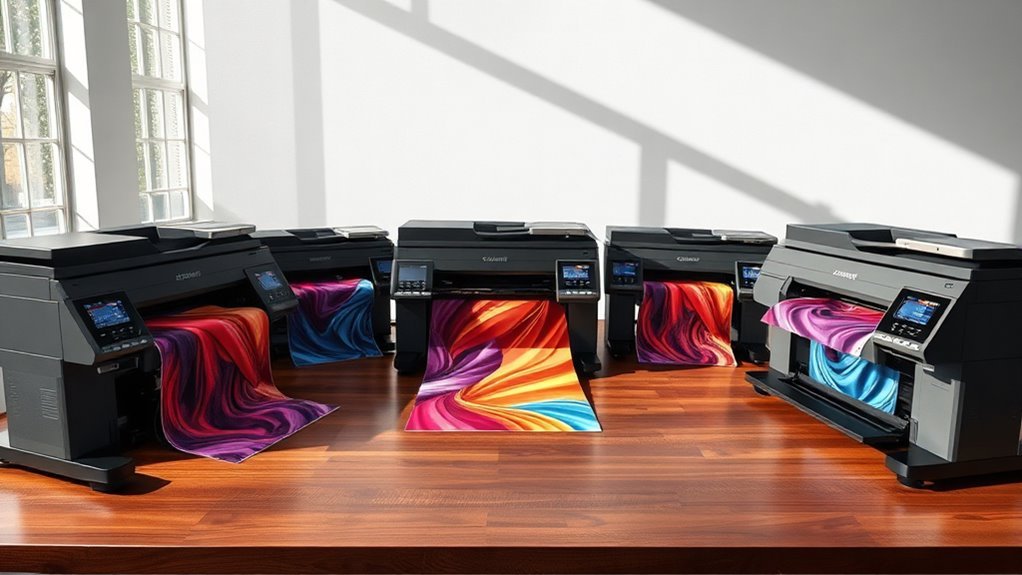
You want an all-in-one DTF printer that delivers vivid prints and minimizes downtime. Choosing the right DTF printer can really boost your printing game, whether you’re a small business or a creative professional. These printers combine multiple functions to save you time and hassle, making your workflow smoother and more efficient.
Consider the InkSonic C13B R1390 with its integrated oven for quick curing and reliable white ink circulation. It’s perfect if you want consistent, high-quality results without constantly fiddling with settings.
The A3 M1630 Pro Combo offers a shaker dryer and auto-cleaning for consistent performance, while the InkSonic H13 F1080 comes with a pre-installed laptop for easy setup. The 13″ FM600 model streamlines workflow with roll-to-roll feeding. The compact A4 DTF printer shines in tight spaces. Discover what makes each model stand out for your printing needs.
| Image | Name | Editor's Rating | Price |
|---|---|---|---|

|
|
||

|
|
||

|
|
||

|
|
||

|
|
InkSonic C13B R1390 DTF Printer with Oven for Custom Apparel, A3 Format
- ✅ [Complete Entry-Level DTF Solution] The InkSonic R1390 DTF Printer combines a 13-inch print width, consistent ink delivery, and vibrant output. With no garment...
- ✅ [Lower Maintenance Costs] Vacation Mode runs an automatic cleaning cycle every 12 hours, keeping the printhead ready without daily printing. It helps reduce printhead...
- ✅ [Photo-Quality, G7-Certified Color] The L1800 printhead produces fine, photo-quality detail, while G7-certified color performance keeps artwork vivid and true to the...
- ✅ [One-Touch White Ink Circulation] Run white ink circulation before printing with a dedicated control, helping create a more even, opaque white underbase that makes...
- ✅ [Guidance Through Your First Successful Print] InkSonic specialists are available 24/7 with one-on-one help by phone or online, from unboxing and setup through your...
Experience seamless custom apparel printing with the InkSonic C13B R1390 DTF Printer. This compact A3-format printer combines high-quality printing and curing in one device, saving space and streamlining your workflow. Its 13-inch print width and sharp 2880 x 1440 dpi resolution deliver vivid, photo-quality transfers that bring designs to life.
The integrated infrared oven cures prints quickly and evenly, ensuring durable results without extra steps. Its 3-in-1 white ink system keeps the ink flowing smoothly, reducing clogs and maintaining consistent opacity. These features minimize downtime and simplify maintenance, letting you focus on creating.
Designed for small to medium custom apparel businesses, this printer supports reliable and professional output. USB connectivity and automatic cleaning functions help maintain efficiency, although it lacks wireless options and prints at a moderate speed.
Best for: Small to medium custom apparel businesses and hobbyists needing high-quality, reliable DTF printing with integrated curing in a compact A3 setup.
What We Like:
- Sharp 2880 x 1440 dpi resolution for vibrant, detailed prints
- Integrated infrared oven for fast, consistent curing
- White ink circulation system reduces clogs and improves print quality
- Automatic cleaning and printhead protection extend device life
Specification:
| Feature | Details |
|---|---|
| Manufacturer | InkSonic |
| Print Format | A3 (13-inch width) |
| Print Resolution | 2880 x 1440 dpi |
| Ink System | 3-in-1 white ink |
| Connectivity | USB |
| Curing Method | Infrared oven |
| Dimensions (L×W×H) | Not specified |
| Weight | Not specified |
A3 M1630 Pro DTF Printer Combo with Shaker Dryer, Auto Cleaning
- ✅ 【All-in-One DTF Bunble】-M1630 pro DTF printer + A3 shaker & dryer machine + Portable stand ,Space-saving, portable, convenient for indoor and outdoor DTF printing
- ✅ 【DTF printer with cutter】-Upgrade your DTF printing with the M1630 Pro Pink DTF Printer, featuring both automatic and manual cutting for unmatched precision and...
- ✅ 【Holiday Mode with Self-Maintenance】-Keep your M1630 Pro DTF printer ready-to-print with Smart Holiday Mode. Automatically prevents clogs by circulating ink and...
- ✅ 【Smart Shaker & Dryer with Touch Screen Display】-The intuitive smart touch display—with seamless English/Spanish language switching—simplifies daily operation...
- ✅ 【Warranty & Lifetime Support】-Includes professional after-sales assistance with one-on-one technical guidance, available 24/7 to address any queries, and lifetime...
Experience efficient and compact printing with the A3 M1630 Pro DTF Printer Combo. This all-in-one solution is designed to streamline your printing needs by combining a DTF printer, shaker dryer, and mobile stand into one portable unit. It’s perfect for users who want quality without sacrificing space or mobility.
Maintenance is simplified with its stable white ink circulation system and an auto-cleaning holiday mode that prevents clogs and reduces downtime. These features ensure your printer delivers consistent, sharp prints with minimal intervention. The shaker dryer includes a touchscreen interface with adjustable language settings for easy operation.
This printer supports precise cutting options and fast print speeds, handling media up to 13 inches wide. Its USB connectivity makes it straightforward to set up, though it limits wireless or network connections. The simplex media handling suits single-sided printing needs perfectly.
The combo’s design focuses on user convenience and reliable output, making it ideal for home use or small businesses requiring a space-saving and well-maintained DTF printing solution.
Best for: Small business owners and hobbyists who need a portable and easy-to-maintain DTF printer combo for high-quality prints.
What We Like:
- Compact all-in-one design with integrated shaker dryer and stand
- Stable white ink circulation minimizes clogging
- Auto-cleaning holiday mode reduces maintenance efforts
- Touchscreen shaker dryer with multiple language options
- Fast printing with precise cutting capabilities
Specification:
| Feature | Details |
|---|---|
| Manufacturer | Not specified |
| Max Media Width | 13 inches (33 cm) |
| Connectivity | USB (single port) |
| Media Handling | Simplex only |
| Dimensions | Not specified |
| Weight | Not specified |
| Color Options | Not specified |
InkSonic H13 F1080 DTF Printer, Shaker & Dryer with Pre-Installed Laptop
- ✅ [3-Min A3 Printing] Powered by the new F1080 low-temperature printhead, the InkSonic 2026 H13 delivers a full A3 print with fine color and a solid white underbase...
- ✅ [Lower Maintenance Cost] The H13 is built with an upgraded motherboard and optimized ink system protection, helping reduce costly maintenance, prevent ink leakage...
- ✅ [Complete DTF Starter Solution] Designed for beginners and small businesses, the H13 comes with step-by-step guides and video tutorials to help you get started...
- ✅ [Consistent White Ink Output & Printhead Protection] The H13 features a siphon-based one-click ink filling system combined with a CISS white ink circulation system...
- ✅ [24/7 Support with No Time Zone Delays] Instead of spending hours late at night troubleshooting with technicians, InkSonic provides fast-response support via phone or...
Experience a seamless DTF printing workflow with the InkSonic H13 F1080 DTF Printer, Shaker & Dryer featuring a pre-installed laptop. This all-in-one setup eliminates the hassle of complex software installations, letting you focus on producing high-quality prints quickly. The fast A3 print speed of just 3 minutes dramatically improves productivity, making it ideal for busy environments.
Its advanced ink system ensures a consistent white underbase, preventing print defects and maintaining vibrant colors. Maintenance is simplified by built-in auto-cleaning and anti-sedimentation features, reducing downtime and extending printer life. The included shaker and dryer efficiently finish prints, speeding up your production process.
Designed for beginners and small businesses, this system balances ease of use with professional results. Vacation mode keeps the printer ready after breaks, minimizing setup time when you return. While the printer is relatively heavy at 208 pounds and limited to A3+ sizes, its robust design supports reliable, high-speed printing.
Best for: Small businesses and beginners seeking a fast, reliable, and low-maintenance DTF printing solution.
What We Like:
- Fast A3 printing in 3 minutes with efficient F1080 printhead
- Advanced ink system with auto-cleaning for consistent quality
- Integrated shaker and dryer for streamlined finishing
- Pre-installed laptop simplifies setup and operation
- Vacation mode keeps the printer ready after idle periods
Specification:
| Feature | Details |
|---|---|
| Manufacturer | InkSonic |
| Print Size | A3+ (up to 13” x 19”) |
| Weight | 208 lb (94.3 kg) |
| Included Devices | Printer, Shaker, Dryer, Laptop |
| Ink System | Auto-cleaning, Anti-sedimentation |
13″ All-in-One DTF Printer with FM600 for T-Shirt Printing
- Industrial F1080 Printhead for High-Speed Output: Built with an upgraded F1080 industrial printhead, this A3 DTF printer delivers faster, smoother and more stable...
- White Ink Circulation & Auto Cleaning System: The built-in white ink circulation system helps reduce ink settling and nozzle clogging. Automatic cleaning keeps the...
- Complete DTF Printer Bundle with Oven: Comes with the DTF printer and curing oven for a smoother print-and-cure workflow. Designed for direct to film transfer printing on...
- Easy to Use with Simple Software Control: User-friendly printing software supports image layout, RIP processing and flexible print settings. USB connection and clear...
- Perfect for Custom Apparel Business: Great for T-shirts, hoodies, bags, hats, uniforms and personalized gifts. A practical DTF transfer printing machine for home studios...
The 13″ All-in-One DTF Printer with FM600 is designed to elevate custom apparel printing with precision and ease. Its upgraded industrial F1080 printhead produces sharp 1440 dpi images, helping users create vibrant designs quickly. This printer addresses common printing challenges by integrating essential functions into one compact unit.
Maintenance is simplified through a smart white ink circulation and an automatic cleaning system. These features reduce downtime and keep the printer running smoothly. The roll-to-roll film feeder combined with a powder shaker, dryer, and curing oven streamlines the entire print-and-cure process, making production more efficient.
This 60 kg mobile workstation fits well in home studios or small print shops. It offers USB and Wi-Fi connectivity, supported by user-friendly software to enhance workflow. While its 13-inch print width suits many projects, it may limit larger design options, and the single tray restricts media versatility.
Best for: Small business owners and creative entrepreneurs seeking an efficient, space-saving solution for direct-to-film custom apparel printing.
What We Like:
- High-resolution 1440 dpi prints with fast color output
- Integrated powder shaker, dryer, and curing oven for seamless workflow
- Smart white ink circulation and automatic cleaning for reduced maintenance
- Compact design ideal for home studios and small shops
Specification:
| Feature | Details |
|---|---|
| Manufacturer | Not specified |
| Print Width | 13 inches |
| Print Resolution | 1440 dpi |
| Printhead Model | Industrial F1080 |
| Weight | 60 kg |
| Connectivity | USB, Wi-Fi |
| Included Accessories | Powder shaker, dryer, curing oven |
A4 DTF Printer with White Ink & Auto Cleaning
- 【What's in the Box】1 x A4 DTF Printer (with Roll Feeder & Auto Cleaning), 5 x 250ml DTF Ink (CMYK + White), 1 x Roll of DTF Transfer Film(164ft), Hot Melt Powder...
- 【Easy Operation】Roll feeder for continuous printing & one-touch auto cleaning the built-in roll feeder allows roll-to-roll printing, saving your time on bulk orders...
- 【High-Quality】1440DPI printing resolution prints on T-shirts, cotton, polyester & more Achieve vibrant, durable transfers with 6-color output. Perfect for custom...
- 【Advanced White Ink Circulation】Equipped with built-in stirring, circulation and filtration modules, this anti-precipitation setup effectively eliminates white ink...
- 【Technical Support】Qilpho printers are backed by a full 1-year warranty and complimentary lifetime technical support. We excel in product design, precision...
Experience hassle-free printing with the Qilpho A4 DTF Printer, designed to deliver high-quality prints using white ink with ease. Its compact size makes it perfect for tight workspaces without compromising on performance. Say goodbye to frequent clogs thanks to the advanced white ink circulation system that keeps the ink flowing smoothly.
Maintenance is simple with the one-touch auto-cleaning feature, reducing downtime and making it ideal for beginners or small business owners who want reliable operation without complex upkeep. The printer’s refillable ink tanks include CMYK plus white ink, ensuring vibrant and sharp prints every time.
This printer supports roll-to-roll printing with its built-in roll feeder, adding convenience for continuous production. The 1440 dpi resolution produces sharp images on various textiles, enhancing your product offerings. It comes with RIP software for Windows, streamlining your workflow from design to print.
While limited to A4 media size, the Qilpho printer is a smart choice for projects that require precision and quality. Note that a heat press and laptop are not included, so you’ll need these for a complete setup.
Best for: small businesses, hobbyists, and beginners who need a compact, easy-to-maintain DTF printer capable of handling white ink prints.
What We Like:
- Advanced white ink circulation prevents clogging and extends printhead life
- One-touch auto-cleaning simplifies maintenance for users with little experience
- Includes essential supplies: inks, transfer film, hot melt powder, and RIP software
- Roll feeder supports efficient roll-to-roll printing
- High 1440 dpi resolution ensures sharp, vibrant prints
Specification:
| Feature | Details |
|---|---|
| Manufacturer | Qilpho |
| Print Size | A4 (8.27 x 11.69 inches) |
| Ink Type | CMYK + White, refillable tanks |
| Resolution | 1440 dpi |
| Connectivity | USB only |
| Software | RIP software for Windows |
| Included Accessories | Inks, transfer film, hot melt powder |
Factors to Consider When Choosing an All in One Dtf Printer
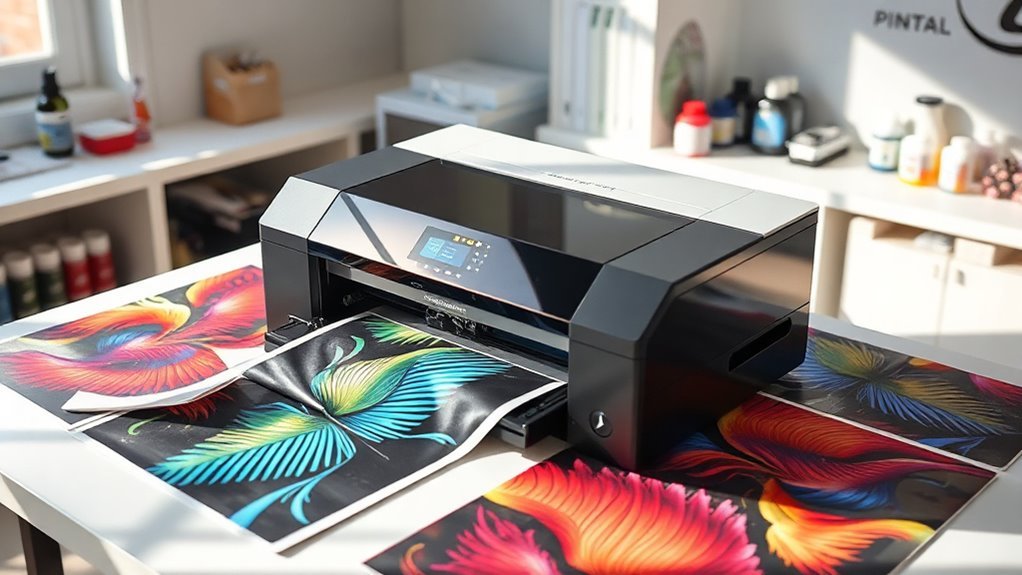
When choosing an all-in-one DTF printer, you need to focus on print quality, ink system efficiency, and the range of compatible media.
Also, consider how fast the printer works and how easy it is to maintain and clean. These factors will help you pick the best machine for your needs.
Print Quality Standards
Although choosing an all-in-one DTF printer might seem straightforward, you’ll want to focus on key print quality standards to make certain your transfers come out sharp, vibrant, and durable. Start by selecting a printer with a high native resolution—ideally between 1440 x 1440 dpi and 2880 x 1440 dpi—to capture fine details and smooth gradients.
Make sure it features a reliable white-ink system with circulation or anti-sedimentation technology to keep white underbases opaque and clog-free. Check print speed for your typical A3 or A4 jobs to match workflow demands without sacrificing sharpness.
Don’t overlook color management support like RIP software and ICC profiling for consistent, accurate hues. Finally, confirm the printer’s droplet control and printhead tech reduce banding and maintain edge clarity after curing.
Ink System Efficiency
Prioritize ink system efficiency to keep your all-in-one DTF printer running smoothly and minimize downtime. Choose printers with active white-ink circulation or anti-sedimentation modules to prevent pigment settling and reduce nozzle clogs during idle times.
Opt for models offering one-touch or automatic cleaning cycles, such as periodic circulation or nozzle purges every 12–24 hours, to extend printhead life. Make certain the printer uses continuous ink supply systems or refillable tanks with filtration to maintain steady ink flow and consistent underbase opacity.
Consider ink capacity and bottle sizes—larger volumes like 250–500 ml mean fewer refills—and check for spare ink dampers to simplify maintenance. Finally, verify ink chemistry and maintenance aids, including anti-sedimentation additives and inline filters, for stable color density and fewer clogs during frequent or intermittent use.
Media Compatibility Range
Maintaining ink system efficiency sets a solid foundation, but selecting the right media compatibility range guarantees your all-in-one DTF printer meets your production needs.
First, check the maximum media width and length the printer supports to assure it fits your garment sizes and workflow, whether handling roll films up to 13 inches wide or long sheets. Verify compatibility with media types like PET DTF film, back-print film, and various fabrics—cotton, polyester blends, nylon.
Also, confirm it supports roll-to-roll and sheet feed. Consider film finishes and thicknesses, as these affect powder adhesion and curing. Make certain your printer handles post-processing needs including appropriate curing profiles.
Look for media handling features like adjustable air suction and roll feeders to stabilize thin films and prevent misfeeds during continuous production. These little details can make a big difference in keeping your workflow smooth and efficient.
Printing Speed Metrics
When choosing an all-in-one DTF printer, you’ll want to carefully evaluate printing speed metrics since they directly influence your productivity and turnaround times. Print speed is usually expressed in pages per minute (ppm) or seconds per A3/A4 page and varies between color and black-and-white jobs—color prints typically take longer.
Higher resolution settings, like 1440×1440 dpi or above, also slow down printing due to finer ink layering. Keep in mind that real-world throughput often falls short of rated speeds by 20–80%, affected by factors like RIP software, media type, and white-ink underbase passes.
Check cycle-time stats like first-page-out time and be aware that auto-maintenance pauses can interrupt sustained speed. Comparing these metrics helps you pick a printer that balances quality with efficient output.
Maintenance and Cleaning
Although all-in-one DTF printers offer convenience, their upkeep plays a crucial role in ensuring consistent print quality and minimizing downtime. You should choose a printer with active white-ink circulation systems to prevent pigment settling and reduce nozzle clogs during idle times.
Look for one-touch or automatic cleaning cycles that run hourly or every 12–24 hours to keep nozzles healthy. Confirm the printer includes nozzle cleaning fluids, printhead protection routines, and easy-access, user-replaceable dampers to lower service costs.
Make sure recommended maintenance tasks—like daily purges, weekly deep cleans, and monthly circulation checks—are clearly documented with step-by-step guides or videos. Prioritizing these features helps you maintain your DTF printer efficiently and keeps your prints consistently sharp without unexpected downtime.
Connectivity Options Available
Choosing the right connectivity options can make or break your experience with an all-in-one DTF printer. USB connections, usually USB 2.0 or 3.0, offer reliable, direct wired links perfect for transferring large RIP files without delays.
If you want flexibility, Wi-Fi lets you print wirelessly from laptops or mobile devices, but watch out for signal interference that might slow things down. Ethernet support is ideal for multiple users, providing stable, fast data transfer for high-resolution jobs.
Some printers even support USB mass-storage or onboard USB dongles, letting you print directly from a thumb drive without a PC—great for quick standalone tasks. Plus, remote management features let you monitor jobs and update firmware over the network, saving you trips to the printer.
Choose wisely based on your workspace and workflow needs.
Included Accessories Package
Since getting started quickly matters, you should make sure the all-in-one DTF printer package includes essential consumables like full ink sets, powder, and DTF film right out of the box. Look for complete DTF ink sets (CMYK+white), at least 250–500 g of powder, and rolls of DTF film to jumpstart your projects.
Don’t forget finishing equipment such as powder shakers, dryers, or curing ovens, which guarantee proper powder adhesion and curing. These tools really make a difference in the final print quality.
Check for maintenance accessories like spare dampers, nozzle cleaners, and printhead protection kits to minimize downtime and extend lifespan. Keeping your printer in top shape saves you headaches later on.
Also, confirm software and connectivity tools—RIP software, drivers, and cables—are included for smooth setup. It’s frustrating when you get everything but the software you need to run it.
Bonus points if the package offers starter test materials and clear guides to help you learn and troubleshoot faster. Getting some practice prints and easy instructions can speed up your learning curve.
Warranty and Support
When investing in an all-in-one DTF printer, you’ll want to closely examine the warranty and support options to protect your purchase and minimize downtime. Check the warranty length, typically 6 to 12 months, and make certain it covers key parts like the printhead and ink system.
Also, confirm which support channels—phone, live chat, or email—are available and how quickly they respond. It’s important to know if consumables, labor, and shipping are included or excluded from repairs.
See if extended or on-site service plans exist. And don’t forget to look for long-term software support, including free RIP updates and driver fixes.
Finally, ask about spare parts availability, authorized service centers, and repair turnaround times. This way, you can keep your small production running smoothly with minimal disruptions.
Frequently Asked Questions
How Long Do DTF Printer Consumables Typically Last?
DTF printer consumables usually last between a few weeks to several months, depending on your usage and maintenance.
You’ll want to replace inks and films regularly to keep prints vibrant. This helps avoid downtime during busy projects.
Can All-In-One DTF Printers Handle Other Fabric Types Besides Cotton?
You might be surprised—yes, all-in-one DTF printers can handle more than just cotton. They work great on polyester, blends, and even some synthetics.
This gives you versatile options to elevate your fabric printing projects effortlessly. So, whether you’re working with different materials, these printers have you covered!
What Maintenance Routines Extend the Lifespan of DTF Printers?
You should clean the print heads regularly and use quality inks. Keeping the printer covered when not in use is also important to protect it from dust.
Perform routine nozzle checks to ensure everything is working smoothly. Don’t forget to lubricate moving parts to keep them running well.
Lastly, make sure to update the firmware regularly. These simple steps can really help your DTF printer last longer.
Are There Eco-Friendly Ink Options Available for DTF Printing?
Yes, you can find eco-friendly inks for DTF printing made from water-based or biodegradable materials. These inks reduce environmental impact while maintaining vibrant colors.
How Do DTF Printers Compare Cost-Wise to Traditional Screen Printing?
Think of DTF printers as sleek cars—initially pricier than bikes (screen printing), but they save fuel over time.
You’ll spend more upfront, but your ongoing costs and efficiency will outpace traditional methods quickly.
Conclusion
Choosing the perfect all-in-one DTF printer propels your printing prowess to peak performance. Whether you prioritize precision, power, or portability, picking the printer that perfectly pairs with your passion will pave the path to printing perfection.
Don’t delay—dive into details, decide diligently, and dominate your designs. With the right rig, you’ll rapidly revolutionize your results and reap rewarding returns in your creative craft.
Ready to ramp up your printing game? Investing in one of the best all-in-one DTF printers for 2027 can truly boost your printing capabilities. These printers combine efficiency and quality, making them ideal for both beginners and pros looking to elevate their printing experience. So, gear up and take your printing projects to the next level with a reliable DTF printer that fits your needs perfectly!