7 Best All-in-One Laser Printers for Home in 2027
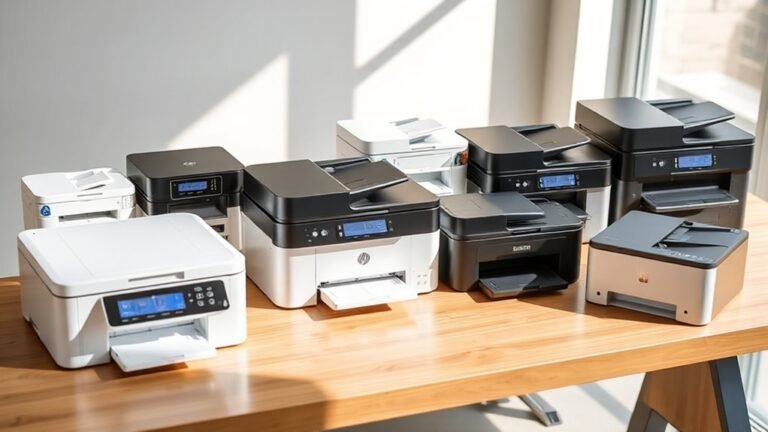
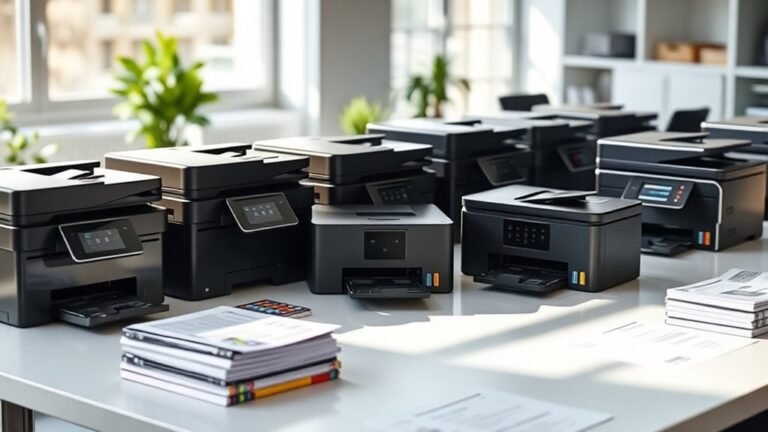
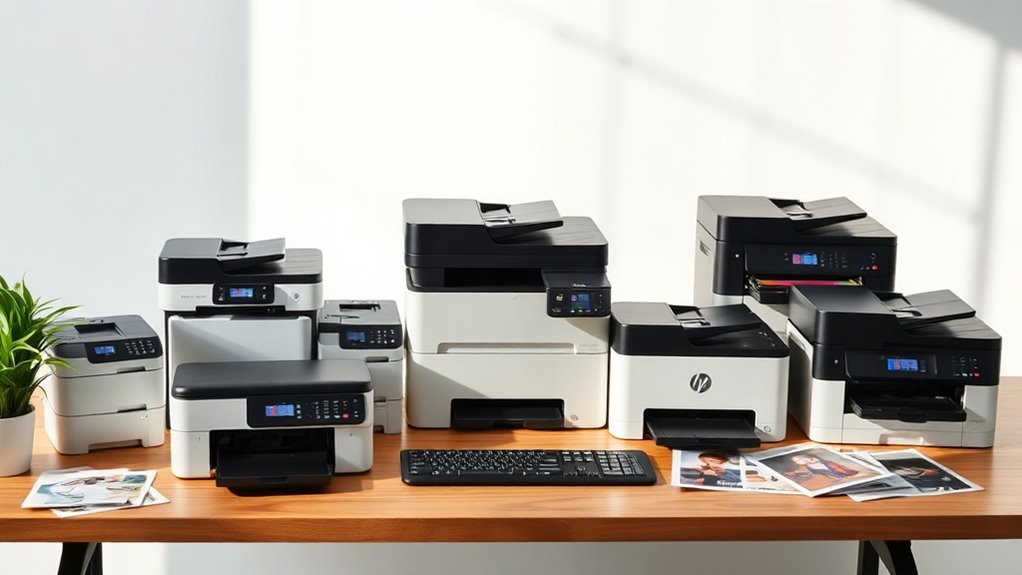
You’ll find top all-in-one laser printers like Brother DCP-L2640DW for fast monochrome tasks and the HP LaserJet Pro 3105sdw for small teams. These printers are perfect for home use, offering speed and reliability without taking up too much space. Whether you need basic printing or more advanced features, there’s something here for everyone.
The Canon imageCLASS MF662Cdw offers wireless duplex printing, making double-sided printing hassle-free. Meanwhile, the Brother MFC-L3720CDW delivers vibrant color with easy cloud access, ideal for those who want convenience and quality.
The HP LaserJet M234sdw balances speed and security, great for protecting your documents. And if you handle color jobs regularly, the HP Color LaserJet Pro MFP 3301sdw runs smoothly and efficiently.
For heavy use, the Canon MF462dw II shines with quick duplex scanning, perfect for busy households. Explore these options to pick the best fit for your home setup and printing needs.
| Image | Name | Editor's Rating | Price |
|---|---|---|---|

|
|
||

|
|
||

|
|
||

|
|
||
|
|
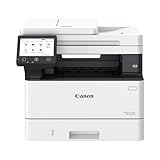
Brother DCP-L2640DW Wireless Monochrome Multi-Function Printer
- BEST FOR SMALL BUSINESSES – Engineered for extraordinary productivity, the Brother DCP-L2640DW Monochrome (Black & White) 3-in-1 combines laser printer, scanner, copier...
- FAST PRINTER WITH EFFICIENT SCANNING – Produces documents quickly with print speeds up to 36 ppm(2) and scan speeds up to 23.6/7.9 ipm(3) (black/color). A 50-page auto...
- FLEXIBLE CONNECTION OPTIONS – Easily navigate the changing demands of your business with secure multi-device connectivity via built-in dual-band wireless (2.4GHz...
- BROTHER MOBILE CONNECT APP – Print, scan, and manage your wireless printer anytime, from almost anywhere from your mobile device. Order Brother Genuine Supplies, track...
- CHOOSE BROTHER GENUINE TONER – When it’s time to replace your toner, be sure to choose Brother Genuine TN830 or TN830XL replacement toner. And with Refresh EZ Print...

Experience efficient black-and-white printing with the Brother DCP-L2640DW, designed to handle high-volume tasks with ease. This wireless monochrome multi-function printer combines printing, scanning, and copying in one compact device, saving space without compromising on performance.
Its fast printing speed of up to 36 pages per minute helps reduce wait times, making it ideal for busy environments. The 250-sheet paper tray and 50-page auto document feeder simplify large job management and minimize interruptions.
Connectivity options such as dual-band wireless, Ethernet, and USB ensure flexible setup, while the Brother Mobile Connect app allows for convenient remote control. The energy-efficient design supports automatic duplex printing, reducing paper waste.
Maintenance is straightforward, with reliable operation and a design focused on minimizing downtime. While it only supports monochrome printing and has a basic display, it meets the essential needs of small offices efficiently.
Best for: small businesses and home offices requiring a reliable, space-saving monochrome printer with strong volume handling and versatile connectivity.
What We Like:
- Fast print and copy speeds up to 36 ppm
- Multiple connectivity options including wireless and Ethernet
- 50-page auto document feeder for streamlined workflows
- Energy-saving automatic duplex printing
Specification:
| Feature | Details |
|---|---|
| Manufacturer | Brother |
| Dimensions (W x D x H) | 16.1 x 15.7 x 12.3 inches |
| Weight | 15.3 lbs (6.93 kg) |
| Color | White with black accents |
| Connectivity | Wireless (dual-band), Ethernet, USB |
HP LaserJet Pro 3105sdw Monochrome Laser Printer | All-in-One
No products found.
Experience efficient monochrome printing with the HP LaserJet Pro 3105sdw, designed to meet the needs of busy homes and small offices. It delivers fast, sharp black-and-white prints, helping you save time on every project. Its all-in-one capabilities streamline your workflow by handling printing, copying, scanning, and faxing in one device.
This printer supports up to seven users, making it ideal for shared spaces. You can connect effortlessly through Wi-Fi, Ethernet, or USB, and manage tasks easily via the HP mobile app. Duplex automatic two-sided printing reduces paper use, cutting down on waste and operational costs.
Maintenance is straightforward but requires some attention. The single paper tray holds up to 250 sheets, suitable for moderate print volumes but may need refilling during heavy use. Firmware updates enhance security but limit cartridge compatibility to original HP chips, so plan accordingly.
With sharp 1200 x 1200 dpi resolution and a print speed of up to 33 pages per minute, this all-in-one printer balances performance with convenience. Its AI-driven scanning and printing features improve output quality and ease of use while HP Wolf Pro Security safeguards your data.
Best for: Small to medium teams or home offices needing reliable, fast black-and-white printing with versatile all-in-one functions.
What We Like:
- Fast printing at up to 33 pages per minute with high-quality resolution
- Flexible connectivity options including Wi-Fi, Ethernet, and USB
- AI-enhanced scanning and printing for improved output
- Duplex automatic two-sided printing saves paper
- Robust HP Wolf Pro Security protects sensitive information
Specification:
| Feature | Details |
|---|---|
| Manufacturer | HP |
| Dimensions | Not specified |
| Weight | Not specified |
| Color Options | Monochrome (Black and white) |
| Print Speed | Up to 33 pages per minute |
| Print Resolution | 1200 x 1200 dpi |
| Paper Tray Capacity | 250 sheets |
| Connectivity | Wi-Fi, Ethernet, USB |
Canon imageCLASS MF662Cdw Wireless Duplex Laser Printer
- Color, Wireless, Duplex 3-in-1: Print, scan, copy.
- Fast Print Speeds: Print up to 26 ppm in both color and monochrome and spend less time waiting with a quick first print time of approximately 10.3 seconds.
- Easy Wireless Setup: Setup your wireless connection and get up and running in just a few steps.
- 5-inch Color Touchscreen: Get the job done quickly with Application Library - an intuitive and easy to use customizable access to the features you use most.
- Mobile Device Printing: Print from your compatible mobile devices using the free Canon PRINT app, Apple AirPrint and Mopria Print Service.
The Canon imageCLASS MF662Cdw is designed to streamline busy home and small office workflows. Its fast wireless duplex printing helps reduce wait times, allowing you to complete tasks more efficiently. With sharp 600 x 600 dpi resolution, it delivers clear color and black prints that meet professional standards.
This 3-in-1 printer combines printing, scanning, and copying, minimizing the need for multiple devices. It supports legal-sized paper and holds up to 250 sheets, which reduces frequent paper refills. The device connects seamlessly via Wi-Fi, Ethernet, or USB, and mobile printing is supported through Canon PRINT, AirPrint, and Mopria apps.
Maintenance is straightforward, though the starter toner yields are on the lower side, so expect to replace cartridges more often in high-volume settings. The 5-inch color touchscreen offers customizable shortcuts, improving ease of use and workflow efficiency. Although it is bulkier and heavier than some compact models, its solid build supports a productive environment.
Best for: Small and home offices or hybrid work environments needing fast, wireless duplex printing with versatile 3-in-1 functionality.
What We Like:
- Fast print speed of up to 26 ppm with sharp 600 x 600 dpi resolution.
- Multiple connectivity options including Wi-Fi, Ethernet, USB, and mobile printing.
- User-friendly 5-inch touchscreen with customizable shortcuts.
- Supports legal-size paper with a 250-sheet capacity.
Specification:
| Feature | Details |
|---|---|
| Manufacturer | Canon |
| Dimensions (W x D x H) | 16.5 x 18.6 x 15.7 inches (41.9 x 47.2 x 39.9 cm) |
| Weight | 55.1 lb (25 kg) |
| Color Options | White with black accents |
| Print Speed | Up to 26 pages per minute |
| Print Resolution | 600 x 600 dpi |
| Paper Size Support | Up to legal size |
Brother MFC-L3720CDW Wireless Color Laser Printer
- Professional Performance: Dominate your business printing with this Brother Genuine color laser printer delivering exceptional print speeds up to 19 ppm and stunning...
- Advanced Connectivity: Take command of your workflow with dual-band wireless networking (2.4GHz/5GHz), Wi-Fi Direct, and USB 2.0 interface, enabling multiple users to...
- Productivity Powerhouse: Maximize efficiency with the 50-sheet auto document feeder, 250-sheet adjustable paper tray, and automatic duplex printing, ensuring...
- Smart Integration: Transform your workflow with the intuitive 3.5" color touchscreen featuring 48 customizable shortcuts and direct access to popular cloud services...
- Mobile Command Center: Leverage the power of mobile printing with remote access capabilities, toner level monitoring, and complete printer management directly from your...
Experience seamless home or small office printing with the Brother MFC-L3720CDW, designed to handle multiple tasks efficiently. This wireless color laser printer delivers crisp, laser-quality prints at speeds up to 19 pages per minute. It helps reduce waiting times and keeps your projects moving without interruption.
The printer’s 50-sheet automatic document feeder and 250-sheet adjustable tray streamline your workflow by minimizing paper reloads. Automatic duplex printing cuts paper use in half, promoting eco-friendly practices and lowering supply costs. Its compact design fits comfortably in tight spaces while supporting everyday printing needs.
Connectivity is simple with dual-band Wi-Fi, Wi-Fi Direct, and USB options, allowing multiple devices to connect effortlessly. The 3.5″ color touchscreen offers 48 customizable shortcuts and direct cloud access, making navigation and task management intuitive. Remote printing and toner level monitoring via the companion app keep you in control from anywhere.
Maintenance is straightforward, but note the paper tray may need frequent refills during heavy use. While it uses USB 2.0, which is slower than newer versions, the printer balances reliable performance with user-friendly features.
Best for: Small office users and home professionals seeking a multifunctional color laser printer with wireless convenience and efficient operation.
What We Like:
- Fast print speeds with sharp laser-quality output
- Multiple wireless and wired connection options
- Automatic duplex printing reduces paper waste
- Easy-to-use touchscreen with customizable shortcuts
- Remote management and toner monitoring via app
Specification:
| Feature | Details |
|---|---|
| Manufacturer | Brother |
| Dimensions (W×D×H) | 16.1 × 18.7 × 15.7 in |
| Weight | 38.6 lb |
| Paper Capacity | 250-sheet adjustable tray |
| Auto Document Feeder | 50 sheets |
| Connectivity | Dual-band Wi-Fi, Wi-Fi Direct, USB 2.0 |
| Display | 3.5″ color touchscreen |
HP LaserJet M234sdw Monochrome Laser Printer | All-in-One
No products found.
The HP LaserJet M234sdw brings efficiency to small office printing with its reliable monochrome laser technology. Designed for teams of up to five users, it handles printing, copying, and scanning effortlessly. Its 40-page auto document feeder simplifies multitasking and saves time during busy workdays.
This all-in-one printer offers a fast print speed of 30 pages per minute, helping you complete tasks quickly. Automatic duplexing reduces paper use by printing on both sides. With a 150-sheet input capacity, it supports continuous work with fewer interruptions.
Connectivity is straightforward with dual-band Wi-Fi, Ethernet, and USB options. The HP Smart app ensures smooth mobile printing and scanning, letting you work from anywhere. Built-in security features protect your documents and device from unauthorized access.
Maintenance is easy thanks to its compact design and Energy Star certification, which lowers power consumption. While it only prints in monochrome and has a moderate maximum copy volume, it remains a solid choice for small office environments.
Best for: Small teams seeking a dependable, fast, and secure monochrome all-in-one laser printer for everyday office use.
What We Like:
- Fast 30 ppm print speed with automatic duplexing
- Multiple connectivity options including dual-band Wi-Fi and Ethernet
- Easy mobile printing and scanning via HP Smart app
- Built-in security features for device protection
- Energy Star certified for energy-efficient operation
Specification:
| Feature | Details |
|---|---|
| Manufacturer | HP |
| Dimensions | Approx. 15 x 14 x 10 in |
| Weight | 19 lb (8.6 kg) |
| Color | Monochrome (Black & White) |
| Connectivity | Dual-band Wi-Fi, Ethernet, USB |
HP Color LaserJet Pro MFP 3301sdw Printer
- FROM AMERICA'S MOST TRUSTED PRINTER BRAND – Perfect for small teams printing, scanning and copying professional-quality color documents and reports. Print speeds up to...
- PROFESSIONAL PRODUCTIVITY – Proficiency with every print—next-generation TerraJet toner brings your business to life with more vivid colors.
- ORIGINAL HP TONER CARTRIDGES – This HP printer uses Original HP 218A standard and 218X high yield LaserJet toner cartridges.
- UPGRADED FEATURES – Fast color printing, scan, copy, auto 2-sided printing, auto document feeder, and a 250-sheet input tray.
- AWARD-WINNING RELIABILITY – Performance you can count on page after page, and always ready for the high demands of business.
Experience vibrant, professional-quality prints with the HP Color LaserJet Pro MFP 3301sdw. Designed for home offices, this all-in-one printer enhances productivity by delivering sharp color prints and reliable black-and-white documents quickly. Its fast print speeds help you meet tight deadlines without sacrificing quality.
Maintenance is straightforward with the use of Original HP 218A or 218X toner cartridges, ensuring consistent performance and protecting your investment. Automatic duplex printing saves paper and reduces waste, while the flatbed scanner and auto document feeder simplify copying and scanning tasks.
Connectivity is seamless with built-in Wi-Fi, Ethernet, and mobile printing capabilities via the HP app. These features allow you to print from multiple devices effortlessly, improving workflow and flexibility. Security is robust, thanks to HP Wolf Pro, which shields your data from potential threats during operation.
The compact yet sturdy design balances functionality with space considerations, though its weight might require a dedicated spot in your workspace. Overall, this printer supports small teams and home offices needing dependable color laser printing with secure, mobile-friendly features.
Best for: small teams and home offices requiring a fast, secure color laser all-in-one printer with versatile connectivity.
What We Like:
- Fast print speeds up to 30 ppm color and 26 ppm black with automatic duplexing
- Built-in Wi-Fi, Ethernet, and mobile printing via HP app
- Enhanced security with HP Wolf Pro protection
- Uses next-generation TerraJet toner for vibrant color output
Specification:
| Feature | Details |
|---|---|
| Manufacturer | HP |
| Dimensions (W x D x H) | 16.3 x 15.1 x 13.3 inches |
| Weight | 37.7 lb (17.1 kg) |
| Toner Cartridge | Original HP 218A or 218X |
| Connectivity | Wi-Fi, Ethernet, Mobile Print |
Canon imageCLASS MF462dw II – Wireless, Monochrome Duplex Laser Printer
- Monochrome, Wireless, Duplex 4-in-1: Print, scan, copy, fax.
- Fast Print Speeds: Print up to 37 pages per minute and spend less time waiting with a quick first print time of approximately 5 seconds.
- Easy Wireless Setup: Setup your wireless connection and get up and running in just a few steps2
- 5-inch Color Touchscreen: Get the job done quickly with Application Library - an intuitive and easy to use customizable access to the features you use most.
- Mobile Device Printing: Print from your compatible mobile devices using the free Canon PRINT app, Apple AirPrint and Mopria Print Service.
The Canon imageCLASS MF462dw II is designed to streamline your printing tasks with fast, wireless functionality. Its 37 ppm print speed and quick first-page output reduce wait times, helping you stay productive throughout your day. This monochrome laser printer is ideal for handling everyday office needs efficiently.
This all-in-one device supports printing, copying, scanning, and faxing, which simplifies your workspace by combining multiple functions into one unit. The 5-inch touchscreen and customizable app library make managing jobs straightforward and intuitive.
Maintenance is hassle-free with a duplex automatic document feeder (ADF) and duplex printing, which save time and paper. Its 250-sheet cassette and multipurpose tray, expandable to 900 sheets, adapt well to varying workloads without frequent refills.
While it only prints in black and white, it offers wireless connectivity that works seamlessly with the Canon PRINT app, AirPrint, and Mopria for mobile convenience. The printer’s solid build and features are tailored for users needing reliable, fast monochrome output.
Best for: Small and home offices or hybrid work environments requiring efficient, versatile monochrome printing and multifunction capabilities.
What We Like:
- Fast printing speed with quick first-page output
- One-pass duplex ADF and two-sided printing for improved efficiency
- Wireless printing with broad mobile device support
- Customizable touchscreen interface for easy control
Specification:
| Feature | Details |
|---|---|
| Manufacturer | Canon |
| Dimensions (W×D×H) | 16.5 × 15.7 × 15.2 inches |
| Weight | 44 lb (20 kg) |
| Color Options | Monochrome (Black and White) |
| Connectivity | Wireless, USB (1 port) |
Factors to Consider When Choosing an All in One Laser Printer for Home
When choosing an all-in-one laser printer for your home, you’ll want to take into account print speed and connectivity options to match your workflow. Pay attention to print quality and paper handling to make certain it meets your everyday needs.
Also, don’t forget to factor in the device size so it fits comfortably in your space. It’s important to pick something that won’t overcrowd your desk or room.
Print Speed Importance
Although print speed might not seem critical for occasional users, it plays a key role if you regularly handle multi-page reports or large print jobs. The pages per minute (ppm) rating shows how fast single-sided documents print, but don’t overlook first-page-out time—it affects how quickly you get that first page, essential for quick tasks like boarding passes.
When printing duplex or multiple copies, sustained speed and duty cycle matter more than peak ppm because warm-up and duplexing slow things down. For light home use, a 20–30 ppm printer usually suffices, while heavy printing benefits from 30+ ppm and a higher monthly duty cycle.
Keep in mind, faster printers can be noisier and use more energy, so balance speed with your noise and power preferences. It’s all about finding the right fit for your needs.
Connectivity Options Available
How do you make sure your all-in-one laser printer stays connected smoothly in a busy home environment? Start by choosing one that supports both 2.4 GHz and 5 GHz dual-band Wi-Fi. This helps reduce interference and keeps your wireless connection reliable.
If multiple users or heavy print jobs are common, look for Ethernet capability. It guarantees a stable, high-speed wired connection when you need it most.
For direct printing from a PC or USB drives, check for USB 2.0 or higher ports. Don’t forget mobile printing support like AirPrint or Mopria. Plus, a companion app makes printing from your smartphone or tablet super easy.
If you frequently scan or fax, an automatic document feeder (ADF) is a real time-saver. Network scan-to-email or SMB/FTP features will also help streamline your workflows efficiently over the network.
Print Quality Standards
Making sure your all-in-one laser printer stays connected is important, but print quality ultimately determines if your documents look professional and clear. Look for a native print resolution of at least 600 x 600 dpi to get sharp text and detailed halftones.
When printing, consider monochrome and color quality separately. Monochrome relies on toner density and 1-bit rendering, while color depends on accurate CMYK registration and a wide color gamut.
Also, check first-page-out and warm-up times to guarantee quick responsiveness for urgent prints. For scanning, evaluate optical resolution and bit depth to maintain accurate color and improve OCR reliability.
Finally, if you often scan or copy double-sided pages, choose models with one-pass duplex scanning. This helps preserve alignment and reduce artifacts.
Paper Handling Capacity
Many home users rely on their all-in-one laser printer for varied tasks, so you’ll want to take into account paper handling capacity carefully. Start by checking the input tray capacity—typically 150–250 sheets for home models—to match your usual print volume and minimize refills.
Don’t overlook the automatic document feeder (ADF) capacity; 40–50 pages is common, and duplex scanning support can speed up multi-page jobs. Also, consider the output tray size to avoid overflow during large runs.
Make sure your printer supports the media types and sizes you use, like envelopes or cardstock, without needing to swap paper constantly. Finally, verify the monthly duty cycle and recommended page volume to make certain the printer handles your workload reliably without excessive wear over time.
Device Size Considerations
When choosing an all-in-one laser printer for your home, you’ll want to measure the space where it will live carefully. Compare your available desk or shelf area to the printer’s footprint and height, including open trays and the automatic document feeder (ADF). This way, you can be sure it fits comfortably without blocking other devices.
Remember to leave several inches of clearance above and in front for loading paper and removing copies or scans. Also, consider the printer’s weight, especially if you plan to move it often. Most home models weigh between 20 and 55 pounds.
Don’t forget to factor in ventilation and easy access to ports to prevent overheating and avoid tight cable bends. If noise is a concern, opt for a smaller design with enclosed trays. That helps keep sound levels down in shared spaces.
Energy Efficiency Ratings
Although you might focus on print quality and speed, energy efficiency plays a vital role in choosing an all-in-one laser printer for your home. Look for ENERGY STAR certification and EPEAT registration to guarantee low standby and operating power use.
Compare typical and peak power consumption specs—idle, sleep, printing—to estimate real-world energy costs. Opt for models with automatic duplex printing, toner-save modes, and sleep or auto-off timers to cut energy and paper use.
Pay attention to scanner and ADF power behavior; faster one-pass duplex scanning reduces active energy during multi-page jobs. Finally, consider toner yield and device duty cycle—higher-yield cartridges and suitable duty cycles mean fewer replacements and lower lifecycle energy impact per page. This saves you money and reduces your environmental footprint.
Maintenance And Consumables
Since maintenance and consumables directly impact your printer’s operating costs and convenience, you should carefully evaluate toner yield, cartridge types, and replacement intervals before buying.
Look for printers offering high-yield or XL cartridges to lower your cost per page and reduce replacements. Check if the printer uses a separate drum unit or an integrated drum/toner system—drum units last thousands of pages but add to long-term costs.
Also, confirm the availability and price of genuine consumables. See whether the printer supports toner-saving modes or duplex printing to cut toner and paper use.
It’s good to consider if it enforces cartridge authentication, which can limit third-party refills.
Finally, factor in routine maintenance like ADF cleaning, fuser replacements, and monthly duty cycles to estimate downtime and service expenses. This way, you’ll avoid surprises and keep your printer running smoothly.
Frequently Asked Questions
How Long Do Toner Cartridges Typically Last in Laser Printers?
Toner cartridges typically last between 2,000 and 5,000 pages, depending on printer usage and cartridge size.
You’ll want to check your printer’s specifications and print habits to estimate how long yours will really last. It’s kind of like figuring out how long a gas tank will last based on how you drive.
Can These Printers Print on Different Paper Sizes and Types?
Yes, you can print on various paper sizes and types. While they handle standard sheets effortlessly, they also tackle envelopes, labels, and cardstock.
This gives you flexibility for creative projects or professional tasks without switching devices. Pretty convenient, right?
What Is the Average Warm-Up Time for These Laser Printers?
You’ll typically wait about 15 to 30 seconds for these laser printers to warm up.
Some models warm faster, letting you start printing almost immediately. So, you won’t be stuck waiting long before your documents come out.
Are These Printers Compatible With macOS and Linux Systems?
Like a rotary phone in a smartphone era, some printers might surprise you—they’re compatible with both macOS and Linux. You’ll find drivers and support, so you won’t have to struggle setting them up on your systems.
It’s pretty cool, right? You get the best of both worlds without the hassle. Setting them up is usually smooth sailing.
How Noisy Are These Printers During Operation?
These printers are generally quiet during operation, producing minimal noise that won’t distract you.
Some models might emit a soft hum when printing, but they’re designed to keep noise low. Perfect for home use.
Conclusion
Choosing the right all-in-one laser printer for your home can boost productivity and save space. Did you know that 65% of home offices now prefer wireless laser printers for their speed and convenience? Whether you want crisp monochrome prints or vibrant color, models like Brother’s and Canon’s offer great options.
Keep your needs and budget in mind, and you’ll find a reliable printer that fits perfectly into your daily routine. With so many all-in-one laser printers available, it’s easier than ever to get quality prints without sacrificing space or breaking the bank.
In 2027, the best all-in-one laser printers for home combine speed, efficiency, and wireless features. These printers are designed to make your home office smoother, whether for documents or photos. So, if you’re looking for a dependable all-in-one laser printer for your home, focusing on wireless connectivity, print quality, and budget-friendly models will help you find the perfect fit.