6 Best All-in-One Laser Monochrome Printers for 2027
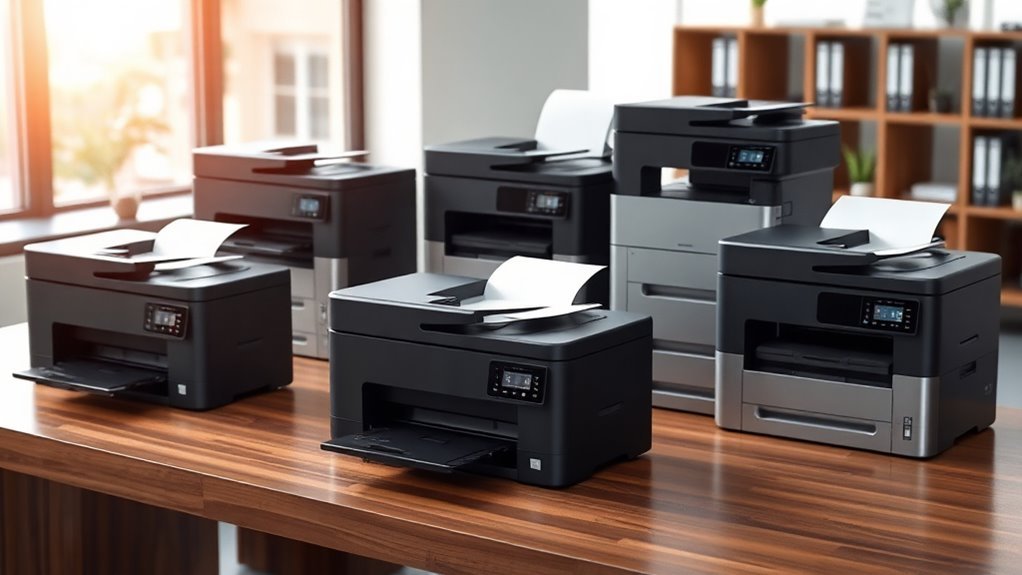
You’ll find top all-in-one laser monochrome printers for 2027 deliver fast prints, efficient duplex scanning, and strong connectivity. These printers are perfect for anyone looking to boost productivity without compromising quality. Whether you’re working from home or managing a busy office, having a reliable all-in-one device can make a big difference.
Models like Brother DCP-L2640DW excel in speed and wireless features, while HP LaserJet Pro 3105sdw offers robust security and multi-user support. Canon imageCLASS MF462dw II stands out with expandable paper capacity and a color touchscreen.
Whether you need a compact design or high-volume performance, these options cover diverse needs.
Explore their specs and features to choose the perfect fit for your workspace. With so many great choices, you’re sure to find an all-in-one laser monochrome printer that matches your specific requirements and budget.
| Image | Name | Editor's Rating | Price |
|---|---|---|---|

|
|
||
|
|
||

|
|
||

|
|
Brother DCP-L2640DW Wireless Monochrome Printer
- BEST FOR SMALL BUSINESSES – Engineered for extraordinary productivity, the Brother DCP-L2640DW Monochrome (Black & White) 3-in-1 combines laser printer, scanner, copier...
- FAST PRINTER WITH EFFICIENT SCANNING – Produces documents quickly with print speeds up to 36 ppm(2) and scan speeds up to 23.6/7.9 ipm(3) (black/color). A 50-page auto...
- FLEXIBLE CONNECTION OPTIONS – Easily navigate the changing demands of your business with secure multi-device connectivity via built-in dual-band wireless (2.4GHz...
- BROTHER MOBILE CONNECT APP – Print, scan, and manage your wireless printer anytime, from almost anywhere from your mobile device. Order Brother Genuine Supplies, track...
- CHOOSE BROTHER GENUINE TONER – When it’s time to replace your toner, be sure to choose Brother Genuine TN830 or TN830XL replacement toner. And with Refresh EZ Print...

The Brother DCP-L2640DW is a compact and efficient monochrome laser printer designed to simplify high-volume printing, scanning, and copying tasks. Its fast speeds of up to 36 pages per minute help reduce wait times, making it ideal for busy work environments. The 50-page automatic document feeder streamlines multi-page jobs, cutting down manual effort.
Its small footprint fits neatly into home offices or small workspaces without sacrificing performance. Dual-band wireless and Ethernet connectivity options ensure that you stay connected with ease, while the Brother Mobile Connect app allows you to control print, scan, and copy functions from your mobile device.
Maintenance is straightforward with energy-saving features like automatic duplex printing and toner save mode that help lower running costs. Although it only supports monochrome printing and has a modest 250-sheet paper capacity, its reliable operation and straightforward controls keep your workflow smooth.
This all-in-one printer balances speed, connectivity, and compact design to meet the needs of professionals who require dependable, high-volume black-and-white printing and scanning.
Best for: small businesses and home offices needing a compact, fast, and reliable monochrome all-in-one laser printer for high-volume printing, scanning, and copying.
What We Like:
- Fast print and copy speeds up to 36 ppm with quick first-page output
- 50-page auto document feeder and automatic duplex printing save time and paper
- Dual-band wireless, Ethernet, USB, and mobile app support for versatile connectivity
- Energy-efficient design with toner save mode lowers operating costs
Specification:
| Feature | Details |
|---|---|
| Manufacturer | Brother |
| Dimensions | 14.2 x 14.2 x 7.2 inches (36 x 36 x 18 cm) |
| Weight | 15.4 lbs (7 kg) |
| Color Options | White with black accents |
| Paper Tray Capacity | 250 sheets |
HP LaserJet Pro 3105sdw Monochrome Laser Printer | All-in-One
No products found.
The HP LaserJet Pro 3105sdw offers a reliable solution for small teams needing efficient black-and-white printing. It delivers sharp prints at 1200 x 1200 dpi with speeds up to 33 pages per minute, helping reduce wait times and keep workflows smooth. This multifunction device combines printing, copying, scanning, and faxing, all manageable through a convenient mobile app.
Designed for ease of use, it supports up to seven users and features duplex printing and two-sided scanning to save paper and time. Connectivity options include Wi-Fi, Ethernet, and mobile, ensuring flexible placement in any office environment. The compact design fits well in limited spaces without sacrificing functionality.
Maintenance is straightforward with the included toner cartridge printing approximately 1,000 pages. However, it requires original HP cartridges due to firmware restrictions, which may increase operating costs. Security is also a priority, featuring HP Wolf Pro Security and AI enhancements that improve scanning and printing quality while protecting your data.
Best for: Small and medium-sized business teams needing fast, multifunctional monochrome printing with strong security and easy network access.
What We Like:
- Fast print speeds up to 33 ppm with high-resolution output
- Multifunction capabilities including scan, copy, fax, and mobile app control
- Duplex printing and two-sided scanning for improved efficiency
- Robust security features with HP Wolf Pro Security and AI enhancements
- Flexible connectivity via Wi-Fi, Ethernet, and mobile devices
Specification:
| Feature | Details |
|---|---|
| Manufacturer | HP |
| Dimensions (W x D x H) | 15.5 x 15.2 x 10.5 inches |
| Weight | 18.7 lb (8.5 kg) |
| Color Options | White and Black |
| Print Technology | Monochrome Laser |
| Print Speed | Up to 33 pages per minute |
| Resolution | 1200 x 1200 dpi |
| Paper Capacity | 250 sheets |
Canon imageCLASS MF462dw II – Wireless, Monochrome Duplex Laser Printer
- Monochrome, Wireless, Duplex 4-in-1: Print, scan, copy, fax.
- Fast Print Speeds: Print up to 37 pages per minute and spend less time waiting with a quick first print time of approximately 5 seconds.
- Easy Wireless Setup: Setup your wireless connection and get up and running in just a few steps2
- 5-inch Color Touchscreen: Get the job done quickly with Application Library - an intuitive and easy to use customizable access to the features you use most.
- Mobile Device Printing: Print from your compatible mobile devices using the free Canon PRINT app, Apple AirPrint and Mopria Print Service.
The Canon imageCLASS MF462dw II transforms busy small or home offices with fast, reliable monochrome printing that keeps tasks moving smoothly. Its wireless duplex printing cuts paper use in half and simplifies managing double-sided documents. The multifunction design integrates print, copy, scan, and fax functions in one device, reducing clutter and streamlining workflows.
A 5-inch color touchscreen offers intuitive control, allowing users to customize and access frequent tasks quickly. Mobile printing is seamless with Canon PRINT, Apple AirPrint, and Mopria support, making it easy to print from smartphones or tablets. The automatic duplex ADF handles up to 50 sheets, speeding up multi-page scanning and copying jobs.
Designed for easy maintenance, the printer supports an optional paper cassette to expand capacity up to 900 sheets, minimizing refills during heavy use. Print speeds reach up to 37 ppm, producing the first page in about five seconds, so you won’t wait long for important documents. Its sharp 1200 x 1200 dpi output ensures professional-quality text every time.
While it’s limited to monochrome printing and has a relatively high power consumption of 1250 W, this model’s efficient paper handling and multifunction features make it a practical choice for busy work environments.
Best for: Small or home offices and hybrid work setups needing efficient wireless monochrome printing with duplex functionality.
What We Like:
- Fast printing at up to 37 ppm with quick first-page output
- Multifunction device with print, copy, scan, and fax capabilities
- Easy-to-use 5-inch color touchscreen with customizable tasks
- Automatic duplex ADF for efficient multi-page handling
- Expandable paper capacity up to 900 sheets
Specification:
| Feature | Details |
|---|---|
| Manufacturer | Canon |
| Model | imageCLASS MF462dw II |
| Print Speed | Up to 37 ppm |
| Print Resolution | 1200 x 1200 dpi |
| Paper Capacity | Up to 900 sheets (with optional cassette) |
| Duplex | Automatic duplex printing and scanning |
| Display | 5-inch color touchscreen |
| Connectivity | Wireless, USB (1 port) |
| Power Consumption | 1250 W |
HP LaserJet M234sdw Monochrome Laser Printer | All-in-One
No products found.
Experience efficient monochrome printing designed for small teams with the HP LaserJet M234sdw. This all-in-one printer delivers up to 30 pages per minute, allowing you to complete tasks quickly without sacrificing quality. Its automatic duplex printing helps reduce paper use and speeds up workflows.
Scanning and copying are effortless thanks to the built-in 40-page automatic document feeder and a flatbed scanner. You can handle multiple documents at once, freeing up your time for other priorities. The device’s compact design fits neatly into tight office spaces without clutter.
Connectivity is straightforward with options like dual-band Wi-Fi, Ethernet, USB, and mobile printing through the HP Smart app. It also supports AirPrint and Alexa, enabling flexible printing from various devices and voice commands. This makes it easy to print and scan from anywhere in your workspace.
Maintenance is simple with moderate paper capacity and intuitive controls. While it only supports monochrome printing and has a limited maximum copy volume, its built-in security features and Energy Star certification ensure safe, eco-friendly operation ideal for everyday office needs.
Best for: Small teams of 1–5 users seeking fast, reliable monochrome printing and multifunctional office support.
What We Like:
- Fast print speed with automatic duplex printing
- Multiple connectivity options including mobile and voice support
- Compact design with enhanced security and energy efficiency
Specification:
| Feature | Details |
|---|---|
| Manufacturer | HP |
| Dimensions (W×D×H) | Approx. 15.4 × 14.3 × 10.0 in (39.1 × 36.3 × 25.4 cm) |
| Weight | Approx. 15.8 lb (7.17 kg) |
| Printing Technology | Monochrome Laser |
| Paper Capacity | 150 sheets |
| Connectivity | Dual-band Wi-Fi, Ethernet, USB, Mobile app, AirPrint, Alexa support |
Brother Professional Laser Printer All-in-One MFC-L5915DW
- FAST BUSINESS PRINTING AND COPYING: The Brother MFC-L5915DW business monochrome laser all-in-one printer delivers high-quality output and print and copy speeds of up to...
- LOW-COST OUTPUT: Help reduce operating costs by using the Brother Genuine TN920UXXL ultra high-yield 18,000-page replacement toner cartridge. Includes a Brother Genuine...
- FAST, HIGH-VOLUME SCANNING: The 70-page capacity(3) auto document feeder offers single-pass, two-sided scanning up to 56ipm(4). Features a large document glass for up to...
- FLEXIBLE CONNECTIVITY OPTIONS: Features built‐in Gigabit Ethernet and dual band wireless networking to seamlessly set up and share on your wired.
Experience fast, reliable printing and scanning with the Brother Professional Laser Printer All-in-One MFC-L5915DW. This monochrome laser printer is designed to keep up with high-volume office demands, delivering sharp prints and clear copies at speeds up to 50 pages per minute. Its efficient workflow reduces wait times and boosts productivity.
The MFC-L5915DW simplifies document management with a 70-page auto document feeder that scans double-sided pages at up to 56 images per minute. You can easily handle larger legal-size documents thanks to its spacious document glass. Network connectivity is straightforward with built-in Gigabit Ethernet and dual-band Wi-Fi, supporting smooth sharing across your office.
Maintenance is hassle-free with an included toner cartridge that prints 3,000 pages. For extended use, an ultra high-yield cartridge option provides up to 18,000 pages, lowering your operating costs. While it prints only in black and white, this device excels in speed and reliability for professional environments.
Best for: Businesses and professionals needing a high-speed, versatile monochrome all-in-one printer with robust scanning and network features for busy office settings.
What We Like:
- Rapid printing and copying speeds up to 50 ppm
- Efficient double-sided scanning with 70-page auto document feeder
- Flexible connectivity via Gigabit Ethernet and dual-band Wi-Fi
- Supports legal-size originals on a large document glass
- High-yield toner option reduces frequency of replacements
Specification:
| Feature | Details |
|---|---|
| Manufacturer | Brother |
| Dimensions | Not specified |
| Weight | Not specified |
| Printing Speed | Up to 50 pages per minute |
| Scanning Speed | Up to 56 images per minute |
| Auto Document Feeder | 70 pages |
| Connectivity | Gigabit Ethernet, Dual-band Wi-Fi |
| Supported Document Size | Up to legal size |
| Toner Yield | 3,000 pages (standard), 18,000 pages (high-yield) |
Brother MFC-L2900DW Professional Laser Printer Scanner
- Professional Performance: Elevate your business efficiency with this Brother Genuine laser printer delivering lightning-fast 36 ppm output, crystal-clear monochrome...
- Versatile Connectivity: Take command of your workflow with dual-band wireless (2.4GHz/5GHz), Ethernet, or USB connectivity options, plus seamless mobile printing and...
- Advanced Document Handling: Maximize productivity with the 50-page auto document feeder, automatic duplex printing to save paper, and convenient single-pass two-sided...
- Smart Interface: Navigate effortlessly through printing, scanning, and cloud functions using the responsive 3.5 in touchscreen display, with direct access to popular...
- Energy Efficient: Benefit from an enhanced fuser design that delivers 22% reduction in electricity consumption, faster warm-up times from sleep mode, and automatic duplex...
The Brother MFC-L2900DW is designed to meet the demands of busy office environments with ease. Its fast printing speed of 36 ppm and sharp 1200 x 1200 dpi resolution ensure clear, professional documents without delay. Automatic duplex printing and scanning help reduce paper waste and streamline tasks.
This compact all-in-one device handles high-volume jobs efficiently with a 50-page duplex ADF and a 250-sheet tray. Connecting is simple through dual-band Wi-Fi, Ethernet, or USB, allowing seamless printing and scanning to cloud services. The 3.5-inch touchscreen offers straightforward control, keeping operations smooth and intuitive.
Maintenance is hassle-free thanks to compatibility with high-yield toner cartridges, reducing the frequency of replacements. Its energy-efficient design further lowers power consumption, making it a practical choice for cost-conscious offices. However, it supports only monochrome printing, which may limit use for color needs.
Best for: Small businesses and busy offices requiring fast, reliable monochrome printing, scanning, copying, and faxing in a compact desktop unit.
What We Like:
- Fast 36 ppm print speed with sharp detail and automatic duplex
- Multiple connectivity options including dual-band Wi-Fi and cloud integration
- Efficient paper handling with duplex ADF and 250-sheet tray
- Energy-saving design and support for high-yield toner cartridges
Specification:
| Feature | Details |
|---|---|
| Manufacturer | Brother |
| Dimensions (W×D×H) | 16.1 × 15.7 × 12.7 in |
| Weight | 15.9 lb (7.2 kg) |
| Color Options | Black |
| Print Technology | Monochrome Laser |
Factors to Consider When Choosing an All in One Laser Monochrome Printer
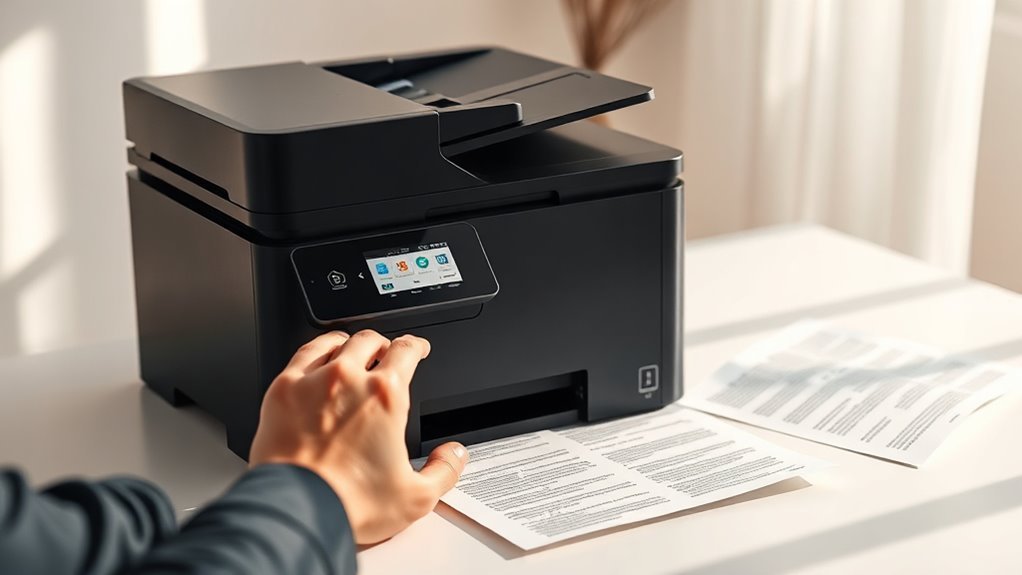
When choosing an all-in-one laser monochrome printer, you’ll want to focus on print speed and quality to match your workload. Check the connectivity options and paper handling capacity to guarantee smooth operation.
Don’t forget to weigh consumables cost, security features, and software capabilities that fit your needs. These factors can really make a difference in your overall experience. So, take your time and pick what works best for you.
Print Speed And Quality
Although print speed often grabs the spotlight, balancing it with quality and device responsiveness guarantees your all-in-one laser monochrome printer meets daily demands efficiently. Match the advertised print speeds, measured in pages per minute (ppm), to your workload: 30–40 ppm suits high-volume offices, while 20–30 ppm works well for small teams.
Don’t overlook first-page-out time—under 10 seconds improves responsiveness for short print jobs. When copying or scanning multi-page documents, consider scanner and ADF throughput (ipm/ppm) to keep up with your document flow.
Evaluate print resolution, aiming for up to 1200 x 1200 dpi for crisp text and fine detail, though lower resolutions speed up jobs and save toner. Finally, make certain the duty cycle and monthly volume align to prevent wear and maintain performance.
Connectivity Options Available
Balancing print speed and quality is only part of the equation—connectivity options play a big role in how smoothly your all-in-one laser monochrome printer fits into your workflow. Look for dual-band Wi-Fi (2.4 GHz and 5 GHz) to reduce interference and boost reliability, especially on crowded networks.
If you work in a multi-user office, an Ethernet port with Gigabit support guarantees stable, fast wired connections. Don’t overlook USB 2.0 or 3.0 ports for direct, hassle-free connections and quicker troubleshooting.
Make certain the printer supports mobile printing standards like AirPrint and Mopria, plus vendor apps, so you can print and scan from your smartphone or tablet effortlessly. And hey, finally, check for cloud and remote management features. These let you print, scan, and monitor your device from anywhere via an app or web interface.
Paper Handling Capacity
Many all-in-one laser monochrome printers offer varied paper handling capacities, so you’ll want to choose one that matches your printing volume and media needs. Look for models with at least a 250-sheet main tray and a 100+ sheet output tray to minimize refill interruptions during large jobs.
Check if the printer includes an automatic document feeder (ADF) with a 40–70 page capacity, especially if you scan or copy multi-page documents frequently. A duplex ADF speeds up two-sided scanning without manual flipping.
Also, verify the presence of a multipurpose tray or bypass slot for envelopes, labels, and specialty media, confirming their size and weight limits. If your workload demands it, consider expandability options for extra paper cassettes or higher total capacity to guarantee uninterrupted printing.
Consumables And Cost
When choosing an all-in-one laser monochrome printer, you’ll want to carefully evaluate consumables and their costs to avoid surprises down the line. Start by calculating the cost per page—divide the toner cartridge price by its rated yield and include the drum unit cost if it’s replaceable separately.
Compare standard and high-yield cartridges; high-yield options usually lower your per-page cost despite a higher upfront price. Don’t forget to take into account subscription or refresh programs, as their billing limits may impact your total expenses.
Also, factor in secondary consumables like drums, imaging units, and fusers, along with their replacement intervals. Finally, look for toner-saving modes and duplex printing features that help reduce toner and paper use, cutting your effective consumables cost over time.
Security And Software Features
Beyond managing consumables and costs, you’ll want to make certain your all-in-one laser monochrome printer offers strong security and software features. Look for firmware-level protections like secure boot, signed firmware, and automatic updates to block malware and unauthorized code.
Device authentication and access controls—such as user accounts, PIN release, LDAP integration, and role-based permissions—help limit who can print or change settings. These features make sure only the right people are in control.
Network security is vital too, so guarantee support for WPA3/WPA2 Enterprise, 802.1X, IPsec/VPN, and isolated Wi-Fi networks. Keeping your network safe means keeping your data safe.
Confirm encrypted data handling via TLS, S/MIME, and optional drive encryption with secure erase. That way, your sensitive info stays protected at all times.
Finally, audit logs, event alerts, and integration with SIEM or management consoles provide monitoring and compliance tools. These help keep your printer secure and your data protected without any hassle.
Frequently Asked Questions
How Does Laser Printing Compare to Inkjet Printing in Cost?
Laser printing usually costs less per page than inkjet because toner lasts longer and cartridges need replacing less often. You’ll spend more upfront on laser printers but save money over time with lower maintenance and supplies.
Are All-In-One Laser Printers Compatible With Mac and Windows?
Yes, most all-in-one laser printers are compatible with both Mac and Windows.
You’ll just need to download the correct drivers from the manufacturer’s website to guarantee smooth installation and functionality on your operating system.
It’s pretty straightforward once you have the right software. Just follow the instructions, and you should be good to go!
What Is the Environmental Impact of Laser Printers?
You might think laser printers waste energy, but they actually use less power than inkjets over time.
Still, their toner cartridges create waste, so you should recycle them to minimize environmental impact and protect the planet.
How Often Should Toner Cartridges Be Replaced?
You should replace toner cartridges when print quality fades or the printer alerts you.
Typically, this happens after printing 2,000 to 5,000 pages, but it really depends on your usage and the cartridge’s capacity.
Can All-In-One Laser Printers Handle Photo Printing?
No, all-in-one laser printers usually can’t handle photo printing well. They’re designed for sharp text and graphics, but photos often lack color richness and detail compared to inkjet printers that specialize in photo quality.
Conclusion
Choosing the right all-in-one laser monochrome printer can feel like finding a trusty companion for your busy workdays. Whether you prioritize speed, wireless convenience, or crisp print quality, one of these top models will fit your needs perfectly.
Don’t settle for less—your productivity deserves a reliable partner. With the right printer by your side, your tasks will flow as smoothly as a well-rehearsed symphony, making every print job a breeze.
When you invest in a quality all-in-one laser monochrome printer, you’re not just getting a device—you’re gaining efficiency, reliability, and convenience. Whether it’s for home office use or a bustling workplace, these printers deliver fast, clear prints and seamless wireless connectivity.
So, if you want to boost your workflow and enjoy hassle-free printing, choosing the best all-in-one laser monochrome printer for 2027 is key. It’s all about finding that perfect balance of speed, quality, and smart features to keep your productivity high and your workday smooth.