10 Best All in One Color Laser Printers for Home Office 2027
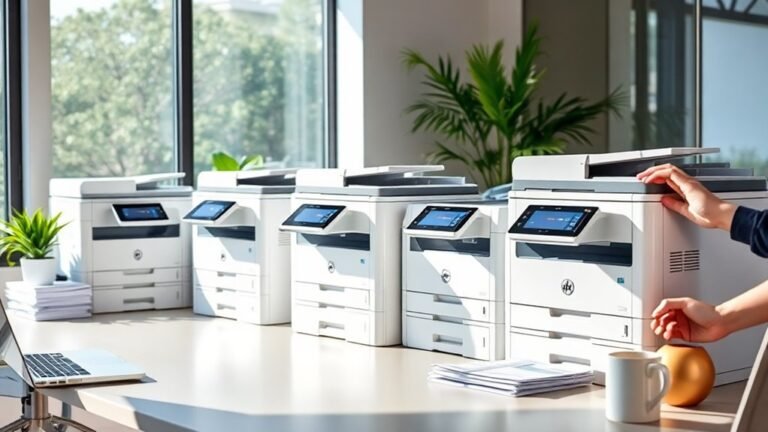
You’ll want a fast, reliable all-in-one color laser printer like the HP Color LaserJet Pro MFP 4301fdw offering up to 35 ppm and seamless duplex printing to boost your home office efficiency. This model is perfect for those needing speed without sacrificing print quality.
Canon models like the MF753Cdw II deliver crisp 1200 x 1200 dpi prints with a user-friendly touchscreen. It’s great for users who want clear, sharp documents and easy navigation.
Meanwhile, Brother’s MFC-L3780CDW stands out with versatile connectivity and sharp 2400 x 600 dpi output. This printer adapts well to various devices, making it a solid choice for multitasking.
Keep going to uncover which features best suit your workflow needs. You’ll find the perfect all-in-one color laser printer to fit your home office setup.
| Image | Name | Editor's Rating | Price |
|---|---|---|---|

|
|
||

|
|
||

|
|
||

|
|
||

|
|
Canon imageCLASS MF662Cdw Wireless Duplex Laser Printer
- Color, Wireless, Duplex 3-in-1: Print, scan, copy.
- Fast Print Speeds: Print up to 26 ppm in both color and monochrome and spend less time waiting with a quick first print time of approximately 10.3 seconds.
- Easy Wireless Setup: Setup your wireless connection and get up and running in just a few steps.
- 5-inch Color Touchscreen: Get the job done quickly with Application Library - an intuitive and easy to use customizable access to the features you use most.
- Mobile Device Printing: Print from your compatible mobile devices using the free Canon PRINT app, Apple AirPrint and Mopria Print Service.

Experience effortless printing with the Canon imageCLASS MF662Cdw, designed to meet the demands of small offices and hybrid work environments. This color laser printer delivers crisp prints at a steady pace of up to 26 pages per minute, streamlining your workflow and reducing wait times.
Its automatic duplex printing cuts paper usage in half, helping you stay eco-friendly and efficient. Wireless connectivity options, including Wi-Fi, Ethernet, and USB, offer flexible setup choices tailored to your workspace. The intuitive 5-inch color touchscreen makes navigating functions quick and straightforward.
Maintenance is simple but requires attention to toner levels, as the starter cartridges yield 500 pages for color and 700 for black before needing replacement. The printer’s compact yet sturdy design holds a 250-sheet paper capacity, balancing space savings with operational readiness.
While it weighs 55.1 pounds and occupies a moderate footprint, the device fits well in dedicated work areas. Its ENERGY STAR certification underscores its energy-efficient performance without sacrificing output quality.
Best for: Small and home offices or hybrid work setups needing a reliable, fast color laser printer with wireless and duplex printing features.
What We Like:
- Consistent print speed of up to 26 ppm with sharp 600 x 600 dpi resolution
- User-friendly 5-inch color touchscreen and mobile printing support
- ENERGY STAR certified with automatic duplex printing
- Robust 250-sheet paper capacity for fewer refills
Specification:
| Feature | Details |
|---|---|
| Manufacturer | Canon |
| Dimensions (W x D x H) | 16.8″ x 18.2″ x 15.7″ |
| Weight | 55.1 lb (25 kg) |
| Print Resolution | 600 x 600 dpi |
| Paper Capacity | 250 sheets |
| Connectivity | Wi-Fi, Ethernet, USB |
| Touchscreen | 5-inch color |
Canon Color imageCLASS MF753Cdw II – All-in-One Color Duplex Laser Printer
- Color, Wireless, Duplex 4-in-1: Print, scan, copy, fax.
The Canon Color imageCLASS MF753Cdw II transforms the way small offices and hybrid teams handle daily printing tasks. Its fast 35 ppm print speed and crisp 1200 x 1200 dpi resolution ensure sharp, professional-quality documents every time. This printer streamlines workflows by supporting automatic duplex printing and scanning, reducing paper waste and saving time.
Designed with user convenience in mind, it features a customizable 5-inch touchscreen for intuitive control. The printer supports multiple connectivity options including Wi-Fi, Ethernet, and USB, allowing seamless integration into various work environments. Its expandable paper capacity, from 250 up to 850 sheets, minimizes interruptions during busy periods.
Maintenance is straightforward, though users should note the starter toner cartridges have a modest yield, which may require earlier replacement. The device is sturdy but relatively heavy, so placement should be planned accordingly. Its solid design balances performance with reliability for demanding office tasks.
Best for: Small and home office users or hybrid work environments needing a fast, reliable all-in-one color laser printer with duplex capabilities and versatile connectivity.
What We Like:
- Sharp 1200 x 1200 dpi print quality at up to 35 ppm speed.
- Automatic duplex printing and scanning with a 50-sheet ADF.
- Flexible connectivity including Wi-Fi, Ethernet, USB, and mobile app support.
- Large, customizable 5-inch touchscreen for easy operation.
- Expandable paper tray up to 850 sheets for extended use.
Specification:
| Feature | Details |
|---|---|
| Manufacturer | Canon |
| Dimensions (W×D×H) | Approx. 17.7 × 18.7 × 14.1 in |
| Weight | 50 lb (22.7 kg) |
| Print Resolution | 1200 x 1200 dpi |
| Print Speed | Up to 35 ppm |
| Paper Capacity | 250 sheets, expandable to 850 |
| Duplex | Automatic print and scan |
| Connectivity | Wi-Fi, Ethernet, USB |
| Touchscreen | 5-inch customizable color LCD |
Brother MFC-L3720CDW Wireless Color Laser Printer
- Professional Performance: Dominate your business printing with this Brother Genuine color laser printer delivering exceptional print speeds up to 19 ppm and stunning...
- Advanced Connectivity: Take command of your workflow with dual-band wireless networking (2.4GHz/5GHz), Wi-Fi Direct, and USB 2.0 interface, enabling multiple users to...
- Productivity Powerhouse: Maximize efficiency with the 50-sheet auto document feeder, 250-sheet adjustable paper tray, and automatic duplex printing, ensuring...
- Smart Integration: Transform your workflow with the intuitive 3.5" color touchscreen featuring 48 customizable shortcuts and direct access to popular cloud services...
- Mobile Command Center: Leverage the power of mobile printing with remote access capabilities, toner level monitoring, and complete printer management directly from your...
Experience seamless productivity with the Brother MFC-L3720CDW Wireless Color Laser Printer. It tackles all your home office needs—printing, scanning, copying, and faxing—quickly and clearly. With speeds of up to 19 pages per minute, it ensures your projects stay on track without delays.
This all-in-one printer offers versatile connectivity options, including dual-band Wi-Fi, USB, and Wi-Fi Direct, making it easy to print from multiple devices. Remote management through the app lets you control tasks without being tethered to your desk. Automatic duplex printing helps save paper, supporting eco-friendly workflows.
Designed for efficiency, the 250-sheet tray and 50-sheet automatic document feeder reduce interruptions during large jobs. The intuitive 3.5″ touchscreen allows you to customize shortcuts, streamlining common tasks and improving daily workflow. Maintenance is straightforward, keeping downtime to a minimum.
While it supports heavy use, the printer’s weight of 44 pounds may limit portability. It consumes up to 500W, which could affect energy costs compared to lighter models. However, its advanced security features protect sensitive documents, offering peace of mind in busy environments.
Best for: small to medium-sized home offices or businesses needing a versatile wireless color laser printer with fast print speeds and efficient document handling.
What We Like:
- Fast printing at 19 ppm with sharp 2400 x 600 dpi color resolution
- Large 250-sheet tray and 50-sheet automatic document feeder for multitasking
- Flexible connectivity via dual-band Wi-Fi, USB, and Wi-Fi Direct
- Easy remote print management through a user-friendly app
- Automatic duplex printing supports paper savings and eco-conscious use
Specification:
| Feature | Details |
|---|---|
| Manufacturer | Brother |
| Dimensions (W x D x H) | Approx. 16.1 x 18.5 x 15.7 in |
| Weight | 44 lb (20 kg) |
| Printing Technology | Wireless Color Laser |
| Print Speed | Up to 19 pages per minute |
| Resolution | 2400 x 600 dpi |
| Paper Capacity | 250-sheet tray, 50-sheet ADF |
| Connectivity | Dual-band Wi-Fi, USB, Wi-Fi Direct |
| Display | 3.5″ Touchscreen |
HP Color LaserJet Pro MFP 3301sdw Printer
- FROM AMERICA'S MOST TRUSTED PRINTER BRAND – Perfect for small teams printing, scanning and copying professional-quality color documents and reports. Print speeds up to...
- PROFESSIONAL PRODUCTIVITY – Proficiency with every print—next-generation TerraJet toner brings your business to life with more vivid colors.
- ORIGINAL HP TONER CARTRIDGES – This HP printer uses Original HP 218A standard and 218X high yield LaserJet toner cartridges.
- UPGRADED FEATURES – Fast color printing, scan, copy, auto 2-sided printing, auto document feeder, and a 250-sheet input tray.
- AWARD-WINNING RELIABILITY – Performance you can count on page after page, and always ready for the high demands of business.
Experience efficient, high-quality color printing with the HP Color LaserJet Pro MFP 3301sdw. Designed for small teams and home offices, this all-in-one printer simplifies daily tasks by combining printing, scanning, and copying in one sleek device. Its wireless setup and auto document feeder save time and reduce hassle.
This printer delivers sharp, vibrant color documents at speeds up to 26 pages per minute, helping you meet deadlines without sacrificing quality. The 250-sheet input tray supports moderate print volumes, perfect for typical office demands. Using HP’s Original 218A and 218X toner cartridges ensures consistent, vivid colors thanks to TerraJet technology.
Maintenance is straightforward with firmware updates that keep your printer secure and running smoothly. However, note that it only supports HP cartridges with embedded chips, which may limit options for third-party or refilled cartridges.
Trust the HP Color LaserJet Pro MFP 3301sdw to streamline your workflow with reliable performance and professional results.
Best for: Small teams and home office professionals needing a fast, dependable color all-in-one printer for everyday business documents.
What We Like:
- Sharp, vibrant color output at up to 26 ppm
- Wireless all-in-one design with easy scanning and copying
- Auto document feeder for multitasking convenience
- Consistent print quality using Original HP 218A/218X cartridges
- Firmware updates enhance security and compatibility
Specification:
| Feature | Details |
|---|---|
| Manufacturer | HP |
| Dimensions | Approx. 16.5 x 15.5 x 12 inches |
| Weight | Around 30 lbs (13.6 kg) |
| Color Options | White with gray accents |
| Input Tray Capacity | 250 sheets |
HP Color LaserJet Pro 3304fdw | Color Laser Printer | Wireless | All-in-One
- FROM AMERICA'S MOST TRUSTED PRINTER BRAND – Perfect for office teams creating professional-quality color documents and reports. Auto 2-sided printing/scanning, auto...
- SIMPLIFY SCAN TO EMAIL – Save time when scanning documents to email. HP AI automatically generates smart subject lines, file names, and actionable summaries to...
- BLAZING FAST COLOR – Up to 26 color pages per minute, with sharp details and incredible color
- STAYS CONNECTED – Reliable Wi-Fi automatically reconnects to stay online and ready to print
- PROTECTS YOUR DATA – Includes HP Wolf Pro Security with customizable settings so your printer and information are always secure
If your workspace demands a reliable all-in-one solution, the HP Color LaserJet Pro 3304fdw offers a balanced mix of speed and precision. Designed to streamline printing, scanning, copying, and faxing tasks, it helps teams stay productive without hassle. Its clear and sharp output at 600 x 600 dpi ensures documents look professional every time.
This printer saves time with automatic two-sided printing and scanning, reducing paper use while boosting efficiency. Handling up to 250 sheets, it minimizes interruptions for refills. Connectivity is simple, supporting Wi-Fi, Ethernet, and USB, plus mobile printing via the HP app or Apple AirPrint for flexible, wireless use.
Maintenance is straightforward, though users should be mindful that firmware updates may restrict use of third-party cartridges. The device weighs 37.7 pounds, making it sturdy but less portable. Overall, its robust security features and easy setup make it an ideal choice for small offices needing dependable color laser printing.
Best for: Small to medium businesses or work teams of up to seven users needing an efficient, versatile all-in-one color laser printer with wireless connectivity and robust security.
What We Like:
- Fast print speed of up to 26 pages per minute with sharp 600 x 600 dpi resolution
- Automatic two-sided printing and scanning with a large 250-sheet paper capacity
- Multiple connectivity options including Wi-Fi, Ethernet, USB, and mobile printing apps
- Robust security features that help protect sensitive information
- Easy setup and user-friendly interface for quick integration into workflows
Specification:
| Feature | Details |
|---|---|
| Manufacturer | HP |
| Dimensions | Not specified |
| Weight | 37.7 lb (17.1 kg) |
| Print Technology | Color Laser |
| Print Resolution | 600 x 600 dpi |
| Connectivity | Wi-Fi, Ethernet, USB, Mobile Printing Apps |
Canon Color imageCLASS MF665Cdw – Wireless, All-in-One Duplex Laser Printer

- Color, Wireless, Duplex 4-in-1: Print, scan, copy, fax.
- Fast Print Speeds: Print up to 26 ppm in both color and monochrome and spend less time waiting with a quick first print time of approximately 10.3 seconds.
- Easy Wireless Setup: Setup your wireless connection and get up and running in just a few steps.
- 5-inch Color Touchscreen: Get the job done quickly with Application Library - an intuitive and easy to use customizable access to the features you use most.
- Mobile Device Printing: Print from your compatible mobile devices using the free Canon PRINT app, Apple AirPrint and Mopria Print Service.
The Canon Color imageCLASS MF665Cdw is designed to streamline your home office tasks. Its wireless all-in-one feature lets you print, scan, copy, and fax easily, reducing the need for multiple devices. You can handle both color and monochrome documents without hassle.
This printer speeds up your workflow with a quick 26 pages per minute print rate and a first page out in just over 10 seconds. The 50-sheet duplex automatic document feeder simplifies double-sided scanning, saving you time and effort. Paper handling is flexible with a 250-sheet cassette plus a multipurpose tray for various sizes.
Maintenance is straightforward, though toner replacements can be an investment. The 5-inch touchscreen offers simple, customizable controls. Mobile printing through the Canon PRINT app or Apple AirPrint keeps you connected without wires, enhancing convenience.
Its compact design fits well in small spaces, and eco-conscious users will appreciate its ENERGY STAR and EPEAT Silver certifications. However, it’s best suited for moderate volume, as very high printing demands may exceed its optimal use.
Best for: Small businesses and home offices needing a versatile, fast, and eco-friendly color laser printer with wireless connectivity and duplex capabilities.
What We Like:
- Fast print speed of up to 26 ppm with quick first-page output
- All-in-one functions including duplex print and scan
- User-friendly 5-inch touchscreen for easy operation
- Wireless and mobile printing support for convenience
- Eco-friendly certifications for sustainable use
Specification:
| Feature | Details |
|---|---|
| Manufacturer | Canon |
| Dimensions (W×D×H) | 17.9 × 18.5 × 16.9 in |
| Weight | 52.9 lb |
| Printing Technology | Color Laser |
| Connectivity | Wireless, USB |
| Paper Capacity | 250-sheet cassette + multipurpose tray |
| Duplex Printing | Yes |
| Touchscreen | 5-inch color |
Brother MFC-L8930CDW Color Laser All-in-One Printer

- Updated design, professional results. High-quality output with sharp color and black printing. Fast print and copy speeds up to 33ppm(1) help boost productivity. Reliable...
- Maximize printing budgets. Offers built-in value with included Brother Genuine 3,000-page black and 1,800-page color standard yield toner cartridges. Help lower printing...
- Advanced scanning. High-speed, two-sided scanning up to 104ipm(3) with 80-page auto document feeder(4) and legal-size glass. Scan to cloud, email, SharePoint, and more...
- Productivity-enhancing features. Flexible connectivity, including built-in dual-band (2.4GHz / 5GHz) wireless networking and Gigabit Ethernet networking. 7” color...
- Triple Layer Security. Advanced security features to help keep devices secure, protect documents in transit to and from print devices, and safeguard networks. Includes an...
Experience efficient, high-quality color printing with the Brother MFC-L8930CDW, designed to meet the demands of busy home offices and small workgroups. Its compact design saves valuable space without compromising on performance, delivering sharp color and black prints at speeds up to 33 pages per minute.
This all-in-one printer simplifies multitasking with a 7-inch touchscreen that offers scan previews and customizable shortcuts. The 80-page automatic document feeder handles two-sided scanning quickly, reducing time spent on repetitive tasks. Connectivity is seamless through built-in dual-band Wi-Fi, Gigabit Ethernet, and an NFC card reader, providing both flexibility and security.
Maintenance is straightforward, though standard-yield toner cartridges may require replacement more often unless higher-yield options are chosen. Despite a slightly higher upfront cost, the device supports eco-conscious offices with energy-efficient operation and sustainable packaging.
Best for: small to medium home offices and workgroups needing fast, reliable color printing with advanced scanning and security capabilities.
What We Like:
- Space-saving compact design with fast print speeds
- Large touchscreen with scan preview and shortcut customization
- Multiple connectivity options including dual-band Wi-Fi and NFC card reader
Specification:
| Feature | Details |
|---|---|
| Manufacturer | Brother |
| Dimensions (W×D×H) | Approximately 16.1″×18.7″×15.7″ (41×47.5×40 cm) |
| Weight | Around 36.3 lbs (16.5 kg) |
| Color Options | White |
| Connectivity | Dual-band Wi-Fi, Gigabit Ethernet, NFC card reader |
HP Color LaserJet Pro MFP 4301fdw | Color Printer | Wireless | All-in-One

- EVERYTHING SMALL TEAMS NEED – Print, scan and copy professional-quality color documents and reports plus fax. Auto 2-sided printing and auto document feeder for fast...
- BLAZING FAST COLOR – Up to 35 color pages per minute, with sharp details and incredible color
- STAYS CONNECTED – Intelligent Wi-Fi looks for the best connection to stay online and ready to print
- PROTECTS YOUR DATA – Includes HP Wolf Pro Security with customizable settings so your printer and information are always secure
- PRINT FROM ANY DEVICE – Wireless printing from any mobile device, PC or tablet. Ethernet and Bluetooth included. Works with Microsoft, Mac, AirPrint, Android...
Experience reliable efficiency with the HP Color LaserJet Pro MFP 4301fdw, an all-in-one solution tailored for small teams and home offices. It simplifies your workflow by combining printing, scanning, copying, and faxing in one compact device. This printer ensures smooth operation with fast print speeds of up to 35 pages per minute in black and 33 pages per minute in color.
Designed to reduce manual tasks, it supports automatic duplex printing, saving paper and time. The dual 150-sheet trays accommodate various media sizes, minimizing interruptions. Connectivity options like Wi-Fi, Bluetooth, and Ethernet allow seamless printing from mobile devices or PCs, enhancing flexibility and convenience.
Maintenance is straightforward with starter cartridges included, though note these have lower page yields. The printer requires original HP cartridges featuring chip technology, which helps maintain print quality but restricts third-party cartridge use. Security is robust thanks to HP Wolf Pro Security, protecting your data during wireless operations.
With its clean white design, this printer fits neatly into any workspace. Its combination of speed, versatility, and security helps you focus on productive tasks without frequent interruptions or concerns about data safety.
Best for: Small teams and home offices that need a fast, versatile color laser printer with secure wireless connectivity.
What We Like:
- Fast print speeds with automatic duplex printing
- Multiple connectivity options including Wi-Fi, Bluetooth, and Ethernet
- All-in-one functions: print, scan, copy, fax
- Strong security features through HP Wolf Pro Security
Specification:
| Feature | Details |
|---|---|
| Manufacturer | HP |
| Model | Color LaserJet Pro MFP 4301fdw |
| Dimensions (W×D×H) | Compact design |
| Weight | Not specified |
| Color | White |
| Print Speed | Up to 35 ppm (black), 33 ppm (color) |
| Paper Trays | 2 × 150-sheet trays |
| Connectivity | Wi-Fi, Bluetooth, Ethernet |
Canon imageCLASS MF652Cw Wireless Color Laser Printer

- Wireless 3-in-1 (print, scan, copy)
- Print up to 22 pages per minute (CL/BW), with first print out in approximately 10.3 seconds
- Uses Canon Genuine Toner 067 / 067 high capacity
- Print on-the-go using a variety of mobile apps, including the Canon PRINT app using your compatible mobile device
- 250-sheet standard cassette, 1-sheet multipurpose tray
Experience reliable, high-quality printing with the Canon imageCLASS MF652Cw Wireless Color Laser Printer. This printer is designed to keep your small or medium-sized business productive with fast output speeds of up to 22 pages per minute. It delivers sharp, vibrant prints at 1200 x 1200 dpi resolution, ensuring every document looks professional.
The printer supports multiple connection types, including wireless, Ethernet, and USB, plus mobile printing through the Canon PRINT app. This flexibility helps you print from virtually anywhere in your workspace. A 5-inch color touchscreen makes navigating settings straightforward and efficient.
Maintenance is simple with a 250-sheet paper capacity that reduces frequent refilling. It also scans and copies, adding versatility to your office tasks. However, duplex printing requires manual intervention, which may slow down double-sided jobs. Additionally, copy runs are limited to 10 copies per session.
Energy efficiency is considered with ENERGY STAR certification, balancing performance with eco-conscious operation. The compact design fits well in home office setups or small workspaces without compromising functionality.
Best for: Small to medium-size businesses and home offices requiring a versatile wireless color laser printer with scanning and copying features.
What We Like:
- Quick printing at up to 22 ppm for both color and monochrome documents
- Crisp, vibrant prints with 1200 x 1200 dpi resolution and rich 24-bit color
- Multiple connectivity options including Wi-Fi, Ethernet, USB, and mobile printing
- User-friendly 5-inch color touchscreen for easy control
- ENERGY STAR certified for energy-efficient operation
Specification:
| Feature | Details |
|---|---|
| Manufacturer | Canon |
| Printer Type | Wireless Color Laser Printer |
| Print Speed | Up to 22 pages per minute |
| Print Resolution | 1200 x 1200 dpi |
| Color Depth | 24-bit |
| Connectivity | Wi-Fi, Ethernet, USB, Mobile |
| Paper Capacity | 250 sheets |
| Display | 5-inch color touchscreen |
| Copy Limit | 10 copies per session |
| Duplex Printing | Manual |
| Energy Certification | ENERGY STAR |
Brother MFC-L3780CDW Wireless Digital Color All-in-One Printer

- Best for Small Businesses: The Brother MFC L3780CDW small business printer is a wireless multi-function digital color printer with copy, scan, and fax functionalities...
- AMPLIFY YOUR PROFESSIONAL DOCUMENTS. This Brother laser printer provides the consistent performance of laser-quality digital color printing
- MAXIMIZE EFFICIENCY WITH ALL-IN-ONE FUNCTIONALITY. This Brother all in one printer has print speeds up to 31 ppm(1) and scan speeds up to 29/22 ipm(2) (black/color) with...
- RELIABLE RESULTS WITH BROTHER GENUINE TONER. Choose Brother Genuine TN229 Standard Yield, TN229XL High Yield, or TN229XXL Super High Yield for your Brother printer...
- Flexible Connection Options: Brother laser color printer has built-in dual band wireless (2.4GHz / 5GHz)(5), Gigabit Ethernet, and Wi-Fi Direct connections, plus a USB...
The Brother MFC-L3780CDW wireless all-in-one printer is designed to simplify your daily office tasks. It combines printing, copying, scanning, and faxing into one compact device, saving valuable space and reducing clutter. Its wireless functionality allows for flexible placement, freeing you from tangled cables and limited desk arrangements.
This printer delivers fast output with speeds up to 31 pages per minute and sharp 2400 x 600 dpi resolution. Automatic duplex printing and scanning help reduce paper waste while boosting efficiency. The intuitive 3.5” touchscreen makes navigating functions straightforward, even for users new to multifunction printers.
Maintenance is straightforward with ENERGY STAR compliance signaling energy efficiency, though the printer’s 660-watt power consumption is on the higher side. Paper capacity meets standard needs but may require additional trays for larger workloads. Connectivity options such as dual-band Wi-Fi, NFC, Ethernet, and USB support seamless integration into most office environments.
Overall, the Brother MFC-L3780CDW balances performance with convenience, making it a practical choice for busy small businesses or home offices needing reliable, versatile printing solutions.
Best for: Small businesses and home offices requiring a versatile, wireless all-in-one color laser printer that enhances productivity with easy connectivity and efficient operation.
What We Like:
- Fast printing at up to 31 ppm with high-quality resolution
- Automatic duplex functions save time and reduce paper usage
- Multiple connectivity options including dual-band Wi-Fi and NFC
- User-friendly 3.5” touchscreen interface for easy control
Specification:
| Feature | Details |
|---|---|
| Manufacturer | Brother |
| Dimensions | Compact (exact size not provided) |
| Weight | Not specified |
| Color Options | Standard color model |
| Connectivity | Dual-band Wi-Fi, NFC, Ethernet, USB |
| Print Speed | Up to 31 ppm |
| Print Resolution | 2400 x 600 dpi |
Factors to Consider When Choosing an All in One Color Laser Printer for Home Office
When choosing an all-in-one color laser printer for your home office, you’ll want to focus on print quality and speed to keep your work efficient. Make sure it offers the right connectivity options and paper handling capacity to fit your setup.
Also, consider the multifunction features and how cost-effective the consumables are for long-term use. These factors can really make a difference in your daily workflow and expenses.
Print Quality and Speed
You’ll often find that print quality and speed are the most essential factors when choosing an all-in-one color laser printer for your home office. Look for a printer with at least 600 x 600 dpi resolution to guarantee sharp text and vibrant color details.
Check the pages-per-minute (ppm) rating, aiming for 20–35 ppm to match your typical workload without sacrificing efficiency. Consider the first-page-out time if you handle frequent small jobs; printers that deliver a page in under 10 seconds minimize wait times.
Pay attention to color accuracy and depth for professional-looking charts or client documents. Also, choose a model with selectable print-quality settings so you can switch between draft and high-quality modes, balancing speed and output clarity as needed.
Connectivity Options Available
To connect your all-in-one color laser printer seamlessly with your devices, understanding the available connectivity options is key. Wi-Fi, including dual-band 2.4 GHz/5 GHz, lets you print wirelessly from multiple devices and mobile apps without cables.
Wi-Fi Direct is handy when no network’s available, enabling direct connections. Ethernet offers a reliable, low-latency wired option, perfect for shared printers in busy home offices.
USB ports allow direct connection to one computer or USB drive for straightforward printing and updates. Mobile printing standards like Apple AirPrint and Mopria simplify printing from smartphones and tablets without extra drivers.
Plus, cloud and app connectivity let you print remotely, scan to email or cloud, and send jobs from outside your local network, enhancing flexibility and convenience. It really makes printing on the go a breeze!
Paper Handling Capacity
After setting up your printer’s connectivity, it’s important to make certain how much paper it can handle to keep your workflow smooth. Check the standard input tray capacity—usually between 150 and 250 sheets—to match your monthly print volume and reduce frequent refills.
See if a multipurpose tray or manual feed is included for special media like envelopes or cardstock, noting its sheet capacity to avoid interruptions. If you scan or copy multi-page documents often, look for an automatic document feeder (ADF) with at least 50-sheet capacity.
Consider whether the printer supports expandable paper capacity through extra cassettes, especially if your volume may grow. Finally, verify supported paper sizes and media weights to prevent jams and make certain reliable feeding every time.
Multifunction Features Included
When choosing an all-in-one color laser printer for your home office, think about which multifunction features you really need. Most models combine printing, scanning, and copying. Faxing is usually optional and might need a phone line.
Check if the scanner has an automatic document feeder (ADF). Also, see if it supports single-pass duplex scanning to speed up two-sided, multi-page jobs.
Make sure the copier offers variable copy quantities and scaling. Find out whether the scanner produces searchable PDFs with OCR or saves files in various formats for an easy workflow.
Take a look at the flatbed size and ADF capacity. This will help you match your typical document sizes and batch volumes.
Finally, confirm that network and mobile scanning or printing options are supported. That way, you can smoothly integrate the device with your home-office setup.
Consumables and Cost Efficiency
Evaluate the true cost of running your color laser printer by comparing cartridge yields with their prices to find the most cost-effective options. Calculate cost-per-page by dividing each cartridge’s page yield by its retail price. Prioritize high-yield cartridges since they generally reduce expenses.
Remember, color printing uses four consumables—cyan, magenta, yellow, and black—so frequent color jobs increase replacement frequency and overall cost.
Check if your printer requires OEM chips or firmware-locked cartridges. This can limit third-party or refill options and affect long-term costs.
Don’t overlook additional replaceable parts like the imaging drum, transfer belt, and fuser. Their replacement intervals add to maintenance expenses.
Consider subscription or auto-ship programs to manage monthly spending. You can save with high-yield versus standard cartridge choices based on your typical printing volume.
Warranty and Support
Although choosing a color laser printer with impressive features is important, you should also pay close attention to its warranty and support options to protect your investment and minimize downtime in your home office. Check the warranty length and type—whether it’s a one-year or multi-year limited warranty—to know how long defects are covered.
Also, verify available support channels like phone, live chat, or onsite service, and their hours, so you get timely help when you need it. Confirm coverage for consumables, parts, and firmware updates, which are usually supported for 2–3 years.
Make sure to review clear details on what’s covered, any exclusions, and potential costs to avoid surprises later on. Finally, consider extended warranty plans that offer replacements or priority service. They can reduce interruptions and keep your workflow running smoothly.
Frequently Asked Questions
How Do Color Laser Printers Compare to Inkjet Printers in Print Quality?
You’ll find color laser printers deliver sharper text and faster prints, while inkjets excel at vibrant photos with smoother gradients.
It really depends on what you need—choose laser for documents, inkjet for detailed, colorful images.
What Is the Average Lifespan of an All-In-One Color Laser Printer?
You can expect an all-in-one color laser printer to last around 5 to 7 years with regular use.
Proper maintenance and timely replacement of parts will help you extend its lifespan and keep it running smoothly. It’s kind of like giving your printer a little tune-up now and then to keep it happy.
Are Color Laser Printers Energy Efficient for Home Office Use?
Yes, color laser printers can be energy efficient for your home office, especially models with Energy Star certification. They use less power during printing and offer sleep modes, helping you save on electricity without sacrificing quality.
Plus, these features make it easy to keep your energy use in check even if you print frequently. So, if you’re looking for a reliable printer that won’t spike your energy bills, a color laser printer is definitely worth considering.
Can These Printers Handle Printing on Specialty Media Like Labels or Cardstock?
You can print on specialty media like labels or cardstock with these printers, as long as you check their specs. They handle various materials like artists wielding brushes, but always test to avoid paper jams or smudges.
It’s a good idea to run a quick test print first. That way, you’ll catch any issues before doing a big batch. Plus, checking the printer’s manual can give you tips on the best settings for different media types.
What Are the Typical Maintenance Costs for Color Laser Printers?
You’ll typically spend on toner replacements, drum units, and occasional cleaning kits. Maintenance costs vary, but expect $100 to $300 annually, depending on usage and printer model.
Regular upkeep helps avoid costly repairs later. It’s definitely worth staying on top of it to keep your printer running smoothly!
Conclusion
Choosing the right all-in-one color laser printer means balancing speed with quality, affordability with features, and reliability with ease of use. You want a printer that works seamlessly, prints vibrantly, and connects effortlessly.
Whether you prioritize wireless convenience, duplex printing, or compact design, the perfect printer fits your unique home office needs. Trust your instincts, compare your options, and pick a printer that empowers your productivity.
An all-in-one color laser printer for your home office should enhance your workflow and elevate your workday. By focusing on speed, print quality, and user-friendly features, you ensure you get the best value. Remember, the best all-in-one color laser printer combines efficiency, vibrant output, and smart functionality tailored to your workspace.