9 Best All-in-One Laser Printer Scanner Copiers for 2027
You want an all-in-one laser printer that’s fast, reliable, and suits your office needs in 2027. Finding the best all-in-one laser printer scanner copier can make a huge difference in your daily workflow. Whether you need speedy monochrome printing or vibrant color output, there are plenty of options to choose from.
Consider models like the Canon MF462dw II for speedy monochrome printing and expandable paper capacity. Or, if you want high-res color output, the Canon MF753Cdw II is a solid pick. Looking for compact wireless options? The HP M140w and Brother DCP-L2640DW fit the bill perfectly.
For vibrant color printing combined with strong security features, check out the HP Color LaserJet Pro 3301sdw. Keep exploring to discover which printer fits your workflow best and makes your office tasks easier.
| Image | Name | Editor's Rating | Price |
|---|---|---|---|

|
|
||

|
|
||

|
|
||

|
|
||

|
|
Brother DCP-L2640DW Wireless Monochrome Printer
- BEST FOR SMALL BUSINESSES – Engineered for extraordinary productivity, the Brother DCP-L2640DW Monochrome (Black & White) 3-in-1 combines laser printer, scanner, copier...
- FAST PRINTER WITH EFFICIENT SCANNING – Produces documents quickly with print speeds up to 36 ppm(2) and scan speeds up to 23.6/7.9 ipm(3) (black/color). A 50-page auto...
- FLEXIBLE CONNECTION OPTIONS – Easily navigate the changing demands of your business with secure multi-device connectivity via built-in dual-band wireless (2.4GHz...
- BROTHER MOBILE CONNECT APP – Print, scan, and manage your wireless printer anytime, from almost anywhere from your mobile device. Order Brother Genuine Supplies, track...
- CHOOSE BROTHER GENUINE TONER – When it’s time to replace your toner, be sure to choose Brother Genuine TN830 or TN830XL replacement toner. And with Refresh EZ Print...

The Brother DCP-L2640DW is designed for users who need efficient, high-volume black-and-white printing without hassle. Its fast printing speed of up to 36 ppm helps reduce wait times, making it ideal for busy small businesses or home offices. The quick 8.5-second first-page output means you can start your tasks promptly.
This compact 3-in-1 printer combines printing, copying, and scanning in one device. The 50-sheet automatic document feeder and 250-sheet paper tray reduce frequent paper refills and simplify multitasking. Wireless and wired connectivity options, including dual-band Wi-Fi and Ethernet, allow easy job management from multiple devices.
Maintenance is straightforward with the Brother Mobile Connect app, which also helps monitor supplies and manage print jobs remotely. The printer’s ENERGY STAR certification and eco-friendly features like automatic duplexing and toner save mode support sustainable operation.
While it only supports monochrome printing and has a modest paper capacity, its reliable performance and simple design keep office workflows smooth and efficient.
Best for: Small businesses and home offices needing a fast, reliable, monochrome multifunction printer for high-volume black-and-white tasks.
What We Like:
- Fast print and copy speed up to 36 ppm with quick first-page output
- Multiple connectivity options including dual-band wireless and Ethernet
- Eco-friendly features such as ENERGY STAR certification and toner save mode
- Compact design with a 3-in-1 function (print, copy, scan)
- Easy maintenance through the Brother Mobile Connect app
Specification:
| Specification | Details |
|---|---|
| Manufacturer | Brother |
| Dimensions (W×D×H) | 16.1 × 15.7 × 12.1 inches |
| Weight | 16.5 lb (7.5 kg) |
| Color Options | White |
| Connectivity | Dual-band Wi-Fi, Ethernet, USB |
HP Laserjet MFP M140w Wireless Printer
- FROM AMERICA'S MOST TRUSTED PRINTER BRAND – Perfect for small teams printing, scanning and copying professional-quality black & white documents and reports. Perfect for...
- WORLD'S SMALLEST LASER IN ITS CLASS – Precision laser printing, scanning, and copying that fits anywhere
- FAST PRINT SPEEDS – Up to 21 black-and-white pages per minute single-sided
- WIRELESS WITH SELF-RESET – Helps you stay connected
- EASILY COPY ID CARDS AND MORE – Copy both sides of ID cards or other small-size documents onto the same side of one sheet of paper
The HP Laserjet MFP M140w offers a smart solution for small teams and individuals who need a compact, efficient wireless printer. Its smallest-in-class design fits easily into limited spaces, making it ideal for tight office setups. This printer handles everyday black-and-white printing tasks quickly, delivering up to 21 pages per minute with clear, high-quality output.
Beyond printing, the M140w simplifies document management by allowing fast scanning and copying. It supports copying both sides of ID cards onto a single page, saving time and paper. Wireless connectivity lets you print seamlessly from mobile devices, PCs, and tablets using the HP Smart app, compatible with major platforms like Microsoft, Mac, AirPrint, Android, and Chromebook.
Maintenance is straightforward with original HP cartridges that include security features to protect your printer. However, it only supports black-and-white printing and requires genuine HP cartridges, which may limit options and cause occasional issues if non-HP cartridges are used.
Best for: small teams or individuals needing a compact, reliable wireless laser printer for black-and-white documents.
What We Like:
- Compact size saves valuable workspace
- Fast, high-quality black-and-white printing
- Wireless printing and scanning via HP Smart app
- Easy ID card copying on a single page
Specification:
| Feature | Details |
|---|---|
| Manufacturer | HP |
| Dimensions (W×D×H) | 15.4 × 14.0 × 9.1 inches |
| Weight | 14.1 lb (6.4 kg) |
| Color Options | White |
HP LaserJet Pro 3105sdw Monochrome Laser Printer | All-in-One
No products found.
The HP LaserJet Pro 3105sdw delivers fast, sharp monochrome printing that keeps your business moving. Print up to 33 pages per minute at a crisp 1200 x 1200 dpi resolution, ensuring every report and document looks professional. Its compact design fits neatly on any desk without sacrificing performance.
This all-in-one printer simplifies daily tasks by combining printing, copying, scanning, and faxing. The easy-to-use HP app streamlines workflows, letting you manage jobs from your mobile device or computer. Duplex printing saves paper and time, while the 250-sheet tray handles busy workloads efficiently.
Maintenance is straightforward, but note that the printer requires original HP cartridges due to firmware authentication. This ensures quality output but limits toner options. Secure connectivity options include Wi-Fi, Ethernet, and USB, protected by HP Wolf Pro Security to keep your data safe.
Designed for small to medium businesses, the LaserJet Pro 3105sdw supports team productivity with reliable, multifunction capabilities built for daily use without hassle.
Best for: Small and medium businesses or work teams needing fast, professional-quality monochrome printing with multifunction capabilities and secure connectivity.
What We Like:
- Fast print speed with sharp 1200 x 1200 dpi resolution
- Multifunction all-in-one device with easy app control
- Secure, versatile connectivity including Wi-Fi and Ethernet
- Duplex printing for efficient paper use
- Compact and lightweight design
Specification:
| Feature | Details |
|---|---|
| Manufacturer | HP |
| Dimensions (W×D×H) | 16.4 × 15.3 × 12 inches (41.7 × 38.9 × 30.5 cm) |
| Weight | 23 lbs (10.4 kg) |
| Color | Monochrome (black and white) |
| Paper Tray Capacity | 250 sheets |
HP Color LaserJet Pro MFP 3301sdw Printer
- FROM AMERICA'S MOST TRUSTED PRINTER BRAND – Perfect for small teams printing, scanning and copying professional-quality color documents and reports. Print speeds up to...
- PROFESSIONAL PRODUCTIVITY – Proficiency with every print—next-generation TerraJet toner brings your business to life with more vivid colors.
- ORIGINAL HP TONER CARTRIDGES – This HP printer uses Original HP 218A standard and 218X high yield LaserJet toner cartridges.
- UPGRADED FEATURES – Fast color printing, scan, copy, auto 2-sided printing, auto document feeder, and a 250-sheet input tray.
- AWARD-WINNING RELIABILITY – Performance you can count on page after page, and always ready for the high demands of business.
Experience vibrant color printing tailored for small teams with the HP Color LaserJet Pro MFP 3301sdw. This all-in-one printer combines fast, reliable performance with mobile-friendly features to keep your office running smoothly. It tackles busy workloads by delivering up to 26 pages per minute in black and 30 pages per minute in color.
The printer’s auto duplex printing saves paper and time, while the flatbed scanner simplifies copying tasks. Connectivity is seamless, offering Wi-Fi, Ethernet, and USB options, plus mobile printing through the HP app for added convenience. Its compact design supports versatile paper handling with a 250-sheet tray to handle various office documents.
Maintenance is straightforward but requires using Original HP 218A or 218X toner cartridges with embedded chips. Firmware updates ensure compatibility but may limit third-party cartridge use. The next-generation TerraJet toner enhances color vibrancy, and HP Wolf Pro security safeguards sensitive data throughout your print jobs.
With its robust features and built-in security, the HP Color LaserJet Pro MFP 3301sdw is designed to meet the demands of busy small offices while keeping operations efficient and secure.
Best for: small teams and offices needing fast, vibrant color printing with mobile connectivity and built-in security features.
What We Like:
- Fast print speeds with automatic duplexing for efficient workflows
- Multiple connectivity options including Wi-Fi and mobile printing
- Next-gen TerraJet toner delivers consistent, vivid colors
- HP Wolf Pro security protects sensitive information
- Easy-to-use flatbed scanner for versatile document handling
Specification:
| Feature | Details |
|---|---|
| Manufacturer | HP |
| Dimensions | Not specified |
| Weight | 37.7 lb (17.1 kg) |
| Color Options | Not specified |
| Paper Tray Capacity | 250 sheets |
| Connectivity | Wi-Fi, Ethernet, USB, Mobile app |
Canon Color imageCLASS MF753Cdw II – All-in-One Color Duplex Laser Printer
- Color, Wireless, Duplex 4-in-1: Print, scan, copy, fax.
Experience fast, high-quality color printing designed to enhance your productivity. The Canon Color imageCLASS MF753Cdw II delivers crisp 1200 x 1200 dpi resolution at speeds up to 35 ppm. This makes it ideal for busy offices needing reliable output without sacrificing detail.
Its one-pass duplex printing and 50-sheet duplex automatic document feeder simplify double-sided printing and scanning. These features reduce manual effort and save valuable time during multi-page tasks. Built-in fax adds an extra layer of convenience for comprehensive communication needs.
With versatile connectivity options including Wi-Fi, Ethernet, USB, and mobile printing via Canon’s app, this model fits seamlessly into hybrid or home office setups. The 5-inch customizable touchscreen makes navigating functions straightforward, improving workflow efficiency.
The printer’s compact design suits small to medium-sized workspaces but weighs 50 lb, which might limit easy relocation. Starter toner yields are moderate, so frequent replacements could be necessary in high-volume environments. Paper capacity is standard but can be expanded if needed.
Best for: Small to medium-sized offices and hybrid work environments requiring fast, high-quality color printing with versatile all-in-one functionality.
What We Like:
- Sharp 1200 x 1200 dpi resolution for vibrant color and crisp text
- One-pass duplex printing and scanning for efficient multitasking
- Multiple connectivity options including mobile printing support
- Intuitive 5-inch touchscreen for easy operation
- Compact design fits limited workspace environments
Specification:
| Feature | Details |
|---|---|
| Manufacturer | Canon |
| Dimensions (WxDxH) | Approx. 18.5 x 19.3 x 17.7 in |
| Weight | 50 lb (22.7 kg) |
| Color Options | White/Gray |
| Printing Technology | Color Duplex Laser |
HP LaserJet MFP M235sdw | Monochrome | Laser Printer | All-in-One | Duplex
- FROM AMERICA'S MOST TRUSTED PRINTER BRAND – Perfect for offices printing, scanning and copying black & white brochures, business documents and presentations. Perfect...
- FASTEST TWO-SIDED PRINTING IN ITS CLASS – Up to 28 black-and-white pages per minute single-sided. Quickly finish multipage print projects with the fastest in-class...
- DUAL-BAND WI-FI WITH SELF-RESET – Automatically detects and resolves connectivity issues
- STRONG SECURITY – Built-in security features help protect your printer from potential attacks
- PRINT FROM ANY DEVICE – Wireless printing from any mobile device, PC or tablet. Ethernet included. Works with Microsoft, Mac, AirPrint, Android, Chromebook and more.
Experience efficient printing with the HP LaserJet MFP M235sdw, designed to streamline tasks in your home or small office. This monochrome laser all-in-one printer delivers sharp text and graphics at 28 pages per minute, helping you complete jobs quickly without sacrificing quality.
The built-in automatic duplex printing reduces paper use and saves time by printing on both sides effortlessly. An automatic document feeder ensures smooth scanning and copying, allowing you to handle multi-page documents with ease. Its compact design fits neatly into tight spaces while maintaining powerful functionality.
Connectivity is flexible and reliable with dual-band Wi-Fi featuring a self-reset function, alongside Ethernet and USB options. This keeps your devices connected seamlessly and minimizes downtime. The 150-sheet input tray balances capacity with a manageable size, making paper refills straightforward.
Maintenance is simple, with energy-efficient operation and secure printing features that protect sensitive information. The HP LaserJet MFP M235sdw offers a practical solution for users needing dependable monochrome printing with versatile connectivity and duplex capability.
Best for: Home users and small offices (1–5 people) requiring a reliable, fast monochrome laser all-in-one printer with duplex and versatile connectivity.
What We Like:
- Fast printing at 28 pages per minute with clear 600 x 600 dpi resolution
- Automatic duplex printing and document feeder for efficient workflows
- Dual-band Wi-Fi with self-reset plus Ethernet and USB connectivity
- Compact, energy-efficient design suitable for small spaces
Specification:
| Feature | Details |
|---|---|
| Manufacturer | HP |
| Model | LaserJet MFP M235sdw |
| Printing Technology | Monochrome Laser |
| Print Speed | Up to 28 ppm |
| Resolution | 600 x 600 dpi |
| Duplex Printing | Automatic |
| Connectivity | Dual-band Wi-Fi, Ethernet, USB |
| Input Tray Capacity | 150 sheets |
| Dimensions (W x D x H) | Compact (exact size not specified) |
| Color | Monochrome |
Canon imageCLASS MF462dw II – Wireless, Monochrome Duplex Laser Printer
- Monochrome, Wireless, Duplex 4-in-1: Print, scan, copy, fax.
- Fast Print Speeds: Print up to 37 pages per minute and spend less time waiting with a quick first print time of approximately 5 seconds.
- Easy Wireless Setup: Setup your wireless connection and get up and running in just a few steps2
- 5-inch Color Touchscreen: Get the job done quickly with Application Library - an intuitive and easy to use customizable access to the features you use most.
- Mobile Device Printing: Print from your compatible mobile devices using the free Canon PRINT app, Apple AirPrint and Mopria Print Service.
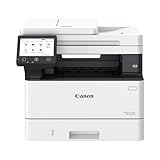
The Canon imageCLASS MF462dw II is designed to boost productivity in small offices with fast and reliable wireless monochrome printing. It delivers sharp, clear prints at up to 37 pages per minute, helping you meet tight deadlines without sacrificing quality. The first page prints quickly, so you won’t waste time waiting.
This multifunction printer combines print, copy, scan, and fax in one compact device. Its 5-inch color touchscreen makes navigation simple, while the one-pass duplex automatic document feeder handles up to 50 sheets for efficient double-sided scanning. Paper capacity is flexible, starting at 350 sheets and expandable to 900, reducing frequent refills.
Maintenance is straightforward, and mobile printing is supported via Canon PRINT, AirPrint, and Mopria, allowing seamless connectivity with smartphones and tablets. The monochrome laser design focuses on crisp text output, although it lacks color printing. Weighing 44 pounds, it’s sturdy but less portable.
Best for: Small and home offices or hybrid work environments needing fast, reliable wireless monochrome printing with multifunction capabilities.
What We Like:
- Fast print speed of up to 37 ppm with sharp 1200 x 1200 dpi resolution
- Efficient one-pass duplex ADF for double-sided scanning of up to 50 sheets
- Expandable paper capacity up to 900 sheets for less frequent refills
- Easy mobile printing with Canon PRINT, AirPrint, and Mopria
- Intuitive 5-inch color touchscreen for smooth operation
Specification:
| Feature | Details |
|---|---|
| Manufacturer | Canon |
| Dimensions (W x D x H) | Approximately 16.5 x 17.7 x 15.5 inches |
| Weight | 44 lbs (20 kg) |
| Printing Technology | Monochrome Duplex Laser |
| Print Speed | Up to 37 pages per minute |
| Print Resolution | 1200 x 1200 dpi |
| Paper Capacity | 350 sheets (expandable to 900) |
| Duplex Scanning | One-pass duplex ADF, 50 sheets |
| Connectivity | Wireless, USB (one port) |
Brother MFC-L3720CDW Wireless Color Laser Printer

- Professional Performance: Dominate your business printing with this Brother Genuine color laser printer delivering exceptional print speeds up to 19 ppm and stunning...
- Advanced Connectivity: Take command of your workflow with dual-band wireless networking (2.4GHz/5GHz), Wi-Fi Direct, and USB 2.0 interface, enabling multiple users to...
- Productivity Powerhouse: Maximize efficiency with the 50-sheet auto document feeder, 250-sheet adjustable paper tray, and automatic duplex printing, ensuring...
- Smart Integration: Transform your workflow with the intuitive 3.5" color touchscreen featuring 48 customizable shortcuts and direct access to popular cloud services...
- Mobile Command Center: Leverage the power of mobile printing with remote access capabilities, toner level monitoring, and complete printer management directly from your...
Experience smooth and efficient printing with the Brother MFC-L3720CDW, designed to keep your workflow uninterrupted. This wireless color laser printer delivers sharp, laser-quality prints at speeds up to 19 pages per minute, helping you meet tight deadlines with ease. Its compact design fits well in small offices, maximizing space without sacrificing performance.
Managing documents is straightforward thanks to the 50-sheet auto document feeder and a 250-sheet adjustable paper tray. Automatic duplex printing reduces paper waste and saves time by printing on both sides without manual intervention. The dual-band Wi-Fi and Wi-Fi Direct enable quick, hassle-free connections to multiple devices, enhancing productivity.
The 3.5-inch color touchscreen simplifies operation with 48 customizable shortcuts and direct cloud access. Maintenance is convenient with remote mobile printing and toner monitoring through the companion app, allowing you to stay on top of supplies and print tasks wherever you are. While the USB 2.0 interface may feel dated, it complements the wireless options well.
Best for: Small to medium-sized businesses or home offices requiring fast, dependable color laser printing with versatile wireless and mobile management capabilities.
What We Like:
- Consistent laser-quality prints at up to 19 ppm speed
- Dual-band Wi-Fi and Wi-Fi Direct for flexible device connections
- User-friendly 3.5″ color touchscreen with customizable shortcuts
- Automatic duplex printing for efficient paper use
- Remote monitoring and mobile printing via companion app
Specification:
| Feature | Details |
|---|---|
| Manufacturer | Brother |
| Dimensions (W x D x H) | 16.1 x 18.7 x 15 inches |
| Weight | 32.6 lbs (14.8 kg) |
| Color Options | White with black accents |
| Connectivity | Dual-band Wi-Fi, Wi-Fi Direct, USB 2.0 |
HP Color LaserJet Pro MFP 4301fdw | Color Printer | Wireless | All-in-One

- EVERYTHING SMALL TEAMS NEED – Print, scan and copy professional-quality color documents and reports plus fax. Auto 2-sided printing and auto document feeder for fast...
- BLAZING FAST COLOR – Up to 35 color pages per minute, with sharp details and incredible color
- STAYS CONNECTED – Intelligent Wi-Fi looks for the best connection to stay online and ready to print
- PROTECTS YOUR DATA – Includes HP Wolf Pro Security with customizable settings so your printer and information are always secure
- PRINT FROM ANY DEVICE – Wireless printing from any mobile device, PC or tablet. Ethernet and Bluetooth included. Works with Microsoft, Mac, AirPrint, Android...
The HP Color LaserJet Pro MFP 4301fdw is designed to streamline printing tasks for small teams or home offices. It delivers fast, high-quality color and black prints, helping users save time on everyday documents. The sharp 607 x 600 dpi resolution ensures clear, professional output, ideal for presentations and reports.
This all-in-one device goes beyond printing. It offers automatic two-sided printing, scanning, copying, and faxing, reducing the need for multiple machines. Wireless and wired connectivity options, including Wi-Fi, Bluetooth, Ethernet, and USB, provide flexible setup and easy sharing among users.
Maintenance is straightforward with a 300-sheet capacity across two trays, minimizing paper refills during busy periods. However, it requires original HP cartridges with firmware enforcement, which may affect running costs. The device’s power consumption is relatively high at 585 watts, an important consideration for energy-conscious users.
Security is a strong focus, with HP Wolf Pro Security protecting sensitive data. Setup is quick, allowing users to focus on their work without disruptions. The printer’s balanced design supports efficient workflows and keeps small office environments productive.
Best for: Small teams or home offices with up to 10 users needing efficient, secure, and versatile color printing, scanning, copying, and faxing.
What We Like:
- Fast printing speeds with sharp resolution
- Multiple connectivity options including wireless and wired
- All-in-one functionality simplifies office tasks
- Strong security features protect sensitive information
Specification:
| Feature | Description |
|---|---|
| Manufacturer | HP |
| Dimensions | Not specified |
| Weight | Not specified |
| Print Speed | Up to 35 ppm black, 33 ppm color |
| Resolution | 607 x 600 dpi |
| Paper Capacity | 300 sheets (two trays) |
| Connectivity | Wi-Fi, Bluetooth, Ethernet, USB |
| Power Consumption | 585 watts |
Factors to Consider When Choosing an All in One Laser Printer Scanner Copier
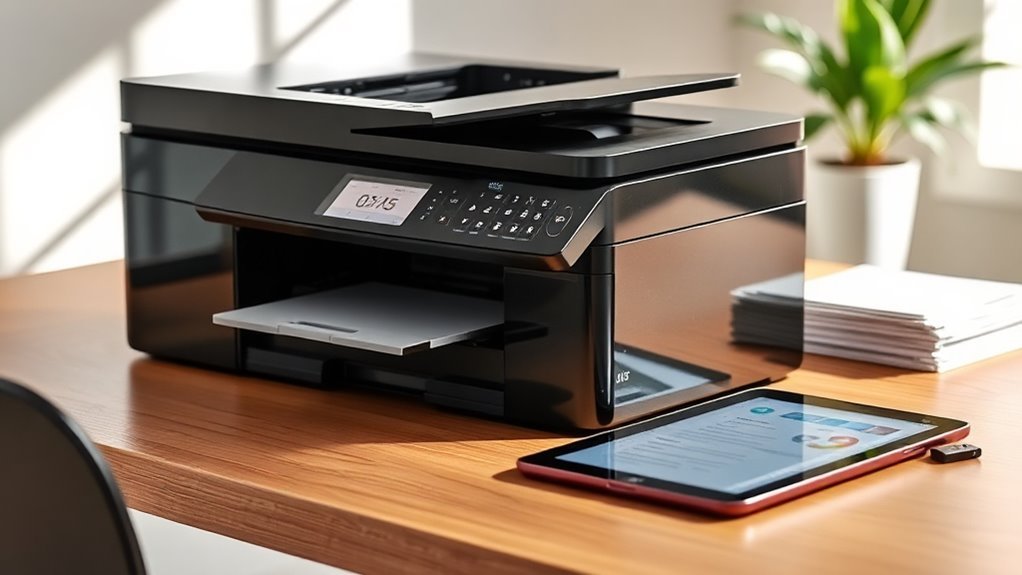
When choosing an all-in-one laser printer, you’ll want to focus on print speed and quality to match your workload. Don’t forget to check connectivity options and paper handling capacity to keep things running smoothly.
Also, consider maintenance needs and security features to protect your investment and data. It’s all about finding the right balance that fits your day-to-day tasks without any hiccups.
Print Speed And Quality
Because print speed and quality directly impact your productivity and output appearance, you should prioritize them when choosing an all-in-one laser printer. Check the rated print speeds in pages per minute (ppm) for both single-sided and duplex jobs—higher speeds, like 30+ ppm, cut down wait times on big print runs.
Also, look at the first-page-out time (FPOT); a shorter FPOT keeps you moving during frequent, small jobs. For sharp text and smooth graphics, compare maximum print resolutions—1200 x 1200 dpi outperforms 600 x 600 dpi.
If scanning plays a big role, consider scanner speeds (images per minute) and duplex automatic document feeders to boost throughput. Remember, high-quality or toner-saving modes will slow ppm, so balance your need for crisp output with desired speed.
Connectivity Options Available
To get the most out of your all-in-one laser printer, you’ll want to make sure it offers versatile connectivity options that fit your workflow. Look for dual-band Wi-Fi (2.4 GHz and 5 GHz) and Ethernet support to guarantee stable networking, especially in busy environments.
Wireless direct or Wi-Fi Direct plus mobile-printing protocols like AirPrint and Mopria let you print and scan straight from smartphones or tablets without a router. Pretty handy, right?
USB ports with host support enable direct printing from flash drives or connection to a PC. If multiple users need access, prioritize built-in Ethernet and secure network features like WPA3 and user authentication to protect your data.
Cloud and app-based features also streamline remote management and mobile workflows, so check for those capabilities. They make managing your printer way easier, no matter where you are.
Paper Handling Capacity
Connectivity options help you get your documents where they need to go, but handling the paper efficiently keeps your workflow smooth. Start by checking the input tray capacity to match your typical print volume—small-office all-in-ones usually hold 150–250 sheets, reducing how often you need to refill.
Don’t overlook output tray limits, typically 100–250 sheets, so you won’t need to clear them constantly during big jobs. An automatic document feeder (ADF) that supports 30–50 sheets and duplex scanning can speed up two-sided originals.
Also, consider if the printer has a multipurpose or bypass tray for envelopes, labels, or heavier media, avoiding paper swapping. If you expect growth, look for expandable options with extra cassettes to increase total sheet capacity.
Consumables And Maintenance
When choosing an all-in-one laser printer, paying attention to consumables and maintenance can save you time and money in the long run. Start by checking toner yield and available high-yield cartridges—they cut your cost per page and reduce how often you replace cartridges.
Know if the printer uses a separate drum unit or a combined drum/toner system; separate drums need less frequent replacement but add maintenance steps. Be aware if the printer enforces cartridge authentication or firmware checks that might block third-party or refilled cartridges, limiting your options.
Look for features like automatic duplexing, toner-save modes, and eco print settings to lower toner and paper use. Finally, consider the availability and cost of replacement parts plus warranty terms to avoid unexpected expenses and downtime.
Security Features Included
Although all-in-one laser printers offer convenience, their security features are essential for protecting sensitive data and preventing unauthorized access. Look for built-in network security like firewalls, secure boot, and encrypted storage to guard device firmware and stored scans.
Make sure the printer supports secure printing methods such as PIN or pull-printing and user authentication via LDAP or SSO to control who releases sensitive jobs. It’s all about keeping your information in the right hands.
Verify that the scanner encrypts transmissions using TLS/SSL and secures scanning-to-email or cloud with proper authentication. This helps keep your scanned documents safe while they’re being sent.
Check for firmware update mechanisms that use signed, verified updates to keep vulnerabilities at bay. Staying up to date is key when it comes to security.
Finally, consider audit logs and configurable user permissions to track activity and spot potential security issues early on. It’s a smart way to keep an eye on what’s happening with your printer.
Frequently Asked Questions
How Do I Recycle Toner Cartridges Responsibly?
You can recycle toner cartridges responsibly by returning them to the manufacturer’s program, dropping them off at local recycling centers, or using mail-back services.
Don’t toss them in the trash—they contain harmful chemicals you should handle carefully.
It’s really important to choose one of these options to keep those chemicals from harming the environment.
Plus, many manufacturers even offer incentives or free shipping for recycling. It’s a simple way to do your part!
What Is the Average Lifespan of Laser Printer Drums?
Laser printer drums typically last between 10,000 to 50,000 pages, depending on usage, quality, and maintenance. You’ll want to monitor print quality and replace drums when they start to fade.
Cleaning regularly can also help extend your drum’s lifespan effectively. Just keep an eye on how your prints look, and don’t wait too long to swap out the drum when needed.
Can These Printers Support Mobile Printing Apps?
Yes, these printers usually support mobile printing apps, letting you print directly from your smartphone or tablet.
You’ll find compatibility with popular apps like Apple AirPrint, Google Cloud Print, and manufacturer-specific solutions for convenience.
It’s pretty handy when you’re on the go and need to get something printed quickly. Just connect and print—no fuss!
Are There Energy-Saving Modes Available?
Yes, you’ll find energy-saving modes on these printers that reduce power consumption during idle times. You can usually customize settings to balance performance and efficiency.
This helps you save energy without sacrificing print quality or speed. It’s a great way to be eco-friendly and keep your bills lower too.
How Often Should Maintenance Be Performed on These Printers?
You should perform maintenance as often as you enjoy unexpected paper jams and blurry prints—so, pretty frequently.
Seriously, checking monthly and cleaning parts regularly keeps your printer running smoothly and saves you headaches down the line.
Conclusion
You might worry that all-in-one laser printers are too complex or pricey, but they actually simplify your tasks and save money long-term. With options for both color and monochrome, wireless connectivity, and duplex printing, you’ll find a model that fits your needs perfectly.
Investing in one means less hassle and more productivity, whether for home or office use. Don’t let worries hold you back—these printers are designed to make your life easier. All-in-one laser printer scanner copiers combine multiple functions in one device, saving space and time.
They are perfect for anyone looking to streamline their workflow without breaking the bank. So, whether you need to print, scan, or copy documents, these versatile machines have got you covered. Choosing one of the best all-in-one laser printer scanner copiers for 2027 ensures you get reliability and efficiency in one package.