9 Best All-in-One Monochrome Laser Printers for 2027
You’ll want a fast, reliable all-in-one monochrome laser printer that fits your space and budget. Finding the best all-in-one monochrome laser printer for 2027 means balancing speed, features, and cost. Whether you’re printing documents at home or handling office workloads, the right printer can make a big difference.
The Brother DCP-L2640DW and MFC-L2820DW offer compact designs with solid speeds up to 36 ppm. They’re great if you need something that won’t take up much room but still performs well.
For higher volume, check out the Brother MFC-L5915DW’s 50 ppm and large ADF. Canon’s MF465dw II and MF462dw II shine with duplex ADFs and touchscreens, making scanning and copying easier than ever.
HP models bring great connectivity but limit cartridge choices. Keep going, and you’ll uncover which model best suits your workflow and needs.
| Image | Name | Editor's Rating | Price |
|---|---|---|---|

|
|
||

|
|
||

|
|
||
|
|
||

|
|
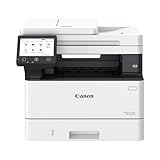
Brother DCP-L2640DW Wireless Monochrome Printer
- BEST FOR SMALL BUSINESSES – Engineered for extraordinary productivity, the Brother DCP-L2640DW Monochrome (Black & White) 3-in-1 combines laser printer, scanner, copier...
- FAST PRINTER WITH EFFICIENT SCANNING – Produces documents quickly with print speeds up to 36 ppm(2) and scan speeds up to 23.6/7.9 ipm(3) (black/color). A 50-page auto...
- FLEXIBLE CONNECTION OPTIONS – Easily navigate the changing demands of your business with secure multi-device connectivity via built-in dual-band wireless (2.4GHz...
- BROTHER MOBILE CONNECT APP – Print, scan, and manage your wireless printer anytime, from almost anywhere from your mobile device. Order Brother Genuine Supplies, track...
- CHOOSE BROTHER GENUINE TONER – When it’s time to replace your toner, be sure to choose Brother Genuine TN830 or TN830XL replacement toner. And with Refresh EZ Print...

The Brother DCP-L2640DW is a compact and efficient solution for those who need dependable monochrome printing without compromising space. Designed for small businesses and home offices, this 3-in-1 laser printer combines printing, copying, and scanning in one device. It helps streamline daily tasks by offering quick output and easy maintenance.
Its fast print speed of up to 36 pages per minute means you spend less time waiting for documents. The 50-page auto document feeder supports multitasking, allowing you to scan or copy multiple pages in one go. The printer’s wireless and Ethernet connectivity options make remote printing simple and convenient.
Maintenance is straightforward with this model. Its design minimizes downtime, and the ENERGY STAR certification ensures it operates efficiently, reducing energy consumption. While it only prints in black and white, this focused functionality meets the needs of users who prioritize speed and reliability over color output.
Best for: small businesses and home offices needing a compact, high-speed monochrome all-in-one printer with wireless connectivity.
What We Like:
- Fast print and copy speeds up to 36 ppm with quick first-page output
- Multiple connectivity options including dual-band wireless and Ethernet
- Easy maintenance and energy-efficient operation with ENERGY STAR compliance
Specification:
| Feature | Details |
|---|---|
| Manufacturer | Brother |
| Dimensions (W×D×H) | 16.1 × 14.4 × 7.2 in |
| Weight | 15.7 lb (7.1 kg) |
| Color | White and Gray |
| Connectivity | Dual-band Wi-Fi, Ethernet, USB |
Brother MFC-L2820DW Wireless Monochrome Laser Printer
- BEST FOR SMALL OFFICES – Combining space-saving efficiency and premium monochrome (black & white) print quality with affordability, the Brother MFC-L2820DW delivers...
- EFFICIENT PRINTING & SCANNING – Produces black & white documents quickly with print speeds up to 36 ppm(2) and scan speeds up to 23.6/7.9 ipm(3) (bk/cl). A 50-page auto...
- FLEXIBLE CONNECTION OPTIONS – Securely connect to multiple devices with built-in dual-band wireless (2.4GHz / 5GHz), Ethernet, or connect locally to a single computer...
- 2.7" TOUCHSCREEN – The intuitive 2.7” touchscreen enables effortless navigation with the added ability to print-from and scan-to popular Cloud-based apps such as...
- BROTHER MOBILE CONNECT APP – Print, scan, and manage your wireless printer anytime, from almost anywhere from your mobile device. Order Brother Genuine Supplies, track...
Looking for a compact all-in-one printer that simplifies your busy workflow? The Brother MFC-L2820DW is designed to handle printing, scanning, copying, and faxing with ease. Its fast print speed of up to 36 ppm and sharp 1200 x 1200 dpi resolution ensure clear, professional results every time.
This printer supports wireless connectivity through dual-band Wi-Fi, Ethernet, and USB, allowing flexible placement in your workspace. The 250-sheet paper tray and 50-page automatic document feeder make multitasking smoother and reduce the need for frequent refills.
Maintenance is straightforward with this model. Automatic duplex printing saves paper, while cloud integration with services like Google Drive streamlines document management. Its compact design fits well in small offices or home environments without taking up much space.
While it only prints in monochrome, this laser printer excels in delivering fast, reliable black-and-white documents. Keep in mind that its power consumption is on the higher side, which may be a consideration for energy-conscious users.
Best for: Small offices or home users needing a reliable, fast, and compact all-in-one monochrome laser printer with wireless connectivity and multifunction capabilities.
What We Like:
- Fast printing at up to 36 pages per minute with sharp resolution
- Multiple connectivity options including dual-band Wi-Fi and Ethernet
- Efficient 250-sheet tray and 50-page automatic document feeder
- Automatic duplex printing for paper saving
- Cloud service integration for easy document access
Specification:
| Feature | Details |
|---|---|
| Manufacturer | Brother |
| Dimensions (W x D x H) | 16.1 x 15.7 x 12.7 inches |
| Weight | 18.7 lb (8.5 kg) |
| Printing Technology | Monochrome Laser |
| Connectivity | Dual-band Wi-Fi, Ethernet, USB |
| Paper Capacity | 250-sheet tray, 50-page ADF |
| Display | 2.7-inch touchscreen |
HP LaserJet Pro 3105sdw Monochrome Laser Printer | All-in-One
No products found.
The HP LaserJet Pro 3105sdw offers a practical solution for small businesses and teams looking to streamline their black-and-white printing tasks. Its fast print speed of up to 33 pages per minute and sharp 1200 x 1200 dpi resolution help you create professional documents quickly. This all-in-one device combines printing, copying, scanning, and faxing, reducing the need for multiple machines.
Maintenance is straightforward, but keep in mind the single paper tray holds up to 250 sheets, which might require regular refilling during busy periods. The printer supports duplex two-sided printing and scanning with an automatic document feeder, saving time and paper. Wireless and Ethernet connectivity, along with mobile app control, give you flexibility in how you work.
The 3105sdw’s AI-powered scanning improves efficiency by simplifying repetitive tasks. However, it only prints in monochrome, so it’s not suitable for color printing needs. Firmware updates enforce toner cartridge authentication, which may limit the use of third-party cartridges and affect running costs.
Compact and reliable, this printer is designed to fit into small office environments, providing secure printing with built-in HP security features to protect your data.
Best for: Small businesses and teams needing efficient, high-quality monochrome printing and multifunction capabilities with advanced connectivity.
What We Like:
- Fast 33 ppm print speed with high-resolution output
- Duplex printing and two-sided scanning via automatic document feeder
- Flexible connectivity options including Wi-Fi, Ethernet, and mobile app
- AI-enhanced scanning to streamline workflow
- Compact design ideal for small office spaces
Specification:
| Feature | Details |
|---|---|
| Manufacturer | HP |
| Dimensions | Not specified |
| Weight | Not specified |
| Color | Monochrome (Black & White) |
| Paper Capacity | 250 sheets |
| Print Speed | Up to 33 pages per minute |
| Print Resolution | 1200 x 1200 dpi |
| Connectivity | Wi-Fi, Ethernet, Mobile App |
Canon imageCLASS MF465dw II Wireless Laser Printer
- Monochrome Wireless, Duplex 4-in-1: Print, Scan, Copy, Fax
- Print up to 42 ppm
- Easy Wireless Setup
- 5-inch Touchscreen
- Mobile Device Printing
The Canon imageCLASS MF465dw II transforms your home office or hybrid workspace with efficient, reliable monochrome printing. Its fast 42 ppm print speed and crisp 1200 x 1200 dpi resolution ensure sharp, professional documents every time. This 4-in-1 device simplifies daily tasks by combining printing, copying, scanning, and faxing into one compact unit.
Designed for ease of use, the printer features a 5-inch customizable touchscreen that streamlines operation and settings. Flexible connectivity options include wireless, Ethernet, and USB, along with mobile printing through the Canon PRINT app. This versatility helps keep your workflow smooth, whether you’re in the office or working remotely.
Paper capacity is adaptable, starting with a 250-sheet cassette and 100-sheet multipurpose tray, expandable to 900 sheets. The automatic duplex printing and 50-sheet duplex ADF reduce manual handling and boost productivity. Maintenance is straightforward with high-yield toner options that minimize replacement frequency.
While it offers powerful monochrome output, the printer is limited to black-and-white printing. It also consumes up to 1250 W, reflecting its robust performance but requiring consideration for energy use.
Best for: Small and home offices or hybrid work environments needing fast, reliable monochrome printing with multifunction capabilities and flexible connectivity.
What We Like:
- Fast print speed of up to 42 ppm with clear 1200 x 1200 dpi resolution
- Intuitive 5-inch touchscreen for easy control of all functions
- Expandable paper capacity up to 900 sheets with automatic duplexing
- Versatile connectivity including wireless, Ethernet, USB, and mobile printing
- High-yield toner options reduce maintenance frequency
Specification:
| Feature | Details |
|---|---|
| Manufacturer | Canon |
| Dimensions | Not specified |
| Weight | Not specified |
| Printing Technology | Wireless Laser |
| Print Speed | Up to 42 pages per minute |
| Print Resolution | 1200 x 1200 dpi |
| Functions | Print, Copy, Scan, Fax |
| Display | 5-inch customizable touchscreen |
| Paper Capacity | 250-sheet cassette, 100-sheet multipurpose tray (expandable to 900 sheets) |
| Duplex Printing | Automatic duplex printing |
| ADF Capacity | 50-sheet duplex ADF |
| Connectivity | Wireless, Ethernet, USB, Mobile printing via Canon PRINT app |
HP LaserJet M234sdw Monochrome Laser Printer | All-in-One
No products found.
Experience efficient monochrome printing designed to keep your small team productive. The HP LaserJet M234sdw offers fast, reliable performance that meets the demands of busy office environments. With printing speeds up to 30 pages per minute and clear 600 x 600 dpi resolution, it ensures sharp documents delivered quickly.
This all-in-one printer simplifies multi-tasking with easy scanning and copying functions. Its 40-page auto document feeder and automatic duplex printing reduce manual tasks and help streamline daily workflows. These features minimize interruptions and boost overall efficiency.
Maintenance is straightforward with a 150-sheet capacity that suits moderate print volumes. Connectivity options like dual-band Wi-Fi, Ethernet, USB, and mobile printing through the HP Smart app provide flexible integration with various devices. Built-in security features protect sensitive data while supporting multiple platforms.
While the HP LaserJet M234sdw prints only in monochrome, it excels in delivering crisp black-and-white documents. Power consumption is moderate, so consider office energy needs when choosing this model. Its compact design fits well in small office spaces without sacrificing functionality.
Best for: Small teams of up to five users needing efficient monochrome printing, scanning, and copying in a compact office setting.
What We Like:
- Fast print speed of up to 30 ppm with clear 600 x 600 dpi output
- 40-page auto document feeder and automatic duplex for hands-free operation
- Multiple connectivity options including dual-band Wi-Fi and mobile printing
- Built-in security features to protect office documents
Specification:
| Feature | Details |
|---|---|
| Manufacturer | HP |
| Dimensions (W x D x H) | Approx. 16.9 x 14.9 x 10.7 in |
| Weight | Approx. 18.1 lb (8.2 kg) |
| Color Options | Monochrome (black and white) |
| Print Speed | Up to 30 pages per minute |
| Print Resolution | 600 x 600 dpi |
| Paper Capacity | 150 sheets |
| Connectivity | Dual-band Wi-Fi, Ethernet, USB |
Canon imageCLASS MF462dw II – Wireless, Monochrome Duplex Laser Printer
- Monochrome, Wireless, Duplex 4-in-1: Print, scan, copy, fax.
- Fast Print Speeds: Print up to 37 pages per minute and spend less time waiting with a quick first print time of approximately 5 seconds.
- Easy Wireless Setup: Setup your wireless connection and get up and running in just a few steps2
- 5-inch Color Touchscreen: Get the job done quickly with Application Library - an intuitive and easy to use customizable access to the features you use most.
- Mobile Device Printing: Print from your compatible mobile devices using the free Canon PRINT app, Apple AirPrint and Mopria Print Service.
Experience fast, dependable printing with the Canon imageCLASS MF462dw II, designed to meet the demands of home and hybrid offices. This wireless monochrome laser printer tackles everyday tasks with ease, boosting productivity through sharp 1200 x 1200 dpi output at speeds up to 37 pages per minute.
Its intuitive 5-inch color touchscreen makes navigating copying, scanning, and faxing straightforward. The one-pass duplex automatic document feeder (ADF) enhances efficiency by scanning both sides of a document in a single pass, saving time on multi-page jobs.
Maintenance is simple with ample paper capacity, featuring a 250-sheet cassette and a 100-sheet multipurpose tray. Optional expansion options allow for handling larger workloads without frequent refills. Designed for seamless mobile printing, it supports the Canon PRINT app and AirPrint, enabling easy access from smartphones and tablets.
While it offers only monochrome printing and weighs 44 pounds, its compact footprint fits most office spaces. The single USB port limits wired connections, but wireless options compensate well for versatile setups.
Best for: small and home offices or hybrid work environments needing fast, reliable monochrome printing with scanning, copying, and fax capabilities.
What We Like:
- Sharp 1200 x 1200 dpi output at up to 37 ppm
- Easy-to-use 5-inch color touchscreen and one-pass duplex ADF
- Wireless printing with Canon PRINT app and AirPrint support
- Generous paper capacity with expansion options
Specification:
| Feature | Details |
|---|---|
| Manufacturer | Canon |
| Dimensions (W×D×H) | 16.5 × 15.7 × 12.6 in |
| Weight | 44 lbs (20 kg) |
| Print Technology | Monochrome Laser |
| Connectivity | Wireless, USB |
| Display | 5-inch Color Touchscreen |
Brother MFC-L5915DW Professional Wireless Laser Printer
- FAST BUSINESS PRINTING AND COPYING: The Brother MFC-L5915DW business monochrome laser all-in-one printer delivers high-quality output and print and copy speeds of up to...
- LOW-COST OUTPUT: Help reduce operating costs by using the Brother Genuine TN920UXXL ultra high-yield 18,000-page replacement toner cartridge. Includes a Brother Genuine...
- FAST, HIGH-VOLUME SCANNING: The 70-page capacity(3) auto document feeder offers single-pass, two-sided scanning up to 56ipm(4). Features a large document glass for up to...
- FLEXIBLE CONNECTIVITY OPTIONS: Features built‐in Gigabit Ethernet and dual band wireless networking to seamlessly set up and share on your wired.
Experience smooth handling of demanding office workflows with the Brother MFC-L5915DW Professional Wireless Laser Printer. This machine tackles high-volume printing and scanning with ease, reducing wait times and boosting productivity. Its fast printing speed of up to 50 pages per minute helps keep your tasks on track and your office running efficiently.
The printer’s 70-page auto document feeder supports single-pass, two-sided scanning at 56 images per minute, allowing quick processing of multi-page documents. Large originals up to legal size fit on the spacious document glass, accommodating diverse office requirements without hassle.
Connectivity is straightforward with built-in Gigabit Ethernet and dual-band Wi-Fi, enabling smooth sharing across your network. Maintenance is simplified with the included toner cartridge yielding 3,000 pages, while an optional ultra high-yield cartridge extends this to 18,000 pages, helping reduce downtime and operating costs.
Designed for busy offices that demand reliable, high-volume monochrome printing, this printer streamlines your document management and improves everyday workflow. Its focus on performance and connectivity makes it a dependable choice for professional environments.
Best for: Offices and businesses needing fast, reliable monochrome printing, copying, and scanning with robust network connectivity.
What We Like:
- High-speed printing and copying up to 50 ppm for efficient output
- Single-pass, two-sided scanning boosts multitasking capabilities
- Dual connectivity options: Gigabit Ethernet and dual-band Wi-Fi
- Large document glass supports legal-size originals
- Optional ultra high-yield toner reduces maintenance frequency
Specification:
| Feature | Detail |
|---|---|
| Manufacturer | Brother |
| Dimensions (W x D x H) | 16.1 x 15.7 x 12.5 inches |
| Weight | 22.1 lbs (10.0 kg) |
| Printing Technology | Monochrome Laser |
| Max Print Speed | Up to 50 pages per minute |
| Auto Document Feeder | 70 pages, single-pass duplex |
| Connectivity | Gigabit Ethernet, dual-band Wi-Fi |
| Toner Cartridge Yield | 3,000 pages (standard) |
Brother MFC-L2900DW Professional Wireless Laser Printer

- Professional Performance: Elevate your business efficiency with this Brother Genuine laser printer delivering lightning-fast 36 ppm output, crystal-clear monochrome...
- Versatile Connectivity: Take command of your workflow with dual-band wireless (2.4GHz/5GHz), Ethernet, or USB connectivity options, plus seamless mobile printing and...
- Advanced Document Handling: Maximize productivity with the 50-page auto document feeder, automatic duplex printing to save paper, and convenient single-pass two-sided...
- Smart Interface: Navigate effortlessly through printing, scanning, and cloud functions using the responsive 3.5 in touchscreen display, with direct access to popular...
- Energy Efficient: Benefit from an enhanced fuser design that delivers 22% reduction in electricity consumption, faster warm-up times from sleep mode, and automatic duplex...
The Brother MFC-L2900DW is a reliable solution for small businesses and busy offices needing efficient monochrome printing. It tackles daily printing demands by delivering fast output at 36 pages per minute with crisp 1200 x 1200 dpi resolution. Automatic duplex printing helps reduce paper use, supporting eco-conscious workflows.
Its compact design fits neatly on any desk, saving valuable workspace. The 50-sheet automatic document feeder simplifies two-sided scanning and copying, streamlining document handling. This multifunction printer supports wireless and wired connectivity options, including dual-band Wi-Fi, Ethernet, and USB, ensuring flexible integration into various office setups.
Maintenance is straightforward, with an energy-efficient build and a high-yield toner option that lowers running costs. The 3.5-inch touchscreen offers quick access to functions, while cloud service support and the Brother Mobile Connect app enable convenient remote printing.
While it only prints in black and white and has a modest 250-sheet paper capacity, the MFC-L2900DW meets the needs of high-volume tasks without taking up excessive space.
Best for: Small offices and businesses requiring a compact, fast monochrome all-in-one printer with versatile connectivity.
What We Like:
- Fast 36 ppm printing with clear 1200 x 1200 dpi output
- Automatic duplexing for printing, scanning, and copying
- Multiple connection options: dual-band Wi-Fi, Ethernet, USB, and mobile app
- Compact footprint fits easily on desks
- Energy-efficient design with high-yield toner availability
Specification:
| Feature | Details |
|---|---|
| Manufacturer | Brother |
| Dimensions (W x D x H) | 16.1 x 15.7 x 12.7 inches |
| Weight | 18.3 lbs (8.3 kg) |
| Color | White with black accents |
| Connectivity | Dual-band Wi-Fi, Ethernet, USB |
Canon imageCLASS MF275dw Wireless Monochrome Laser Printer
No products found.
Experience efficient and dependable printing with the Canon imageCLASS MF275dw, designed to meet the demands of busy small and medium businesses. This monochrome laser printer delivers crisp, professional-quality prints at speeds up to 30 pages per minute. Its sharp 2400 x 600 dpi resolution ensures your documents always look clear and polished.
This compact all-in-one device combines printing, scanning, copying, and faxing functions, saving valuable workspace without sacrificing performance. The intuitive 6-line touchscreen LCD makes navigating tasks straightforward, while duplex automatic printing helps reduce paper waste and operating costs.
Connectivity is seamless with options including Wi-Fi, Ethernet, USB, and mobile printing via Canon PRINT Business, Apple AirPrint, or Mopria. The 150-sheet tray and 35-sheet automatic document feeder keep your workflow smooth, minimizing interruptions for paper refills or manual feeding.
Maintenance is simple, with easy toner replacement and energy-efficient operation that meets Energy Star standards. While it only supports monochrome printing, this printer is ideal for offices that prioritize speed, reliability, and versatility in document handling.
Best for: Small and medium-sized businesses needing a fast, multifunction monochrome laser printer with flexible connectivity and efficient paper management.
What We Like:
- Fast printing at up to 30 pages per minute with sharp monochrome output
- Multifunction design combining print, scan, copy, and fax in one device
- Multiple connectivity options including wireless and mobile printing
- Duplex automatic printing reduces paper use
- Compact size fits well in limited office spaces
Specification:
| Feature | Details |
|---|---|
| Manufacturer | Canon |
| Dimensions | Not specified |
| Weight | Not specified |
| Printing Technology | Monochrome Laser |
| Print Speed | Up to 30 pages per minute |
| Print Resolution | 2400 x 600 dpi |
| Paper Tray Capacity | 150 sheets |
| Automatic Document Feeder | 35 sheets |
| Display | 6-line touchscreen LCD |
| Connectivity | Wi-Fi, Ethernet, USB, Mobile Printing (Canon PRINT Business, Apple AirPrint, Mopria) |
| Energy Efficiency | Energy Star certified |
Factors to Consider When Choosing an All in One Laser Printer Monochrome
When choosing an all-in-one monochrome laser printer, you’ll want to focus on print speed and connectivity options to match your workflow. Don’t forget to take into account paper handling capacity and the quality of scanning and copying features.
Plus, duplex printing can save you time and paper, making it a smart feature to have. It’s definitely worth considering if you want to boost efficiency and reduce waste.
Print Speed Importance
Although print speed might seem like a straightforward specification, it plays a pivotal role in how efficiently you handle your printing tasks. If you regularly print large jobs, a higher monochrome speed—30 to 40+ pages per minute—can drastically cut wait times and boost productivity.
Don’t overlook first-page-out time either; a quick start matters when printing small, intermittent jobs, improving responsiveness. Pay attention to both simplex and duplex speeds since automatic two-sided printing can halve paper handling time.
Also, consider how scan and copy speeds, plus the automatic document feeder’s capacity, match the print speed. A fast printer paired with a slow feeder creates bottlenecks.
Finally, verify manufacturer ppm ratings with real-world tests to get an accurate sense of sustained performance and warm-up times. It’s always good to see how the printer performs beyond just the numbers.
Connectivity Options Available
Print speed alone won’t guarantee a smooth printing experience if your connectivity options aren’t up to par. Make sure your all-in-one monochrome laser printer supports dual-band Wi-Fi (2.4 GHz and 5 GHz) and Ethernet to handle busy or interference-prone environments.
You’ll also want built-in Wi-Fi Direct or peer-to-peer printing for mobile devices that don’t join the main network. USB 2.0 or higher guarantees easy direct PC connections and offline setup.
If you print from smartphones, tablets, or cloud storage, verify compatibility with AirPrint, Mopria, or app/cloud scanning and printing. For shared or enterprise use, look for advanced networking features like Gigabit Ethernet, network authentication, and secure printing to keep your data safe and your workflow seamless.
Paper Handling Capacity
Since your printing demands can vary widely, understanding paper handling capacity is essential to choosing the right all-in-one monochrome laser printer. Start by checking the standard paper tray capacity—usually between 150 and 250 sheets. This helps match your daily print volume and minimize refills.
If you often scan or copy multipage documents, look for an automatic document feeder (ADF) with a capacity of 35 to 50 sheets. It can save you a lot of time.
Consider the maximum expandable paper capacity via optional trays if you handle large batch jobs or different media types. Also, don’t forget to verify output tray capacity to avoid jams during high-volume runs.
Finally, make sure the printer supports all necessary media sizes and tray compatibility. That includes legal, envelopes, labels, and cardstock, so you won’t need constant manual adjustments.
Scan And Copy Quality
When you evaluate scan and copy quality, start by checking the scanner’s resolution—higher optical dpi, like 600 x 600, guarantees sharper text and detailed images for tasks like OCR and archiving.
If you often scan multi-page documents, choose a duplex ADF with single-pass two-sided scanning to save time and ensure consistent alignment.
Even in monochrome workflows, pay attention to the scanner’s bit depth to preserve grayscale fidelity, especially for photo or graphic scans.
On the copy side, balance resolution with first-copy-out time to maintain productivity. Look for built-in OCR and image cleanup features like despeckle and auto-crop to enhance legibility and reduce manual editing.
Adjustable scan modes tailored for text, photos, or mixed documents also improve overall scan and copy results. It’s worth taking advantage of these to get the best output for whatever you’re working on.
Duplex Printing Benefits
After ensuring your scans and copies meet quality standards, consider how duplex printing can enhance overall efficiency and sustainability. Automatic duplex printing cuts your paper use roughly in half by producing two-sided documents, lowering both costs and waste.
Duplex scanning with one-pass ADFs doubles workflow efficiency by scanning both sides of multi-page documents in a single pass. Using duplex printing also reduces the physical space needed for storage and filing.
Keep in mind, enabling duplex may slightly increase warm-up and per-job times on some devices, so check duty cycles and throughput if you handle heavy two-sided workloads.
Besides saving resources, duplex printing supports professional output like booklets and manuals. It helps you meet sustainability goals through reduced paper consumption and environmental impact.
Mobile Printing Compatibility
How easily can you print from your smartphone or tablet? Make sure the printer supports common mobile printing standards like AirPrint, Mopria, or native vendor apps so you won’t need to install drivers.
Check for dual-band Wi-Fi (2.4 GHz/5 GHz) and Wi-Fi Direct to guarantee stable connections and simple pairing regardless of your network setup. Also, see if the printer offers mobile scanning and cloud upload features through its app.
That way, managing documents on the go becomes much smoother. Don’t overlook secure mobile printing options such as PIN release or encrypted transmissions to keep your sensitive files safe.
Finally, confirm the companion app lets you remotely manage tasks like checking toner or ordering supplies. And make sure it’s compatible with your device’s OS version for seamless operation.
Energy Efficiency Features
Printing on the go is convenient, but keeping energy costs low benefits both your wallet and the environment. When choosing an all-in-one monochrome laser printer, look for ENERGY STAR certification and EPEAT ratings—they guarantee the device meets strict energy efficiency standards.
Check the printer’s Typical Electricity Consumption (TEC) and power wattage at idle and maximum to compare real-world energy use; lower values mean less ongoing cost. Features like automatic duplex printing and toner-save modes reduce paper and toner use, cutting your overall energy footprint.
Fast first-page-out times and short warm-up periods limit high-power operation during frequent prints. Finally, pick models with quick-activating sleep or deep-sleep modes that consume minimal energy when idle. This way, you save power without sacrificing convenience.
Warranty And Support
When choosing an all-in-one monochrome laser printer, you’ll want to carefully review the warranty terms and support options to avoid unexpected costs. Confirm the length and coverage of the limited warranty—usually one year. Check if it includes parts, labor, and on-site service for critical components like the imaging drum and fuser.
Also, explore available support channels such as phone, live chat, and online resources. Make sure they remain accessible throughout the device’s lifespan.
Verify the availability and lead time for replacement parts and consumables. It’s a good idea to find out whether spare parts are guaranteed for several years.
And don’t forget to ask if firmware updates and security patches are regularly provided. You’ll also want to know if these updates require authenticated supplies.
Finally, understand return, repair, and extended-warranty options. This will help you estimate total support costs over your printer’s expected lifetime.
Frequently Asked Questions
How Do Monochrome Laser Printers Compare to Color Laser Printers?
Monochrome laser printers print faster and cost less per page since they use only black toner. You’ll find them simpler, more reliable, and ideal for text-heavy documents.
Color printers, on the other hand, handle graphics but cost more to maintain. They’re great if you need vibrant images, but expect a higher price tag for upkeep.
What Type of Toner Cartridge Is Best for All-In-One Monochrome Printers?
You’ll want a high-yield, OEM toner cartridge for your all-in-one monochrome printer. It guarantees sharp text, consistent quality, and fewer replacements.
Avoid generic cartridges, as they can cause clogs or poor print results over time. Trust me, sticking with the right toner saves you a lot of hassle down the road.
Can These Printers Handle Heavy-Duty Printing Tasks Efficiently?
Yes, these printers can handle heavy-duty printing efficiently. You’ll find models with high monthly duty cycles and fast print speeds.
This means they keep up with demanding workloads without frequent maintenance or downtime. So, you can rely on them when the printing load gets tough.
Are There Eco-Friendly Features Available in Monochrome Laser Printers?
Yes, you’ll find eco-friendly features like energy-saving modes, duplex printing, and toner-saving options. These help reduce waste and power consumption, making your monochrome laser printer more environmentally responsible without sacrificing performance.
It’s pretty cool how these features work together to save resources. So, you can print what you need while being kind to the planet.
How Secure Are Wireless Connections on All-In-One Laser Printers?
Worried about your data? Wireless connections on all-in-one laser printers are generally secure with WPA3 encryption and firewalls.
You’ll want to keep firmware updated and use strong passwords to protect your network from potential breaches.
It’s a good idea to check for updates regularly. That way, you stay ahead of any security issues before they become a problem.
Conclusion
You might worry that choosing a monochrome laser printer limits your options, but these all-in-one models prove otherwise. They deliver sharp prints, fast speeds, and versatile features like wireless connectivity and scanning, all in one compact device.
Whether you’re working from home or running a small office, these printers save space and boost productivity. So go ahead—pick the right one for you and enjoy hassle-free, high-quality printing without breaking the bank.
With the best all-in-one monochrome laser printers for 2027, you get reliable performance packed in a sleek design. These printers offer everything you need—from crisp text to efficient workflows. They’re perfect for anyone looking to combine printing, copying, and scanning into one easy-to-use machine. Investing in one of these models means you’re set up for smooth, cost-effective printing that keeps up with your pace. Don’t settle for less when you can have top-notch quality and convenience all in one device.