8 Best All-in-One Laser Colour Printers for 2027
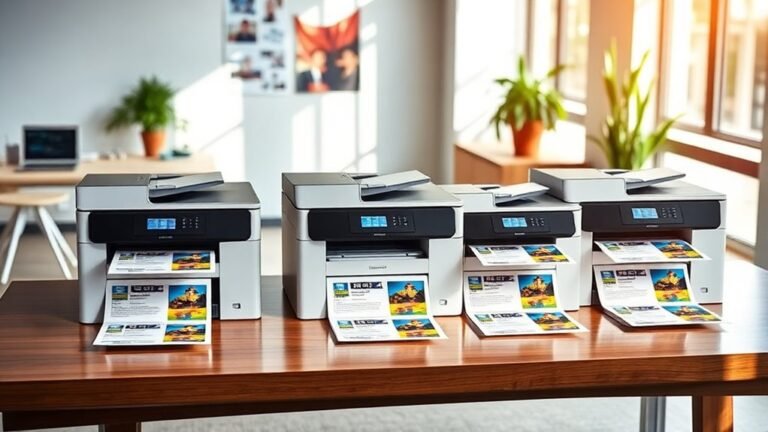
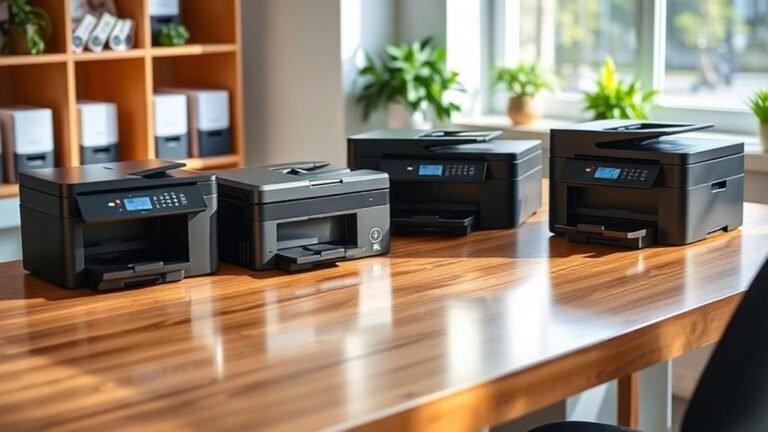
You’ll want an all-in-one laser color printer that blends speed, quality, and wireless convenience for home or office use. Finding the best all-in-one laser colour printer means balancing fast printing with sharp, vibrant output. Whether you need it for heavy office workloads or quick home projects, a reliable model can make all the difference.
The Canon MF753Cdw II offers fast 35 ppm printing with sharp 1200 dpi color output and a 50-sheet duplex ADF. Meanwhile, the HP 3301sdw balances speed with vivid colors, perfect for everyday use.
Brother’s models stand out for versatility and connectivity. They come with duplex printing and mobile support, making them great for on-the-go printing needs. Explore these picks to find the best fit tailored for your workspace and printing needs.
| Image | Name | Editor's Rating | Price |
|---|---|---|---|

|
|
||

|
|
||

|
|
||

|
|
||

|
|
Canon imageCLASS MF662Cdw Wireless Duplex Laser Printer
- Color, Wireless, Duplex 3-in-1: Print, scan, copy.
- Fast Print Speeds: Print up to 26 ppm in both color and monochrome and spend less time waiting with a quick first print time of approximately 10.3 seconds.
- Easy Wireless Setup: Setup your wireless connection and get up and running in just a few steps.
- 5-inch Color Touchscreen: Get the job done quickly with Application Library - an intuitive and easy to use customizable access to the features you use most.
- Mobile Device Printing: Print from your compatible mobile devices using the free Canon PRINT app, Apple AirPrint and Mopria Print Service.

Experience efficient printing with the Canon imageCLASS MF662Cdw, designed to simplify tasks in small or home offices. This all-in-one laser printer handles printing, copying, and scanning seamlessly, helping you stay productive in hybrid work environments. Its fast output of up to 26 pages per minute ensures quick job completion.
The printer’s automatic duplex feature cuts paper use by printing on both sides, while a 250-sheet input tray reduces frequent refills. With sharp 600 x 600 dpi resolution, documents come out clear and professional. Easy connectivity options, including Wi-Fi, Ethernet, and USB, let you print from multiple devices without hassle.
Maintenance is straightforward with user-friendly controls on the 5-inch color touchscreen. Mobile printing is supported via the Canon PRINT app and AirPrint, offering convenience for smartphone users. Although the print resolution suits documents well, it may not satisfy detailed photo printing needs. The device’s weight of 55.1 pounds limits portability, and starter toner yields are modest, so frequent replacements might be necessary in high-volume settings.
Best for: Small or home offices and hybrid work environments needing a reliable all-in-one wireless laser printer with fast color and black printing capabilities.
What We Like:
- Fast 26 ppm print speed in color and monochrome
- Automatic duplex printing saves paper and time
- Multiple connectivity options including mobile printing
- Intuitive 5-inch color touchscreen for easy operation
Specification:
| Feature | Details |
|---|---|
| Manufacturer | Canon |
| Dimensions (W×D×H) | 16.1 x 18.1 x 17.3 inches |
| Weight | 55.1 lb (25 kg) |
| Print Speed | Up to 26 ppm (color and monochrome) |
| Resolution | 600 x 600 dpi |
| Paper Capacity | 250 sheets |
| Connectivity | Wi-Fi, Ethernet, USB, Mobile apps |
HP Color LaserJet Pro MFP 3301sdw Printer
- FROM AMERICA'S MOST TRUSTED PRINTER BRAND – Perfect for small teams printing, scanning and copying professional-quality color documents and reports. Print speeds up to...
- PROFESSIONAL PRODUCTIVITY – Proficiency with every print—next-generation TerraJet toner brings your business to life with more vivid colors.
- ORIGINAL HP TONER CARTRIDGES – This HP printer uses Original HP 218A standard and 218X high yield LaserJet toner cartridges.
- UPGRADED FEATURES – Fast color printing, scan, copy, auto 2-sided printing, auto document feeder, and a 250-sheet input tray.
- AWARD-WINNING RELIABILITY – Performance you can count on page after page, and always ready for the high demands of business.
The HP Color LaserJet Pro MFP 3301sdw is designed to keep small offices productive with fast, vibrant color printing. It tackles busy workloads by delivering up to 26 ppm in black and 30 ppm in color. Auto duplex printing helps save paper while the flatbed scanner supports quick copying and scanning tasks.
Maintenance is straightforward with Original HP 218A or 218X toner cartridges that include HP chips, ensuring consistent print quality. The next-generation TerraJet toner produces sharp, vivid output, making documents and presentations stand out. This all-in-one printer helps streamline common office tasks efficiently.
Connectivity options include built-in Wi-Fi, Ethernet, and mobile printing via the HP app. This flexibility supports different workstyles while HP Wolf Pro security protects sensitive data. Though compact, the printer weighs 37.7 lb, so consider placement carefully.
Its 250-sheet paper capacity suits moderate print volumes but may require refills in very busy settings. Overall, the HP Color LaserJet Pro MFP 3301sdw balances functionality with reliability for everyday office use.
Best for: small teams and busy office environments needing fast, vibrant color printing with reliable all-in-one functionality.
What We Like:
- Fast print speeds with auto duplex for efficient workflows
- Sharp, vivid colors from TerraJet toner technology
- Multiple connectivity options including mobile printing
- Strong security features with HP Wolf Pro protection
- Compact design fits well in limited office space
Specification:
| Feature | Details |
|---|---|
| Manufacturer | HP |
| Dimensions | Not specified |
| Weight | 37.7 lb (17.1 kg) |
| Compatible Toner | Original HP 218A / 218X |
| Connectivity | Wi-Fi, Ethernet, Mobile |
| Paper Capacity | 250 sheets |
| Print Speed | Up to 26 ppm (black), 30 ppm (color) |
Canon Color imageCLASS MF753Cdw II – All-in-One Color Duplex Laser Printer
- Color, Wireless, Duplex 4-in-1: Print, scan, copy, fax.
The Canon Color imageCLASS MF753Cdw II is designed to enhance productivity in small offices and hybrid workspaces. It tackles common printing delays with a fast print speed of up to 35 ppm, ensuring your tasks keep moving smoothly. The sharp 1200 x 1200 dpi resolution delivers professional-quality color prints that stand out.
This all-in-one device combines printing, scanning, copying, and faxing, helping streamline your workflow. Its 50-sheet duplex automatic document feeder (ADF) allows for efficient handling of multi-page documents, cutting down on manual effort. Connectivity is flexible, supporting Ethernet, USB, Wi-Fi, and mobile printing to adapt to your office setup.
Maintenance is straightforward but requires attention to toner usage, as the starter cartridges yield 1,100 pages for color and 2,100 pages for black. The 250-sheet paper capacity is expandable to 850 sheets, accommodating heavier workloads and reducing frequent refills. Its weight of 50 lb means it’s meant for a stationary setup rather than frequent relocation.
Overall, this printer supports busy environments by balancing speed, quality, and utility, with thoughtful features designed to save time and simplify office tasks.
Best for: Small offices and hybrid workspaces needing a reliable, versatile color duplex laser printer for daily document management.
What We Like:
- Fast printing up to 35 ppm with high-resolution output
- Multiple connectivity options including Ethernet, Wi-Fi, and mobile support
- Efficient 50-sheet duplex ADF for multitasking
- Expandable paper capacity up to 850 sheets
- Clear 5-inch customizable touchscreen for easy operation
Specification:
| Feature | Details |
|---|---|
| Manufacturer | Canon |
| Dimensions (W x D x H) | Approx. 16.1 x 18.7 x 16.1 in |
| Weight | 50 lb (22.7 kg) |
| Printing Technology | Color Duplex Laser |
| Print Speed | Up to 35 pages per minute |
| Resolution | 1200 x 1200 dpi |
| Paper Capacity | 250 sheets (expandable to 850) |
| Duplex ADF Capacity | 50 sheets |
| Connectivity | Ethernet, USB, Wi-Fi, Mobile |
Brother MFC-L3720CDW Wireless Color Laser Printer
- Professional Performance: Dominate your business printing with this Brother Genuine color laser printer delivering exceptional print speeds up to 19 ppm and stunning...
- Advanced Connectivity: Take command of your workflow with dual-band wireless networking (2.4GHz/5GHz), Wi-Fi Direct, and USB 2.0 interface, enabling multiple users to...
- Productivity Powerhouse: Maximize efficiency with the 50-sheet auto document feeder, 250-sheet adjustable paper tray, and automatic duplex printing, ensuring...
- Smart Integration: Transform your workflow with the intuitive 3.5" color touchscreen featuring 48 customizable shortcuts and direct access to popular cloud services...
- Mobile Command Center: Leverage the power of mobile printing with remote access capabilities, toner level monitoring, and complete printer management directly from your...
The Brother MFC-L3720CDW offers a practical solution for those seeking efficient color laser printing with versatile capabilities. It handles printing, scanning, copying, and faxing, making it an all-in-one device designed to streamline your workflow. Fast output at up to 19 ppm ensures you spend less time waiting and more time focused on your tasks.
This printer supports busy environments with a 50-sheet automatic document feeder and a 250-sheet adjustable paper tray. Automatic duplex printing reduces paper waste and simplifies double-sided jobs. Its dual-band wireless and Wi-Fi Direct connectivity allow seamless device connections without complicated setups.
Maintenance is straightforward thanks to toner level monitoring, helping prevent unexpected interruptions. The 3.5″ color touchscreen provides easy access to 48 customizable shortcuts and direct cloud service access, enhancing convenience and mobile management.
With its compact design and wireless versatility, the Brother MFC-L3720CDW fits well in small to medium offices. The only limitations are the smaller paper tray for very high-volume printing and the absence of an Ethernet port, relying instead on USB 2.0 for wired connections.
Best for: Small to medium-sized businesses and home offices needing a reliable, fast all-in-one color laser printer with strong wireless features.
What We Like:
- Fast print speeds with quality color output
- Multiple connectivity options including dual-band wireless and Wi-Fi Direct
- User-friendly 3.5″ touchscreen with customizable shortcuts
- Automatic duplex printing to save paper
- Toner level monitoring for uninterrupted productivity
Specification:
| Feature | Description |
|---|---|
| Manufacturer | Brother |
| Dimensions (W×D×H) | 16.1 × 18.5 × 15.7 inches |
| Weight | 29.3 lb (13.3 kg) |
| Paper Tray Capacity | 250 sheets (adjustable) |
| Auto Document Feeder | 50 sheets |
| Connectivity | Dual-band Wi-Fi, Wi-Fi Direct, USB 2.0 |
| Display | 3.5″ color touchscreen |
Xerox C245 Wireless Color All-in-One Printer – Amazon Exclusive – 3 in 1
- AMAZON EXCLUSIVE & COMPACT MULTIFUNCTION DESIGN: This full-featured Xerox color MFP fits neatly on small desks, packing Print, Scan, and Copy functionality into a compact...
- VIBRANT PRINT QUALITY: Produce sharp text and brilliant color graphics. Ensure your business documents, presentations, and reports look professional and impressive every...
- WIRELESS & MOBILE PRINTING: Stay connected with dual-band Wi-Fi, Apple AirPrint, and Mopria. Effortlessly print and scan from your laptop, smartphone, or tablet from...
- EASY SMARTPHONE SETUP: Get printing in minutes. Use the Xerox Easy Assist App for a simplified, guided installation that eliminates complex manuals and traditional driver...
- 3-IN-1 VERSATILITY: Maximize productivity with 26ppm printing, scanning, and copying. The 50-sheet document feeder ensures efficient document handling for real estate...
The Xerox C245 Wireless Color All-in-One Printer is designed to streamline your home or small office tasks. It combines printing, scanning, and copying into one compact device, helping you save space and reduce clutter. This printer delivers crisp color and black-and-white documents quickly, keeping your workflow smooth and efficient.
Its dual-band Wi-Fi and Ethernet connectivity offer stable and flexible network options. The intuitive touchscreen makes operation straightforward, so you can manage jobs without hassle. With a 50-sheet feeder and automatic duplexing, it handles various media types and double-sided printing to cut paper use.
Maintenance is simple with energy-saving features and high-yield toner options that minimize replacement frequency and reduce running costs. The printer’s design supports moderate monthly use, making it practical for busy professionals who need reliable performance without complicated upkeep.
The Xerox C245 is a practical solution for those balancing multiple printing needs in tight spaces. Its functionality and compact design improve productivity and simplify document management in hybrid or remote work environments.
Best for: Home professionals, hybrid offices, and remote teams needing a compact, reliable 3-in-1 printer for moderate monthly use.
What We Like:
- Fast printing at 26 pages per minute with sharp color and B&W output
- Versatile connectivity including dual-band Wi-Fi and Ethernet
- Automatic duplexing and 50-sheet feeder for efficient media handling
- Energy-saving design with high-yield toner to lower operational costs
Specification:
| Feature | Details |
|---|---|
| Manufacturer | Xerox |
| Dimensions | Compact size (exact not provided) |
| Weight | Not specified |
| Color Options | Not specified |
| Connectivity | Dual-band Wi-Fi, Ethernet |
| Print Speed | 26 pages per minute |
| Print Resolution | Up to 2400 x 600 dpi |
| Feeder Capacity | 50 sheets |
Brother MFC-L8930CDW Color Laser All-in-One Printer

- Updated design, professional results. High-quality output with sharp color and black printing. Fast print and copy speeds up to 33ppm(1) help boost productivity. Reliable...
- Maximize printing budgets. Offers built-in value with included Brother Genuine 3,000-page black and 1,800-page color standard yield toner cartridges. Help lower printing...
- Advanced scanning. High-speed, two-sided scanning up to 104ipm(3) with 80-page auto document feeder(4) and legal-size glass. Scan to cloud, email, SharePoint, and more...
- Productivity-enhancing features. Flexible connectivity, including built-in dual-band (2.4GHz / 5GHz) wireless networking and Gigabit Ethernet networking. 7” color...
- Triple Layer Security. Advanced security features to help keep devices secure, protect documents in transit to and from print devices, and safeguard networks. Includes an...
The Brother MFC-L8930CDW is designed to streamline busy office workflows with fast printing speeds up to 33 ppm and automatic duplex printing. It reduces wait times and cuts paper use, helping teams stay productive without interruptions. Its sharp color and black prints ensure professional-quality documents every time.
Maintenance is simple with standard and super high-yield toner cartridges that lower running costs and minimize replacements. The compact design fits well in most office spaces, saving valuable desk area without sacrificing functionality. A 7″ touchscreen offers intuitive control, making navigation and task customization straightforward.
This all-in-one device handles quick two-sided scanning at up to 104 ipm, speeding up document management tasks. Connectivity options such as dual-band Wi-Fi, Ethernet, and NFC provide flexible and secure ways to connect from multiple devices. Enhanced security features help protect sensitive data in busy environments.
With an eco-friendly certification, the MFC-L8930CDW supports sustainability efforts without compromising performance. While its laser technology is not optimized for photo-quality prints, it excels in delivering reliable, cost-effective color laser printing for everyday business needs.
Best for: Small to medium-sized offices requiring a fast, secure, and efficient color laser all-in-one printer to enhance daily productivity.
What We Like:
- High-speed print and scan with duplex functions boost efficiency
- Multiple secure connectivity options for versatile office setups
- Cost-saving toner cartridges reduce maintenance frequency
- Compact footprint fits well in limited workspace
- Easy-to-use touchscreen with customizable shortcuts
Specification:
| Feature | Details |
|---|---|
| Manufacturer | Brother |
| Dimensions | Compact (exact size N/A) |
| Weight | Not specified |
| Printing Technology | Color Laser |
| Connectivity | Dual-band Wi-Fi, Ethernet, NFC |
| Display | 7″ Touchscreen |
Canon imageCLASS MF652Cw Wireless Color Laser Printer

- Wireless 3-in-1 (print, scan, copy)
- Print up to 22 pages per minute (CL/BW), with first print out in approximately 10.3 seconds
- Uses Canon Genuine Toner 067 / 067 high capacity
- Print on-the-go using a variety of mobile apps, including the Canon PRINT app using your compatible mobile device
- 250-sheet standard cassette, 1-sheet multipurpose tray
The Canon imageCLASS MF652Cw offers small and medium businesses a practical solution for seamless document management. This wireless color laser printer combines print, scan, and copy functions into one compact device, simplifying daily tasks and saving valuable workspace.
Its intuitive 5-inch color touchscreen makes navigation straightforward, reducing the learning curve for all users. Sharp and vibrant prints come quickly, with speeds up to 22 pages per minute and a first page ready in about 10 seconds, ensuring efficient workflow without long waits.
Designed for versatility, the printer supports various paper sizes up to 8.5 x 14 inches through its 250-sheet cassette and multipurpose tray. This helps handle diverse printing needs, though the paper capacity requires periodic refilling during heavy use.
Connectivity options include Wi-Fi, Ethernet, and USB, allowing easy integration into existing networks. While it lacks automatic duplex printing and limits copying to 10 pages per job, its reliable performance and clear color output make it a valuable addition to busy offices.
Best for: Small and medium-size businesses seeking a reliable wireless all-in-one color laser printer with efficient speeds and versatile media handling.
What We Like:
- Fast color and black-and-white printing up to 22 ppm
- User-friendly Android-based 5-inch color touchscreen
- Multiple connectivity options: Wi-Fi, Ethernet, USB, and mobile apps
Specification:
| Feature | Details |
|---|---|
| Manufacturer | Canon |
| Dimensions | 16.5 x 18.0 x 15.0 inches |
| Weight | Approx. 37.7 lbs |
| Print Speed | Up to 22 pages per minute |
| Paper Capacity | 250-sheet cassette + multipurpose tray |
| Connectivity | Wi-Fi, Ethernet, USB |
| Display | 5-inch color touchscreen |
Brother HL-L3300CDW Wireless Color Laser Printer

- Best for Small Offices and Work from Home, the Brother HL-L3300CDW wireless compact 3-in-1 digital color printer with copy & scan functionalities consistently produces...
- UPGRADE YOUR PROFESSIONAL DOCUMENTS. With the consistent dependability of laser-quality digital color printing.
- EFFECTIVE PRODUCTIVITY WITH THREE-IN-ONE FUNCTIONALITY. Featuring a flatbed scan glass for convenient copying and scanning capabilities from a single, compact machine...
- FLEXIBLE CONNECTION OPTIONS. Count on steady connections at the office or on the go. Built-in dual band wireless (2.4GHz / 5GHz)(4), and Wi-Fi Direct, or USB interface...
The Brother HL-L3300CDW wireless color laser printer is designed to meet the needs of freelancers and hybrid workers who require quick, clean color prints. Its compact design fits easily into small workspaces, delivering sharp, smudge-free prints that enhance professional documents. This printer simplifies daily tasks by combining printing, copying, and scanning into one efficient device.
With a print speed of up to 19 pages per minute, it helps you stay productive without long waits. Automatic duplex printing cuts paper use in half, saving time and resources. The high-resolution output ensures your documents look clear and vibrant every time.
Connectivity is seamless thanks to dual-band Wi-Fi, Wi-Fi Direct, and USB options. This flexibility allows easy printing from laptops, smartphones, and tablets, adapting to various work environments. Maintenance is straightforward, with a 250-sheet paper capacity minimizing frequent refills during moderate use.
Advanced security features protect sensitive information, and the ENERGY STAR certification means it operates efficiently, reducing energy consumption. While the single paper tray and USB 2.0 connection may limit heavy workflows, the HL-L3300CDW balances performance and convenience well.
Best for: freelancers, hybrid workers, and small office users who need fast, reliable color printing with versatile connectivity.
What We Like:
- Fast print speed up to 19 ppm with quick first-page output
- Automatic duplexing for efficient double-sided printing
- 3-in-1 functionality: print, copy, and scan in one device
- Dual-band Wi-Fi and Wi-Fi Direct for flexible wireless use
- ENERGY STAR certified for energy-efficient operation
Specification:
| Feature | Details |
|---|---|
| Manufacturer | Brother |
| Dimensions | Compact size (exact not provided) |
| Weight | Not specified |
| Printing Technology | Color Laser |
| Connectivity | Dual-band Wi-Fi, Wi-Fi Direct, USB 2.0 |
| Paper Capacity | 250 sheets |
| Functions | Print, Copy, Scan |
Factors to Consider When Choosing an All in One Laser Colour Printer
When choosing an all-in-one laser colour printer, you’ll want to take into account how fast you need it to print and the quality you expect.
Think about the connectivity options that fit your setup, along with how much paper the printer can handle.
Don’t forget to check the device size to make sure it fits comfortably in your workspace. It’s all about finding the right balance for your needs!
Print Speed Needs
Assess your monthly print volume carefully to make certain your all-in-one laser colour printer’s duty cycle and pages-per-minute (ppm) rating can handle your workload without frequent slowdowns or maintenance. Consider both color and black-and-white ppm since printers often vary in speed between these modes, and your tasks might lean toward monochrome printing.
Don’t overlook first-page-out and warm-up times if your workflow involves many short print jobs. These factors can really add up and affect your overall efficiency.
Factor in duplex printing speed and automatic document feeder (ADF) throughput if two-sided printing and multi-page scanning are routine. For mixed workloads or multiple users, prioritize printers with higher ppm and faster scan/ADF speeds.
This way, you’ll keep pace with time-sensitive demands. Matching these print speed needs guarantees smooth, efficient operation tailored to your specific requirements.
Print Quality Standards
Although print speed is essential, making certain excellent print quality should never be overlooked when choosing an all-in-one laser colour printer. You want to check the maximum print resolution—values like 1200 x 1200 dpi deliver sharper text and finer color gradients than 600 x 600 dpi.
Pay attention to color accuracy and gamut, as toner technology influences how closely your prints match originals or on-screen colors. Don’t forget toner yield and page cost; higher-yield cartridges that maintain consistent density make certain professional, uniform results over time.
Also, consider scanner and copier resolution along with color depth. Higher dpi and greater bit depth preserve detail and color fidelity, especially important if you frequently scan or copy images and documents.
Balancing these factors guarantees quality prints every time.
Connectivity Options Available
Since connectivity determines how easily you can integrate an all-in-one laser colour printer into your workspace, you’ll want to make sure it supports both wired options like Ethernet and USB, as well as wireless connections such as dual-band Wi-Fi and Wi-Fi Direct.
Look for mobile printing protocols like Apple AirPrint and Mopria that let you print directly from smartphones and tablets without installing drivers.
Guarantee the printer is compatible with network security standards such as WPA3 and supports authentication methods like LDAP for secure access.
Multiport options and cloud service support enhance flexibility for document workflows.
Additionally, features like NFC or Bluetooth enable easy walk-up printing and optional card authentication for user tracking, making your printer both versatile and secure in any office environment.
Paper Handling Capacity
Beyond connectivity, paper handling capacity plays a big role in how well an all-in-one laser colour printer fits your workspace needs. Check the standard input tray capacity, which typically ranges from 50 to 250 sheets. See if additional cassettes or multipurpose trays are available to handle your daily print volume.
Consider models that expand from a 250-sheet base up to 500–850+ sheets with optional feeders, especially for shared or growing offices. It really helps to avoid constant interruptions when printing in larger volumes.
Also, verify supported paper sizes and types in each tray—letter, legal, envelopes, cardstock, labels—to make sure they match your workflows. Automatic duplexing and a robust ADF (50–80 sheets) are key if you print or scan double-sided frequently.
Finally, look at output tray capacity and recommended duty cycles. This can help you avoid frequent jams or constant reloading in busy settings.
Device Size Considerations
When choosing an all-in-one laser colour printer, you’ll want to carefully measure your available desk or floor space to make sure the device fits comfortably. Typical multifunction laser printers vary from compact models around 13–17″ wide and 14–17″ deep to larger office units exceeding 18″ depth and 16–18″ width.
Don’t forget to factor in the printer’s height and the extra clearance needed for extending paper trays and loading the automatic document feeder. Also, consider the printer’s weight, usually between 35 and 55+ pounds. That might mean you’ll need a sturdy stand or some help when moving it around.
If you anticipate adding optional paper cassettes or finishing accessories, leave room for expansion. Especially in shared or small workspaces, it’s a good idea to pick printers with smaller trays and sheet capacities. That way, you keep your footprint minimal and your area nice and organized.
Consumables And Costs
Although the upfront price of an all-in-one laser colour printer matters, you’ll want to focus closely on consumables and ongoing costs to avoid surprises.
Start by comparing cartridge yields and cost-per-page—divide the cartridge price by its yield to estimate expenses. Consider standard, high-yield, and super high-yield options; higher-yield cartridges often reduce costs despite a bigger initial investment.
Remember, colour printing uses four toners (CMYK), so full-colour jobs multiply consumable use compared to monochrome printing.
Don’t forget replacement drums, maintenance kits, and imaging units, as these add significant costs over time.
Finally, check if cartridges require manufacturer-specific chips or firmware locks, which limit third-party choices and flexibility. This can impact long-term cost and supply.
Being thorough here helps you choose a printer that fits your budget beyond the sticker price.
Security Features Included
Since printers handle sensitive documents and connect to networks, you’ll want to make certain your all-in-one laser colour printer includes robust security features. Look for built-in network protections like TLS/SSL encryption and IPsec to secure print jobs and admin access over Wi-Fi or Ethernet.
Device authentication options such as PIN codes, LDAP/Active Directory integration, or NFC/card readers prevent unauthorized use of printing, scanning, or faxing. These features really help keep your information safe and limit access to only those who should have it.
Make sure the printer supports secure boot, firmware signing, and automatic updates to guard against malware. Keeping the software up to date is key to staying protected.
Data protection features like hard-drive encryption and automatic secure erase help keep your stored documents safe. You don’t want sensitive info hanging around longer than necessary.
Finally, audit logging, role-based access controls, and secure print release options enhance accountability and enforce your printing policies effectively. These tools make it easier to track usage and keep everything running smoothly.
Frequently Asked Questions
How Do Laser Printers Compare to Inkjet Printers in Print Quality?
Laser printers give you sharper text and smoother graphics, especially for professional documents. You won’t get the same vibrant colors as inkjets for photos, but laser’s precision and speed make it ideal for crisp, clear prints.
Honestly, if you’re mostly printing text or business documents, lasers are a great choice. They’re fast and keep everything looking clean without smudging. But when it comes to colorful photos, inkjets still have the edge with their richer tones.
What Is the Average Lifespan of an All-In-One Laser Colour Printer?
You’ll get about 5 to 7 years from an all-in-one laser color printer. It’s impressive how these devices handle heavy use, lasting longer than most expect.
They save you money and hassle over time. So, if you’re looking for something reliable, these printers are a solid choice.
Are Laser Printers More Energy-Efficient Than Other Printer Types?
Yes, laser printers are generally more energy-efficient than inkjets, especially during heavy use. You’ll save power because they warm up quickly and use less electricity per page.
That makes them a smart choice for frequent printing. So, if you print a lot, going with a laser printer can help cut down on your energy bills.
Can These Printers Handle Printing on Specialty Media Like Labels or Cardstock?
Imagine printing custom wedding invitations—yes, you can handle specialty media like labels or cardstock with these printers. Just check your model’s specs; many support thicker paper, letting you create professional, personalized projects effortlessly at home.
It’s pretty convenient, right? You get to add that personal touch without needing a trip to the print shop. Just make sure your printer settings match the media you’re using, and you’re good to go!
How Do Toner Cartridges Impact Overall Printing Costs?
Toner cartridges directly impact your printing costs since high-yield cartridges reduce the frequency of replacements.
Choosing compatible or refill options can save you money, but keep in mind that lower-quality toners might affect print quality.
They could even damage your printer over time. So, it’s a bit of a trade-off to consider!
Conclusion
Choosing the perfect all-in-one laser color printer is like finding the right brush for your masterpiece—it shapes how your work comes to life. Whether you need speed, sharp quality, or wireless convenience, these top picks have you covered.
Keep your unique needs in mind, and you’ll paint your projects with vivid precision and ease. With the right printer by your side, your creativity will flow as smoothly as fresh ink on paper.
Finding the best all-in-one laser colour printer means balancing performance, features, and budget. From fast printing speeds to crisp, vibrant colours, these printers are designed to meet a variety of needs. Whether it’s for home, office, or creative projects, having a reliable laser colour printer makes a huge difference.
So, when choosing your all-in-one laser colour printer, think about what matters most to you—speed, print quality, or wireless options. The right choice will not only enhance your productivity but also bring your ideas to life with stunning colour and clarity.