5 Best AirPrint Printers UK Buyers Will Love in 2027
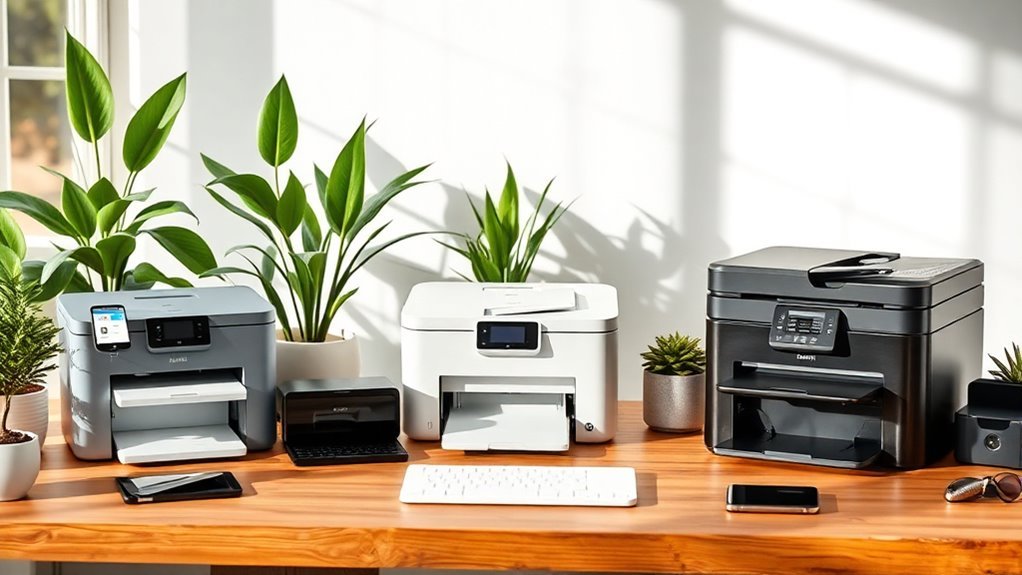
You’ll love the Canon PIXMA TS6520 and TS4320 for compact all-in-one tasks. They deliver crisp prints and make mobile connectivity a breeze.
For high-resolution print-only needs, the TS702a really shines. It offers vibrant detail and a large paper capacity to keep you printing longer without interruptions.
The TR8620a is perfect for versatile office duties. It includes scanning, fax capabilities, and an automatic document feeder to handle multiple pages with ease.
If label printing is what you need, check out the wireless MUNBYN thermal printer. It supports AirPrint, making it simple to print directly from your Apple devices.
Each printer balances quality, speed, and convenience. Take your time exploring these top choices—you’re sure to find the perfect fit for your AirPrint printing needs.
| Image | Name | Editor's Rating | Price |
|---|---|---|---|

|
|
||

|
|
||
|
|
||

|
|
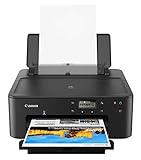
Canon PIXMA TS6520 Wireless Color Inkjet Printer, 1.42″ OLED Display, White
- Affordable Versatility - A budget-friendly all-in-one printer perfect for both home users and hybrid workers, offering exceptional value
- Crisp, Vibrant Prints - Experience impressive print quality for both documents and photos, thanks to its 2-cartridge hybrid ink system that delivers sharp text and vivid...
- Effortless Setup & Use - Get started quickly with easy setup for your smartphone or computer, so you can print, scan, and copy without delay
- Reliable Wireless Connectivity - Enjoy stable and consistent connections with dual-band Wi-Fi (2.4GHz or 5GHz), ensuring smooth printing from anywhere in your home or...
- Scan & Copy Handling - Utilize the device’s integrated scanner for efficient scanning and copying operations

Discover the convenience of the Canon PIXMA TS6520, a compact all-in-one printer designed to fit seamlessly into your home workspace. Its sleek white design and a clear 1.42″ OLED display make it easy to control and monitor your print jobs without hassle. This printer simplifies everyday tasks by combining printing, scanning, and copying in one device.
Connectivity is effortless with dual-band Wi-Fi and mobile printing support, allowing you to print directly from smartphones or tablets. Alexa compatibility adds a hands-free option for managing print tasks, making your workflow smoother and more flexible.
The Canon’s two-cartridge hybrid ink system produces sharp prints up to 1200 dpi, ideal for photos and documents. Automatic duplex and borderless printing increase efficiency and enable professional-looking results. However, the single paper tray’s limited capacity means you may need to refill it frequently, especially with higher usage.
Maintenance is straightforward, but the hybrid ink system might result in higher replacement costs compared to multi-cartridge printers. Print speeds are suitable for occasional to moderate use but may not meet the demands of heavy print volumes.
Best for: Families, students, and home or hybrid workers needing a compact all-in-one printer for occasional to moderate printing needs.
What We Like:
- Easy-to-use 1.42″ OLED display for quick operation and status updates
- Dual-band Wi-Fi and mobile printing enhance convenience
- Automatic duplex and borderless printing for professional-quality output
- Alexa voice control compatibility for hands-free printing
Specification:
| Feature | Details |
|---|---|
| Manufacturer | Canon |
| Dimensions | Compact size (specific dimensions not provided) |
| Weight | Not specified |
| Ink System | Two-cartridge hybrid |
| Print Resolution | Up to 1200 dpi |
| Display | 1.42″ OLED |
| Connectivity | Dual-band Wi-Fi, mobile printing, Alexa compatible |
| Color | White |
Canon PIXMA TS4320 – Wireless Color Inkjet Printer with Print, Copy, Scan
- Affordable Versatility - A budget-friendly all-in-one printer perfect for both home users and hybrid workers, offering exceptional value
- Crisp, Vibrant Prints - Experience impressive print quality for both documents and photos, thanks to its 2-cartridge hybrid ink system that delivers sharp text and vivid...
- Effortless Setup & Use - Get started quickly with easy setup for your smartphone or computer, so you can print, scan, and copy without delay
- Reliable Wireless Connectivity - Enjoy stable and consistent connections with dual-band Wi-Fi (2.4GHz or 5GHz), ensuring smooth printing from anywhere in your home or...
- Scan & Copy Handling - Utilize the device’s integrated scanner for efficient scanning and copying operations
The Canon PIXMA TS4320 is designed to meet everyday printing needs with convenience and style. Its compact design fits neatly on any desk, making it an excellent choice for home users with limited space. This all-in-one printer handles printing, copying, and scanning tasks efficiently without the need for bulky extras.
With vibrant color prints at 1200 dpi and automatic duplex printing, it delivers quality results while saving paper. The wireless dual-band Wi-Fi and compatibility with Apple AirPrint and the Canon PRINT app simplify mobile printing, letting you print directly from smartphones or tablets. This ease of connectivity helps streamline your workflow at home.
Maintenance is straightforward thanks to starter ink tanks and a 100-sheet paper tray, which are sufficient for typical home projects like school assignments, recipes, and photos. However, the printer uses a 2-cartridge hybrid ink system, which may limit photo color accuracy compared to printers with more cartridges. Also, it lacks an automatic document feeder, which means multi-page scanning requires manual handling.
Overall, the PIXMA TS4320 balances functionality and affordability for users who want a reliable, compact printer without extra frills. It’s suited for those who prioritize ease of use and quality prints over high-volume or professional photo production.
Best for: Home users needing a compact, affordable all-in-one printer for everyday documents, photos, and school projects.
What We Like:
- Compact and stylish design fits small workspaces
- Automatic duplex printing saves paper and time
- Wireless dual-band Wi-Fi with mobile printing support
- Easy maintenance with starter ink tanks and a 100-sheet tray
Specification:
| Feature | Details |
|---|---|
| Manufacturer | Canon |
| Dimensions | Compact footprint (exact size not specified) |
| Weight | Not specified |
| Ink System | 2-cartridge hybrid ink |
| Print Resolution | Up to 1200 dpi |
| Paper Capacity | 100 sheets |
| Connectivity | Dual-band Wi-Fi, Apple AirPrint, Canon PRINT app |
Canon PIXMA TS702a Wireless Print-Only Printer
- Efficient Everyday Printing: It can print great looking borderless photos and even supports various paper types & sizes, from 3.5” x 3.5” Square up to legal size...
- Print Connectivity: Whether that is a smartphone, tablet or computer. Have peace of mind and connect with AirPrintFootnote4, Mopria Print ServiceFootnote...
- Big Performance with Compact Design: With a 350 SHEET plain paper capacity the PIXMA TS702 is ready to take on large print jobs.
- Wireless Single-Function: Print only featuring Auto 2-Sided (Duplex) Printing.
- Sharp Text: The hybrid ink system combines dye ink for rich colors and black pigment ink.
Experience hassle-free printing with the Canon PIXMA TS702a, designed to meet your everyday printing needs effortlessly. This wireless print-only printer offers crisp, clear results, making it perfect for producing sharp documents and vibrant images without the complexity of multifunction devices.
Its automatic duplex printing helps you save time and reduce paper waste by printing on both sides with ease. The high resolution of up to 4800 x 1200 dpi ensures your text and colors come out vivid and precise every time, enhancing the professionalism of your prints.
Connecting is simple with options including Wi-Fi, Ethernet, and USB. You can print directly from your smartphone or tablet using AirPrint or Mopria, making it convenient for modern, mobile workflows. Despite its compact design, it can hold up to 350 sheets, minimizing the need for frequent refills during busy days.
Maintenance is straightforward thanks to its hybrid ink system combining dye and pigment inks, which optimizes print quality and longevity. However, it is important to note that this model is strictly for printing and does not support scanning or copying functions, which may limit versatility.
Best for: Individuals or small offices seeking a reliable, wireless printer focused solely on high-quality print output with efficient duplexing.
What We Like:
- Efficient automatic two-sided printing saves time and paper.
- Multiple connectivity options including Wi-Fi, Ethernet, and USB.
- High-resolution output delivers sharp text and vibrant colors.
- Compact design fits easily on most desks.
- Supports direct mobile device printing via AirPrint and Mopria.
Specification:
| Feature | Details |
|---|---|
| Manufacturer | Canon |
| Model | PIXMA TS702a |
| Printing Technology | Inkjet (Hybrid Ink System) |
| Max Print Resolution | 4800 x 1200 dpi |
| Print Speed | Up to 15 pages per minute |
| Paper Capacity | 350 sheets |
| Connectivity | Wi-Fi, Ethernet, USB |
| Color | Black |
| Dimensions (W×D×H) | Compact design (exact size not specified) |
| Functionality | Print-only |
Canon PIXMA TR8620a All-in-One Printer Black
- Never run out of ink. Connect your printer to Alexa and receive notifications when you’re running low. Alexa can even place a smart reorder from Amazon on your behalf...
- Enrolling in Smart Reorders with Alexa ensures that you never have too much or too little ink supplies. No subscription needed.
- Wireless 4-in-1 (Print | Copy | Scan | Fax)
- 15 / 10 ipm Print Speed
- 200 Sheet Capacity (100 Cassette, 100 Rear Feed)
Experience seamless productivity with the Canon PIXMA TR8620a, a smart all-in-one printer designed to simplify your office tasks. Whether printing, scanning, copying, or faxing, this device handles everyday jobs efficiently and with minimal fuss. Its compact black design fits neatly into home offices without sacrificing performance.
This printer tackles multi-page documents effortlessly thanks to its 20-sheet auto document feeder and supports automatic duplex printing, saving time and paper. The five individual ink tanks deliver sharp, borderless prints up to 8.5 x 11 inches, ensuring professional-quality output for your reports and presentations.
Maintenance is straightforward with individual ink tanks that reduce waste and replacement costs. Wireless AirPrint compatibility and Alexa voice control add convenience by letting you print hands-free or directly from your mobile devices. The 200-sheet capacity supports moderate workloads, while ENERGY STAR certification ensures energy efficiency.
While the PIXMA TR8620a excels in versatility, its 1,000-page monthly duty cycle and 20-sheet output tray mean it’s best suited for light to moderate use. It accommodates media sizes up to 8.5 x 14 inches, covering most standard documents but not larger formats.
Best for: Home office users and small businesses needing a compact, versatile all-in-one printer with wireless and voice control capabilities.
What We Like:
- Combines printing, scanning, copying, and faxing with a 20-sheet auto document feeder.
- Enables automatic duplex and borderless printing with individual ink tanks for crisp results.
- Supports wireless AirPrint and Alexa voice commands without subscription fees.
- Compact design fits easily into limited workspace environments.
- ENERGY STAR certified for energy-efficient operation.
Specification:
| Feature | Details |
|---|---|
| Manufacturer | Canon |
| Dimensions (W x D x H) | Approx. 14.5 x 12.7 x 7.5 in |
| Weight | Approx. 15.7 lb |
| Color | Black |
| Max Media Size | 8.5 x 14 in |
| Auto Document Feeder | 20 sheets |
| Output Tray Capacity | 20 sheets |
| Ink Tanks | 5 individual |
Wireless Wi-Fi Thermal Printer Shipping Label Printer Support AirPrint
No products found.
Experience the convenience of fast, wireless label printing with the MUNBYN Wireless Wi-Fi Thermal Shipping Label Printer. Designed to streamline your shipping and inventory tasks, it eliminates the hassle of tangled cables and slow setups. This printer supports AirPrint, allowing you to print directly from iPhones, iPads, and Macs after a simple initial setup via the Munbyn Print app.
Its dual-band Wi-Fi capability connects up to 10 devices simultaneously, making it ideal for busy environments like small businesses or warehouses. The printer uses direct thermal technology, producing crisp 203 DPI labels at speeds up to 150 mm/s without the need for ink or toner. This reduces maintenance and operational costs.
Compact and lightweight, it fits easily into tight spaces and supports various label sizes to match your shipping needs. However, note that the thermal print labels may fade over time if exposed to heat or sunlight, so proper storage is important. The initial AirPrint setup requires the Munbyn app, which adds a quick but necessary step.
Best for: Small businesses, warehouses, and home offices needing fast, wireless, and multi-device compatible thermal label printing for shipping and inventory management.
What We Like:
- Supports AirPrint and dual-band Wi-Fi for seamless printing from multiple devices
- Fast print speed of up to 150 mm/s with crisp 203 DPI resolution
- Ink-free direct thermal printing reduces maintenance and operating costs
- Compact design fits easily on busy desks or workstations
- Compatible with iOS, Android, Windows, MacOS, Chromebook, and Linux
Specification:
| Feature | Details |
|---|---|
| Manufacturer | MUNBYN |
| Dimensions | Compact and lightweight (exact size not specified) |
| Weight | Lightweight (exact weight not specified) |
| Printing Method | Direct thermal |
| Resolution | 203 DPI |
| Print Speed | Up to 150 mm/s |
| Connectivity | Dual-band Wi-Fi, AirPrint support |
| Supported Devices | iOS, Android, Windows, MacOS, Chromebook, Linux |
Factors to Consider When Choosing an Airprint Printer UK
When picking an AirPrint printer in the UK, you’ll want to focus on print quality and resolution to guarantee sharp results. Check the wireless options and device compatibility so your printer works seamlessly with your gadgets.
Also, consider printing speed and ink or toner costs to keep things efficient and budget-friendly. It’s all about finding the right balance that suits your needs without breaking the bank.
Print Quality and Resolution
Since print quality directly impacts your documents and photos, you’ll want to focus on resolution and ink types when choosing an AirPrint printer in the UK. Look for printers offering at least 300–600 DPI for sharp text and casual photos.
If you’re after high-quality photo prints, 1200 DPI or higher is the way to go. For crisp, legible text, pigment black ink combined with 600 DPI or above is ideal.
Color accuracy depends on the ink system—dye-based inks and multiple cartridges (4+) typically deliver richer, vibrant photos. Also, check if the printer supports ICC profiles and higher bit-depth rendering for precise color management.
Keep in mind that higher print quality may slow speed, but many printers let you switch between draft and high-quality modes to balance speed and detail. So, you can always adjust based on what you’re printing.
Wireless Connectivity Options
Although print quality is essential, wireless connectivity plays an equally important role in ensuring smooth AirPrint functionality. You’ll want a printer that supports dual-band Wi-Fi (2.4 GHz and 5 GHz) to minimize interference and boost connection stability.
If your home Wi-Fi is spotty, look for Ethernet LAN or Wi-Fi Direct options for reliable, secure printing. Make sure the printer supports modern network protocols like IPv6 and mDNS/Bonjour, which AirPrint relies on for device discovery.
Prioritise robust security features such as WPA2 or WPA3 encryption and guest network compatibility to keep your printing traffic safe. Finally, check how many devices the printer can handle simultaneously to avoid slowdowns, especially in busy households or small offices.
These features guarantee your AirPrint experience stays seamless and secure.
Device Compatibility Range
Wireless connectivity guarantees your AirPrint printer stays accessible, but you also need to confirm it works smoothly with all your devices. Make sure your printer supports AirPrint for every device you use—iPhones, iPads, Macs—and their OS versions. Older updates might lose compatibility, so keep an eye on that.
Check if it connects on both 2.4 GHz and 5 GHz Wi-Fi bands to avoid connection issues with certain networks or gadgets. Your printer should handle multiple simultaneous connections and use standard protocols like mDNS or Bonjour for easy discovery by all devices.
Also, look for wired options like USB or Ethernet and alternative mobile printing protocols if some devices don’t support AirPrint. Finally, verify it supports the file types and print resolutions you frequently send. That way, your prints always come out crisp and accurate.
Printing Speed Efficiency
When choosing an AirPrint printer in the UK, you’ll want to focus on printing speed efficiency to keep your workflow smooth and productive. Look for printers with higher pages-per-minute (ppm) ratings suited to your typical tasks—around 10–15 ppm for color and 15+ ppm for black-and-white prints—to minimize wait times on multi-page jobs.
Check the first-page-out time (FPOT); a quick FPOT under 10 seconds boosts responsiveness, especially for single-page prints. Don’t forget to take into account duplex print speed separately, since two-sided printing usually takes longer but saves paper.
Also, review the monthly duty cycle to guarantee the printer handles your workload without slowing down. Finally, if you print via AirPrint from mobile devices, make certain you have strong, reliable Wi-Fi (preferably dual-band 5 GHz) to avoid delays caused by network issues.
Ink or Toner Cost
Choosing an AirPrint printer means thinking carefully about ink or toner costs, as they can materially impact your overall expenses.
Inkjet printers use liquid cartridges that cost less upfront but often yield fewer pages, making the cost per page higher.
Laser printers’ toner packs have a higher initial price but deliver thousands of pages, lowering your cost per page, especially if you print frequently.
To compare real running costs, divide the cartridge or toner price by its rated page yield.
Look for yield-boosting options like XL cartridges or multipacks, which can cut costs by 30–70%.
Remember to factor in total ownership costs, including replacement frequency, ink drying issues if you print infrequently, and maintenance parts, as these affect long-term expenses.
Printer Size and Design
After considering ink or toner costs, you’ll want to make certain the printer fits comfortably in your space without causing clutter. Measure your desk or shelf area carefully, allowing extra room for paper trays, output trays, and easy access to ink cartridges.
If you plan to move the printer around, choose a lighter model—most weigh between 3 and 8 kilograms. Check the paper tray capacity too; multi-tray or rear-feed printers tend to be larger but suit higher-volume printing needs.
Also, think about the design of control panels—whether flush buttons or touchscreen—to make certain they’re easy to see and use where you place the printer. When space is tight, opt for compact, vertical, or low-profile designs.
And don’t forget to make sure rear or bottom paper ports remain accessible when positioned against walls. It’s all about keeping things convenient and clutter-free!
Additional Features Included
Although basic printing meets most needs, extra features can greatly boost your productivity and convenience. Look for built-in duplex printing to save paper and time on double-sided documents.
If you require more than printing, consider multi-function devices that scan, copy, and fax. Ideally, these come with an automatic document feeder for multi-page jobs.
Make sure your printer supports mobile and cloud printing options like AirPrint and alternatives. Plus, dedicated apps make remote access super easy.
Don’t overlook connectivity beyond Wi-Fi—Ethernet, USB, and Bluetooth offer flexibility for various setups.
Also, check for user-friendly controls such as touchscreens or clear status displays. Voice assistant compatibility can simplify setup and even send you alerts on maintenance or ink levels.
These features help tailor your printer to your workflow efficiently.
Frequently Asked Questions
Can Airprint Printers Connect to Multiple Apple Devices Simultaneously?
Yes, you can connect AirPrint printers to multiple Apple devices at once. They work over Wi-Fi, letting your iPhone, iPad, or Mac send print jobs simultaneously without any extra setup or cables.
It’s pretty convenient because you don’t have to fuss with connecting and disconnecting each time. Just make sure all your devices are on the same Wi-Fi network, and you’re good to go!
Are Airprint Printers Compatible With Android or Windows Devices?
AirPrint printers aren’t natively compatible with Android or Windows devices, but you can use third-party apps or manufacturer software to print from those devices.
Do Airprint Printers Require Regular Firmware Updates for Optimal Performance?
Yes, you’ll need to update your AirPrint printer’s firmware regularly to keep it running smoothly and compatible with your devices. Updates fix bugs, improve security, and add new features, so don’t skip them.
Keeping your firmware up to date ensures your printer works well with the latest devices and apps. It’s a simple step that can save you from a lot of headaches down the road.
How Does Airprint Handle Color Calibration for Photo Printing?
Color calibration in AirPrint isn’t handled directly by the printer; instead, it relies on your device’s color profiles and the app you’re printing from.
So, you’ll want to make sure your device’s display and settings are accurately calibrated first.
That way, the colors in your photos come out just right when you print them. It’s all about making sure your device and app are set up correctly before hitting print.
Can Airprint Work Over Both Wi-Fi and Ethernet Connections?
Yes, AirPrint works over both Wi-Fi and Ethernet connections. You can print wirelessly via Wi-Fi or connect your printer with an Ethernet cable to your network.
AirPrint will still recognize and print from your Apple device seamlessly. So, no matter how your printer is connected, you’re good to go!
Conclusion
Choosing the right AirPrint printer in the UK can feel like finding a needle in a haystack. But with options like the Canon PIXMA series and reliable wireless thermal printers, you’re well-equipped to make a smart pick.
Remember, balancing features with your specific needs guarantees smooth, wireless printing at your fingertips. Whether you prioritize photo quality, speed, or budget-friendly options, there’s an AirPrint printer out there for you.
So, go ahead—embrace the convenience of wireless connectivity and seamless printing. Let your printing experience take flight effortlessly with the best AirPrint printers in the UK. With the right choice, you’ll enjoy hassle-free printing that fits perfectly into your lifestyle.