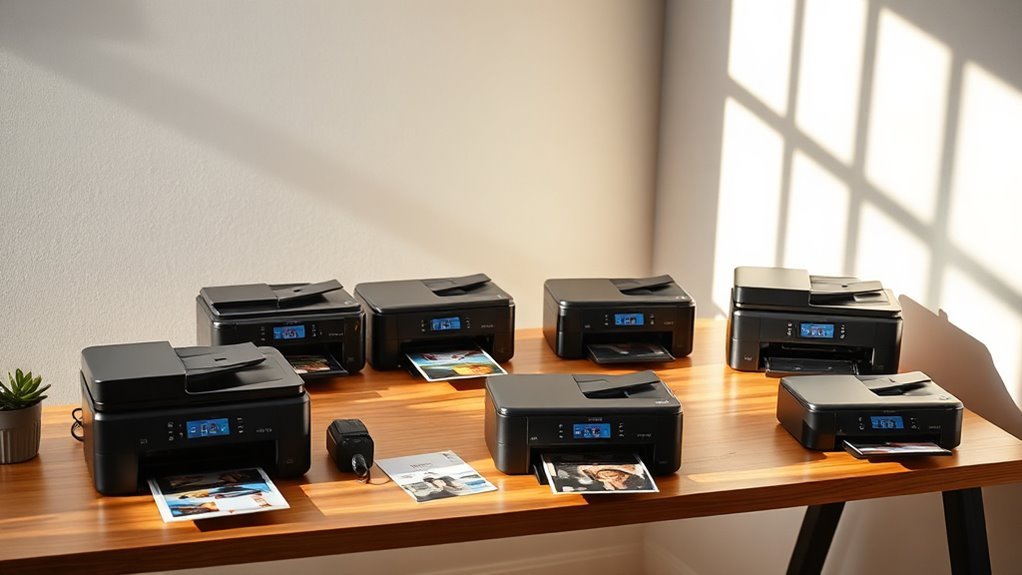
6 Best All-in-One Inkjet Printers Under $200 in 2027
If you need a reliable all-in-one inkjet printer under $200, you’ve got some great options to consider. The HP DeskJet 2923 and Envy 6155 both offer wireless convenience and solid color printing, making them easy to use at home or in a small office.
Canon’s PIXMA TS6520 and TS4320 stand out with sharp prints and easy mobile app control, so you can print straight from your phone without any hassle. Meanwhile, the MegaTank G3270 is perfect if you want to save on ink costs thanks to its refillable tanks.
For busy home offices, the PIXMA TR4720 is a strong choice with duplex printing and fax features. You’ll find smart connectivity and quality performance that fit your home or small office needs perfectly. Let’s dive into what makes each model unique next.
| Image | Name | Editor's Rating | Price |
|---|---|---|---|

|
|
||

|
|
||

|
|
||

|
|
||

|
|
HP DeskJet 2923 Color Inkjet Printer | Wireless | All-in-One
- Perfect for basic printing needs – Print everyday color documents like to-do lists, letters, financial documents and recipes
- KEY FEATURES – Color print, copy, scan, and a 60-sheet input tray, plus mobile and wireless printing
- OPTIMIZE PRINT FORMATTING WITH HP AI – Print web pages and emails with precision—no wasted pages or awkward layouts; HP AI easily removes unwanted content, so your...
- ICON LCD – Print your basic documents with ease from the intuitive control panel
- PRINT SPEED – Up to 7.5 ppm black, 5.5 ppm color

The HP DeskJet 2923 is a compact all-in-one printer designed to simplify everyday tasks. It handles color printing, copying, and scanning efficiently, making it ideal for home use. Its wireless connectivity allows you to print directly from your smartphone, reducing the need for cables or a dedicated workspace.
Maintenance is straightforward with a 60-sheet input tray that suits light to moderate printing needs. The printer’s integration with HP Instant Ink helps manage ink supplies automatically, though a subscription is required after the initial 6-month trial. This feature helps prevent unexpected ink shortages and keeps your printing uninterrupted.
With dual-band Wi-Fi and the HP App, managing print jobs and scans remotely becomes easy and convenient. The printer’s design also emphasizes eco-friendliness, using recycled plastics and holding ENERGY STAR and EPEAT certifications, which supports sustainable home office practices.
While the print speed is moderate at up to 7.5 ppm for black and 5.5 ppm for color, it meets the needs of typical household printing without overwhelming complexity. The HP DeskJet 2923 balances functionality with a compact footprint and user-friendly features.
Best for: individuals seeking an affordable, compact all-in-one printer with wireless capabilities for home use.
What We Like:
- Easy wireless printing and scanning via the HP App
- Eco-conscious design with recycled materials and certifications
- Automatic ink delivery through HP Instant Ink subscription
- Simple maintenance with a practical 60-sheet input tray
- User-friendly icon LCD control panel for straightforward operation
Specification:
| Feature | Details |
|---|---|
| Manufacturer | HP |
| Dimensions | Compact size (exact dimensions not provided) |
| Weight | Not specified |
| Material | Includes recycled plastics |
| Color Options | Not specified |
HP Envy 6155 Wireless All-in-One Inkjet Printer
- FROM AMERICA'S MOST TRUSTED PRINTER BRAND – The Envy 6155 is perfect for homes printing everyday high-quality color documents like homework and borderless photos. Print...
- 3 MONTH TRIAL OF INSTANT INK – Subscribe to the Instant Ink delivery service to get ink delivered directly to your door before you run out, and you save up to 50% on...
- KEY FEATURES – Color print, copy and scan, plus auto 2-sided printing and a 100-sheet input tray
- HP'S MOST INTUITIVE COLOR TOUCHSCREEN – Smoothly navigate your printer with the easy-to-use 2.4" touchscreen
- WIRELESS PRINTING – Stay connected with our most reliable dual-band Wi-Fi, which automatically detects and resolves connection issues
The HP Envy 6155 Wireless All-in-One Inkjet Printer is designed to simplify your home printing needs with vibrant color output. It handles everyday documents and borderless photos with ease, ensuring your projects and memories look sharp and professional. Its all-in-one functionality means you can print, scan, and copy without hassle.
This printer’s automatic duplex printing saves time and paper, while the 100-sheet input tray reduces frequent refills. Wireless dual-band Wi-Fi and the HP App allow seamless printing from smartphones and tablets, making it easy to work from anywhere in your home. The 2.4″ color touchscreen provides straightforward navigation for quick access to essential functions.
Maintenance is straightforward but requires original HP cartridges with chips. Firmware updates help maintain printer performance but may restrict third-party ink use. The eco-friendly design includes 60% recycled plastic, reflecting a commitment to sustainability without compromising quality.
Best for: home users seeking reliable, vibrant color printing and scanning for daily documents, schoolwork, and photos.
What We Like:
- Automatic duplex printing enhances convenience and reduces paper use
- Wireless dual-band Wi-Fi and HP App enable easy mobile printing and scanning
- Eco-friendly build with 60% recycled plastic
- AI print optimization delivers precise formatting and vivid colors
Specification:
| Feature | Details |
|---|---|
| Manufacturer | HP |
| Dimensions (W×D×H) | 17.3 × 14.5 × 5.6 inches |
| Weight | 13.9 lb (6.3 kg) |
| Material | Plastic (60% recycled) |
| Color Options | White with black accents |
Canon PIXMA TS6520 Wireless Color Inkjet Printer, 1.42″ OLED Display, White
- Affordable Versatility - A budget-friendly all-in-one printer perfect for both home users and hybrid workers, offering exceptional value
- Crisp, Vibrant Prints - Experience impressive print quality for both documents and photos, thanks to its 2-cartridge hybrid ink system that delivers sharp text and vivid...
- Effortless Setup & Use - Get started quickly with easy setup for your smartphone or computer, so you can print, scan, and copy without delay
- Reliable Wireless Connectivity - Enjoy stable and consistent connections with dual-band Wi-Fi (2.4GHz or 5GHz), ensuring smooth printing from anywhere in your home or...
- Scan & Copy Handling - Utilize the device’s integrated scanner for efficient scanning and copying operations
Experience hassle-free printing with the Canon PIXMA TS6520, designed to fit seamlessly into your home or student workspace. Its compact build saves valuable desk space while offering wireless connectivity that keeps your printing simple and flexible.
This all-in-one inkjet printer handles printing, scanning, and copying tasks efficiently. The 1.42″ monochrome OLED display allows straightforward operation, so you can manage jobs without confusion. Dual-band Wi-Fi ensures reliable connections for mobile and remote printing, making document handling more convenient.
Enjoy crisp color and black-and-white prints at up to 1200 x 1200 dpi. Automatic duplex printing reduces paper use and simplifies double-sided jobs. While it lacks an automatic document feeder, this model remains ideal for everyday printing needs.
Maintenance is easy with included starter ink tanks, though their limited page yield means you may need to replace ink more often. The single paper tray supports a modest capacity, suitable for light to moderate use.
Best for: families, students, and home or hybrid workers needing a compact, wireless all-in-one printer for daily printing, scanning, and copying.
What We Like:
- Space-saving compact design fits small work areas
- Dual-band Wi-Fi and Alexa voice control for flexible printing
- High-resolution print quality with automatic duplexing
- User-friendly OLED display for simple operation
Specification:
| Feature | Details |
|---|---|
| Manufacturer | Canon |
| Dimensions | Compact (exact size not provided) |
| Weight | Not specified |
| Display | 1.42″ monochrome OLED |
| Connectivity | Dual-band Wi-Fi |
| Ink Type | Color inkjet |
| Duplex Printing | Automatic |
| Paper Tray | Single, limited capacity |
| Color Options | White |
Canon MegaTank G3270 All-in-One Wireless Color Printer
- Wireless Print/Copy/Scan
- Up to 2 years of ink included (2)
- Print up to 6,000 black & white / 7,700 color pages using a single set of inks! (1)
- Save up to $1,000 on ink (1)
- 1.35” Square LCD display
Experience effortless printing and scanning at home with the Canon MegaTank G3270 All-in-One Wireless Color Printer. Its refillable ink system helps you avoid frequent cartridge changes, saving time and reducing costs. You get sharp black prints and vibrant colors with a high resolution of 4800 × 1200 dpi, ideal for documents and photos.
This printer supports wireless connectivity and mobile app control, allowing you to print directly from your smartphone or tablet with ease. The MegaTank design includes enough ink for up to two years, helping you manage maintenance with minimal hassle. It handles various paper sizes and types, from photos to legal documents, meeting diverse home or office needs.
Compact and energy-efficient, the G3270 fits well in small spaces without consuming much power. While it prints single-sided only and has a modest color print speed of 6 pages per minute, its efficient ink use and versatile functionality make it a reliable choice for everyday tasks.
Best for: individuals and home office users who want a cost-effective, wireless all-in-one printer with high ink capacity and easy smartphone printing.
What We Like:
- High ink capacity with up to two years of ink included
- Wireless and mobile app printing for convenience
- Supports multiple paper sizes and borderless photo printing
- Compact design suitable for small spaces
Specification:
| Feature | Details |
|---|---|
| Manufacturer | Canon |
| Dimensions (W×D×H) | 17.7 × 12.6 × 7.5 inches |
| Weight | Approx. 9.3 lb (4.2 kg) |
| Color Options | White |
| Print Resolution | Up to 4800 × 1200 dpi |
| Connectivity | Wi-Fi |
Canon PIXMA TR4720 Wireless All-in-One Printer
- Wireless 4-in-1 (print | copy | scan | fax)..Power Consumption: 7W (0.8W Standby / 0.3W Off)
- Print speed up to: 4" x 6" Borderless Photo (PP-201): Approx. 65.0 Seconds / Black Document (Letter/Simplex): Approx. 8.8 ipm / Color Document (Letter/Simplex): Approx...
- Designed for easy ink cartridge installation and replacement.
- Auto 2-sided printing and auto document feeder.
- Produce quality documents, photos and boarderless prints up to 8.5" x 11".
Experience hassle-free wireless printing and scanning with the Canon PIXMA TR4720. Designed to simplify everyday tasks, this all-in-one inkjet printer handles printing, copying, scanning, and faxing with ease. Its automatic duplex printing saves time and paper, making it ideal for busy home offices or small businesses.
The TR4720 offers sharp print quality with a resolution up to 4800 x 1200 dpi. Thanks to its hybrid ink system, your documents and photos come out vibrant and clear. The 100-sheet front paper tray reduces frequent refills, while borderless photo printing up to 8.5 x 11 inches lets you create lab-quality images at home.
Controlling the printer is simple via the Canon app or Alexa, which also sends ink notifications to keep you prepared. Its compact design fits neatly into any workspace, and the ENERGY STAR certification helps reduce energy consumption.
Maintenance is straightforward, but note the printer includes only one USB port for wired connections. Print speeds are moderate, especially for color jobs, so it’s best suited for moderate volume use. Shipping restrictions for the PIXMA Print Plan may apply in some US territories.
Best for: home users and small businesses needing a compact, versatile wireless all-in-one printer for everyday document and photo tasks.
What We Like:
- Wireless and mobile printing with app and Alexa control
- Automatic duplex printing for efficient double-sided documents
- High-resolution prints with vibrant colors from hybrid ink
- Convenient 100-sheet front paper tray
- Compact, energy-efficient design
Specification:
| Feature | Details |
|---|---|
| Manufacturer | Canon |
| Dimensions | Approx. 17.7 x 12.0 x 7.5 inches (W x D x H) |
| Weight | Approx. 13.2 lbs (6.0 kg) |
| Print Technology | Inkjet |
| Max Print Resolution | 4800 x 1200 dpi |
| Paper Tray Capacity | 100 sheets (front) |
| Connectivity | Wireless, USB 2.0 |
| Color Options | Black |
Canon PIXMA TS4320 – Wireless Color Inkjet Printer with Print, Copy, Scan

- Affordable Versatility - A budget-friendly all-in-one printer perfect for both home users and hybrid workers, offering exceptional value
- Crisp, Vibrant Prints - Experience impressive print quality for both documents and photos, thanks to its 2-cartridge hybrid ink system that delivers sharp text and vivid...
- Effortless Setup & Use - Get started quickly with easy setup for your smartphone or computer, so you can print, scan, and copy without delay
- Reliable Wireless Connectivity - Enjoy stable and consistent connections with dual-band Wi-Fi (2.4GHz or 5GHz), ensuring smooth printing from anywhere in your home or...
- Scan & Copy Handling - Utilize the device’s integrated scanner for efficient scanning and copying operations
The Canon PIXMA TS4320 is a compact and stylish all-in-one printer designed to streamline your home printing tasks. It makes printing, copying, and scanning straightforward, perfect for handling everyday documents and vibrant photos. Its dual-band Wi-Fi ensures a reliable wireless connection, letting you print easily from your smartphone or tablet using the Canon PRINT app or AirPrint.
This printer helps you save time and resources with auto duplex printing, which cuts paper use in half. The 100-sheet paper capacity means fewer interruptions to reload paper, making it convenient for light to moderate workloads. With sharp print resolutions of up to 1200 dpi, your photos and documents come out crisp and clear every time.
Maintenance is simple thanks to included starter ink tanks, though frequent printing may require you to replace cartridges sooner. Weighing just 15.5 pounds, the PIXMA TS4320 fits neatly in small spaces without sacrificing performance. It excels at handling homework assignments, recipes, and casual photo projects with ease.
Best for: home users and hybrid workers needing a compact, versatile printer for occasional printing, scanning, and copying tasks.
What We Like:
- Reliable dual-band Wi-Fi and mobile printing options
- Auto duplex printing reduces paper waste
- Crisp, high-resolution prints and scans
- Compact design fits small workspaces
- Simple maintenance with easy ink replacement
Specification:
| Feature | Details |
|---|---|
| Manufacturer | Canon |
| Dimensions | Compact size (exact not specified) |
| Weight | 15.5 lb (7.0 kg) |
| Printing Technology | Color Inkjet |
| Print Resolution | Up to 1200 x 1200 dpi |
| Scan Resolution | Up to 600 dpi |
| Paper Capacity | 100 sheets |
| Connectivity | Dual-band Wi-Fi, Canon PRINT app, AirPrint |
Factors to Consider When Choosing an All in One Inkjet Printer Under $200
When choosing an all-in-one inkjet printer under $200, you’ll want to focus on print quality and speed to match your needs. Check the connectivity options to guarantee easy setup with your devices.
Also, consider ink efficiency to keep costs low. Don’t forget to factor in the printer’s size, design, and any extra features that could make your daily tasks smoother.
Print Quality And Speed
Although budget all-in-one inkjet printers under $200 may have some limitations, you can still find models that deliver sharp text and vibrant colors by focusing on print resolution and speed. Look for printers with at least 1200 x 1200 dpi for crisp text and detailed photos.
Print speed varies, so expect about 7–14 pages per minute (ppm) for black-and-white and 5–10 ppm for color. If you often print single pages, check the first-page-out time, usually around 7–10 seconds, to avoid delays.
Automatic duplexing can save paper by printing on both sides, though it may slow down your overall job. Don’t forget to weigh the scanner’s resolution (600–1200 dpi) if you need clear copies or scans.
These factors guarantee you get solid print quality and efficient performance.
Connectivity Options Available
How do you guarantee your all-in-one inkjet printer connects seamlessly to your devices? Start by choosing one with dual-band Wi-Fi (2.4 GHz and 5 GHz) to reduce interference and speed up mobile and cloud printing.
Look for wireless standards like Wi-Fi Direct and AirPrint or Mopria compatibility. That way, you can print directly from your phone or tablet without needing a router.
If you prefer a wired connection, make sure it has a USB Type-B or Type-C port for reliable computer hookups.
For home offices, Ethernet support offers a stable, secure multi-user connection that outperforms Wi-Fi alone.
Finally, consider models compatible with voice assistants and mobile apps. They simplify remote scanning, printing, and status alerts, making your printing experience more convenient and efficient.
Ink Efficiency And Cost
Save money and hassle by choosing an all-in-one inkjet printer that maximizes ink efficiency and keeps operating costs low. Look for models offering high-yield cartridges or refillable ink tanks—these can slash your cost per page from $0.05–$0.20 down to as low as $0.01–$0.03.
Calculate your true expenses by dividing cartridge price by page yield. Consider printers supporting automated ink-subscription services to avoid pricey emergency refills. Also, think about your printing habits; pigment black cartridges save ink on text, while dye-based colors consume more with photos.
Finally, pick printers with features like print-optimization software, two-sided printing, and page trimming to minimize wasted ink and unnecessary printing. These factors help you get the most value without exceeding your $200 budget.
Device Size And Design
After considering ink efficiency and cost, you’ll want to focus on the physical space your all-in-one inkjet printer will occupy. Measure your desk or shelf space carefully to pick a model that fits comfortably, with widths typically between 12 and 22 inches and heights from 6 to 11 inches.
Pay attention to paper tray capacity and placement—front-fed 100-sheet trays need more clearance than smaller 60-sheet or single-tray designs. If space is tight, choose printers with fold-down or tuckaway output trays and low profiles to minimize protrusion when idle.
Also, look for user-friendly control layouts; small monochrome displays save space, while larger touchscreens increase size. Finally, make certain there’s enough room to access ink refills, clear paper jams, and open the scanner lid without hassle.
Additional Functional Features
When choosing an all-in-one inkjet printer under $200, you’ll want to prioritize features that enhance convenience and efficiency. Look for automatic duplex printing and an auto document feeder (ADF) to handle multi-page scanning, copying, or faxing without manual page flipping.
Make sure the printer supports mobile printing and apps like AirPrint or Mopria, so you can print and scan directly from your smartphone or tablet. An intuitive control interface, such as a color touchscreen or clear LCD, speeds up common tasks.
Consider added perks like borderless photo printing, voice-assistant compatibility, and built-in fax if you need them. Also, check ink management options, including refillable tanks or subscription services.
And be aware of firmware policies that might limit third-party cartridge use for long-term convenience. These little details can make a big difference in how happy you are with your printer over time.
Environmental And Energy Certifications
Beyond convenient features, you’ll want to factor in how eco-friendly and energy-efficient your printer is. Look for ENERGY STAR certification to guarantee it meets EPA energy standards, saving power in standby and active modes.
Check if the printer carries an EPEAT rating—Bronze, Silver, or Gold—to gauge its overall environmental impact, from materials to disposal. Prefer models that use recycled plastics in their housing to reduce virgin plastic use and embodied carbon.
Also, review power consumption specs to estimate real energy costs over time. Don’t forget to consider manufacturers’ end-of-life programs like take-back or cartridge recycling and whether parts are replaceable.
These factors help minimize waste and extend your printer’s life, making your choice smarter both for your budget and the planet. It’s a win-win!
Frequently Asked Questions
How Long Do Ink Cartridges Typically Last for These Printers?
Ink cartridges typically last between 100 to 300 pages, depending on usage and print settings. You’ll want to replace them more often if you print photos or high-quality documents frequently.
That way, you can keep your prints sharp and clear. It really makes a difference when you care about quality!
Are These Printers Compatible With Mac and Windows Operating Systems?
Yes, you’ll find these printers compatible with both Mac and Windows operating systems. They usually come with drivers and software that support the latest versions, so you won’t have trouble connecting or printing from either platform.
It’s pretty straightforward to set them up. Just follow the instructions, and you should be good to go in no time!
Can These Printers Handle Photo Printing on Specialized Paper?
Yes, these printers can handle photo printing on specialized paper. You’ll want to adjust the settings for photo paper type and quality to get the best results.
This way, your prints come out vibrant and sharp every time. It’s pretty straightforward once you tweak those settings!
What Is the Average Print Speed for Black and Color Documents?
You’ll typically get black print speeds around 10-15 pages per minute, while color documents print slower, about 5-10 ppm. These speeds vary by model but are standard for budget all-in-one inkjet printers.
Keep in mind, the exact speed can depend on what you’re printing and the quality settings you choose. So, it’s always a bit of a trade-off between speed and print quality.
Do These Printers Support Mobile Printing Apps Like Airprint or Google Cloud Print?
Like a smartphone’s seamless tap, these printers support mobile apps such as AirPrint and Google Cloud Print.
You’ll easily print from your phone or tablet without hassle, making wireless printing quick and convenient wherever you are.
Conclusion
Choosing the right all-in-one inkjet printer under $200 doesn’t have to feel like searching for a needle in a haystack. Whether you lean toward HP’s reliable wireless models or Canon’s versatile PIXMA series, you’re equipped to tackle everyday printing tasks with ease.
Just like finding the perfect tool in a craftsman’s kit, picking the right printer guarantees your creative and professional needs are met without breaking the bank. Your ideal printer awaits—ready to bring your ideas to life.
When shopping for the best all-in-one inkjet printers under $200, focus on features like print quality, speed, and wireless connectivity. These affordable printers offer impressive functionality without compromising your budget.
So, whether you need to print, scan, or copy, these models deliver convenience and reliability. Finding the perfect all-in-one inkjet printer under $200 means you get value and versatility all in one device.