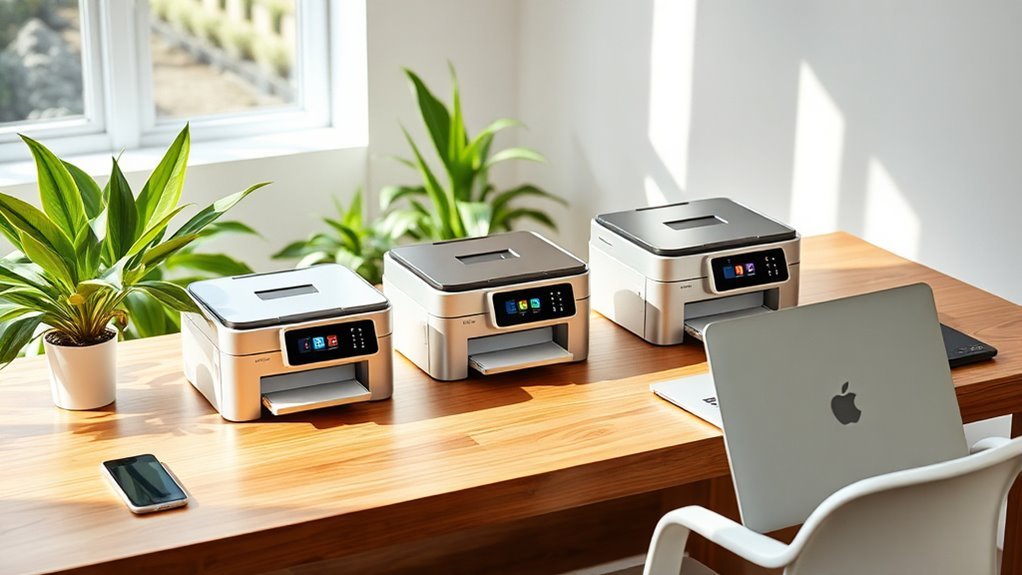
6 Best AirPrint Printers for Mac in 2027 You’ll Love
If you want seamless AirPrint for your Mac in 2027, check out Canon PIXMA TS6520 and TR8620a for all-in-one versatility with crisp prints and duplexing.
These models handle everything from photos to documents with great ease. The TS702a delivers speedy, print-only reliability, perfect if you just need straightforward printing without extra features.
For compact wireless options, the TS4320 is budget-friendly and easy to set up. It’s ideal for small spaces or casual use.
On the other hand, Canon MegaTank G3270 shines with refillable ink tanks, saving you money in the long run.
If speed and durability matter most, HP OfficeJet Pro 8125 offers fast, reliable printing plus subscription perks that keep your ink flowing without hassle.
Keep reading to discover the perfect balance of features and cost tailored just for your printing needs in 2027.
| Image | Name | Editor's Rating | Price |
|---|---|---|---|

|
|
||
|
|
||

|
|
||

|
|
||

|
|
Canon PIXMA TS6520 Wireless Color Inkjet Printer, 1.42″ OLED Display, White
- Affordable Versatility - A budget-friendly all-in-one printer perfect for both home users and hybrid workers, offering exceptional value
- Crisp, Vibrant Prints - Experience impressive print quality for both documents and photos, thanks to its 2-cartridge hybrid ink system that delivers sharp text and vivid...
- Effortless Setup & Use - Get started quickly with easy setup for your smartphone or computer, so you can print, scan, and copy without delay
- Reliable Wireless Connectivity - Enjoy stable and consistent connections with dual-band Wi-Fi (2.4GHz or 5GHz), ensuring smooth printing from anywhere in your home or...
- Scan & Copy Handling - Utilize the device’s integrated scanner for efficient scanning and copying operations

Discover the convenience of the Canon PIXMA TS6520, a compact all-in-one printer designed to simplify your daily tasks. Whether you’re printing school assignments, important documents, or family photos, this printer makes it easy to manage your work from home or a hybrid setup.
The printer’s dual-band Wi-Fi and AirPrint compatibility allow seamless wireless printing from your Mac, smartphone, or tablet. You can even use voice commands with Alexa for hands-free operation. Its small footprint fits comfortably on your desk without taking up much space.
Maintenance is straightforward with the 1.42″ OLED display that clearly shows ink levels and settings. However, the two-cartridge ink system may require more frequent replacements if used heavily. Automatic duplex and borderless printing save time and produce sharp, vibrant prints up to letter size.
This printer offers a balance of functionality and ease of use, ideal for occasional to moderate printing needs without overwhelming your workspace.
Best for: home users, students, and hybrid workers who need a reliable, space-saving all-in-one printer.
What We Like:
- Compact design fits easily in small workspaces
- Supports dual-band Wi-Fi and voice control via Alexa
- Automatic duplex and borderless printing for versatile output
- Clear OLED display for easy maintenance monitoring
Specification:
| Feature | Details |
|---|---|
| Manufacturer | Canon |
| Dimensions | Compact footprint |
| Weight | Not specified |
| Color Options | White |
| Display | 1.42″ OLED |
| Connectivity | Dual-band Wi-Fi, AirPrint, Alexa voice control |
Canon PIXMA TS702a Wireless Print-Only Printer Black
- Efficient Everyday Printing: It can print great looking borderless photos and even supports various paper types & sizes, from 3.5” x 3.5” Square up to legal size...
- Print Connectivity: Whether that is a smartphone, tablet or computer. Have peace of mind and connect with AirPrintFootnote4, Mopria Print ServiceFootnote...
- Big Performance with Compact Design: With a 350 SHEET plain paper capacity the PIXMA TS702 is ready to take on large print jobs.
- Wireless Single-Function: Print only featuring Auto 2-Sided (Duplex) Printing.
- Sharp Text: The hybrid ink system combines dye ink for rich colors and black pigment ink.
The Canon PIXMA TS702a Wireless Print-Only Printer in Black offers a straightforward solution for users who need fast, reliable printing without extra features like scanning or copying. Its focus on print performance ensures you get crisp text and vibrant colors every time, improving productivity for home and office tasks.
Designed with convenience in mind, this printer supports automatic duplex printing, saving paper and reducing waste effortlessly. The hybrid ink system blends dye and pigment inks, delivering sharp black text alongside rich color prints. You can easily print borderless photos and documents in various sizes.
Connectivity won’t slow you down thanks to multiple options including Wi-Fi, Ethernet, and USB 2.0. This flexibility fits smoothly into your existing setup, whether you’re working from a desktop or mobile device. Maintenance is simple with a compact design and straightforward operation, though note it lacks a touchscreen and has a limited output tray capacity.
Best for: Users seeking a fast, high-quality wireless print-only printer with automatic duplexing and versatile connectivity options for home or office use.
What We Like:
- Automatic duplex printing for efficient paper use
- Hybrid ink system ensures vibrant colors and sharp text
- Multiple connectivity options: Wi-Fi, Ethernet, USB 2.0
- Compact design fits well in small spaces
Specification:
| Feature | Details |
|---|---|
| Manufacturer | Canon |
| Dimensions (W×D×H) | Approx. 17.3 × 14 × 5.1 in (44 × 35.5 × 13 cm) |
| Weight | Approx. 8.6 lb (3.9 kg) |
| Color | Black |
| Connectivity | Wi-Fi, Ethernet, USB 2.0 |
Canon PIXMA TS4320 – Wireless Color Inkjet Printer with Print, Copy, Scan
- Affordable Versatility - A budget-friendly all-in-one printer perfect for both home users and hybrid workers, offering exceptional value
- Crisp, Vibrant Prints - Experience impressive print quality for both documents and photos, thanks to its 2-cartridge hybrid ink system that delivers sharp text and vivid...
- Effortless Setup & Use - Get started quickly with easy setup for your smartphone or computer, so you can print, scan, and copy without delay
- Reliable Wireless Connectivity - Enjoy stable and consistent connections with dual-band Wi-Fi (2.4GHz or 5GHz), ensuring smooth printing from anywhere in your home or...
- Scan & Copy Handling - Utilize the device’s integrated scanner for efficient scanning and copying operations
The Canon PIXMA TS4320 is designed to simplify your daily printing tasks. Whether you’re working on school projects, printing recipes, or preserving memories with photos, this all-in-one printer handles it with ease. Its compact size fits neatly into any home setup, saving space without sacrificing functionality.
With automatic duplex printing, you can print on both sides of the paper effortlessly, reducing waste and saving money. The printer delivers sharp color and black-and-white prints up to 1200 dpi, ensuring your documents and images look crisp and vibrant every time.
Connectivity is seamless thanks to dual-band Wi-Fi, Apple AirPrint, and the Canon PRINT app. You can print directly from your smartphone, tablet, or Mac without complicated setups. The 100-sheet tray supports a variety of media types, including glossy photo paper and labels, making it versatile for different projects.
Maintenance is straightforward, but keep in mind the starter ink tanks may require replacement sooner if you print frequently. The lack of an automatic document feeder means multi-page scanning or copying requires manual input, which could slow down larger tasks.
Best for: Budget-conscious home users needing a compact, all-in-one wireless printer for everyday printing, copying, and scanning.
What We Like:
- Efficient automatic duplex printing reduces paper usage.
- Easy wireless printing via Wi-Fi, AirPrint, and Canon PRINT app.
- Compact design fits well in small spaces.
- Supports various media types including photo paper and labels.
Specification:
| Feature | Details |
|---|---|
| Manufacturer | Canon |
| Dimensions | Approx. 12 x 14 x 5 inches |
| Weight | Approx. 13 lb (6 kg) |
| Print Resolution | Up to 1200 dpi |
| Connectivity | Dual-band Wi-Fi, AirPrint, Canon PRINT app |
| Paper Capacity | 100 sheets |
| Duplex Printing | Automatic |
Canon PIXMA TR8620a All-in-One Printer Black
- Never run out of ink. Connect your printer to Alexa and receive notifications when you’re running low. Alexa can even place a smart reorder from Amazon on your behalf...
- Enrolling in Smart Reorders with Alexa ensures that you never have too much or too little ink supplies. No subscription needed.
- Wireless 4-in-1 (Print | Copy | Scan | Fax)
- 15 / 10 ipm Print Speed
- 200 Sheet Capacity (100 Cassette, 100 Rear Feed)
The Canon PIXMA TR8620a is a smart solution for those who need more than just printing. This all-in-one inkjet printer handles print, copy, scan, and fax tasks smoothly, making it ideal for busy homes or small offices. Its compact design fits easily into any workspace without taking up too much room.
With wireless connectivity and AirPrint support, it simplifies printing from your Mac and other devices. The 20-sheet auto document feeder and automatic duplex printing save time and effort on multi-page jobs. Plus, the five-ink system produces vibrant, sharp images with a resolution up to 4800 x 1200 dpi.
Maintenance is straightforward thanks to dual 100-sheet trays that reduce refills. However, the printer supports only a monthly duty cycle of 1,000 pages, so it suits moderate use rather than heavy printing demands. The limited output tray capacity means you may need to clear it often during larger print tasks.
Overall, the Canon PIXMA TR8620a enhances productivity with its versatile features and reliable performance. It’s a practical choice for users wanting high-quality prints combined with convenient wireless and voice control options.
Best for: Users seeking an all-in-one inkjet printer with AirPrint compatibility for home or small office use.
What We Like:
- Multi-function print, copy, scan, and fax with a 20-sheet auto document feeder.
- Wireless printing including AirPrint and Alexa voice command support.
- High-resolution prints with a five-ink system and automatic duplexing.
- Dual 100-sheet trays reduce paper refills.
- Compact design fits well in limited spaces.
Specification:
| Feature | Details |
|---|---|
| Manufacturer | Canon |
| Dimensions (W×D×H) | 14.9 × 12.7 × 7.5 inches |
| Weight | 15.4 lbs (7 kg) |
| Color | Black |
| Print Resolution | Up to 4800 x 1200 dpi |
| Connectivity | Wi-Fi, AirPrint, USB 2.0 |
| Monthly Duty Cycle | 1,000 pages |
| Paper Trays | 2 × 100-sheet trays |
| Output Tray Capacity | 20 sheets |
Canon MegaTank G3270 All-in-One Wireless Color Printer
- Wireless Print/Copy/Scan
- Up to 2 years of ink included (2)
- Print up to 6,000 black & white / 7,700 color pages using a single set of inks! (1)
- Save up to $1,000 on ink (1)
- 1.35” Square LCD display
The Canon MegaTank G3270 All-in-One Wireless Color Printer is designed to meet the needs of home and small office users who want high-quality prints without frequent ink replacements. Its refillable ink tank system provides up to two years of ink, significantly reducing the hassle and cost of buying cartridges. This feature helps you save up to $1,000 on ink expenses, making it an economical choice for everyday printing.
This printer delivers sharp images and text with a resolution of up to 4800 x 1200 dpi. It handles printing, scanning, and copying tasks efficiently, supporting wireless connectivity with AirPrint for easy printing from Apple devices. Its compact design fits well in limited spaces, while energy-efficient operation keeps running costs low.
Maintenance is straightforward thanks to the MegaTank system, which allows quick and clean ink refills. Although it prints at moderate speeds and lacks automatic double-sided printing, it supports various paper sizes, making it versatile for different projects. The single 100-sheet tray is suitable for typical home or small office workloads.
Best for: Home and home office users seeking a cost-effective wireless color printer with high ink yield and versatile media handling.
What We Like:
- Refillable ink tanks providing up to two years of ink and cost savings.
- High-resolution output ensures crisp color and black-and-white prints.
- Wireless connectivity with AirPrint and app control for convenient mobile printing.
- Compact, energy-efficient design suitable for small spaces.
Specification:
| Feature | Details |
|---|---|
| Manufacturer | Canon |
| Dimensions | Approx. 17.7 x 13.2 x 7.5 inches (45 x 33.5 x 19 cm) |
| Weight | Approximately 9.1 lb (4.1 kg) |
| Print Resolution | Up to 4800 x 1200 dpi |
| Connectivity | Wireless, AirPrint support |
| Paper Tray Capacity | 100 sheets |
| Printing Speed | Up to 11 ppm (black), 6 ppm (color) |
HP OfficeJet Pro 8125 Wireless All-in-One Printer

- FROM AMERICA'S MOST TRUSTED PRINTER BRAND – The OfficeJet Pro 8125 is perfect for home offices printing professional-quality color documents like business documents...
- 3 MONTH TRIAL OF INSTANT INK INCLUDED – Subscribe to the Instant Ink delivery service to get ink delivered directly to your door before you run out, and you save up to...
- KEY FEATURES – Fast color printing, scan, copy, auto 2-sided printing, auto document feeder, and a 225-sheet input tray
- 2.7-INCH TOUCHSCREEN – Quickly navigate your printer with a large color touchscreen and a phone-like user interface
- WIRELESS PRINTING – Stay connected with our most reliable dual-band Wi-Fi, which automatically detects and resolves connection issues
The HP OfficeJet Pro 8125 Wireless All-in-One Printer is designed to simplify your home or office printing tasks. It offers reliable, vibrant color printing, scanning, copying, and faxing all in one device, helping you stay productive without hassle.
Its fast print speeds of up to 20 ppm for black and 10 ppm for color reduce wait times and keep your workflow moving. Automatic duplex printing lets you print on both sides of the paper, saving time and resources.
Wireless dual-band Wi-Fi and AirPrint compatibility make printing from your Mac or other devices seamless. The 2.7-inch touchscreen provides easy control and quick access to functions, reducing setup complexity.
Maintenance is straightforward with support for HP’s Instant Ink program, ensuring you never run out of ink. However, this printer only accepts original HP cartridges with chips, and faxing is handled through an app rather than built-in hardware.
Best for: Home and home office users who need a versatile, wireless all-in-one printer with high-quality color output and easy device connectivity.
What We Like:
- Fast black and color print speeds with automatic duplexing
- User-friendly 2.7-inch touchscreen and stable dual-band Wi-Fi
- Convenient HP Instant Ink subscription support
- Durable, water-resistant prints with eco-conscious design
Specification:
| Feature | Details |
|---|---|
| Manufacturer | HP |
| Dimensions (W×D×H) | 17.3 × 14.7 × 7.8 inches |
| Weight | 18.2 lb (8.25 kg) |
| Connectivity | Wireless dual-band Wi-Fi, AirPrint |
| Display | 2.7-inch color touchscreen |
| Print Speed | Up to 20 ppm (black), 10 ppm (color) |
Factors to Consider When Choosing an Airprint Printer for Mac
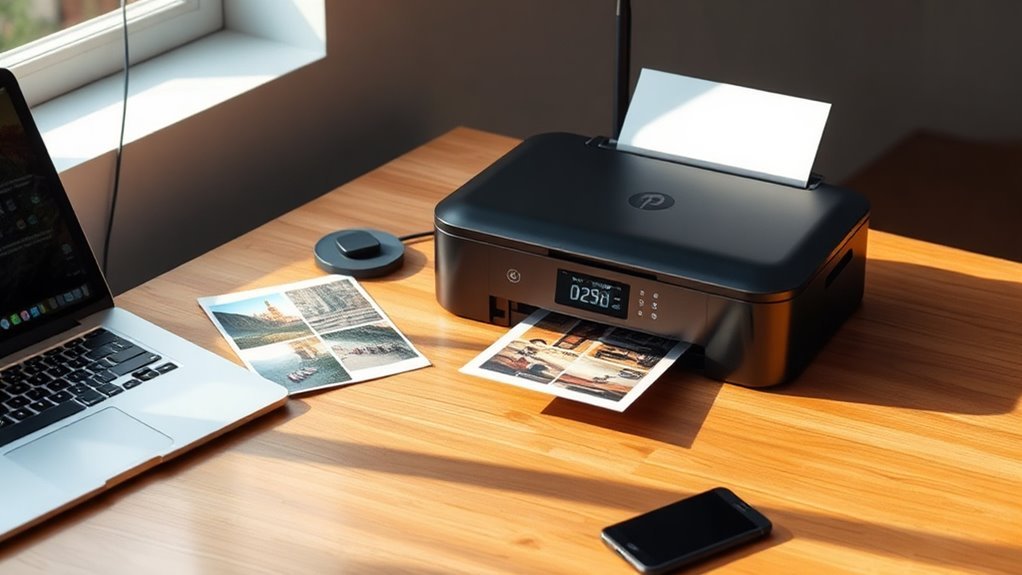
When choosing an AirPrint printer for your Mac, you’ll want to check its compatibility with macOS and the types of wireless connections it supports.
It’s also good to think about how important print quality and speed are for your needs. Are you looking for a multi-function device, or will a single-function printer do the trick?
Don’t forget to factor in ink efficiency and overall costs. This way, you can ensure you get the best value for your money.
Compatibility With Macos
Since AirPrint relies on native support within macOS, you’ll want to guarantee your printer explicitly supports it without needing extra drivers or software. First, make sure the printer is compatible with your macOS version, as Apple occasionally removes older protocols that AirPrint depends on.
Check that the printer supports standard network bands like 2.4 GHz and 5 GHz Wi-Fi, plus IPv4/IPv6, so your Mac can reliably detect it. Confirm it broadcasts AirPrint services via mDNS/Bonjour and that your network doesn’t block discovery through firewalls or client isolation.
Finally, verify the printer offers the print features you need—such as duplex printing, color options, and photo-quality support—through AirPrint. Keep in mind, some advanced functions might be restricted when printing from macOS.
Wireless Connectivity Options
Although choosing an AirPrint printer involves many factors, wireless connectivity options play a critical role in ensuring seamless printing from your Mac. Make sure the printer supports dual-band Wi-Fi (2.4 GHz and 5 GHz) so you get reliable connections and faster speeds on less crowded networks.
Also, confirm it offers AirPrint over Wi-Fi. This allows your macOS and iOS devices to print without needing extra drivers.
If you prefer a wired setup, check for Ethernet support. This can help stabilize connections and reduce wireless interference.
Wireless Direct or Wi-Fi Direct features are handy because they let you print even without joining a local network.
Finally, prioritize printers with WPA2/WPA3 encryption and secure onboarding methods like WPS or certificate-based provisioning. This keeps your print jobs safe and prevents unauthorized access.
Print Quality and Speed
Evaluate print quality and speed carefully to guarantee your AirPrint printer meets your Mac’s demands. Focus on printers with a high maximum resolution, like 1200 x 1200 dpi or greater, to ensure sharp text and detailed photos.
Check the print speeds for black and color pages—typically 10–20 ppm black and 6–15 ppm color—to match your job volume. Don’t overlook the initial page-out time; a lower value means faster first-page prints, perfect for quick tasks.
If text crispness matters, choose a printer using pigment black ink for water resistance and durability over dye inks. Also, if you print double-sided often, pick a model with automatic duplexing that won’t slow down your overall print speed.
These factors keep your workflow smooth and prints impressive.
Multi-Function vs. Single-Function
When choosing an AirPrint printer for your Mac, you’ll need to decide between a multi-function printer (MFP) and a single-function model. MFPs combine printing with scanning, copying, and often faxing, perfect if you regularly digitize documents or need an all-in-one device.
They streamline workflows by supporting scanning directly to cloud or email, saving you time. On the other hand, single-function printers focus solely on printing, offering simpler setup, smaller size, and sometimes faster speeds or lower upfront cost.
If you only print, a single-function model can be more space- and energy-efficient. Keep in mind, MFPs typically require more maintenance and power.
Ink Efficiency and Costs
Beyond deciding between multi-function and single-function printers, you’ll want to take into account how ink efficiency impacts your long-term costs. Look for printers with high-yield or XL cartridges or refillable tanks since they lower your cost per page markedly compared to standard cartridges.
Compare published page yields and calculate cost per page by dividing cartridge price by yield to estimate expenses accurately. Hybrid ink systems, combining pigment black for text and dye for photos, can reduce black text costs and boost durability.
Consider subscription services carefully, analyzing their pricing and delivery timing to avoid overspending. Don’t forget to factor in features like duplex printing and draft modes, which cut paper and ink use by enabling two-sided prints and lower-quality drafts, saving you money over time.
Device Control and Features
Although many AirPrint printers offer seamless wireless printing, you’ll want to check how they let you control settings and manage jobs. Look for printers with built-in touchscreens or displays so you can adjust settings and start tasks without your Mac.
If you prefer tactile controls, see if the printer has physical buttons for basic functions like power, cancel, or Wi-Fi. Also, consider models with app or web-based controllers that let you manage print settings, ink levels, and updates remotely.
Make sure the printer supports Mac-native features like AirPrint and offers advanced controls—duplex printing, paper type, and color presets—directly from macOS. Extra features like automatic document feeders, memory card slots, or fax buttons may also help you handle multi-page jobs or offline media with ease.
Frequently Asked Questions
How Do I Set up Airprint on My Mac?
You just connect your AirPrint-compatible printer to the same Wi-Fi as your Mac.
Then, when you print, select your printer from the print dialog. Your Mac will handle the rest automatically—no drivers needed!
Can Airprint Work Without a Wi-Fi Connection?
You might think AirPrint works without Wi-Fi, but it actually needs a wireless network to connect your Mac and printer. Without Wi-Fi, AirPrint won’t function.
Are Airprint Printers Compatible With Iphones and Ipads?
Yes, AirPrint printers are compatible with iPhones and iPads. You can easily print directly from your Apple devices without needing extra drivers.
Just make sure your printer and device are connected to the same Wi-Fi network. Then, you’re all set to print with ease!
How Secure Is Airprint Printing on Public Networks?
AirPrint printing on public networks isn’t very secure since data can be intercepted.
You should avoid printing sensitive info or use a VPN to protect your connection when using AirPrint in public places. It’s better to be safe than sorry!
What Should I Do if My Airprint Printer Is Not Detected?
If your AirPrint printer isn’t detected, make sure both devices are on the same Wi-Fi network. Restart your printer and Mac to refresh the connection.
Also, update the firmware and software on both devices. Don’t forget to check your network settings to fix any connectivity issues quickly.
Conclusion
Choosing the perfect AirPrint printer for your Mac doesn’t have to feel like searching for a needle in a haystack. Whether you want vibrant photos, speedy documents, or an all-in-one powerhouse, one of these six printers will fit your needs like a glove.
So, why settle for less when effortless printing is just a click away? Your Mac deserves a printer that works as smart and stylish as you do!
With AirPrint compatibility, these printers make wireless printing from your Mac a breeze. No more hassle with cables or complicated setups—just seamless, high-quality prints every time.
Whether you’re working from home, printing school projects, or capturing memories, having the best AirPrint printer for Mac ensures convenience and reliability. In 2027, choosing one of these top six models means you get performance, style, and smart features all in one package. Don’t just print—print smart with the best AirPrint printers for your Mac!