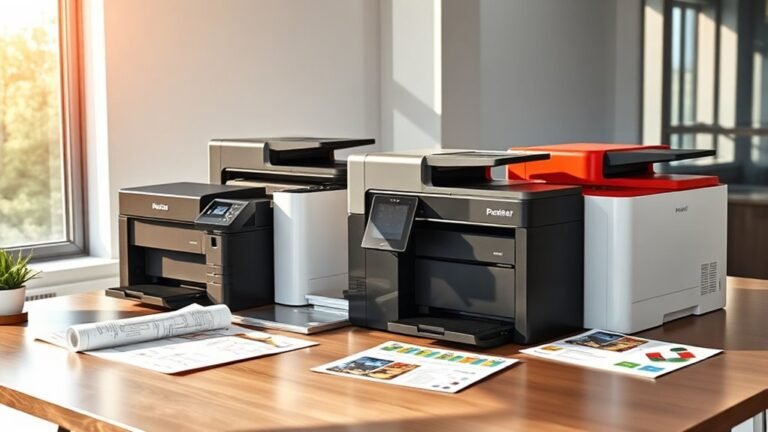
7 best all in one home printer 2026
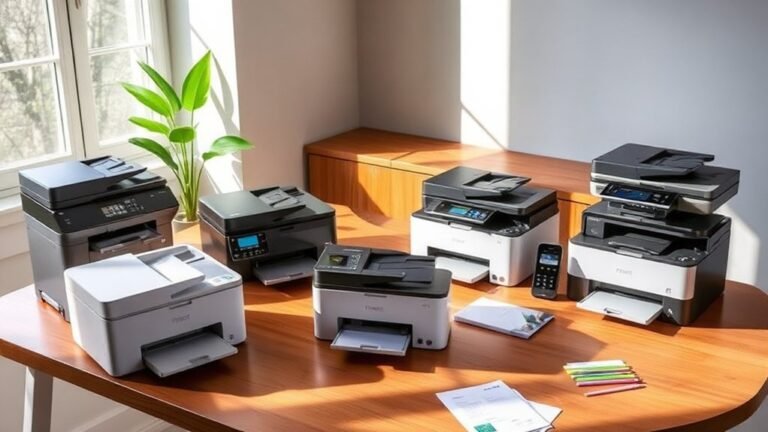
You’ll find reliable, versatile all-in-one printers like the HP OfficeJet Pro 8125, perfect for busy home offices, or the compact Brother Work Smart 1360 for small spaces.
If you need high-volume printing, Canon’s MegaTank G3270 offers great cost efficiency. Meanwhile, Canon PIXMA models TS6520 and TS7720 shine when it comes to photos and wireless ease.
Epson WF-2990 is a solid choice for everyday tasks, thanks to its durability. Each printer balances features like duplex printing, ADF, and smart connectivity, making it easier to find the best fit for your home.
Keep exploring to uncover which all-in-one printer matches your workflow perfectly!
| Image | Name | Editor's Rating | Price |
|---|---|---|---|

|
|
||

|
|
||

|
|
||

|
|
||

|
|
HP OfficeJet Pro 8125 Wireless Color Inkjet Printer
- FROM AMERICA'S MOST TRUSTED PRINTER BRAND – The OfficeJet Pro 8125 is perfect for home offices printing professional-quality color documents like business documents...
- 3 MONTH TRIAL OF INSTANT INK INCLUDED – Subscribe to the Instant Ink delivery service to get ink delivered directly to your door before you run out, and you save up to...
- KEY FEATURES – Fast color printing, scan, copy, auto 2-sided printing, auto document feeder, and a 225-sheet input tray
- 2.7-INCH TOUCHSCREEN – Quickly navigate your printer with a large color touchscreen and a phone-like user interface
- WIRELESS PRINTING – Stay connected with our most reliable dual-band Wi-Fi, which automatically detects and resolves connection issues

The HP OfficeJet Pro 8125 Wireless Color Inkjet Printer offers a practical solution for busy homes and small offices. It handles multiple tasks with ease, including printing, scanning, copying, and faxing. This all-in-one device improves workflow by supporting automatic duplex printing, which helps reduce paper waste without extra effort.
Designed for convenience, it features a 2.7-inch color touchscreen and reliable dual-band Wi-Fi connectivity. You can manage print jobs and scans directly from your smartphone using the HP Smart app, making remote operation simple and efficient. The printer’s compact design fits comfortably in tight spaces, keeping your workspace organized.
Maintenance is straightforward but requires original HP 923 series cartridges, as firmware updates prevent use of non-HP supplies. This ensures consistent print quality but limits cartridge options. Faxing is integrated through the app, which may not replace traditional fax machines for all users.
With its blend of wireless convenience and professional-quality output, this printer supports everyday office productivity while protecting your network with built-in security features.
Best for: Small home offices and individuals needing a compact, versatile printer with wireless capabilities and easy mobile management.
What We Like:
- Fast print speeds with automatic duplexing to save paper
- All-in-one functionality including flatbed and ADF scanning
- User-friendly color touchscreen and dual-band Wi-Fi connectivity
- Mobile control via the HP Smart app enhances remote productivity
Specification:
| Feature | Details |
|---|---|
| Manufacturer | HP |
| Dimensions | Compact size (exact size not specified) |
| Weight | Not specified |
| Print Speed | Up to 20 ppm black, 10 ppm color |
| Media Size | Up to 8.5 x 11.7 inches |
| Connectivity | Wireless dual-band Wi-Fi |
| Display | 2.7-inch color touchscreen |
| Cartridge Series | HP 923 series only |
Brother Work Smart 1360 Wireless Color Inkjet All-in-One Print, Scan, Copy
- AFFORDABLE ALL-IN-ONE FOR HOME AND HOME OFFICE: Print, copy, and scan on one compact wireless printer designed for everyday home office printing, schoolwork, documents...
- EASY TO USE WITH CLOUD APP CONNECTIONS: Print from and scan to popular Cloud apps(2), including Google Drive, Dropbox, Box, OneDrive, and more from the simple-to-use...
- FULL-SIZE FEATURES IN A COMPACT DESIGN: This printer includes automatic duplex (2-sided) printing, a 20-sheet single-sided Automatic Document Feeder (ADF)(3), and a...
- MULTIPLE CONNECTION OPTIONS: Connect your way. Interface with your printer on your wireless network or via USB.
- MOBILE PRINTING MADE EASY: Go mobile with the Brother Mobile Connect app(5) that delivers easy onscreen menu navigation for printing, copying, scanning, and device...
The Brother Work Smart 1360 Wireless Color Inkjet All-in-One is designed to simplify your home printing tasks. It delivers reliable color prints quickly, making it ideal for busy home offices and study areas. With wireless connectivity, you can print, scan, and copy without being tied to a desk.
Its compact design, weighing just 16.8 pounds, fits comfortably in small spaces. Automatic duplex printing helps reduce paper waste, while the 20-sheet automatic document feeder speeds up multi-page scanning and copying. These features save you time and effort during everyday use.
Maintenance is straightforward with easy access to ink cartridges. The printer supports sharp color prints at up to 1,200 × 6,000 dpi resolution. While color print speeds are slightly slower than black, the overall performance meets typical home and small office demands.
Wireless options include Wi-Fi, AirPrint, and a mobile app for seamless printing from various devices. Cloud support keeps your workflow connected and efficient, eliminating common printing hassles.
Best for: Home users and small offices seeking a compact, wireless all-in-one printer for dependable color printing, scanning, and copying.
What We Like:
- Automatic duplex printing and 20-sheet ADF for efficient multitasking
- High-resolution color printing with vivid details
- Flexible wireless printing via Wi-Fi, AirPrint, and mobile app
- Compact and lightweight design fits small spaces
Specification:
| Feature | Details |
|---|---|
| Manufacturer | Brother |
| Dimensions (W×D×H) | Not specified |
| Weight | 16.8 lb (7.62 kg) |
| Print Resolution | Up to 1,200 × 6,000 dpi |
| Print Speed | Up to 16 ppm (black), 9 ppm (color) |
| Connectivity | Wi-Fi, USB 2.0, AirPrint |
| ADF Capacity | 20 sheets |
Canon MegaTank G3270 All-in-One Wireless Color Printer
- Wireless Print/Copy/Scan
- Up to 2 years of ink included (2)
- Print up to 6,000 black & white / 7,700 color pages using a single set of inks! (1)
- Save up to $1,000 on ink (1)
- 1.35” Square LCD display
The Canon MegaTank G3270 is ideal for those who print frequently and want to avoid constant ink replacements. Its refillable MegaTank system provides ink that can last up to two years, producing up to 6,000 black and 7,700 color pages per set. This reduces interruptions and keeps your workflow smooth.
You can print, copy, and scan with sharp 4800 × 1200 dpi resolution. The printer’s design supports various paper sizes and types, including borderless printing, making it versatile for home or office tasks. Maintenance is simple with easy ink refills, helping you manage costs efficiently.
Connectivity is seamless with wireless and USB options. You can also control the printer from your smartphone or tablet, making it convenient to operate from anywhere in your space. While it lacks automatic duplex printing, it remains energy-efficient and network-ready for daily use.
The printer has a compact footprint but a somewhat larger size and weight, which fits well in small offices but may be bulky for very tight spaces. Its 100-sheet paper capacity suits moderate printing needs but might require frequent refills under heavy workloads.
Best for: Users who require a high-volume, cost-effective all-in-one printer with reliable ink longevity and versatile connectivity for home or small office use.
What We Like:
- High ink yield reduces frequent replacements
- Sharp print, copy, and scan quality at 4800 × 1200 dpi
- Easy wireless and USB connectivity with mobile app control
- Supports various paper sizes and borderless printing
- Energy-efficient and network-ready design
Specification:
| Feature | Details |
|---|---|
| Manufacturer | Canon |
| Model | MegaTank G3270 |
| Print Resolution | 4800 × 1200 dpi |
| Ink Yield | Up to 6,000 black / 7,700 color pages |
| Connectivity | Wi-Fi, USB |
| Paper Capacity | 100 sheets (input/output) |
| Supported Paper Types | Various sizes, borderless |
| Weight | Relatively heavy (exact weight not specified) |
| Dimensions | Compact design (exact dimensions not specified) |
Canon PIXMA TR8620a All-in-One Printer Black
- Never run out of ink. Connect your printer to Alexa and receive notifications when you’re running low. Alexa can even place a smart reorder from Amazon on your behalf...
- Enrolling in Smart Reorders with Alexa ensures that you never have too much or too little ink supplies. No subscription needed.
- Wireless 4-in-1 (Print | Copy | Scan | Fax)
- 15 / 10 ipm Print Speed
- 200 Sheet Capacity (100 Cassette, 100 Rear Feed)
The Canon PIXMA TR8620a is designed to streamline your home office tasks. It combines printing, scanning, copying, and faxing in a single, compact device. This all-in-one printer helps you manage documents more efficiently, reducing clutter and saving space.
With its auto document feeder and two-sided printing, you can handle multi-page jobs quickly and with less effort. Wireless connectivity supports AirPrint and Android devices, letting you print directly from your phone or tablet. Alexa integration adds convenience by allowing voice commands to check ink levels and reorder supplies.
Maintenance is simple, thanks to its energy-efficient design and a 200-sheet paper capacity that balances everyday use with easy refills. While print speeds are moderate, the PIXMA TR8620a suits typical home office volumes without sacrificing quality or reliability.
This model is ENERGY STAR certified and EPEAT Silver rated, ensuring it meets environmental standards. Its versatility makes it a practical choice for users needing both photo and document printing.
Best for: Busy home office users requiring a versatile all-in-one printer with smart wireless features and compact design.
What We Like:
- Combines print, scan, copy, and fax functions in one compact unit
- Auto document feeder and duplex printing simplify multitasking
- Wireless printing via AirPrint and Android with Alexa voice control
- ENERGY STAR certified and EPEAT Silver rated for energy efficiency
Specification:
| Feature | Detail |
|---|---|
| Manufacturer | Canon |
| Dimensions | Approx. 15.0 x 12.0 x 7.5 in (38.1 x 30.5 x 19.1 cm) |
| Weight | Approx. 15.7 lb (7.1 kg) |
| Color Options | Black |
| Paper Capacity | 200 sheets (cassette + rear feed) |
Canon PIXMA TS6520 Wireless Color Inkjet Printer, 1.42″ OLED Display, White
- Affordable Versatility - A budget-friendly all-in-one printer perfect for both home users and hybrid workers, offering exceptional value
- Crisp, Vibrant Prints - Experience impressive print quality for both documents and photos, thanks to its 2-cartridge hybrid ink system that delivers sharp text and vivid...
- Effortless Setup & Use - Get started quickly with easy setup for your smartphone or computer, so you can print, scan, and copy without delay
- Reliable Wireless Connectivity - Enjoy stable and consistent connections with dual-band Wi-Fi (2.4GHz or 5GHz), ensuring smooth printing from anywhere in your home or...
- Scan & Copy Handling - Utilize the device’s integrated scanner for efficient scanning and copying operations
Experience hassle-free printing, scanning, and copying with the Canon PIXMA TS6520. This wireless color inkjet printer is designed to fit effortlessly in your home or office space. Its compact white body and sharp 1.42″ OLED display make operation simple and intuitive.
The PIXMA TS6520 delivers vibrant color prints and crisp black-and-white documents at up to 1200 dpi resolution. Automatic duplex printing helps you save paper by printing on both sides, making it ideal for everyday tasks. Although it lacks an automatic document feeder, the flatbed scanner efficiently handles all your copying and scanning needs.
Wireless dual-band Wi-Fi allows seamless connectivity, while Alexa voice control adds convenience for hands-free printing. Maintenance is straightforward with included starter inks, though frequent users may need to replace cartridges sooner. The single paper tray has a limited capacity, so occasional refilling is necessary.
This printer is built for families, students, and home or hybrid workers who need a reliable, versatile all-in-one device with wireless and voice control features.
Best for: families and remote workers seeking a compact, easy-to-use all-in-one printer with smart connectivity.
What We Like:
- Compact design fits well in small workspaces
- Automatic duplex printing reduces paper waste
- Dual-band Wi-Fi and Alexa voice control simplify wireless printing
- Vibrant color and sharp black-and-white output
- Easy-to-use OLED display for quick operation
Specification:
| Feature | Details |
|---|---|
| Manufacturer | Canon |
| Dimensions (W×D×H) | 14.5 × 11.7 × 5.0 inches |
| Weight | Approximately 13.7 lb |
| Material | Plastic |
| Color | White |
Epson Workforce WF-2990 Wireless All-in-One Printer
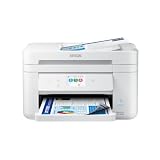
- Fast Professional-Quality Home Office Printing — Epson's leading-edge printing technology produces sharp text and clear, vibrant color graphics
- Our Fastest WorkForce Printer — Plus, a 150-sheet paper tray for convenient paper handling
- Convenient Operation — Large 2.4" color display for effortless navigation
- Engineered for Reliability — Consistently delivers high-quality prints with PrecisionCore Heat-Free technology and a permanent printhead designed to last the life of...
- Efficient, Economical Design — Automatic 2-sided printing helps you save paper and reduce paper waste
Experience hassle-free printing with the Epson Workforce WF-2990 Wireless All-in-One Printer. This compact device is designed to simplify your daily tasks by combining printing, scanning, copying, and faxing into one efficient machine. Its Auto Document Feeder and duplex printing tackle multi-page documents with ease, saving you time and effort.
Maintenance is straightforward thanks to individual ink cartridges that help reduce costs by letting you replace only the colors you need. The permanent printhead adds durability, ensuring consistent print quality without frequent upkeep. Its compact footprint fits neatly in home offices or small workspaces, keeping your area organized.
Wireless connectivity, including Wi-Fi Direct, allows you to print directly from your mobile devices without needing a router. This feature offers flexibility and convenience, especially when working remotely or on the go. The 2.4″ color touchscreen provides intuitive control, making it easy to navigate functions quickly.
Print sharp, professional-quality documents with PrecisionCore Heat-Free technology, delivering crisp color prints up to 4800 x 1200 dpi. While black-and-white prints are fast at 15.5 ppm, color printing is moderate, ideal for moderate volume use. The paper tray holds up to 150 sheets, suitable for personal or small office needs.
Best for: individuals or small home offices requiring a versatile, wireless all-in-one printer that balances functionality and compact design.
What We Like:
- All-in-one capability with Auto Document Feeder and duplex printing
- Wireless printing via Wi-Fi Direct for router-free convenience
- Cost-effective maintenance with individual ink cartridges
- Durable permanent printhead for reliable performance
Specification:
| Feature | Details |
|---|---|
| Manufacturer | Epson |
| Dimensions (W×D×H) | 17.5 × 14.4 × 9.8 inches |
| Weight | 14.1 lbs (6.4 kg) |
| Color | Black |
| Connectivity | Wi-Fi, Wi-Fi Direct |
| Touchscreen Display | 2.4-inch color touchscreen |
Canon PIXMA TS7720 Wireless All-in-One Printer

- ALL-IN-ONE: Print, Copy, Scan features for full control at your fingertips.
- FAST PRINT SPEEDS: Print approximately 15 (black) / 10 (color) images per minute.
- EASY SETUP: Get running in just a few minutes thanks to a streamlined and easy setup process out of the box.
- EASY TO INSTALL INK: Print full color with only 2 (no mess) easy-to-replace ink cartridges.
- 2.7” LCD SCREEN: Get the job done with an intuitive and easy to use 2.7” LCD touchscreen.
Experience sharp, detailed prints with the Canon PIXMA TS7720 wireless all-in-one printer. Designed to handle both photos and documents, it delivers crisp text and vibrant images using a 2-cartridge FINE hybrid ink system. This printer helps you create professional-quality prints right at home without hassle.
Its compact design fits easily in small spaces while offering dual paper trays that hold up to 100 sheets each. Automatic duplex printing saves paper and time, making multitasking smoother. You can print borderless photos up to 8.5″ x 11″, perfect for photo enthusiasts.
Connecting is simple with Wi-Fi and USB options, and the intuitive 2.7″ touchscreen makes operation straightforward. Maintenance is easy thanks to the efficient ink system, though print speeds are moderate at 15 ppm black and 10 ppm color. Its size limits high-volume printing, so it suits moderate home or office use.
Best for: Home users and photo lovers needing a compact, versatile printer for sharp text and vivid photo prints with practical multitasking features.
What We Like:
- Sharp text and vivid color output from the 2-cartridge FINE hybrid ink system
- Dual 100-sheet trays with automatic duplex printing for efficient paper handling
- Easy wireless and USB connectivity with a user-friendly 2.7″ touchscreen
- Compact size ideal for limited spaces and moderate print volumes
Specification:
| Feature | Details |
|---|---|
| Manufacturer | Canon |
| Dimensions (W×D×H) | Approx. 14.7″ × 12.9″ × 5.0″ |
| Weight | Around 13.2 lb (6.0 kg) |
| Ink System | 2-cartridge FINE hybrid ink |
| Max Print Speed | 15 ppm (black), 10 ppm (color) |
| Paper Trays | Dual trays, 100 sheets each |
| Media Size | Borderless up to 8.5″ × 11″ |
| Connectivity | Wi-Fi, USB |
| Display | 2.7″ touchscreen |
Factors to Consider When Choosing an All in One Home Printer 2026

When choosing an all-in-one home printer, you’ll want to focus on print quality and resolution to get sharp, clear results. It really makes a difference whether your documents and photos come out crisp or blurry.
Also, think about how the printer connects to your devices. Does it support mobile printing? That can be a real convenience for quickly printing from your phone or tablet.
Don’t forget to check ink efficiency and paper handling. These factors affect how often you need to refill and how smoothly your printing tasks go.
And of course, consider the size and weight of the device. You want something that fits your space and stays within your budget without any hassle.
Print Quality And Resolution
Although many factors influence your choice of an all-in-one home printer, print quality and resolution stand out as essential considerations. You’ll want a printer with at least 1200 x 1200 dpi native resolution for sharp text and up to 4800 x 1200 dpi for vibrant photos.
Pay attention to color depth—24-bit or higher delivers smoother gradations and more realistic images. Check if the printer uses pigment black ink for crisp, fade-resistant text and dye-based inks or multi-nozzle photo modes for richer color.
Also, consider print technology and real-world samples, since driver processing and media type impact sharpness as much as nominal dpi. Finally, use higher-grade paper and photo modes to get the best results from your printer’s capabilities.
Connectivity And Mobile Support
How easily can you connect and control your all-in-one printer from any device in your home? Look for dual-band Wi-Fi (2.4 GHz and 5 GHz) and Wi-Fi Direct to guarantee reliable connections, even on busy networks, and router-free printing from phones or tablets.
Make sure it supports AirPrint, Mopria, and offers a dedicated app for remote printing, scanning, setup, and firmware updates. Don’t overlook wired options like Ethernet and USB ports for stable, fast transfers when handling large files or shared office use.
Check if it supports cloud services and secure scan-to-email or scan-to-PDF with authentication features to protect sensitive documents. Finally, confirm the printer gets regular OTA firmware updates and can automatically fix connection issues, keeping it compatible with evolving devices and networks.
Ink Efficiency And Cost
Beyond connectivity features, you’ll want to pay close attention to ink efficiency and cost, since they can markedly impact your overall printing expenses. Start by comparing cost-per-page (CPP) for black and color inks—divide the cartridge price by its page yield to get a true running cost.
Opt for printers with individual ink tanks or refillable systems, so you only replace what’s used, cutting your color CPP substantially. Be wary of starter cartridges; they often offer fewer pages, which can mislead your cost estimates.
Don’t forget to factor in firmware locks or subscription plans that might force you into pricier consumables. Also, features like duplex printing, draft modes, and grayscale options help reduce ink use, lowering your monthly expenses without compromising quality.
Paper Handling Capacity
Three key aspects of paper handling capacity can make a big difference in your printing experience. First, consider the input tray capacity, which is typically between 100 and 300 sheets. This helps match your usual monthly print volume and reduces how often you need to refill it.
Next, look for automatic duplexing and an automatic document feeder (ADF) with a capacity of 20 to 50 sheets. These features come in handy if you often scan or copy multi-page documents.
Finally, check the maximum output tray capacity and sheet handling reliability. You want to avoid jams during those large print jobs.
Also, make sure to verify the supported media sizes and types, like letter, legal, envelopes, or cardstock. This guarantees your projects will fit properly.
If you print specialty media often, see if the printer has a rear feed or a secondary tray. Don’t forget to check the maximum sheet thickness rating for heavier stock too.
Device Size And Weight
After considering paper handling capacity, the next step is to evaluate the device size and weight to make certain it fits well in your workspace. Measure your desk or shelf space carefully, since all-in-one printers vary from compact models (about 13–16 inches deep and 14–18 inches wide) to larger office units that exceed those dimensions.
Don’t forget to factor in extra clearance for extendable trays and automatic document feeders, which add inches when open. Weight matters too—lighter models (12–17 lbs) are easier to move and place on shelves, while heavier ones over 20 lbs need sturdy surfaces.
If you plan to store or transport the printer, check for handles and make sure it’s manageable for one person. Just balance size with your capacity needs, and you’ll find the perfect fit.
Security Features And Updates
While choosing an all-in-one home printer, you’ll want to prioritize robust security features to protect your data and network. Make sure the printer supports strong network protocols like WPA3 for Wi-Fi and uses encrypted connections (TLS/SSL) for print jobs and its web interface.
Look for built-in protections such as firewalling, secure boot, and firmware signing to prevent unauthorized tampering. Confirm the manufacturer provides regular firmware and security updates with clear, easy-to-follow mechanisms.
Choose models offering user authentication and access controls—like PINs or integration with LDAP/Active Directory—to restrict usage. Also, check for data protection at rest and in transit, including storage encryption, secure erase, and encrypted printing with secure release.
Prioritizing these features keeps your documents and network safe. So, it’s definitely worth spending a bit more time making sure your printer ticks all these boxes.
Frequently Asked Questions
How Do I Recycle Printer Ink Cartridges Responsibly?
You can recycle printer ink cartridges responsibly by returning them to the manufacturer’s recycling program, dropping them off at local recycling centers, or using mail-back services.
It’s pretty easy to do, and it really helps reduce waste. Just don’t throw them in the trash—that can harm the environment.
Can All-In-One Printers Print on Cd/Dvd Surfaces?
Ever tried printing on a CD? Not all all-in-one printers can do it, but some models have special trays and ink designed for discs.
You’ll want to check your printer’s specs before you try. It’s always good to be sure your printer supports this feature so you don’t waste any discs or ink.
What Is the Average Lifespan of an All-In-One Home Printer?
You can expect an all-in-one home printer to last around 3 to 5 years with regular use. How well you maintain it and the volume you print will directly affect its lifespan and performance.
Are There Any Printers Compatible With Both Windows and macOS?
You’d think finding a printer compatible with both Windows and macOS is as rare as a unicorn, but you’re in luck!
Many all-in-one printers now easily work with both, making your setup hassle-free and seamless.
It’s actually pretty common nowadays, so you don’t have to stress about compatibility.
Just pick one that fits your needs, and you’re good to go!
How Do I Troubleshoot Paper Jams in All-In-One Printers?
You’ll want to turn off your printer, gently remove any stuck paper, and check for torn bits inside. Make sure the paper tray is properly aligned too.
If needed, clean the rollers to help with smooth feeding. Then, restart the printer and do a test print to see if the problem’s fixed.
Conclusion
Choosing the right all-in-one home printer can boost your productivity and save you time. Did you know that 62% of home users feel frustrated with slow or complicated printers? Don’t let that be you!
With options like the HP OfficeJet Pro 8125 or Canon PIXMA TS7720, you can easily print, scan, and copy without hassle. These models are designed to fit seamlessly into your home setup.
Pick a model that fits your needs and enjoy smooth, efficient printing every day. Finding the best all-in-one home printer means less stress and more convenience. Whether you need fast printing, high-quality scans, or easy copying, the right printer makes all the difference. So go ahead, choose a reliable all-in-one printer for your home and experience hassle-free productivity in 2026!