9 Best 3D Printers for RC Airplanes in 2027
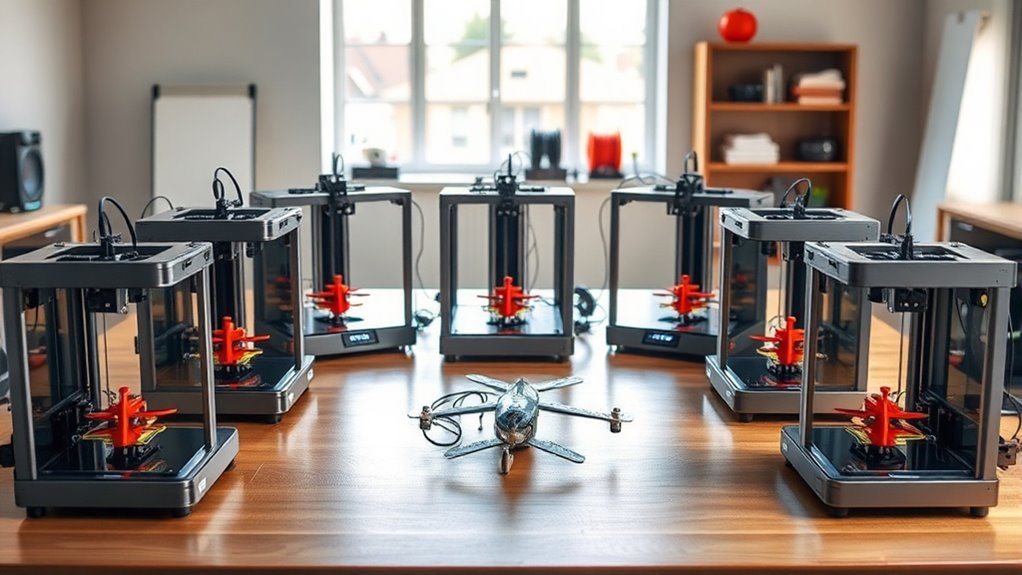
You’ll want a 3D printer that balances speed, precision, and build volume for your RC airplanes in 2027. Finding the right printer can make all the difference when it comes to creating detailed and durable parts.
Models like the FLASHFORGE Adventurer 5M and Creality K1C offer fast printing speeds up to 600mm/s with reliable auto-leveling, making your print jobs smoother and quicker.
Larger projects benefit from the spacious platforms of the LONGER LK10 Plus or Creality Ender 5 Max, giving you plenty of room to bring bigger designs to life.
And if you’re working with multiple materials, the Bambu Lab P1S really stands out thanks to its smart features that simplify multi-material printing.
Take some time to explore how these options fit your workflow and material needs. That way, you can craft top-tier RC airplane models without any hassle.
| Image | Name | Editor's Rating | Price |
|---|---|---|---|

|
|
||

|
|
||

|
|
||

|
|
||

|
|
FLASHFORGE Adventurer 5M 3D Printer, All-Metal CoreXY, 600mm/s Max Travel
- One-Click Automatic Printing: Experience hassle-free 3D printing with the Adventurer 5M Series. Enjoy automatic bed leveling for flawless first layers, ensuring...
- 12X Ultra Fast Printing: Featuring a CoreXY structure with 600mm/s travel speed and 20000mm/s² acceleration, the AD5M maximizes efficiency, reduces production cycles...
- Smart and Efficient Design: Quick 3-second nozzle changes, a high-flow 32mm³/s nozzle, and fast 35-second warm-up to 200°C deliver stable high-speed printing. Its...
- Superior Print Quality & Adaptability: Combines a 280°C direct drive extruder with dual-fan cooling and vibration compensation. Includes a standard 0.4mm nozzle and...
- Real-Time App Monitoring: Monitor print progress, adjust settings, and receive instant status alerts remotely with the Flash Studio. Smart mobile control ensures a...
The FLASHFORGE Adventurer 5M redefines rapid prototyping with its all-metal CoreXY frame, delivering unmatched stability and precision. Designed to tackle the challenges of producing RC airplane parts, it enables faster print speeds without compromising quality. This means you can move from concept to creation more efficiently.
Its 600mm/s max travel speed significantly cuts down print times, helping you meet tight deadlines or produce multiple parts quickly. The spacious 220x220x220mm build volume accommodates a variety of airplane components, giving you flexibility in design.
Maintenance is straightforward thanks to features like automatic bed leveling and quick nozzle changes. These smart functions reduce downtime and keep your workflow smooth. Despite its robust build, the printer weighs only 22 pounds, making it portable enough for workshops or on-site projects.
While the 200°C max nozzle temperature limits some high-temperature materials, the Adventurer 5M excels with standard filaments commonly used in RC applications. Its design strikes a balance between speed, accuracy, and reliability, making it a practical tool for both professionals and hobbyists.
Best for: Professionals and enthusiasts needing fast, precise, and durable 3D printing for RC airplane prototyping and production.
What We Like:
- Fast max travel speed of 600mm/s for quick printing.
- Durable all-metal CoreXY structure ensures consistent accuracy.
- Automatic bed leveling and easy nozzle swaps simplify maintenance.
- Compact and lightweight design enhances portability.
Specification:
| Feature | Details |
|---|---|
| Manufacturer | FLASHFORGE |
| Build Volume | 220 x 220 x 220 mm |
| Max Travel Speed | 600 mm/s |
| Max Nozzle Temperature | 200°C |
| Weight | 22 lb (10 kg) |
| Frame Material | All-metal CoreXY |
LONGER New LK10 Plus 3D Printer,320×320×400mm Large Printer Volume
- 【Large Build Volume 320×320×400mm】 Featuring a large 3D printer build volume of 320×320×400mm (12.59"×12.59"×15.75"), LK10 Plus allows you to print large models...
- 【500mm/s High-Speed Printing】 Powered by Klipper firmware, LK10 Plus delivers up to 500mm/s printing speed and 10000mm/s² acceleration. This high-speed FDM 3D...
- 【High-Flow Direct Drive Extruder】 The upgraded dual-gear direct drive extruder provides strong extrusion performance and smooth filament feeding with a high flow...
- 【Auto Bed Leveling & Smart Z Offset】 Equipped with eddy current sensor technology, LK10 Plus automatically detects bed surface conditions and compensates in real...
- 【Smart Printing Experience】 Built-in filament runout detection and power-loss recovery help prevent failed prints. Dual-band WiFi (2.4GHz & 5GHz) enables stable...

The LONGER New LK10 Plus 3D Printer offers a spacious build volume of 320×320×400mm, perfect for creating large models or parts in a single print. This reduces assembly time and helps you produce bigger RC airplane components or prototypes efficiently. Its design focuses on practical functionality to support diverse printing needs.
Maintenance is simplified with smart features like auto bed leveling using an eddy current sensor, filament runout detection, and power-loss recovery. These reduce print failures and save material, ensuring smoother operation and less downtime. The dual-gear direct drive extruder handles multiple filaments such as PLA, ABS, and Nylon, providing flexibility in material choice.
The printer’s dual Z-axis system, combined with TMC2209 silent drivers, delivers stable and quiet performance. This makes it suitable for workspaces that require low noise levels. WiFi connectivity adds convenience by allowing remote print management, enhancing workflow efficiency.
While the printer is larger and heavier at 30.5 pounds, it offers reliable, high-quality prints with minimal intervention. Its size requires adequate workspace but supports complex, large-scale projects with ease.
Best for: hobbyists, engineers, and designers needing a large build volume and versatile filament compatibility for prototyping and production.
What We Like:
- Large 320×320×400mm build volume for big, one-piece prints
- Smart features reduce print failures and ease maintenance
- Quiet operation with dual Z-axis and TMC2209 drivers
- Supports multiple filament types for material versatility
- WiFi connectivity enables remote print control
Specification:
| Feature | Details |
|---|---|
| Manufacturer | LONGER |
| Build Volume | 320×320×400 mm (12.6×12.6×15.7 in) |
| Weight | 30.5 lbs (13.8 kg) |
| Printer Dimensions | 21.7×22.6×24.6 in (55×57.4×62.5 cm) |
| Extruder | Dual-gear direct drive |
| Filament Compatibility | PLA, ABS, Nylon |
Creality K1C 3D Printer, 600mm/s Fast Speed Auto Leveling 3D Printers
No products found.
The Creality K1C 3D Printer stands out for its ultra-fast printing speeds, reaching up to 600mm/s without compromising on precision. Its CoreXY motion system ensures smooth, accurate prints even at high velocity. This makes it ideal for producing detailed parts quickly, especially for RC airplane enthusiasts.
Maintenance is simplified thanks to the durable tri-metal quick-swap nozzle. It supports up to 1,000 hours of clog-free extrusion, reducing downtime and keeping your workflow steady. The printer’s auto-leveling feature also helps ensure consistent print quality without manual adjustments.
Designed with safety and functionality in mind, the printer includes a closed chamber and built-in air purifier. These features allow confident use of carbon fiber and composite materials, essential for strong and dimensionally stable RC airplane components. The AI camera provides real-time monitoring and error alerts, preventing print failures.
While its build volume of 220 x 220 x 250 mm suits most RC parts, it may limit larger projects. The printer weighs 27.5 pounds, balancing stability and portability. Advanced features and high speeds offer great benefits but may require a learning curve for newcomers.
Best for: RC airplane enthusiasts and advanced hobbyists seeking fast, reliable 3D printing with excellent composite material support.
What We Like:
- High-speed printing up to 600mm/s with precise CoreXY technology
- Tri-metal quick-swap nozzle ensures long-lasting, clog-free operation
- Closed chamber and air purifier enable safe printing of carbon fiber materials
- AI camera for real-time print monitoring and error detection
- Auto-leveling for consistent print quality and ease of use
Specification:
| Feature | Details |
|---|---|
| Manufacturer | Creality |
| Build Volume | 220 x 220 x 250 mm |
| Max Printing Speed | 600 mm/s |
| Weight | 27.5 lb (12.5 kg) |
| Nozzle Type | Tri-metal quick-swap |
| Special Features | Auto-leveling, AI camera, air purifier, closed chamber |
Bambu Lab P1S 3D Printer, Ready-to-Use FDM 3D Printer
- Up to 16 Colors: Bring your designs to life with vibrant multi-color/multi-material printing capabilities, perfect for showcasing your creativity. Note: Connecting Bambu...
- 500mm/s and 20000 mm/s² Acceleration True High Speed: Don't wait around for your masterpieces. Lightning-fast printing speed lets you focus on creating, not waiting.
- Enclosed Design: Fully enclosed body improves print performance for advanced filaments. Automatic Bed Leveling: Say hello to high-quality, successful prints. Auto bed...
- Set Up in 15 Minutes: Spend more time printing and less time setting up. User-friendly design ensures a hassle-free assembly experience for all skill levels.
- Supported Filament: Ideal: PLA, PETG, TPU, PVA, PET ABS, ASA; Capable : PA, PC; Not Recommended: Carbon/Glass Fiber Reinforced Polymer.
The Bambu Lab P1S 3D printer is designed to elevate your RC airplane projects with vibrant, multi-material printing. Its ability to handle up to 16 colors when paired with the Bambu Lab AMS lets you create detailed, eye-catching models. This helps enthusiasts bring their designs to life with rich color and texture.
With a speed of up to 500mm/s and acceleration reaching 20,000 mm/s², the P1S significantly cuts down print times. Its fully enclosed design stabilizes the printing environment, improving quality especially when using advanced filaments like ABS and TPU. Setup is straightforward, taking just 15 minutes with automatic bed leveling ensuring consistent, reliable prints.
Maintenance is simplified thanks to the enclosed build and reliable leveling system, reducing the need for frequent adjustments. While it supports a wide range of filaments, it is not ideal for carbon or glass fiber reinforced materials, and some advanced filaments like PA and PC are only partially compatible.
This printer suits RC airplane hobbyists looking for fast, multi-material output combined with ease of use and consistent quality. It balances versatility with performance for both beginners and pros alike.
Best for: RC airplane enthusiasts and hobbyists seeking vibrant, multi-material, and high-speed 3D printing with a user-friendly setup.
What We Like:
- Supports up to 16 colors with Bambu Lab AMS integration
- High-speed printing up to 500mm/s with rapid acceleration
- Fully enclosed design enhances print quality and filament compatibility
- Quick 15-minute setup with automatic bed leveling
- Versatile filament support for various project needs
Specification:
| Feature | Details |
|---|---|
| Manufacturer | Bambu Lab |
| Printing Technology | FDM |
| Max Print Speed | 500 mm/s |
| Acceleration | 20,000 mm/s² |
| Color Capability | Up to 16 colors (with AMS) |
| Filament Compatibility | PLA, ABS, TPU, PA (limited), PC (limited) |
| Enclosure | Fully enclosed |
| Setup Time | Approx. 15 minutes |
Anycubic Kobra X Multicolor 3D Printer, Easy Setup, Native 4-Color
- 【 Newest Level - 19-Color with 4 ACE 2 Pro】Why settle for one color when you can have multicolor? The Kobra X comes born with 4 colors built-in. It is innovative 3D...
- 【 Savings 2X Time】Stop wasting hours and filament on purging! Kobra X impresora 3D reduces the filament and machine travel path by 81.25%, so 2X the Speed, and...
- 【Hardened Precision & High Speed 】 Equipped with a high-durability hardened steel nozzle and vibration compensation, the Kobra X ensures every layer remains smooth...
- 【Flawless First Layer with LeviQ 3.0】The LeviQ 3.0 and auto bed leveling system uses a 49-point calibration and advanced leveling algorithm to ensure 100% bed...
- 【Smart AI Monitoring & Large Model Library】APP remote control, features Spaghetti detection and foreign object detection. The innovative top-mount spool holder...
The Anycubic Kobra X Multicolor 3D Printer transforms your creative workflow by delivering fast, precise multicolor prints with minimal hassle. Its native 4-color capability lets you print detailed, vibrant models right out of the box. You can even expand to 19 colors, enabling complex designs that bring your ideas to life with striking accuracy.
Printing speed reaches up to 600mm/s, so projects like the popular Benchy model finish in just 14 minutes. This efficiency cuts filament use and travel moves by over 80%, saving materials and time. The hardened steel nozzle and LeviQ 3.0 auto bed leveling system ensure every layer is smooth and perfectly aligned, reducing maintenance needs and print errors.
Designed for versatility, it supports multiple filament types and prints objects up to 260mm³. Smart features such as remote app control, spaghetti detection, and dual-band Wi-Fi make operation convenient and reliable. While the print volume suits hobbyists and makers, expanding to more colors requires additional ACE 2 Pro hardware and may involve a learning curve.
Best for: hobbyists and makers seeking fast, precise multicolor 3D printing with easy setup and versatile filament compatibility.
What We Like:
- Native 4-color printing with expansion up to 19 colors
- High-speed printing at 600mm/s reduces print time and material waste
- Hardened steel nozzle and LeviQ 3.0 auto bed leveling for consistent quality
- Smart features like remote app control and spaghetti detection
- Supports various filaments and delivers detailed prints up to 260mm³
Specification:
| Feature | Details |
|---|---|
| Manufacturer | Anycubic |
| Print Volume | 260 mm³ |
| Max Print Speed | 600 mm/s |
| Color Options | Native 4-color, expandable to 19 colors |
| Nozzle Material | Hardened Steel |
| Bed Leveling | LeviQ 3.0 Auto Bed Leveling |
| Connectivity | Dual-band Wi-Fi |
| Special Features | Remote app control, spaghetti detection |
TINA2C 3D Printer Beginner Friendly, Easy-Ready to Print in 5 Mins
- 【BEGINNER FRIENDLY-READY TO PRINT】Hephi3d Tina2C 3d printer friendly for home, fully assembled, factory preset, auto leveling, ready to print right out of the box, no...
- 【EASY TO USE-ONE TAP PRINTING】Tina2C mini 3d printer provides 3500+ online massive ready to print model library, new designs update every day. You can print in one...
- 【UNLIMITED CREATIVITY-EASY DIY】Tina2C beginner friendly 3d printer with APP provides STEM Learning Module and 25+ design modules for simply customizing. AIGC & Photo...
- 【FULLY OPEN SOURCE-NO LIMITS】Tina2C beginner 3d printer is no software lock-In. Print you way freely with Wiibuilder or Cura on PC and laptops, one-click wifi upload...
- 【FAMILY & BEGINNER FRIENDLY】 Tina2c compact 3d printer for home can print anytime anywhere, space save. Silent Printing and Auto Detect Bed function give more safe...
The TINA2C 3D Printer is designed to simplify the entry into 3D printing. It solves common setup frustrations by arriving fully assembled and factory calibrated. This means you can start printing in just five minutes without manual adjustments.
Its compact, lightweight design fits easily on any desk, making it ideal for home or classroom use. The auto-leveling feature and one-tap printing streamline operation, reducing the learning curve for beginners. Maintenance is straightforward, with a fast-release hotend that allows quick part changes and easy cleaning.
Control is intuitive through a dedicated app, letting you manage prints remotely from a smartphone or tablet. The printer also supports resume printing after interruptions, enhancing reliability and convenience. Access to over 3,500 online models and STEM design modules encourages creativity and educational use.
While the build volume is modest due to its small size, this unit balances portability with functionality. Advanced users may find customization options limited, though the open-source support offers some flexibility.
Best for: beginners and hobbyists seeking a compact, easy-to-use 3D printer with quick setup and app-based control for home and STEM learning.
What We Like:
- Fully assembled with auto-leveling for effortless setup
- One-tap printing simplifies operation for new users
- Fast-release hotend enables easy maintenance
- Remote app control for managing prints on the go
- Access to extensive online models and STEM modules
Specification:
| Feature | Details |
|---|---|
| Manufacturer | TINA2C |
| Dimensions | Compact size (exact size not specified) |
| Weight | Lightweight (exact weight not specified) |
| Material | Not specified |
| Color Options | Not specified |
Snapmaker U1 3D Printer,4-Toolhead with 5s Toolchanger,Multi-Color Printing

- 【4-Toolhead System with 5-Second Tool Changer】 Powered by the SnapSwap system, Snapmaker U1 multi-color 3D printer features four independent toolheads with filaments...
- 【5X Faster Printing, 5X Less Waste】 Unlike traditional filament-changing systems, Snapmaker U1 3D printer swaps toolheads instead of repeatedly loading, unloading...
- 【True Multi-Material & Mixed-Material Printing】 Snapmaker U1 3D printer combines rigid and flexible materials, water-soluble supports, and engineering materials in a...
- 【Smart Calibration】 Automatic toolhead offset calibration, vibration compensation, fine-tuned extrusion, and perfect first-layer work together to deliver smooth...
- 【Easy to Use for Beginners & Professionals】 With a built-in model library, Snapmaker Orca — custom open-source slicing software, makes it easy to get started with...
Experience the ease of fast, multi-color 3D printing with the Snapmaker U1. Its innovative 4-toolhead design changes tools in just 5 seconds, eliminating the hassle of manual filament swaps. This means you can produce complex, colorful parts like RC airplane components quickly and efficiently.
The printer supports materials such as PLA, TPU, and ABS, allowing you to combine rigid and flexible elements in a single print. Smart calibration ensures every print is accurate and reliable, reducing errors and wasted filament. The touchscreen interface coupled with AI monitoring simplifies operation, making it accessible for both beginners and experienced users.
Maintenance is straightforward thanks to the modular toolhead system, which is easy to clean and replace. The Snapmaker U1’s compact design fits well in workspaces where multi-material and multi-color printing are essential. It delivers up to five times faster printing speeds and significantly reduces filament waste, improving overall productivity.
Best for: Makers and professionals needing fast, precise multi-material 3D printing with minimal downtime and waste.
What We Like:
- 4-toolhead system with quick, automatic tool changes.
- Supports diverse materials for versatile prints.
- Smart calibration and AI monitoring for consistent quality.
- Easy maintenance with modular components.
Specification:
| Feature | Details |
|---|---|
| Manufacturer | Snapmaker |
| Dimensions | Not specified |
| Weight | Not specified |
| Material Support | PLA, TPU, ABS |
| Toolhead System | 4-toolhead with 5-second changer |
| Interface | Touchscreen with AI monitoring |
SainSmart Lightweight 1.75mm LW-PLA 3D Printer Filament
- [Reduced Weight]: Designed with active foaming technology, the SainSmart LW PLA Filament density of 0.54g/cm³ compared to 1.2 g/cm³ for regular PLA, means a huge weight...
- [Active Foaming Control]: Unlike pre-foamed Air PLA filaments, our LW-PLA enables dynamic control over the foaming process directly from your printer. Precisely...
- [Unlimited Customization]: The LW PLA filament will start expanding with certain printing temperatures above 210 ℃. By adjusting the printing temperature, speed, and...
- [2X 3D Prints with One Spool]: The foaming expansion of this LW PLA filament makes it possible for you to print at up to 2X Material flow so that you can print more with...
- [Perfect Materials for RC Planes]: The expanding property of this PLA Filament allows for excellent layer bonding, better drop resistance and repairability. In...
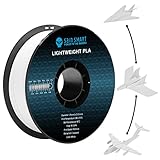
SainSmart Lightweight 1.75mm LW-PLA filament is designed to transform your RC airplane and drone projects. Its remarkably low density of 0.54g/cm³ cuts the weight of your models substantially, reducing wing loads and lowering stall speeds for improved flight control.
This filament features an active foaming process that activates above 210°C, allowing you to adjust print density by fine-tuning temperature, speed, and flow rate. This flexibility helps you optimize material use and create stronger, lighter parts tailored to your needs.
The unique formulation ensures excellent layer bonding and durability, making your prints more resistant to drops and easier to repair. This is especially useful when working on delicate RC parts or cosplay models that require frequent maintenance.
While it demands precise temperature control to manage foaming properly, the filament’s efficiency means you get nearly twice the material flow per spool. This makes it a practical choice for long-term projects with consistent quality.
Best for: RC airplane and drone enthusiasts who need a lightweight, durable filament that enhances flight performance and simplifies repairs.
What We Like:
- Reduces model weight significantly for better flight dynamics
- Customizable print density via active foaming technology
- Strong layer adhesion improves durability and repairability
- Efficient material use allows nearly double print volume per spool
Specification:
| Feature | Details |
|---|---|
| Manufacturer | SainSmart |
| Diameter | 1.75 mm |
| Density | 0.54 g/cm³ |
| Material | LW-PLA |
| Color Options | Primarily White |
Creality Ender 5 Max Large Volume 3D Printer

- 【Extra-Large 400×400×400 mm Build Volume】 Create significantly bigger models or batch-produce multiple parts at once with the expansive large build volume of...
- 【Ultra-Efficient CoreXY System Up to 700 mm/s】 Print more in less time with the ultra-fast Ender 5 Max 3D printer. The CoreXY structure and high-torque motors deliver...
- 【Built for Print Farms & Scaled Production】 Boost throughput on your Creality Ender 5 Max with WLAN multi-printer control, grouped management, and a tri-color status...
- 【Rigid All-Metal Frame & Precision Linear Rail】 The reinforced die-cast aluminum frame minimizes vibration on the Ender 5 Max 3D printer, ensuring stability for tall...
- 【 Fully Automatic 64-Point Leveling + Auto Z-Offset】 Start each project with perfect calibration on your Creality Ender 5 Max. The 64-point auto leveling system and...
The Creality Ender 5 Max is designed for creators who need large, detailed, and precise 3D prints. Its expansive 400×400×400 mm build volume lets you craft big RC airplane prototypes without compromise. The CoreXY motion system ensures your prints finish faster and with high accuracy, saving you valuable time.
Setup is straightforward thanks to the 64-point auto leveling and auto Z-offset features. These reduce manual adjustments and help maintain consistent print quality across large surfaces. The all-metal frame and precision linear rails provide the stability needed for detailed parts, even during long print jobs.
Maintenance is simplified by the dual-gear extruder and powerful 1000W heated bed. These components handle common filaments like PLA, PETG, and ABS smoothly, minimizing print failures and downtime. The printer’s WLAN functionality supports remote control and management, making it easier to oversee multiple machines efficiently.
While its size and advanced features require ample workspace and power, the Ender 5 Max delivers reliable performance for demanding projects. Beginners might find a learning curve, but the automated features aid in making the process more accessible.
Best for: RC airplane designers and production studios needing large-volume, fast, and precise 3D printing with efficient multi-printer management.
What We Like:
- Large 400×400×400 mm build volume with CoreXY for speed and accuracy
- Sturdy all-metal frame and precision linear rails for stable prints
- 64-point auto leveling and auto Z-offset simplify setup
- Dual-gear extruder and rapid-heating bed improve filament handling
- WLAN connectivity enables convenient remote printer management
Specification:
| Specification | Details |
|---|---|
| Manufacturer | Creality |
| Build Volume | 400×400×400 mm |
| Motion System | CoreXY |
| Frame Material | All-metal |
| Heated Bed Power | 1000W |
| Supported Filaments | PLA, PETG, ABS |
| Connectivity | WLAN |
Factors to Consider When Choosing a 3D Printer for RC Airplanes
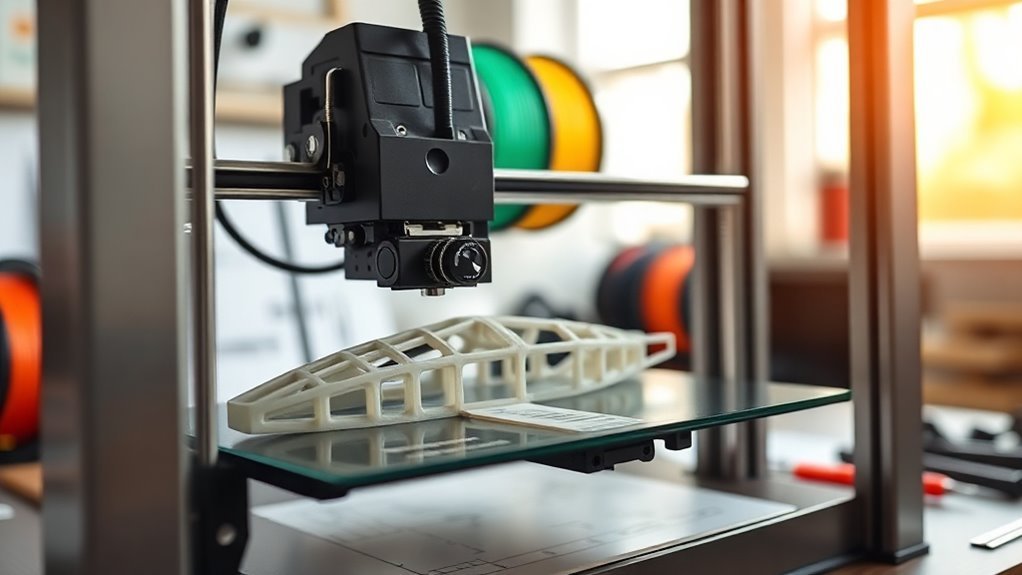
When choosing a 3D printer for RC airplanes, you need to evaluate print material compatibility and whether it supports lightweight filaments. Print speed and accuracy matter a lot, especially for detailed parts, along with the build volume to fit your models.
Don’t forget ease of bed leveling, as it can save you time and frustration during setup. Trust me, a printer that’s easy to level makes a big difference when you’re getting started or switching materials.
Print Material Compatibility
Although selecting the right 3D printer involves many factors, guaranteeing it’s compatible with a range of print materials is essential for building high-performance RC airplanes.
You’ll want a printer that handles lightweight filaments like PLA and LW-PLA, which reduce density and boost flight performance.
It’s also important to support flexible materials such as TPU for varied parts and durable options like PETG. For critical structural components, look for printers that manage higher-temperature filaments like ASA or Nylon to confirm strength and durability.
Check the nozzle temperature range since some advanced filaments need higher heat for proper extrusion and layer adhesion.
Features like dual-drive extruders help with filament handling, reducing clogs and delivering consistent results across different materials, so keep those in mind as you decide.
Print Speed And Accuracy
Choosing a 3D printer that balances print speed and accuracy can dramatically improve your RC airplane building process. High-speed printers, reaching up to 600mm/s, let you prototype quickly and refine designs without long waits.
But speed alone isn’t enough—you need precision around ±0.1mm to guarantee parts fit perfectly and perform well in flight. Acceleration rates up to 20,000mm/s² help maintain this accuracy even at fast speeds.
Pay attention to layer height and nozzle size: finer nozzles (like 0.25mm) deliver detailed components, while larger nozzles (up to 0.8mm) increase speed with less detail.
Striking the right balance means you’ll produce lightweight, durable parts that enhance your airplane’s performance and reliability. That way, you can focus on flying rather than fixing print issues.
Lightweight Filament Options
Lightweight filaments like LW-PLA offer around 0.54g/cm³ density, making them perfect for RC airplane parts where every gram counts. Their active foaming properties let you control the expansion ratio during printing, customizing part weight and density to match your design needs.
Using lightweight filament reduces wing loads and stall speeds, which greatly boosts your plane’s flight performance and maneuverability. Despite being light, these filaments maintain excellent layer bonding and durability. So, your printed parts can withstand flight stresses and wear without a problem.
Plus, you can print at higher flow rates. This means you get more efficient material use—effectively stretching the value of one spool to match multiple standard PLA rolls.
Choosing lightweight filament options is key for balancing strength with flight efficiency in your RC airplane builds. It’s a smart move if you want to get the most out of your prints.
Build Volume Requirements
Balancing strength and flight efficiency with lightweight filaments is just one part of optimizing your RC airplane prints. You also need a 3D printer with a build volume that fits your largest parts, typically at least 400mm x 400mm for bigger models.
A larger build area means you can print fewer pieces, which boosts structural integrity and cuts down weight—both crucial for smooth flight. Confirm your printer supports various materials since different components demand unique filament properties.
High-resolution printing is fundamental to create detailed, aerodynamic shapes that improve performance. Finally, consider printing speed to save time during prototype development or batch runs.
Choosing the right build volume guarantees you print efficiently without compromising your airplane’s strength or flight capabilities.
Ease Of Bed Leveling
When you start printing RC airplane parts, you’ll quickly see how essential ease of bed leveling is to your workflow. Automatic bed leveling features, like Eddy current sensors or 64-point calibration, help secure consistent first-layer adhesion without manual tweaks.
This means you can avoid print failures and save time, letting you move faster between projects. Modern printers with advanced auto-leveling adjust for surface variations, ensuring reliable performance across different materials.
A well-calibrated bed is critical for achieving the precision required in your lightweight, aerodynamic parts. It directly influences how well your airplane flies.
Choosing a printer with simple, effective bed leveling reduces setup frustration. That way, you can focus more on designing and building rather than constant adjustments.
Noise And Operation Quietness
Although many factors influence your 3D printing experience, noise and operation quietness play a key role, especially if you print at home or in shared spaces. Excessive noise can disrupt your focus and daily activities, making quieter models preferable.
Look for printers with silent drivers like the TMC2209, which reduce vibrations and lower sound levels to around 45dB—comparable to a quiet reading room. Fully enclosed designs also help contain noise, offering a more peaceful environment during long prints.
Keep in mind that printing speed and material choice affect noise, as faster speeds increase mechanical movement and sound. Prioritizing a quiet printer guarantees you won’t disturb your household or workspace while producing precise RC airplane parts.
Advanced Cooling Systems
Because precise temperature control directly impacts print quality, choosing a 3D printer with an advanced cooling system is essential for creating detailed and durable RC airplane parts. You’ll benefit from dual-fan setups that deliver uniform airflow, preventing overheating and warping in intricate components.
This guarantees your parts keep their exact dimensions and fine details. Advanced cooling also supports high-performance filaments like carbon fiber-infused materials, which require stable temperatures for strong layer adhesion.
Plus, printers with vibration compensation in their cooling systems minimize surface artifacts, improving aerodynamic performance. Maintaining consistent temperatures reduces extrusion issues and clogs, especially when working with specialty filaments.
Remote Monitoring Features
Three key remote monitoring features can transform how you manage your 3D printing process for RC airplane parts. First, real-time print job oversight lets you catch and fix issues without being near the printer.
Second, mobile app integration keeps you connected, allowing you to adjust settings, receive alerts, and track progress from anywhere. Third, built-in cameras provide time-lapse recording and proactive error notifications, helping you spot potential problems early.
Additionally, dual-band WiFi connectivity guarantees stable and uninterrupted remote control, minimizing disruptions. These features not only boost your workflow efficiency but also improve print quality by enabling quick responses to failures or needed adjustments.
Choosing a 3D printer with robust remote monitoring capabilities gives you flexibility and peace of mind. It’s essential for producing reliable RC airplane parts.
Frequently Asked Questions
What Types of Filament Are Best for RC Airplane Durability?
You’ll want to use PLA for ease, but for durability, go with PETG or Nylon—they’re strong and flexible.
Carbon fiber-infused filaments add extra stiffness without much weight, perfect for RC airplane parts that need toughness and lightness.
How Do I Maintain and Clean My 3D Printer?
You should clean your 3D printer weekly; studies show 70% of print failures come from poor maintenance. Wipe the nozzle, lubricate moving parts, and remove filament debris to keep prints smooth and your machine running longer.
Keeping up with these simple steps really pays off. Trust me, a little effort goes a long way in avoiding frustrating print issues!
Can I Use 3D Printed Parts for High-Speed RC Airplanes?
You can use 3D printed parts for high-speed RC airplanes, but you’ll need strong, lightweight materials like carbon fiber-infused filaments.
Always test parts for durability and balance to guarantee safety and peak performance during flight. It’s super important to make sure everything holds up well under stress.
What Software Is Recommended for Designing RC Airplane Parts?
You should use Fusion 360 or SolidWorks for designing RC airplane parts—they’re powerful and user-friendly.
TinkerCAD is great if you’re just starting out. These let you create precise, aerodynamic components ready for 3D printing.
Are 3D Printed RC Airplane Parts Safe for Outdoor Use?
Yes, 3D printed RC airplane parts are safe for outdoor use if you choose durable materials like PETG or nylon. These materials hold up well against wear and tear, which is key when you’re flying outside.
You’ll want to seal them properly to protect against UV and moisture for best performance. This extra step really helps keep your parts in good shape over time. Just a little care goes a long way!
Conclusion
Choosing the right 3D printer for your RC airplane is like picking Excalibur—you want a tool that’s precise, reliable, and ready to elevate your build to legendary status. Whether you go for the blazing speed of the Creality K1C or the multi-color magic of the Anycubic Kobra X, these printers will help you craft wings that soar.
So, gear up, and let your creativity take flight with the perfect 3D companion! With the best 3D printers for RC airplanes, you can achieve incredible detail and durability in your models. These printers are designed to handle the unique demands of RC builds, ensuring every part fits perfectly and performs well.
No matter if you’re a beginner or a seasoned hobbyist, choosing the right 3D printer will make all the difference in your RC airplane projects. Get ready to build faster, stronger, and more creatively than ever before!