6 Best 3D Printers for 2026 Prosumers Who Demand Quality
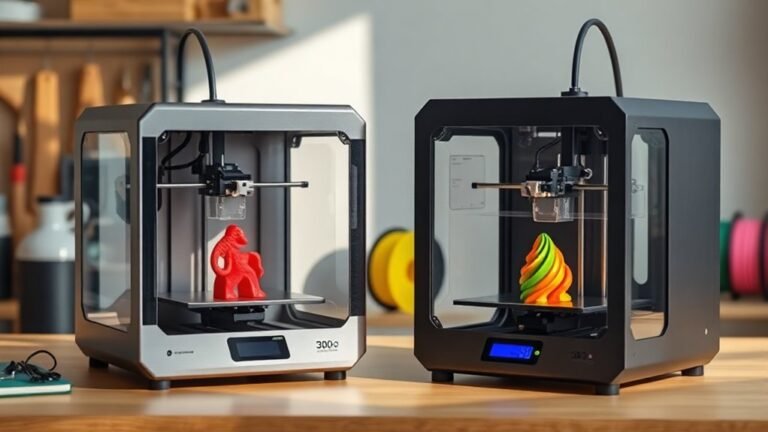
If you want high-speed, multi-material precision with automated reliability, the Bambu Lab P2S Combo and Snapmaker U1 are fantastic choices.
They offer rapid toolchanging and seamless color swaps, making your printing process smooth and efficient.
The Bambu Lab P1S delivers ready-to-use speed right out of the box, perfect for those who want quality without the hassle.
Meanwhile, the FLASHFORGE Creator 5 Pro shines with low-filament waste and fine detail, ideal for intricate designs.
Looking for auto leveling and vibrant multi-color printing? The Creality K2 Pro and Anycubic Kobra 4 have you covered.
Explore these options to find the perfect balance of speed, quality, and innovation for your projects.
Bambu Lab P2S Combo, P2S 3D Printer & AMS 2 Pro, Multi-Color 3D Printing
Step into advanced 3D printing with the Bambu Lab P2S Combo, designed to elevate your projects through seamless multi-color and multi-material capabilities. This combo pairs the high-speed P2S 3D printer with the AMS 2 Pro, allowing effortless switching between filaments without interrupting your workflow.
Its smart design features quick-swap nozzles and automatic calibration, reducing downtime and simplifying maintenance. The filament drying system, operating up to 65 °C, ensures consistent print quality by preventing moisture-related issues.
Built on a CoreXY architecture, the printer reaches speeds up to 600 mm/s while maintaining precision. Unique to this system is the adaptive airflow control, which optimizes the printing environment for better results. AI-driven failure detection further enhances reliability by catching issues early.
Though the unit is relatively large and requires some space, its intuitive setup lets users start printing within 15 minutes. This combination is ideal for those who need efficient multi-material printing with advanced automation and environmental controls.
Best for: Professionals and enthusiasts seeking a high-speed, multi-material 3D printer with reliable automation and environmental management.
What We Like:
- Seamless multi-color and multi-material printing with AMS 2 Pro integration
- High-speed CoreXY design delivering precise prints at up to 600 mm/s
- Automatic calibration and filament drying that maintain consistent quality
- Adaptive airflow system for optimal print environment
- AI failure detection for enhanced print reliability
Specification:
| Feature | Details |
|---|---|
| Manufacturer | Bambu Lab |
| Dimensions | 18 x 22 x 18 inches |
| Weight | 46.3 lbs |
| Material | Various filaments (multi-material capable) |
| Color Options | Multi-color printing via AMS 2 Pro |
Snapmaker U1 3D Printer,4-Toolhead with 5s Toolchanger,Multi-Color Printing
The Snapmaker U1 3D Printer redefines speed and versatility in desktop 3D printing. Its innovative 4-toolhead system with a 5-second automatic changer lets you switch materials and colors effortlessly. This reduces print times and minimizes filament waste, making complex projects more efficient.
With a robust CoreXY motion system and carbon fiber rails, it achieves speeds up to 500 mm/s within a 270 mm build volume. The printer handles a wide variety of materials—including flexible and soluble filaments—allowing you to create functional, multi-material parts with ease.
Maintenance is straightforward thanks to smart calibration and AI-powered monitoring. The intuitive touchscreen interface simplifies control, catering to both professionals and hobbyists. While the printer weighs nearly 58 pounds, its sturdy design ensures stability during high-speed printing.
The Snapmaker U1 is ideal for users who want to boost productivity with multi-color and multi-material prints. Its advanced features may require some learning but deliver impressive results for versatile fabrication needs.
Best for: Makers and professionals seeking fast, multi-material 3D printing with high precision and minimal downtime.
What We Like:
- Four independent toolheads with a fast, automatic tool changer reduce print times and filament waste.
- Supports flexible and soluble filaments for versatile, multi-material projects.
- Smart calibration and AI monitoring simplify setup and maintenance.
- High-speed CoreXY motion system ensures precise, efficient printing.
- Touchscreen control enhances ease of use for all skill levels.
Specification:
| Feature | Details |
|---|---|
| Manufacturer | Snapmaker |
| Dimensions | Not specified |
| Weight | Approximately 58 lb (26.3 kg) |
| Build Volume | 270 × 270 × 270 mm |
| Motion System | CoreXY |
| Toolheads | 4 with 5-second changer |
| Material Support | Flexible, soluble filaments and others |
Bambu Lab P1S 3D Printer, Ready-to-Use FDM 3D Printer
Experience the convenience of the Bambu Lab P1S 3D Printer, designed for fast and precise printing straight out of the box. Its high-speed CoreXY motion system reaches speeds up to 500 mm/s, helping you complete projects efficiently without sacrificing detail.
The fully enclosed design maintains a stable build environment, essential for printing advanced filaments like PLA, PETG, and TPU. Automatic bed leveling simplifies setup and ensures consistent first layers, reducing the need for manual adjustments.
Setup is straightforward and takes about 15 minutes, allowing you to start printing quickly. For creative projects, the P1S supports multi-color printing with up to 16 colors when paired with the Bambu Lab AMS accessory, expanding your design possibilities.
While it excels in speed and versatility, note that it isn’t recommended for carbon or glass fiber reinforced polymers. Weighing nearly 39 pounds, the printer is sturdy but less portable, making it ideal for a dedicated workspace.
Best for: professionals and advanced hobbyists seeking a high-speed, precise 3D printer with multi-material and multi-color capabilities.
What We Like:
- Fast printing with CoreXY system up to 500 mm/s
- Stable enclosed build chamber for advanced filament use
- Quick 15-minute setup with automatic bed leveling
- Supports multi-color prints via Bambu Lab AMS
Specification:
| Feature | Details |
|---|---|
| Manufacturer | Bambu Lab |
| Dimensions | Not specified |
| Weight | 38.9 lb (17.6 kg) |
| Filament Types | PLA, PETG, TPU |
| Motion System | CoreXY |
| Multi-color Capability | Up to 16 colors (with AMS) |
FLASHFORGE Creator 5 Pro Multi-Material 3D Printer
The FLASHFORGE Creator 5 Pro Multi-Material 3D Printer transforms multi-color and multi-material printing into a streamlined experience. Its innovative four independent toolheads and a rapid 7-second FlashSwap nozzle changer eliminate filament waste by nearly erasing the need for purging. This means you can switch materials quickly without the usual downtime or excess filament loss.
Designed with a rigid CoreXY frame and precision linear rails, the printer minimizes vibrations for crisp, detailed prints even at speeds reaching 600 mm/s. Its heated chamber supports advanced filaments like ABS and PC, ensuring your parts are strong and dimensionally accurate.
Maintenance is simplified thanks to its reliable build and dual HEPA 13 plus activated carbon filters, which maintain a safe printing environment by reducing fumes and particles. Remote monitoring lets you keep track of your prints from anywhere, improving workflow efficiency and safety.
This printer is ideal for professionals and prosumers who require fast, precise multi-material prints with minimal waste, perfect for demanding industrial and creative projects.
Best for: professionals and prosumers needing efficient, high-precision multi-material 3D printing with low filament waste.
What We Like:
- Four independent toolheads with 7-second FlashSwap for quick, waste-reducing nozzle changes
- Ultra-rigid CoreXY design ensures vibration-free, high-quality prints
- Heated chamber accommodates advanced filaments like ABS and PC
- Dual HEPA 13 and activated carbon filters improve air quality during printing
- Remote monitoring enhances convenience and safety
Specification:
| Feature | Details |
|---|---|
| Manufacturer | FLASHFORGE |
| Dimensions | Not specified |
| Weight | 39 lb (approx. 17.7 kg) |
| Frame Design | Ultra-rigid CoreXY |
| Toolheads | Four independent with FlashSwap |
| Maximum Speed | Up to 600 mm/s |
| Filament Compatibility | ABS, PC, and other advanced materials |
| Safety Features | Dual HEPA 13 and activated carbon filters, heated chamber |
Creality K2 Pro Combo 3D Printer with Auto Leveling
Discover the Creality K2 Pro Combo, a smart solution for creating vibrant multicolor and multi-material 3D prints with ease. It tackles the common challenges of filament management and warping, making complex projects more accessible. This printer’s intelligent filament system supports up to 16 colors, automatically identifying and feeding each filament to ensure smooth transitions.
The spacious 300 × 300 × 300 mm heated chamber helps minimize warping, even when printing advanced materials like ASA and carbon-fiber composites. This design maintains consistent temperatures, improving the overall quality and durability of prints. High-speed FOC step-servo motors enable fast and precise printing, while the auto leveling feature simplifies setup and maintains accuracy.
Maintenance is streamlined with moisture-proof filament storage, preserving filament quality and reducing print failures. Dual AI cameras keep real-time watch over prints, allowing users to monitor progress remotely and catch issues early. These features collectively enhance reliability and user confidence during long print jobs.
Best for: Professionals and enthusiasts needing high-speed, multicolor, multi-material 3D printing with automated controls and real-time monitoring.
What We Like:
- Intelligent filament system supports up to 16 colors seamlessly
- Large heated chamber reduces warping on diverse materials
- Dual AI cameras enable real-time print monitoring
- Auto leveling ensures consistent print accuracy
- Moisture-proof storage extends filament life
Specification:
| Feature | Details |
|---|---|
| Manufacturer | Creality |
| Build Volume | 300 × 300 × 300 mm |
| Filament Capacity | Up to 16 colors |
| Motor Type | FOC step-servo motors |
| Chamber | Heated, moisture-proof storage |
| Monitoring | Dual AI cameras |
Anycubic Kobra 4 Combo 3D Printer with ACE 2 Pro, Native 4-Color Printing
Bring your multi-color 3D printing projects to life with the Anycubic Kobra 4 Combo featuring ACE 2 Pro. This printer offers native 4-color printing and can expand up to 8 colors, solving the challenge of creating complex, vibrant models without manual filament changes. Its compact, enclosed design saves desk space while providing full 360° visibility to monitor your prints easily.
The intelligent auto-leveling system and reliable first-layer adhesion simplify setup and maintenance, making it accessible for beginners and prosumers alike. Quiet operation at just 48 dB ensures it fits well in home, classroom, or office environments without disruption.
Remote control via a smart app adds convenience, allowing you to manage print jobs from anywhere. While expanding to 8 colors requires additional ACE 2 Pro boxes, the modular design supports growing creative needs. The enclosed frame, though protective, may limit direct access during printing compared to open designs.
Best for: Prosumer creators and beginners seeking a versatile, easy-to-use multi-color 3D printer with remote control and consistent quality.
What We Like:
- Native 4-color printing with expansion up to 8 colors for detailed projects
- Intelligent auto-leveling ensures smooth setup and print reliability
- Quiet, enclosed design with 360° visibility for safe, distraction-free use
- Remote app control offers flexibility in managing prints
- Compact footprint saves workspace without sacrificing functionality
Specification:
| Feature | Details |
|---|---|
| Manufacturer | Anycubic |
| Dimensions | Not specified |
| Weight | Not specified |
| Color Options | Native 4-color printing (expandable to 8) |
| Noise Level | 48 dB |
| Design | Enclosed gantry with 360° visibility |
Factors to Consider When Choosing a 3d Printer 2026 Prosumer
When choosing a 3D printer in 2026, you’ll want to balance print speed with precision to meet your project needs. It’s all about finding that sweet spot between getting your prints done quickly and making sure they come out looking great.
Consider if the printer supports multiple materials and offers a build volume that fits your designs. This way, you have the flexibility to create a variety of projects without running into size or material limits.
Don’t forget to check for automated calibration and software features that make your workflow smoother. These little conveniences can save you a lot of time and hassle in the long run.
Print Speed and Precision
Although choosing a 3D printer involves many factors, print speed and precision often play the biggest role in your satisfaction with the final results.
Look for machines with CoreXY or similar high-rigidity motion systems that handle top speeds of 400–600 mm/s without sacrificing accuracy. Check maximum acceleration—prosumer models usually range between 10,000–25,000 mm/s². Higher acceleration cuts print times but demands robust mechanics and fine tuning.
Aim for sub-100 μm XY and Z repeatability, or under 50 μm for detailed work. Pay attention to extrusion systems featuring high-flow extruders with flowrate compensation to maintain consistent layers at speed.
Automated calibration, vibration compensation, and closed-loop controls guarantee sharp corners and dimensional accuracy. These features keep your prints precise even at faster velocities.
Multi-Material Compatibility
Since multi-material printing expands your creative and functional possibilities, choosing a 3D printer that supports a wide range of filaments—like PLA, TPU, PVA, and high-temperature engineering plastics—is essential. Check if it handles flexible, water-soluble, and engineering materials simultaneously.
Pay attention to the toolhead design: independent multi-toolheads let you print mixed materials without cross-contamination, unlike single-nozzle systems that require purging. Look for features that reduce waste and speed up tool changes, such as near-zero purge strategies and efficient filament routing.
Make certain the printer manages multi-spool workflows reliably, with automatic filament detection, controlled drying, and jam prevention. Finally, confirm it offers robust software and calibration tools for multi-material prints, including offset calibration and synchronized extrusion, so your prints have perfect adhesion and smooth progression every time.
Build Volume Capacity
Choosing the right build volume capacity plays a crucial role in your 3D printing projects. Match the build volume to the largest parts you plan to print—typically 200–400 mm per axis for hobby or prototype work and 300–500+ mm for bigger functional parts or assemblies.
Keep in mind, usable build volume can shrink due to enclosures, multi-material toolheads, or accessory clearances, so check hotend travel limits carefully. Bigger volumes reduce the need for assembly but can increase print time and thermal stresses.
They also demand stronger mechanics and better thermal control to maintain accuracy. Remember, larger build volumes bring higher costs, bigger footprints, longer warm-up times, and more material waste if prints fail—so choose the smallest volume that reliably fits your typical parts.
Automated Calibration Features
When you invest in a prosumer 3D printer, automated calibration features can save you hours of setup and troubleshooting. Look for multi-point automatic bed leveling that maps the entire build surface, ensuring consistent first layers by correcting Z-height variations.
Automatic toolhead offset calibration measures and stores X/Y/Z offsets between extruders, eliminating manual shimming and preventing layer shifts in multi-material prints.
Dynamic flow and extrusion calibration auto-tune extrusion multipliers and filament compensation, enhancing dimensional accuracy without manual G-code adjustments. Built-in vibration and motion compensation reduce ghosting at high speeds, preserving fine details.
Fast, guided setup workflows with calibration validation, including test prints and automatic pass/fail detection, shorten your time-to-first-success and simplify ongoing maintenance. This makes your printing experience smoother and more reliable.
Software and Connectivity
Automated calibration sets the stage for smooth printing, but software and connectivity take control once your print starts. You’ll want slicer software that supports advanced settings like pressure advance and input shaping, exporting G-code compatible with your printer’s firmware to boost quality and speed.
Choose ecosystems offering desktop and mobile apps plus Wi-Fi/LAN and USB/SD card options for remote monitoring, job queuing, firmware updates, and secure file transfers. Real-time monitoring features—camera streaming, live telemetry, AI failure detection—help you catch errors early by pausing or aborting prints automatically.
Make certain firmware compatibility with easy update paths, including signed OTA updates or simple flashing. Finally, look for software workflows that include filament and print queue management plus cloud or local model libraries to streamline your multi-material projects efficiently.
Environmental Control Systems
For prosumers aiming to print high-quality engineering materials, a 3D printer’s environmental control system plays a critical role in ensuring consistent results. Look for an active heated chamber maintaining 50–65 °C to reduce warping and layer delamination with materials like PA, PC, and ABS.
Adaptive airflow balances cooling for overhangs while preserving heat, enhancing surface finish and mechanical strength. It really helps keep your prints looking sharp and strong.
Integrated HEPA and activated carbon filtration protect your workspace from ultrafine particles and VOCs when printing composites or high-temp filaments. That way, you can breathe easier while working on your projects.
Enclosed filament storage with drying at around 60–65 °C prevents moisture-related defects like bubbling and poor adhesion. This is especially important for hygroscopic materials such as Nylon and TPU.
Real-time monitoring with automatic adjustments and safety interlocks boosts reliability during long or multi-material prints. It’s a great way to make sure your parts come out perfect every time.
Frequently Asked Questions
How Do 3D Printer Warranties Typically Handle Wear and Tear?
Warranties usually don’t cover wear and tear since it’s expected over time. You’ll find they cover defects or malfunctions, but you’ll need to maintain parts yourself or pay for replacements as your 3D printer ages.
Basically, the warranty is there to protect you from stuff that’s broken right out of the box or stops working unexpectedly. But as you keep using the printer, parts naturally wear down—like belts, nozzles, or build plates—and that’s on you to keep an eye on. So, regular maintenance is key if you want your 3D printer to keep running smoothly.
What Software Compatibility Should I Expect With Prosumer 3D Printers?
Think of software compatibility as the bridge to your creativity. You’ll find prosumer 3D printers support popular slicers like Cura and PrusaSlicer, plus custom firmware.
This ensures your tools play nicely with your design files and workflow. It’s all about making your printing process smooth and hassle-free.
Are There Specific Maintenance Routines Unique to Multi-Material Printers?
Yes, multi-material printers need unique maintenance like frequent nozzle cleaning, careful filament switching, and precise calibration to avoid clogs or color mixing.
You’ll want to regularly check extruders and update firmware for smooth performance.
Keeping up with these routines helps your printer run smoothly and produce the best results. It might seem like extra work, but it’s totally worth it!
How Does Ambient Temperature Affect 3D Print Quality?
Ambient temperature directly impacts your 3D print quality by affecting material cooling rates and layer adhesion. If it’s too cold or hot, you’ll face warping or poor bonding.
What Are the Common Troubleshooting Steps for Filament Jams?
Filament jams, like stubborn knots in a rope, need patience. You’ll clear the nozzle and check for clogs.
Next, adjust your retraction settings to see if that helps. Also, make sure the filament path is smooth so nothing gets stuck.
Don’t forget to calibrate the temperature. This helps prevent overheating or under-extrusion, which are common causes of jams.
Conclusion
Choosing the right 3D printer in 2026 means balancing innovation with reliability, much like picking a trusty typewriter in the digital age. Whether you want the vibrant multi-color magic of the Bambu Lab P2S Combo or the versatile Snapmaker U1’s toolchanger, there’s a perfect fit for your prosumer needs.
Keep your priorities clear—quality, features, and ease of use—and you’ll craft creations that stand the test of time, just like a classic novel on your shelf. When selecting a 3D printer, consider what matters most: precision, build volume, and material compatibility.
By focusing on these factors, you ensure your investment pays off with high-quality prints and dependable performance. After all, the best 3D printers for prosumers combine cutting-edge technology with user-friendly design, helping you bring your ideas to life effortlessly.