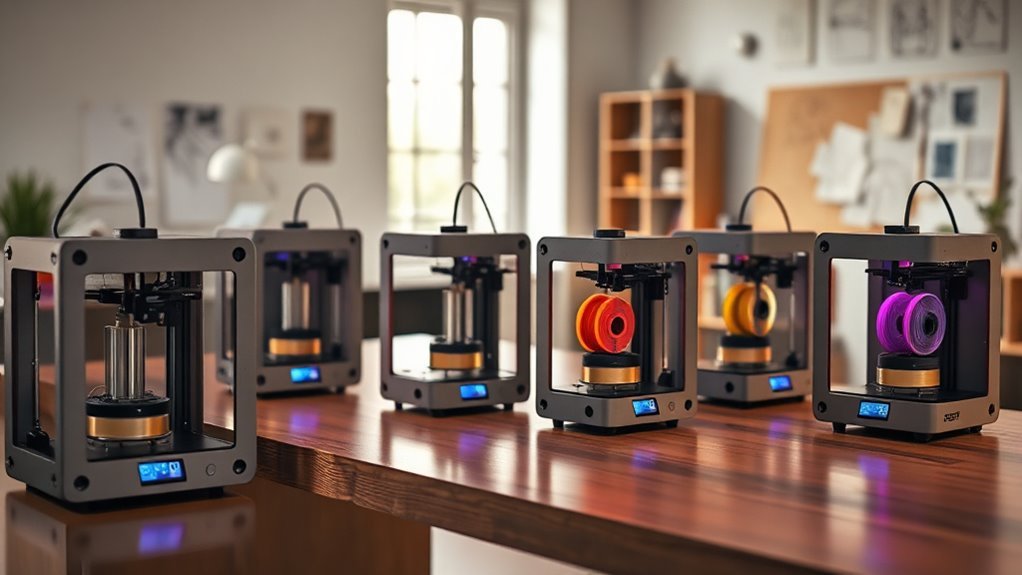
8 Best 3D Printers for Home Use in 2026 You’ll Love
You’ll love top home 3D printers like the Bambu Lab P1S Combo for fast, multi-color prints and smart automation, or the P2S Combo with lightning speed and AI failure detection.
These models bring innovation right to your workspace, making 3D printing easier and more efficient than ever.
The FLASHFORGE Adventurer 5M Pro offers easy one-click leveling, taking the hassle out of setup.
Meanwhile, the Anycubic Kobra X Multicolor is perfect for beginners with its native 4-color printing capabilities.
Creality’s K1C stands out for handling advanced filaments like carbon fiber, ideal for more experienced users.
And the Ender 3 V3 SE models cater to both beginners and upgraders, offering versatility and reliability.
Explore these options to find the perfect fit for your creative projects and bring your ideas to life at home!
Bambu Lab P1S Combo, P1S 3D Printer and AMS, Multi-Color 3D Printing
Experience the future of multi-color 3D printing with the Bambu Lab P1S Combo featuring the AMS. This system effortlessly handles up to 16 colors and a variety of materials like PLA, PETG, and TPU, allowing you to create intricate and vibrant models without the hassle of manual filament changes. Its fast printing speeds of up to 500 mm/s and high acceleration ensure your projects finish quickly and efficiently.
Designed with a fully enclosed structure, the printer maintains a stable environment for consistent, high-quality results, reducing print failures caused by temperature fluctuations. Setup is straightforward and takes about 15 minutes, with automatic bed leveling that simplifies maintenance and keeps your prints reliably precise.
While it excels in multi-material output, the AMS accessory is necessary to unlock its full potential, which adds to the initial investment. Keep in mind that carbon and glass fiber filaments aren’t recommended, so this combo is best suited for standard and flexible filaments. Its advanced features may require some experience to fine-tune settings for optimal results.
The Bambu Lab P1S Combo is perfect for creators who want fast, reliable multi-color and multi-material printing with minimal fuss and exceptional print quality.
Best for: Creators and hobbyists seeking fast, reliable multi-color and multi-material 3D printing with minimal setup and high-quality results.
What We Like:
- Supports up to 16 colors and multiple filament types including flexible materials
- High-speed printing up to 500 mm/s with smooth acceleration
- Fully enclosed design ensures stable printing conditions
- Quick setup with automatic bed leveling for consistent precision
- Ideal for detailed, multi-material projects at home
Specification:
| Feature | Details |
|---|---|
| Manufacturer | Bambu Lab |
| Dimensions | Not specified |
| Weight | Not specified |
| Supported Filaments | PLA, PETG, TPU, others (no carbon/glass fiber) |
| Max Colors | 16 |
| Max Print Speed | 500 mm/s |
| Acceleration | 20,000 mm/s² |
| Design | Fully enclosed |
| Setup Time | Approx. 15 minutes |
Bambu Lab P2S Combo, P2S 3D Printer & AMS 2 Pro, Multi-Color 3D Printing
The Bambu Lab P2S Combo redefines home 3D printing with its ability to deliver fast, precise multi-color prints. Its innovative CoreXY motion system reaches speeds of up to 600 mm/s, cutting print times significantly while maintaining smooth, detailed layers. This means less waiting and more creating.
With the AMS 2 Pro filament management system, switching between colors or materials is effortless. It automatically handles filament drying at up to 65 °C and loading, reducing print failures and preserving material quality over time. This system simplifies maintenance and keeps your prints consistent.
Designed for both hobbyists and professionals, the combo’s adaptive airflow balances cooling and heat retention to optimize print quality. AI-powered failure detection further ensures reliable operation by catching issues early. Setup is straightforward, allowing users to start printing in about 15 minutes.
While it is somewhat bulky and priced at a premium, the Bambu Lab P2S Combo offers unmatched multi-material capabilities and reliable performance. Its advanced features require some 3D printing knowledge but reward users with versatility and precision.
Best for: Enthusiasts and professionals seeking a fast, reliable multi-color 3D printer with smart material management and easy setup.
What We Like:
- High-speed CoreXY design for rapid, accurate prints.
- AMS 2 Pro automates filament drying and handling.
- Adaptive airflow optimizes cooling and heat retention.
- AI failure detection improves print reliability.
- Quick setup ready in approximately 15 minutes.
Specification:
| Feature | Specification |
|---|---|
| Manufacturer | Bambu Lab |
| Dimensions | Not specified |
| Weight | Relatively heavy (exact weight not provided) |
| Color Options | Not specified |
| Print Speed | Up to 600 mm/s |
| Filament Drying Temp | Up to 65 °C |
| Setup Time | About 15 minutes |
FLASHFORGE Adventurer 5M Pro 3D Printer with 1 Click Auto Printing System
Experience hassle-free 3D printing with the FLASHFORGE Adventurer 5M Pro, designed to simplify your creative process. Its one-click auto-leveling system removes setup frustrations, allowing users to start printing quickly and with confidence. This feature is especially helpful for beginners or busy hobbyists who want reliable results without tedious calibration.
Built on a sturdy CoreXY all-metal frame, this printer balances speed and precision, reaching speeds up to 600 mm/s while minimizing vibrations for smooth, detailed prints. The fully enclosed chamber keeps the temperature stable and reduces noise to under 50 dB, making it ideal for home or office use without disturbance.
Maintenance is straightforward thanks to quick-swap nozzles, enabling easy filament changes and cleaning. The printer supports a wide range of materials, though nozzle temperature limits of 280°C may restrict some high-temperature filaments. Its compact design fits comfortably in small spaces without sacrificing performance.
With a built-in camera and a mobile control app, you can monitor your prints remotely, adding convenience and peace of mind to your workflow. The 4.3-inch touchscreen interface is intuitive, though some users may find it a bit small for detailed navigation.
Best for: hobbyists and beginners seeking a reliable, user-friendly 3D printer with easy setup and remote monitoring capabilities.
What We Like:
- One-click auto-leveling system for effortless setup
- High-speed CoreXY frame with vibration compensation for precise prints
- Fully enclosed, quiet chamber suitable for home and office environments
- Quick-swap nozzles simplify maintenance and material changes
- Remote print monitoring via built-in camera and mobile app
Specification:
| Feature | Details |
|---|---|
| Manufacturer | FLASHFORGE |
| Build Volume | 220 x 220 x 220 mm |
| Maximum Nozzle Temp | 280°C |
| Frame Type | CoreXY all-metal |
| Noise Level | Under 50 dB |
| Touchscreen Size | 4.3 inches |
| Connectivity | Mobile app control, built-in camera |
Anycubic Kobra X Multicolor 3D Printer, Easy Setup, Native 4-Color
Unleash your creativity with the Anycubic Kobra X Multicolor 3D Printer, designed to make multicolor printing accessible and straightforward. This printer lets you produce vibrant, detailed models with native 4-color printing, eliminating the hassle of manual filament changes.
Its hardened steel nozzle supports a variety of materials, including flexible filaments, allowing you to experiment with different textures and finishes. The large 260mm³ build volume offers enough space for most hobbyist projects, while fast print speeds up to 600 mm/s save you valuable time.
Maintenance is simple thanks to the LeviQ 3.0 auto bed leveling system, which ensures your prints stick perfectly from the first layer. The printer also features smart AI monitoring and quiet operation, enhancing reliability and ease of use. Wi-Fi connectivity adds convenience by letting you control prints remotely.
The Kobra X Multicolor is ideal for beginners and hobbyists seeking a reliable, user-friendly 3D printer that balances performance with ease of maintenance. Keep in mind, the 4-color setup can be expanded with additional units but is limited to 260mm³ build volume, which may restrict very large prints.
Best for: Beginners, hobbyists, and educators wanting a straightforward multicolor 3D printer with advanced features and fast printing speeds.
What We Like:
- Native 4-color printing with durable hardened steel nozzle.
- Supports multiple materials, including flexible filaments.
- Fast printing speed with filament travel reduction saves time and material.
- LeviQ 3.0 auto bed leveling simplifies setup and improves print quality.
- Smart AI monitoring and Wi-Fi for reliable, quiet operation.
Specification:
| Feature | Details |
|---|---|
| Manufacturer | Anycubic |
| Build Volume | 260 mm × 260 mm × 260 mm |
| Printing Colors | 4 (native) |
| Nozzle Material | Hardened Steel |
| Supported Materials | PLA, TPU, PETG, and more |
| Max Print Speed | 600 mm/s |
| Connectivity | Wi-Fi |
| Bed Leveling | LeviQ 3.0 Auto Leveling |
Creality K1C 3D Printer Support Carbon Fiber Filament Auto Leveling
The Creality K1C 3D printer is designed to handle advanced materials like carbon fiber filament with ease. Its ability to heat up to 300°C lets you create strong, durable parts that meet demanding project needs. Auto Z-offset and leveling features simplify setup, reducing the time spent on calibration so you can start printing quickly.
This printer’s clog-free extruder paired with a steel-tipped copper nozzle ensures consistent, reliable filament feeding. Its build volume of 8.66 × 8.66 × 9.84 inches provides ample space for many designs while maintaining precision. The max print speed of 600 mm/s balances fast output with quality results.
Maintenance is straightforward with automatic input-shaping tests that help keep the printer calibrated and running smoothly. The built-in AI camera offers real-time monitoring, giving you confidence that prints are progressing without issues, helping to reduce failed prints.
While the printer weighs 27.3 pounds, making it less portable than some models, its robust features suit professional and enthusiast users focused on advanced material capabilities and efficiency.
Best for: Professionals and enthusiasts needing a fast, reliable printer for advanced materials like carbon fiber with minimal setup.
What We Like:
- Supports high-temp printing up to 300°C for durable parts
- Auto leveling and Z-offset simplify calibration
- Clog-free extruder and steel nozzle improve reliability
- Built-in AI camera for real-time print monitoring
- High max speed of 600 mm/s balances speed and precision
Specification:
| Feature | Details |
|---|---|
| Manufacturer | Creality |
| Build Volume | 8.66 × 8.66 × 9.84 inches |
| Max Nozzle Temp | 300°C |
| Weight | 27.3 pounds |
| Filament Support | Carbon fiber compatible |
| Max Print Speed | 600 mm/s |
Creality Ender 3 V3 SE 3D Printer Upgrade
Experience the ease of precise 3D printing with the Creality Ender 3 V3 SE upgrade. Designed to minimize setup time, this model arrives mostly preassembled, allowing you to start your projects quickly and with less hassle. It solves common startup frustrations by combining convenience with reliable performance.
The upgraded extruder system ensures smooth and consistent filament feeding, which reduces print failures caused by jams or poor extrusion. Dual Z-axis lead screws enhance stability during printing, delivering sharper details and less wobble on your models. This makes it ideal for users who value accuracy and quality in their prints.
Maintenance is straightforward thanks to automated features such as auto bed leveling and filament loading, which reduce manual adjustments and help maintain print consistency. Its moderate build volume supports a variety of materials including PLA, TPU, and PETG, catering to both creative hobbyists and practical prototypers.
While the build size may limit very large projects, it fits well within typical desktop spaces and balances functionality with user-friendliness. The Ender 3 V3 SE is tailored to meet the needs of those starting out or upgrading their home printing setup without complex assembly or steep learning curves.
Best for: Hobbyists and beginners seeking a reliable, easy-to-assemble 3D printer with advanced features and strong customer support.
What We Like:
- Mostly preassembled for quick setup and printing.
- Smooth filament feeding with full-metal dual-gear extruder.
- Dual Z-axis lead screws improve print precision.
- Automated bed leveling and filament management reduce manual work.
- Supports multiple filament types for versatile printing.
Specification:
| Feature | Details |
|---|---|
| Manufacturer | Creality |
| Build Volume | 8.66 x 8.66 x 9.84 inches |
| Extruder | Sprite full-metal dual-gear |
| Z-axis | Dual lead screws |
| Filament Compatibility | PLA, TPU, PETG, and more |
| Print Speed | Up to 250 mm/s |
Creality Ender 3 V3 SE Beginner-Friendly 3D Printer with Auto Leveling
Discover a 3D printer that transforms your creative ideas into reality with ease. The Creality Ender 3 V3 SE is designed to simplify the printing process, making it ideal for beginners and hobbyists. Its CR Touch auto leveling and automatic Z-offset calibration eliminate the hassle of manual bed leveling, ensuring your prints start perfectly every time.
This printer’s upgraded Sprite Direct Drive Extruder offers smooth and reliable filament feeding, compatible with common materials like PLA, PETG, and TPU. The dual synchronized Z-axis lead screws and precision linear shafts reduce vibrations, resulting in sharper, more consistent prints.
Maintenance is straightforward thanks to a flexible spring steel build plate, which allows for easy print removal without damaging the surface. The 32-bit silent mainboard keeps operation quiet, making it well-suited for use in a home environment without disruption.
While it may lack advanced features for professional users and has a moderate build volume, it excels in providing a user-friendly experience with dependable print quality for everyday projects.
Best for: Beginners and home users seeking a simple, reliable 3D printer with automatic leveling and quiet operation.
What We Like:
- CR Touch auto leveling and Z-offset calibration for hassle-free setup
- Smooth filament feeding with upgraded Sprite Direct Drive Extruder
- Dual Z-axis lead screws enhance print stability and quality
- Quiet operation with 32-bit silent mainboard
- Easy print removal using flexible spring steel build plate
Specification:
| Feature | Details |
|---|---|
| Manufacturer | Creality |
| Dimensions (L×W×H) | Not specified |
| Weight | Not specified |
| Material | Metal frame, spring steel plate |
| Color Options | Not specified |
| Supported Filaments | PLA, PETG, TPU |
Creality SPARKX i7 3D Printer with AI Monitoring
Experience a smarter way to 3D print with the Creality SPARKX i7 3D Printer featuring advanced AI monitoring. This printer takes the hassle out of setup with automatic bed leveling and a 5-second tool-free hotend swap, ensuring your prints start perfectly every time. Maintenance becomes quick and simple, letting you focus on creativity instead of calibration.
Designed for quiet, high-speed printing, the SPARKX i7 uses an optimized motion system and a direct drive extruder for smooth, precise results. The flexible PEI build plate makes removing prints effortless, reducing damage and frustration after long print jobs. Plus, WiFi connectivity paired with the AI camera lets you monitor your prints remotely and capture time-lapse videos, bringing convenience to your workflow.
Its compact yet robust design fits well on any desktop, ideal for daily functional projects or creative hobbies. While multi-material printing is possible, it requires an optional CFS Lite upgrade. The printer’s solid build may limit portability but ensures stable performance in a fixed workspace.
With its intelligent features and ease of use, the Creality SPARKX i7 enhances productivity and reliability for users who want to print smart and maintain easily.
Best for: Creatives, hobbyists, and beginners seeking a smart, user-friendly 3D printer with remote monitoring and hassle-free maintenance.
What We Like:
- Automatic bed leveling and quick-swap hotend simplify setup and upkeep
- AI camera with WiFi enables remote print supervision and time-lapse capture
- Quiet operation with optimized motion system for smooth, precise printing
- Flexible PEI build plate allows easy print removal without damage
Specification:
| Feature | Specification |
|---|---|
| Manufacturer | Creality |
| Dimensions | Compact desktop size |
| Weight | Moderate (relatively heavy) |
| Build Plate | Flexible PEI |
| Connectivity | WiFi with AI camera monitoring |
| Hotend | Tool-free quick-swap |
Factors to Consider When Choosing a 3d Printer 2026 for Home
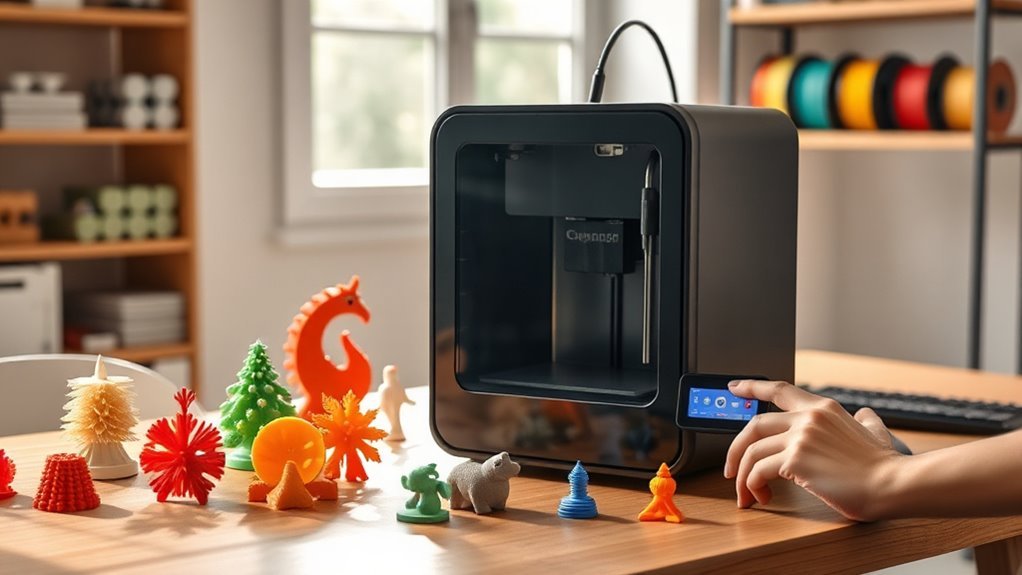
When choosing a 3D printer for home in 2026, you’ll want to take into account print volume needs and material compatibility first.
Speed, accuracy, and ease of setup can make a big difference in your experience.
Don’t forget to factor in noise levels and safety features to keep your space comfortable and secure.
Print Volume Needs
Although selecting the right print volume might seem straightforward, it requires careful consideration of the maximum part size you plan to create. Measure your biggest prints—miniatures around 50–100 mm, prototypes 200–300 mm, or furniture-scale over 500 mm—and pick a printer with build dimensions at least 10–20% larger to accommodate fixturing and brims.
Typical home printers range from 220×220×220 mm to 300×300×300 mm or more. Match your printer to your most frequent projects, not just occasional large ones. Remember, if you can split designs for assembly, smaller volumes can suffice.
But larger build volumes mean bigger enclosures, more power, longer warm-ups, and higher filament waste on failed prints. So, balance your workspace and running costs carefully to get the best fit.
Material Compatibility
Regarding material compatibility, you need to make certain your 3D printer supports the filament types you plan to use, such as PLA, PETG, TPU, ABS, and more specialized options like nylon or polycarbonate.
Check the maximum nozzle and heated-bed temperatures, plus whether the printer offers a heated chamber, since materials like polycarbonate often require over 250°C to print well.
Make sure the extruder and hotend can handle flexible or abrasive filaments; direct-drive extruders work best with TPU, while hardened steel nozzles resist wear from carbon- or glass-filled filaments.
If you’re using soluble supports like PVA, look for multi-nozzle or feeder systems for smooth multi-material printing.
Also, consider filament handling features like drying chambers or moisture sensors if you print with hygroscopic materials to avoid print failures.
Speed and Accuracy
Since print speed and accuracy directly impact your project’s quality and completion time, you should carefully evaluate a 3D printer’s maximum speeds, acceleration capabilities, and motion system design. Look beyond top speeds—while 400–600 mm/s is impressive, sustained acceleration (mm/s²) matters more for smooth, artifact-free prints.
Choose printers with rigid motion systems like CoreXY or sturdy Cartesian frames to minimize vibration and maintain dimensional accuracy at high speeds. Prioritize advanced motion compensation features such as input shaping and adaptive acceleration to boost effective speed without sacrificing surface quality.
Also, consider nozzle size: smaller nozzles yield finer detail but require slower speeds, while larger nozzles speed up material deposition. Finally, closed-loop extrusion systems help maintain consistent flow, preventing extrusion issues that could compromise precision during fast printing.
Ease of Setup
Understanding a printer’s speed and accuracy is important, but how quickly you can get it up and running at home matters just as much. Look for models with automated bed leveling and auto Z-offset to cut manual calibration to minutes and guarantee reliable first layers.
Pre-assembled or plug-and-play printers with clear quick-start guides can have you printing within 15 minutes. Features like built-in filament loading, unloading, and auto filament detection simplify setup and prevent misfeeds.
Quick-swap hotends and tool-free nozzle systems let you change nozzles in under a minute, reducing downtime. Plus, native Wi-Fi or LAN connectivity paired with companion apps streamline slicing, firmware updates, and remote monitoring.
All this makes initial configuration and ongoing workflow easy and efficient, giving you a smooth home 3D printing experience. It really takes the hassle out of getting started!
Noise and Safety
When you’re choosing a 3D printer for home use, keeping noise levels below about 50 decibels makes a big difference in comfort. This is especially true if you’ll be printing for hours. Look for models with measured noise output under this threshold to avoid disrupting your living space.
Safety-wise, go for fully or partially enclosed printers with HEPA or carbon filtration if you plan to use ABS or PETG. This helps reduce harmful ultrafine particles and VOCs.
Make sure your printer has temperature and thermal runaway protections to prevent fire risks. Enclosed heated chambers or adjustable airflow can control warping and limit hot-surface exposure around kids and pets.
Also, pick printers with filament sensors, power-loss recovery, and remote monitoring features. These help minimize failed prints and safely manage long jobs unattended.
Software and Connectivity
Choosing a 3D printer with robust software and connectivity options lets you streamline your workflow and manage prints more efficiently. Make sure your printer supports popular file formats like STL, OBJ, and 3MF while allowing profile export and import, so you can easily share settings.
Look for versatile connection options—USB, SD card, Ethernet, plus Wi-Fi and Bluetooth—to submit jobs remotely and update firmware seamlessly. Prioritize printers with mature firmware and open APIs like OctoPrint support to enable custom workflows and integrations.
Features like built-in cameras for time-lapse or AI failure detection enhance monitoring, but check privacy policies if using cloud services. Finally, verify compatibility with your preferred slicers and tools, especially for adaptive profiles and multi-material printing to maximize your printer’s potential.
Frequently Asked Questions
What Maintenance Is Required to Keep Home 3D Printers Running Smoothly?
You’ll need to clean the nozzle regularly, lubricate moving parts, tighten belts, update firmware, and check the bed level.
Doing this keeps your 3D printer running smoothly and guarantees high-quality prints every time.
Trust me, a little maintenance goes a long way in avoiding print failures and extending the life of your machine.
Are There Any Safety Precautions for Using 3D Printers at Home?
You should wear gloves and keep ventilation on. Avoid touching hot parts to prevent burns.
Also, store materials safely and keep kids away from the printer. This helps reduce fumes and keeps everyone safe.
Following these precautions makes your 3D printing experience safe and enjoyable. Just a little care goes a long way!
Can These 3D Printers Print With Biodegradable or Eco-Friendly Materials?
Yes, many 3D printers can print with biodegradable or eco-friendly materials like PLA. You’ll want to check compatibility, but using sustainable filaments helps reduce environmental impact.
It’s a great way to create your projects at home while being kind to the planet. Plus, eco-friendly materials are becoming more widely available, making it easier than ever to go green with 3D printing.
How Noisy Are These 3D Printers During Operation?
You won’t find these 3D printers too noisy; most operate quietly, around 40-50 decibels.
You can easily work or relax nearby without distraction, making them perfect for home use without disturbing your peace.
What Software Compatibility Should I Look for in Home 3D Printers?
You should look for printers compatible with popular slicer software like Cura, PrusaSlicer, or Simplify3D.
Also, make sure they support common file formats like STL and OBJ, so you can easily print your designs without hassle.
Conclusion
Choosing the perfect 3D printer for your home in 2026 doesn’t have to feel overwhelming. Whether you’re dipping your toes into the creative waters or ready to plunge into multi-color masterpieces, there’s a model that’ll gently fit your needs and budget.
With options boasting user-friendly features and smart tech, you’ll find yourself crafting with ease and a smile. So, go ahead—embrace the fun of creation without the usual headaches.
Finding the right 3D printer means balancing quality, price, and ease of use. Luckily, the best 3D printers for home use in 2026 offer exactly that. From beginners to seasoned makers, these models provide reliable performance and exciting features to inspire your projects. Dive into the world of 3D printing with confidence and watch your ideas come to life effortlessly!