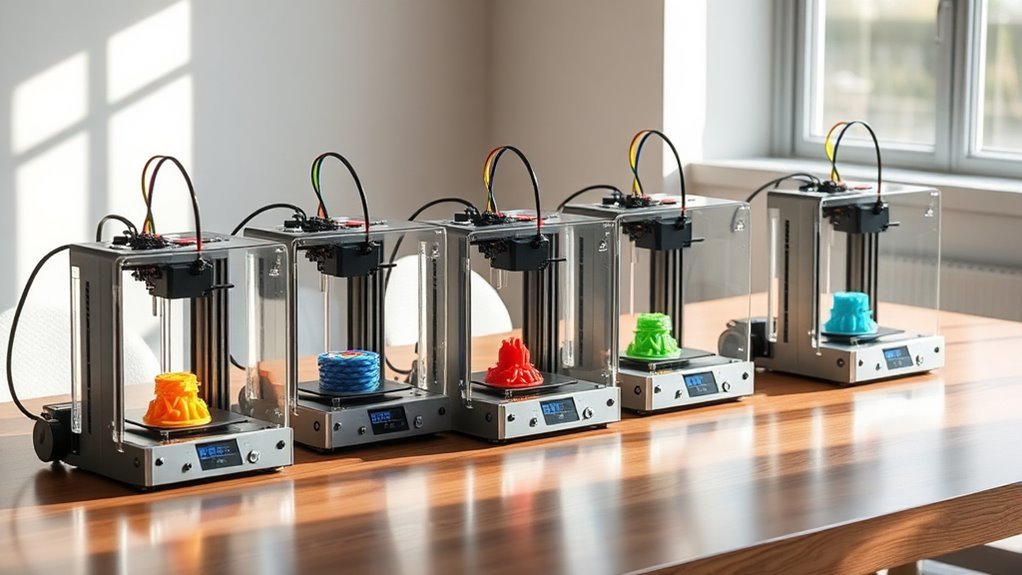
7 Best 3D Multicolor Printers for Beginners in 2027
If you’re diving into the world of multicolor 3D printing and want something beginner-friendly, you’re in the right place. Easy and vibrant multi-color 3D printing is totally achievable with the right printer. Options like the Bambu Lab P1S Combo with AMS can handle up to 16 colors, which is amazing for detailed projects.
Then there’s the Anycubic Kobra X Multicolor, which comes with native 4-color systems and a super simple setup. Plus, the Creality SPARKX i7 uses efficient CFS Lite multicolor technology to keep things smooth and precise. These printers don’t just offer vibrant colors—they also bring fast printing speeds, auto-leveling, AI monitoring, and user-friendly calibration. Perfect if you’re just starting out and want to avoid complicated setups.
Keep exploring these options to find the perfect fit for your multicolor 3D printing projects and skill level. There’s something out there for every beginner!
Bambu Lab P1S Combo, P1S 3D Printer and AMS, Multi-Color 3D Printing
The Bambu Lab P1S Combo with AMS transforms complex multi-color 3D printing from a challenge into a smooth experience. Designed to handle up to 16 filament colors, this printer opens new creative possibilities without slowing you down. Its capability to print with a broad range of materials, including PLA, PETG, TPU, PA, and PC, means you can tackle diverse projects with ease.
This printer excels in delivering fast and consistent results. With print speeds up to 500 mm/s and automatic bed leveling, it reduces setup time and print errors. The enclosed design helps maintain stable conditions during printing, ensuring high-quality outputs across various materials.
Maintenance is straightforward, thanks to its user-friendly design. Setup takes about 15 minutes, making it accessible for beginners. However, to unlock full color potential, the AMS accessory is required, which adds to the investment but greatly enhances the printer’s versatility.
While it doesn’t support carbon or glass fiber reinforced polymers, the Bambu Lab P1S Combo remains an excellent choice for multi-material projects. Its compact, enclosed structure balances print size and quality for most professional and hobbyist needs.
Best for: Creators and professionals seeking a fast, reliable 3D printer capable of vibrant multi-color and multi-material projects with minimal setup time.
What We Like:
- Supports up to 16 filament colors with AMS for detailed multi-color prints
- High-speed printing of up to 500 mm/s with smooth acceleration
- Automatic bed leveling simplifies setup and improves print consistency
- Broad filament compatibility including flexible and advanced materials
- Compact enclosed design maintains stable print environment
Specification:
| Feature | Details |
|---|---|
| Manufacturer | Bambu Lab |
| Dimensions | Not specified |
| Weight | Not specified |
| Supported Filaments | PLA, PETG, TPU, PA, PC |
| Max Print Speed | 500 mm/s |
| Print Acceleration | 20,000 mm/s² |
| Color Options | Multi-color with AMS (up to 16) |
Anycubic Kobra X Multicolor 3D Printer, Easy Setup, Native 4-Color
The Anycubic Kobra X Multicolor 3D Printer transforms complex multicolor printing into a simple, efficient process. Its native 4-color system allows you to create vivid, detailed models without switching filaments manually. With a fast setup time of just 15 minutes, you can start printing quickly and focus on your projects.
This printer features a generous 260 mm³ build volume, giving you space to bring your creative ideas to life. Printing speeds reach up to 600 mm/s, enabling rapid completion of prints like the iconic Benchy in as little as 14 minutes. The LeviQ 3.0 auto bed leveling system ensures your prints start on a perfectly flat surface every time, improving overall print quality.
Maintaining the Kobra X is straightforward thanks to its vibration compensation technology, which smooths layer lines for professional-looking results. Connectivity is flexible with dual-band Wi-Fi and LAN options, allowing remote monitoring via the Anycubic app. While it supports multiple materials, expanding color options up to 19 requires specific compatible units.
Best for: Enthusiasts and professionals seeking a fast, reliable multicolor 3D printer with easy setup and advanced print quality features.
What We Like:
- Native 4-color printing with expansion up to 19 colors for creative versatility
- Quick 15-minute setup and high speeds up to 600 mm/s increase productivity
- LeviQ 3.0 auto bed leveling ensures accurate, consistent prints
- Vibration compensation delivers smooth, high-quality layers
- Dual-band Wi-Fi and LAN enable convenient remote print monitoring
Specification:
| Feature | Details |
|---|---|
| Manufacturer | Anycubic |
| Build Volume | 260 mm³ |
| Print Speed | Up to 600 mm/s |
| Color Options | Native 4-color, expandable |
| Connectivity | Dual-band Wi-Fi, LAN |
| Weight | 20.9 lb (9.5 kg) |
Anycubic Kobra X Multicolor 3D Printer, Easy One-Click Printing
Experience the ease of multicolor 3D printing with the Anycubic Kobra X Multicolor 3D Printer. Designed for simplicity, it allows users to start printing with a single click, eliminating long setup times and complicated controls. This makes it an excellent choice for beginners, hobbyists, and educators who want reliable, colorful prints without hassle.
The printer supports native 4-color printing and can be expanded to 19 colors using the 4 ACE 2 Pro accessory, offering versatility for creative projects. Its compact build volume of 260 x 260 x 260 mm fits a wide range of designs while maintaining precision. The hardened steel nozzle heats up to 300°C, so it can handle various filament types like PLA and TPU smoothly.
Maintenance is straightforward with automatic LeviQ 3.0 leveling and AI-powered monitoring that detects errors early, ensuring consistent print quality and reducing failed prints. Setup takes only about 15 minutes, so you can spend more time creating and less time preparing.
Best for: Beginners, educators, and hobbyists seeking a user-friendly multicolor 3D printer with quick setup and dependable results.
What We Like:
- Easy one-click printing with quick, automated setup
- Supports up to 4 colors natively, expandable to 19 for complex projects
- Automatic leveling and AI monitoring improve print reliability
- Hardened steel nozzle accommodates various filament types
- Compact build volume suits most standard prints
Specification:
| Feature | Specification |
|---|---|
| Manufacturer | Anycubic |
| Build Volume | 260 x 260 x 260 mm |
| Nozzle Material | Hardened Steel |
| Maximum Nozzle Temp | 300°C |
| Color Printing | Native 4 colors, expandable to 19 |
| Setup Time | Approximately 15 minutes |
Creality SPARKX i7 Multi-Color 3D Printer
Discover the ease of multicolor 3D printing with the Creality SPARKX i7, designed to simplify every step from setup to final output. Its fully automatic calibration handles bed leveling and nozzle offset, saving you time and eliminating manual adjustments. This means fewer errors and more focus on your creative projects.
Maintenance becomes effortless thanks to the built-in AI camera, which monitors prints in real time. It alerts you to potential issues like filament tangles, helping prevent print failures before they happen. This proactive monitoring supports smooth, uninterrupted printing sessions.
The printer supports the CFS Lite multicolor system, which reduces purging waste by 50% and improves printing efficiency by 15%. This feature minimizes material waste and speeds up production, making it ideal for detailed, colorful prints without the usual hassle.
With a large build volume and advanced functions such as Pressure Advance and Input Shaping, the SPARKX i7 produces sharp, professional-quality models. Its quiet Night Mode lets you run prints overnight without disturbance, enhancing convenience.
Best for: Hobbyists and professionals seeking efficient, high-quality multicolor 3D printing with minimal setup and real-time monitoring.
What We Like:
- Automatic calibration for easy, precise setup
- Real-time AI camera monitoring to avoid print errors
- Efficient multicolor printing with reduced waste
- Large build area for diverse projects
- Quiet operation mode for overnight printing
Specification:
| Feature | Details |
|---|---|
| Manufacturer | Creality |
| Dimensions | Not specified |
| Weight | Not specified |
| Color Options | Multicolor printing via CFS Lite system |
| Key Technologies | Automatic calibration, AI camera, Pressure Advance, Input Shaping |
Creality SPARKX i7 Nano Combo Multi‑Color 3D Printer for Beginners
Experience the ease of multi-color 3D printing with the Creality SPARKX i7 Nano Combo. This compact printer is designed to simplify complex printing projects by automatically managing filament spools. It switches colors smoothly, allowing longer prints without interruption.
The i7 Nano Combo runs quietly and swiftly, reaching speeds up to 500 mm/s. Its automatic bed leveling ensures consistent print quality, while the built-in AI camera lets you monitor progress remotely. Maintenance is straightforward thanks to a quick-swap modular design that makes part replacement hassle-free.
Ideal for home, studio, or classroom environments, this printer supports both beginners and seasoned users. Its lightweight build balances advanced technology with user-friendly operation, making multi-color printing accessible and efficient.
While the printer offers many benefits, its moderate weight capacity may limit portability for some. Also, verifying warranty and support details through the manufacturer can add an extra step for customers.
Best for: Creators seeking a compact, multi-color 3D printer that automates filament handling and simplifies upkeep for diverse settings.
What We Like:
- Seamless automatic filament feed and spool switching for uninterrupted printing.
- Remote print monitoring via built-in AI camera.
- Tool-free, quick-swap modular parts for easy maintenance.
Specification:
| Feature | Details |
|---|---|
| Manufacturer | Creality |
| Dimensions | Compact desktop size |
| Weight | 21.4 lb (9.7 kg) |
| Color Options | Multi-color printing capability |
ANYCUBIC Kobra X Fast 3D Printer, Native 4-Color, High Speed, Auto Leveling
The ANYCUBIC Kobra X Fast 3D Printer brings multicolor printing to your fingertips with its native 4-color capability and smooth automatic color swaps. This feature eliminates the hassle of manual filament changes, allowing you to produce vibrant, detailed models faster and more efficiently. Its modular design lets you set up the printer quickly, so you can start creating within minutes.
Maintaining print accuracy is simple with the LeviQ 3.0 auto-leveling system. It ensures precise bed leveling at 0.02 mm across 49 points, reducing errors and failed prints. The printer’s ACE GEN 2 technology not only speeds up the printing process but also minimizes filament waste, making it both fast and economical.
The 260 × 260 × 260 mm build volume offers ample space for most hobby projects, while features like AI object detection and real-time monitoring provide added reliability and peace of mind. Its quiet operation keeps the workspace comfortable, making it suitable for use in home or classroom environments.
Best for: Beginners and hobbyists looking for an easy-to-use, fast multicolor 3D printer with advanced leveling and smart monitoring capabilities.
What We Like:
- Native 4-color printing with automatic color change
- Quick assembly with modular design
- Precise LeviQ 3.0 auto-leveling system
- ACE GEN 2 technology for faster, efficient printing
- Quiet operation and AI-assisted monitoring
Specification:
| Feature | Details |
|---|---|
| Manufacturer | ANYCUBIC |
| Build Volume | 260 × 260 × 260 mm |
| Color Printing | Native 4-color |
| Auto-Leveling | LeviQ 3.0 (49-point, 0.02 mm accuracy) |
| Setup Time | Approx. 15 minutes |
| Camera Resolution | 720p |
Bambu Lab A1 Mini Combo, A1 Mini 3D Printer&AMS lite, Multi-Color Printing
Experience a new level of creativity with the Bambu Lab A1 Mini Combo, designed to bring vibrant multi-color 3D prints right to your workspace. Its compact size fits comfortably on any desk, making it ideal for beginners and hobbyists seeking an accessible entry into multi-color printing.
This 3D printer simplifies complex tasks with its included AMS lite accessory, enabling seamless color transitions without manual intervention. Automatic calibration and flow rate compensation ensure each print is detailed and consistent, reducing the need for troubleshooting.
Maintenance is straightforward thanks to the 1-Clip quick swap nozzle, allowing you to change parts quickly and keep downtime minimal. The user-friendly touchscreen interface and active motor noise cancellation create a smooth, quiet printing experience, perfect for home or office use.
While compact and lightweight, the Bambu Lab A1 Mini Combo is best suited for lighter printing projects. Additional AMS lite accessories may increase overall costs, and some users report occasional reliability issues, reflected in its 4.2-star rating.
Best for: beginners and hobbyists needing a compact 3D printer that offers precise, high-speed multi-color printing with easy setup and maintenance.
What We Like:
- Seamless multi-color printing with AMS lite accessory
- Full-auto calibration for consistent print quality
- Quick nozzle swaps reduce maintenance time
- Quiet operation with active motor noise cancellation
- Intuitive touchscreen interface simplifies control
Specification:
| Feature | Details |
|---|---|
| Manufacturer | Bambu Lab |
| Dimensions | 16.77 x 14.82 x 19.5 in |
| Weight | 22 lb |
| Color Options | Not specified |
| Included Accessory | AMS lite for multi-color |
Factors to Consider When Choosing a 3D Multicolor Printer for Beginners
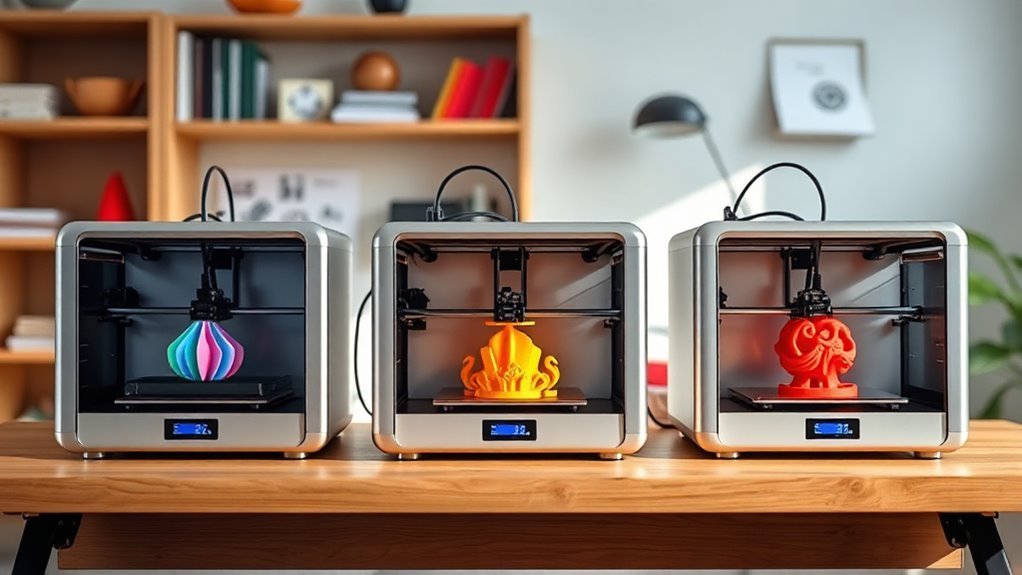
When choosing a 3D multicolor printer, you’ll want to take into account factors like print volume size and how easy it is to set up.
Make sure the printer supports true multi-color printing without compromising speed or precision. Also, check if it’s compatible with the filament types you plan to use for your projects.
It’s all about finding a balance between quality and convenience that fits your needs. Don’t forget to consider how user-friendly the software is as well—it can make a big difference for beginners.
Print Volume Size
Although choosing the right print volume size might seem straightforward, it plays a crucial role in your multicolor printing success. You want a build volume that fits your largest project plus extra space for supports and color shifts—beginner-friendly sizes usually range from about 150×150×150 mm to 260×260×260 mm.
Keep in mind, bigger volumes mean longer print times, more filament use, and extra purge towers, which increase material waste. Smaller printers under 200 mm per axis fit easily on your desk, heat more evenly for better adhesion, and save filament on test prints.
If you print multiple small parts simultaneously, prioritize a wider X/Y area over height. Also, consider that larger enclosures reduce warping but add cost and take longer to warm up, so balance volume with your workspace and budget.
Setup Ease
Selecting the right print volume sets the stage, but how easily you can set up your 3D multicolor printer will shape your overall experience. Opt for printers with pre-assembled or modular designs so you can finish setup and start printing within 15–30 minutes, reducing frustration.
Automatic bed leveling and Z-offset simplify calibration, boosting your first-layer success. Look for built-in wizards and one-click print profiles that handle temperature and speed settings for common filaments, cutting down your learning curve.
Native multi-color filament handling automates color changes and purging, so you avoid manual juggling and failed prints. Plus, onboard or app-based monitoring with error detection helps you catch issues early without constant supervision.
Prioritize these setup features to enjoy a smooth, beginner-friendly start. It really makes a difference when you’re just getting started!
Multi-Color Capability
Since true multi-color printing hinges on how many filaments your printer can handle without manual swaps, you need to check the number of independent extruders or toolheads it offers. Printers with multiple independent extruders or advanced mixing hotends let you print complex, multi-colored models seamlessly.
Confirm the maximum supported filament channels and whether expansion modules are needed to avoid frequent filament changes. Also, evaluate the printer’s purge strategy—efficient purge towers or smart retraction reduce filament waste and save costs.
Don’t forget software support: native multi-extruder slicing, color mapping, and calibration tools are vital for accurate color shifts and minimal seam artifacts. Finally, look for hardware features that enhance color fidelity, like independent nozzles and optimized filament paths, to guarantee your prints come out vibrant and precise.
Speed and Precision
When choosing a 3D multicolor printer, you’ll want to take into account both speed and precision carefully. Look for printers with high max acceleration and top travel speeds to cut down print times. But remember, faster travel doesn’t always guarantee reliable printing for complex models.
Balance the recommended max print speed with layer height and nozzle size. Fine details often require slower speeds and precise extrusion, so keep that in mind.
Pay close attention to precision specs like minimum layer height and positional repeatability. These define surface detail and smooth color shifts.
Also, check for motion control features such as input shaping and vibration compensation. They help reduce ringing and improve accuracy at higher speeds.
Finally, efficient filament change and color-swap routines are essential. They help maintain speed without sacrificing print quality.
Filament Compatibility
For beginners diving into 3D multicolor printing, ensuring your printer handles the right filaments is essential. You’ll want a printer supporting common types like PLA, PETG, TPU, and water-soluble PVA, especially if you plan flexible or complex prints.
Check the maximum nozzle and hotend temperatures—some filaments need up to 300°C—and make sure the heated bed can reach required temps for materials like ABS or PA. Look for multi-extruder or multi-feed setups that accommodate different filament diameters and offer automatic purging to prevent color blending.
If you intend to use soluble supports, verify compatibility with PVA or similar filaments. Finally, confirm your printer’s firmware and slicer support mixed-material printing to simplify temperature changes and tool switches, minimizing failed prints.
Monitoring and Safety
Choosing the right filaments and ensuring compatibility is just one part of successful multicolor 3D printing. You should prioritize printers with built-in cameras (at least 720p) or remote monitoring features so you can track prints in real time and get alerts if something goes wrong.
Automatic failure detection, like spaghetti or foreign-object detection, helps pause jobs to save filament and avoid messes. Safety features such as power-loss recovery, thermal runaway protection, and filament run-out sensors are essential to prevent print loss and reduce fire risks.
Look for printers with enclosed or semi-enclosed build areas and active cooling to maintain stable temperatures and protect you from hot parts or fumes. Mobile notifications and remote controls let you quickly handle issues, making your printing experience safer and smoother.
Frequently Asked Questions
What Filament Materials Are Compatible With These Multicolor 3D Printers?
You’ll find multicolor 3D printers compatible with PLA, ABS, PETG, and TPU filaments. These materials work well together, letting you create vibrant, flexible, and durable prints without hassle.
Perfect for beginners exploring multicolor designs.
How Much Maintenance Do Beginner Multicolor 3D Printers Require?
You won’t spend hours daily fixing your multicolor 3D printer, but it does need regular care—cleaning nozzles, leveling beds, and updating software.
Stick to these, and your printer will run smoothly with minimal hassle.
Can These Printers Connect Wirelessly or Only via USB?
You can connect these printers both wirelessly and via USB. Many models offer Wi-Fi or Bluetooth options, letting you print conveniently from your computer or mobile device without cables.
This makes your printing experience much smoother and hassle-free. So, whether you prefer to go wireless or stick with a USB connection, you’ve got flexible options.
What Is the Typical Print Speed for Multicolor Projects?
Wondering how fast multicolor prints usually go? You’ll see speeds around 30-60 millimeters per second, but complexity and color changes slow things down.
Are There Any Safety Precautions Specific to Multicolor 3D Printing?
Yes, you should make sure proper ventilation since multicolor printing may release more fumes. Also, avoid touching hot parts, keep your workspace clean to prevent color contamination, and always follow your printer’s safety guidelines to stay safe.
It’s a good idea to keep things tidy around your printer. This way, different colors don’t mix unintentionally. Plus, being cautious around hot components helps prevent burns. Just stick to the safety rules your printer manual suggests, and you’ll be good to go!
Conclusion
Choosing the right 3D multicolor printer is like picking the perfect brush for your first masterpiece. Each model here offers a unique palette to bring your ideas to life with vibrant precision.
As you set out on this colorful journey, remember that the best printer for you will be the one that feels like an extension of your creativity—turning blank digital canvases into vivid realities with every print.
Your artistic adventure awaits. Whether you’re a beginner or just exploring 3D printing, finding the best 3D multicolor printer for beginners will make all the difference. These printers combine ease of use with amazing color capabilities, helping you create stunning, multicolor prints that truly stand out. So dive in and start bringing your colorful ideas to life!