7 Best Computer and Printer Combos for 2027
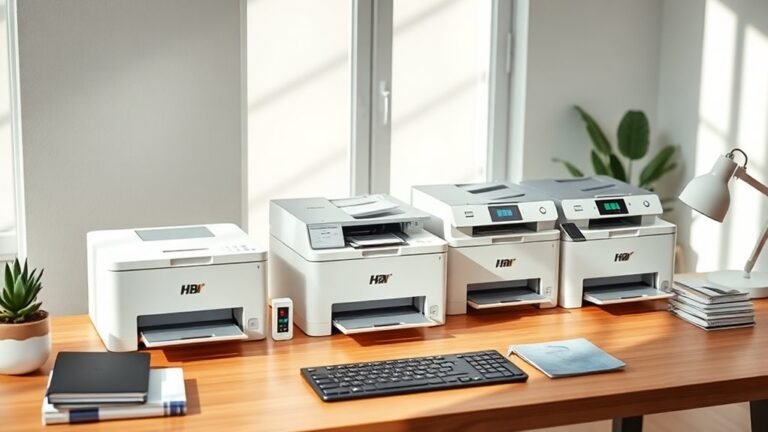
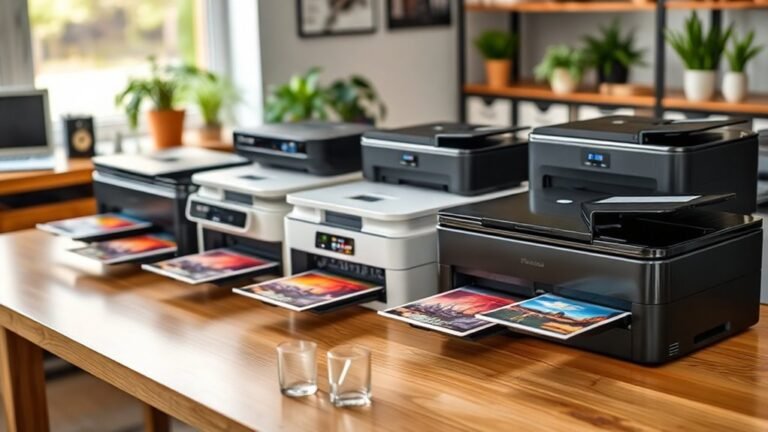
For 2027, you’ll want reliable computer and printer combos that keep up with your busy schedule. Whether you’re working from home, studying, or managing a small office, having the right setup is key.
Think about options like the HP DeskJet 2923, perfect for compact wireless all-in-one use.
Or maybe the HP OfficeJet Pro 8125 is more your style, especially if you need automatic duplex printing and larger capacity for home offices.
Brother Work Smart 1360 is a solid pick for high-resolution prints, while the HP Envy Photo 7975 is ideal if photo quality matters most to you.
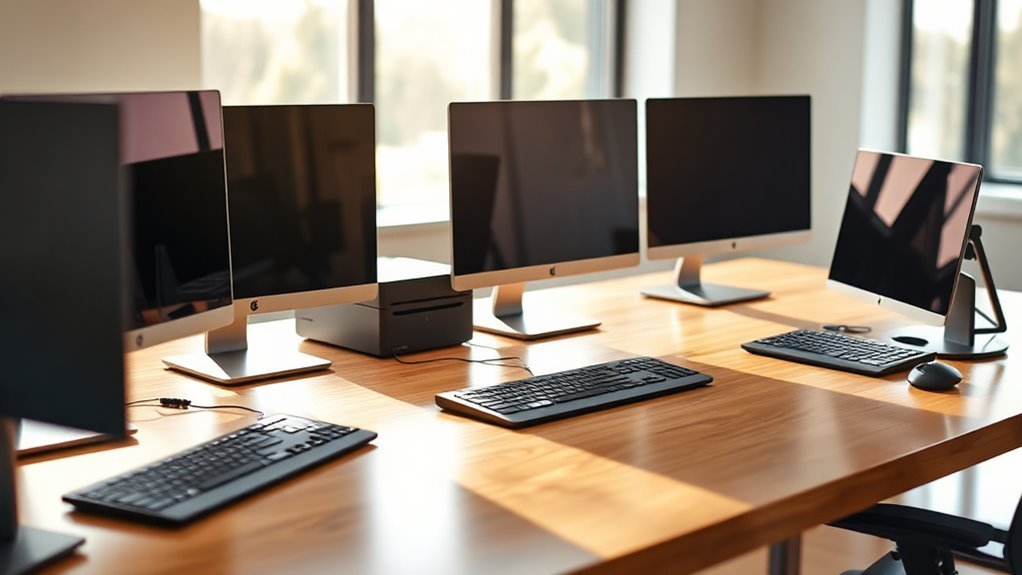
Pair these printers with a powerful 24″ Intel i3 desktop for smooth performance.
You can also explore combos like the Canon PIXMA TR4720 and HP LaserJet MFP M140w to find a balance between speed and features.
Discover what fits your productivity needs best and get ready to tackle 2027 with confidence!
| Image | Name | Editor's Rating | Price |
|---|---|---|---|

|
|
||

|
|
||

|
|
||

|
|
||

|
|
HP DeskJet 2923 Color Inkjet Printer | Wireless | All-in-One
- Perfect for basic printing needs – Print everyday color documents like to-do lists, letters, financial documents and recipes
- KEY FEATURES – Color print, copy, scan, and a 60-sheet input tray, plus mobile and wireless printing
- OPTIMIZE PRINT FORMATTING WITH HP AI – Print web pages and emails with precision—no wasted pages or awkward layouts; HP AI easily removes unwanted content, so your...
- ICON LCD – Print your basic documents with ease from the intuitive control panel
- PRINT SPEED – Up to 7.5 ppm black, 5.5 ppm color

The HP DeskJet 2923 is a practical all-in-one printer designed to simplify everyday home tasks. Whether you need to print documents, copy recipes, or scan important papers, this printer handles basic color prints smoothly. Its wireless connectivity allows you to print directly from laptops, smartphones, or tablets using the HP app, AirPrint, or Mopria, making it easy to fit into your digital lifestyle.
This compact printer fits neatly into small spaces, with a 60-sheet input tray that supports both standard paper and envelopes. Setup is straightforward thanks to the included guide and power cord, so you can start using it quickly. Maintenance is also hassle-free, especially with the 6-month Instant Ink trial that helps manage ink costs efficiently.
While the print speed is moderate, and duplex printing requires manual page flipping, the DeskJet 2923 offers reliable performance for light to moderate home use. Copying quality and speed are basic but sufficient for occasional tasks. Its energy-efficient design incorporates recycled plastics and ENERGY STAR certification, reflecting a commitment to sustainability.
Best for: Individuals and families looking for an affordable, compact all-in-one printer for everyday home printing, scanning, and copying needs.
What We Like:
- Wireless printing via HP app, AirPrint, and Mopria for easy mobile and laptop access.
- Compact size with a versatile 60-sheet tray for standard paper and envelopes.
- Includes a 6-month Instant Ink trial for cost-effective ink management.
- Energy-efficient with recycled materials and ENERGY STAR certification.
Specification:
| Feature | Details |
|---|---|
| Manufacturer | HP |
| Dimensions | Compact design (exact size not specified) |
| Weight | Not specified |
| Color Options | Standard HP color scheme |
| Paper Input Capacity | 60 sheets |
HP OfficeJet Pro 8125 Wireless All-in-One Printer
- FROM AMERICA'S MOST TRUSTED PRINTER BRAND – The OfficeJet Pro 8125 is perfect for home offices printing professional-quality color documents like business documents...
- 3 MONTH TRIAL OF INSTANT INK INCLUDED – Subscribe to the Instant Ink delivery service to get ink delivered directly to your door before you run out, and you save up to...
- KEY FEATURES – Fast color printing, scan, copy, auto 2-sided printing, auto document feeder, and a 225-sheet input tray
- 2.7-INCH TOUCHSCREEN – Quickly navigate your printer with a large color touchscreen and a phone-like user interface
- WIRELESS PRINTING – Stay connected with our most reliable dual-band Wi-Fi, which automatically detects and resolves connection issues
Experience professional-quality color printing designed to enhance your home office productivity with the HP OfficeJet Pro 8125 Wireless All-in-One Printer. This versatile device tackles multiple tasks like printing, scanning, copying, and faxing, all from a compact and efficient unit. Its sharp, water-resistant prints deliver clear documents and images, helping you maintain a polished and professional appearance.
The printer’s automatic duplexing and 225-sheet input tray reduce paper handling and frequent refills, saving you time. With a 2.7-inch touchscreen and the HP app, you can easily print and manage tasks from your smartphone, simplifying your workflow. Connectivity is reliable with dual-band Wi-Fi and Ethernet options, ensuring smooth operation in busy environments.
Maintenance is straightforward but requires original HP cartridges, which might increase running costs. The included ink yields are moderate, so frequent replacements may be needed for heavy use. While it supports standard letter-size media, it does not accommodate larger formats, fitting typical office needs.
Built with 45% recycled plastic, this printer blends efficiency with sustainability. Its smart AI formatting optimizes ink and paper use, reducing waste without compromising quality. This all-in-one solution is ideal for users who demand reliability and multifunctionality in a compact design.
Best for: Professionals and home office users needing reliable, high-quality color printing with multifunction capabilities and smart connectivity.
What We Like:
- Sharp, water-resistant prints with fast automatic duplexing
- Easy mobile printing and scanning via HP app and touchscreen
- Robust dual-band Wi-Fi and Ethernet connectivity
- AI-driven formatting reduces ink and paper waste
- Sustainable design using 45% recycled plastic
Specification:
| Feature | Specification |
|---|---|
| Manufacturer | HP |
| Dimensions | Not specified |
| Weight | Not specified |
| Material | 45% recycled plastic |
| Connectivity | Dual-band Wi-Fi, Ethernet |
| Input Tray Capacity | 225 sheets |
| Display | 2.7-inch touchscreen |
Brother Work Smart 1360 Wireless Color Inkjet All-in-One Print, Scan, Copy
- AFFORDABLE ALL-IN-ONE FOR HOME AND HOME OFFICE: Print, copy, and scan on one compact wireless printer designed for everyday home office printing, schoolwork, documents...
- EASY TO USE WITH CLOUD APP CONNECTIONS: Print from and scan to popular Cloud apps(2), including Google Drive, Dropbox, Box, OneDrive, and more from the simple-to-use...
- FULL-SIZE FEATURES IN A COMPACT DESIGN: This printer includes automatic duplex (2-sided) printing, a 20-sheet single-sided Automatic Document Feeder (ADF)(3), and a...
- MULTIPLE CONNECTION OPTIONS: Connect your way. Interface with your printer on your wireless network or via USB.
- MOBILE PRINTING MADE EASY: Go mobile with the Brother Mobile Connect app(5) that delivers easy onscreen menu navigation for printing, copying, scanning, and device...
The Brother Work Smart 1360 is designed to simplify your home printing needs with reliable wireless color printing, scanning, and copying. It helps you manage tasks efficiently by offering automatic duplex printing, reducing paper use and saving time. The 20-sheet automatic document feeder (ADF) supports multitasking but scans only single-sided documents.
This all-in-one printer produces sharp and vibrant prints thanks to its high resolution of up to 1,200 x 6,000 dpi. It handles various media types, including glossy photo paper and envelopes, up to 8.5 x 14 inches. Connectivity options like Wi-Fi, Wi-Fi Direct, USB, and mobile app support allow you to print easily from smartphones and tablets.
Maintenance is straightforward with a 150-sheet paper tray suitable for moderate printing demands. While print speeds are moderate at up to 16 ppm in black and 9 ppm in color, it meets everyday home use comfortably. The design balances functionality and convenience for those needing versatile media handling and wireless printing.
Best for: Home users seeking a dependable wireless color inkjet printer with scanning and copying for everyday multitasking and media versatility.
What We Like:
- Automatic duplex printing saves paper and time.
- High print resolution delivers sharp, vibrant images.
- Multiple connectivity options support flexible printing.
- 20-sheet ADF assists with batch scanning tasks.
- Supports various media sizes and types for versatility.
Specification:
| Feature | Description |
|---|---|
| Manufacturer | Brother |
| Dimensions | Not specified |
| Weight | Not specified |
| Print Technology | Wireless Color Inkjet |
| Max Print Resolution | 1,200 x 6,000 dpi |
| Print Speed | Up to 16 ppm (black), 9 ppm (color) |
| Paper Capacity | 150-sheet tray |
| Media Size Support | Up to 8.5 x 14 inches |
| Connectivity | Wi-Fi, Wi-Fi Direct, USB, Mobile Apps |
| ADF Capacity | 20 sheets (single-sided) |
HP Envy Photo 7975 Wireless Color Inkjet Printer
- From America's most trusted printer brand, the HP Envy Photo 7975 is a premium multi-purpose home printer with everything families need to learn, work, and create. Loaded...
- PERFECT FOR HOME - The HP Envy Photo 7975 is great for printing documents, high-quality true-to-screen borderless photos, creative projects and more. Print speeds up to...
- 3 MONTHS OF INK INCLUDED - Subscribe to the Instant Ink delivery service to get ink delivered directly to your door before you run out. After 3 months, a monthly fee...
- KEY FEATURES - Print, copy, scan, automatic 2-sided printing, advanced photo features, separate photo tray, auto document feeder, mobile and wireless printing.
- EFFORTLESS PRINTING - Smoothly navigate printing with a large intuitive printer color touchscreen.
Combining reliable performance with user-friendly design, the HP Envy Photo 7975 wireless color inkjet printer is ideal for creative home users. It produces borderless, true-to-screen photos and sharp documents, helping you bring projects to life with minimal effort. The wireless connection allows easy printing from multiple devices, reducing clutter and simplifying your workspace.
This printer handles print, scan, and copy tasks efficiently. It offers automatic two-sided printing, which cuts paper use and saves time. The separate photo tray ensures smooth switching between photo and document printing without hassle. Its large color touchscreen makes navigation quick and straightforward.
Maintenance is simplified with the included 3-month Instant Ink trial, so you won’t have to worry about running out of ink during important tasks. After the trial, a subscription fee applies, but cancelling is easy if you choose not to continue. Print speeds reach up to 10 pages per minute in color and 15 in black, suitable for moderate home use.
Best for: Creative home users who need a versatile, easy-to-use printer for photos and everyday documents with wireless convenience and smart features.
What We Like:
- Produces high-quality, borderless photos that match screen colors accurately
- Supports automatic two-sided printing and has a dedicated photo tray
- Easy setup with wireless printing and a clear touchscreen interface
- Includes a 3-month Instant Ink trial to prevent unexpected ink shortages
Specification:
| Feature | Details |
|---|---|
| Manufacturer | HP |
| Dimensions (W×D×H) | 17.2 × 14.3 × 6.7 inches |
| Weight | 12.1 lb (5.5 kg) |
| Technology | Wireless Color Inkjet |
| Functions | Print, Scan, Copy |
| Print Speed | Up to 10 ppm color, 15 ppm black |
| Special Features | Automatic two-sided printing, Separate photo tray, Color touchscreen |
24″ All-in-One Desktop Computer i3, 8GB RAM
- 24" All-in-One Desktop Computer: The 24-inch Full HD (1920×1080) screen delivers sharp images and vivid colors, perfect for work (document editing, video meetings) and...
- Powerful CPU Performance: Equipped with i3-9100T CPU processor (up to 3.7GHz), this aio desktop computer handles multitasking effortlessly. Run multiple apps at once...
- 8 GB RAM & 256 GB SSD: 8 GB RAM ensures seamless daily use, while 256 GB SSD provides quick boot-up and fast file access. Store thousands of documents, photos, and videos...
- All-in-One Convenience with Complete Accessories: No extra tower needed! This all in one desktop comes with a wireless keyboard and mouse, saving desk space and reducing...
- Win 11 Home & Versatile Ports: Pre-installed Win 11 Home offers a user-friendly interface and enhanced security. With HDMI, USB 3.0 and 2.0, and audio ports, you can...
Experience efficient multitasking and space-saving design with this 24-inch All-in-One desktop computer. Its Intel i3 processor and 8GB RAM handle everyday tasks smoothly, helping you stay productive without lag. The slim bezel enhances your viewing experience, making it easier to focus on video calls, document editing, and streaming.
The crisp Full HD display delivers clear visuals, reducing eye strain during long hours. Equipped with a 256GB SSD, it boots quickly and stores your essential files conveniently. Windows 11 Home provides a user-friendly interface that simplifies navigation and software management.
Connectivity is streamlined with WiFi 6 and Bluetooth 5.3, allowing fast and stable wireless connections. Multiple ports, including HDMI and USB 3.0, make connecting printers and external devices straightforward. The included wireless keyboard and mouse add to the clutter-free setup.
Maintenance is hassle-free since the compact design minimizes dust buildup and the SSD requires no defragmentation. However, the integrated graphics and 8GB DDR3 RAM limit performance for intensive gaming or heavy design work, and storage may need expansion for larger projects.
Best for: users seeking a reliable, space-efficient all-in-one desktop for home office tasks, study, and casual media use.
What We Like:
- Sharp 24-inch Full HD screen with slim bezels
- Smooth multitasking powered by Intel i3 CPU and 8GB RAM
- Modern connectivity options including WiFi 6 and Bluetooth 5.3
- Compact design with wireless keyboard and mouse included
Specification:
| Feature | Details |
|---|---|
| Manufacturer | Not specified |
| Display Size | 24 inches |
| Processor | Intel i3 |
| RAM | 8GB DDR3 |
| Storage | 256GB SSD |
| Operating System | Windows 11 Home |
| Connectivity | WiFi 6, Bluetooth 5.3 |
| Ports | HDMI, USB 3.0 |
| Accessories | Wireless keyboard and mouse |
Canon PIXMA TR4720 Wireless All-in-One Printer

- Wireless 4-in-1 (print | copy | scan | fax)..Power Consumption: 7W (0.8W Standby / 0.3W Off)
- Print speed up to: 4" x 6" Borderless Photo (PP-201): Approx. 65.0 Seconds / Black Document (Letter/Simplex): Approx. 8.8 ipm / Color Document (Letter/Simplex): Approx...
- Designed for easy ink cartridge installation and replacement.
- Auto 2-sided printing and auto document feeder.
- Produce quality documents, photos and boarderless prints up to 8.5" x 11".
The Canon PIXMA TR4720 offers a compact and efficient printing solution tailored for home or small office needs. Its ability to print, copy, scan, and fax in one device helps streamline everyday tasks, reducing clutter and saving space. The hybrid ink system ensures sharp black text and vivid colors, enhancing the quality of documents and photos alike.
Maintenance is straightforward with Alexa integration, allowing you to monitor ink levels and reorder supplies through simple voice commands. The printer supports wireless and USB connections, making it easy to print directly from mobile devices via Canon’s apps. This flexibility helps users stay productive without hassle.
Designed for efficiency, the PIXMA TR4720 includes auto two-sided printing and an auto document feeder. These features simplify handling multi-page documents and save paper. The 100-sheet tray accommodates various paper sizes but may require frequent refills for high-volume printing.
While print speeds are moderate, especially for color prints, this model balances performance and convenience well. ENERGY STAR certification means it operates with reduced power consumption, supporting sustainable use without compromising functionality.
Best for: individuals or small offices seeking a versatile all-in-one printer with wireless and mobile connectivity for everyday document and photo tasks.
What We Like:
- Efficient multi-function design with print, scan, copy, and fax capabilities
- Hybrid ink system delivers sharp text and vibrant colors
- Alexa voice integration for easy ink monitoring and reordering
- Auto two-sided printing and document feeder streamline workflow
- ENERGY STAR certified for energy-efficient operation
Specification:
| Feature | Details |
|---|---|
| Manufacturer | Canon |
| Dimensions | Approx. 17.7 x 11.7 x 7.7 inches (45 x 29.7 x 19.5 cm) |
| Weight | Approx. 11.3 lbs (5.1 kg) |
| Color Options | Black |
| Connectivity | Wireless, USB |
| Print Resolution | Up to 4800 x 1200 dpi |
| Paper Tray Capacity | 100 sheets |
HP Laserjet MFP M140w Wireless Printer

- FROM AMERICA'S MOST TRUSTED PRINTER BRAND – Perfect for small teams printing, scanning and copying professional-quality black & white documents and reports. Perfect for...
- WORLD'S SMALLEST LASER IN ITS CLASS – Precision laser printing, scanning, and copying that fits anywhere
- FAST PRINT SPEEDS – Up to 21 black-and-white pages per minute single-sided
- WIRELESS WITH SELF-RESET – Helps you stay connected
- EASILY COPY ID CARDS AND MORE – Copy both sides of ID cards or other small-size documents onto the same side of one sheet of paper
The HP LaserJet MFP M140w is designed to meet the needs of small teams requiring fast and reliable black-and-white printing, scanning, and copying. Its printing speed of up to 21 pages per minute and a quick first page out time of 8.3 seconds help reduce wait times and keep workflows moving smoothly. This printer’s compact size fits well in tight office spaces without sacrificing performance.
Wireless connectivity allows easy printing from phones, tablets, or PCs via HP Smart, AirPrint, or Mopria. This flexibility solves common challenges in modern offices where multiple devices need seamless access. The multifunction features, including a flatbed scanner and auto document feeder, simplify handling various document types, from forms to ID cards.
Maintenance is straightforward with original HP toner cartridges designed for consistent quality and reliability. However, the printer only supports black-and-white printing and does not offer duplex printing, which may limit some users. Its energy-efficient design also helps reduce operating costs while supporting a small office environment.
Best for: small offices or teams of 1–3 users needing a compact, wireless multifunction laser printer for efficient black-and-white document handling.
What We Like:
- Fast print speed with quick first page output
- Wireless compatibility with multiple mobile and PC platforms
- Multifunction design with scanning and copying capabilities
- Compact size ideal for limited workspace
- Energy-efficient operation
Specification:
| Feature | Details |
|---|---|
| Manufacturer | HP |
| Dimensions (W×D×H) | Compact size (exact dimensions not specified) |
| Weight | Not specified |
| Printing Technology | Laser, monochrome |
| Connectivity | Wireless (Wi-Fi), HP Smart, AirPrint, Mopria |
| Scanning Features | Flatbed scanner, auto document feeder |
| Color Options | Black-and-white only |
Factors to Consider When Choosing a Computer and Printer Combo
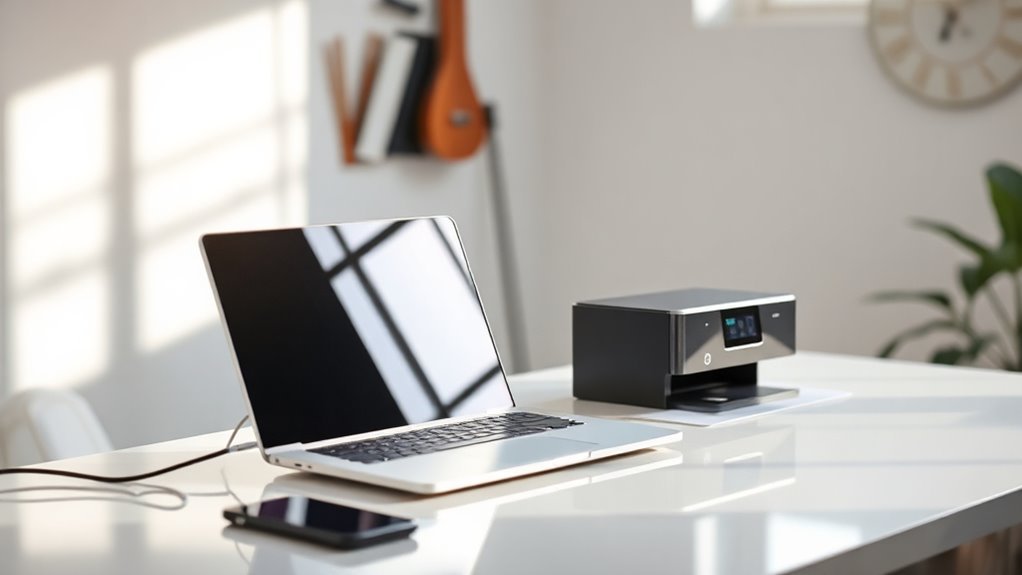
You’ll want to focus on how well the computer and printer work together, including their performance and compatibility. Consider your printing speed needs, connectivity options, and ongoing ink or toner costs.
Don’t forget to think about the size of each device and how much space you have available. It’s all about finding a combo that fits both your workflow and your workspace.
Performance Compatibility Needs
When selecting a computer and printer combo, aligning performance capabilities to your daily tasks ensures smooth operation and saves time. Consider your printing volume: inkjets vary from about 4.4 to 10 ipm color, while office-class models reach 10 ppm color or 20 ppm black.
Make sure duplex options match your workflow—automatic duplex saves time over manual. If you handle multi-page scans or copies frequently, prioritize models with an automatic document feeder (ADF) to boost efficiency.
Also, verify connection compatibility, including Wi-Fi standards and ports like USB, to prevent delays. Finally, check print and copy resolution to suit your output needs, whether detailed text or high-quality photos.
This way, your combo meets all performance demands without bottlenecks. It’s all about making sure everything works together smoothly for your daily tasks.
Printing Speed Requirements
Balancing performance compatibility naturally leads to taking into account how fast your printer can handle tasks. If you need quick document turnaround, compare print speeds like up to 21 ppm for black-and-white laser printers versus roughly 7.5 ppm black and 5.5 ppm color for basic inkjets.
For color-heavy jobs, check color-specific speeds since color printing is often slower than black-and-white. Don’t overlook “first page out” times—laser models can deliver a page in about 8.3 seconds, while inkjets may take around 20 seconds, which matters for short runs.
Also, consider duplex printing: automatic duplex speeds up multi-page jobs compared to manual. Remember, print speed claims are averages under ideal conditions, so align these with your typical print type, whether text or photos, for realistic expectations.
Connectivity Options Available
How will your devices connect to your new computer and printer combo? Make sure it supports wireless Wi-Fi with dual-band options when possible. This way, you can place your printer anywhere without dealing with messy cables.
Also, check if it offers Wireless Direct (Wi-Fi Direct). That lets you print straight from your device even if there’s no network around. Handy, right?
Don’t forget to confirm it supports mobile printing standards like Apple AirPrint and Mopria. These make printing from your phone or tablet super simple using built-in drivers.
If you want a wired backup, look for at least one USB port for a direct connection to your computer. For homes with multiple users, see if Ethernet support is included. This ensures a stable, reliable network connection.
With these connectivity options, you’ll enjoy flexible and easy printing that fits perfectly in your home or office setup.
Ink And Toner Costs
You’ll often find that ink and toner costs play a major role in choosing the right computer and printer combo. Inkjet printers frequently push subscription programs with trials that switch to paid plans after a few months, while laser printers use replaceable toner cartridges.
You should compare cartridge yields—some ink setups offer around 255 black and 270 color pages—to estimate your per-page expense. Watch for “up to X% savings” claims but verify if they depend on subscriptions, cancellation policies, or printing volume.
Also, consider cartridge compatibility: some printers require chips or circuitry that limit replacement options and hike costs. To estimate ongoing expenses, combine cartridge prices, page yields, and any forced periodic replacements triggered by low-ink or toner alerts before making your decision.
Device Size And Space
Ink and toner costs matter, but so does making sure your computer and printer combo fits comfortably in your workspace. Compare their footprints and weights to confirm they fit your desk, shelf, or cabinet without blocking power or cables.
Check the tray size and clearance—printers with larger paper trays, like 150-sheet inputs, need extra front space for easy loading. Also, consider height clearance for access to outputs and control panels, especially if the device has a touchscreen or taller body.
Don’t forget about space behind the device for features like an automatic document feeder (ADF), which requires extra depth. If your space is tight, go for models with smaller dimensions and simpler rear connectivity to avoid crowding walls or other equipment.
Sustainability And Energy Use
Although performance and size often top your checklist, sustainability and energy use play a key role when choosing a computer and printer combo. Look for ENERGY STAR and EPEAT certifications—they signal reduced power consumption and eco-friendly design.
Check power ratings carefully; a model using 2.55W active power saves materially more energy than one at 7W over time. Also, consider standby and off power draw, as low watts here prevent waste during idle periods.
Opt for devices made with high recycled plastic content, which cuts demand for virgin materials. Finally, factor in your printing habits and duplex printing support—automatic two-sided printing reduces paper and energy use, lowering your overall environmental footprint.
Making sure these elements are in place ensures your combo is both efficient and sustainable. It’s all about balancing what you need with what’s good for the planet.
Frequently Asked Questions
How Do I Set up Wireless Printing on Multiple Devices?
You’ll connect your printer to Wi-Fi first, then install its app or drivers on each device. Make sure all devices are on the same network, follow the setup prompts, and you’ll print wirelessly in no time.
It’s pretty straightforward once you get started. Just take it step by step, and you’ll be good to go!
What Is the Average Lifespan of an Inkjet vs. Laser Printer?
You’ll find inkjet printers typically last around 3-5 years with moderate use, while laser printers often endure 5-7 years or more.
Your usage and maintenance habits will greatly affect their actual lifespan. So, taking good care of your printer really pays off.
Can These Printers Handle Borderless Photo Printing?
Like a vintage typewriter, inkjet printers handle borderless photo printing beautifully, giving you vibrant, detailed images.
Laser printers, however, usually don’t support borderless prints, so you’ll want to stick with inkjets for photos.
Are There Eco-Friendly Ink or Toner Options Available?
Yes, you’ll find eco-friendly ink and toner options that reduce waste and use plant-based or recycled materials. These choices are designed to help you print sustainably without sacrificing quality or performance.
What Warranty Coverage Is Typical for Computer and Printer Combos?
You’ll usually get a one-year warranty covering parts and labor.
For example, Sarah bought a combo last year, and when her printer jammed, the company replaced it quickly under warranty.
It saved her time and money. Pretty convenient, right?
Conclusion
Choosing the right computer and printer combo is like picking the perfect dance partner—they need to work seamlessly together for smooth performance. Whether you want speed, quality, or versatility, there’s an option here to fit your needs.
Keep your priorities clear, consider wireless options, and think about what tasks you’ll tackle most. With the right match, you’ll breeze through projects effortlessly, making every print and click count.
In 2027, finding the best computer and printer combo means focusing on compatibility, efficiency, and convenience. Prioritize features that match your workflow, like fast printing speeds or high-resolution output. Wireless connectivity can add a lot of freedom, letting you print from multiple devices without hassle. Ultimately, the perfect computer and printer combo will help you save time and boost productivity, making your home or office setup more efficient and enjoyable.