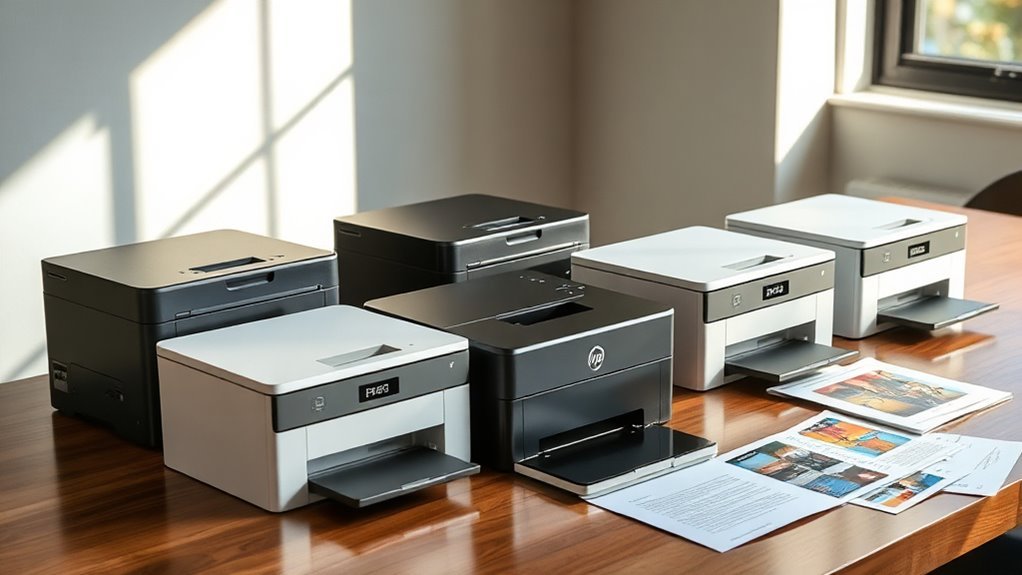
6 Best Cost-Effective Laser Printers for 2027
You’ll want a laser printer that’s fast, reliable, and fits your budget. Finding a cost-effective laser printer in 2027 means balancing speed, print quality, and features without overspending. Whether you need crisp monochrome prints or vibrant color output, there’s a model that matches your needs.
Consider the Brother HL-L2405W for speedy monochrome output with wireless ease.
Or, consider the Canon imageCLASS LBP646Cdw for sharp color prints and automatic duplexing.
The HP Color LaserJet Pro 3204dw offers color duplex printing plus smart app features.
While the Canon MegaTank G3270 provides ink savings for high volume.
For all-in-one needs, check out the HP LaserJet Pro 3105sdw and 3304fdw.
Keep key features in mind to find your best fit.
| Image | Name | Editor's Rating | Price |
|---|---|---|---|

|
|
||

|
|
||

|
|
||

|
|
||

|
|
Brother HL-L2405W Wireless Monochrome Laser Printer
- BEST FOR HOMES & HOME OFFICES – Engineered for consistent, premium print quality, the Brother HL-L2405W Monochrome (Black & White) Laser Printer delivers sharp, crisp...
- COMPACT, CONNECTED PRINTER – Flexible connection options make this an ideal printer for home use and at-home offices. Securely connect to multiple devices with built-in...
- BROTHER MOBILE CONNECT APP – Manage your printer remotely and print from your mobile device anytime, from almost anywhere. Order Brother Genuine Supplies, track toner...
- VERSATILE PAPER HANDLING – Enjoy seamless, reliable everyday printing with the 250-sheet paper tray(4) and a manual feed slot that enables printing on envelopes and...
- BROTHER IS AT YOUR SIDE – Backed by Brother with a 1-year limited warranty and free online, call, or live chat support for the life of your printer

The Brother HL-L2405W wireless monochrome laser printer is designed to simplify your printing tasks with speed and precision. Its fast print rate of 30 pages per minute helps reduce waiting time, making it ideal for busy home offices or small workspaces. The clear, sharp black-and-white output ensures your documents look professional every time.
This printer fits neatly into compact spaces while offering reliable connectivity. Dual-band wireless and USB interfaces provide flexible setup options, allowing you to print from multiple devices without hassle. Mobile printing is supported through the Brother Mobile Connect app and Alexa integration, so you can print directly from your smartphone or voice commands.
Maintenance is straightforward with a 250-sheet paper tray that minimizes frequent refills. While it produces only monochrome prints, it handles various media types, including envelopes and labels. Note that duplex printing is manual, requiring user intervention to print double-sided pages.
Security features are built in to keep your documents safe and confidential. Overall, the HL-L2405W balances efficient performance with practical design, making it a dependable choice for everyday printing needs.
Best for: Small home offices and individuals needing a fast, compact monochrome laser printer with wireless and mobile printing capabilities.
What We Like:
- Fast printing speed of up to 30 pages per minute
- Dual-band wireless and USB connectivity for easy setup
- Mobile printing support via Brother Mobile Connect app and Alexa
- Compact design saves space in small work areas
- Handles multiple media types, including envelopes and labels
Specification:
| Feature | Details |
|---|---|
| Manufacturer | Brother |
| Dimensions (W x D x H) | 14 x 14.2 x 7.2 inches |
| Weight | 15.4 lbs (7 kg) |
| Connectivity | Dual-band Wi-Fi, USB |
| Paper Tray Capacity | 250 sheets |
| Print Speed | Up to 30 ppm |
| Print Type | Monochrome Laser |
Canon imageCLASS LBP646Cdw Wireless Laser Printer
- Single-Function, Color, Wireless, Duplex Printer: Print only. — No Scanning, Copying, or Faxing
- Fast Print Speeds: Print up to 26 ppm in both color and monochrome and spend less time waiting with a quick first print time of approximately 10.3 seconds.
- Easy Wireless Setup: Setup your wireless connection and get up and running in just a few steps.
- 5-inch LCD Screen: Navigate through all the features using the 5-line LCD screen.
- Mobile Device Printing: Print from your compatible mobile devices using the free Canon PRINT app, Apple AirPrint and Mopria Print Service.
The Canon imageCLASS LBP646Cdw is designed to deliver fast, vibrant color prints that meet the demands of small offices and hybrid work environments. Its ability to print up to 26 pages per minute helps reduce wait times and keeps your workflow moving smoothly. Automatic duplex printing cuts paper usage by producing two-sided documents effortlessly.
Setting up the printer is straightforward thanks to its wireless connectivity. You can print directly from your smartphone or tablet using the Canon PRINT app, AirPrint, or Mopria, making it easy to manage printing tasks without a computer. The clear 5-inch LCD screen simplifies navigation and printer management.
This model handles up to 250 sheets with an additional multipurpose tray, supporting a variety of paper sizes including legal. Although it only prints and does not scan or copy, its sharp 1200 x 1200 dpi resolution ensures professional-quality output. The ENERGY STAR certification highlights its efficiency, but note that power consumption peaks at 1080 watts during operation.
Maintenance involves replacing toner cartridges that start with modest yields, so planning for replacements is important to avoid downtime. Overall, the LBP646Cdw offers a reliable, high-quality printing solution tailored for busy workspaces needing efficient, wireless color laser printing.
Best for: Small offices and hybrid workers who require fast, high-quality color laser prints with convenient wireless and mobile printing options.
What We Like:
- Fast print speed of up to 26 ppm with automatic duplex printing
- Easy wireless setup with mobile printing support via Canon PRINT app, AirPrint, and Mopria
- High print resolution of 1200 x 1200 dpi for sharp, professional documents
- ENERGY STAR certification for improved energy efficiency
Specification:
| Feature | Details |
|---|---|
| Manufacturer | Canon |
| Dimensions | Not provided |
| Weight | Not provided |
| Print Speed | Up to 26 pages per minute |
| Print Resolution | Up to 1200 x 1200 dpi |
| Connectivity | Wireless, USB |
| Paper Capacity | 250 sheets + multipurpose tray |
| Supported Paper Size | Up to legal size |
| Display | 5-inch LCD screen |
HP Color LaserJet Pro 3204dw | Color Laser Printer | Duplex
- FROM AMERICA'S MOST TRUSTED PRINTER BRAND – Perfect for office teams creating professional-quality color documents and reports; auto 2-sided printing; perfect for up to...
- OPTIMIZE PRINT FORMATTING WITH HP AI – Print web pages and emails with precision—no wasted pages or awkward layouts; HP AI easily removes unwanted content, so your...
- BLAZING FAST COLOR – Up to 26 color pages per minute, with sharp details and incredible color
- STAYS CONNECTED – Reliable Wi-Fi automatically reconnects to stay online and ready to print
- PROTECTS YOUR DATA – Includes HP Wolf Pro Security with customizable settings so your printer and information are always secure
The HP Color LaserJet Pro 3204dw stands out with its ability to deliver professional-quality color prints quickly for small office teams. It helps streamline your workflow by producing sharp, vibrant pages at speeds of up to 26 pages per minute. This printer reduces frustration by handling color and duplex printing efficiently, saving both time and paper.
Setup and maintenance are simplified with reliable Wi-Fi connectivity and the HP app, allowing easy printing, scanning, and faxing directly from your smartphone. The AI Print Formatting feature intelligently removes unwanted content from web pages and emails, cutting down on unnecessary waste and improving document clarity.
Designed for teams of up to seven, this printer balances performance with practicality. Security is a priority, with HP Wolf Pro Security protecting sensitive information. However, cartridge use is limited to original HP chips, which ensures consistent quality but restricts third-party options. Firmware updates may occasionally affect cartridge compatibility, requiring attention during maintenance.
Best for: Small office teams needing fast, high-quality color prints with mobile printing and strong security features.
What We Like:
- Fast and vibrant color printing at up to 26 ppm
- AI Print Formatting reduces waste from web and email documents
- Easy Wi-Fi setup and mobile app support for versatile device use
- Robust security with HP Wolf Pro Security
- Duplex printing saves time and paper
Specification:
| Feature | Details |
|---|---|
| Manufacturer | HP |
| Dimensions (W x D x H) | 16.3 x 15.2 x 11.4 inches (41.4 x 38.6 x 29 cm) |
| Weight | 27.6 lb (12.5 kg) |
| Color Options | White with black accents |
| Connectivity | Wi-Fi, USB |
Canon MegaTank G3270 All-in-One Wireless Color Printer
- Wireless Print/Copy/Scan
- Up to 2 years of ink included (2)
- Print up to 6,000 black & white / 7,700 color pages using a single set of inks! (1)
- Save up to $1,000 on ink (1)
- 1.35” Square LCD display
The Canon MegaTank G3270 delivers efficient all-in-one wireless printing designed to simplify your daily tasks. It offers seamless printing, copying, and scanning without the hassle of cords, making it easy to place anywhere in your home or office.
This printer stands out by including up to two years’ worth of ink, allowing you to print thousands of pages before needing a refill. This feature significantly reduces the time and cost spent on maintenance, helping you avoid frequent interruptions.
With a compact 1.35” LCD display, navigating menus and settings is straightforward, though it supports only single-sided printing. This design keeps operation simple but may limit users who need duplex functionality.
By saving up to $1,000 on ink costs, the MegaTank G3270 offers a practical and budget-conscious solution. Its wireless features and high ink yield make it ideal for users who want reliable, cost-effective printing without sacrificing convenience.
Best for: individuals or small offices needing an affordable wireless all-in-one printer with long-lasting ink and low running costs.
What We Like:
- Up to two years of ink included for high-volume use
- Wireless print, copy, and scan for flexible placement
- Significant ink cost savings over time
- Compact design with easy menu navigation
Specification:
| Feature | Details |
|---|---|
| Manufacturer | Canon |
| Dimensions | Not specified |
| Weight | Not specified |
| Color Options | Not specified |
| Display | 1.35” LCD |
| Printing | Single-sided only |
| Connectivity | Wireless |
HP LaserJet Pro 3105sdw Monochrome Laser Printer | All-in-One
No products found.
The HP LaserJet Pro 3105sdw is designed to meet the needs of small teams requiring efficient and reliable monochrome printing. It tackles common office challenges by providing fast output at up to 33 pages per minute, helping reduce wait times and boost productivity. The auto two-sided printing feature saves paper and cuts costs, making it an eco-friendly choice.
This all-in-one device also streamlines document handling with one-sided scanning via the document feeder. It supports up to seven users, making it ideal for small office environments. The smart workflow functions include scan-to-email with AI-generated subject lines and summaries, which simplify communication and save time.
Maintenance is straightforward with HP’s secure Wi-Fi setup through the HP app, allowing printing, scanning, and copying directly from smartphones. However, it only accepts original HP cartridges with chips, limiting third-party options. The printer’s focus on monochrome output means it is best suited for black-and-white documents and not color printing needs.
Best for: Small offices and teams needing fast, secure, and efficient monochrome printing with smart workflow integration.
What We Like:
- Fast printing speeds with automatic two-sided printing
- AI-powered scan-to-email features for enhanced workflow
- Easy and secure Wi-Fi setup via HP app
- Supports multiple users in small office settings
- Optimizes layouts to reduce paper waste
Specification:
| Feature | Details |
|---|---|
| Manufacturer | HP |
| Dimensions | Not specified |
| Weight | Not specified |
| Color Options | Monochrome (Black & White) |
| Connectivity | Wi-Fi with HP app support |
| User Capacity | Up to 7 users |
HP Color LaserJet Pro 3304fdw | Color Laser Printer | Wireless | All-in-One
- FROM AMERICA'S MOST TRUSTED PRINTER BRAND – Perfect for office teams creating professional-quality color documents and reports. Auto 2-sided printing/scanning, auto...
- SIMPLIFY SCAN TO EMAIL – Save time when scanning documents to email. HP AI automatically generates smart subject lines, file names, and actionable summaries to...
- BLAZING FAST COLOR – Up to 26 color pages per minute, with sharp details and incredible color
- STAYS CONNECTED – Reliable Wi-Fi automatically reconnects to stay online and ready to print
- PROTECTS YOUR DATA – Includes HP Wolf Pro Security with customizable settings so your printer and information are always secure
Experience professional-quality color printing designed to keep your office running smoothly. The HP Color LaserJet Pro 3304fdw supports up to seven users, making it an ideal solution for small teams needing reliable, fast output. It produces sharp, vibrant prints at speeds up to 26 pages per minute, helping reduce wait times and boost productivity.
This all-in-one printer simplifies everyday tasks with automatic two-sided printing, scanning, copying, and faxing. The fast auto document feeder streamlines multi-page scanning and copying jobs, saving valuable time. Plus, Scan to Email comes with AI-generated subject lines and summaries, making document sharing straightforward and efficient.
Setup and maintenance are hassle-free with dependable Wi-Fi connectivity and the HP app, which allows printing and scanning directly from your smartphone. To keep your data secure, the printer includes HP Wolf Pro Security. However, it requires original HP cartridges with proprietary chips, and periodic firmware updates help maintain these security features.
Best for: small office teams of up to seven people needing efficient, professional-quality color printing with versatile all-in-one functions and secure wireless connectivity.
What We Like:
- Fast color printing at 26 pages per minute with vibrant output
- Convenient all-in-one functionality including two-sided printing and a quick auto document feeder
- AI-enhanced Scan to Email for efficient workflow management
- Secure data protection with HP Wolf Pro Security
- Easy setup and operation via the HP app and reliable Wi-Fi
Specification:
| Feature | Details |
|---|---|
| Manufacturer | HP |
| Dimensions | Not specified |
| Weight | Not specified |
| Color Options | Not specified |
| Connectivity | Wireless |
| Max Print Speed | Up to 26 pages per minute |
| User Capacity | Supports up to 7 users |
Factors to Consider When Choosing a Cost Effective Laser Printer
When choosing a cost-effective laser printer, you’ll want to focus on print speed efficiency and connectivity options to match your workflow.
Also, consider cartridge yield and cost to keep your running expenses low. This way, you ensure the print quality meets your standards without overspending.
Don’t forget to check for wireless and mobile features. They add convenience and flexibility, making your printing experience much smoother.
Print Speed Efficiency
Efficiency matters most when choosing a cost-effective laser printer, especially if you regularly handle large print jobs. Start by comparing maximum pages per minute (ppm) for one-sided output—30 ppm versus 26 ppm or 33 ppm—to gauge how quickly your documents will print.
Also, note whether these speeds apply to color or monochrome printing, as color often runs slower. Don’t overlook the “first print time,” since a startup delay of around 10 seconds can impact short jobs more than ppm rates.
And hey, consider duplex printing; automatic two-sided modes can cut total print time even if the ppm rating is for single-sided prints.
Finally, use the printer’s resolution, like up to 1200 × 1200 dpi, as a tie-breaker since finer detail can influence how efficiently complex pages process.
Connectivity Options Available
How do you make sure your laser printer fits seamlessly into your workflow? Start by checking if it supports Wi-Fi, ideally dual-band (2.4GHz and 5GHz), to boost range and minimize connection problems.
If you print mainly from one computer, USB-only local printing might be enough. For office environments, an Ethernet port ensures a stable wired connection.
Don’t forget mobile compatibility—features like Apple AirPrint and Mopria Print Service let you print straight from your phone or tablet without extra drivers. Also, choose a model with automatic network reconnection and an easy wireless setup process to cut downtime.
These connectivity options help you stay productive, whether you’re printing solo or sharing resources in a busy workspace.
Cartridge Yield And Cost
Although choosing the right printer matters, understanding cartridge yield and cost will have the most significant impact on your ongoing expenses. Start by comparing standard versus high-yield cartridges, as higher-yield options generally reduce your cost per page.
Pay attention to yields for different colors—black and CMY—since mixed-color printing affects your real pages per dollar. Look for multipacks or twin packs, which often offer better value than single cartridges.
Double-check toner compatibility and any chip requirements to avoid printing interruptions and forced official replacements. If you consider subscription or page plans, make sure you know the included pages, extra charges, and cancellation policies.
Being thorough here helps you avoid surprise costs and ensures your printer stays truly cost-effective over time. It’s worth spending a little extra time upfront to save a lot in the long run!
Print Quality Standards
Understanding cartridge yield and cost helps keep your expenses low, but the sharpness and clarity of your prints define the overall value you get from a laser printer. Check the maximum print resolution—look for models offering up to 1200 × 1200 dpi or at least 600 × 600 dpi to make sure crisp text and detailed graphics.
For color printers, note if color and monochrome resolutions differ, as this impacts output clarity. Also, consider the first print time; faster starts, around 10 seconds, enhance usability, especially for quick jobs.
Don’t overlook duplex printing—consistent two-sided output improves document professionalism. Finally, prioritize printers that state true printed DPI rather than marketing numbers to ensure the quality you expect.
These factors together make sure you get sharp, reliable prints without overspending. It’s all about balancing quality and cost in a way that works for you.
Wireless And Mobile Features
When choosing a cost-effective laser printer, wireless and mobile features play a key role in convenience and productivity. You should look for built-in dual-band Wi-Fi that supports both 2.4GHz and 5GHz to ensure stable connections under varying network circumstances.
Also, check if the printer supports mobile printing options like AirPrint, Mopria, or dedicated apps. This way, you can print seamlessly from your phone or tablet without any hassle.
Make sure the setup is easy, ideally with “simple wireless setup,” so you don’t waste time dealing with frustrating downtime. It’s also important to have reliable Wi-Fi behavior, such as automatic re-linking, to reduce the chance of failed print jobs.
Finally, confirm the printer has a user-friendly display or control interface along with mobile app compatibility. That way, you can manage print jobs and settings remotely without any trouble.
Security And Data Protection
Since printers often handle sensitive documents, you’ll want to prioritize safety and data protection features in a cost-effective laser printer. Look for built-in enterprise-style protections like secure connection options to safeguard information during wireless printing.
Choose printers that enforce strong cartridge authentication using original chips and update firmware regularly to block unsupported cartridges. This helps limit tampering risks.
Opt for models with configurable security settings, allowing you to tighten access rules for different users or devices. It’s also important to ensure the device supports secure wireless and mobile printing workflows, such as app-based printing and standard network protocols.
These options help reduce exposure from less protected connections. Finally, confirm ongoing security maintenance through frequent firmware updates, as these keep cartridge-blocking and other protections effective over time.
Frequently Asked Questions
How Do Laser Printers Compare to Inkjet Printers in Cost Efficiency?
You’ll find laser printers more cost-efficient over time because they use toner that lasts longer and prints faster.
Inkjet printers cost less upfront but need frequent ink replacements, making them pricier if you print often.
What Maintenance Tips Extend a Laser Printer’s Lifespan?
You should clean the printer regularly and replace toner cartridges promptly. Using quality paper is also important for keeping things running smoothly.
Avoid overheating by giving your printer breaks during heavy use. Don’t forget to update the firmware from time to time.
These simple steps really help extend your laser printer’s lifespan. Taking care of it now means fewer problems later on!
Are Laser Printers Safe for Home Use With Children Around?
Laser printers are generally safe around kids, but they emit tiny particles and fumes during use. You should keep them in well-ventilated areas and supervise children to balance convenience with health precautions effectively.
It’s a good idea to place the printer somewhere with plenty of airflow. That way, any fumes don’t build up too much. Just keeping an eye on the kids around the printer helps keep things safe and smooth.
Can Laser Printers Handle Printing on Different Paper Types?
Yes, laser printers can handle different paper types like cardstock, labels, and envelopes. Just check your printer’s specifications and adjust settings accordingly.
That way, you won’t damage the machine or get poor print quality. It’s pretty straightforward once you know what your printer can do!
What Environmental Impacts Do Laser Printers Have Compared to Other Printers?
You’ll find laser printers use more energy than inkjets and produce toner dust, which can harm air quality.
However, they waste less ink and paper overall, making their environmental impact a mixed trade-off.
Conclusion
Choosing the right laser printer isn’t just about price—it’s about value, reliability, and how well it fits your needs. Whether you need sharp monochrome prints or vibrant colors, these options offer cost-effective solutions without cutting corners.
Remember, a printer is more than a machine; it’s your silent partner in productivity. So, pick wisely and let your printer work quietly while you create boldly.
After all, the best investment speaks volumes without saying a word. Finding a cost-effective laser printer means balancing quality and affordability, ensuring you get reliable performance without overspending. With the right choice, your printer will deliver crisp, efficient results that keep up with your demands, making it a smart addition to any workspace in 2027.