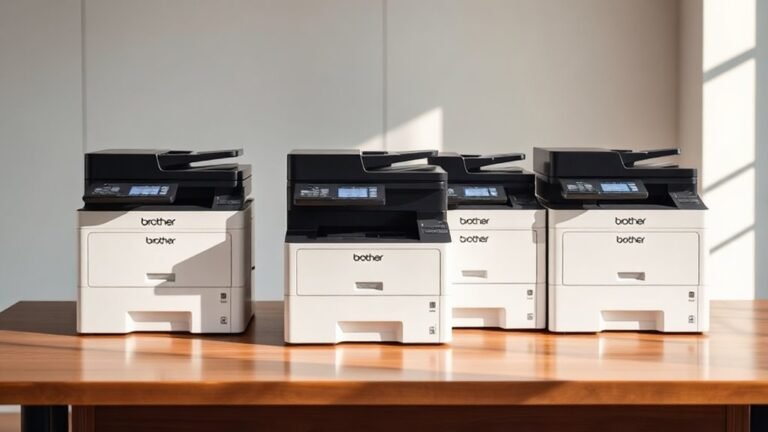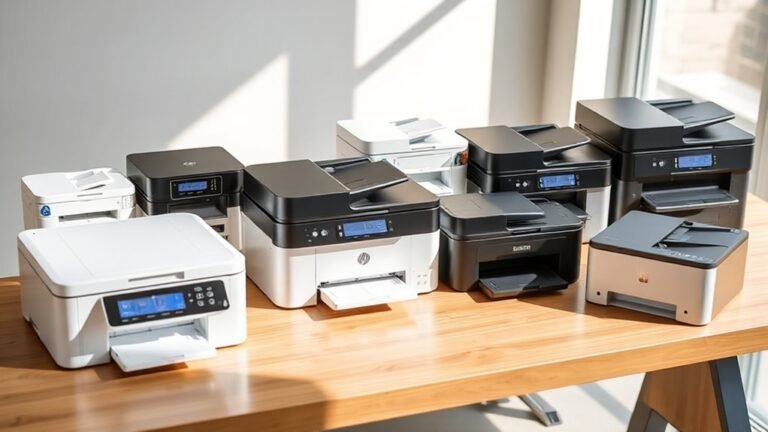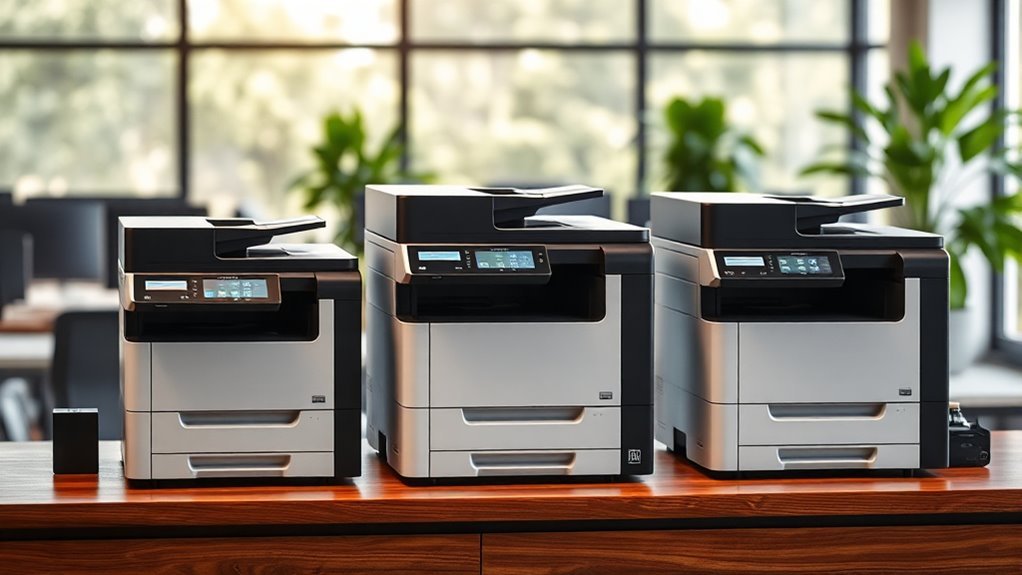
3 Best Commercial Laser Printers for 2027
You’ll want the Brother MFC-L8930CDW if you need vibrant color output with advanced scanning and strong security. It’s perfect for businesses that require high-quality color prints and robust features to keep documents safe. This model really shines when you want both performance and peace of mind.
For fast, reliable monochrome printing in smaller offices, the Canon imageCLASS MF465dw II offers wireless convenience and sharp print quality. It’s a great choice if you’re looking to save space without sacrificing efficiency. Plus, the wireless feature makes printing from multiple devices a breeze.
If your office demands high-volume speed and dependable performance, the Brother MFC-L5915DW fits the bill. This printer handles heavy workloads effortlessly and keeps up with busy environments. These models balance print speed, connectivity, and cost efficiency well.
Keep exploring to find the best fit tailored to your workflow. There’s a perfect commercial laser printer out there for every office size and need!
| Image | Name | Editor's Rating | Price |
|---|---|---|---|

|
|
||

|
|
||

|
|
Brother MFC-L8930CDW Color Laser All-in-One Printer
- Updated design, professional results. High-quality output with sharp color and black printing. Fast print and copy speeds up to 33ppm(1) help boost productivity. Reliable...
- Maximize printing budgets. Offers built-in value with included Brother Genuine 3,000-page black and 1,800-page color standard yield toner cartridges. Help lower printing...
- Advanced scanning. High-speed, two-sided scanning up to 104ipm(3) with 80-page auto document feeder(4) and legal-size glass. Scan to cloud, email, SharePoint, and more...
- Productivity-enhancing features. Flexible connectivity, including built-in dual-band (2.4GHz / 5GHz) wireless networking and Gigabit Ethernet networking. 7” color...
- Triple Layer Security. Advanced security features to help keep devices secure, protect documents in transit to and from print devices, and safeguard networks. Includes an...

The Brother MFC-L8930CDW is designed to meet the needs of busy offices that require fast, reliable color printing and scanning. It handles large print jobs with ease, delivering sharp documents at speeds up to 33 pages per minute. Duplex printing and a multipurpose tray add flexibility to your workflow, allowing you to manage different media types effortlessly.
Its compact design is 25% smaller than the previous model, saving valuable desk space without compromising performance. Maintenance is straightforward with included standard toners that keep printing costs low. For heavier use, optional super high-yield cartridges extend output and reduce frequent replacements.
Scanning is efficient and fast, featuring two-sided capability and a large 7-inch touchscreen that simplifies navigation. Connectivity options like dual-band Wi-Fi, Gigabit Ethernet, and NFC authentication ensure smooth integration into your office network. Security features protect sensitive information, while sustainability efforts help reduce environmental impact.
Best for: professionals and small to medium-sized offices needing a reliable, cost-efficient color laser all-in-one printer with advanced scanning and security features.
What We Like:
- Consistent high-speed printing and duplex copying up to 33 ppm
- Low-cost printing with standard and super high-yield toner options
- Wide connectivity choices including dual-band Wi-Fi and NFC
- Easy-to-use 7″ touchscreen interface
- Compact design saves office space
Specification:
| Feature | Details |
|---|---|
| Manufacturer | Brother |
| Dimensions (W×D×H) | Approx. 16.1 × 18.7 × 16 inches |
| Weight | Approx. 37 lbs (16.8 kg) |
| Printer Type | Color Laser All-in-One |
| Connectivity | Wi-Fi (dual-band), Ethernet, NFC |
| Display | 7-inch color touchscreen |
Canon imageCLASS MF465dw II Wireless Laser Printer
- Monochrome Wireless, Duplex 4-in-1: Print, Scan, Copy, Fax
- Print up to 42 ppm
- Easy Wireless Setup
- 5-inch Touchscreen
- Mobile Device Printing
The Canon imageCLASS MF465dw II is designed to meet the demands of small offices and home workspaces needing efficient black-and-white printing. It delivers fast output at up to 42 pages per minute, helping you stay productive during busy workdays. The sharp 1200 x 1200 dpi resolution ensures clear, professional documents every time.
This printer simplifies everyday tasks with automatic duplex printing and a 50-sheet duplex automatic document feeder (ADF). Scanning and copying are handled smoothly via the flatbed scanner, making multi-function use easy. Its 5-inch touchscreen provides intuitive navigation, reducing time spent on setup or adjustments.
Connectivity options include wireless, Ethernet, and USB, offering flexibility to print from multiple devices. Mobile printing is supported through Canon’s PRINT app, enabling quick access from smartphones or tablets. Loading paper is straightforward, with up to 900 sheets capacity when using an optional cassette, ideal for high-volume days.
Maintenance is streamlined with high-yield toner cartridges that reduce replacement frequency and help keep running costs low. While it focuses on monochrome output, this laser printer’s solid design and versatile features support a smooth workflow in busy environments.
Best for: Small offices and home workspaces requiring fast, reliable monochrome printing with versatile all-in-one functionality and flexible connectivity options.
What We Like:
- Fast printing speed of up to 42 ppm with high-quality 1200 x 1200 dpi output
- Automatic duplex printing and 50-sheet duplex ADF enhance efficiency
- Multiple connectivity options including wireless, Ethernet, USB, and mobile printing
- Large paper capacity of up to 900 sheets with optional cassette
- High-yield toner cartridges lower maintenance frequency and costs
Specification:
| Feature | Detail |
|---|---|
| Manufacturer | Canon |
| Dimensions | Not specified |
| Weight | Not specified |
| Color Options | Black |
| Print Speed | Up to 42 ppm |
| Print Resolution | 1200 x 1200 dpi |
| Duplex Printing | Automatic |
| ADF Capacity | 50 sheets (duplex) |
| Connectivity | Wireless, Ethernet, USB |
| Touchscreen | 5-inch color touchscreen |
Brother MFC-L5915DW Professional Laser Printer All-in-One
- FAST BUSINESS PRINTING AND COPYING: The Brother MFC-L5915DW business monochrome laser all-in-one printer delivers high-quality output and print and copy speeds of up to...
- LOW-COST OUTPUT: Help reduce operating costs by using the Brother Genuine TN920UXXL ultra high-yield 18,000-page replacement toner cartridge. Includes a Brother Genuine...
- FAST, HIGH-VOLUME SCANNING: The 70-page capacity(3) auto document feeder offers single-pass, two-sided scanning up to 56ipm(4). Features a large document glass for up to...
- FLEXIBLE CONNECTIVITY OPTIONS: Features built‐in Gigabit Ethernet and dual band wireless networking to seamlessly set up and share on your wired.
Experience efficient, high-volume printing with the Brother MFC-L5915DW Professional Laser Printer. Designed for busy offices, this all-in-one device handles demanding workloads with ease. Its monochrome printing, scanning, and copying capabilities deliver sharp results quickly, helping you meet tight deadlines.
The 70-page auto document feeder makes managing multi-page documents simple. Two-sided scanning at speeds up to 56 ipm streamlines large jobs, saving valuable time. Connectivity is seamless with built-in Gigabit Ethernet and dual-band Wi-Fi, allowing easy sharing across your office network.
Maintenance is straightforward with an included toner cartridge yielding 3,000 pages. For extended use, an optional ultra high-yield cartridge supports up to 18,000 pages, reducing the need for frequent replacements. While the all-in-one design offers versatility, its larger footprint may require adequate workspace.
This printer is built to improve office productivity and handle heavy printing tasks without complication. Its focus on monochrome output suits professional environments where speed and reliability are priorities.
Best for: busy offices and professionals needing fast, reliable monochrome printing, scanning, and copying with flexible connectivity options.
What We Like:
- Fast printing and copying speeds up to 50 ppm for high-volume tasks
- Efficient two-sided scanning with a 70-page auto document feeder
- Flexible network options including Gigabit Ethernet and dual-band Wi-Fi
- Optional ultra high-yield toner cartridge reduces operating costs
- Clear, sharp monochrome output ideal for professional documents
Specification:
| Feature | Details |
|---|---|
| Manufacturer | Brother |
| Model | MFC-L5915DW |
| Dimensions (W x D x H) | 16.1 x 15.7 x 11.7 inches |
| Weight | 19.1 lb (8.7 kg) |
| Printing Technology | Monochrome Laser |
| Print Speed | Up to 50 ppm |
| Auto Document Feeder | 70 pages |
| Scanning Speed | Up to 56 ipm (two-sided) |
| Connectivity | Gigabit Ethernet, Dual-band Wi-Fi |
Factors to Consider When Choosing a Commercial Laser Printer
When choosing a commercial laser printer, you’ll want to consider how fast it prints and whether you need color or just monochrome.
Also, think about the connectivity options it offers. Do you need scanning or copying features as part of your workflow?
Don’t forget to check toner yield and cost. That way, you can make sure it fits your budget and printing volume.
Print Speed Importance
Often, print speed plays an essential role in choosing a commercial laser printer, especially if you handle large volumes regularly. You’ll want a printer with a high pages-per-minute (ppm) rate—typically between 30 and 50 ppm—to reduce wait times during busy periods.
Don’t overlook first-page-out time, either; a faster start improves efficiency for single-page or occasional print jobs. Also, consider duplex and scan speeds, since two-sided printing and multi-page scanning can impact overall job completion.
It’s critical to balance print speed with network bandwidth, duty cycle, and paper handling capabilities. This guarantees the printer can sustain its rated speed without bottlenecks or excessive wear, keeping your workflow smooth and reliable every day.
Color vs Monochrome
Deciding between color and monochrome printers boils down to your specific printing needs and budget. If your business frequently produces marketing materials, presentations, or color-coded reports, a color printer is essential to guarantee vibrant, accurate output.
But keep in mind, color printers come with higher per-page costs and require more frequent toner replacements for cyan, magenta, yellow, and black cartridges. They also demand more complex color management and calibration, which can increase setup and IT overhead.
On the other hand, monochrome printers excel at handling high-volume, text-heavy documents quickly and cost-effectively. They offer faster print speeds and lower total cost of ownership, making them ideal if you rarely need color.
Connectivity Options Available
To get the most out of your commercial laser printer, make sure it supports a range of connectivity options that fit your office setup and mobile needs. Look for models offering both wired connections like Gigabit Ethernet and USB, plus wireless options such as dual-band 2.4/5 GHz Wi-Fi and Wi-Fi Direct.
This guarantees seamless integration with office networks and mobile devices. Choose printers with mobile printing capabilities—native apps, AirPrint, Android Print—and cloud support for remote printing and scanning.
If security matters, opt for devices featuring single-sign-on, NFC, or card-based authentication to control user access. Finally, verify network management and security protocols like SNMP, TLS, and firmware updates over the network to simplify administration and protect your data effectively.
Scanning And Copying Features
When choosing a commercial laser printer, you’ll want to prioritize scanning and copying features that enhance efficiency and versatility. Look for models with high-capacity automatic document feeders (ADFs) holding 50–80 sheets, and faster duplex scanning rates measured in images per minute (ipm) to speed up multi-page tasks.
Make sure the ADF supports single-pass duplex scanning to scan both sides of originals in one go, reducing time and wear. Check if the printer handles various scan destinations like email, cloud, and creates searchable PDFs with OCR or Microsoft Office formats.
Also, consider platen size and whether the ADF supports legal-size documents if you need to scan larger originals. Finally, choose devices with touchscreen controls and customizable shortcuts to simplify repetitive scan and copy jobs.
Toner Yield And Cost
Evaluate toner yield and cost carefully to guarantee your commercial laser printer meets your budget and printing demands. Check the page yield for both standard and high-capacity toner options—standard cartridges print around 3,000 pages, while high-yield ones can deliver tens of thousands. This can cut your per-page cost considerably.
Calculate cost per page by dividing cartridge price by yield. Though super-high-yield cartridges cost more upfront, they often lower your overall printing expense.
Factor in your expected monthly print volume to gauge replacement frequency and total ownership cost. Confirm your printer supports multiple yield options and find the break-even point where higher-yield cartridges save money.
Also, consider toner availability, real-world yield variations, and plan for stocking replacements. This way, you avoid downtime and unexpected price hikes.
Paper Handling Capacity
Consider your paper handling capacity carefully to make certain your commercial laser printer keeps up with your daily workload. Check the standard paper capacity, including both the cassette and multipurpose tray, to match your average daily print volume.
For example, 250 to 500 sheets usually suffice for small offices. But busier departments might need 900 or more with optional cassettes. It’s all about finding what fits your needs.
Verify the automatic document feeder (ADF) capacity and whether it supports single-pass duplex scanning. A higher ADF capacity (50–80+ sheets) helps reduce interruptions during multi-page jobs.
Also, confirm the printer supports duplex printing to save paper and handle two-sided tasks seamlessly. And make sure it accommodates various media sizes and specialty media like envelopes or labels.
Finally, consider expandability options for paper capacity. This way, you can easily handle future growth in printing demands without hassle.
Security And Sustainability
Beyond paper capacity, safeguarding your data and promoting sustainability are key factors in choosing a commercial laser printer. You should look for multi-layer security, including device firmware protection, encrypted data transmission, and network access controls to prevent unauthorized access.
Secure printing features like user authentication via PIN, NFC, or badge guarantee confidential documents don’t sit exposed at the output tray. Check that the printer supports encryption standards such as TLS for communications and AES for stored data, and offers regular firmware updates to tackle new threats.
On the sustainability front, opt for printers with ENERGY STAR or EPEAT certifications and recycled-material packaging. Also, consider consumable yields and toner recycling programs to reduce waste and lower your total cost of ownership while supporting circular-material goals.
Frequently Asked Questions
How Do Laser Printers Compare to Inkjet Printers in Commercial Settings?
You’ll find laser printers faster, more cost-effective, and better for high-volume printing in commercial settings.
Inkjets offer superior color quality but slower speeds and higher running costs. So, lasers are ideal for business efficiency.
What Are the Environmental Impacts of Using Laser Printers?
You should know laser printers use more energy than inkjets, consuming up to 40% more power during printing. This increases their carbon footprint.
Can These Printers Handle Printing on Specialty Media Like Labels or Cardstock?
Yes, these printers can handle specialty media like labels and cardstock, but you’ll want to check the specific printer’s guidelines.
Using the right settings guarantees crisp, professional results without damaging the printer or media.
It’s always a good idea to double-check before you start printing. That way, you get the best outcome every time!
What Are the Typical Maintenance Costs for Commercial Laser Printers?
You’ll typically spend on toner replacements, drum units, and occasional parts like fusers. Maintenance kits and service contracts add up, usually costing a few hundred dollars annually.
It really depends on your printer’s volume and model. So, the more you print, the more you might need to budget for upkeep.
How Secure Are Commercial Laser Printers From Cyber Threats?
You’ll find commercial laser printers reasonably secure if you update firmware regularly, use strong passwords, and enable encryption. These basic steps go a long way in protecting your devices.
However, they can still be vulnerable to hacking without proper network security measures and vigilant monitoring. So, it’s not just about the printer itself, but the whole network environment that matters. Keep an eye on things, and stay proactive!
Conclusion
Choosing the right commercial laser printer is like picking the perfect tool in a bustling workshop—it shapes your productivity and sharpens your business edge. Whether you lean toward the vibrant color of the Brother MFC-L8930CDW or the sleek efficiency of the Canon imageCLASS MF465dw II, you’re getting a reliable partner for your daily tasks.
Then there’s the robust power of the Brother MFC-L5915DW, designed to handle heavy workloads with precision and speed. Each printer is built to meet different business needs, so you can pick what fits best.
Trust your needs and watch your business print success in bold strokes. Investing in a top commercial laser printer ensures smoother operations, sharper prints, and better efficiency—key factors for any thriving business in 2027.